warning HYUNDAI VELOSTER 2022 Owners Manual
[x] Cancel search | Manufacturer: HYUNDAI, Model Year: 2022, Model line: VELOSTER, Model: HYUNDAI VELOSTER 2022Pages: 446, PDF Size: 7.37 MB
Page 287 of 446
5-93
Driving your vehicle
5
Information
This device complies with Part 15 of
the FCC rules.
Operation is subject to the following
two conditions:
1. This device may not cause harmful
interference.
2. This device must accept any inter-
ference received, including interfer-
ence that may cause undesired
operation.
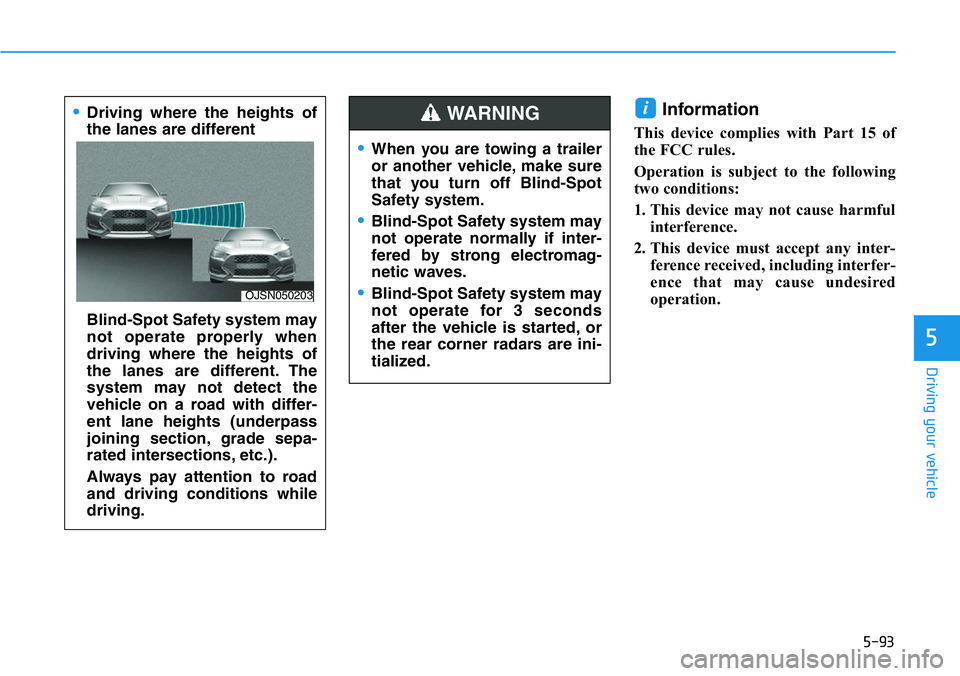
i•Driving where the heights of
the lanes are different
Blind-Spot Safety system may
not operate properly when
driving where the heights of
the lanes are different. The
system may not detect the
vehicle on a road with differ-
ent lane heights (underpass
joining section, grade sepa-
rated intersections, etc.).
Always pay attention to road
and driving conditions while
driving.
OJSN050203
•When you are towing a trailer
or another vehicle, make sure
that you turn off Blind-Spot
Safety system.
•Blind-Spot Safety system may
not operate normally if inter-
fered by strong electromag-
netic waves.
•Blind-Spot Safety system may
not operate for 3 seconds
after the vehicle is started, or
the rear corner radars are ini-
tialized.
WARNING
Page 288 of 446
5-94
Driving your vehicle
Basic function
Driver Attention Warning will help
determine the driver's attention level
by analyzing driving pattern, driving
time, etc. while vehicle is being driv-
en. The system will recommend a
break when the driver’s attention
level falls below a certain level.
Leading Vehicle Departure Alert
function
Leading Vehicle Departure Alert
function will inform the driver when
the front vehicle departs from a stop.
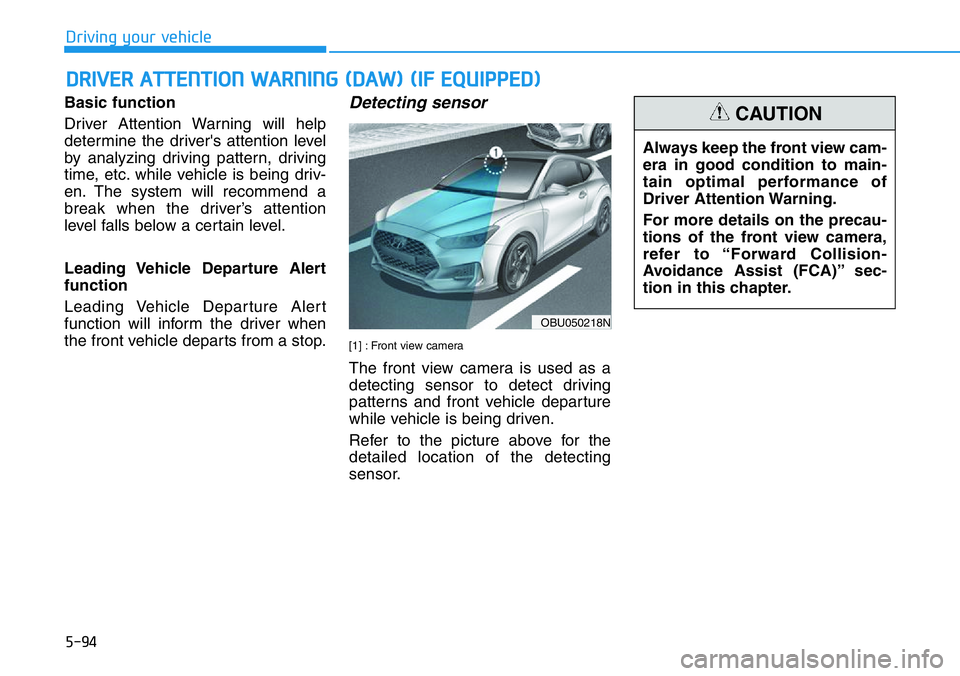
Detecting sensor
[1] : Front view camera
The front view camera is used as a
detecting sensor to detect driving
patterns and front vehicle departure
while vehicle is being driven.
Refer to the picture above for the
detailed location of the detecting
sensor.
DRIVER ATTENTION WARNING (DAW) (IF EQUIPPED)
OBU050218N
Always keep the front view cam-
era in good condition to main-
tain optimal performance of
Driver Attention Warning.
For more details on the precau-
tions of the front view camera,
refer to “Forward Collision-
Avoidance Assist (FCA)” sec-
tion in this chapter.
CAUTION
Page 289 of 446
5-95
Driving your vehicle
5
System settings
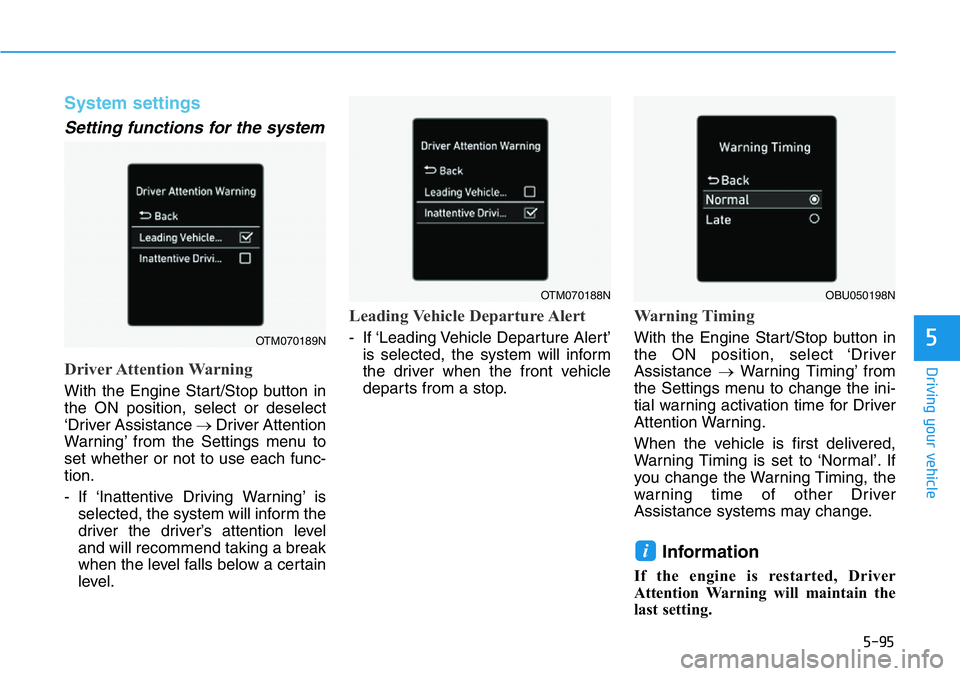
Setting functions for the system
Driver Attention Warning
With the Engine Start/Stop button in
the ON position, select or deselect
‘Driver Assistance →Driver Attention
Warning’ from the Settings menu to
set whether or not to use each func-
tion.
- If ‘Inattentive Driving Warning’ is
selected, the system will inform the
driver the driver’s attention level
and will recommend taking a break
when the level falls below a certain
level.
Leading Vehicle Departure Alert
- If ‘Leading Vehicle Departure Alert’
is selected, the system will inform
the driver when the front vehicle
departs from a stop.
Warning Timing
With the Engine Start/Stop button in
the ON position, select ‘Driver
Assistance →Warning Timing’ from
the Settings menu to change the ini-
tial warning activation time for Driver
Attention Warning.
When the vehicle is first delivered,
Warning Timing is set to ‘Normal’. If
you change the Warning Timing, the
warning time of other Driver
Assistance systems may change.
Information
If the engine is restarted, Driver
Attention Warning will maintain the
last setting.
i
OTM070189N
OTM070188NOBU050198N
Page 290 of 446
5-96
Driving your vehicle
System operation
Basic function
System display and warning
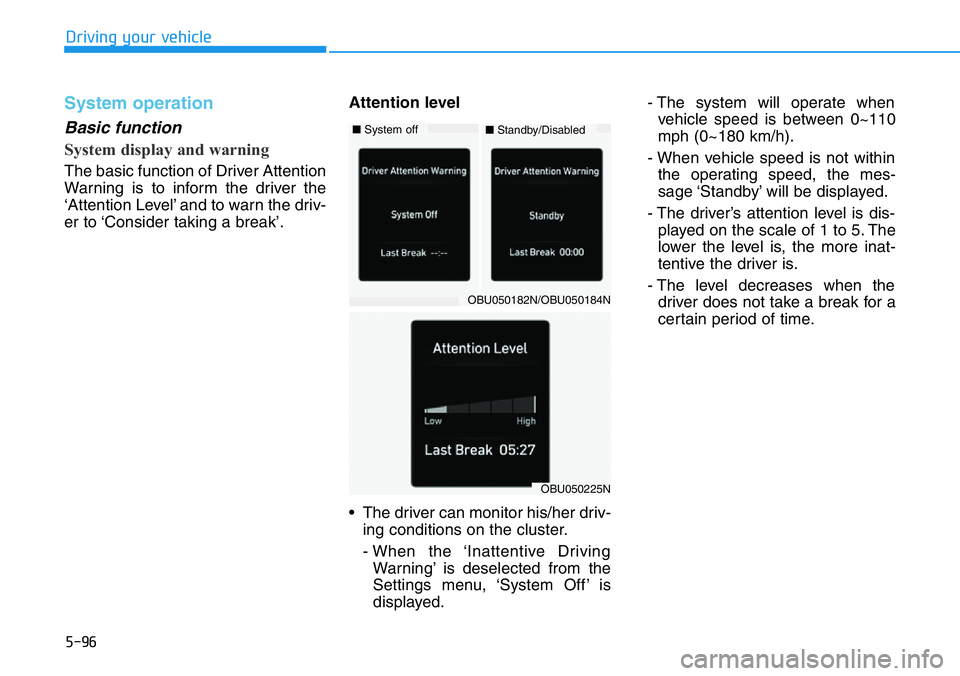
The basic function of Driver Attention
Warning is to inform the driver the
‘Attention Level’ and to warn the driv-
er to ‘Consider taking a break’.Attention level
• The driver can monitor his/her driv-
ing conditions on the cluster.
- When the ‘Inattentive Driving
Warning’ is deselected from the
Settings menu, ‘System Off’ is
displayed.- The system will operate when
vehicle speed is between 0~110
mph (0~180 km/h).
- When vehicle speed is not within
the operating speed, the mes-
sage ‘Standby’ will be displayed.
- The driver’s attention level is dis-
played on the scale of 1 to 5. The
lower the level is, the more inat-
tentive the driver is.
- The level decreases when the
driver does not take a break for a
certain period of time.
OBU050225N
OBU050182N/OBU050184N
■System off■Standby/Disabled
Page 291 of 446
5-97
Driving your vehicle
5
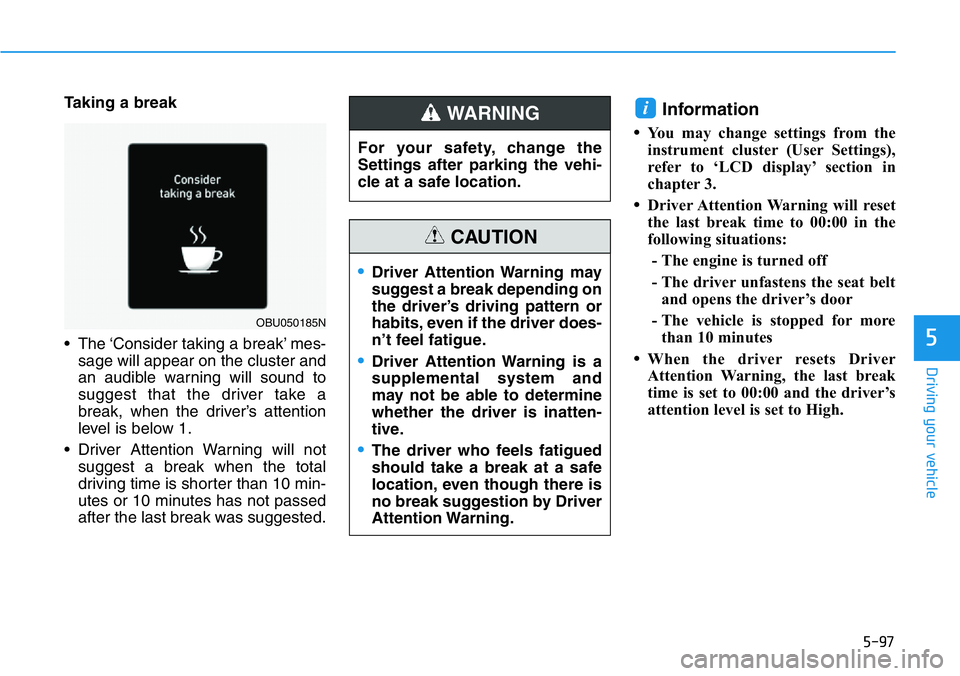
Taking a break
• The ‘Consider taking a break’ mes-
sage will appear on the cluster and
an audible warning will sound to
suggest that the driver take a
break, when the driver’s attention
level is below 1.
• Driver Attention Warning will not
suggest a break when the total
driving time is shorter than 10 min-
utes or 10 minutes has not passed
after the last break was suggested.Information
•You may change settings from the
instrument cluster (User Settings),
refer to ‘LCD display’ section in
chapter 3.
•Driver Attention Warning will reset
the last break time to 00:00 in the
following situations:
- The engine is turned off
- The driver unfastens the seat belt
and opens the driver’s door
- The vehicle is stopped for more
than 10 minutes
•When the driver resets Driver
Attention Warning, the last break
time is set to 00:00 and the driver’s
attention level is set to High.
i
OBU050185N
For your safety, change the
Settings after parking the vehi-
cle at a safe location.
WARNING
•Driver Attention Warning may
suggest a break depending on
the driver’s driving pattern or
habits, even if the driver does-
n’t feel fatigue.
•Driver Attention Warning is a
supplemental system and
may not be able to determine
whether the driver is inatten-
tive.
•The driver who feels fatigued
should take a break at a safe
location, even though there is
no break suggestion by Driver
Attention Warning.
CAUTION
Page 292 of 446
5-98
Driving your vehicle
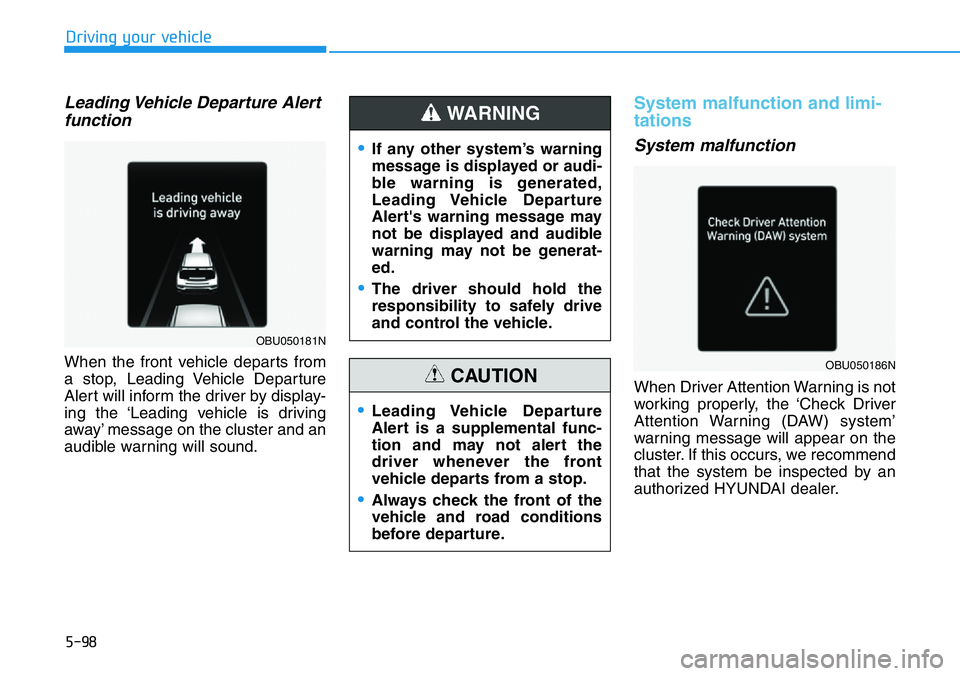
Leading Vehicle Departure Alert
function
When the front vehicle departs from
a stop, Leading Vehicle Departure
Alert will inform the driver by display-
ing the ‘Leading vehicle is driving
away’ message on the cluster and an
audible warning will sound.
System malfunction and limi-
tations
System malfunction
When Driver Attention Warning is not
working properly, the ‘Check Driver
Attention Warning (DAW) system’
warning message will appear on the
cluster. If this occurs, we recommend
that the system be inspected by an
authorized HYUNDAI dealer.
OBU050181N
OBU050186N
•If any other system’s warning
message is displayed or audi-
ble warning is generated,
Leading Vehicle Departure
Alert's warning message may
not be displayed and audible
warning may not be generat-
ed.
•The driver should hold the
responsibility to safely drive
and control the vehicle.
WARNING
•Leading Vehicle Departure
Alert is a supplemental func-
tion and may not alert the
driver whenever the front
vehicle departs from a stop.
•Always check the front of the
vehicle and road conditions
before departure.
CAUTION
Page 293 of 446
5-99
Driving your vehicle
5
Limitations of the system
Driver Attention Warning may not
work properly in the following situa-
tions:
• The vehicle is driven violently
• The vehicle intentionally crosses
over lanes frequently
• The vehicle is controlled by Driver
Assistance system, such as Lane
Keeping Assist
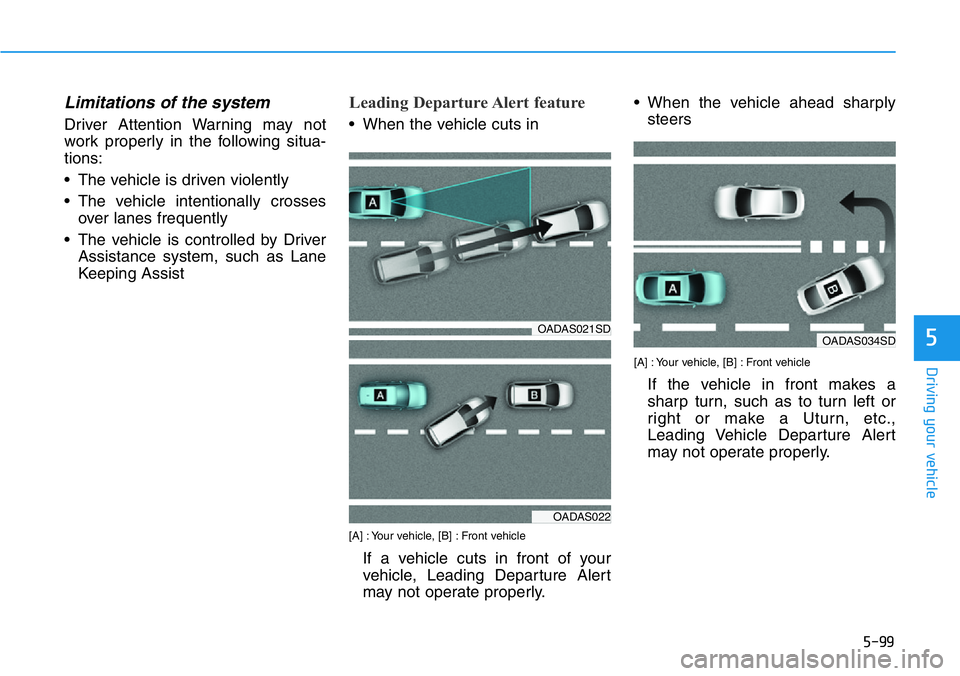
Leading Departure Alert feature
• When the vehicle cuts in
[A] : Your vehicle, [B] : Front vehicle
If a vehicle cuts in front of your
vehicle, Leading Departure Alert
may not operate properly.• When the vehicle ahead sharply
steers
[A] : Your vehicle, [B] : Front vehicle
If the vehicle in front makes a
sharp turn, such as to turn left or
right or make a Uturn, etc.,
Leading Vehicle Departure Alert
may not operate properly.
OADAS021SDOADAS034SD
OADAS022
Page 299 of 446
5-105
Driving your vehicle
5
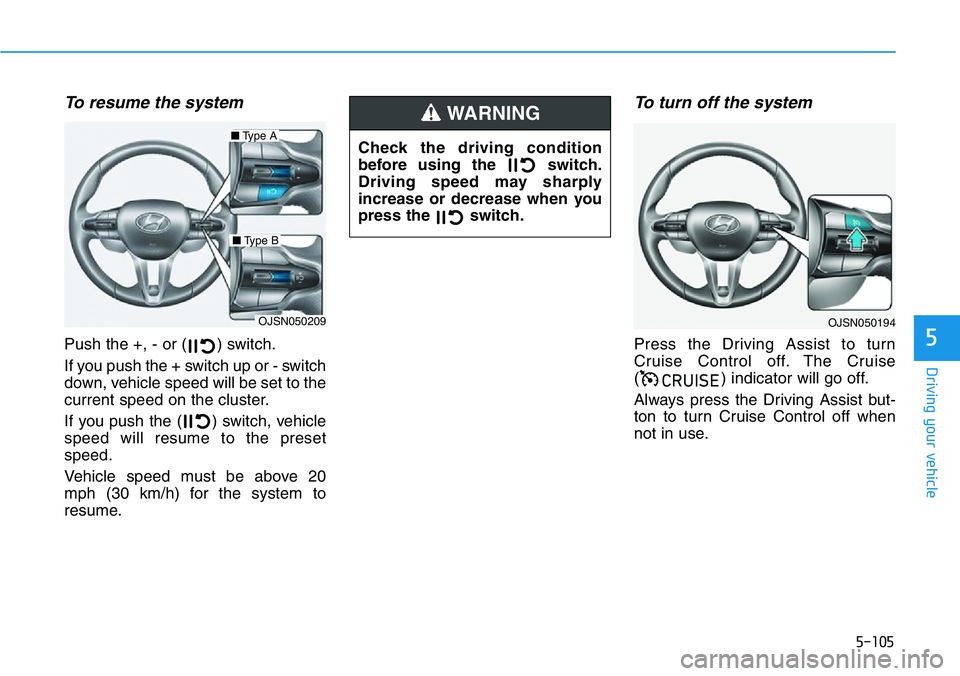
To resume the system
Push the +, - or ( ) switch.
If you push the + switch up or - switch
down, vehicle speed will be set to the
current speed on the cluster.
If you push the ( ) switch, vehicle
speed will resume to the preset
speed.
Vehicle speed must be above 20
mph (30 km/h) for the system to
resume.
To turn off the system
Press the Driving Assist to turn
Cruise Control off. The Cruise
( ) indicator will go off.
Always press the Driving Assist but-
ton to turn Cruise Control off when
not in use.
&58,6(
OJSN050209
■Type A
■Type B
OJSN050194
Check the driving condition
before using the switch.
Driving speed may sharply
increase or decrease when you
press the switch.
WARNING
Page 302 of 446
5-108
Driving your vehicle
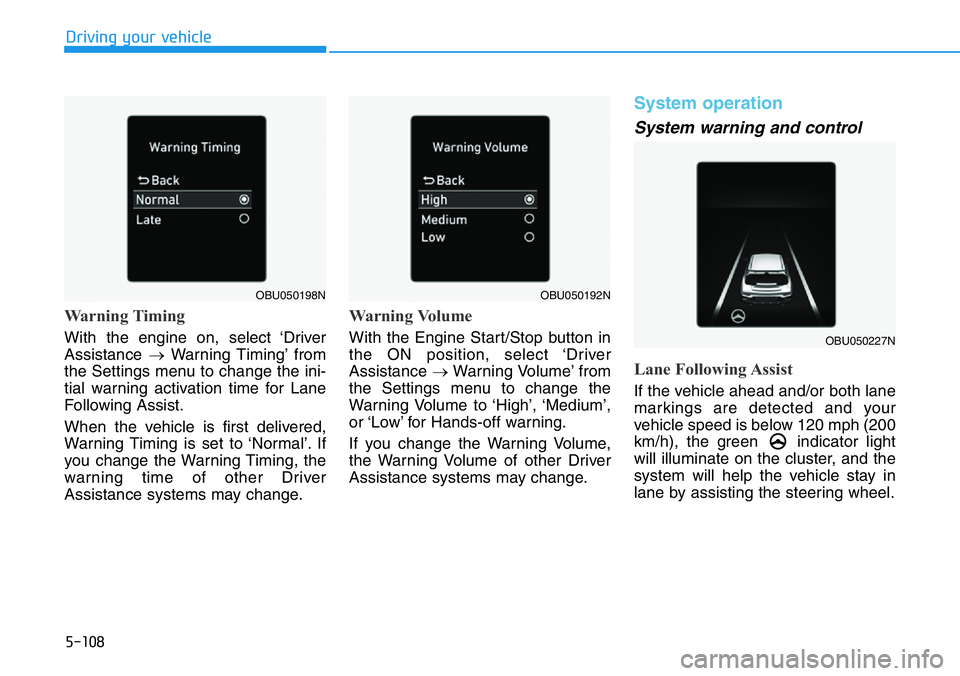
Warning Timing
With the engine on, select ‘Driver
Assistance →Warning Timing’ from
the Settings menu to change the ini-
tial warning activation time for Lane
Following Assist.
When the vehicle is first delivered,
Warning Timing is set to ‘Normal’. If
you change the Warning Timing, the
warning time of other Driver
Assistance systems may change.
Warning Volume
With the Engine Start/Stop button in
the ON position, select ‘Driver
Assistance →Warning Volume’ from
the Settings menu to change the
Warning Volume to ‘High’, ‘Medium’,
or ‘Low’ for Hands-off warning.
If you change the Warning Volume,
the Warning Volume of other Driver
Assistance systems may change.
System operation
System warning and control
Lane Following Assist
If the vehicle ahead and/or both lane
markings are detected and your
vehicle speed is below 120 mph (200
km/h), the green indicator light
will illuminate on the cluster, and the
system will help the vehicle stay in
lane by assisting the steering wheel.
OBU050192N
OBU050227N
OBU050198N
Page 303 of 446
5-109
Driving your vehicle
5
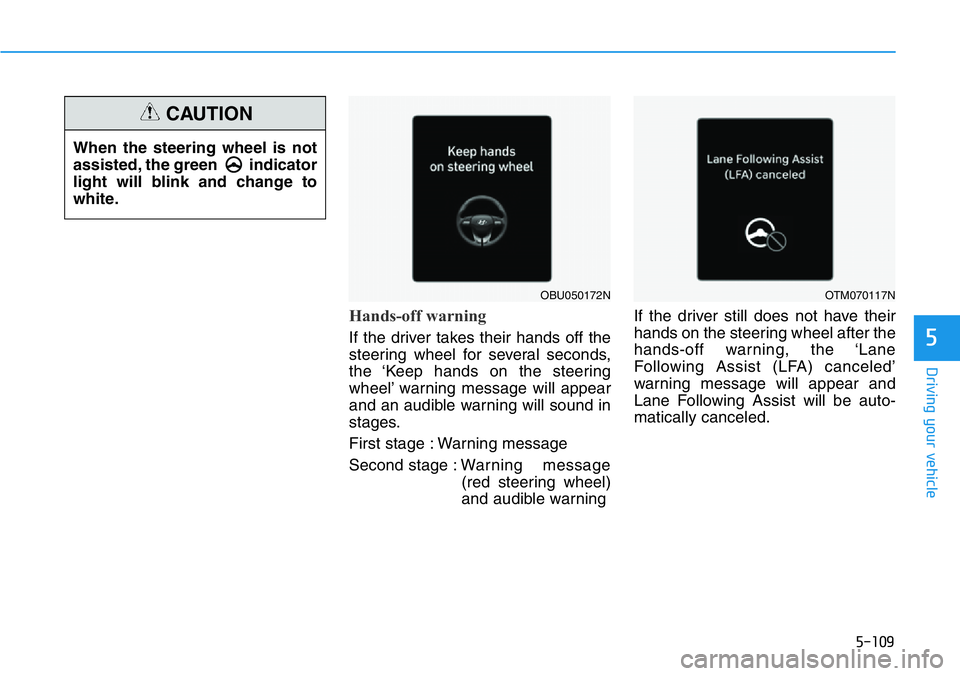
Hands-off warning
If the driver takes their hands off the
steering wheel for several seconds,
the ‘Keep hands on the steering
wheel’ warning message will appear
and an audible warning will sound in
stages.
First stage : Warning message
Second stage : Warning message
(red steering wheel)
and audible warningIf the driver still does not have their
hands on the steering wheel after the
hands-off warning, the ‘Lane
Following Assist (LFA) canceled’
warning message will appear and
Lane Following Assist will be auto-
matically canceled.
OBU050172NOTM070117N
When the steering wheel is not
assisted, the green indicator
light will blink and change to
white.
CAUTION