warning HYUNDAI VELOSTER 2022 Owners Manual
[x] Cancel search | Manufacturer: HYUNDAI, Model Year: 2022, Model line: VELOSTER, Model: HYUNDAI VELOSTER 2022Pages: 446, PDF Size: 7.37 MB
Page 236 of 446
5-42
Driving your vehicle
CUSTOM mode
You may select the drive mode you
prefer from the display audio screen.
• Select CUSTOM mode by pressing
the N button on the steering wheel.
The display audio screen will dis-
play the CUSTOM mode menu.
From the CUSTOM mode menu,
select 'ESC →NORMAL / SPORT
/ OFF'.
• You may directly go to the CUS-
TOM mode menu by touching the
display audio screen.
For more details, refer to the dis-
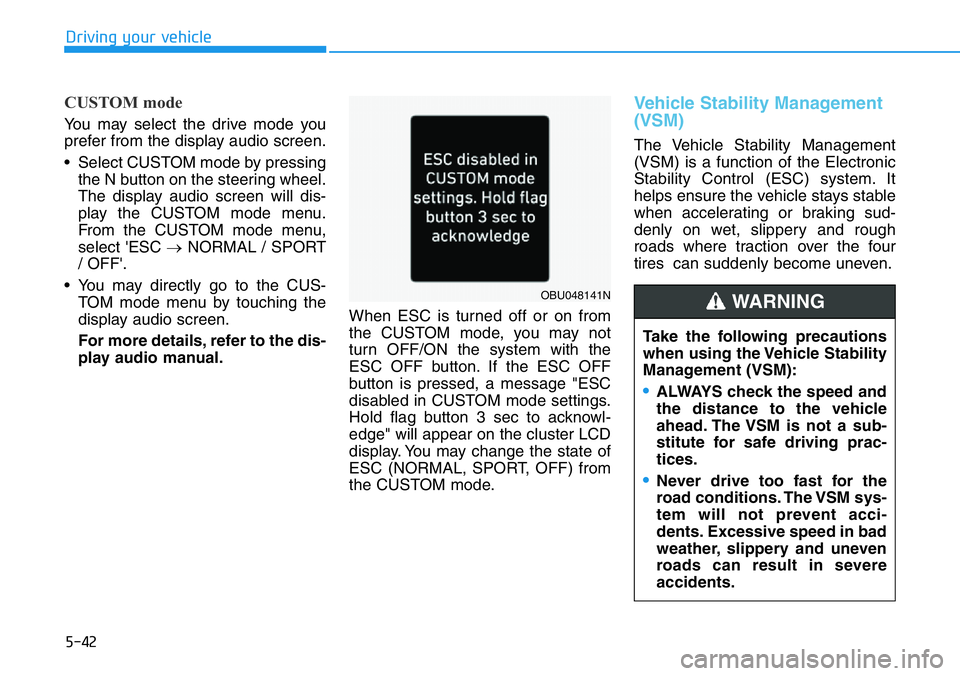
play audio manual.When ESC is turned off or on from
the CUSTOM mode, you may not
turn OFF/ON the system with the
ESC OFF button. If the ESC OFF
button is pressed, a message "ESC
disabled in CUSTOM mode settings.
Hold flag button 3 sec to acknowl-
edge" will appear on the cluster LCD
display. You may change the state of
ESC (NORMAL, SPORT, OFF) from
the CUSTOM mode.
Vehicle Stability Management
(VSM)
The Vehicle Stability Management
(VSM) is a function of the Electronic
Stability Control (ESC) system. It
helps ensure the vehicle stays stable
when accelerating or braking sud-
denly on wet, slippery and rough
roads where traction over the four
tires can suddenly become uneven.
Take the following precautions
when using the Vehicle Stability
Management (VSM):
•ALWAYS check the speed and
the distance to the vehicle
ahead. The VSM is not a sub-
stitute for safe driving prac-
tices.
•Never drive too fast for the
road conditions. The VSM sys-
tem will not prevent acci-
dents. Excessive speed in bad
weather, slippery and uneven
roads can result in severe
accidents.
WARNING OBU048141N
Page 237 of 446
5-43
Driving your vehicle
5
VSM operation
VSM ON condition
The VSM operates when:
• The Electronic Stability Control
(ESC) is on.
• Vehicle speed is approximately
above 9 mph (15 km/h) on curve
roads.
• Vehicle speed is approximately
above 12 mph (20 km/h) when the
vehicle is braking on rough roads.
When operating
When you apply your brakes under
conditions which may activate the
ESC, you may hear sounds from the
brakes, or feel a corresponding sen-
sation in the brake pedal. This is nor-
mal and it means your VSM is active.
The VSM does not operate when:
• Driving on a banked road such
as gradient or incline.
• Driving rearward.
• ESC OFF indicator light is on.
• EPS (Electric Power Steering)
warning light ( ) is on or
blinks.Driving with wheels and tires with dif-
ferent sizes may cause the ESC sys-
tem to malfunction. Before replacing
tires, make sure all four tires and
wheels are the same size. Never
drive the vehicle with different sized
tires and wheels installed.
NOTICE
If ESC indicator light ( ) or
EPS warning light ( ) stays on
or blinks, your vehicle may have
a malfunction with the VSM sys-
tem. When the warning light illu-
minates, have your vehicle
checked by an authorized
HYUNDAI dealer as soon as
possible.
WARNING
Page 238 of 446
5-44
Driving your vehicle
Hill-Start Assist Control (HAC)
The Hill-Start Assist Control (HAC)
helps prevent the vehicle from rolling
backwards when starting a vehicle
from a stop on a hill. The system
operates the brakes automatically for
approximately 2 seconds and releas-
es the brake after 2 seconds or when
the accelerator pedal is depressed.
• The HAC does not operate when
the shift lever is in N (Neutral).
• The HAC activates even though
the ESC (Electronic Stability
Control) is off but does not acti-
vate when the ESC has malfunc-
tioned.
Good Braking Practices Wet brakes can be dangerous! The
brakes may get wet if the vehicle is
driven through standing water or if it
is washed. Your vehicle will not stop
as quickly if the brakes are wet. Wet
brakes may cause the vehicle to pull
to one side.
To dry the brakes, apply the brakes
lightly until the braking action returns
to normal, taking care to keep the
vehicle under control at all times. If
the braking action does not return to
normal, stop as soon as it is safe to
do so and call an authorized
HYUNDAI dealer for assistance.
DO NOT drive with your foot resting
on the brake pedal. Even light, but
constant pedal pressure can result in
the brakes overheating, brake wear,
and possibly even brake failure.
If a tire goes flat while you are driv-
ing, apply the brakes gently and
keep the vehicle pointed straight
ahead while you slow down. When
you are moving slowly enough for it
to be safe to do so, pull off the road
and stop in a safe location.
NOTICE
Whenever leaving the vehicle or
parking, always come to a com-
plete stop and continue to
depress the brake pedal. Move
the shift lever into the 1
stgear
when the vehicle is parked on a
uphill and in R (Reverse) on a
downhill, then apply the parking
brake, and place the ignition
switch in the LOCK/OFF posi-
tion.
Vehicles parked with the park-
ing brake not applied or not
fully engaged may roll inadver-
tently and may cause injury to
the driver and others. ALWAYS
apply the parking brake before
exiting the vehicle.
WARNING
Always be ready to depress the
accelerator pedal when starting
off on a incline. The HAC acti-
vates only for approximately 2
seconds.
WARNING
Page 239 of 446
5-45
Driving your vehicle
5
Keep your foot firmly on the brake
pedal when the vehicle is stopped to
prevent the vehicle from rolling for-
ward.• Be cautious when parking on a
hill. Firmly engage the parking
brake and place the shift lever in
the 1
stgear when the vehicle is
parked on a uphill and in R
(Reverse) on a downhill. If your
vehicle is facing downhill, steer
the front wheels to the curb to
help prevent the vehicle from
rolling. If your vehicle is facing
uphill, turn the front wheels
away from the curb to help pre-
vent the vehicle from rolling. If
there is no curb or if the vehicle
has to be kept from rolling due
to conditions block the wheels.• Under some conditions your
parking brake can freeze in the
engaged position. This is most
likely to happen when there is
an accumulation of snow or ice
around or near the rear brakes
or if the brakes are wet. If there
is a risk of brake freezing, apply
the brake temporarily while you
put the shift lever in the 1
stgear
when the vehicle is parked on a
uphill and in R (Reverse) on a
downhill and block the rear
wheels so the vehicle cannot
roll. Then release the parking
brake.
• Do not hold the vehicle on the
incline with the accelerator
pedal. This can cause the trans-
mission to overheat. Always use
the brake pedal or parking
brake.
NOTICE
Brake override system
The system assists safe decel-
eration by reducing the engine
power when the accelerator
pedal is jammed or stuck and
when you continue depressing
the brake pedal.
However, the system is deacti-
vated when ESC is OFF in N
mode. When the system is dis-
abled, the brake distance may
be longer than when the system
is activated.
WARNING
Page 240 of 446
5-46
Driving your vehicle
The Electronic Control Suspension
(ECS) controls the vehicle suspen-
sion automatically to maximize driv-
ing comfort by taking into account
the driving conditions such as speed,
surface of the road, cornering, stop-
ping requirements and acceleration.
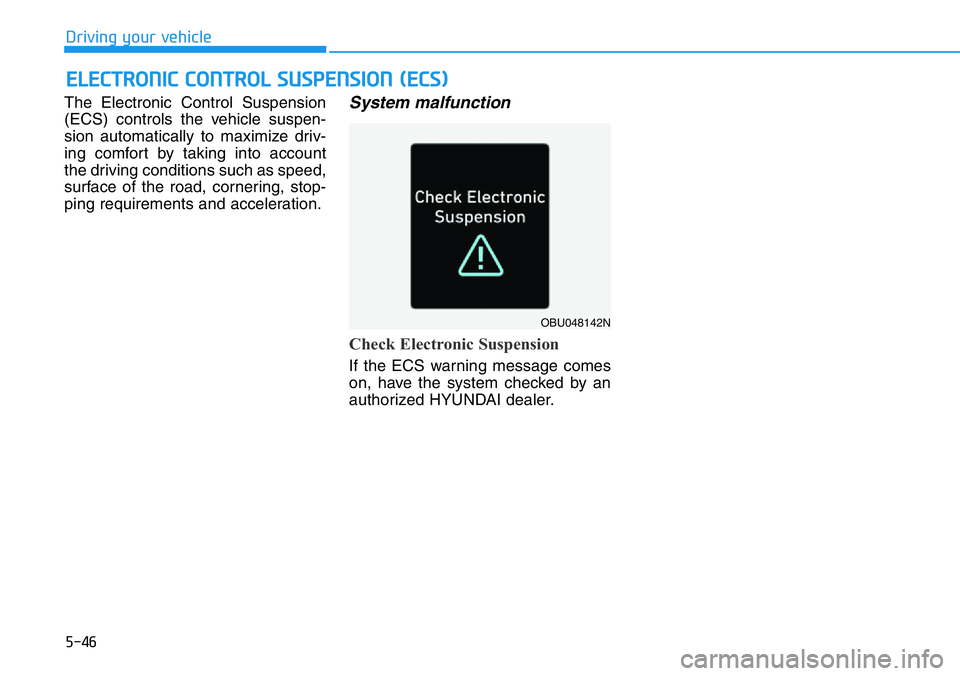
System malfunction
Check Electronic Suspension
If the ECS warning message comes
on, have the system checked by an
authorized HYUNDAI dealer.
ELECTRONIC CONTROL SUSPENSION (ECS)
OBU048142N
Page 241 of 446
5-47
Driving your vehicle
5
Electronic Limited Slip Differential
refers to a feature equipped with a
mechanism that controls the differen-
tial functions of the wheels.
The Electronic Limited Slip
Differential helps:
- Improve handling performance
when circling at high speed.
- Improve launching performance.
- Prevent slipping on rainy or snowy
roads due to dissimilar friction of
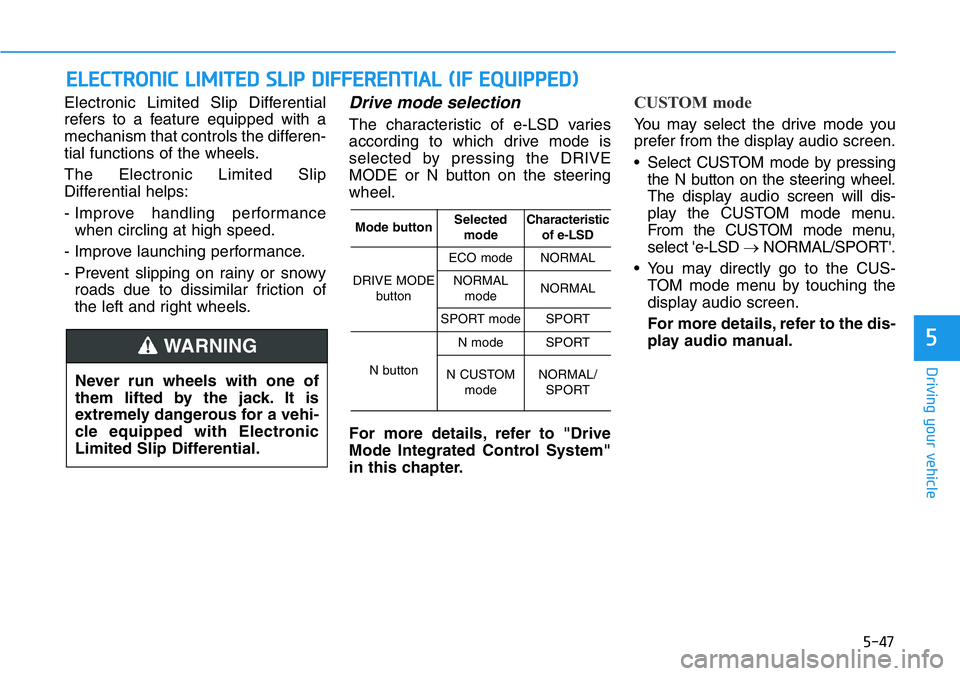
the left and right wheels.Drive mode selection
The characteristic of e-LSD varies
according to which drive mode is
selected by pressing the DRIVE
MODE or N button on the steering
wheel.
For more details, refer to "Drive
Mode Integrated Control System"
in this chapter.
CUSTOM mode
You may select the drive mode you
prefer from the display audio screen.
• Select CUSTOM mode by pressing
the N button on the steering wheel.
The display audioscreen will dis-
play the CUSTOM mode menu.
From the CUSTOM mode menu,
select 'e-LSD →NORMAL/SPORT'.
• You may directly go to the CUS-
TOM mode menu by touching the
display audio screen.
For more details, refer to the dis-
play audio manual.
ELECTRONIC LIMITED SLIP DIFFERENTIAL (IF EQUIPPED)
Never run wheels with one of
them lifted by the jack. It is
extremely dangerous for a vehi-
cle equipped with Electronic
Limited Slip Differential.
WARNING
Mode buttonSelected
modeCharacteristic
of e-LSD
DRIVE MODE
button
ECO modeNORMAL
NORMAL
modeNORMAL
SPORT modeSPORT
N button
N modeSPORT
N CUSTOM
modeNORMAL/
SPORT
Page 242 of 446
5-48
Driving your vehicle
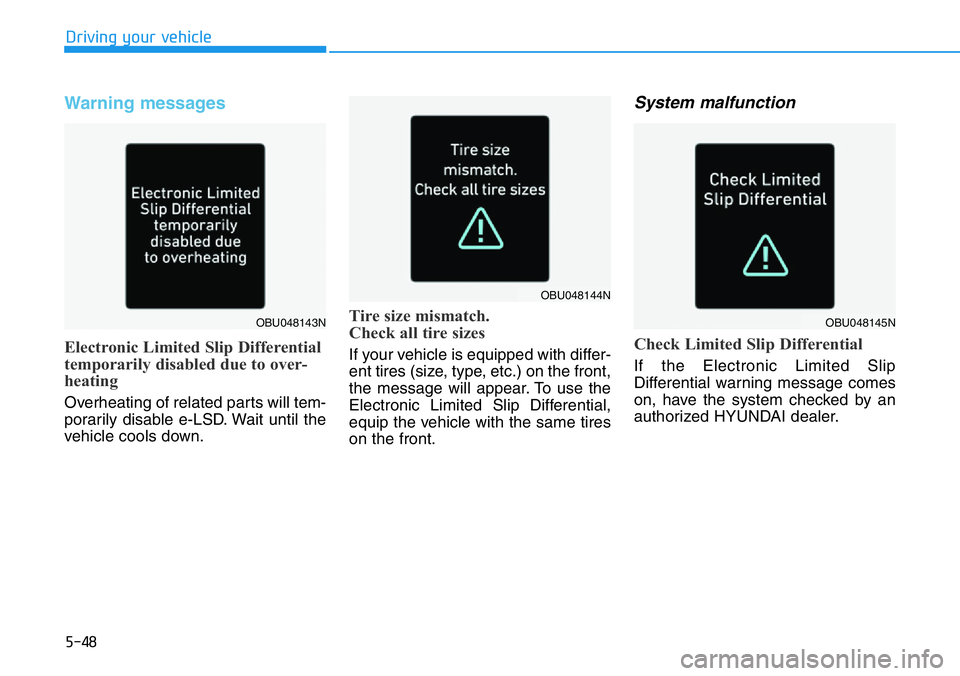
Warning messages
Electronic Limited Slip Differential
temporarily disabled due to over-
heating
Overheating of related parts will tem-
porarily disable e-LSD. Wait until the
vehicle cools down.
Tire size mismatch.
Check all tire sizes
If your vehicle is equipped with differ-
ent tires (size, type, etc.) on the front,
the message will appear. To use the
Electronic Limited Slip Differential,
equip the vehicle with the same tires
on the front.
System malfunction
Check Limited Slip Differential
If the Electronic Limited Slip
Differential warning message comes
on, have the system checked by an
authorized HYUNDAI dealer.
OBU048143N
OBU048144N
OBU048145N
Page 250 of 446
5-56
Driving your vehicle
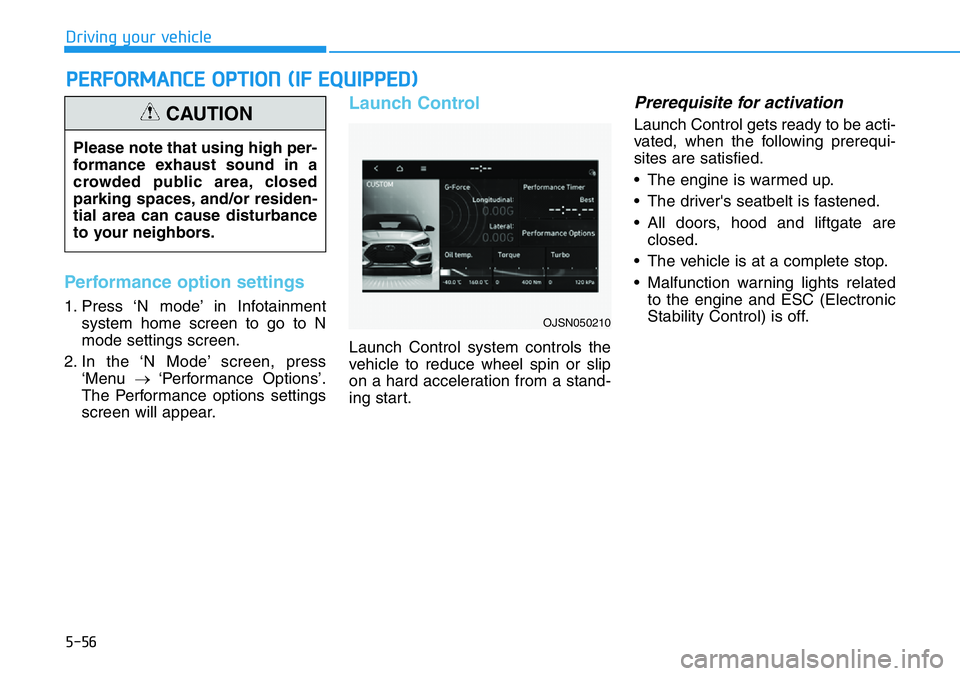
Performance option settings
1. Press ‘N mode’ in Infotainment
system home screen to go to N
mode settings screen.
2. In the ‘N Mode’ screen, press
‘Menu →‘Performance Options’.
The Performance options settings
screen will appear.
Launch Control
Launch Control system controls the
vehicle to reduce wheel spin or slip
on a hard acceleration from a stand-
ing start.
Prerequisite for activation
Launch Control gets ready to be acti-
vated, when the following prerequi-
sites are satisfied.
• The engine is warmed up.
• The driver's seatbelt is fastened.
• All doors, hood and liftgate are
closed.
• The vehicle is at a complete stop.
• Malfunction warning lights related
to the engine and ESC (Electronic
Stability Control) is off.
PERFORMANCE OPTION (IF EQUIPPED)
Please note that using high per-
formance exhaust sound in a
crowded public area, closed
parking spaces, and/or residen-
tial area can cause disturbance
to your neighbors.
CAUTION
OJSN050210
Page 256 of 446
5-62
Driving your vehicle
Operating condition
• N Track Sense Shift is enabled in the
Performance Options settings
• Shift lever in D (Drive) position
• Transmission mode is SPORT or
SPORT+ (Including SPORT or N
Riding Mode)
• Vehicle speed is above 21 mph
(35km/h)
• Cornering-oriented dynamic driving
detection
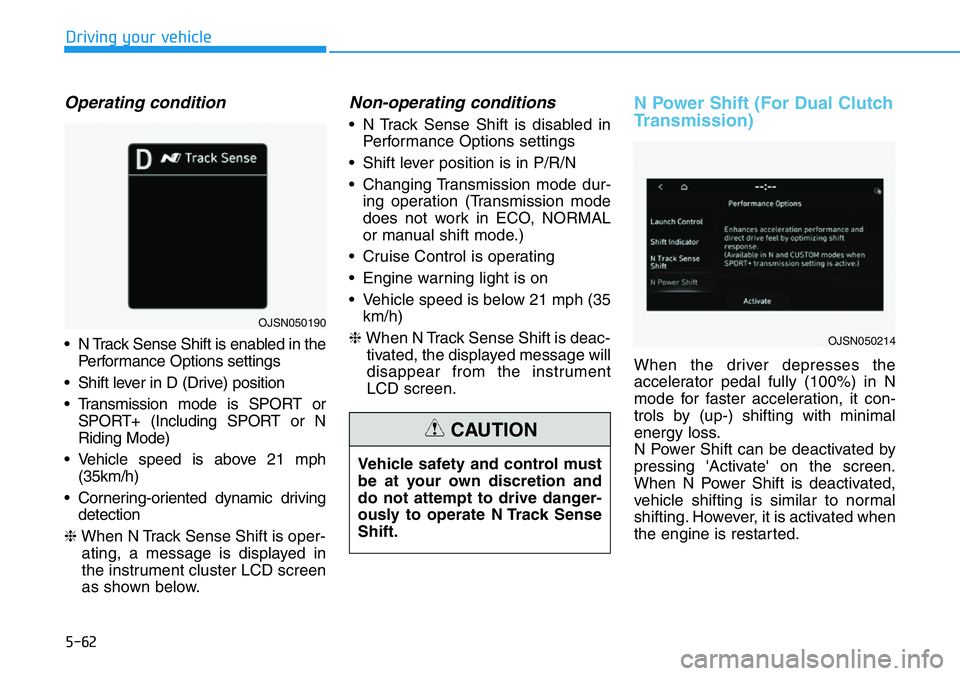
❈When N Track Sense Shift is oper-
ating, a message is displayed in
the instrument cluster LCD screen
as shown below.
Non-operating conditions
• N Track Sense Shift is disabled in
Performance Options settings
• Shift lever position is in P/R/N
• Changing Transmission mode dur-
ing operation (Transmission mode
does not work in ECO, NORMAL
or manual shift mode.)
• Cruise Control is operating
• Engine warning light is on
• Vehicle speed is below 21 mph (35
km/h)
❈When N Track Sense Shift is deac-
tivated, the displayed message will
disappear from the instrument
LCD screen.
N Power Shift (For Dual Clutch
Transmission)
When the driver depresses the
accelerator pedal fully (100%) in N
mode for faster acceleration, it con-
trols by (up-) shifting with minimal
energy loss.
N Power Shift can be deactivated by
pressing 'Activate' on the screen.
When N Power Shift is deactivated,
vehicle shifting is similar to normal
shifting. However, it is activated when
the engine is restarted. Vehicle safety and control must
be at your own discretion and
do not attempt to drive danger-
ously to operate N Track Sense
Shift.
CAUTION
OJSN050214
OJSN050190
Page 258 of 446
5-64
Driving your vehicle
Basic function
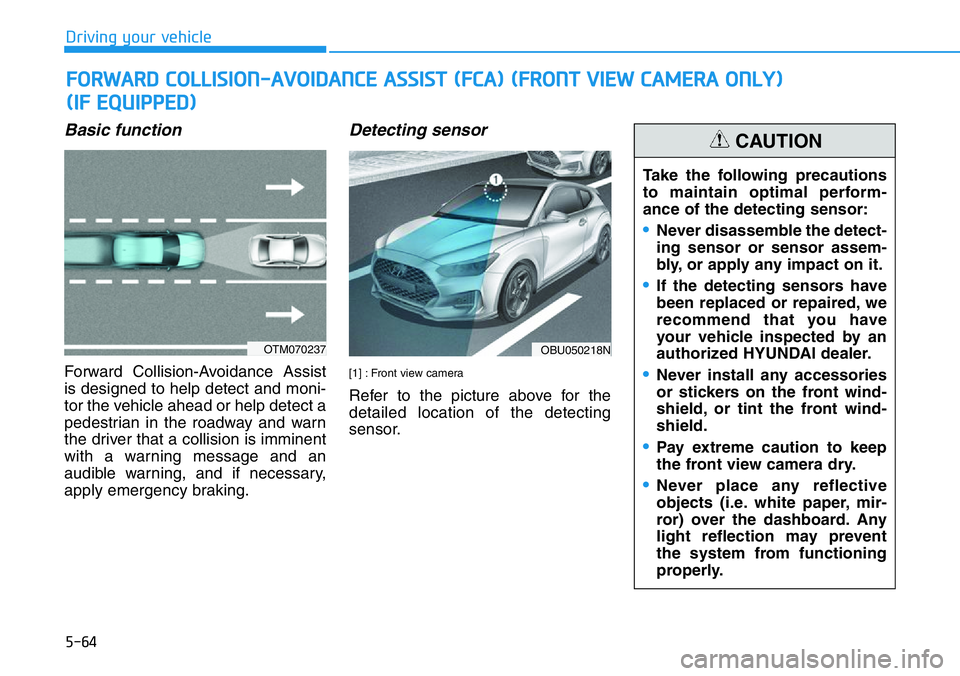
Forward Collision-Avoidance Assist
is designed to help detect and moni-
tor the vehicle ahead or help detect a
pedestrian in the roadway and warn
the driver that a collision is imminent
with a warning message and an
audible warning, and if necessary,
apply emergency braking.
Detecting sensor
[1] : Front view camera
Refer to the picture above for the
detailed location of the detecting
sensor.
FORWARD COLLISION-AVOIDANCE ASSIST (FCA) (FRONT VIEW CAMERA ONLY)
(IF EQUIPPED)
OTM070237OBU050218N
Take the following precautions
to maintain optimal perform-
ance of the detecting sensor:
•Never disassemble the detect-
ing sensor or sensor assem-
bly, or apply any impact on it.
•If the detecting sensors have
been replaced or repaired, we
recommend that you have
your vehicle inspected by an
authorized HYUNDAI dealer.
•Never install any accessories
or stickers on the front wind-
shield, or tint the front wind-
shield.
•Pay extreme caution to keep
the front view camera dry.
•Never place any reflective
objects (i.e. white paper, mir-
ror) over the dashboard. Any
light reflection may prevent
the system from functioning
properly.
CAUTION