shift HYUNDAI VELOSTER N 2022 User Guide
[x] Cancel search | Manufacturer: HYUNDAI, Model Year: 2022, Model line: VELOSTER N, Model: HYUNDAI VELOSTER N 2022Pages: 446, PDF Size: 9.71 MB
Page 114 of 446
3-36
Convenient features of your vehicle
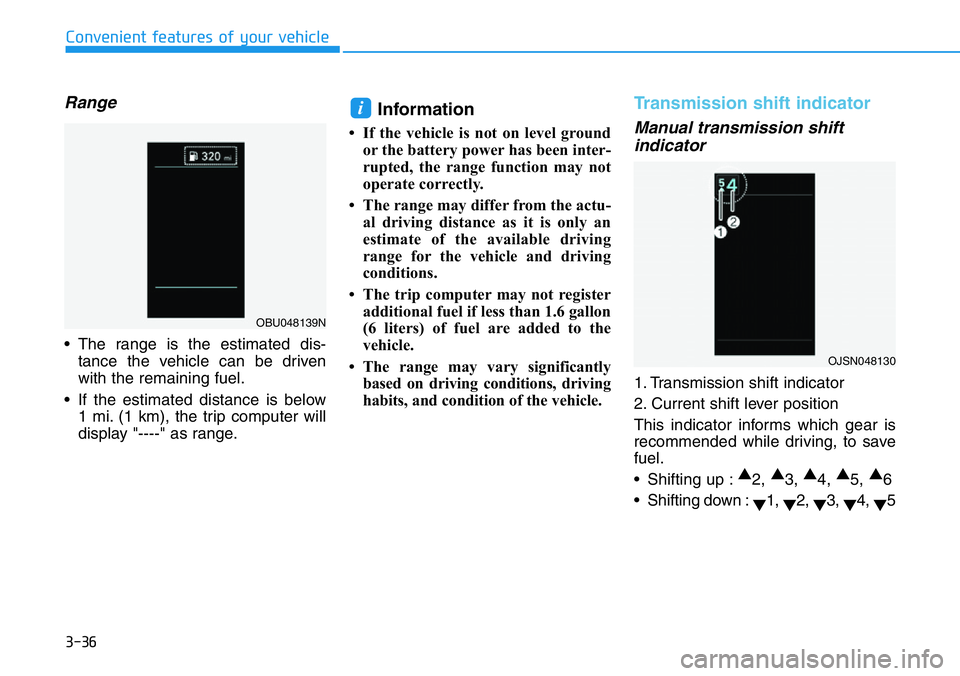
Range
• The range is the estimated dis-
tance the vehicle can be driven
with the remaining fuel.
• If the estimated distance is below
1 mi. (1 km), the trip computer will
display "----" as range.
Information
• If the vehicle is not on level ground
or the battery power has been inter-
rupted, the range function may not
operate correctly.
• The range may differ from the actu-
al driving distance as it is only an
estimate of the available driving
range for the vehicle and driving
conditions.
• The trip computer may not register
additional fuel if less than 1.6 gallon
(6 liters) of fuel are added to the
vehicle.
• The range may vary significantly
based on driving conditions, driving
habits, and condition of the vehicle.
Transmission shift indicator
Manual transmission shift
indicator
1. Transmission shift indicator
2. Current shift lever position
This indicator informs which gear is
recommended while driving, to save
fuel.
• Shifting up :▲
2, ▲
3, ▲
4, ▲
5, ▲
6
• Shifting down :
▼1,
▼2,
▼3,
▼4,
▼5
i
OJSN048130
OBU048139N
Page 115 of 446
3-37
Convenient features of your vehicle
3
For example
: Indicates that shifting up to the
3rd gear is recommended (cur-
rently the shift lever is in the
2nd or 1st gear).
: Indicates that shifting down to
the 3rd gear is recommended
(currently the shift lever is in the
4th, 5th, or 6th gear).
This indicator is displayed when driv-
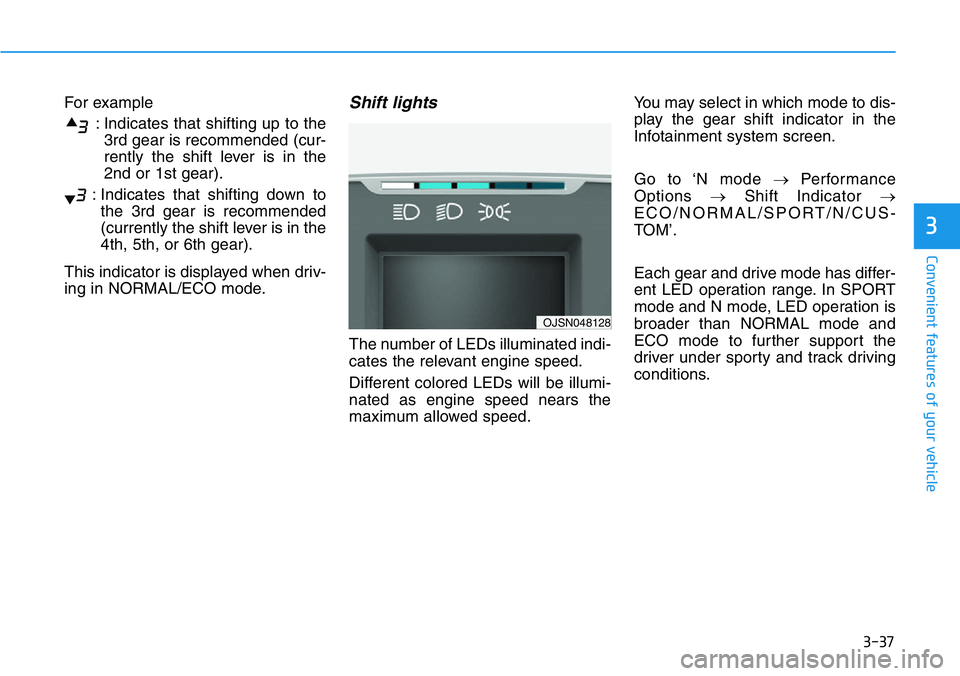
ing in NORMAL/ECO mode.Shift lights
The number of LEDs illuminated indi-
cates the relevant engine speed.
Different colored LEDs will be illumi-
nated as engine speed nears the
maximum allowed speed.You may select in which mode to dis-
play the gear shift indicator in the
Infotainment system screen.
Go to ‘N mode →Performance
Options →Shift Indicator →
ECO/NORMAL/SPORT/N/CUS-
TOM’.
Each gear and drive mode has differ-
ent LED operation range. In SPORT
mode and N mode, LED operation is
broader than NORMAL mode and
ECO mode to further support the
driver under sporty and track driving
conditions.
OJSN048128
Page 117 of 446
3-39
Convenient features of your vehicle
3
If the brake fluid level in the reser-
voir is low:
1. Drive carefully to the nearest safe
location and stop your vehicle.
2. With the engine stopped, check the
brake fluid level immediately and
add fluid as required (For more
details, refer to "Brake Fluid" in
chapter 7). After adding brake
fluid, check all brake components
for fluid leaks. If a brake fluid leak is
found, or if the warning light
remains on, or if the brakes do not
operate properly, do not drive the
vehicle. Have the vehicle inspected
by an authorized HYUNDAI dealer.
Dual-diagonal braking system
Your vehicle is equipped with dual-
diagonal braking systems. This
means you still have braking on two
wheels even if one of the dual sys-
tems should fail.
With only one of the dual systems
working, more than normal pedal
travel and greater pedal pressure is
required to stop the vehicle.Also, the vehicle will not stop in as
short a distance with only a portion
of the brake system working.
If the brakes fail while you are driv-
ing, shift to a lower gear for addition-
al engine braking and stop the vehi-
cle as soon as it is safe to do so.
Anti-lock Brake System
(ABS) Warning Light
This warning light illuminates:
• When you place the ignition switch
to the ON position.
- The ABS warning light illuminates
for about 3 seconds and then
turns off.
• Whenever there is a malfunction
with the ABS.
Note that the hydraulic braking
system will still be operational even
if there is a malfunction with the
ABS.
Parking Brake & Brake Fluid
Warning Light
Driving the vehicle with a warn-
ing light ON is dangerous. If the
Parking Brake & Brake Fluid
Warning Light illuminates with
the parking brake released, it
indicates that the brake fluid
level is low.
In this case, have the vehicle
inspected by an authorized
HYUNDAI dealer.
WARNING
Page 131 of 446
3-53
Convenient features of your vehicle
3
Check Electronic Suspension
This warning message is displayed if
there is a problem with the Electronic
Control Suspension (ECS) system.
In this case, have your vehicle
inspected by an authorized dealer of
HYUNDAI.
For more details, refer to
"Electronic Control Suspension
(ECS)" in chapter 5.
Downshift Alert. Downshifting at
high RPMs may result in engine
damage
If transmission input rpm is too high
(over rev limit) due to shifting, a
warning message will appear and a
warning chime will sound.
For more details, refer to "Rev
Matching" in chapter 5.
Page 136 of 446
3-58
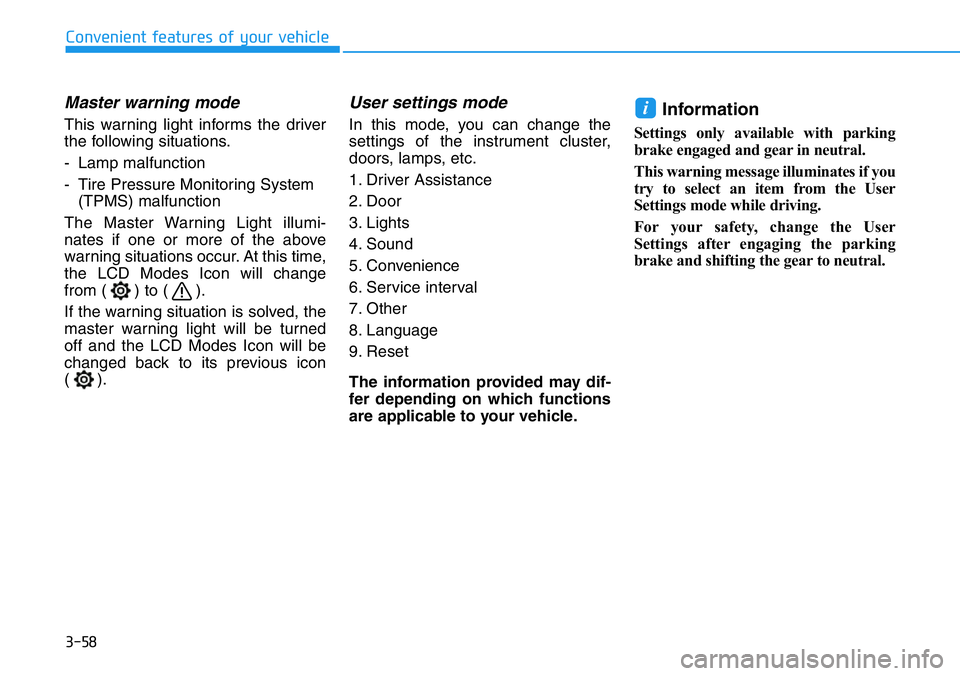
Master warning mode
This warning light informs the driver
the following situations.
- Lamp malfunction
- Tire Pressure Monitoring System
(TPMS) malfunction
The Master Warning Light illumi-
nates if one or more of the above
warning situations occur. At this time,
the LCD Modes Icon will change
from ( ) to ( ).
If the warning situation is solved, the
master warning light will be turned
off and the LCD Modes Icon will be
changed back to its previous icon
().
User settings mode
In this mode, you can change the
settings of the instrument cluster,
doors, lamps, etc.
1. Driver Assistance
2. Door
3. Lights
4. Sound
5. Convenience
6. Service interval
7. Other
8. Language
9. Reset
The information provided may dif-
fer depending on which functions
are applicable to your vehicle.Information
Settings only available with parking
brake engaged and gear in neutral.
This warning message illuminates if you
try to select an item from the User
Settings mode while driving.
For your safety, change the User
Settings after engaging the parking
brake and shifting the gear to neutral.
i
Convenient features of your vehicle
Page 160 of 446
3-82
Convenient features of your vehicle
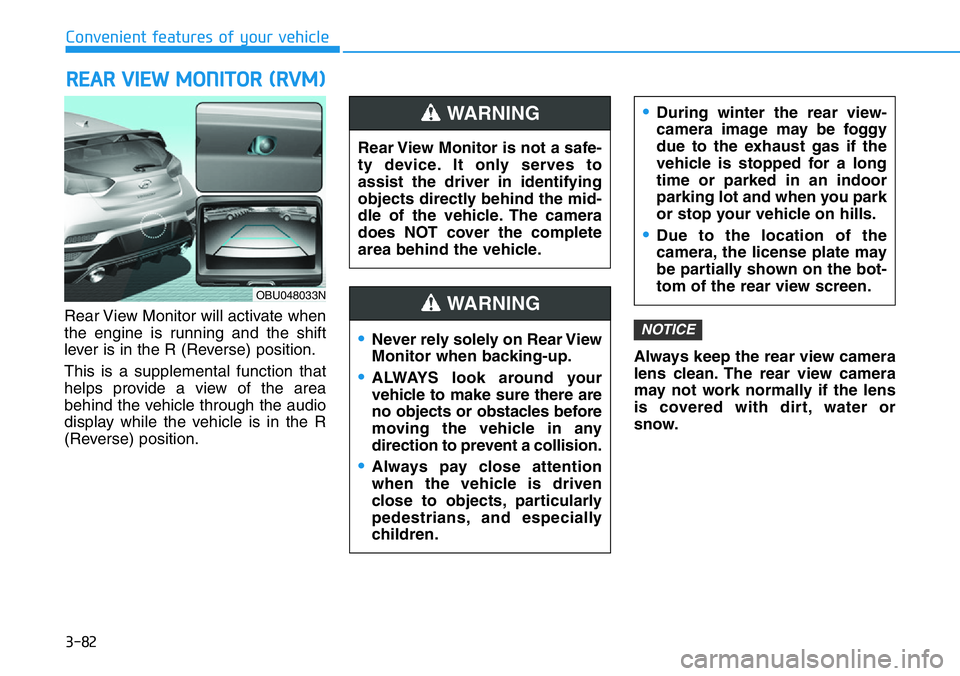
Rear View Monitor will activate when
the engine is running and the shift
lever is in the R (Reverse) position.
This is a supplemental function that
helps provide a view of the area
behind the vehicle through the audio
display while the vehicle is in the R
(Reverse) position.Always keep the rear view camera
lens clean. The rear view camera
may not work normally if the lens
is covered with dirt, water or
snow.
NOTICE
REAR VIEW MONITOR (RVM)
Rear View Monitor is not a safe-
ty device. It only serves to
assist the driver in identifying
objects directly behind the mid-
dle of the vehicle. The camera
does NOT cover the complete
area behind the vehicle.
WARNING
Page 195 of 446
Driving your vehicle
5
Before driving .......................................................5-4
Before Entering the Vehicle ...........................................5-4
Before Starting ..................................................................5-4
Engine Start/Stop Button................................................5-6
Ignition switch .......................................................5-6
Manual transmission ..........................................5-12
Manual Transmission Operation .................................5-12
Good Driving Practices .................................................5-14
Rev matching....................................................................5-15
Dual clutch transmission ...................................5-19
Dual clutch transmission operation ...........................5-19
DCT warning messages..................................................5-21
Parking ...............................................................................5-29
Good driving practices ..................................................5-29
Braking system ...................................................5-31
Power Brakes ...................................................................5-31
High Performance Brake...............................................5-32
Disc Brakes Wear Indicator ..........................................5-32
Parking Brake .................................................................5-33
Anti-lock Brake System (ABS) ....................................5-34
Electronic Stability Control (ESC)................................5-36
Vehicle Stability Management (VSM).........................5-42
Hill-Start Assist Control (HAC) ....................................5-44
Good Braking Practices ................................................5-44
Electronic control suspension (ECS).................5-46
Electronic limited slip differential ....................5-47
Warning messages ..........................................................5-48
Drive Mode Integrated Control System ............5-49
DRIVE MODE button .......................................................5-49
N button.............................................................................5-51
NGS (N Grin Shift) .........................................................5-52
Vehicle characteristic .....................................................5-54
Performance option.............................................5-56
Performance option settings .......................................5-56
Launch Control.................................................................5-56
Shift Indicator ..................................................................5-60
N Track Sense Shift
(For Dual Clutch Transmission) ..................................5-61
N Power Shift (For Dual Clutch Transmission) ........5-62
Declaration of conformity ..................................5-63
Forward Collision-Avoidance Assist (FCA)
(Front view camera only) ...................................5-64
System settings ...............................................................5-65
System operation ............................................................5-67
System malfunction and limitations ...........................5-70
Lane Keeping Assist (LKA) .................................5-77
System settings ..............................................................5-77
System operation ............................................................5-79
System malfunction and limitations ...........................5-81
Page 200 of 446
5-6
Driving your vehicle
Engine Start/Stop Button
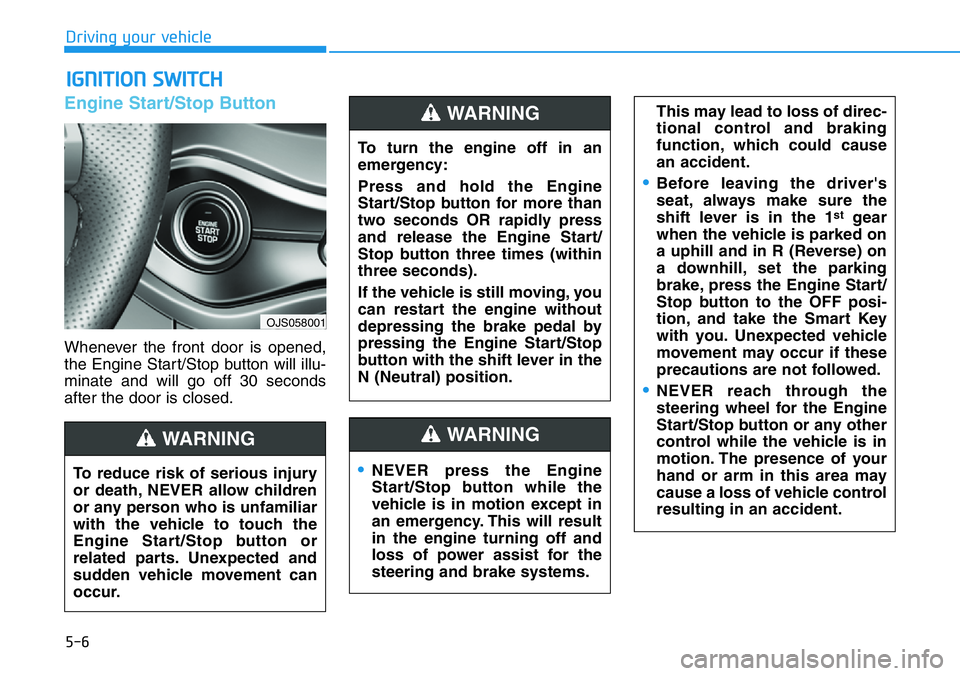
Whenever the front door is opened,
the Engine Start/Stop button will illu-
minate and will go off 30 seconds
after the door is closed.
IGNITION SWITCH
OJS058001
To turn the engine off in an
emergency:
Press and hold the Engine
Start/Stop button for more than
two seconds OR rapidly press
and release the Engine Start/
Stop button three times (within
three seconds).
If the vehicle is still moving, you
can restart the engine without
depressing the brake pedal by
pressing the Engine Start/Stop
button with the shift lever in the
N (Neutral) position.
WARNING
To reduce risk of serious injury
or death, NEVER allow children
or any person who is unfamiliar
with the vehicle to touch the
Engine Start/Stop button or
related parts. Unexpected and
sudden vehicle movement can
occur.
WARNING
•NEVER press the Engine
Start/Stop button while the
vehicle is in motion except in
an emergency. This will result
in the engine turning off and
loss of power assist for the
steering and brake systems.
WARNING
This may lead to loss of direc-
tional control and braking
function, which could cause
an accident.
•Before leaving the driver's
seat, always make sure the
shift lever is in the 1
stgear
when the vehicle is parked on
a uphill and in R (Reverse) on
a downhill, set the parking
brake, press the Engine Start/
Stop button to the OFF posi-
tion, and take the Smart Key
with you. Unexpected vehicle
movement may occur if these
precautions are not followed.
•NEVER reach through the
steering wheel for the Engine
Start/Stop button or any other
control while the vehicle is in
motion. The presence of your
hand or arm in this area may
cause a loss of vehicle control
resulting in an accident.
Page 202 of 446
5-8
Driving your vehicle
Button Position Action Notice
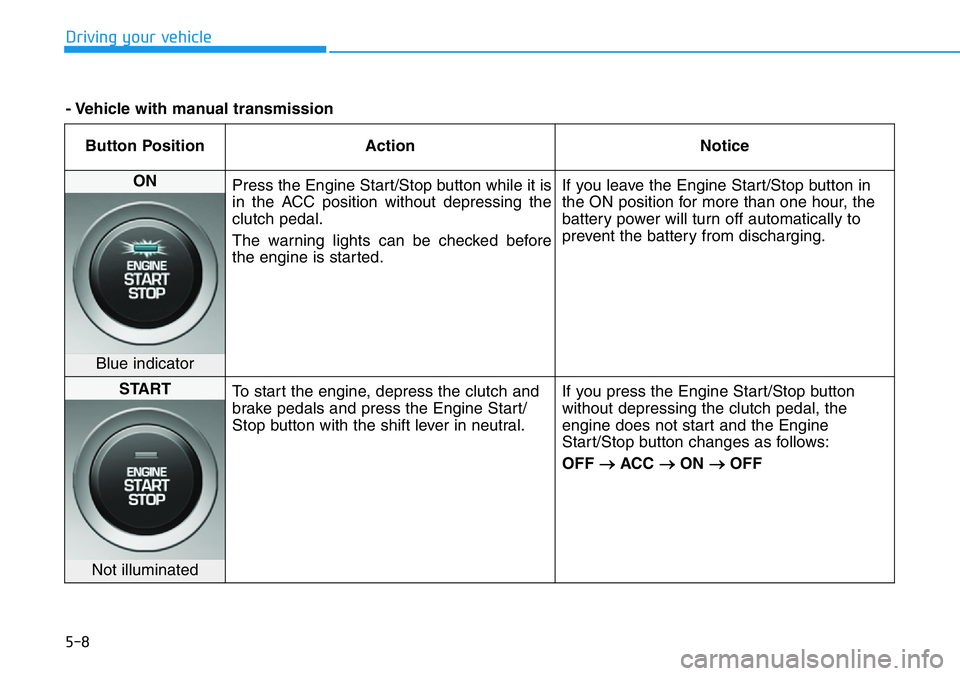
ON
Press the Engine Start/Stop button while it is
in the ACC position without depressing the
clutch pedal.
The warning lights can be checked before
the engine is started.If you leave the Engine Start/Stop button in
the ON position for more than one hour, the
battery power will turn off automatically to
prevent the battery from discharging.
Blue indicator
START
To start the engine, depress the clutch and
brake pedals and press the Engine Start/
Stop button with the shift lever in neutral.If you press the Engine Start/Stop button
without depressing the clutch pedal, the
engine does not start and the Engine
Start/Stop button changes as follows:
OFF
→ACC →ON →OFF
Not illuminated
- Vehicle with manual transmission
Page 203 of 446
5-9
Driving your vehicle
5
Starting the engine Information
• The engine will start by pressing the
Engine Start/Stop button, only when
the smart key is in the vehicle.
• Even if the smart key is in the vehi-
cle, if it is far away from the driver,
the engine may not start.
• When the Engine Start/Stop button
is in the ACC or ON position, if any
door is open, the system checks for
the smart key. If the smart key is not
in the vehicle, the " " indicator
will blink and the warning "Key not
in vehicle" will come on and if all
doors are closed, the chime will also
sound for about 5 seconds. Keep the
smart key in the vehicle when using
the ACC position or if the vehicle
engine is ON.Vehicle with manual transmission:
1. Always carry the smart key with
you.
2. Make sure the parking brake is
applied.
3. Make sure the shift lever is in neu-
tral.
4. Depress the clutch and brake ped-
als.
5. Press the Engine Start/Stop but-
ton.
Information
Depress the brake pedal and clutch
pedal until the engine starts.
i
i
•Always wear appropriate shoes
when operating your vehicle.
Unsuitable shoes, such as
high heels, ski boots, sandals,
flip-flops, etc., may interfere
with your ability to use the
brake and accelerator pedals.
•Do not start the vehicle with the
accelerator pedal depressed.
The vehicle can move and lead
to an accident.
•Wait until the engine rpm is
normal. The vehicle may sud-
denly move if the brake pedal
is released when the rpm is
high.
WARNING