display HYUNDAI VELOSTER TURBO 2016 User Guide
[x] Cancel search | Manufacturer: HYUNDAI, Model Year: 2016, Model line: VELOSTER TURBO, Model: HYUNDAI VELOSTER TURBO 2016Pages: 406, PDF Size: 7.83 MB
Page 149 of 406
Features of your vehicle
72 4
LCD display warning
(if equipped)
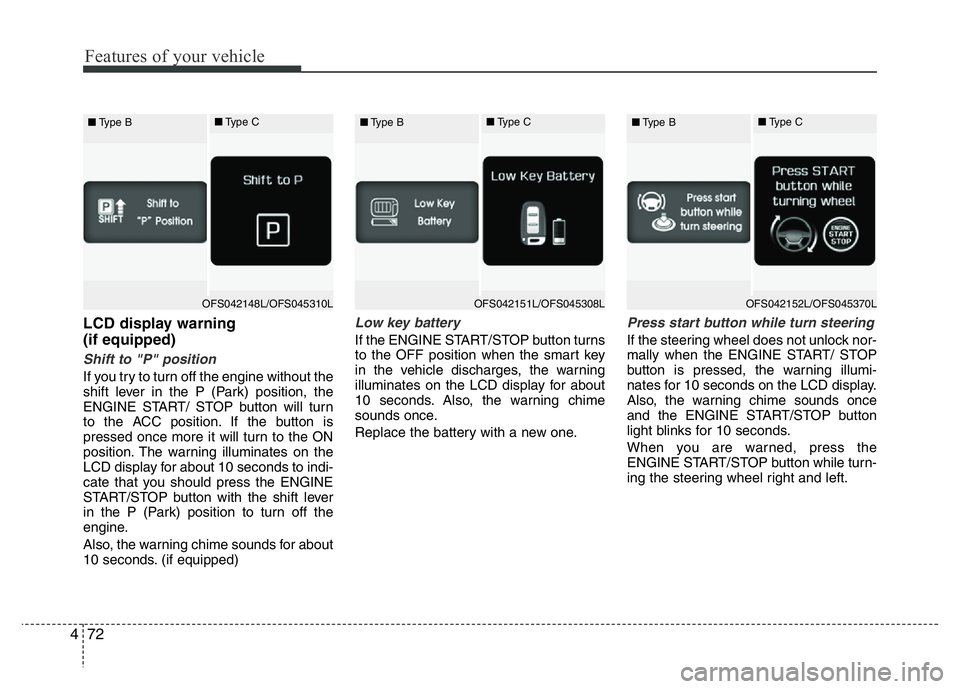
Shift to "P" position
If you try to turn off the engine without the
shift lever in the P (Park) position, the
ENGINE START/ STOP button will turn
to the ACC position. If the button is
pressed once more it will turn to the ON
position. The warning illuminates on the
LCD display for about 10 seconds to indi-
cate that you should press the ENGINE
START/STOP button with the shift lever
in the P (Park) position to turn off the
engine.
Also, the warning chime sounds for about
10 seconds. (if equipped)
Low key battery
If the ENGINE START/STOP button turns
to the OFF position when the smart key
in the vehicle discharges, the warning
illuminates on the LCD display for about
10 seconds. Also, the warning chime
sounds once.
Replace the battery with a new one.
Press start button while turn steering
If the steering wheel does not unlock nor-
mally when the ENGINE START/ STOP
button is pressed, the warning illumi-
nates for 10 seconds on the LCD display.
Also, the warning chime sounds once
and the ENGINE START/STOP button
light blinks for 10 seconds.
When you are warned, press the
ENGINE START/STOP button while turn-
ing the steering wheel right and left.
OFS042148L/OFS045310L ■Type B■Type COFS042151L/OFS045308L ■Type B■Type COFS042152L/OFS045370L ■Type B■Type C
Page 150 of 406
473
Features of your vehicle
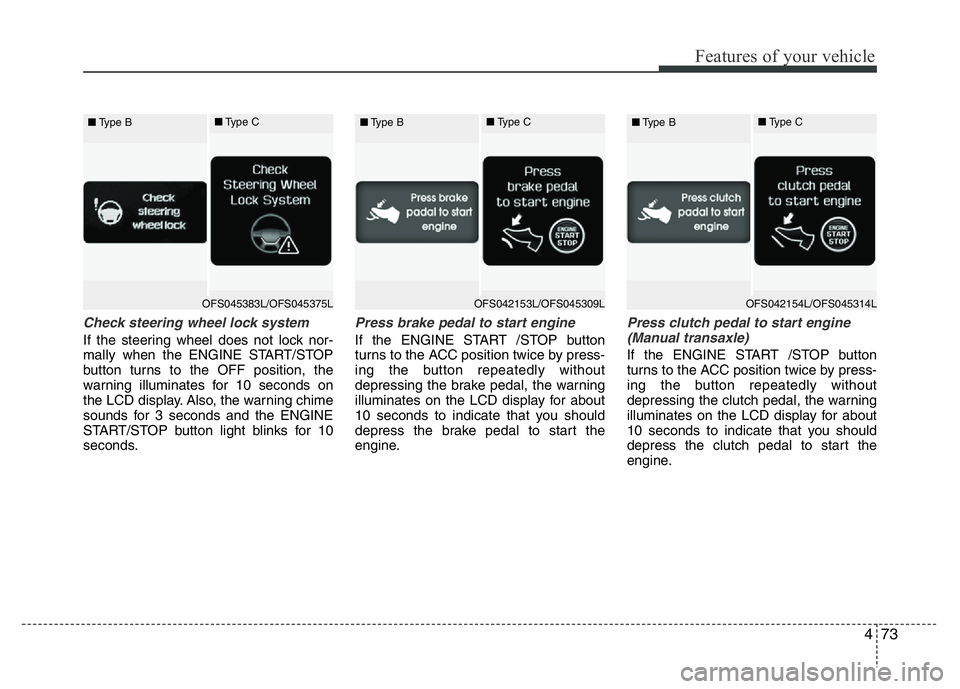
Check steering wheel lock system
If the steering wheel does not lock nor-
mally when the ENGINE START/STOP
button turns to the OFF position, the
warning illuminates for 10 seconds on
the LCD display. Also, the warning chime
sounds for 3 seconds and the ENGINE
START/STOP button light blinks for 10
seconds.
Press brake pedal to start engine
If the ENGINE START /STOP button
turns to the ACC position twice by press-
ing the button repeatedly without
depressing the brake pedal, the warning
illuminates on the LCD display for about
10 seconds to indicate that you should
depress the brake pedal to start the
engine.
Press clutch pedal to start engine
(Manual transaxle)
If the ENGINE START /STOP button
turns to the ACC position twice by press-
ing the button repeatedly without
depressing the clutch pedal, the warning
illuminates on the LCD display for about
10 seconds to indicate that you should
depress the clutch pedal to start the
engine.
OFS045383L/OFS045375L ■Type B■Type COFS042153L/OFS045309L ■Type B■Type COFS042154L/OFS045314L ■Type B■Type C
Page 151 of 406
Features of your vehicle
74 4
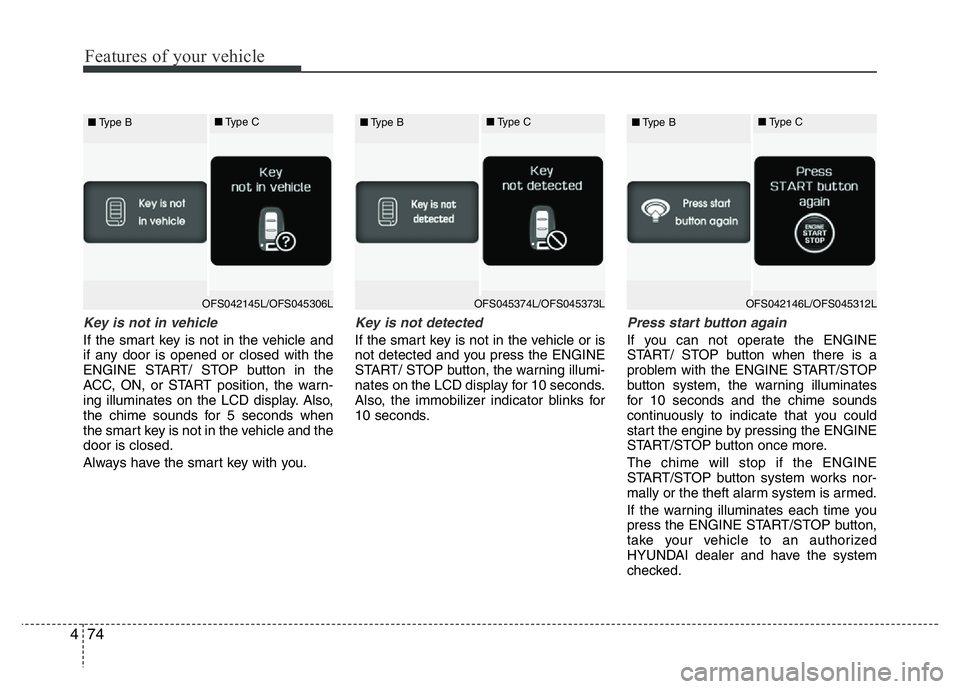
Key is not in vehicle
If the smart key is not in the vehicle and
if any door is opened or closed with the
ENGINE START/ STOP button in the
ACC, ON, or START position, the warn-
ing illuminates on the LCD display. Also,
the chime sounds for 5 seconds when
the smart key is not in the vehicle and the
door is closed.
Always have the smart key with you.
Key is not detected
If the smart key is not in the vehicle or is
not detected and you press the ENGINE
START/ STOP button, the warning illumi-
nates on the LCD display for 10 seconds.
Also, the immobilizer indicator blinks for
10 seconds.
Press start button again
If you can not operate the ENGINE
START/ STOP button when there is a
problem with the ENGINE START/STOP
button system, the warning illuminates
for 10 seconds and the chime sounds
continuously to indicate that you could
start the engine by pressing the ENGINE
START/STOP button once more.
The chime will stop if the ENGINE
START/STOP button system works nor-
mally or the theft alarm system is armed.
If the warning illuminates each time you
press the ENGINE START/STOP button,
take your vehicle to an authorized
HYUNDAI dealer and have the system
checked.
OFS042145L/OFS045306L ■Type B■Type COFS045374L/OFS045373L ■Type B■Type COFS042146L/OFS045312L ■Type B■Type C
Page 152 of 406
475
Features of your vehicle
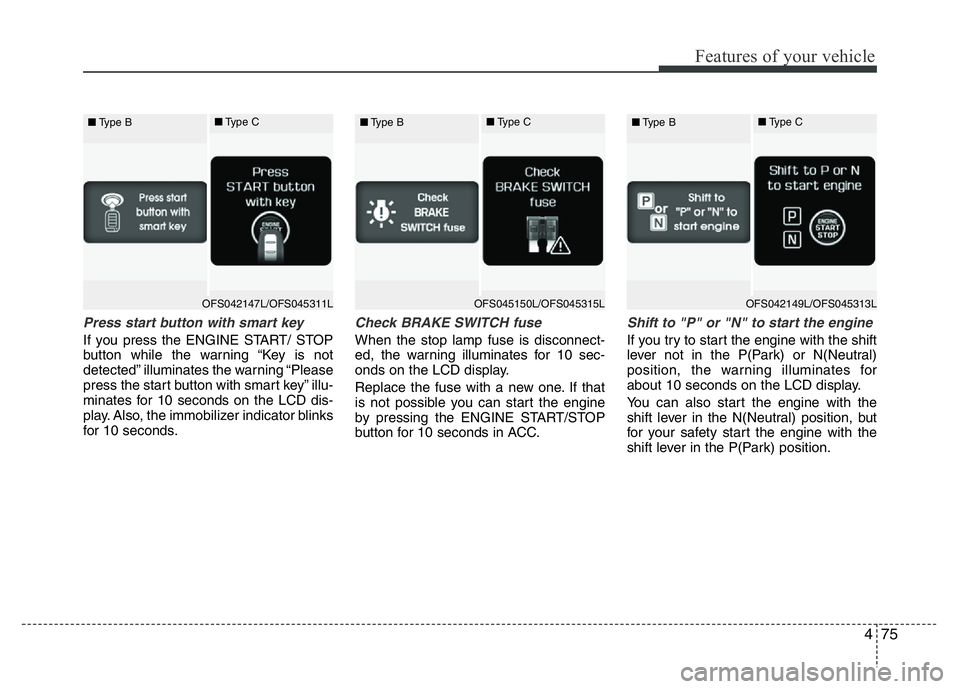
Press start button with smart key
If you press the ENGINE START/ STOP
button while the warning “Key is not
detected” illuminates the warning “Please
press the start button with smart key” illu-
minates for 10 seconds on the LCD dis-
play. Also, the immobilizer indicator blinks
for 10 seconds.
Check BRAKE SWITCH fuse
When the stop lamp fuse is disconnect-
ed, the warning illuminates for 10 sec-
onds on the LCD display.
Replace the fuse with a new one. If that
is not possible you can start the engine
by pressing the ENGINE START/STOP
button for 10 seconds in ACC.
Shift to "P" or "N" to start the engine
If you try to start the engine with the shift
lever not in the P(Park) or N(Neutral)
position, the warning illuminates for
about 10 seconds on the LCD display.
You can also start the engine with the
shift lever in the N(Neutral) position, but
for your safety start the engine with the
shift lever in the P(Park) position.
OFS042147L/OFS045311L ■Type B■Type COFS045150L/OFS045315L ■Type B■Type COFS042149L/OFS045313L ■Type B■Type C
Page 153 of 406
Features of your vehicle
76 4
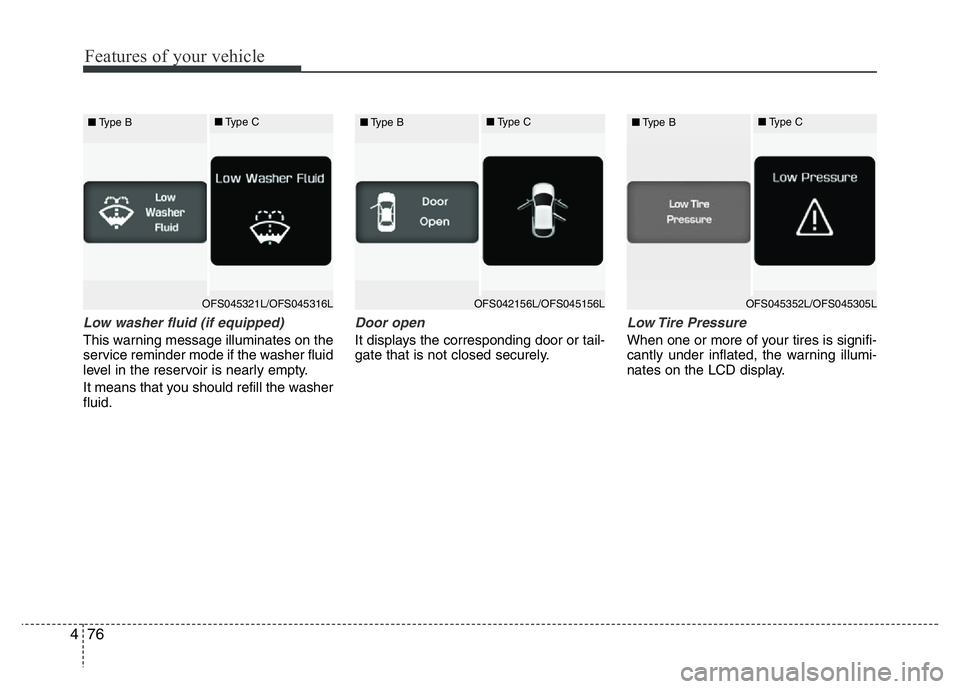
Low washer fluid (if equipped)
This warning message illuminates on the
service reminder mode if the washer fluid
level in the reservoir is nearly empty.
It means that you should refill the washer
fluid.
Door open
It displays the corresponding door or tail-
gate that is not closed securely.
Low Tire Pressure
When one or more of your tires is signifi-
cantly under inflated, the warning illumi-
nates on the LCD display.
OFS045321L/OFS045316L ■Type B■Type COFS042156L/OFS045156L ■Type B■Type COFS045352L/OFS045305L ■Type B■Type C
Page 154 of 406
477
Features of your vehicle
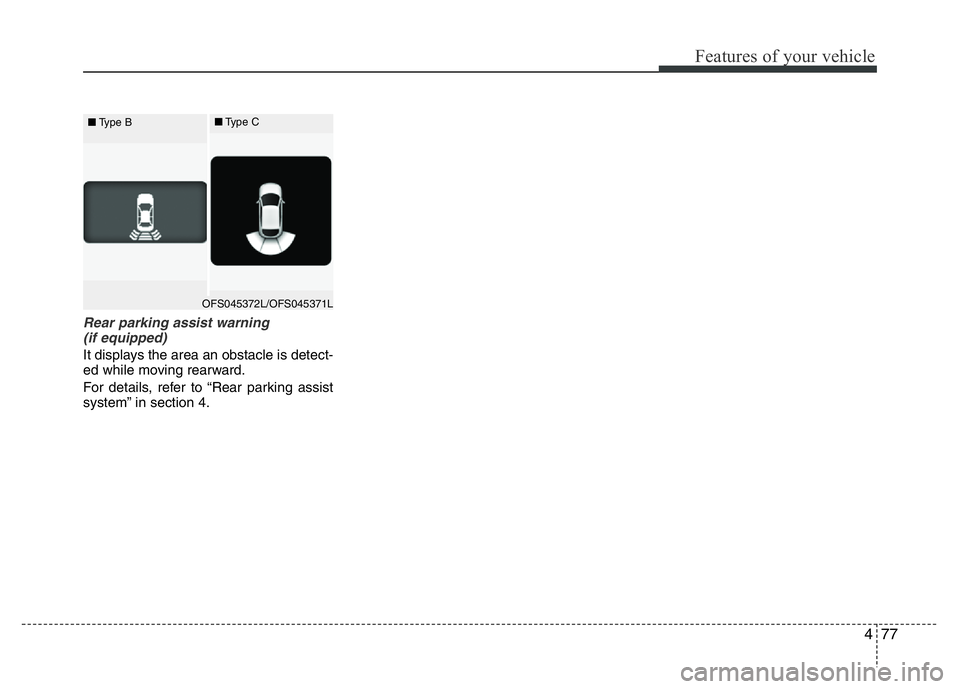
Rear parking assist warning
(if equipped)
It displays the area an obstacle is detect-
ed while moving rearward.
For details, refer to “Rear parking assist
system” in section 4.
OFS045372L/OFS045371L ■Type B■Type C
Page 164 of 406
487
Features of your vehicle
To signal a lane change, move the turn
signal lever slightly and hold it in position
(B). The lever will return to the OFF posi-
tion when released.
If an indicator stays on and does not
flash or if it flashes abnormally, one of the
turn signal bulbs may be burned out and
will require replacement.One-touch triple turn signal
(One Touch Turn Signal) (if equipped)
To activate the one-touch lane change
function, move the turn signal lever
slightly and then release it. The lane
change signals will blink 3 (5 or 7, if
equipped) times.
You can activate/deactivate the One
Touch Turn Signal function or choose the
number of blinking (3, 5, or 7) from the
User Settings Mode on the LCD display
(if equipped).
✽NOTICE
If an indicator flash is abnormally quick
or slow, a bulb may be burned out or
have a poor electrical connection in the
circuit.
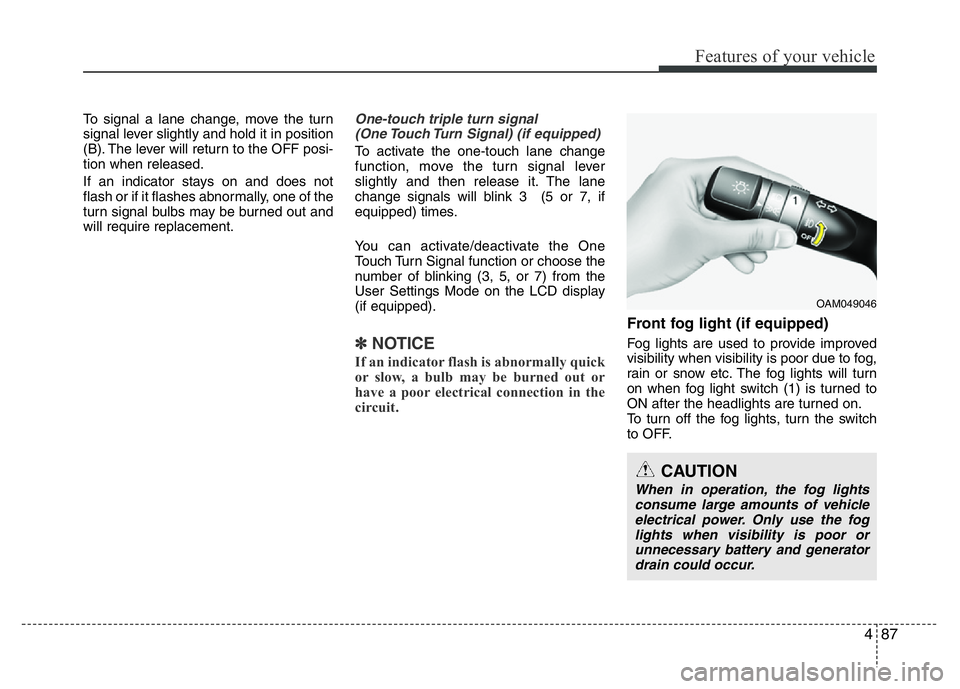
Front fog light (if equipped)
Fog lights are used to provide improved
visibility when visibility is poor due to fog,
rain or snow etc. The fog lights will turn
on when fog light switch (1) is turned to
ON after the headlights are turned on.
To turn off the fog lights, turn the switch
to OFF.
CAUTION
When in operation, the fog lights
consume large amounts of vehicle
electrical power. Only use the fog
lights when visibility is poor or
unnecessary battery and generator
drain could occur.
OAM049046
Page 182 of 406
4105
Features of your vehicle
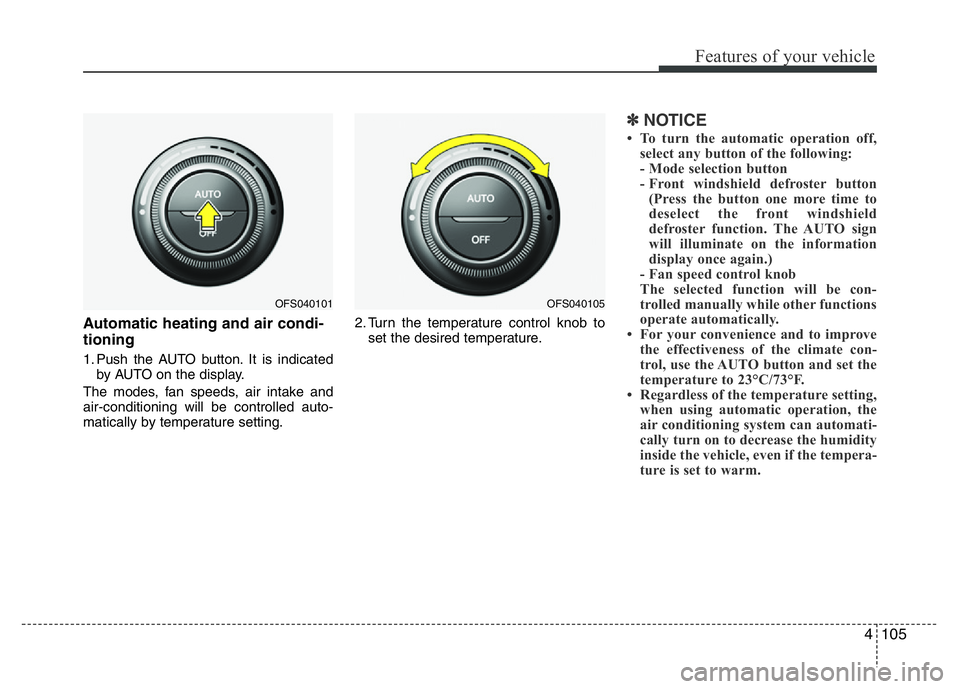
Automatic heating and air condi-
tioning
1. Push the AUTO button. It is indicated
by AUTO on the display.
The modes, fan speeds, air intake and
air-conditioning will be controlled auto-
matically by temperature setting.2. Turn the temperature control knob to
set the desired temperature.
✽NOTICE
• To turn the automatic operation off,
select any button of the following:
- Mode selection button
- Front windshield defroster button
(Press the button one more time to
deselect the front windshield
defroster function. The AUTO sign
will illuminate on the information
display once again.)
- Fan speed control knob
The selected function will be con-
trolled manually while other functions
operate automatically.
• For your convenience and to improve
the effectiveness of the climate con-
trol, use the AUTO button and set the
temperature to 23°C/73°F.
• Regardless of the temperature setting,
when using automatic operation, the
air conditioning system can automati-
cally turn on to decrease the humidity
inside the vehicle, even if the tempera-
ture is set to warm.
OFS040101OFS040105
Page 187 of 406
Features of your vehicle
110 4
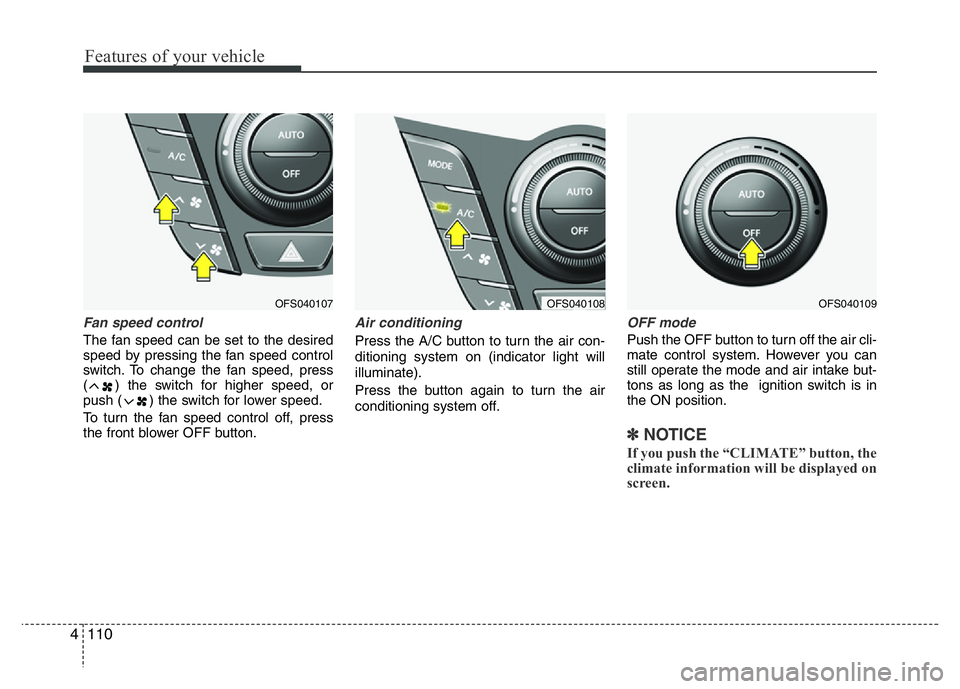
Fan speed control
The fan speed can be set to the desired
speed by pressing the fan speed control
switch. To change the fan speed, press
( ) the switch for higher speed, or
push ( ) the switch for lower speed.
To turn the fan speed control off, press
the front blower OFF button.
Air conditioning
Press the A/C button to turn the air con-
ditioning system on (indicator light will
illuminate).
Press the button again to turn the air
conditioning system off.
OFF mode
Push the OFF button to turn off the air cli-
mate control system. However you can
still operate the mode and air intake but-
tons as long as the ignition switch is in
the ON position.
✽NOTICE
If you push the “CLIMATE” button, the
climate information will be displayed on
screen.
OFS040109OFS040108OFS040107
Page 191 of 406
Features of your vehicle
114 4
Defogging logic
To reduce the probability of fogging up
the inside of the windshield, the air intake
or air conditioning are controlled auto-
matically according to certain conditions
such as or position. To cancel or
return the defogging logic, do the follow-
ing.
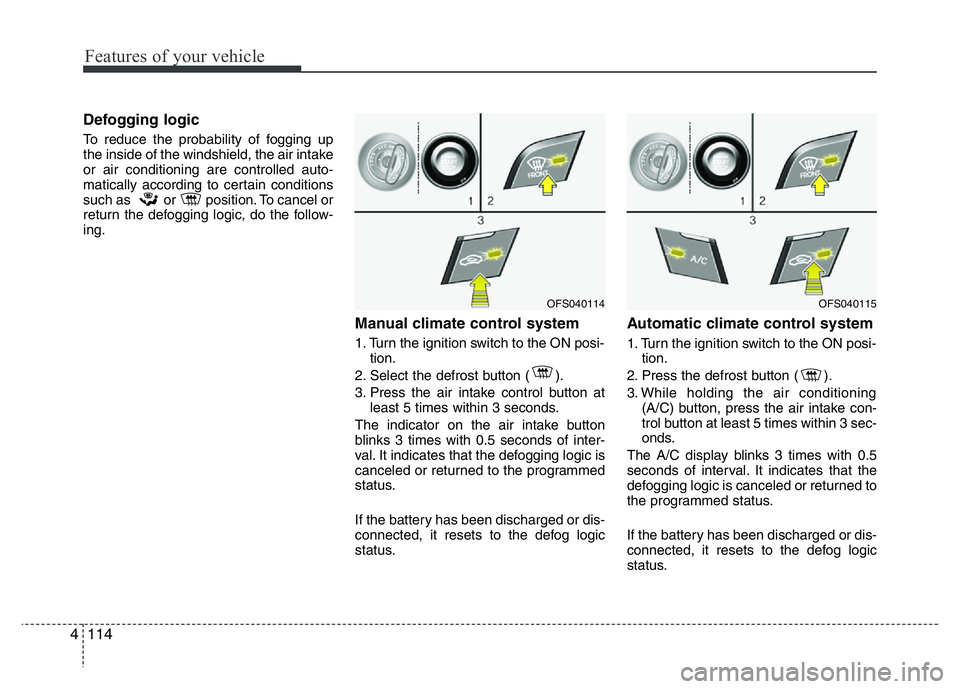
Manual climate control system
1. Turn the ignition switch to the ON posi-
tion.
2. Select the defrost button ( ).
3. Press the air intake control button at
least 5 times within 3 seconds.
The indicator on the air intake button
blinks 3 times with 0.5 seconds of inter-
val. It indicates that the defogging logic is
canceled or returned to the programmed
status.
If the battery has been discharged or dis-
connected, it resets to the defog logic
status.
Automatic climate control system
1. Turn the ignition switch to the ON posi-
tion.
2. Press the defrost button ( ).
3. While holding the air conditioning
(A/C) button, press the air intake con-
trol button at least 5 times within 3 sec-
onds.
The A/C display blinks 3 times with 0.5
seconds of interval. It indicates that the
defogging logic is canceled or returned to
the programmed status.
If the battery has been discharged or dis-
connected, it resets to the defog logic
status.
OFS040114OFS040115