display HYUNDAI VELOSTER TURBO 2016 Owners Manual
[x] Cancel search | Manufacturer: HYUNDAI, Model Year: 2016, Model line: VELOSTER TURBO, Model: HYUNDAI VELOSTER TURBO 2016Pages: 406, PDF Size: 7.83 MB
Page 119 of 406
Features of your vehicle
42 4
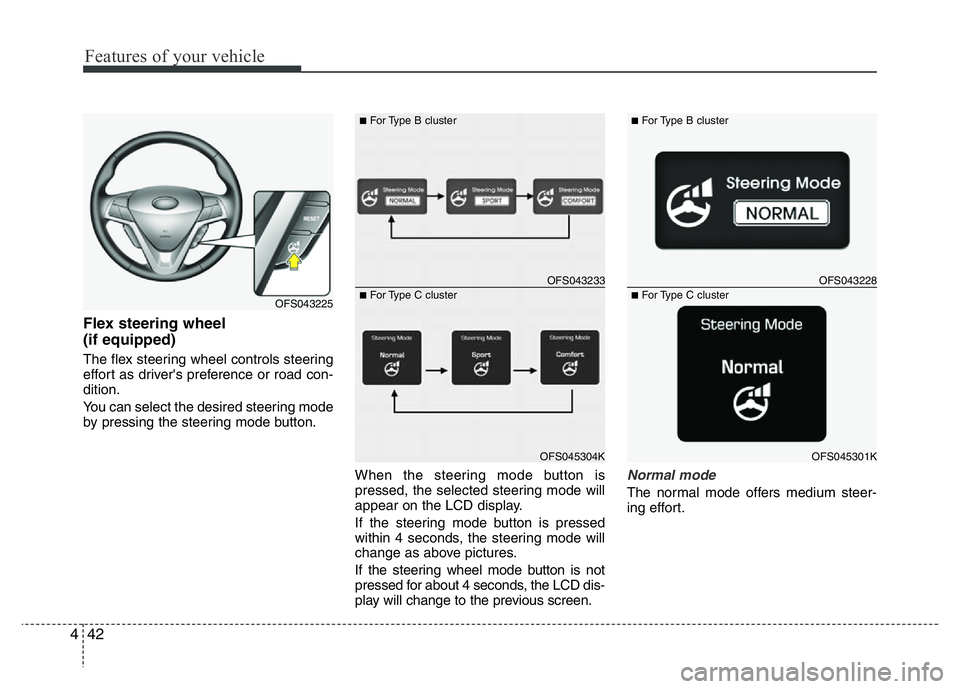
Flex steering wheel
(if equipped)
The flex steering wheel controls steering
effort as driver's preference or road con-
dition.
You can select the desired steering mode
by pressing the steering mode button.
When the steering mode button is
pressed, the selected steering mode will
appear on the LCD display.
If the steering mode button is pressed
within 4 seconds, the steering mode will
change as above pictures.
If the steering wheel mode button is not
pressed for about 4 seconds, the LCD dis-
play will change to the previous screen.
Normal mode
The normal mode offers medium steer-
ing effort.
OFS043225
OFS043233
■For Type B cluster
OFS045304K
■For Type C clusterOFS043228
■For Type B cluster
OFS045301K
■For Type C cluster
Page 120 of 406
443
Features of your vehicle
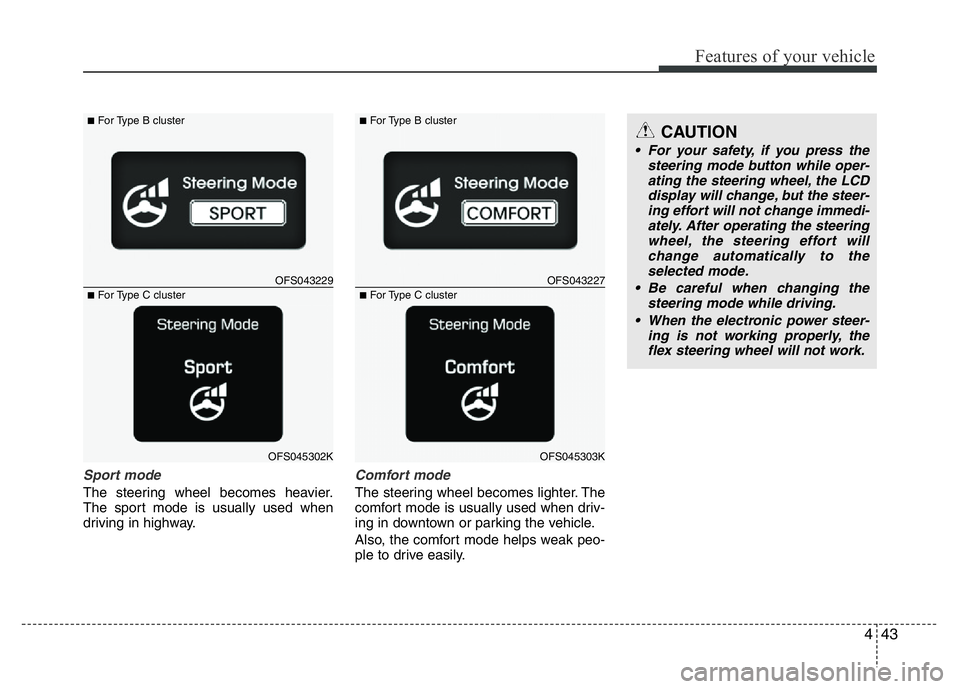
Sport mode
The steering wheel becomes heavier.
The sport mode is usually used when
driving in highway.
Comfort mode
The steering wheel becomes lighter. The
comfort mode is usually used when driv-
ing in downtown or parking the vehicle.
Also, the comfort mode helps weak peo-
ple to drive easily.
OFS043229
■For Type B cluster
OFS045302K
■For Type C clusterOFS043227
■For Type B cluster
OFS045303K
■For Type C cluster
CAUTION
• For your safety, if you press the
steering mode button while oper-
ating the steering wheel, the LCD
display will change, but the steer-
ing effort will not change immedi-
ately. After operating the steering
wheel, the steering effort will
change automatically to the
selected mode.
• Be careful when changing the
steering mode while driving.
• When the electronic power steer-
ing is not working properly, the
flex steering wheel will not work.
Page 125 of 406
Features of your vehicle
48 4
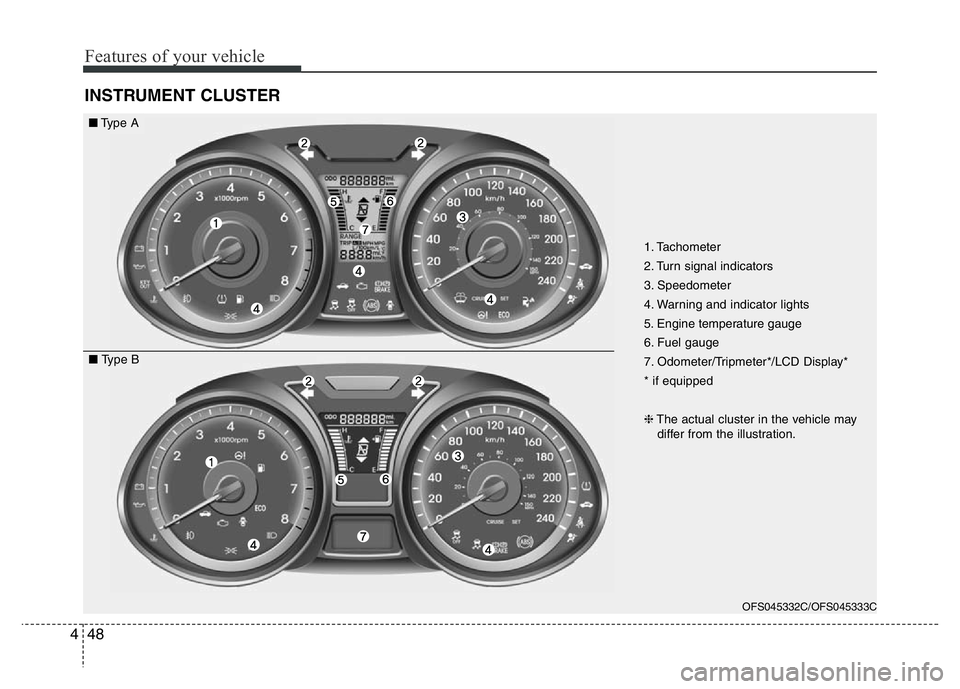
INSTRUMENT CLUSTER
OFS045332C/OFS045333C
■Type A
■ Type B1. Tachometer
2. Turn signal indicators
3. Speedometer
4. Warning and indicator lights
5. Engine temperature gauge
6. Fuel gauge
7. Odometer/Tripmeter*/LCD Display*
* if equipped
❈The actual cluster in the vehicle may
differ from the illustration.
Page 126 of 406
449
Features of your vehicle
OFS045334C
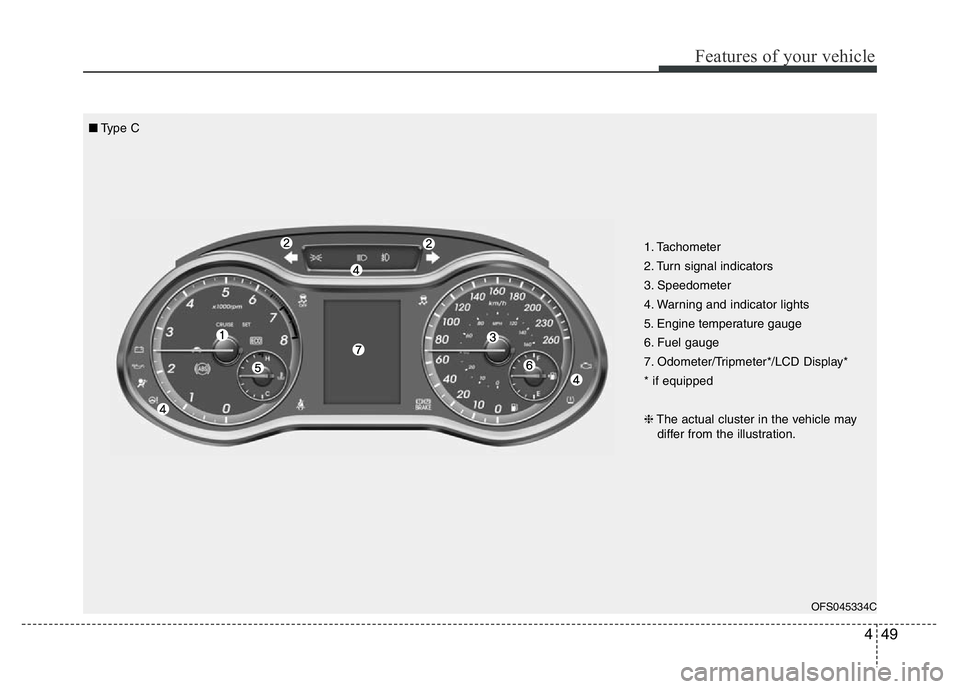
■Type C
1. Tachometer
2. Turn signal indicators
3. Speedometer
4. Warning and indicator lights
5. Engine temperature gauge
6. Fuel gauge
7. Odometer/Tripmeter*/LCD Display*
* if equipped
❈The actual cluster in the vehicle may
differ from the illustration.
Page 130 of 406
453
Features of your vehicle
Odometer (km or mi.)
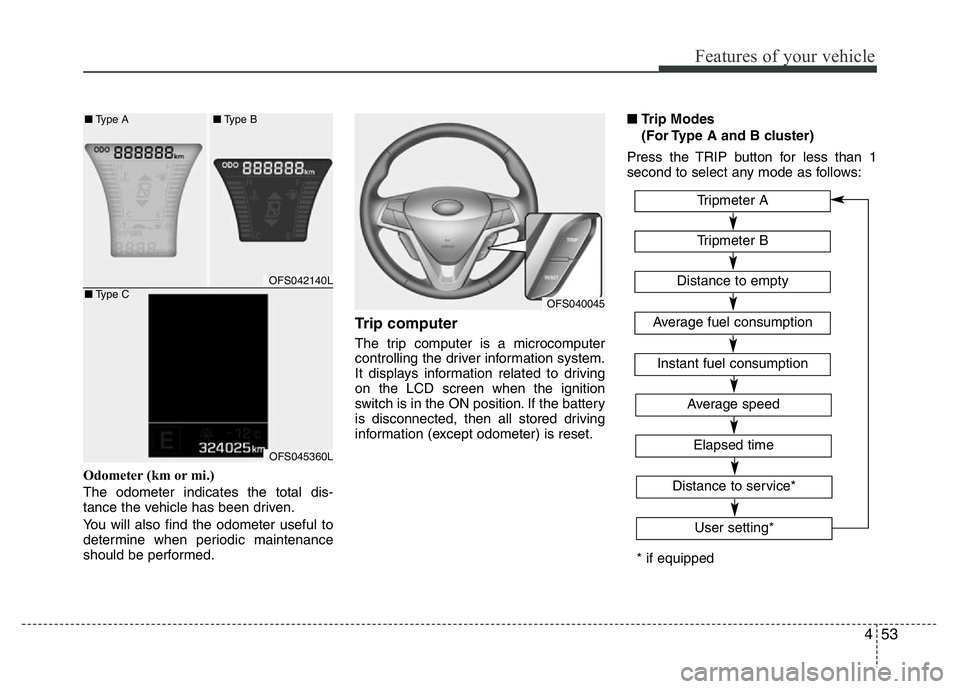
The odometer indicates the total dis-
tance the vehicle has been driven.
You will also find the odometer useful to
determine when periodic maintenance
should be performed.
Trip computer
The trip computer is a microcomputer
controlling the driver information system.
It displays information related to driving
on the LCD screen when the ignition
switch is in the ON position. If the battery
is disconnected, then all stored driving
information (except odometer) is reset.■Trip Modes
(For Type A and B cluster)
Press the TRIP button for less than 1
second to select any mode as follows:
OFS040045
OFS042140L
OFS045360L
■Type A■Type B
■Type C
* if equippedTripmeter B
Instant fuel consumption
Tripmeter A
Distance to empty
Average fuel consumption
Elapsed time
Average speed
Distance to service*
User setting*
Page 131 of 406
Features of your vehicle
54 4
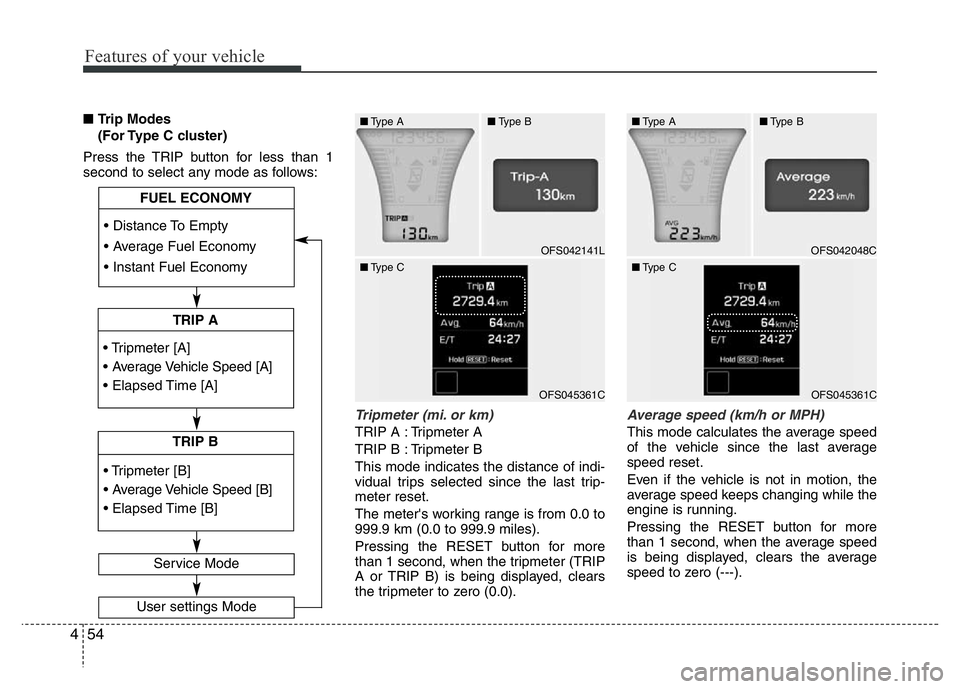
■Trip Modes
(For Type C cluster)
Press the TRIP button for less than 1
second to select any mode as follows:
Tripmeter (mi. or km)
TRIP A : Tripmeter A
TRIP B : Tripmeter B
This mode indicates the distance of indi-
vidual trips selected since the last trip-
meter reset.
The meter's working range is from 0.0 to
999.9 km (0.0 to 999.9 miles).
Pressing the RESET button for more
than 1 second, when the tripmeter (TRIP
A or TRIP B) is being displayed, clears
the tripmeter to zero (0.0).
Average speed (km/h or MPH)
This mode calculates the average speed
of the vehicle since the last average
speed reset.
Even if the vehicle is not in motion, the
average speed keeps changing while the
engine is running.
Pressing the RESET button for more
than 1 second, when the average speed
is being displayed, clears the average
speed to zero (---).
• Tripmeter [A]
• Average Vehicle Speed [A]
• Elapsed Time [A]
TRIP A
• Tripmeter [B]
• Average Vehicle Speed [B]
• Elapsed Time [B]
TRIP B • Distance To Empty
• Average Fuel Economy
• Instant Fuel Economy
Service Mode
User settings Mode
FUEL ECONOMY
OFS042141L
■Type A■Type B
■Type C
OFS045361C
■Type A■Type B
■Type C
OFS045361C
OFS042048C
Page 132 of 406
455
Features of your vehicle
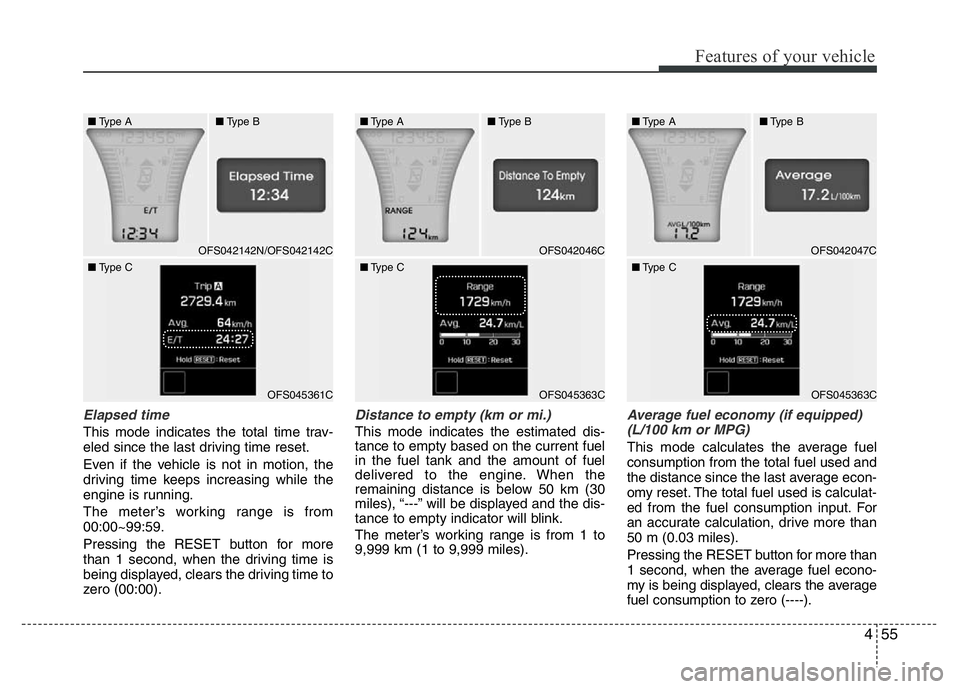
Elapsed time
This mode indicates the total time trav-
eled since the last driving time reset.
Even if the vehicle is not in motion, the
driving time keeps increasing while the
engine is running.
The meter’s working range is from
00:00~99:59.
Pressing the RESET button for more
than 1 second, when the driving time is
being displayed, clears the driving time to
zero (00:00).
Distance to empty (km or mi.)
This mode indicates the estimated dis-
tance to empty based on the current fuel
in the fuel tank and the amount of fuel
delivered to the engine. When the
remaining distance is below 50 km (30
miles), “---” will be displayed and the dis-
tance to empty indicator will blink.
The meter’s working range is from 1 to
9,999 km (1 to 9,999 miles).
Average fuel economy (if equipped)
(L/100 km or MPG)
This mode calculates the average fuel
consumption from the total fuel used and
the distance since the last average econ-
omy reset. The total fuel used is calculat-
ed from the fuel consumption input. For
an accurate calculation, drive more than
50 m (0.03 miles).
Pressing the RESET button for more than
1 second, when the average fuel econo-
my is being displayed, clears the average
fuel consumption to zero (----).
■Type A■Type B
■Type C
OFS045361C
OFS042142N/OFS042142COFS042046C
■Type A■Type B
■Type C
OFS045363C
OFS042047C
■Type A■Type B
■Type C
OFS045363C
Page 134 of 406
457
Features of your vehicle
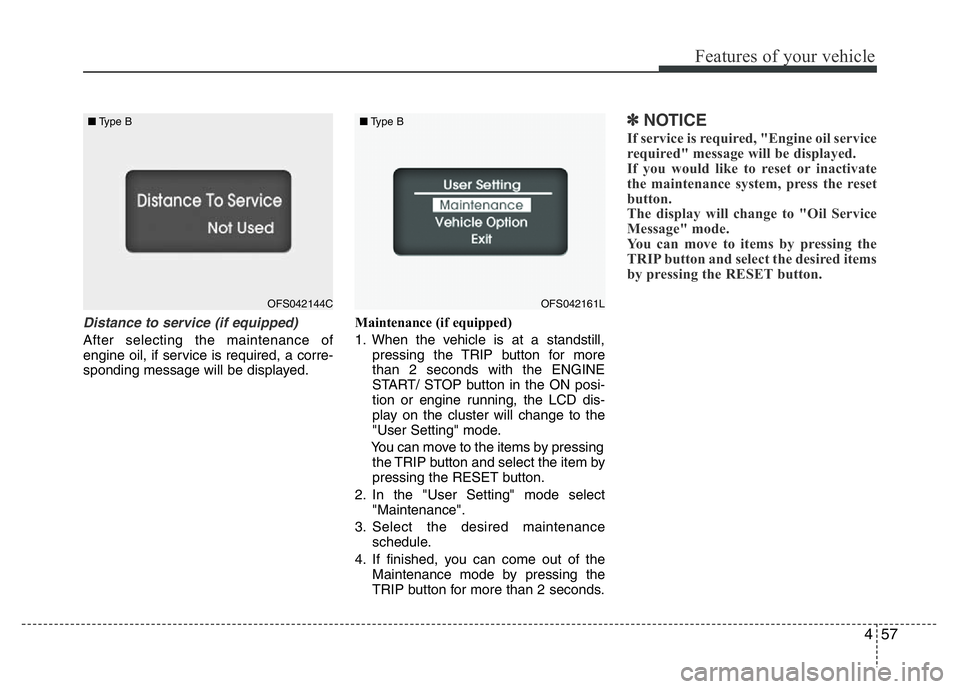
Distance to service (if equipped)
After selecting the maintenance of
engine oil, if service is required, a corre-
sponding message will be displayed.Maintenance (if equipped)
1. When the vehicle is at a standstill,
pressing the TRIP button for more
than 2 seconds with the ENGINE
START/ STOP button in the ON posi-
tion or engine running, the LCD dis-
play on the cluster will change to the
"User Setting" mode.
You can move to the items by pressing
the TRIP button and select the item by
pressing the RESET button.
2. In the "User Setting" mode select
"Maintenance".
3. Select the desired maintenance
schedule.
4. If finished, you can come out of the
Maintenance mode by pressing the
TRIP button for more than 2 seconds.
✽NOTICE
If service is required, "Engine oil service
required" message will be displayed.
If you would like to reset or inactivate
the maintenance system, press the reset
button.
The display will change to "Oil Service
Message" mode.
You can move to items by pressing the
TRIP button and select the desired items
by pressing the RESET button.
OFS042144C ■Type BOFS042161L ■Type B
Page 135 of 406
Features of your vehicle
58 4
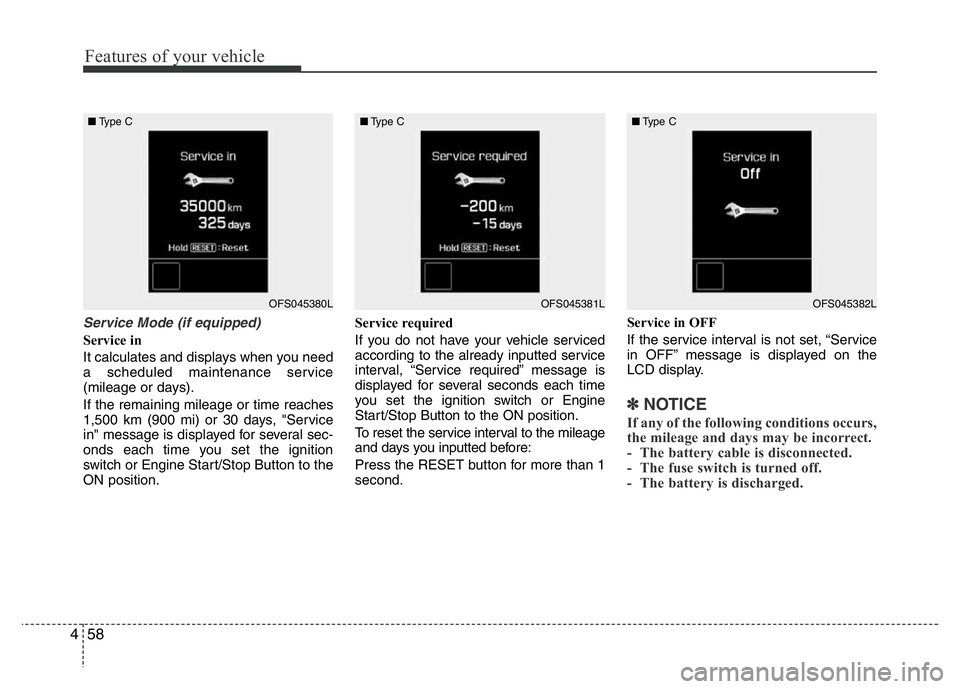
Service Mode (if equipped)
Service in
It calculates and displays when you need
a scheduled maintenance service
(mileage or days).
If the remaining mileage or time reaches
1,500 km (900 mi) or 30 days, "Service
in" message is displayed for several sec-
onds each time you set the ignition
switch or Engine Start/Stop Button to the
ON position.Service required
If you do not have your vehicle serviced
according to the already inputted service
interval, “Service required” message is
displayed for several seconds each time
you set the ignition switch or Engine
Start/Stop Button to the ON position.
To reset the service interval to the mileage
and days you inputted before:
Press the RESET button for more than 1
second.Service in OFF
If the service interval is not set, “Service
in OFF” message is displayed on the
LCD display.
✽NOTICE
If any of the following conditions occurs,
the mileage and days may be incorrect.
- The battery cable is disconnected.
- The fuse switch is turned off.
- The battery is discharged.
OFS045380L ■Type COFS045381L ■Type COFS045382L ■Type C
Page 143 of 406
Features of your vehicle
66 4
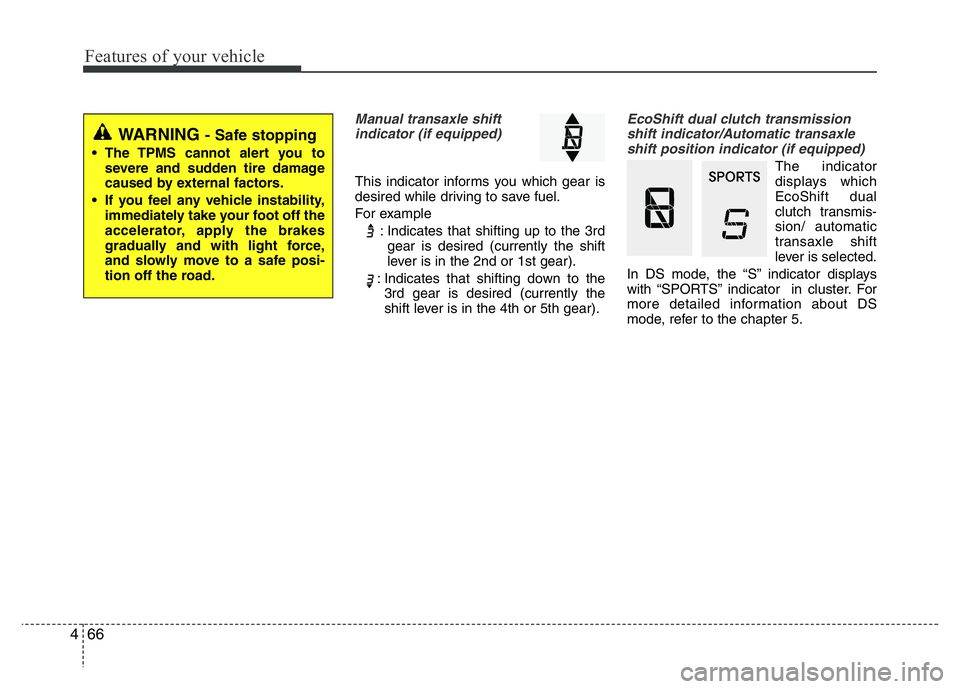
Manual transaxle shift
indicator (if equipped)
This indicator informs you which gear is
desired while driving to save fuel.
For example
: Indicates that shifting up to the 3rd
gear is desired (currently the shift
lever is in the 2nd or 1st gear).
: Indicates that shifting down to the
3rd gear is desired (currently the
shift lever is in the 4th or 5th gear).
EcoShift dual clutch transmission
shift indicator/Automatic transaxle
shift position indicator (if equipped)
The indicator
displays which
EcoShift dual
clutch transmis-
sion/ automatic
transaxle shift
lever is selected.
In DS mode, the “S” indicator displays
with “SPORTS” indicator in cluster. For
more detailed information about DS
mode, refer to the chapter 5.
WARNING - Safe stopping
• The TPMS cannot alert you to
severe and sudden tire damage
caused by external factors.
• If you feel any vehicle instability,
immediately take your foot off the
accelerator, apply the brakes
gradually and with light force,
and slowly move to a safe posi-
tion off the road.