ignition HYUNDAI VELOSTER TURBO 2016 Owner's Guide
[x] Cancel search | Manufacturer: HYUNDAI, Model Year: 2016, Model line: VELOSTER TURBO, Model: HYUNDAI VELOSTER TURBO 2016Pages: 406, PDF Size: 7.83 MB
Page 121 of 406
Features of your vehicle
44 4
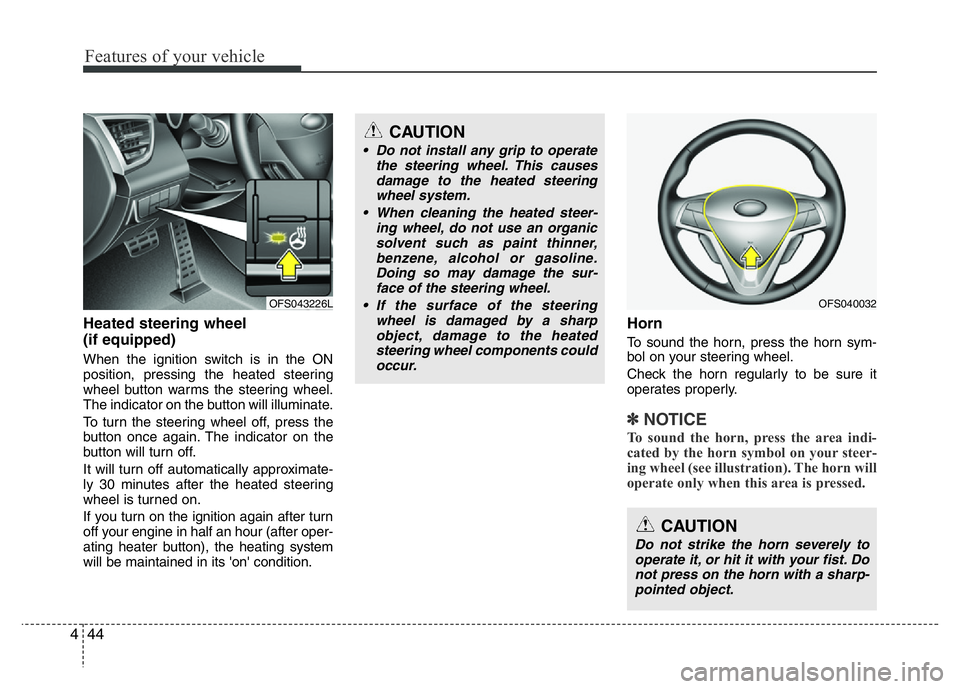
Heated steering wheel
(if equipped)
When the ignition switch is in the ON
position, pressing the heated steering
wheel button warms the steering wheel.
The indicator on the button will illuminate.
To turn the steering wheel off, press the
button once again. The indicator on the
button will turn off.
It will turn off automatically approximate-
ly 30 minutes after the heated steering
wheel is turned on.
If you turn on the ignition again after turn
off your engine in half an hour (after oper-
ating heater button), the heating system
will be maintained in its 'on' condition.
Horn
To sound the horn, press the horn sym-
bol on your steering wheel.
Check the horn regularly to be sure it
operates properly.
✽NOTICE
To sound the horn, press the area indi-
cated by the horn symbol on your steer-
ing wheel (see illustration). The horn will
operate only when this area is pressed.
CAUTION
Do not strike the horn severely to
operate it, or hit it with your fist. Do
not press on the horn with a sharp-
pointed object.
OFS040032OFS043226L
CAUTION
• Do not install any grip to operate
the steering wheel. This causes
damage to the heated steering
wheel system.
• When cleaning the heated steer-
ing wheel, do not use an organic
solvent such as paint thinner,
benzene, alcohol or gasoline.
Doing so may damage the sur-
face of the steering wheel.
• If the surface of the steering
wheel is damaged by a sharp
object, damage to the heated
steering wheel components could
occur.
Page 123 of 406
Features of your vehicle
46 4
Remote control
Electric type
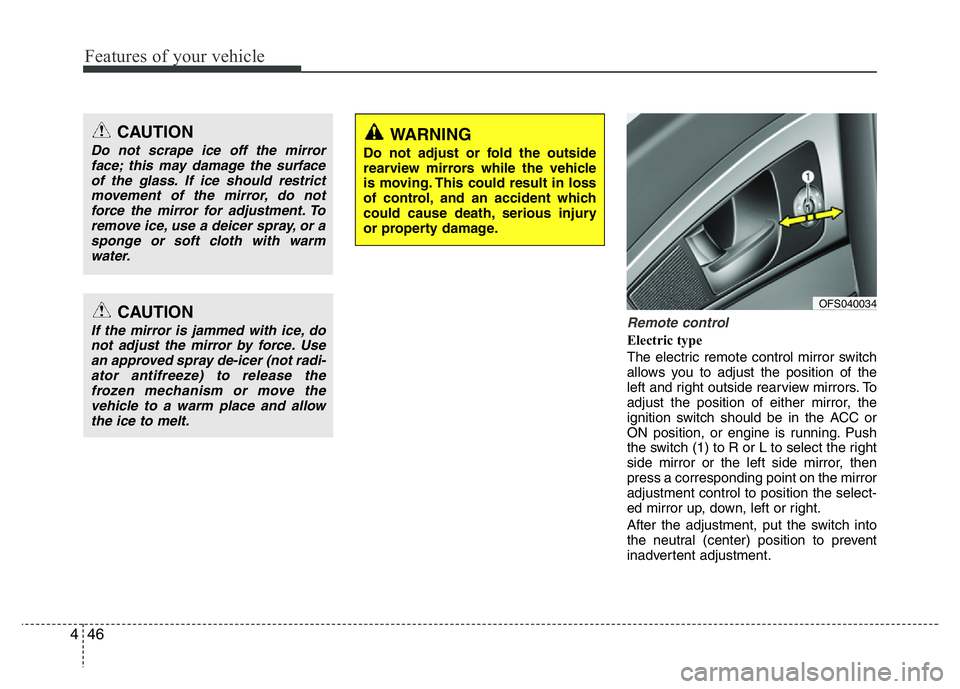
The electric remote control mirror switch
allows you to adjust the position of the
left and right outside rearview mirrors. To
adjust the position of either mirror, the
ignition switch should be in the ACC or
ON position, or engine is running. Push
the switch (1) to R or L to select the right
side mirror or the left side mirror, then
press a corresponding point on the mirror
adjustment control to position the select-
ed mirror up, down, left or right.
After the adjustment, put the switch into
the neutral (center) position to prevent
inadvertent adjustment.
CAUTION
Do not scrape ice off the mirror
face; this may damage the surface
of the glass. If ice should restrict
movement of the mirror, do not
force the mirror for adjustment. To
remove ice, use a deicer spray, or a
sponge or soft cloth with warm
water.
CAUTION
If the mirror is jammed with ice, do
not adjust the mirror by force. Use
an approved spray de-icer (not radi-
ator antifreeze) to release the
frozen mechanism or move the
vehicle to a warm place and allow
the ice to melt.
WARNING
Do not adjust or fold the outside
rearview mirrors while the vehicle
is moving. This could result in loss
of control, and an accident which
could cause death, serious injury
or property damage.
OFS040034
Page 128 of 406
451
Features of your vehicle
Tachometer
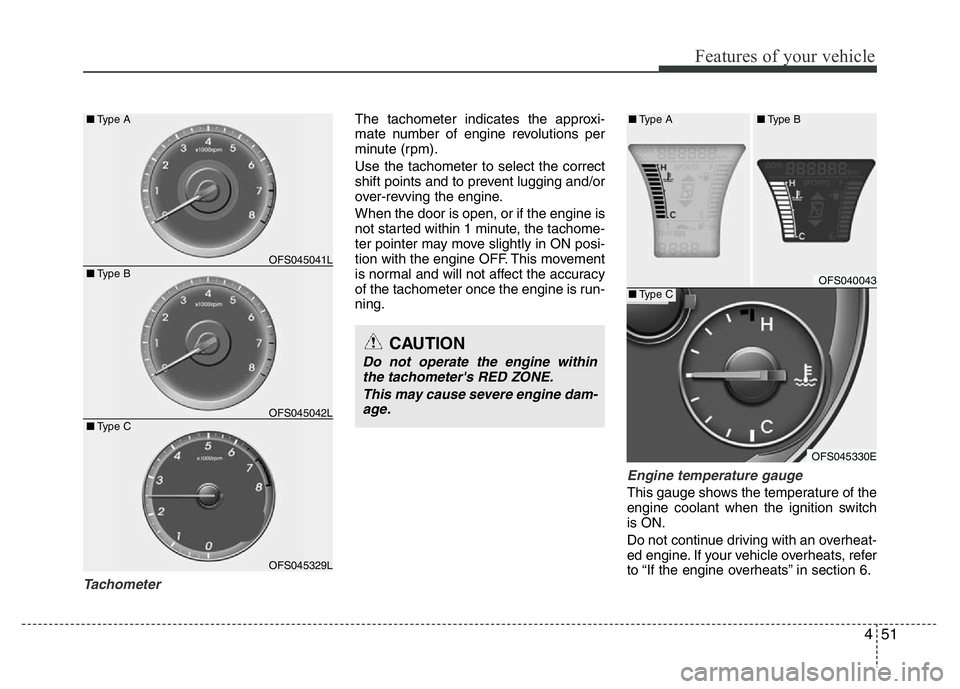
The tachometer indicates the approxi-
mate number of engine revolutions per
minute (rpm).
Use the tachometer to select the correct
shift points and to prevent lugging and/or
over-revving the engine.
When the door is open, or if the engine is
not started within 1 minute, the tachome-
ter pointer may move slightly in ON posi-
tion with the engine OFF. This movement
is normal and will not affect the accuracy
of the tachometer once the engine is run-
ning.
Engine temperature gauge
This gauge shows the temperature of the
engine coolant when the ignition switch
is ON.
Do not continue driving with an overheat-
ed engine. If your vehicle overheats, refer
to “If the engine overheats” in section 6.
CAUTION
Do not operate the engine within
the tachometer's RED ZONE.
This may cause severe engine dam-
age.
OFS045329L ■Type B
■Type COFS045041L
OFS045042L
■Type A
OFS040043
OFS045330E
■Type A■Type B
■Type C
Page 130 of 406
453
Features of your vehicle
Odometer (km or mi.)
The odometer indicates the total dis-
tance the vehicle has been driven.
You will also find the odometer useful to
determine when periodic maintenance
should be performed.
Trip computer
The trip computer is a microcomputer
controlling the driver information system.
It displays information related to driving
on the LCD screen when the ignition
switch is in the ON position. If the battery
is disconnected, then all stored driving
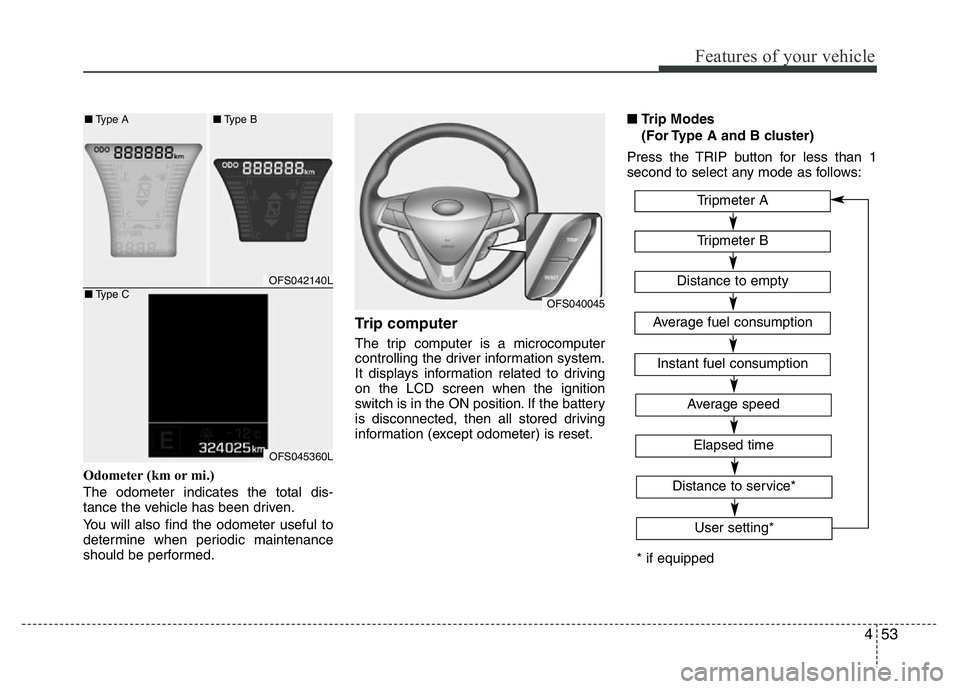
information (except odometer) is reset.■Trip Modes
(For Type A and B cluster)
Press the TRIP button for less than 1
second to select any mode as follows:
OFS040045
OFS042140L
OFS045360L
■Type A■Type B
■Type C
* if equippedTripmeter B
Instant fuel consumption
Tripmeter A
Distance to empty
Average fuel consumption
Elapsed time
Average speed
Distance to service*
User setting*
Page 135 of 406
Features of your vehicle
58 4
Service Mode (if equipped)
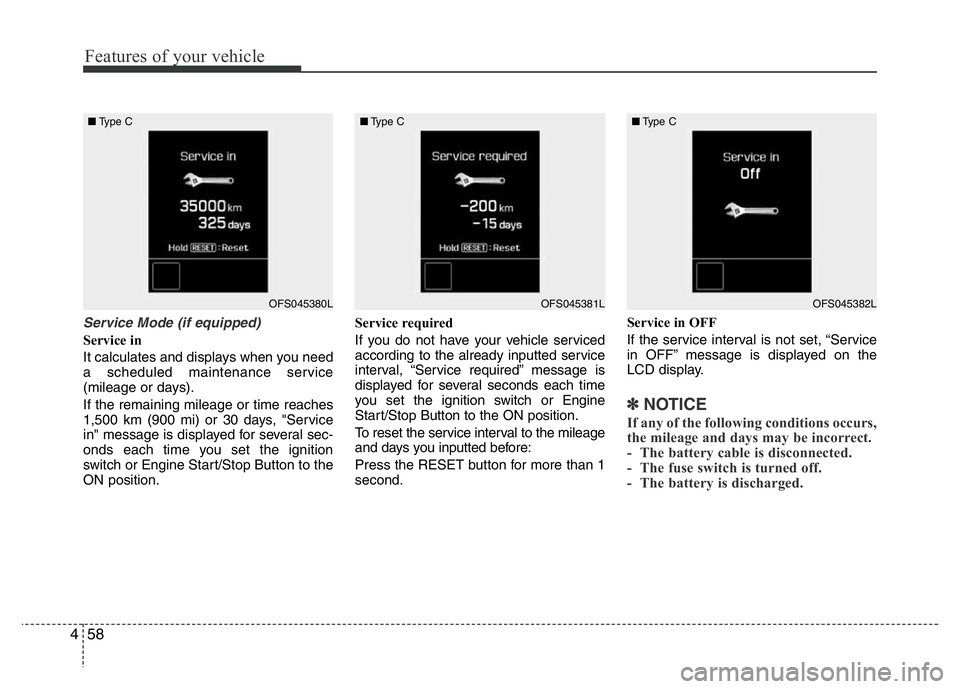
Service in
It calculates and displays when you need
a scheduled maintenance service
(mileage or days).
If the remaining mileage or time reaches
1,500 km (900 mi) or 30 days, "Service
in" message is displayed for several sec-
onds each time you set the ignition
switch or Engine Start/Stop Button to the
ON position.Service required
If you do not have your vehicle serviced
according to the already inputted service
interval, “Service required” message is
displayed for several seconds each time
you set the ignition switch or Engine
Start/Stop Button to the ON position.
To reset the service interval to the mileage
and days you inputted before:
Press the RESET button for more than 1
second.Service in OFF
If the service interval is not set, “Service
in OFF” message is displayed on the
LCD display.
✽NOTICE
If any of the following conditions occurs,
the mileage and days may be incorrect.
- The battery cable is disconnected.
- The fuse switch is turned off.
- The battery is discharged.
OFS045380L ■Type COFS045381L ■Type COFS045382L ■Type C
Page 136 of 406
459
Features of your vehicle
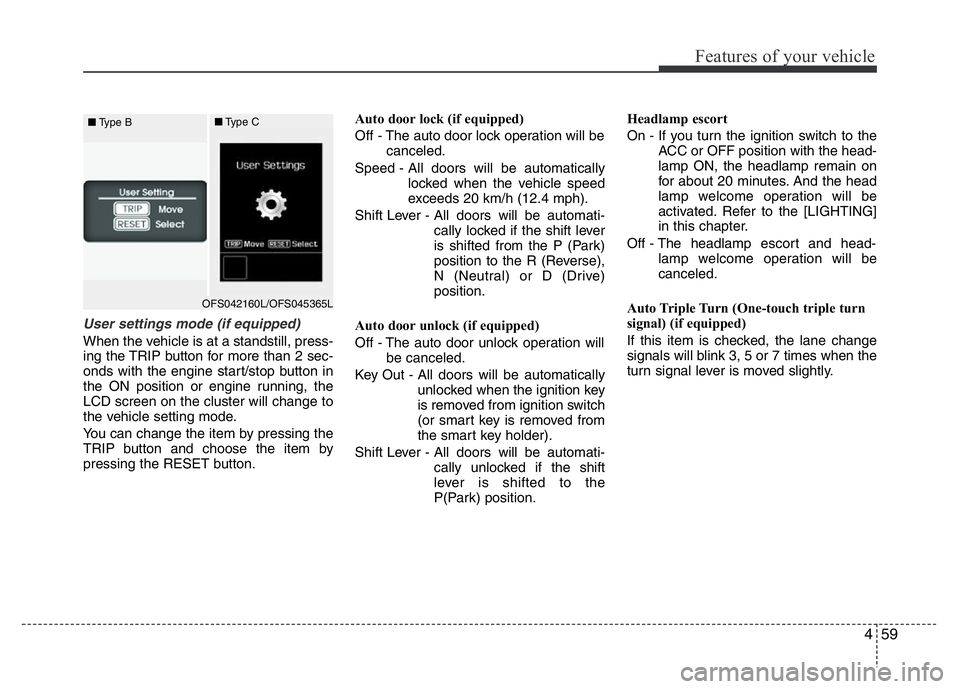
User settings mode (if equipped)
When the vehicle is at a standstill, press-
ing the TRIP button for more than 2 sec-
onds with the engine start/stop button in
the ON position or engine running, the
LCD screen on the cluster will change to
the vehicle setting mode.
You can change the item by pressing the
TRIP button and choose the item by
pressing the RESET button.Auto door lock (if equipped)
Off - The auto door lock operation will be
canceled.
Speed - All doors will be automatically
locked when the vehicle speed
exceeds 20 km/h (12.4 mph).
Shift Lever - All doors will be automati-
cally locked if the shift lever
is shifted from the P (Park)
position to the R (Reverse),
N (Neutral) or D (Drive)
position.
Auto door unlock (if equipped)
Off - The auto door unlock operation will
be canceled.
Key Out - All doors will be automatically
unlocked when the ignition key
is removed from ignition switch
(or smart key is removed from
the smart key holder).
Shift Lever - All doors will be automati-
cally unlocked if the shift
lever is shifted to the
P(Park) position.Headlamp escort
On - If you turn the ignition switch to the
ACC or OFF position with the head-
lamp ON, the headlamp remain on
for about 20 minutes. And the head
lamp welcome operation will be
activated. Refer to the [LIGHTING]
in this chapter.
Off - The headlamp escort and head-
lamp welcome operation will be
canceled.
Auto Triple Turn (One-touch triple turn
signal) (if equipped)
If this item is checked, the lane change
signals will blink 3, 5 or 7 times when the
turn signal lever is moved slightly.
OFS042160L/OFS045365L ■Type B■Type C
Page 137 of 406
Features of your vehicle
60 4
AVG fuel economy
Off (Disable) - The average fuel econo-
my will reset when the
RESET button presses for
more than 1 second.
After ignition - The average fuel economy
will reset automatically when
the Engine Start/Stop button
is in the OFF position during
4 hours.
After refueling - The average fuel econo-
my will rest automatically
when the vehicle speed
exceeds 1km/h after refu-
eling 6L or more.Oil service Message
When a notification message is dis-
played on LCD screen, press the RESET
button to go to the notification settings
screen.
Off - Alarm function will be canceled.
Complete Reset - The notification period
will be reset to the pre-
vious settings.
Remind Later - The notification function
will be suspended tem-
porarily.Service Interval
On this mode, you can activate the serv-
ice interval function with mileage (km or
mi.) and period (months).
Off - The service interval function will be
deactivated.
On - You can set the service interval
(mileage and months).
Page 138 of 406
461
Features of your vehicle
Warnings and indicators
All warning lights are checked by turning
the ignition switch ON (do not start the
engine). Any light that does not illuminate
should be checked by an authorized
HYUNDAI dealer.
After starting the engine, check to make
sure that all warning lights are off. If any
are still on, this indicates a situation that
needs attention. When releasing the
parking brake, the brake system warning
light should go off. The fuel warning light
will stay on if the fuel level is low.
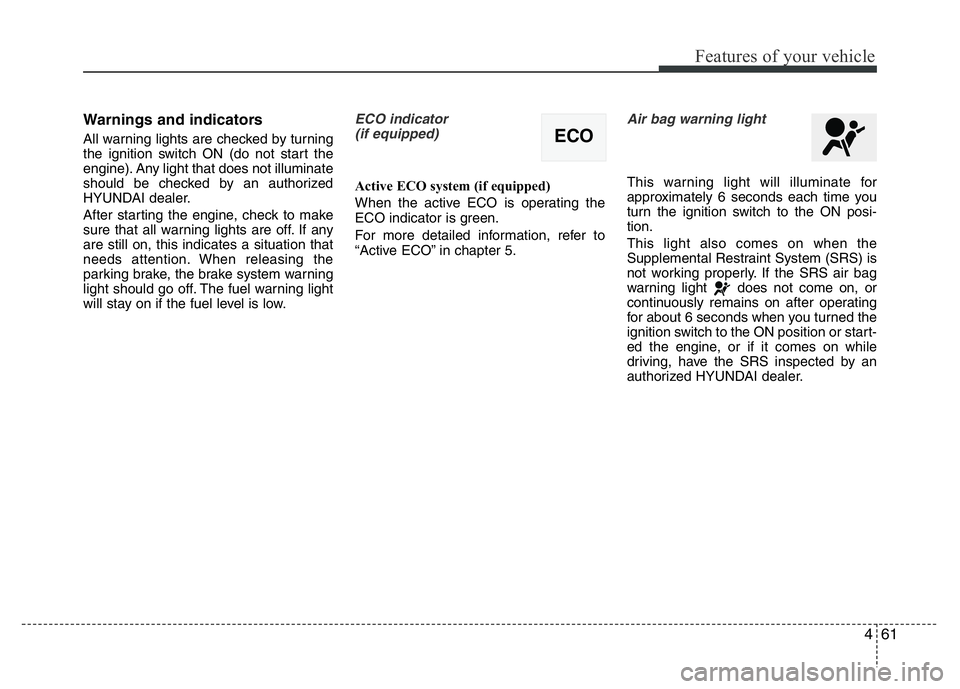
ECO indicator
(if equipped)
Active ECO system (if equipped)
When the active ECO is operating the
ECO indicator is green.
For more detailed information, refer to
“Active ECO” in chapter 5.
Air bag warning light
This warning light will illuminate for
approximately 6 seconds each time you
turn the ignition switch to the ON posi-
tion.
This light also comes on when the
Supplemental Restraint System (SRS) is
not working properly. If the SRS air bag
warning light does not come on, or
continuously remains on after operating
for about 6 seconds when you turned the
ignition switch to the ON position or start-
ed the engine, or if it comes on while
driving, have the SRS inspected by an
authorized HYUNDAI dealer.
ECO
Page 139 of 406
Features of your vehicle
62 4
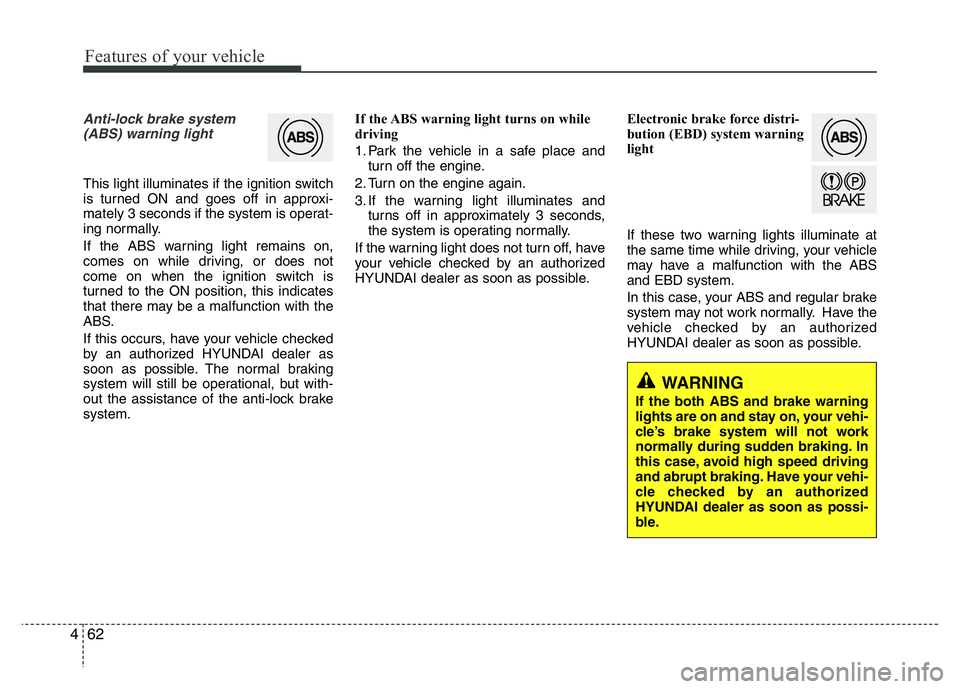
Anti-lock brake system
(ABS) warning light
This light illuminates if the ignition switch
is turned ON and goes off in approxi-
mately 3 seconds if the system is operat-
ing normally.
If the ABS warning light remains on,
comes on while driving, or does not
come on when the ignition switch is
turned to the ON position, this indicates
that there may be a malfunction with the
ABS.
If this occurs, have your vehicle checked
by an authorized HYUNDAI dealer as
soon as possible. The normal braking
system will still be operational, but with-
out the assistance of the anti-lock brake
system.If the ABS warning light turns on while
driving
1. Park the vehicle in a safe place and
turn off the engine.
2. Turn on the engine again.
3. If the warning light illuminates and
turns off in approximately 3 seconds,
the system is operating normally.
If the warning light does not turn off, have
your vehicle checked by an authorized
HYUNDAI dealer as soon as possible.Electronic brake force distri-
bution (EBD) system warning
light
If these two warning lights illuminate at
the same time while driving, your vehicle
may have a malfunction with the ABS
and EBD system.
In this case, your ABS and regular brake
system may not work normally. Have the
vehicle checked by an authorized
HYUNDAI dealer as soon as possible.
WARNING
If the both ABS and brake warning
lights are on and stay on, your vehi-
cle’s brake system will not work
normally during sudden braking. In
this case, avoid high speed driving
and abrupt braking. Have your vehi-
cle checked by an authorized
HYUNDAI dealer as soon as possi-
ble.
Page 140 of 406
463
Features of your vehicle
✽NOTICE
If the ABS warning light or EBD warn-
ing light is on and stays on, the
speedometer or odometer/tripmeter
may not work. In this case, have your
vehicle checked by an authorized
HYUNDAI dealer as soon as possible.
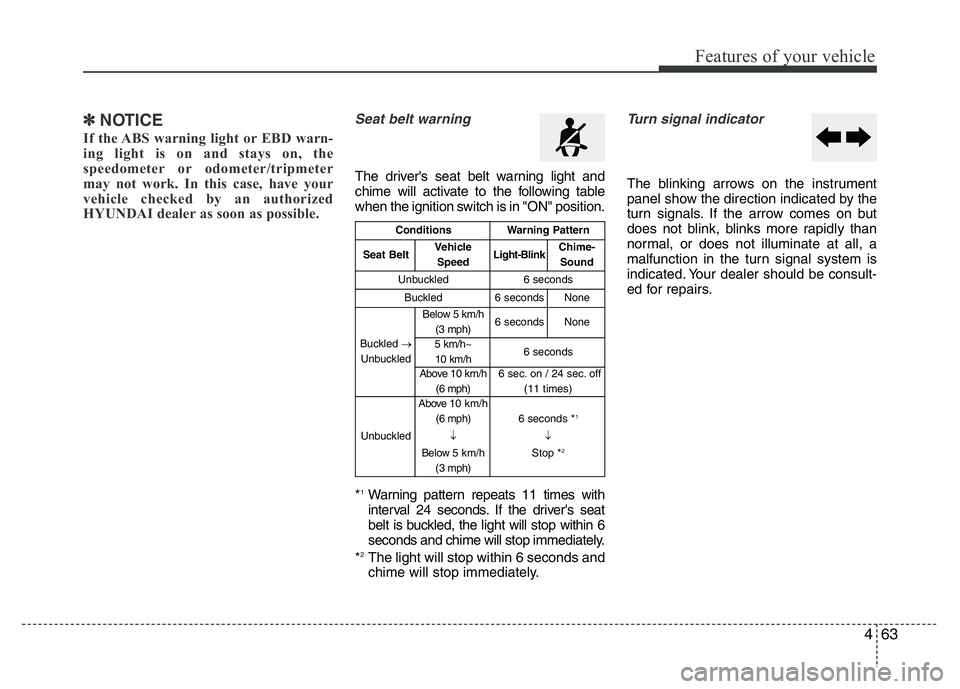
Seat belt warning
The driver's seat belt warning light and
chime will activate to the following table
when the ignition switch is in "ON" position.
*
1Warning pattern repeats 11 times with
interval 24 seconds. If the driver's seat
belt is buckled, the light will stop within 6
seconds and chime will stop immediately.
*
2The light will stop within 6 seconds and
chime will stop immediately.
Turn signal indicator
The blinking arrows on the instrument
panel show the direction indicated by the
turn signals. If the arrow comes on but
does not blink, blinks more rapidly than
normal, or does not illuminate at all, a
malfunction in the turn signal system is
indicated. Your dealer should be consult-
ed for repairs.
ConditionsWarning Pattern
Seat BeltVehicle
SpeedLight-BlinkChime-
Sound
Unbuckled6 seconds
Buckled6 secondsNone
Buckled →
Unbuckled
Below 5 km/h
(3 mph)6 secondsNone
5 km/h~
10 km/h6 seconds
Above 10 km/h
(6 mph)6 sec. on / 24 sec. off
(11 times)
Unbuckled
Above 10 km/h
(6 mph)
↓
Below 5 km/h
(3 mph)6 seconds *1
↓
Stop *2