light INFINITI EX 2012 Owner's Guide
[x] Cancel search | Manufacturer: INFINITI, Model Year: 2012, Model line: EX, Model: INFINITI EX 2012Pages: 506, PDF Size: 7.27 MB
Page 94 of 506
you when leaving the vehicle.
Light reminder chimeGUID-1B22F352-E676-4579-BB46-88A9F17E26A1
orposition and the ignition switch
in the ACC, OFF or LOCK position.
Turn the light switch off when you leave the
vehicle.
Parking brake reminder chimeGUID-963DEE0A-5736-4637-8320-7F5EB75D7F6D
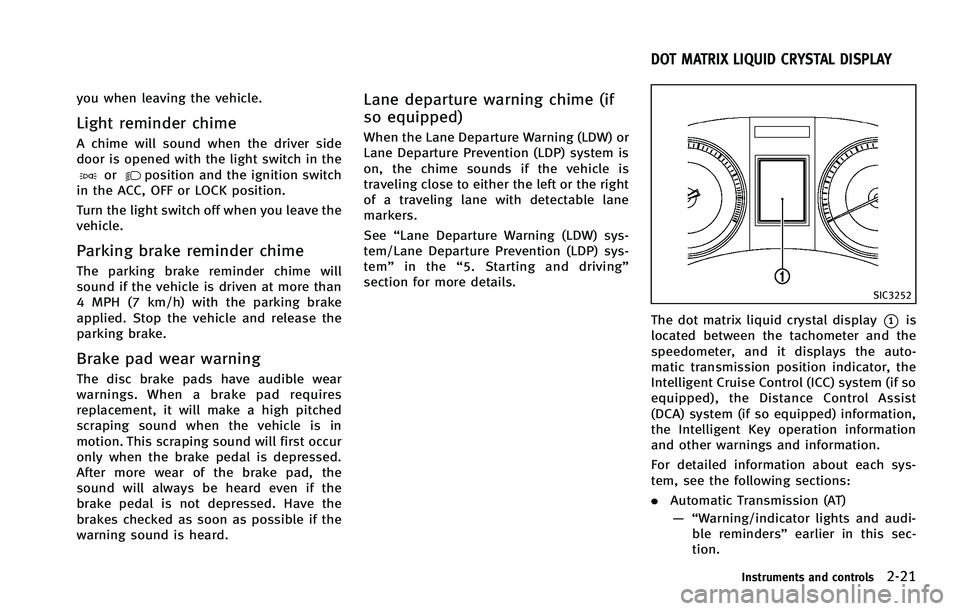
SIC3252
The dot matrix liquid crystal display*1is
located between the tachometer and the
speedometer, and it displays the auto-
matic transmission position indicator, the
Intelligent Cruise Control (ICC) system (if so
equipped), the Distance Control Assist
(DCA) system (if so equipped) information,
the Intelligent Key operation information
and other warnings and information.
For detailed information about each sys-
tem, see the following sections:
. Automatic Transmission (AT)
— “Warning/indicator lights and audi- ble reminders” earlier in this sec-
tion.
Instruments and controls2-21
DOT MATRIX LIQUID CRYSTAL DISPLAY
Page 103 of 506

2-30Instruments and controls
button.
DISPLAY:
GUID-4D508F5D-FA8E-49D6-A9E2-6F8E76C17033
switch*Ato move to the
warning check mode.
Push the
switch*Bto select other
menus.
DETAIL:
GUID-4D508F5D-FA8E-49D6-A9E2-6F8E76C17033
SIC2133
Your vehicle has two types of security
systems, as follows:
. Vehicle security system
. INFINITI Vehicle Immobilizer System
The security condition will be shown by the
security indicator light.
VEHICLE SECURITY SYSTEMGUID-87DD9A1C-A96A-4B80-97F8-9699DF2B983A
Page 105 of 506

2-32Instruments and controls
INFINITI VEHICLE IMMOBILIZER
SYSTEM
GUID-D708FE52-0AAB-44D1-AA87-BF551124C4E3
SIC2045
Security indicator lightGUID-0FB46DD6-0B3A-47D1-A676-318B2274AB45
Page 108 of 506
GUID-70C29E9A-49AD-4C5F-9A21-B7EEF9AD71A0
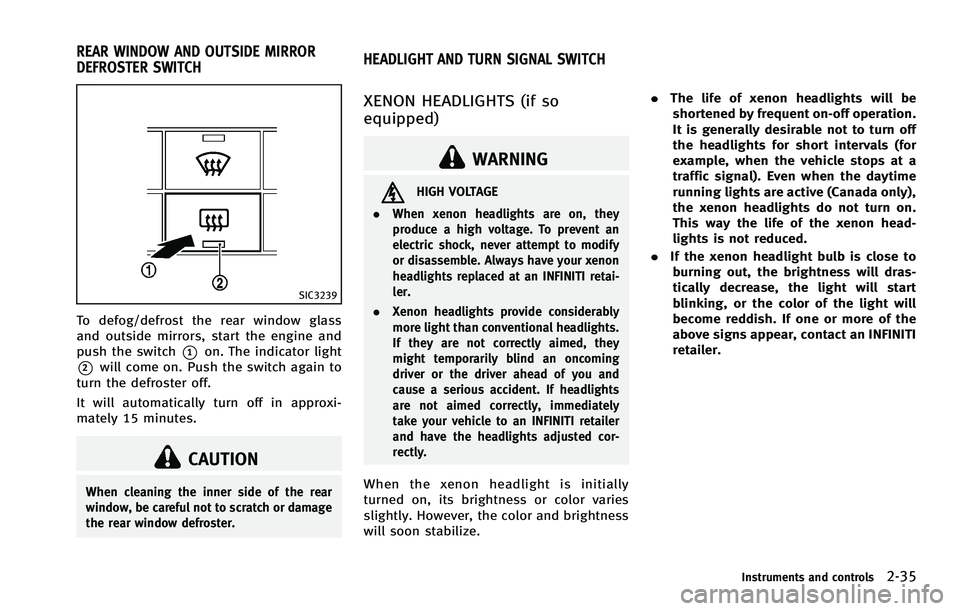
SIC3239
To defog/defrost the rear window glass
and outside mirrors, start the engine and
push the switch
*1on. The indicator light
*2will come on. Push the switch again to
turn the defroster off.
It will automatically turn off in approxi-
mately 15 minutes.
CAUTION
When cleaning the inner side of the rear
window, be careful not to scratch or damage
the rear window defroster.
GUID-F39E5805-C881-4ED9-B63E-554EB445040A
WARNING
HIGH VOLTAGE
. When xenon headlights are on, they
produce a high voltage. To prevent an
electric shock, never attempt to modify
or disassemble. Always have your xenon
headlights replaced at an INFINITI retai-
ler.
. Xenon headlights provide considerably
more light than conventional headlights.
If they are not correctly aimed, they
might temporarily blind an oncoming
driver or the driver ahead of you and
cause a serious accident. If headlights
are not aimed correctly, immediately
take your vehicle to an INFINITI retailer
and have the headlights adjusted cor-
rectly.
When the xenon headlight is initially
turned on, its brightness or color varies
slightly. However, the color and brightness
will soon stabilize. .
The life of xenon headlights will be
shortened by frequent on-off operation.
It is generally desirable not to turn off
the headlights for short intervals (for
example, when the vehicle stops at a
traffic signal). Even when the daytime
running lights are active (Canada only),
the xenon headlights do not turn on.
This way the life of the xenon head-
lights is not reduced.
. If the xenon headlight bulb is close to
burning out, the brightness will dras-
tically decrease, the light will start
blinking, or the color of the light will
become reddish. If one or more of the
above signs appear, contact an INFINITI
retailer.
Instruments and controls2-35
REAR WINDOW AND OUTSIDE MIRROR
DEFROSTER SWITCH HEADLIGHT AND TURN SIGNAL SWITCH
Page 109 of 506

2-36Instruments and controls
SIC3267
HEADLIGHT SWITCHGUID-1E8879F5-5A4D-4E61-BAC0-CA3E944F7242
position:
The front park, side marker, tail,
license plate and instrument lights
will come on.
*2Turn the switch to theposition:
Headlights will come on and all the
other lights remain on.
SIC3268
Autolight systemGUID-DEC1CC37-DB21-41AE-9624-D6735779F294
orposition. The autolight system can turn on the
headlights automatically when it is dark
and turn off the headlights when it is light.
If the ignition switch is pushed to the OFF
position and one of the doors is opened
and this condition is continued, the head-
lights remain on for 5 minutes.
Automatic headlights off delay:
GUID-4D508F5D-FA8E-49D6-A9E2-6F8E76C17033
Page 110 of 506

SAA0642A
Be sure not to put anything on top of the
photo sensor
*Alocated on the top of the
instrument panel. The photo sensor con-
trols the autolight; if it is covered, the
photo sensor reacts as if it is dark and the
headlights will illuminate.
SIC3269
Headlight beam selectGUID-EA7A0F6C-B5B7-4790-B290-65E1EB4D3057
position. Pull it back to select the
low beam.
*3Pulling the lever toward you will flash
the headlight high beam even when
the headlight switch is in the OFF
position.
Battery saver systemGUID-664B23EC-0053-44E4-A83B-5CAB720E9A9C
orposition and the ignition switch
in the ACC, OFF or LOCK position.
When the headlight switch is in the
orposition while the ignition switch is in
the ON position, the lights will automati-
cally turn off 5 minutes after the ignition
switch has been pushed to the OFF
position.
When the headlight switch remains in the
orposition after the lights
automatically turn off, the lights will turn
on when the ignition switch is pushed to
the ON position.
CAUTION
. When you turn on the headlight switch
again after the lights automatically turn
off, the lights will not turn off auto-
matically. Be sure to turn the light
switch to the OFF position when you
leave the vehicle for extended periods of
time, otherwise the battery will be
discharged.
Instruments and controls2-37
Page 111 of 506
2-38Instruments and controls
position. Turn the headlight switch to theposition for full illumination when
driving at night.
If the parking brake is applied before the
engine is started, the daytime running
lights do not illuminate. The daytime
running lights illuminate once the parking
brake is released. The daytime running
lights will remain on until the ignition
switch is pushed to the OFF position.
WARNING
When the daytime running light system is
active, tail lights on your vehicle are not on.
It is necessary at dusk to turn on your headlights. Failure to do so could cause an
accident injuring yourself and others.
Adaptive Front lighting System
(AFS) (if so equipped)
GUID-B262714A-208E-426E-A47D-5D395AB017A0
Page 113 of 506
2-40Instruments and controls
SIC3271
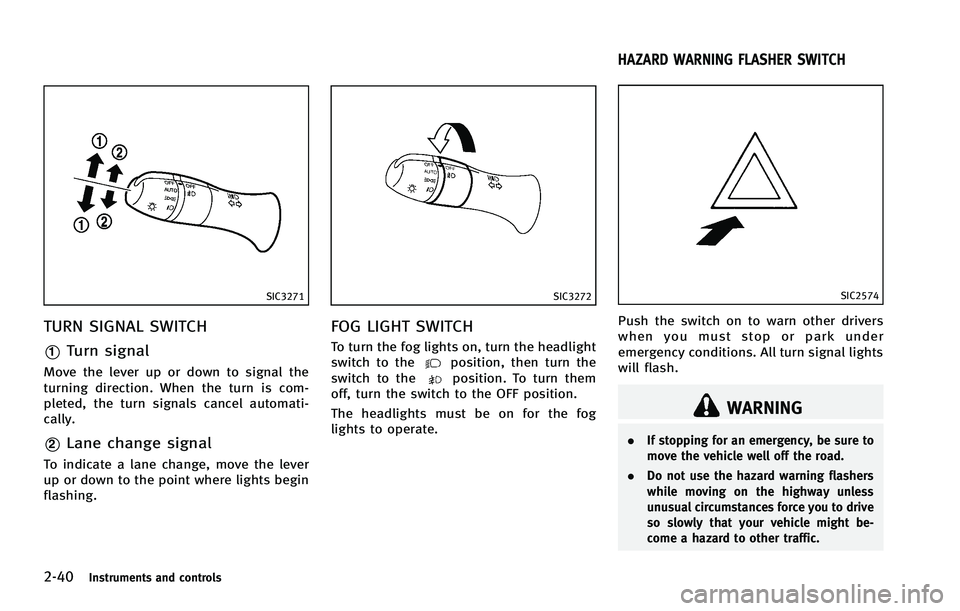
TURN SIGNAL SWITCHGUID-E1C56177-E1D2-4496-9D69-2D8E1B7E7D8C
SIC3272
FOG LIGHT SWITCHGUID-33BDF6EA-9062-427F-9AB6-3D01A86E20DC
position, then turn the
switch to theposition. To turn them
off, turn the switch to the OFF position.
The headlights must be on for the fog
lights to operate.
GUID-ACF6D47C-7AAA-4B7A-B02A-0F1F6CF62D6C
SIC2574
Push the switch on to warn other drivers
when you must stop or park under
emergency conditions. All turn signal lights
will flash.
WARNING
. If stopping for an emergency, be sure to
move the vehicle well off the road.
. Do not use the hazard warning flashers
while moving on the highway unless
unusual circumstances force you to drive
so slowly that your vehicle might be-
come a hazard to other traffic.
HAZARD WARNING FLASHER SWITCH
Page 115 of 506

2-42Instruments and controls
SSS0911
The front seats are warmed by built-in
heaters. The switches located on the center
console can be operated independently of
each other.
1. Start the engine.
2. Turn the control knob
*Ato the right*1and select the desired heat range..For high heat, turn the knob to theright
*1..For low heat, turn the knob to the left
*2..The indicator light*Bwill illuminate
when the heater is on.
3. To turn off the heater, return the knob to the OFF position
*3. Make sure that
the indicator light turns off.
The heater is controlled by a thermostat,
automatically turning the heater on and
off. The indicator light will remain on as
long as the switch is on.
When the vehicle’s interior is warmed, or
before you leave the vehicle, be sure to
turn off the switch.
Page 116 of 506
GUID-3516DC6E-9566-4A0B-B66F-0C326A5AC4A3
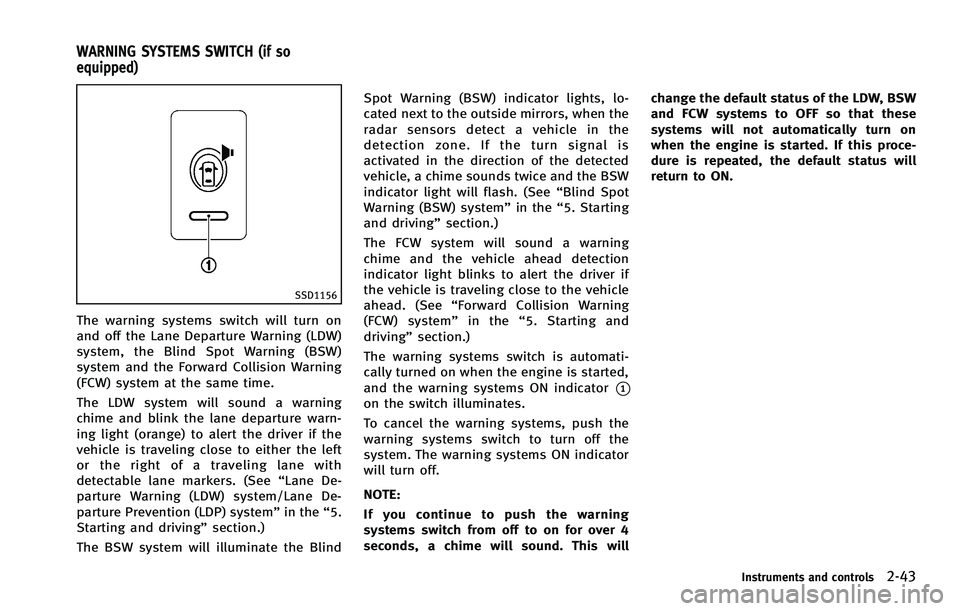
SSD1156
The warning systems switch will turn on
and off the Lane Departure Warning (LDW)
system, the Blind Spot Warning (BSW)
system and the Forward Collision Warning
(FCW) system at the same time.
The LDW system will sound a warning
chime and blink the lane departure warn-
ing light (orange) to alert the driver if the
vehicle is traveling close to either the left
or the right of a traveling lane with
detectable lane markers. (See“Lane De-
parture Warning (LDW) system/Lane De-
parture Prevention (LDP) system” in the“5.
Starting and driving” section.)
The BSW system will illuminate the Blind Spot Warning (BSW) indicator lights, lo-
cated next to the outside mirrors, when the
radar sensors detect a vehicle in the
detection zone. If the turn signal is
activated in the direction of the detected
vehicle, a chime sounds twice and the BSW
indicator light will flash. (See
“Blind Spot
Warning (BSW) system” in the“5. Starting
and driving” section.)
The FCW system will sound a warning
chime and the vehicle ahead detection
indicator light blinks to alert the driver if
the vehicle is traveling close to the vehicle
ahead. (See “Forward Collision Warning
(FCW) system” in the“5. Starting and
driving” section.)
The warning systems switch is automati-
cally turned on when the engine is started,
and the warning systems ON indicator
*1on the switch illuminates.
To cancel the warning systems, push the
warning systems switch to turn off the
system. The warning systems ON indicator
will turn off.
NOTE:
If you continue to push the warning
systems switch from off to on for over 4
seconds, a chime will sound. This will change the default status of the LDW, BSW
and FCW systems to OFF so that these
systems will not automatically turn on
when the engine is started. If this proce-
dure is repeated, the default status will
return to ON.
Instruments and controls2-43
WARNING SYSTEMS SWITCH (if so
equipped)