warning INFINITI FX 2012 Owners Manual
[x] Cancel search | Manufacturer: INFINITI, Model Year: 2012, Model line: FX, Model: INFINITI FX 2012Pages: 522, PDF Size: 3.51 MB
Page 346 of 522
The Lane Departure Warning (LDW) sys-
tem/Lane Departure Prevention (LDP) sys-
tem will operate when the vehicle is driven
at speeds of approximately 45 MPH (70
km/h) and above, and when it is traveling
close to either the left or the right of a
traveling lane.
Each system functions as follows:
.Lane Departure Warning (LDW) system
— warns the driver with a warning light
and chime that the vehicle is beginning
to leave the driving lane.
. Lane Departure Prevention (LDP) system
— warns the driver with a warning light
and chime, and helps assist the driver
to return the vehicle to the center
direction of the traveling lane by
applying brake control to the left or
right wheels individually (for a short
period of time).
SSD0733
SSD1182
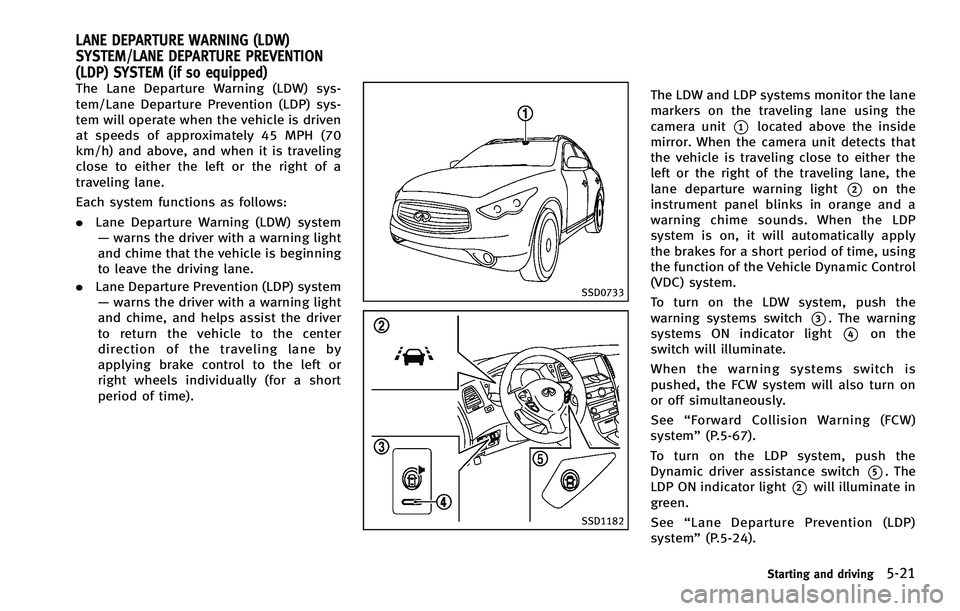
The LDW and LDP systems monitor the lane
markers on the traveling lane using the
camera unit
*1located above the inside
mirror. When the camera unit detects that
the vehicle is traveling close to either the
left or the right of the traveling lane, the
lane departure warning light
*2on the
instrument panel blinks in orange and a
warning chime sounds. When the LDP
system is on, it will automatically apply
the brakes for a short period of time, using
the function of the Vehicle Dynamic Control
(VDC) system.
To turn on the LDW system, push the
warning systems switch
*3. The warning
systems ON indicator light
*4on the
switch will illuminate.
When the warning systems switch is
pushed, the FCW system will also turn on
or off simultaneously.
See “Forward Collision Warning (FCW)
system” (P.5-67).
To turn on the LDP system, push the
Dynamic driver assistance switch
*5. The
LDP ON indicator light
*2will illuminate in
green.
See “Lane Departure Prevention (LDP)
system” (P.5-24).
Starting and driving5-21
LANE DEPARTURE WARNING (LDW)
SYSTEM/LANE DEPARTURE PREVENTION
(LDP) SYSTEM (if so equipped)
Page 347 of 522
5-22Starting and driving
LANE DEPARTURE WARNING (LDW)
SYSTEM
Precautions on LDW system
WARNING
.This system is only a warning device to
inform the driver of a potential unin-
tended lane departure. It will not steer
the vehicle or prevent loss of control. It
is the driver’ s responsibility to stay
alert, drive safely, keep the vehicle in
the traveling lane, and be in control of
the vehicle at all times.
. The system will not operate at speeds
below approximately 45 MPH or if it
cannot detect lane markers.
. If the LDW system malfunctions, it will
cancel automatically, and the lane de-
parture warning light (orange) will illu-
minate.
. If the lane departure warning light
(orange) illuminates, pull off the road
to a safe location and stop the vehicle.
Turn the engine off and restart the
engine. If the lane departure warning
light (orange) continues to illuminate, have the system checked by an INFINITI
retailer.
. Excessive noise will interfere with the
warning chime sound, and the chime
may not be heard.The system may not function properly
under the following conditions:
.On roads where there are multiple
parallel lane markers; lane markers
that are faded or not painted clearly;
yellow painted lane markers; non-stan-
dard lane markers; or lane markers
covered with water, dirt, snow, etc.
. On roads where the discontinued lane
markers are still detectable.
. On roads where there are sharp curves.
. On roads where there are sharply
contrasting objects, such as shadows,
snow, water, wheel ruts, seams or lines
remaining after road repairs. (The LDW
system could detect these items as
lane markers.)
. On roads where the traveling lane
merges or separates.
. When the vehicle’s traveling direction
does not align with the lane marker. .
When traveling close to the vehicle in
front of you, which obstructs the lane
camera unit detection range.
. When rain, snow or dirt adheres to the
windshield in front of the lane camera
unit.
. When the headlights are not bright due
to dirt on the lens or if the aiming is not
adjusted properly.
. When strong light enters the lane
camera unit. (For example, the light
directly shines on the front of the
vehicle at sunrise or sunset.)
. When a sudden change in brightness
occurs. (For example, when the vehicle
enters or exits a tunnel or under a
bridge.)
Page 348 of 522

SSD0672
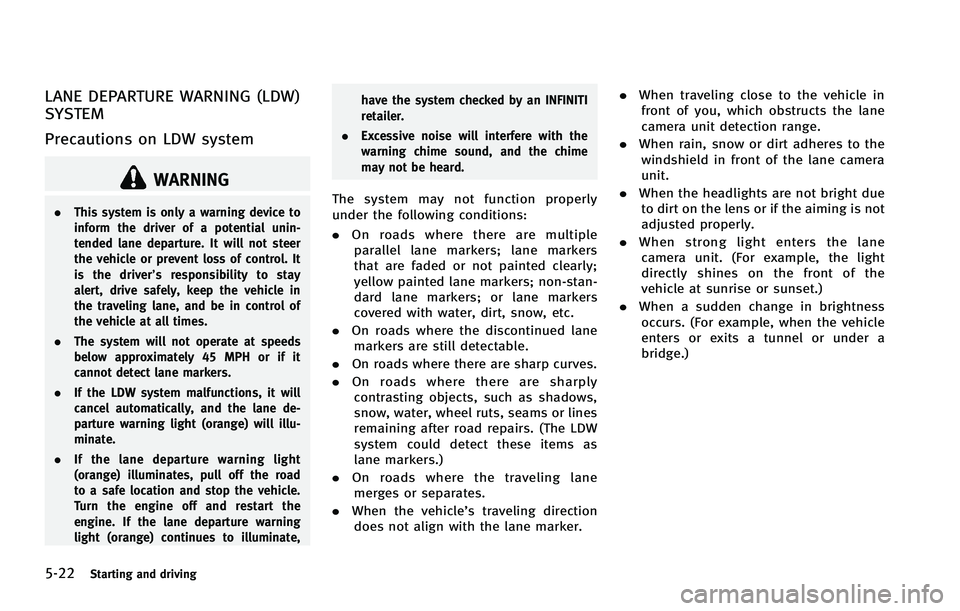
Lane departure warning light (orange)
SSD1156
Warning systems switch
LDW system operation
The LDW system provides a lane departure
warning function when the vehicle is driven
at speeds of approximately 45 MPH (70
km/h) and above. When the vehicle
approaches either the left or the right side
of the traveling lane, a warning chime will
sound and the lane departure warning light
(orange) on the instrument panel will blink
to alert the driver.
The warning function will stop when the
vehicle returns inside of the lane markers.
When you operate the lane change signal
and change traveling lanes in the direction
of the signal, the LDW system temporarily
suspends operation. It will become oper-
able again approximately 2 seconds after
the lane change signal is turned off.
When the vehicle speed lowers to less than
approximately 45 MPH (70 km/h), the LDW
system will not provide a warning.
The LDW system has an automatic setting
mode and a manual setting mode. The
setting mode can be changed. In the
automatic setting mode, the LDW system
is automatically turned on when the igni-
tion switch is pushed to the ON position.
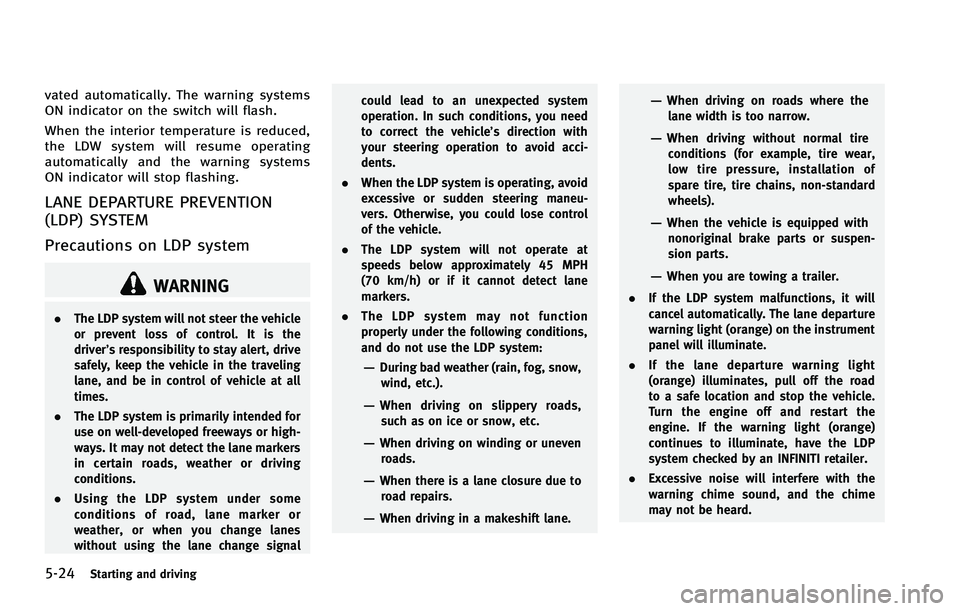
When the LDW system is on, the warningsystems ON indicator
*1on the warning
systems switch illuminates. To cancel the
LDW system, push the warning systems
switch. The warning systems ON indicator
will turn off. To turn on the system, push
the warning systems switch again.
When the warning systems switch is
pushed, the FCW system will also turn on
or off simultaneously. See“ FCW system
operation” (P.5-70)
In the manual setting mode, you need to
push the warning systems switch to turn
on the system after the ignition switch is
pushed to the ON position.
The setting mode can be changed using
the warning systems switch. To change the
setting mode, push and hold the warning
systems switch for more than 4 seconds
when the warning systems ON indicator is
off. When the mode is changed, a chime
sounds and the lane departure warning
light (orange) flashes.
Temporary disabled status at high
temperature
If the vehicle is parked in direct sunlight
under high temperature conditions (over
approximately 1048 F (408C) and then
started, the LDW system may be deacti-
Starting and driving5-23
Page 349 of 522
5-24Starting and driving
vated automatically. The warning systems
ON indicator on the switch will flash.
When the interior temperature is reduced,
the LDW system will resume operating
automatically and the warning systems
ON indicator will stop flashing.
LANE DEPARTURE PREVENTION
(LDP) SYSTEM
Precautions on LDP system
WARNING
.The LDP system will not steer the vehicle
or prevent loss of control. It is the
driver’s responsibility to stay alert, drive
safely, keep the vehicle in the traveling
lane, and be in control of vehicle at all
times.
. The LDP system is primarily intended for
use on well-developed freeways or high-
ways. It may not detect the lane markers
in certain roads, weather or driving
conditions.
. Using the LDP system under some
conditions of road, lane marker or
weather, or when you change lanes
without using the lane change signal could lead to an unexpected system
operation. In such conditions, you need
to correct the vehicle’s direction with
your steering operation to avoid acci-
dents.
. When the LDP system is operating, avoid
excessive or sudden steering maneu-
vers. Otherwise, you could lose control
of the vehicle.
. The LDP system will not operate at
speeds below approximately 45 MPH
(70 km/h) or if it cannot detect lane
markers.
. The LDP system may not function
properly under the following conditions,
and do not use the LDP system:
—During bad weather (rain, fog, snow,
wind, etc.).
—When driving on slippery roads,such as on ice or snow, etc.
—When driving on winding or uneven roads.
—When there is a lane closure due toroad repairs.
—When driving in a makeshift lane.
—When driving on roads where thelane width is too narrow.
—When driving without normal tireconditions (for example, tire wear,
low tire pressure, installation of
spare tire, tire chains, non-standard
wheels).
—When the vehicle is equipped withnonoriginal brake parts or suspen-
sion parts.
—When you are towing a trailer.
. If the LDP system malfunctions, it will
cancel automatically. The lane departure
warning light (orange) on the instrument
panel will illuminate.
. If the lane departure warning light
(orange) illuminates, pull off the road
to a safe location and stop the vehicle.
Turn the engine off and restart the
engine. If the warning light (orange)
continues to illuminate, have the LDP
system checked by an INFINITI retailer.
. Excessive noise will interfere with the
warning chime sound, and the chime
may not be heard.
Page 350 of 522
The functions of the LDP system (warning
and brake control assist) may or may not
operate properly under the following con-
ditions:
.On roads where there are multiple
parallel lane markers; lane markers
that are faded or not painted clearly;
yellow painted lane markers; non-stan-
dard lane markers; or lane markers
covered with water, dirt, snow, etc.
. On roads where discontinued lane
markers are still detectable.
. On roads where there are sharp curves.
. On roads where there are sharply
contrasting objects, such as shadows,
snow, water, wheel ruts, seams or lines
remaining after road repairs. (The LDP
system could detect these items as
lane markers.)
. On roads where the traveling lane
merges or separates.
. When the vehicle’s traveling direction
does not align with the lane marker.
. When traveling close to the vehicle in
front of you, which obstructs the lane
camera unit detection range.
. When rain, snow or dirt adheres to the
windshield in front of the lane camera
unit. .
When the headlights are not bright due
to dirt on the lens or if the aiming is not
adjusted properly.
. When strong light enters the lane
camera unit. (For example, the light
directly shines on the front of the
vehicle at sunrise or sunset.)
. When a sudden change in brightness
occurs. (For example, when the vehicle
enters or exits a tunnel or under a
bridge.)
While the LDP system is operating, you
may hear a sound of brake operation. This
is normal and indicates that the LDP
system is operating properly.
SSD0672
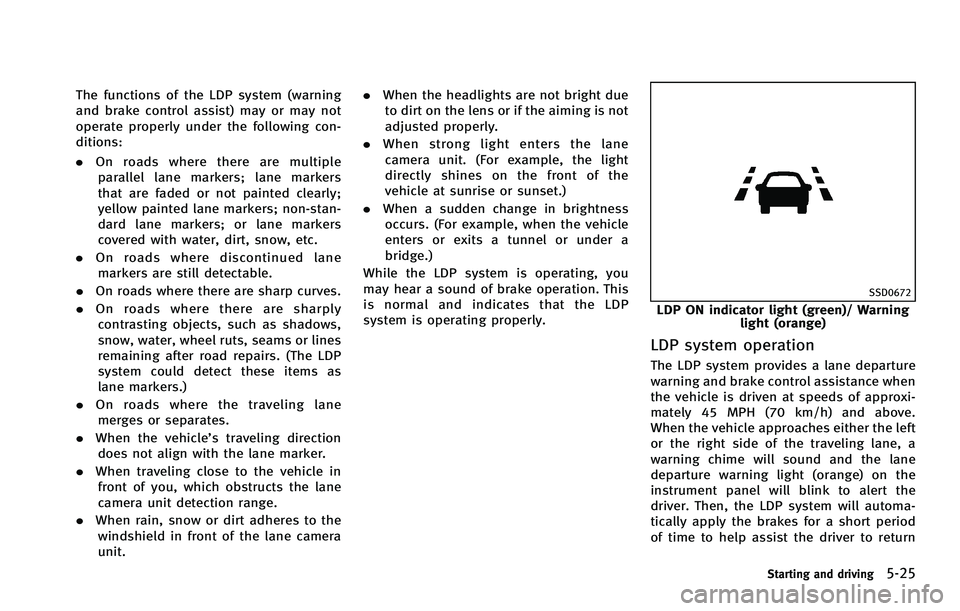
LDP ON indicator light (green)/ Warning light (orange)
LDP system operation
The LDP system provides a lane departure
warning and brake control assistance when
the vehicle is driven at speeds of approxi-
mately 45 MPH (70 km/h) and above.
When the vehicle approaches either the left
or the right side of the traveling lane, a
warning chime will sound and the lane
departure warning light (orange) on the
instrument panel will blink to alert the
driver. Then, the LDP system will automa-
tically apply the brakes for a short period
of time to help assist the driver to return
Starting and driving5-25
Page 351 of 522

5-26Starting and driving
the vehicle to the center of the traveling
lane.
The warning and assist functions will stop
when the vehicle returns to a position
inside of the lane marker.
SSD0912
Dynamic driver assistance switch
To turn on the LDP system, push the
dynamic driver assistance switch on the
steering wheel after starting the engine.
The LDP ON indicator light (green) on the
instrument panel will illuminate. Push the
dynamic driver assistance switch again to
turn off the LDP system. The LDP ON
indicator light will turn off.
The dynamic driver assistance switch is
used as both the LDP and DCA system.
When the dynamic driver assistance switch
is pushed, the DCA system will also turn on
or off simultaneously. The LDP system can
be individually set to on or off on the
display. If the system is set to off, the system will not turn on even if the dynamic
driver assistance switch is pushed to on. To
set the system to on or off on the display,
see
“Setting LDP system to ON/OFF” (P.5-
27).
Page 353 of 522

5-28Starting and driving
Automatic deactivation
Condition A:
The warning and assist functions of the
LDP system are not designed to work under
the following conditions:
.When you operate the lane change
signal and change the traveling lanes
in the direction of the signal. (The LDP
system will be deactivated for approxi-
mately 2 seconds after the lane change
signal is turned off.)
. When the vehicle speed lowers to less
than approximately 45 MPH (70 km/h).
After the above conditions have finished
and the necessary operating conditions are
satisfied, the warning and assist functions
will resume.
Condition B:
The assist function of the LDP system is not
designed to work under the following
conditions (warning is still functional):
. When the brake pedal is depressed.
. When the steering wheel is turned as
far as necessary for the vehicle to
change lanes.
. When the accelerator pedal is de-
pressed while the brake control assist is provided.
. When the Intelligent Cruise Control (ICC)
approach warning occurs.
. When the hazard warning flashers are
operated.
. When driving on a curve at high speed.
After the above conditions have finished
and the necessary operating conditions are
satisfied, the LDP brake control assist
function will resume.
Condition C:
Under the following conditions, a beep will
sound and the LDP system will be canceled
automatically. The LDP ON indicator light
will blink in green, and the LDP system
cannot be activated:
. When the VDC system (except TCS
function) or ABS operates.
. When the VDC system is turned off.
. When the SNOW mode switch is turned
on.
Action to take:
When the above conditions no longer exist,
turn off the LDP system. Push the dynamic
driver assistance switch again to turn the
LDP system back on. Temporary disabled status at high tem-
perature:
If the vehicle is parked in direct sunlight
under high temperature conditions (over
approximately 1048F (408C)) and then the
LDP system is turned on, the LDP system
may be deactivated automatically. The LDP
ON indicator (green) will blink.
When the interior temperature is reduced,
the system will resume operating automa-
tically and the LDP ON indicator will stop
blinking.
Page 354 of 522
SSD0453
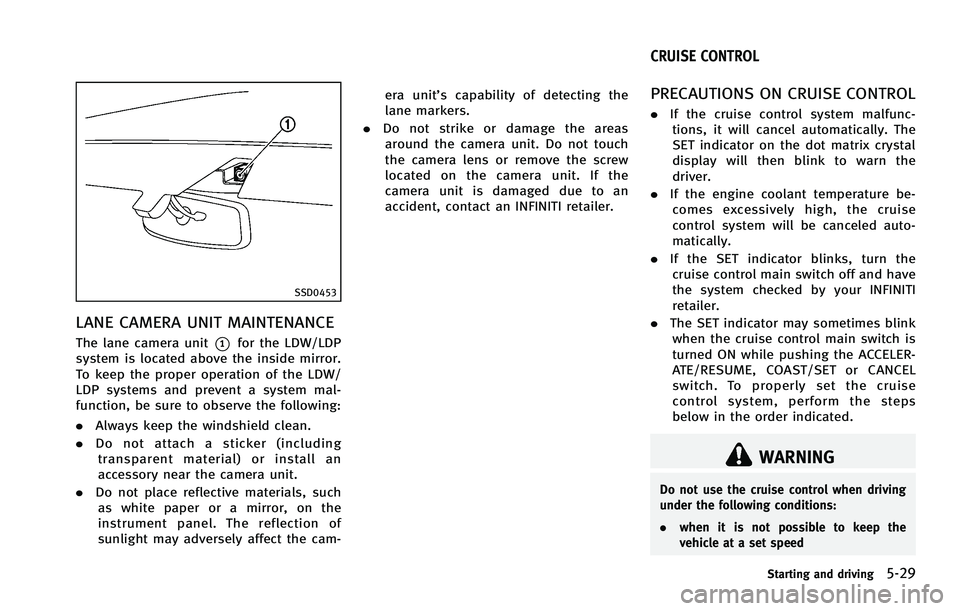
LANE CAMERA UNIT MAINTENANCE
The lane camera unit*1for the LDW/LDP
system is located above the inside mirror.
To keep the proper operation of the LDW/
LDP systems and prevent a system mal-
function, be sure to observe the following:
. Always keep the windshield clean.
. Do not attach a sticker (including
transparent material) or install an
accessory near the camera unit.
. Do not place reflective materials, such
as white paper or a mirror, on the
instrument panel. The reflection of
sunlight may adversely affect the cam- era unit’s capability of detecting the
lane markers.
. Do not strike or damage the areas
around the camera unit. Do not touch
the camera lens or remove the screw
located on the camera unit. If the
camera unit is damaged due to an
accident, contact an INFINITI retailer.
PRECAUTIONS ON CRUISE CONTROL
. If the cruise control system malfunc-
tions, it will cancel automatically. The
SET indicator on the dot matrix crystal
display will then blink to warn the
driver.
. If the engine coolant temperature be-
comes excessively high, the cruise
control system will be canceled auto-
matically.
. If the SET indicator blinks, turn the
cruise control main switch off and have
the system checked by your INFINITI
retailer.
. The SET indicator may sometimes blink
when the cruise control main switch is
turned ON while pushing the ACCELER-
ATE/RESUME, COAST/SET or CANCEL
switch. To properly set the cruise
control system, perform the steps
below in the order indicated.
WARNING
Do not use the cruise control when driving
under the following conditions:
. when it is not possible to keep the
vehicle at a set speed
Starting and driving5-29
CRUISE CONTROL
Page 356 of 522
cruising speed, the cruise control will
disengage. Turn the MAIN switch off
once and then turn it on again.
. The cruise control will automatically
cancel if the vehicle slows more than
8 MPH (13 km/h) below the set speed.
. If you move the selector lever to the N
(Neutral) position, the cruise control
will be canceled.
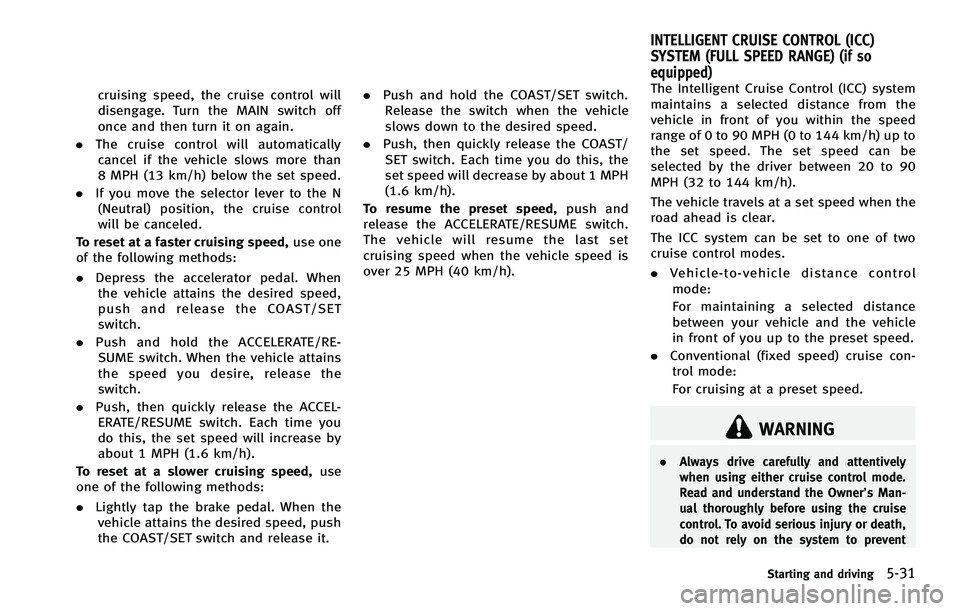
To reset at a faster cruising speed, use one
of the following methods:
. Depress the accelerator pedal. When
the vehicle attains the desired speed,
push and release the COAST/SET
switch.
. Push and hold the ACCELERATE/RE-
SUME switch. When the vehicle attains
the speed you desire, release the
switch.
. Push, then quickly release the ACCEL-
ERATE/RESUME switch. Each time you
do this, the set speed will increase by
about 1 MPH (1.6 km/h).
To reset at a slower cruising speed, use
one of the following methods:
. Lightly tap the brake pedal. When the
vehicle attains the desired speed, push
the COAST/SET switch and release it. .
Push and hold the COAST/SET switch.
Release the switch when the vehicle
slows down to the desired speed.
. Push, then quickly release the COAST/
SET switch. Each time you do this, the
set speed will decrease by about 1 MPH
(1.6 km/h).
To resume the preset speed, push and
release the ACCELERATE/RESUME switch.
The vehicle will resume the last set
cruising speed when the vehicle speed is
over 25 MPH (40 km/h). The Intelligent Cruise Control (ICC) system
maintains a selected distance from the
vehicle in front of you within the speed
range of 0 to 90 MPH (0 to 144 km/h) up to
the set speed. The set speed can be
selected by the driver between 20 to 90
MPH (32 to 144 km/h).
The vehicle travels at a set speed when the
road ahead is clear.
The ICC system can be set to one of two
cruise control modes.
.
Vehicle-to-vehicle distance control
mode:
For maintaining a selected distance
between your vehicle and the vehicle
in front of you up to the preset speed.
. Conventional (fixed speed) cruise con-
trol mode:
For cruising at a preset speed.
WARNING
. Always drive carefully and attentively
when using either cruise control mode.
Read and understand the Owner’s Man-
ual thoroughly before using the cruise
control. To avoid serious injury or death,
do not rely on the system to prevent
Starting and driving5-31
INTELLIGENT CRUISE CONTROL (ICC)
SYSTEM (FULL SPEED RANGE) (if so
equipped)
Page 357 of 522
5-32Starting and driving
accidents or to control the vehicle’s
speed in emergency situations. Do not
use cruise control except in appropriate
road and traffic conditions.
. In the conventional (fixed speed) cruise
control mode, a warning chime will not
sound to warn you if you are too close to
the vehicle ahead. Pay special attention
to the distance between your vehicle and
the vehicle ahead of you or a collision
could occur.
SSD0913
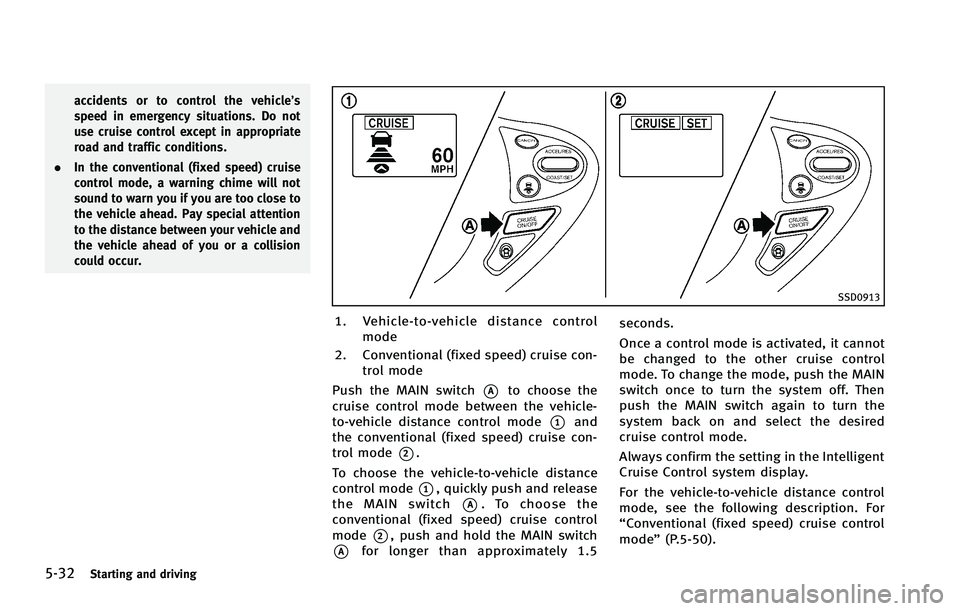
1. Vehicle-to-vehicle distance control
mode
2. Conventional (fixed speed) cruise con- trol mode
Push the MAIN switch
*Ato choose the
cruise control mode between the vehicle-
to-vehicle distance control mode
*1and
the conventional (fixed speed) cruise con-
trol mode
*2.
To choose the vehicle-to-vehicle distance
control mode
*1, quickly push and release
the MAIN switch
*A. To choose the
conventional (fixed speed) cruise control
mode
*2, push and hold the MAIN switch
*Afor longer than approximately 1.5 seconds.
Once a control mode is activated, it cannot
be changed to the other cruise control
mode. To change the mode, push the MAIN
switch once to turn the system off. Then
push the MAIN switch again to turn the
system back on and select the desired
cruise control mode.
Always confirm the setting in the Intelligent
Cruise Control system display.
For the vehicle-to-vehicle distance control
mode, see the following description. For
“Conventional (fixed speed) cruise control
mode”
(P.5-50).