audio INFINITI G37 2012 Owners Manual
[x] Cancel search | Manufacturer: INFINITI, Model Year: 2012, Model line: G37, Model: INFINITI G37 2012Pages: 490, PDF Size: 6.1 MB
Page 6 of 490
Black plate (1,1)
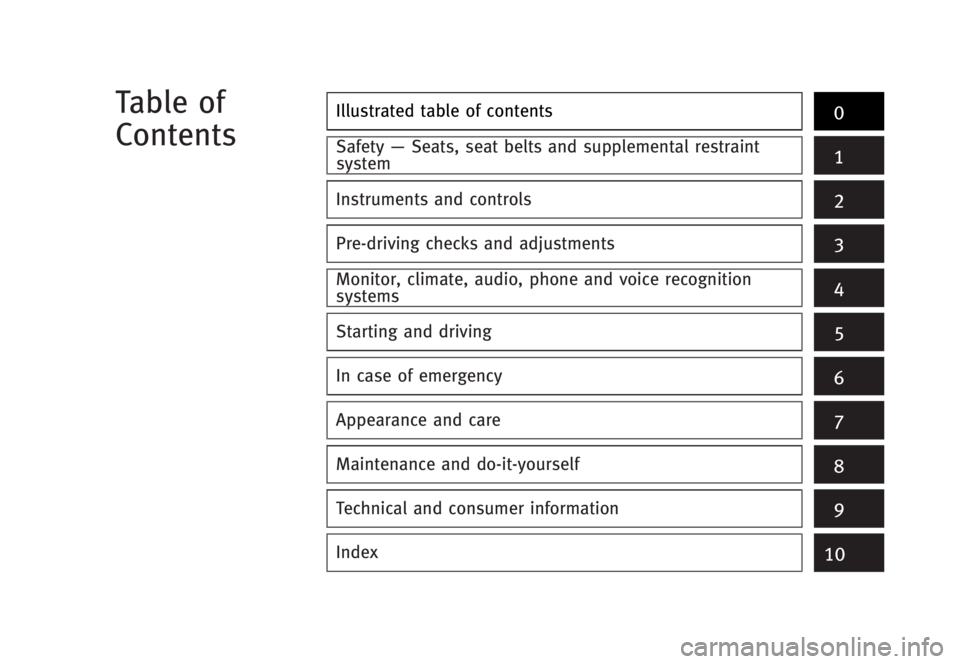
Illustrated table of contents
0Safety — Seats, seat belts and supplemental restraint
system
1
Instruments and controls
Pre-driving checks and adjustments
Monitor, climate, audio, phone and voice recognition
systems
Starting and driving
In case of emergency
Appearance and care
Maintenance and do-it-yourself
Technical and consumer information
Index 2
3
4
5
6
7
8
9
10Table of
Contents
[ Edit: 2012/ 1/ 17 Model: V36-D ]
Page 18 of 490
![INFINITI G37 2012 Owners Manual Black plate (17,1)
[ Edit: 2012/ 1/ 17 Model: V36-D ]GUID-5BF1CCAC-1271-471E-83A1-FF109419BE46
SSI0671
1. Side ventilator (P.4-30)
2. Meters and gauges (P.2-6)
3. Center ventilator (P.4-30)
4. Audio s](/img/42/58895/w960_58895-17.png "INFINITI G37 2012 Owners Manual Black plate (17,1)
[ Edit: 2012/ 1/ 17 Model: V36-D ]GUID-5BF1CCAC-1271-471E-83A1-FF109419BE46
SSI0671
1. Side ventilator (P.4-30)
2. Meters and gauges (P.2-6)
3. Center ventilator (P.4-30)
4. Audio s")
Black plate (17,1)
[ Edit: 2012/ 1/ 17 Model: V36-D ]GUID-5BF1CCAC-1271-471E-83A1-FF109419BE46
SSI0671
1. Side ventilator (P.4-30)
2. Meters and gauges (P.2-6)
3. Center ventilator (P.4-30)
4. Audio system (P.4-41)
5. Clock (P.2-42)
6. Center multi-function control panel — Navigation system* (if so
equipped)
— Vehicle information and setting
buttons (P.4-9)
— Bluetooth ®
Hands-Free Phone Sys-
tem (if so equipped) (P.4-90, P.4-100) — Audio system (P.4-41)
7. Center display (P.4-3)/Navigation sys-
tem* (if so equipped)
8. Hazard warning flasher switch (P.2-39)
9. Front passenger supplemental air bag
(P.1-41)
10. Fuse box cover (P.8-24)
11. Parking brake (for Automatic Trans-
mission models)
— Parking (P.5-20)
12. Push-button ignition switch (P.5-9)
13. Automatic climate control system
(P.4-31)
14. Cigarette lighter and ashtray (if so
equipped) (P.2-44) or storage box (if
so equipped) (P.2-50)
— Power outlet (if so equipped)
(P.2-43)
15. Parking brake (for Manual Transmis-
sion models)
— Parking (P.5-20)
16. Heated seat switch (if so equipped)
(P.2-40)
17. SNOW mode switch (if so equipped)
(P.2-41)
18. Rear window and outside mirror (if so
equipped) defroster switch (P.2-34)
Illustrated table of contents
0-11INSTRUMENT PANEL
Page 83 of 490
![INFINITI G37 2012 Owners Manual Black plate (82,1)
[ Edit: 2012/ 1/ 17 Model: V36-D ]2-4 Instruments and controls GUID-F966D69B-15F8-48D0-A86B-A60F682B16E9
SSI0671
1. Side ventilator (P.4-30)
2. Meters and gauges (P.2-6)
3. Center v](/img/42/58895/w960_58895-82.png "INFINITI G37 2012 Owners Manual Black plate (82,1)
[ Edit: 2012/ 1/ 17 Model: V36-D ]2-4 Instruments and controls GUID-F966D69B-15F8-48D0-A86B-A60F682B16E9
SSI0671
1. Side ventilator (P.4-30)
2. Meters and gauges (P.2-6)
3. Center v")
Black plate (82,1)
[ Edit: 2012/ 1/ 17 Model: V36-D ]2-4 Instruments and controls GUID-F966D69B-15F8-48D0-A86B-A60F682B16E9
SSI0671
1. Side ventilator (P.4-30)
2. Meters and gauges (P.2-6)
3. Center ventilator (P.4-30)
4. Audio system (P.4-41)
5. Clock (P.2-42)
6. Center multi-function control panel — Navigation system* (if so
equipped)
— Vehicle information and setting
buttons (P.4-9)
— Bluetooth ®
Hands-Free Phone Sys-
tem (if so equipped) (P.4-90, P.4-100) — Audio system (P.4-41)
7. Center display (P.4-3)/Navigation sys-
tem* (if so equipped)
8. Hazard warning flasher switch (P.2-39)
9. Front passenger supplemental air bag
(P.1-41)
10. Fuse box cover (P.8-24)
11. Parking brake (for Automatic Trans-
mission models)
— Parking (P.5-20)
12. Push-button ignition switch (P.5-9)
13. Automatic climate control system
(P.4-31)
14. Cigarette lighter and ashtray (if so
equipped) (P.2-44) or storage box (if
so equipped) (P.2-50)
— Power outlet (if so equipped)
(P.2-43)
15. Parking brake (for Manual Transmis-
sion models)
— Parking (P.5-20)
16. Heated seat switch (if so equipped)
(P.2-40)
17. SNOW mode switch (if so equipped)
(P.2-41)
18. Rear window and outside mirror (if so
equipped) defroster switch (P.2-34)INSTRUMENT PANEL
Page 107 of 490
![INFINITI G37 2012 Owners Manual Black plate (106,1)
[ Edit: 2012/ 1/ 17 Model: V36-D ]2-28 Instruments and controls. BACK
Select this submenu to return to the top
page of the setting mode.
. LANGUAGE
Select this submenu to choose En](/img/42/58895/w960_58895-106.png "INFINITI G37 2012 Owners Manual Black plate (106,1)
[ Edit: 2012/ 1/ 17 Model: V36-D ]2-28 Instruments and controls. BACK
Select this submenu to return to the top
page of the setting mode.
. LANGUAGE
Select this submenu to choose En")
Black plate (106,1)
[ Edit: 2012/ 1/ 17 Model: V36-D ]2-28 Instruments and controls. BACK
Select this submenu to return to the top
page of the setting mode.
. LANGUAGE
Select this submenu to choose English
or French for display.
. UNIT
Select this submenu to choose the unit
from MPG or l/100 km.
7. Warning check GUID-482A5E02-822A-440D-A025-9008CF97C341
SKIP: GUID-D73A39BF-43C8-459F-9C24-47B7F579C407
Push the switch
* A
to move to the
warning check mode.
Push the
switch
* B
to select other
menus.
DETAIL: GUID-D73A39BF-43C8-459F-9C24-47B7F579C407
This item is available only when a warning
is displayed.
Select this menu to see the details of
warnings. GUID-DFF4C042-E077-4731-87B8-3AE0A5EBC365
SIC2132
Your vehicle has two types of security
systems, as follows:
. Vehicle security system
. INFINITI Vehicle Immobilizer System
The security condition will be shown by the
security indicator light. VEHICLE SECURITY SYSTEM GUID-171432EC-AF0D-4FCE-9944-7525D5E43E15
The vehicle security system provides visual
and audio alarm signals if someone opens
the doors, hood, or trunk lid when the
system is armed. It is not, however, a
motion detection type system that acti-
vates when a vehicle is moved or when a
vibration occurs.
The system helps deter vehicle theft but
cannot prevent it, nor can it prevent the
theft of interior or exterior vehicle compo-
nents in all situations. Always secure your
vehicle even if parking for a brief period.
Never leave your Intelligent Key(s) in the
vehicle, and always lock it when unat-
tended. Be aware of your surroundings,
and park in secure, well-lit areas whenever
possible.
Many devices offering additional protec-
tion, such as component locks, identifica-
tion markers, and tracking systems, are
available at auto supply stores and speci-
alty shops. Your INFINITI retailer may also
offer such equipment. Check with your
insurance company to see if you may be
eligible for discounts for various theft
protection features.SECURITY SYSTEMS
Page 151 of 490
![INFINITI G37 2012 Owners Manual Black plate (150,1)
[ Edit: 2012/ 1/ 17 Model: V36-D ]3-8 Pre-driving checks and adjustmentsinformation about the purchase and use of
additional Intelligent Keys, contact an
INFINITI retailer.
CAUTION](/img/42/58895/w960_58895-150.png "INFINITI G37 2012 Owners Manual Black plate (150,1)
[ Edit: 2012/ 1/ 17 Model: V36-D ]3-8 Pre-driving checks and adjustmentsinformation about the purchase and use of
additional Intelligent Keys, contact an
INFINITI retailer.
CAUTION")
Black plate (150,1)
[ Edit: 2012/ 1/ 17 Model: V36-D ]3-8 Pre-driving checks and adjustmentsinformation about the purchase and use of
additional Intelligent Keys, contact an
INFINITI retailer.
CAUTION. Do not allow the Intelligent Key, which
contains electrical components, to come
into contact with water or salt water.
This could affect the system function.
. Do not drop the Intelligent Key.
. Do not strike the Intelligent Key sharply
against another object.
. Do not change or modify the Intelligent
Key.
. Wetting may damage the Intelligent Key.
If the Intelligent Key gets wet, immedi-
ately wipe until it is completely dry.
. If the outside temperature is below 14 8 F
( − 10 8 C) degrees, the battery of the
Intelligent Key may not function prop-
erly.
. Do not place the Intelligent Key for an
extended period in an area where
temperatures exceed 140 8 F (60 8 C).
. Do not attach the Intelligent Key with a
key holder that contains a magnet. . Do not place the Intelligent Key near
equipment that produces a magnetic
field, such as a TV, audio equipment
and personal computers.
If an Intelligent Key is lost or stolen,
INFINITI recommends erasing the ID code
of that Intelligent Key from the vehicle. This
may prevent the unauthorized use of the
Intelligent Key to operate the vehicle. For
information regarding the erasing proce-
dure, contact an INFINITI retailer.
SPA2538
INTELLIGENT KEY OPERATING
RANGE GUID-6EB4BAFC-313F-449A-9DFE-2866213A5C29
The Intelligent Key functions can only be
used when the Intelligent Key is within the
specified operating range from the request
switch
* 1
.
Page 180 of 490
![INFINITI G37 2012 Owners Manual Black plate (179,1)
[ Edit: 2012/ 1/ 17 Model: V36-D ]4 Monitor, climate, audio, phone and voice recogni-
tion systems Safety note ............................................................. 4-3
Cen](/img/42/58895/w960_58895-179.png "INFINITI G37 2012 Owners Manual Black plate (179,1)
[ Edit: 2012/ 1/ 17 Model: V36-D ]4 Monitor, climate, audio, phone and voice recogni-
tion systems Safety note ............................................................. 4-3
Cen")
Black plate (179,1)
[ Edit: 2012/ 1/ 17 Model: V36-D ]4 Monitor, climate, audio, phone and voice recogni-
tion systems Safety note ............................................................. 4-3
Center multi-function control panel ......................... 4-3
How to use INFINITI controller ............................. 4-5
How to use touch screen (models with
navigation system) ............................................. 4-5
Menu options (models with
navigation system) ............................................. 4-7
How to select menus on the screen .................... 4-8
Vehicle information and settings ............................. 4-9
How to use STATUS button ................................. 4-9
How to use brightness control and display
ON/OFF button ................................................... 4-9
How to use INFO button ..................................... 4-9
How to use SETTING button .............................. 4-14
RearView monitor (if so equipped) ........................ 4-23
How to read displayed lines ............................. 4-24
How to park with predicted course lines ........... 4-24
Difference between predicted and
actual distances ............................................... 4-26
Predictive course line settings .......................... 4-29
How to adjust screen ....................................... 4-29
Operating tips .................................................. 4-29
Ventilators ............................................................ 4-30
Automatic climate control ..................................... 4-31
Automatic climate control (Type A) .................... 4-32 Automatic climate control (Type B) .................. 4-34
Automatic climate control (Type C) .................. 4-37
Operating tips ................................................. 4-40
In-cabin microfilter .......................................... 4-40
Servicing climate control ................................. 4-41
Audio system ....................................................... 4-41
Audio operation precautions ........................... 4-41
FM-AM-SAT radio with Compact Disc
(CD) player ...................................................... 4-57
DVD (Digital Versatile Disc) player operation
(models with navigation system) ..................... 4-62
USB input operation (if so equipped) .............. 4-66
Bluetooth ®
streaming audio (models with
navigation system) .......................................... 4-70
iPod ®
player operation (if so equipped) .......... 4-75
Music Box ®
(if so equipped) ........................... 4-77
Auxiliary input jacks (if so equipped) .............. 4-85
CD/DVD/USB memory care and cleaning ......... 4-86
Steering-wheel-mounted controls
for audio ........................................................ 4-87
Antenna .......................................................... 4-89
Car phone or CB radio ......................................... 4-89
Bluetooth ®
Hands-Free Phone System
(models with navigation system) .......................... 4-90
Regulatory information .................................... 4-91
Page 182 of 490
![INFINITI G37 2012 Owners Manual Black plate (181,1)
[ Edit: 2012/ 1/ 17 Model: V36-D ]GUID-B399574C-759D-4EDD-9D8B-240757C36DDF
WARNING. Do not disassemble or modify this
system. If you do, it may result in
accidents, fire, or elect](/img/42/58895/w960_58895-181.png "INFINITI G37 2012 Owners Manual Black plate (181,1)
[ Edit: 2012/ 1/ 17 Model: V36-D ]GUID-B399574C-759D-4EDD-9D8B-240757C36DDF
WARNING. Do not disassemble or modify this
system. If you do, it may result in
accidents, fire, or elect")
Black plate (181,1)
[ Edit: 2012/ 1/ 17 Model: V36-D ]GUID-B399574C-759D-4EDD-9D8B-240757C36DDF
WARNING. Do not disassemble or modify this
system. If you do, it may result in
accidents, fire, or electric shock.
. Do not use this system if you notice any
abnormality, such as a frozen screen or
lack of sound. Continued use of the
system may result in accident, fire or
electric shock.
. In case you notice any foreign object in
the system hardware, spill liquid on it,
or notice smoke or smell coming from it,
stop using the system immediately and
contact your nearest INFINITI retailer.
Ignoring such conditions may lead to
accidents, fire, or electric shock.
. Park the vehicle in a safe location and
apply the parking brake to view the
images on the front center display
screen.
Do not attempt to operate the system in
extreme temperature conditions [below
− 4 8 F ( − 20 8 C) and above 158 8 F (70 8 C)].
Operating this system under these condi-
tions may result in system malfunctions. GUID-7F90DABA-37C8-4571-9C5A-2974CEC5AA7A
SAA1523
Models with navigation system
1. “ STATUS ” status display button
(P.4-9)
2, 6, 7, 10, 11.
For navigation system control buttons
(Refer to the separate Navigation
System Owner ’ s Manual.)
3. INFINITI controller (P.4-5)
4. “ PHONE ” Bluetooth ®
Hands-Free
Phone System button (P.4-90)
5. “
OFF ” brightness control and
display ON/OFF button (P.4-9)
8. “ AM·FM·SAT ” band selector button
(P.4-41) 9. “ DISC·AUX ” selector button (P.4-41)
12. “ INFO ” vehicle and navigation infor-
mation button (P.4-9)
13. “ SETTING ” button (P.4-14)
Monitor, climate, audio, phone and voice recognition systems
4-3SAFETY NOTE CENTER MULTI-FUNCTION CONTROL PANEL
Page 183 of 490
![INFINITI G37 2012 Owners Manual Black plate (182,1)
[ Edit: 2012/ 1/ 17 Model: V36-D ]4-4 Monitor, climate, audio, phone and voice recognition systems SAA1524
Models without navigation system
1. “ AUX ” button (P.4-41)
2. “ RA](/img/42/58895/w960_58895-182.png "INFINITI G37 2012 Owners Manual Black plate (182,1)
[ Edit: 2012/ 1/ 17 Model: V36-D ]4-4 Monitor, climate, audio, phone and voice recognition systems SAA1524
Models without navigation system
1. “ AUX ” button (P.4-41)
2. “ RA")
Black plate (182,1)
[ Edit: 2012/ 1/ 17 Model: V36-D ]4-4 Monitor, climate, audio, phone and voice recognition systems SAA1524
Models without navigation system
1. “ AUX ” button (P.4-41)
2. “ RADIO AM·FM ” band selector button
(P.4-41)
3. INFINITI controller (P.4-5)
4. “
OFF ” brightness control and
display ON/OFF button (P.4-9)
5. “ INFO ” vehicle information button
(P.4-9)
6. “ DISC ” selector button (P.4-41)
7. “ STATUS ” status display button
(P.4-9)
8. “ SETTING ” button (P.4-14)
When you use this system, make sure the
engine is running. If you use the system with the engine not
running (ignition ON or ACC) for a long
time, it will use up all the battery power,
and the engine will not start. SAA1541
Models with navigation system
SAA1508
Models without navigation system
Page 184 of 490
![INFINITI G37 2012 Owners Manual Black plate (183,1)
[ Edit: 2012/ 1/ 17 Model: V36-D ]HOW TO USE INFINITI CONTROLLER GUID-7A498997-935F-4751-B393-57B01CF46DDF
Choose an item on the display using the
main directional buttons
* 2
(or](/img/42/58895/w960_58895-183.png "INFINITI G37 2012 Owners Manual Black plate (183,1)
[ Edit: 2012/ 1/ 17 Model: V36-D ]HOW TO USE INFINITI CONTROLLER GUID-7A498997-935F-4751-B393-57B01CF46DDF
Choose an item on the display using the
main directional buttons
* 2
(or")
Black plate (183,1)
[ Edit: 2012/ 1/ 17 Model: V36-D ]HOW TO USE INFINITI CONTROLLER GUID-7A498997-935F-4751-B393-57B01CF46DDF
Choose an item on the display using the
main directional buttons
* 2
(or additional
directional buttons
* 6
with navigation
system) or center dial
* 3
, and push the
ENTER button
* 1
for operation.
If you push the BACK button
* 4
before the
setup is completed, the setup will be
canceled and/or the display will return to
the previous screen. This button can also
be used to delete characters that have
been input.
After the setup is completed, push the
BACK button
* 4
and return to the previous
screen.
For the VOICE button
* 5
functions, refer to
the separate Navigation System Owner ’ s
Manual.
HOW TO USE TOUCH SCREEN
(models with navigation system) GUID-6611C03E-CDBF-4D30-B540-4F9F66BCB2C5
CAUTION. The glass screen on the liquid crystal
display may break if it is hit with a hard
or sharp object. Do not touch the glass if
it breaks. Doing so could result in an injury.
. To clean the display, use a soft, dry
cloth. If additional cleaning is necessary,
use a small amount of neutral detergent
with a soft cloth. Never use a rough
cloth, alcohol, benzine, thinner or any
kind of solvent or paper towel with a
chemical cleaning agent. They will
scratch or deteriorate the panel.
. Do not splash any liquid such as water
or car fragrance on the display. Contact
with liquid will cause the system to
malfunction.
To ensure safe driving, some functions
cannot be operated while driving.
The on-screen functions that are not
available while driving will be “ grayed
out ” or muted.
Park the vehicle in a safe location and then
operate the navigation system.
WARNING . ALWAYS give your full attention to
driving.
. Avoid using vehicle features that could distract you. If distracted, you could lose
control of your vehicle and cause an
accident.
Touch screen operation GUID-9E906F90-D180-4427-8288-7815C56B83FB
With this system, the same operations as
those for the INFINITI controller are possi-
ble using the touch screen operation.
Monitor, climate, audio, phone and voice recognition systems
4-5
Page 185 of 490
![INFINITI G37 2012 Owners Manual Black plate (184,1)
[ Edit: 2012/ 1/ 17 Model: V36-D ]4-6 Monitor, climate, audio, phone and voice recognition systems SAA2473
Selecting the item: GUID-D73A39BF-43C8-459F-9C24-47B7F579C407
Touch an it](/img/42/58895/w960_58895-184.png "INFINITI G37 2012 Owners Manual Black plate (184,1)
[ Edit: 2012/ 1/ 17 Model: V36-D ]4-6 Monitor, climate, audio, phone and voice recognition systems SAA2473
Selecting the item: GUID-D73A39BF-43C8-459F-9C24-47B7F579C407
Touch an it")
Black plate (184,1)
[ Edit: 2012/ 1/ 17 Model: V36-D ]4-6 Monitor, climate, audio, phone and voice recognition systems SAA2473
Selecting the item: GUID-D73A39BF-43C8-459F-9C24-47B7F579C407
Touch an item to select it. To select the
“ Audio ” settings, touch the “ Audio ” area
* 1
on the screen.
Touch the “ BACK ”
* 2
key to return to the
previous screen. SAA2474
Adjusting an item: GUID-D73A39BF-43C8-459F-9C24-47B7F579C407
Touch the +
* 1
or −
* 2
key to adjust the
settings.
Touch the
* 3
or
* 4
key to move to
the previous or next item.
Touch the
* 5
or
* 6
key to move to
the previous or next page. SAA2475
Inputting characters: GUID-D73A39BF-43C8-459F-9C24-47B7F579C407
Touch the letter or number
* 1
.
There are some options available when
inputting characters.
. Uppercase:
Shows uppercase characters.
. Lowercase:
Shows lowercase characters.
. Symbols:
Shows symbols such as the question
mark (?).
. Space:
Inserts a space.