air condition INFINITI M 2010 User Guide
[x] Cancel search | Manufacturer: INFINITI, Model Year: 2010, Model line: M, Model: INFINITI M 2010Pages: 445, PDF Size: 6.15 MB
Page 95 of 445

If any of the following conditions occur, the
front air bag, side air bag, curtain air bag and
pretensioner systems need servicing and your
vehicle must be taken to your nearest INFINITI
retailer.
cThe supplemental air bag warning light re-
mains on after approximately 7 seconds.
c The supplemental air bag warning light
flashes intermittently.
c The supplemental air bag warning light does
not come on at all.
Unless checked and repaired, the supplemental
restraint system (air bag system) and/or the
pretensioners may not function properly.
For additional information, see ªSUPPLEMENTAL
RESTRAINT SYSTEMº in the ª1. Safety Ð Seats,
seat belts and supplemental restraint systemº
section.
WARNING
If the supplemental air bag warning light is on,
it could mean that the front air bag, side air
bag, curtain air bag and/or pretensioner sys-
tems will not operate in an accident. To help
avoid injury to yourself or others, have your
vehicle checked by an INFINITI retailer as soon
as possible.
INDICATOR LIGHTS
Adaptive Front lighting
System (AFS) indicator light
When the ignition switch is pushed to the ON
position, the Adaptive Front lighting System
(AFS) indicator light will illuminate. The light
will turn off in about 1 second if the AFS is
operational.
This light also comes on when the AFS is turned
off by pushing the OFF side of the AFS switch.
If the AFS indicator light blinks, it may indicate
the AFS is not functioning properly. Have the
system checked by an INFINITI retailer.
See ªAdaptive Front lighting System (AFS)º later
in this section.
Automatic Transmission (AT)
position indicator light
When the ignition switch is pushed to the ON
position, the indicator shows the automatic
selector shift position. (See ªAUTOMATIC
TRANSMISSIONº in the ª5. Starting and drivingº
section.)
Cruise main switch indicator
light (green)
The light comes on when the cruise control
main switch is pushed. The light goes out when the main switch is pushed again. When the
cruise control main switch indicator light comes
on, the cruise control system is operational.
Cruise set switch indicator
light
The light comes on while the vehicle speed is
controlled by the cruise control system. If the
light blinks while the engine is running, it may
indicate the cruise control system is not func-
tioning properly. Have the system checked by
an INFINITI retailer.
Front passenger air bag
status light
The front passenger air bag status light ()
will be lit and the passenger front air bag will be
OFF depending on how the front passenger seat
is being used.
For front passenger air bag status light opera-
tion, see ªINFINITI ADVANCED AIR BAG SYSTEM
(front seats)º in the ª1. Safety Ð Seats, seat
belts and supplemental restraint systemº sec-
tion of this manual.
High beam indicator
light
This light comes on when the headlight high
beam is on and goes out when the low beam is
selected.
2-18Instruments and controls
wÐ
Ð
05/14/09Ðpattie
X
Page 192 of 445

WARNING
cThe air conditioner cooling function oper-
ates only when the engine is running.
c Do not leave children or adults who would
normally require the support of others alone
in your vehicle. Pets should not be left alone
either. On hot, sunny days, temperatures in
a closed vehicle could quickly become high
enough to cause severe or possibly fatal in-
juries to people or animals.
c Do not use the recirculation mode for long
periods as it may cause the interior air to
become stale and the windows to fog up.
Start the engine and operate the automatic
climate control system.
When the ªSTATUSº button is pushed, the
automatic climate control status screen will
appear. (See ªHOW TO USE STATUS BUTTONº
earlier in this section.) You can individually set the driver and front
passenger side temperature and air flow using
each temperature control button and manual air
flow control button. (DUAL mode)
SAA1817
AUTOMATIC CLIMATE CONTROL
Monitor, climate, audio, phone and voice recognition systems4-29
wÐ
Ð
05/14/09Ðpattie
X
Page 193 of 445

1. ªMODEº manual air flow control button(driver side)
2. Temperature control dial (driver side)
3. ªAUTOº automatic climate control ON button
4. ª
º front defroster button
5. ª
º automatic upper vent system
ON/OFF button
6. ªA/Cº air conditioner ON/OFF button
7. ª
º fan speed increase button 8. Temperature control dial (passenger side)
9. ªMODEº manual air flow control button
(passenger side)
10. ªOFFº button for climate control system
11. ª
º rear window defroster button
(See ªREAR WINDOW AND OUTSIDE MIR-
ROR DEFROSTER SWITCHº in the ª2. In-
struments and controlsº section.)
12. ª
º intake air control button
13. ªDUALº zone control ON/OFF button
14. ª
º fan speed decrease button
AUTOMATIC CLIMATE CONTROL
Automatic operation
Cooling and/or dehumidified heating (AUTO) :
This mode may be used all year round. The
system works automatically to control the in-
side temperature, air flow distribution and fan
speed after the preferred temperature is set
manually.
1. Push the ªAUTOº button on. (The indicator on the button will illuminate and AUTO will
be displayed.)
2. Push the temperature control dial (driver side) to set the desired temperature.
Adjust the temperature to about 75ÉF (24ÉC)
for normal operation.
The temperature of the passenger compart-
ment will be maintained automatically. Air
flow distribution and fan speed will also be
controlled automatically.
3. You can individually set driver and frontpassenger side temperature using each
temperature control button. When the
ªDUALº button or the passenger side tem-
perature control button is pushed, the
DUAL indicator will come on.
To turn off the passenger side temperature
control, push the ªDUALº button.
SSI0095
4-30Monitor, climate, audio, phone and voice recognition systems
wÐ
Ð
05/19/09Ðtbrooks
X
Page 194 of 445

A visible mist may be seen coming from the
ventilators in hot, humid conditions as the air is
cooled rapidly. This does not indicate a mal-
function.
Heating (A/C OFF) :
The air conditioner does not activate in this
mode. When you need to heat only, use this
mode.
1. Push the ªA/Cº button. (The A/C indicatorwill turn off.)
2. Push the temperature control button to set the desired temperature.
cThe temperature of the passenger compart-
ment will be maintained automatically. Air
flow distribution and fan speed are also
controlled automatically.
c Do not set the temperature lower than the
outside air temperature. Otherwise the sys-
tem may not work properly.
c Not recommended if windows fog up.
Dehumidified defrosting or defogging:
1. Push the ªº front defroster button.
(The indicator light on the button will
come on.)
2. Push the temperature control button to set the desired temperature.
cTo quickly remove ice from the outside of the
windows, push the fan speed increase but-
ton ª
º and set it to the maximum
position.
c As soon as possible after the windshield is
clean, push the ªAUTOº button to return to
the AUTO mode.
c When the ª
º front defroster button is
pushed, the air conditioner will automati-
cally be turned on at outside temperatures
above 23ÉF ( 25ÉC) to defog the windshield,
and the air recirculate mode will automati-
cally be turned off.
Outside air is drawn into the passenger
compartment to improve the defogging per-
formance.
To turn the system off :
Push the ªOFFº button.
Manual operation
Fan speed control :
Push the fan speed increase ª
ºorde-
crease ª
º buttons to manually control the
fan speed.
Push the ªAUTOº button to return to automatic
control of the fan speed. Air recirculation :
Push the intake air control button
ª
º to recirculate interior air inside
the vehicle. The indicator light on the ª
º
side will come on.
The air recirculation mode cannot be activated
when the air conditioner is in the front defrost-
ing mode ª
º.
Outside air circulation :
Push the intake air control button
ª
º to draw outside air into the
passenger compartment. The indicator light on
the ª
º side will come on.
Automatic intake air control :
In the AUTO mode, the intake air will be con-
trolled automatically. To manually control the
intake air, push the intake air control button
ª
º. To return to the automatic con-
trol mode, push the intake air control button
ª
º for about 2 seconds. The indi-
cator lights (both air recirculation and outside
air circulation sides) will flash twice, and then
the intake air will be controlled automatically.
Monitor, climate, audio, phone and voice recognition systems4-31
wÐ
Ð
05/14/09Ðpattie
X
Page 195 of 445

Air flow control :
Pushing the ªMODEº manual air flow control
button selects the air outlet to:
: Air flows from center and side ventila-tors.
: Air flows from center and side ventila-tors and foot outlets.
: Air flows mainly from foot outlets.
: Air flows from defroster and foot outlets.
Automatic upper vent system
When the ªº automatic upper vent button
is pushed, the air flow against the driver's or
passenger's upper body becomes gentle. The
indicator light on the button will come on.
In this mode, air from the center ventilators
flows both straight and upward in order to
control the cabin temperature without blowing
air directly on the occupants.
Distribution between straight and upward flows
will be determined automatically by the climate
control system.
If you prefer strong air flow against your upper
body, push the ª
º button to turn the
indicator light off. To turn the system off :
Push the ªOFFº button.
Ambient temperature
The ambient temperature will be displayed.
The ambient temperature sensor is located in
front of the radiator. The sensor may be affected
by road or engine heat, wind direction and other
driving conditions. The display may differ from
the actual ambient temperature or the tempera-
ture displayed on various signs or billboards.
1. AUTO button
2. Fan speed control button
3. Temperature control button
SAA1103
4-32Monitor, climate, audio, phone and voice recognition systems
wÐ
Ð
05/19/09Ðtbrooks
X
Page 196 of 445
REAR SWITCHES FOR CLIMATE
CONTROL (if so equipped)
The rear seat passengers can adjust the climate
control system using the climate controls in the
rear armrest panel.
ªAUTOº button: automatic climate control
mode on
ª
º button: Fan speed control up (Max fan
speed !return to Low fan speed)
ª
º button: Temperature control up/down
OPERATING TIPS
When the engine coolant temperature and out-
side air temperature are low, the air flow from
the foot outlets may not operate for a maximum
of 150 seconds. This is not a malfunction. After
the coolant temperature warms up, air will flow
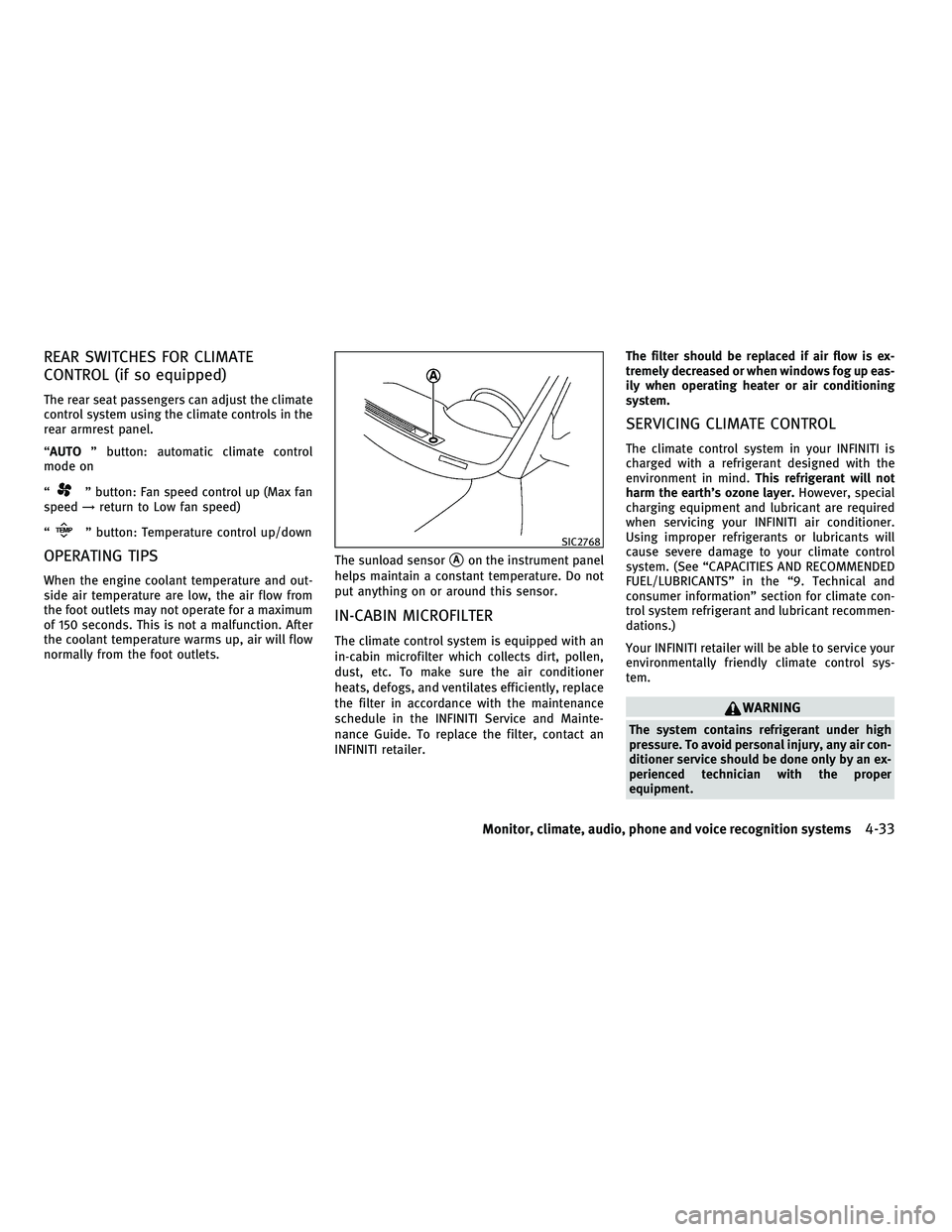
normally from the foot outlets. The sunload sensor
sAon the instrument panel
helps maintain a constant temperature. Do not
put anything on or around this sensor.
IN-CABIN MICROFILTER
The climate control system is equipped with an
in-cabin microfilter which collects dirt, pollen,
dust, etc. To make sure the air conditioner
heats, defogs, and ventilates efficiently, replace
the filter in accordance with the maintenance
schedule in the INFINITI Service and Mainte-
nance Guide. To replace the filter, contact an
INFINITI retailer. The filter should be replaced if air flow is ex-
tremely decreased or when windows fog up eas-
ily when operating heater or air conditioning
system.
SERVICING CLIMATE CONTROL
The climate control system in your INFINITI is
charged with a refrigerant designed with the
environment in mind.
This refrigerant will not
harm the earth's ozone layer. However, special
charging equipment and lubricant are required
when servicing your INFINITI air conditioner.
Using improper refrigerants or lubricants will
cause severe damage to your climate control
system. (See ªCAPACITIES AND RECOMMENDED
FUEL/LUBRICANTSº in the ª9. Technical and
consumer informationº section for climate con-
trol system refrigerant and lubricant recommen-
dations.)
Your INFINITI retailer will be able to service your
environmentally friendly climate control sys-
tem.
WARNING
The system contains refrigerant under high
pressure. To avoid personal injury, any air con-
ditioner service should be done only by an ex-
perienced technician with the proper
equipment.
SIC2768
Monitor, climate, audio, phone and voice recognition systems4-33
wÐ
Ð
05/14/09Ðpattie
X
Page 238 of 445
cYou will not be able to use a hands-free
phone under the following conditions:
± Your vehicle is outside of the telephone service area.
± Your vehicle is in an area where it is difficult to receive radio waves; such as in
a tunnel, in an underground parking ga-
rage, behind a tall building or in a moun-
tainous area.
± Your cellular phone is locked in order not to be dialed.
c
When the radio wave condition is not ideal or
ambient sound is too loud, it may be difficult
to hear the other person's voice during a call.
cImmediately after the ignition switch is pushed
to the ON position, it may be impossible to
receive a call for a short period of time.
c Do not place the cellular phone in an area
surrounded by metal or far away from the
in-vehicle phone module to prevent tone
quality degradation and wireless connection
disruption.
c While a cellular phone is connected through
the BluetoothT wireless connection, the bat-
tery power of the cellular phone may dis-
charge quicker than usual.
c If the Bluetooth THands-Free Phone System
seems to be malfunctioning, please visit www.InfinitiUSA.com/bluetooth for trouble-
shooting help.
c Some cellular phones or other devices may
cause interference or a buzzing noise to
come from the audio system speakers. Stor-
ing the device in a different location may
reduce or eliminate the noise.
c Refer to the cellular phone Owner's Manual
regarding the telephone pairing procedure
specific to your phone, battery charging,
cellular phone antenna, etc.
c The antenna display on the monitor will not
coincide with the antenna display of some
cellular phones.
c Keep the interior of the vehicle as quiet as
possible to hear the caller's voice clearly as
well as to minimize its echoes.
c If reception between callers is unclear, ad-
justing the incoming or outgoing call volume
may improve the clarity.
REGULATORY INFORMATION
FCC Regulatory information
± CAUTION: To maintain compliance with FCC's
RF exposure guidelines, use only the sup-
plied antenna. Unauthorized antenna, modi-
fication, or attachments could damage the
transmitter and may violate FCC regulations. ± Operation is subject to the following two
conditions:
1. this device may not cause interference and
2. this device must accept any interference, including interference that may cause
undesired operation of the device
IC Regulatory information
± Operation is subject to the following twoconditions: (1) this device may not cause
interference, and (2) this device must accept
any interference, including interference that
may cause undesired operation of the device.
± This Class B digital apparatus meets all requirements of the Canadian Interference-
Causing Equipment Regulations.
Bluetooth trademark:
BLUETOOTHT is a trade-
mark owned by Bluetooth
SIG, Inc., U.S.A.
Monitor, climate, audio, phone and voice recognition systems4-75
wÐ
Ð
05/19/09Ðtbrooks
X
Page 247 of 445
WARNING
cUse a phone after stopping your vehicle in a
safe location. If you have to use a phone
while driving, exercise extreme caution at all
times so full attention may be given to ve-
hicle operation.
c If you find yourself unable to devote full at-
tention to vehicle operation while talking on
the phone, pull off the road to a safe location
and stop your vehicle before doing so.
CAUTION
To avoid draining the vehicle battery, use a
phone after starting the engine.
Your INFINITI is equipped with Bluetooth T
Hands-Free Phone System. If you are an owner
of a compatible Bluetooth Tenabled cellular
phone, you can set up the wireless connection
between your cellular phone and the in-vehicle
phone module. With BluetoothT wireless tech-
nology, you can make or receive a telephone
call with your cellular phone in your pocket.
Once your cellular phone is paired to the in-
vehicle phone module, no phone connecting
procedure is required anymore. Your phone is
automatically connected with the in-vehicle phone module when the ignition switch is
pushed to the ON position with the registered
cellular phone turned on and carried in the
vehicle.
You can register up to 5 different BluetoothT
cellular phones in the in-vehicle phone module.
However, you can talk on only one cellular
phone at a time.
The INFINITI Voice Recognition system supports
the phone commands, so dialing a phone num-
ber using your voice is possible.
Before using the Bluetooth
THands-Free Phone
System, refer to the following notes.
c Set up the wireless connection between a
compatible cellular phone and the in-vehicle
phone module before using the BluetoothT
Hands-Free Phone System.
c Some Bluetooth Tenabled cellular phones
may not be recognized by the in-vehicle
phone module. Please visit
www.InfinitiUSA.com/bluetooth for a recom-
mended phone list.
c You will not be able to use a hands-free
phone under the following conditions:
± Your vehicle is outside of the telephone service area. ± Your vehicle is in an area where it is
difficult to receive radio waves; such as in
a tunnel, in an underground parking ga-
rage, behind a tall building or in a moun-
tainous area.
± Your cellular phone is locked in order not to be dialed.
c When the radio wave condition is not ideal
or ambient sound is too loud, it may be
difficult to hear the other person's voice
during a call.
c Immediately after the ignition switch is
pushed to the ON position, it may be impos-
sible to receive a call for a short period of
time.
c Do not place the cellular phone in an area
surrounded by metal or far away from the
in-vehicle phone module to prevent tone
quality degradation and wireless connection
disruption.
c While a cellular phone is connected through
the BluetoothT wireless connection, the bat-
tery power of the cellular phone may dis-
charge quicker than usual.
c If the Bluetooth THands-Free Phone System
seems to be malfunctioning, please visit
www.InfinitiUSA.com/bluetooth for trouble-
shooting help.
BLUETOOTHT HANDS-FREE PHONE SYSTEM
WITHOUT NAVIGATION SYSTEM
4-84Monitor, climate, audio, phone and voice recognition systems
wÐ
Ð
05/14/09Ðpattie
X
Page 248 of 445
cSome cellular phones or other devices may
cause interference or a buzzing noise to
come from the audio system speakers. Stor-
ing the device in a different location may
reduce or eliminate the noise.
c Refer to the cellular phone Owner's Manual
regarding the telephone pairing procedure
specific to your phone, battery charging,
cellular phone antenna, etc.
c The antenna display on the monitor will not
coincide with the antenna display of some
cellular phones.
c Keep the interior of the vehicle as quiet as
possible to hear the caller's voice clearly as
well as to minimize its echoes.
c If reception between callers is unclear, ad-
justing the incoming or outgoing call volume
may improve the clarity.
REGULATORY INFORMATION
FCC Regulatory information
± CAUTION: To maintain compliance with FCC's
RF exposure guidelines, use only the sup-
plied antenna. Unauthorized antenna, modi-
fication, or attachments could damage the
transmitter and may violate FCC regulations. ± Operation is subject to the following two
conditions:
1. this device may not cause interference and
2. this device must accept any interference, including interference that may cause
undesired operation of the device
IC Regulatory information
± Operation is subject to the following twoconditions: (1) this device may not cause
interference, and (2) this device must accept
any interference, including interference that
may cause undesired operation of the device.
± This Class B digital apparatus meets all requirements of the Canadian Interference-
Causing Equipment Regulations.
Bluetooth trademark:
BLUETOOTHT is a trade-
mark owned by Bluetooth
SIG, Inc., U.S.A.
INITIALIZATION
When the ignition switch is pushed to the ON
position, INFINITI Voice Recognition is initial-
ized, which takes a few seconds. If the
button is pushed before the initialization com-
pletes, the system will announce ªHands-free
phone system not readyº and will not react to
voice commands.
OPERATING TIPS
To get the best performance out of the INFINITI
Voice Recognition system, observe the follow-
ing:
c Keep the interior of the vehicle as quiet as
possible. Close the windows to eliminate
surrounding noises (traffic noises, vibration
sounds, etc.), which may prevent the system
from recognizing voice commands correctly.
c Wait until the tone sounds before speaking a
command. Otherwise, the command will not
be received properly.
c Start speaking a command within 5 seconds
after the tone sounds.
c Speak in a natural voice without pausing
between words.
Monitor, climate, audio, phone and voice recognition systems4-85
wÐ
Ð
05/19/09Ðtbrooks
X
Page 264 of 445

Voice recognition settings
The available settings of the INFINITI Voice
Recognition system are described.
1. Highlight ªVoice Recognition Settingsºand push the ENTERbutton.
2. You can confirm the page by scrolling the screen using the INFINITI controller.
USING THE SYSTEM
Initialization
When the ignition switch is pushed to the ON
position, INFINITI Voice Recognition is initial-
ized, which takes a few seconds. When com-
pleted, the system is ready to accept voice
commands. If the TALK
switch is pushed before the initialization completes, the display
will show the message: ªPhonetic data down-
loaded. Please wait.º or a beep sounds.
Before starting
To get the best recognition performance from
INFINITI Voice Recognition, observe the follow-
ing:
c
The interior of the vehicle should be as quiet
as possible. Close the windows to eliminate
the surrounding noises (traffic noise and
vibration sounds, etc.), which may prevent
the system from correctly recognizing the
voice commands.
c Wait until the tone sounds before speaking a
command.
c Speak in a natural conversational voice with-
out pausing between words.
c If the air conditioner is set to ªAutoº, the fan
speed is automatically lowered so that your
commands can be recognized more easily.
Giving voice commands
1. Push the TALKswitch located on the
steering wheel.
SAA2166SAA1113
Monitor, climate, audio, phone and voice recognition systems4-101
wÐ
Ð
05/14/09Ðpattie
X