battery INFINITI M 2010 User Guide
[x] Cancel search | Manufacturer: INFINITI, Model Year: 2010, Model line: M, Model: INFINITI M 2010Pages: 445, PDF Size: 6.15 MB
Page 127 of 445

cdoors are unlocked by pushing the UNLOCK
button
on the Intelligent Key or door
handle request switch with the ignition
switch in the LOCK position
± remain on for about 15 seconds.
c any door is opened and then closed with the
ignition switch in the LOCK position
± remain on for about 15 seconds.
c any door is opened with the ignition switch
in the ACC or ON position
± remain on while the door is opened. When the door is closed, the lights go off.
The lights will turn off after 30 minutes when the
lights remain illuminated to prevent the battery
from becoming discharged. When the auto interior illumination is set to the
OFF position (see ªVEHICLE INFORMATION AND
SETTINGSº in the ª4. Monitor, climate, audio,
phone and voice recognition systemsº section),
the lights will illuminate under the following
condition:
c
any door is opened with the ignition switch
in any position
± remain on while the door is opened. When the door is closed, the lights go off.
OFF position
When the switch is in the OFF positions2, the
lights will not illuminate, regardless of the
condition. The light on the vanity mirror will turn on when
the cover on the vanity mirror is opened.
When the cover is closed, the light will turn off.
The lights will turn off after 30 minutes when the
lights remain illuminated to prevent the battery
from becoming discharged.SIC2555B
VANITY MIRROR LIGHTS
2-50Instruments and controls
wÐ
Ð
05/14/09Ðpattie
X
Page 128 of 445

The light illuminates when the trunk lid is
opened. When the trunk lid is closed, the light
will turn off.
The light will turn off after 30 minutes when the
light remains illuminated to prevent the battery
from becoming discharged.HomeLinkT
Universal Transceiver provides a
convenient way to consolidate the functions of
up to three individual hand-held transmitters
into one built-in device.
HomeLinkT Universal Transceiver:
c Will operate most Radio Frequency (RF) de-
vices such as garage doors, gates, home and
office lighting, entry door locks and security
systems.
c Is powered by your vehicle's battery. No
separate batteries are required. If the vehi-
cle's battery is discharged or is discon-
nected, HomeLink Twill retain all program-
ming.
Once HomeLinkT Universal Transceiver is pro-
grammed, retain the original transmitter for fu-
ture programming procedures (Example: new ve-
hicle purchases). Upon sale of the vehicle, the
programmed HomeLinkT Universal Transceiver
buttons should be erased for security purposes.
For additional information, see ªPROGRAMMING
HomeLinkTº later in this section.WARNING
c Do not use HomeLinkT Universal Transceiver
with any garage door opener that lacks
safety stop and reverse features as required
by federal safety standards. (These stan-
dards became effective for opener models
manufactured after April 1, 1982.) A garage
door opener which cannot detect an object in
the path of a closing garage door and then
automatically stop and reverse, does not
meet current federal safety standards. Using
a garage door opener without these features
increases the risk of serious injury or death.
c During programming procedure, your garage
door or security gate may open or close.
Make sure that people and objects are clear
of the garage door, gate, etc. that you are
programming.
c Your vehicle's engine should be turned off
while programming HomeLinkT Universal
Transceiver.
PROGRAMMING HOMELINKT
To program your HomeLink TTransceiver to op-
erate a garage door, gate, or entry door opener,
home or office lighting, you need to be at the
same location as the device. Note: Garage door
openers (manufactured after 1996) have ªrolling
TRUNK LIGHT HOMELINKTUNIVERSAL TRANSCEIVER
Instruments and controls2-51
wÐ
Ð
05/14/09Ðpattie
X
Page 131 of 445
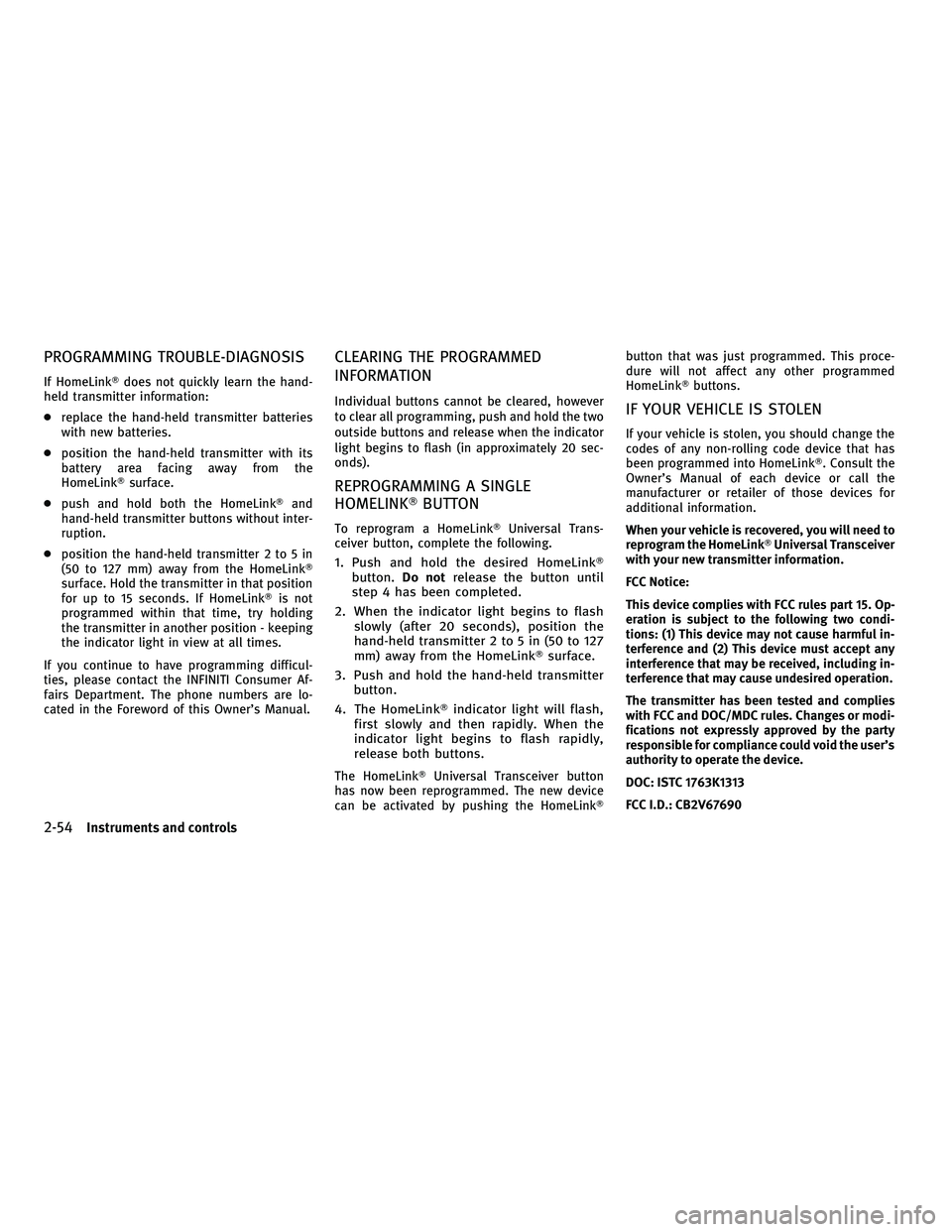
PROGRAMMING TROUBLE-DIAGNOSIS
If HomeLinkTdoes not quickly learn the hand-
held transmitter information:
c replace the hand-held transmitter batteries
with new batteries.
c position the hand-held transmitter with its
battery area facing away from the
HomeLinkT surface.
c push and hold both the HomeLink Tand
hand-held transmitter buttons without inter-
ruption.
c position the hand-held transmitter 2 to 5 in
(50 to 127 mm) away from the HomeLink T
surface. Hold the transmitter in that position
for up to 15 seconds. If HomeLinkT is not
programmed within that time, try holding
the transmitter in another position - keeping
the indicator light in view at all times.
If you continue to have programming difficul-
ties, please contact the INFINITI Consumer Af-
fairs Department. The phone numbers are lo-
cated in the Foreword of this Owner's Manual.
CLEARING THE PROGRAMMED
INFORMATION
Individual buttons cannot be cleared, however
to clear all programming, push and hold the two
outside buttons and release when the indicator
light begins to flash (in approximately 20 sec-
onds).
REPROGRAMMING A SINGLE
HOMELINKT BUTTON
To reprogram a HomeLinkT Universal Trans-
ceiver button, complete the following.
1. Push and hold the desired HomeLink T
button. Do notrelease the button until
step 4 has been completed.
2. When the indicator light begins to flash slowly (after 20 seconds), position the
hand-held transmitter 2 to 5 in (50 to 127
mm) away from the HomeLink Tsurface.
3. Push and hold the hand-held transmitter button.
4. The HomeLink Tindicator light will flash,
first slowly and then rapidly. When the
indicator light begins to flash rapidly,
release both buttons.
The HomeLinkT Universal Transceiver button
has now been reprogrammed. The new device
can be activated by pushing the HomeLink Tbutton that was just programmed. This proce-
dure will not affect any other programmed
HomeLinkT
buttons.
IF YOUR VEHICLE IS STOLEN
If your vehicle is stolen, you should change the
codes of any non-rolling code device that has
been programmed into HomeLinkT. Consult the
Owner's Manual of each device or call the
manufacturer or retailer of those devices for
additional information.
When your vehicle is recovered, you will need to
reprogram the HomeLink TUniversal Transceiver
with your new transmitter information.
FCC Notice:
This device complies with FCC rules part 15. Op-
eration is subject to the following two condi-
tions: (1) This device may not cause harmful in-
terference and (2) This device must accept any
interference that may be received, including in-
terference that may cause undesired operation.
The transmitter has been tested and complies
with FCC and DOC/MDC rules. Changes or modi-
fications not expressly approved by the party
responsible for compliance could void the user's
authority to operate the device.
DOC: ISTC 1763K1313
FCC I.D.: CB2V67690
2-54Instruments and controls
wÐ
Ð
05/14/09Ðpattie
X
Page 132 of 445
3 Pre-driving checks and adjustments
Keys............................................. 3-2
Intelligent Key ................................. 3-2
Valet hand-off .................................. 3-3
Doors ............................................ 3-4
Locking with mechanical key .................... 3-4
Opening and closing windows with the
mechanical key ................................ 3-4
Locking with inside lock knob ................... 3-5
Locking with power door lock switch ............. 3-5
Automatic door locks ........................... 3-5
Child safety rear door lock ...................... 3-6
Intelligent Key system ............................. 3-6
Intelligent Key operating range .................. 3-8
Door locks/unlocks precaution .................. 3-9
Intelligent Key operation ........................ 3-9
Battery saver system ........................... 3-11
Warning signals ................................ 3-11
Troubleshooting guide ......................... 3-12
How to use remote keyless entry function .......3-14
Hood ............................................. 3-17Trunk lid
......................................... 3-17
Trunk lid release switch ........................ 3-18
Trunk open request switch .....................3-18
Opening with key ............................. 3-18
Trunk open button ............................ 3-18
Trunk release power cancel switch ..............3-19
Interior trunk lid release ....................... 3-19
Fuel-filler door ................................... 3-20
Opening the fuel-filler door ....................3-20
Fuel-filler cap ................................. 3-21
Tilt/telescopic steering ........................... 3-22
Tilt or telescopic operation .....................3-22
Sun visors ....................................... 3-22
Mirrors .......................................... 3-23
Inside mirror .................................. 3-23
Outside mirrors ............................... 3-24
Automatic drive positioner ........................3-26
Entry/exit function ............................ 3-26
Memory storage ............................... 3-27
System operation ............................. 3-29
wÐ
Ð
05/14/09Ðpattie
X
Page 138 of 445

cNever leave the Intelligent Key in the vehicle
when you leave the vehicle.
The Intelligent Key is always communicating
with the vehicle as it receives radio waves. The
Intelligent Key system transmits weak radio
waves. Environmental conditions may interfere
with the operation of the Intelligent Key system
under the following operating conditions.
c When operating near a location where strong
radio waves are transmitted, such as a TV
tower, power station and broadcasting sta-
tion.
c When in possession of wireless equipment,
such as a cellular telephone, transceiver,
and CB radio.
c When the Intelligent Key is in contact with or
covered by metallic materials.
c When any type of radio wave remote control
is used nearby.
c When the Intelligent Key is placed near an
electric appliance such as a personal com-
puter.
c When the vehicle is parked near a parking
meter. In such cases, correct the operating conditions
before using the Intelligent Key function or use
the mechanical key.
Although the life of the battery varies depend-
ing on the operating conditions, the battery's
life is approximately 2 years. If the battery is
discharged, replace it with a new one.
Since the Intelligent Key is continuously receiv-
ing radio waves, if the key is left near equip-
ment which transmits strong radio waves, such
as signals from a TV and personal computer, the
battery life may become shorter.
For information regarding replacement of a
battery, see ªBATTERY REPLACEMENTº in the
ª8. Maintenance and do-it-yourselfº section.
Because the steering wheel is locked electri-
cally, unlocking the steering wheel with the
ignition switch in the LOCK position is impos-
sible when the vehicle battery is completely
discharged. Pay special attention that the ve-
hicle battery is not completely discharged.
As many as 4 Intelligent Keys can be registered
and used with one vehicle. For information
about the purchase and use of additional Intel-
ligent Keys, contact an INFINITI retailer.CAUTION
c
Do not allow the Intelligent Key, which con-
tains electrical components, to come into
contact with water or salt water. This could
affect the system function.
c Do not drop the Intelligent Key.
c Do not strike the Intelligent Key sharply
against another object.
c Do not change or modify the Intelligent Key.
c Wetting may damage the Intelligent Key. If
the Intelligent Key gets wet, immediately
wipe until it is completely dry.
c Do not place the Intelligent Key for an ex-
tended period in an area where tempera-
tures exceed 140ÉF (60ÉC).
c Do not attach the Intelligent Key with a key
holder that contains a magnet.
c Do not place the Intelligent Key near equip-
ment that produces a magnetic field, such as
a TV, audio equipment, personal computers
or cellular phones.
Pre-driving checks and adjustments3-7
wÐ
Ð
05/19/09Ðtbrooks
X
Page 139 of 445

If an Intelligent Key is lost or stolen, INFINITI
recommends erasing the ID code of that Intelli-
gent Key from the vehicle. This may prevent the
unauthorized use of the Intelligent Key to oper-
ate the vehicle. For information regarding the
erasing procedure, contact an INFINITI retailer.INTELLIGENT KEY OPERATING RANGE
The Intelligent Key functions can only be used
when the Intelligent Key is within the specified
operating range from the request switch.
When the Intelligent Key battery is discharged
or strong radio waves are present near the
operating location, the Intelligent Key system's
operating range becomes narrower, and the
Intelligent Key may not function properly.
The operating range is within 31.50 in (80 cm)
from each request switch.
If the Intelligent Key is too close to the door
glass, handle or rear bumper the request
switches may not function.
When the Intelligent Key is within the operating
range, it is possible for anyone who does not
carry the Intelligent Key to push the request
switch to lock/unlock the doors.
SPA2341A
3-8Pre-driving checks and adjustments
wÐ
Ð
05/14/09Ðpattie
X
Page 142 of 445

Opening trunk lid
1. Push the trunk open request switchsAfor
more than 1 second.
2. The trunk will unlatch. An outside chime will sound four times.
3. Raise the trunk lid to open the trunk.
Lockout protection :
To prevent the Intelligent Key from being acci-
dentally locked in the trunk, lockout protection
is equipped with the Intelligent Key system.
When the trunk lid is closed with the Intelligent
Key inside the trunk, the outside buzzer will
sound and the trunk will open.
BATTERY SAVER SYSTEM
When all the following conditions are met for 60
minutes, the battery saver system will cut off
the power supply to prevent battery discharge.
c The ignition switch is in the ACC position,
and
c All doors are closed, and
c The selector lever is in the P (Park) position.
WARNING SIGNALS
To help prevent the vehicle from moving unex-
pectedly by erroneous operation of the Intelli-
gent Key listed on the following chart or to help
prevent the vehicle from being stolen, chime or
beep sounds inside and outside the vehicle and
a warning displays in the dot matrix liquid
crystal display.
When a chime or beep sounds or the warning
displays, be sure to check the vehicle and
Intelligent Key.
See ªTROUBLESHOOTING GUIDEº later in this
section and ªDOT MATRIX LIQUID CRYSTAL DIS-
PLAYº in the ª2. Instruments and controlsº
section.
SPA2426
SPA2427
Pre-driving checks and adjustments3-11
wÐ
Ð
05/14/09Ðpattie
X
Page 145 of 445

HOW TO USE REMOTE KEYLESS ENTRY
FUNCTION
The remote keyless entry function can operate
all door locks and open the trunk lid using the
remote keyless function of the Intelligent Key.
The remote keyless function can operate at a
distance of approximately 33 ft (10 m) from the
vehicle. (The operating distance depends upon
the conditions around the vehicle.)
The remote keyless function will not operate
when:
cthe distance between the Intelligent Key and
the vehicle is over 33 ft (10 m).
c the Intelligent Key battery is discharged.
The LOCK/UNLOCK operating range varies de-
pending on the environment. To securely oper-
ate the lock and unlock buttons, approach the
vehicle to about 3 ft (1 m) from the door. When you lock or unlock the doors or the trunk
lid, the hazard indicator will flash and the horn
(or the outside chime) will sound as a confirma-
tion. For details, see ªSetting hazard indicator
and horn modeº later in this section.
Locking doors and fuel-filler door
1. Move the selector lever to the P (Park)
position and push the ignition switch to
the LOCK position.
2. Carry the Intelligent Key with you.*1
3. Close all the doors.*2
4. Push the LOCK
buttons1on the
Intelligent Key. 5. All the doors and fuel-filler door will lock.
6. The hazard indicator flashes twice and
the horn chirps once.
*1: Doors will lock with the Intelligent Key while the ignition switch is in the ACC or ON
position.
*2: Doors will not lock with the Intelligent Key while any door is open.
Unlocking doors and fuel-filler door
1. Push the UNLOCKbuttons2on the
Intelligent Key.
2. The hazard indicator flashes once. The driver's door and fuel-filler door will un-
lock.
3. Push the UNLOCK
button again
within 1 minute.
4. The hazard indicator flashes once. All the doors will unlock.
All doors will be locked automatically unless
one of the following operations is performed
within 1 minute after pushing the UNLOCK
button while the doors are locked.
c Opening any doors.
c Pushing the ignition switch.
SPA2100
3-14Pre-driving checks and adjustments
wÐ
Ð
05/14/09Ðpattie
X
Page 150 of 445

TRUNK RELEASE POWER CANCEL
SWITCH
When the switch located inside the glove box is
in the CANCEL position
s1, the power to the
trunk lid will be canceled and the trunk lid
cannot be opened by the trunk lid release
switch, the trunk open request switch with the
Intelligent Key carried with you or the TRUNK
button on the Intelligent Key.
When you have to leave the vehicle with a valet
and want to keep your belongings safe in the
glove box and the trunk, push this switch to
CANCEL and lock the glove box with the me-
chanical key. Then leave the vehicle and the
Intelligent Key with the valet and keep the
mechanical key with you. See ªKEYSº earlier in this section.
To connect the power to the trunk lid, push the
switch to the ON
s2position.
INTERIOR TRUNK LID RELEASE
WARNING
Closely supervise children when they are
around cars to prevent them from playing and
becoming locked in the trunk where they could
be seriously injured. Keep the car locked, with
the trunk lid securely latched, when not in use,
and prevent children's access to Intelligent
Keys.
The interior trunk lid release mechanism allows
opening of the trunk lid in the event that people
become locked inside the trunk or in the event
of the loss of electrical power such as a dis-
charged battery.
SPA2429SPA2552
Pre-driving checks and adjustments3-19
wÐ
Ð
05/14/09Ðpattie
X
Page 157 of 445

The automatic drive positioner system has the
following features:
cEntry/exit function
c Memory storage
ENTRY/EXIT FUNCTION
This system is designed so that the driver's seat
and steering column will automatically move
when the selector lever is in the P (Park)
position. This allows the driver to get into and
out of the driver's seat more easily.
The driver's seat will slide backward and the
steering wheel will move up when the driver's
door is opened with the ignition switch in the
LOCK position.
The driver's seat and steering wheel will return
to the previous positions when one of the
following is operated:
cWhen the ignition switch is pushed to the
ACC position after the driver's door is
closed.
c When the ignition switch is pushed to the
ON position.
c When the Intelligent Key is inserted into the
port after the driver's door is closed. The driver's seat will not return to the previous
positions if the seat or steering adjusting
switch is operated when the seat is at the exit
position.
Cancel or activate entry/exit function
To cancel or activate the entry/exit function, the
selector lever must be in the P (Park) position
with the ignition switch in the LOCK position.
Push and hold the SET switch for more than 10
seconds to cancel or activate the entry/exit
function.
The indicator lights on the memory switches (1
and 2) will blink once when the function is
canceled, and the indicator lights will blink
twice when the function is activated.
The entry/exit function can also be canceled or
activated if the ªLift Steering Wheel on Exitº key
or ªSlide Driver Seat Back on Exitº key is turned
to ON or OFF in the ªComfort & Conv.º settings.
(See ªVEHICLE INFORMATION AND SETTINGSº in
the ª4. Monitor, climate, audio, phone and
voice recognition systemsº section.)
Initialize entry/exit function
If the battery cable is disconnected, or if the
fuse opens, the entry/exit function will not work
though this function was set on before. In such
a case, after connecting the battery or replacing
with a new fuse, open and close the driver's
door more than two times after the ignition
switch is pushed to the ON position once, then
pushed to the LOCK position. The entry/exit
function will be activated.
AUTOMATIC DRIVE POSITIONER
3-26Pre-driving checks and adjustments
wÐ
Ð
05/14/09Ðpattie
X