brake INFINITI M 2010 User Guide
[x] Cancel search | Manufacturer: INFINITI, Model Year: 2010, Model line: M, Model: INFINITI M 2010Pages: 445, PDF Size: 6.15 MB
Page 94 of 445
cReplacing tires with those not originally
specified by INFINITI could affect the proper
operation of the TPMS.
CAUTION
cThe TPMS is not a substitute for the regular
tire pressure check. Be sure to check the tire
pressure regularly.
c If the vehicle is being driven at speeds of less
than 16 MPH (25 km/h), the TPMS may not
operate correctly.
c Be sure to correctly install the specified size
of tires to the four wheels.
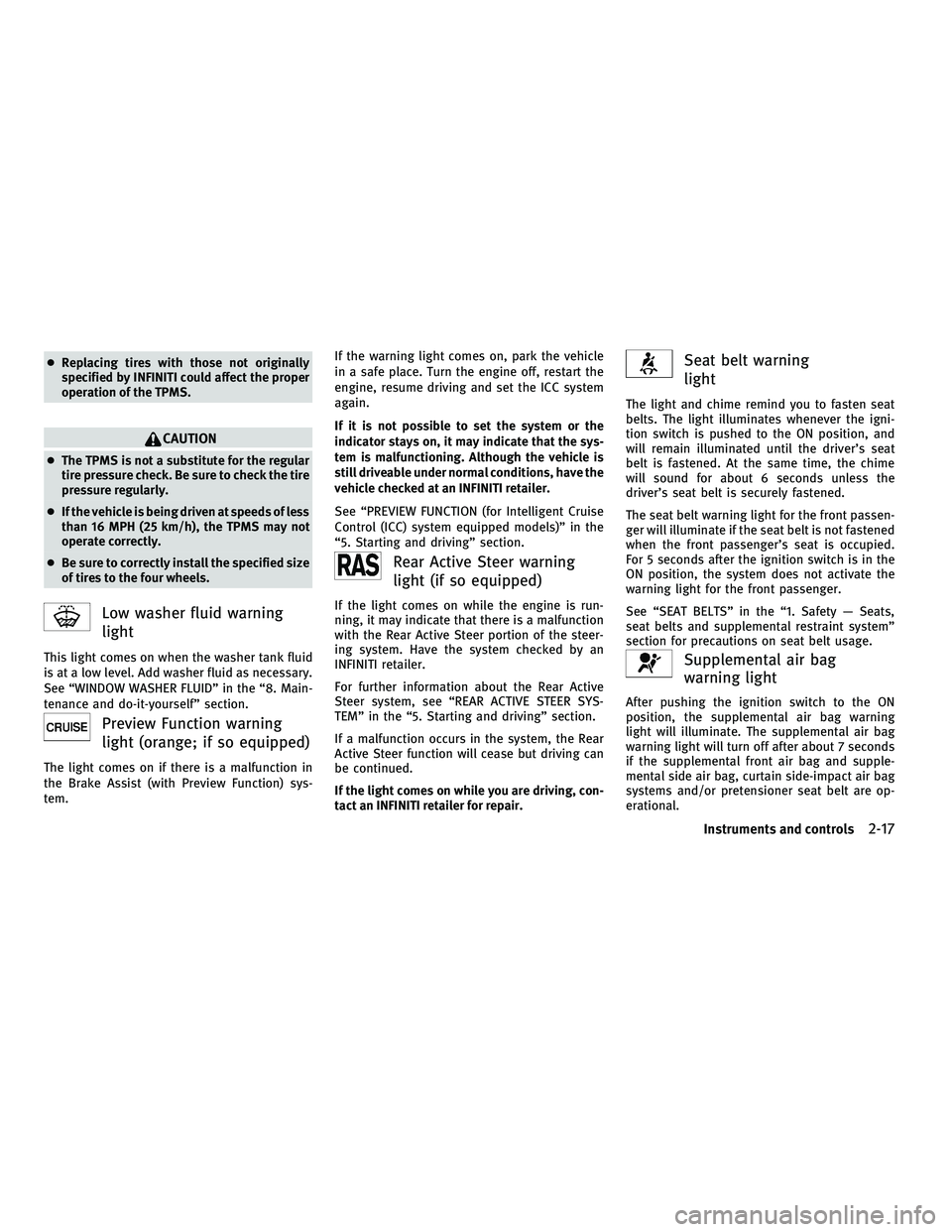
Low washer fluid warning
light
This light comes on when the washer tank fluid
is at a low level. Add washer fluid as necessary.
See ªWINDOW WASHER FLUIDº in the ª8. Main-
tenance and do-it-yourselfº section.
Preview Function warning
light (orange; if so equipped)
The light comes on if there is a malfunction in
the Brake Assist (with Preview Function) sys-
tem. If the warning light comes on, park the vehicle
in a safe place. Turn the engine off, restart the
engine, resume driving and set the ICC system
again.
If it is not possible to set the system or the
indicator stays on, it may indicate that the sys-
tem is malfunctioning. Although the vehicle is
still driveable under normal conditions, have the
vehicle checked at an INFINITI retailer.
See ªPREVIEW FUNCTION (for Intelligent Cruise
Control (ICC) system equipped models)º in the
ª5. Starting and drivingº section.
Rear Active Steer warning
light (if so equipped)
If the light comes on while the engine is run-
ning, it may indicate that there is a malfunction
with the Rear Active Steer portion of the steer-
ing system. Have the system checked by an
INFINITI retailer.
For further information about the Rear Active
Steer system, see ªREAR ACTIVE STEER SYS-
TEMº in the ª5. Starting and drivingº section.
If a malfunction occurs in the system, the Rear
Active Steer function will cease but driving can
be continued.
If the light comes on while you are driving, con-
tact an INFINITI retailer for repair.
Seat belt warning
light
The light and chime remind you to fasten seat
belts. The light illuminates whenever the igni-
tion switch is pushed to the ON position, and
will remain illuminated until the driver's seat
belt is fastened. At the same time, the chime
will sound for about 6 seconds unless the
driver's seat belt is securely fastened.
The seat belt warning light for the front passen-
ger will illuminate if the seat belt is not fastened
when the front passenger's seat is occupied.
For 5 seconds after the ignition switch is in the
ON position, the system does not activate the
warning light for the front passenger.
See ªSEAT BELTSº in the ª1. Safety Ð Seats,
seat belts and supplemental restraint systemº
section for precautions on seat belt usage.
Supplemental air bag
warning light
After pushing the ignition switch to the ON
position, the supplemental air bag warning
light will illuminate. The supplemental air bag
warning light will turn off after about 7 seconds
if the supplemental front air bag and supple-
mental side air bag, curtain side-impact air bag
systems and/or pretensioner seat belt are op-
erational.
Instruments and controls2-17
wÐ
Ð
05/14/09Ðpattie
X
Page 97 of 445
CAUTION
Continued vehicle operation without having
the emission control system checked and re-
paired as necessary could lead to poor drive-
ability, reduced fuel economy, and possible
damage to the emission control system.
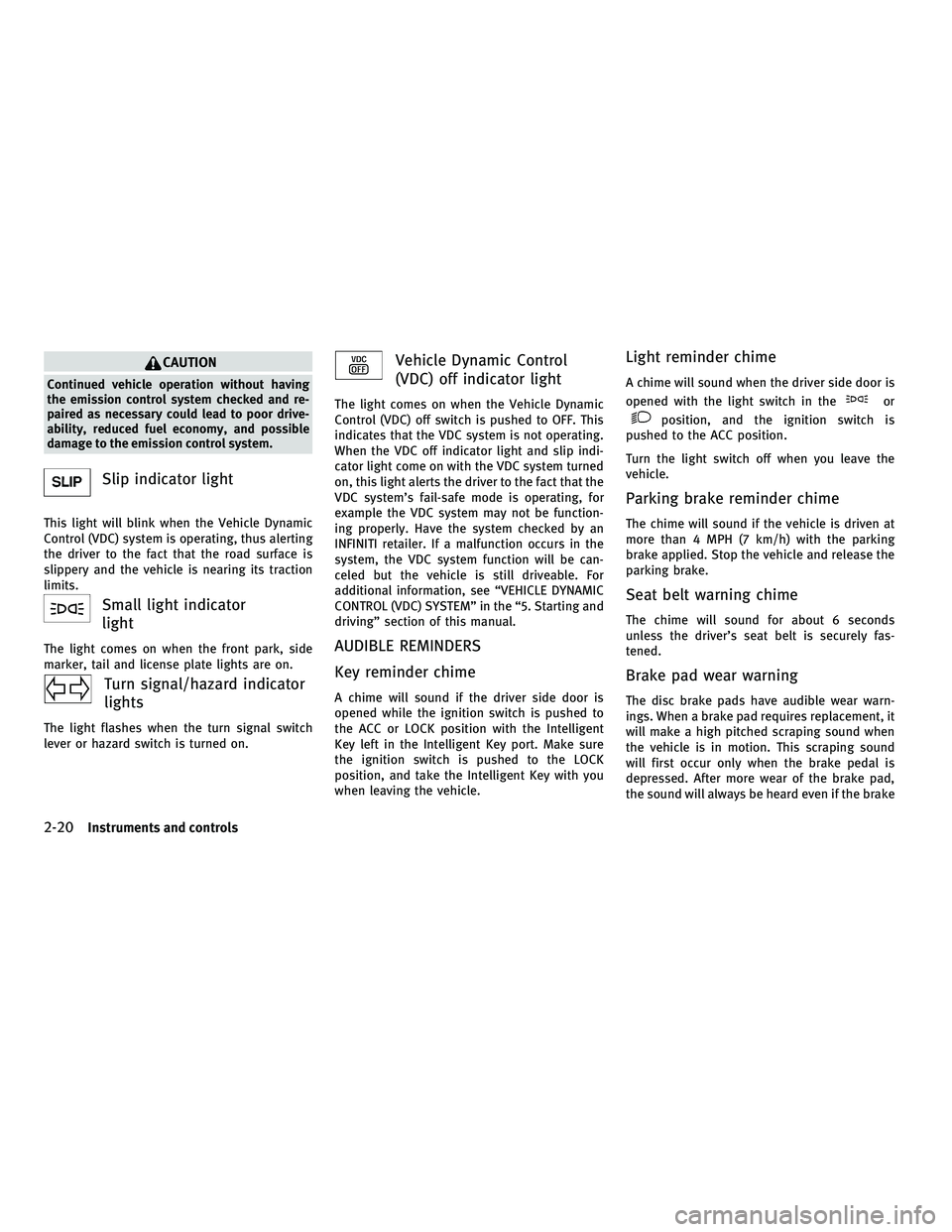
Slip indicator light
This light will blink when the Vehicle Dynamic
Control (VDC) system is operating, thus alerting
the driver to the fact that the road surface is
slippery and the vehicle is nearing its traction
limits.
Small light indicator
light
The light comes on when the front park, side
marker, tail and license plate lights are on.
Turn signal/hazard indicator
lights
The light flashes when the turn signal switch
lever or hazard switch is turned on.
Vehicle Dynamic Control
(VDC) off indicator light
The light comes on when the Vehicle Dynamic
Control (VDC) off switch is pushed to OFF. This
indicates that the VDC system is not operating.
When the VDC off indicator light and slip indi-
cator light come on with the VDC system turned
on, this light alerts the driver to the fact that the
VDC system's fail-safe mode is operating, for
example the VDC system may not be function-
ing properly. Have the system checked by an
INFINITI retailer. If a malfunction occurs in the
system, the VDC system function will be can-
celed but the vehicle is still driveable. For
additional information, see ªVEHICLE DYNAMIC
CONTROL (VDC) SYSTEMº in the ª5. Starting and
drivingº section of this manual.
AUDIBLE REMINDERS
Key reminder chime
A chime will sound if the driver side door is
opened while the ignition switch is pushed to
the ACC or LOCK position with the Intelligent
Key left in the Intelligent Key port. Make sure
the ignition switch is pushed to the LOCK
position, and take the Intelligent Key with you
when leaving the vehicle.
Light reminder chime
A chime will sound when the driver side door is
opened with the light switch in the
or
position, and the ignition switch is
pushed to the ACC position.
Turn the light switch off when you leave the
vehicle.
Parking brake reminder chime
The chime will sound if the vehicle is driven at
more than 4 MPH (7 km/h) with the parking
brake applied. Stop the vehicle and release the
parking brake.
Seat belt warning chime
The chime will sound for about 6 seconds
unless the driver's seat belt is securely fas-
tened.
Brake pad wear warning
The disc brake pads have audible wear warn-
ings. When a brake pad requires replacement, it
will make a high pitched scraping sound when
the vehicle is in motion. This scraping sound
will first occur only when the brake pedal is
depressed. After more wear of the brake pad,
the sound will always be heard even if the brake
2-20Instruments and controls
wÐ
Ð
05/14/09Ðpattie
X
Page 98 of 445

pedal is not depressed. Have the brakes
checked as soon as possible if the warning
sound is heard.
Lane departure warning chime (if so
equipped)
When the Lane Departure Warning (LDW) or
Lane Departure Prevention (LDP) system is on,
the chime sounds if the vehicle is traveling
close to either the left or the right of a traveling
lane with detectable lane markers.
See ªLANE DEPARTURE WARNING (LDW)
SYSTEM/LANE DEPARTURE PREVENTION (LDP)
SYSTEMº in the ª5. Starting and drivingº sec-
tion for more details.The dot matrix liquid crystal display
s1is
located under the tachometer, and it displays
the Automatic Transmission (AT) position indi-
cator, the Intelligent Cruise Control (ICC) system
(if so equipped) information and the Intelligent
Key operation information.
For detailed information about each system, see
the following sections:
c Automatic Transmission (AT)
± ªWARNING/INDICATOR LIGHTS AND AU- DIBLE REMINDERSº earlier in this section.
± ªDRIVING THE VEHICLEº in the ª5. Start- ing and drivingº section. c
Intelligent Cruise Control (ICC) system
± ªINTELLIGENT CRUISE CONTROL (ICC) SYSTEMº in the ª5. Starting and drivingº
section.
c Intelligent Key system
± ªINTELLIGENT KEY SYSTEMº in the ª3. Pre-driving checks and adjustmentsº sec-
tion.
± ªPUSH-BUTTON IGNITION SWITCHº in the ª5. Starting and drivingº section.
SIC3611
DOT MATRIX LIQUID CRYSTAL DISPLAY
Instruments and controls2-21
wÐ
Ð
05/19/09Ðtbrooks
X
Page 99 of 445

INDICATORS FOR OPERATION
1. Engine start operation indicator
(ignition switch in the LOCK or ACC
position)
This indicator appears when the selector lever
is in the P (Park) position.
This indicator means that the engine will start
by pushing the ignition switch with the brake
pedal depressed.
2. Engine start operation indicator
(ignition switch in the ON position)
This indicator appears when the ignition switch
is in the ON position with the selector lever in
the P (Park) position.
This indicator means that the engine will start
by pushing the ignition switch with the brake
pedal depressed.
3. Steering lock release malfunction
indicator
This indicator appears when the steering wheel
cannot be released from the LOCK position.
If this indicator appears, push the ignition
switch while lightly turning the steering wheel
right and left.
SIC2765
2-22Instruments and controls
wÐ
Ð
05/19/09Ðtbrooks
X
Page 108 of 445

Headlight beam select
s1To select the low beam, put the lever in
the neutral position as shown.
s2To select the high beam, push the lever
forward while the switch is in the
position. Pull it back to select the low
beam.
s3Pulling the lever toward you will flash the headlight high beam even when the
headlight switch is in the OFF position.
Battery saver system
c When the headlight switch is in theor
position while the ignition switch is in the ON position, the lights will automatically
turn off 5 minutes after the ignition switch
has been pushed to the LOCK position.
c When the headlight switch remains in the
orposition after the lights
automatically turn off, the lights will turn on
when the ignition switch is pushed to the ON
position.
CAUTION
c When you turn on the headlight switch again
after the lights automatically turn off, the
lights will not turn off automatically. Be sure
to turn the light switch to the OFF position
when you leave the vehicle for extended pe-
riods of time, otherwise the battery will be
discharged.
c Never leave the light switch on when the
engine is not running for extended periods of
time even if the headlights turn off
automatically.
Daytime running light system
(Canada only)
The daytime running lights automatically illumi-
nate when the engine is started with the park-
ing brake released. The daytime running lights
operate with the headlight switch in the OFF position or in the
position. Turn the
headlight switch to the
position for full
illumination when driving at night.
If the parking brake is applied before the engine
is started, the daytime running lights do not
illuminate. The daytime running lights illumi-
nate once the parking brake is released. The
daytime running lights will remain on until the
ignition switch is pushed to the LOCK position.
WARNING
When the daytime running light system is ac-
tive, tail lights on your vehicle are not on. It is
necessary at dusk to turn on your headlights.
Failure to do so could cause an accident injur-
ing yourself and others.
Adaptive Front lighting System (AFS)
The Adaptive Front lighting System (AFS) will
automatically adjust the headlights (low beam)
toward the turning direction to improve the
driver's view. When the headlight switch is ON
and the driver operates the steering wheel in a
turn, the AFS system will be activated.
The AFS will operate:
c when the headlight switch is ON.
SIC2413
Instruments and controls2-31
wÐ
Ð
05/14/09Ðpattie
X
Page 158 of 445
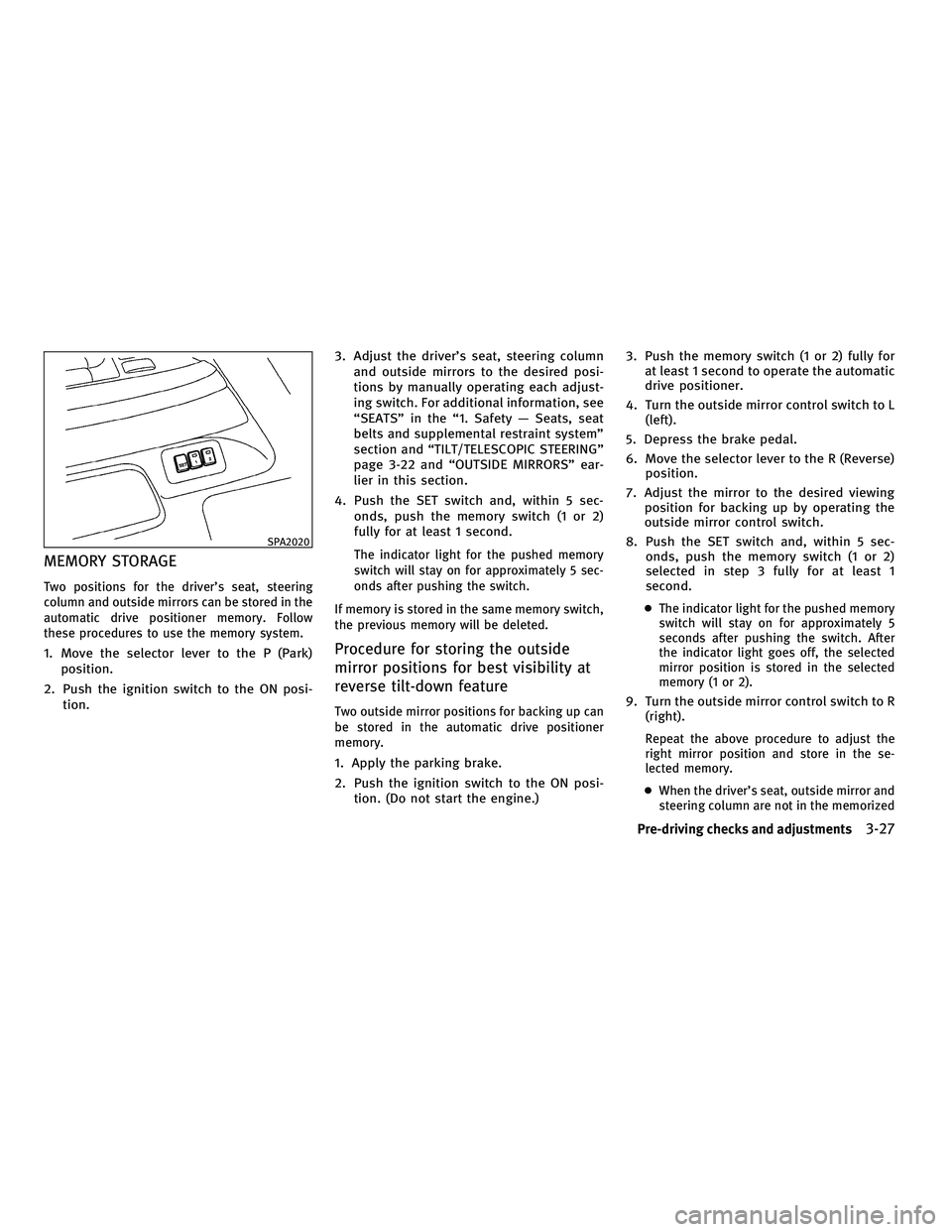
MEMORY STORAGE
Two positions for the driver's seat, steering
column and outside mirrors can be stored in the
automatic drive positioner memory. Follow
these procedures to use the memory system.
1. Move the selector lever to the P (Park)position.
2. Push the ignition switch to the ON posi- tion. 3. Adjust the driver's seat, steering column
and outside mirrors to the desired posi-
tions by manually operating each adjust-
ing switch. For additional information, see
ªSEATSº in the ª1. Safety Ð Seats, seat
belts and supplemental restraint systemº
section and ªTILT/TELESCOPIC STEERINGº
page 3-22 and ªOUTSIDE MIRRORSº ear-
lier in this section.
4. Push the SET switch and, within 5 sec- onds, push the memory switch (1 or 2)
fully for at least 1 second.
The indicator light for the pushed memory
switch will stay on for approximately 5 sec-
onds after pushing the switch.
If memory is stored in the same memory switch,
the previous memory will be deleted.
Procedure for storing the outside
mirror positions for best visibility at
reverse tilt-down feature
Two outside mirror positions for backing up can
be stored in the automatic drive positioner
memory.
1. Apply the parking brake.
2. Push the ignition switch to the ON posi- tion. (Do not start the engine.) 3. Push the memory switch (1 or 2) fully for
at least 1 second to operate the automatic
drive positioner.
4. Turn the outside mirror control switch to L (left).
5. Depress the brake pedal.
6. Move the selector lever to the R (Reverse) position.
7. Adjust the mirror to the desired viewing position for backing up by operating the
outside mirror control switch.
8. Push the SET switch and, within 5 sec- onds, push the memory switch (1 or 2)
selected in step 3 fully for at least 1
second.
cThe indicator light for the pushed memory
switch will stay on for approximately 5
seconds after pushing the switch. After
the indicator light goes off, the selected
mirror position is stored in the selected
memory (1 or 2).
9. Turn the outside mirror control switch to R
(right).
Repeat the above procedure to adjust the
right mirror position and store in the se-
lected memory.
c When the driver's seat, outside mirror and
steering column are not in the memorized
SPA2020
Pre-driving checks and adjustments3-27
wÐ
Ð
05/14/09Ðpattie
X
Page 165 of 445
WARNING
cDo not disassemble or modify this system. If
you do, it may result in accidents, fire, or
electric shock.
c Do not use this system if you notice any
abnormality, such as a frozen screen or lack
of sound. Continued use of the system may
result in accident, fire or electric shock.
c In case you notice any foreign object in the
system hardware, spill liquid on it, or notice
smoke or smell coming from it, stop using
the system immediately and contact your
nearest INFINITI retailer. Ignoring such con-
ditions may lead to accidents, fire, or electric
shock.
c Park the vehicle in a safe location and apply
the parking brake to view the images on the
front center display screen using devices
connected to the auxiliary input jacks.
Do not attempt to operate the system in extreme
temperature conditions [below 24ÉF (220ÉC)
and above 158ÉF (70ÉC)]. Operating this system
under these conditions may result in system
malfunctions.
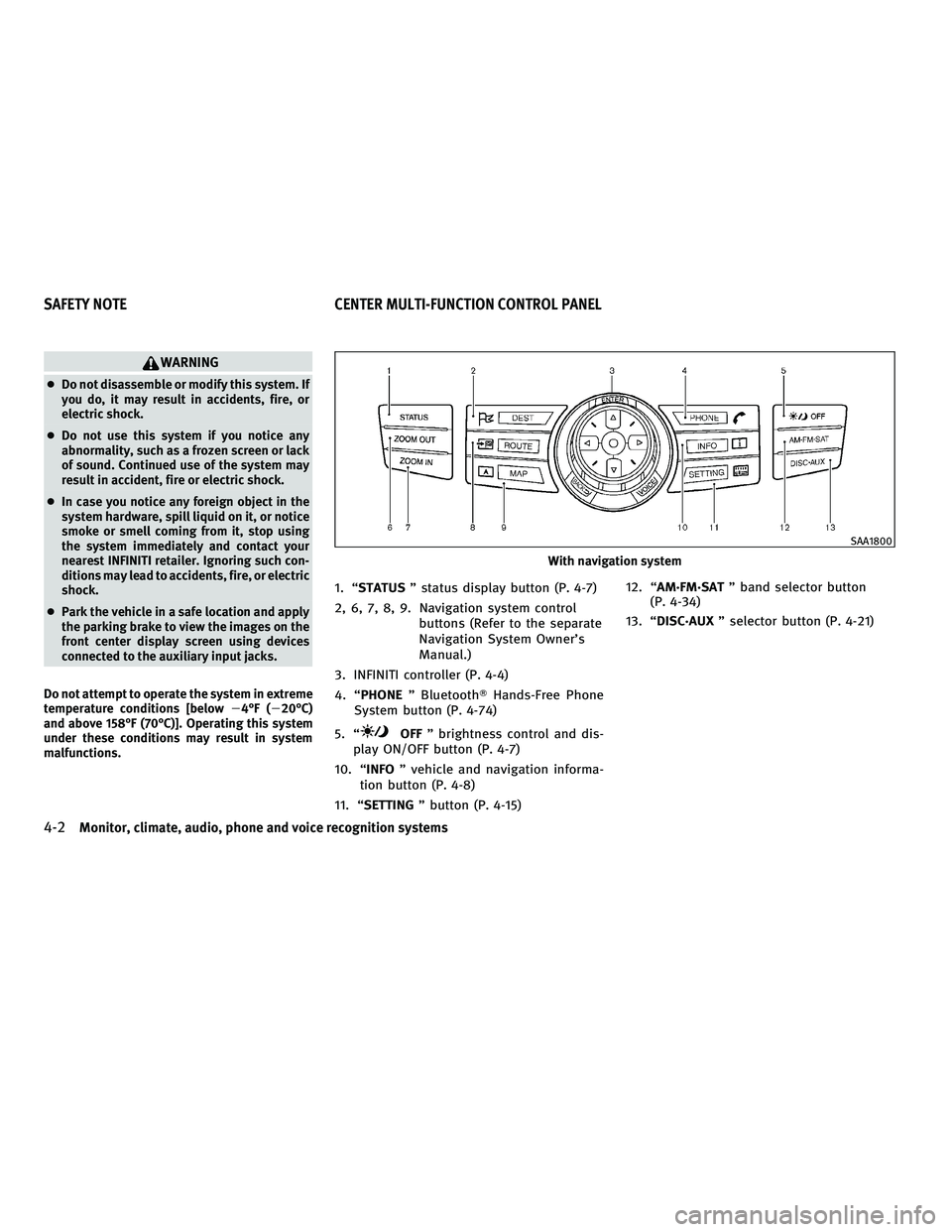
1. ªSTATUS º status display button (P. 4-7)
2, 6, 7, 8, 9. Navigation system control buttons (Refer to the separate
Navigation System Owner's
Manual.)
3. INFINITI controller (P. 4-4)
4. ªPHONE º BluetoothT Hands-Free Phone
System button (P. 4-74)
5. ª
OFF º brightness control and dis-
play ON/OFF button (P. 4-7)
10. ª INFO º vehicle and navigation informa-
tion button (P. 4-8)
11. ª SETTING º button (P. 4-15) 12. ª
AM´FM´SAT º band selector button
(P. 4-34)
13. ª DISC´AUX º selector button (P. 4-21)
With navigation system
SAA1800
SAFETY NOTE CENTER MULTI-FUNCTION CONTROL PANEL
4-2Monitor, climate, audio, phone and voice recognition systems
wÐ
Ð
05/19/09Ðtbrooks
X
Page 184 of 445
NOTE:
If you select the ªFranÕaisº key, French language
will be displayed. For more detail, refer to the
French Owner's Manual. To obtain a French Own-
er's Manual, please see ªOWNER'S
MANUAL/SERVICE MANUAL ORDER INFORMA-
TIONº in the ª9. Technical and consumer infor-
mationº section.
*: For models without navigation system only
Select Units :
Choose the ªSelect Unitsº key and push the
ENTER button. From the following display, se-
lect ªUSº (Mile, ÉF, MPG) or ªMetricº (km, ÉC,
L/100 km) for your favorite display appearance.
Select Units (Tire Pressure) :
Choose the ª Select Units (Tire Pressure) º key
and push the ENTERbutton. From the following
display, select ªkPaº or ªpsiº.HOW TO USE AUX BUTTON
Images being played can be switched to the
center display if NTSC compatible devices are
connected to the auxiliary input jacks on the
rear side of the center console. (See ªAUXILIARY
INPUT JACKSº later in this section.)
Push the DISC´AUX (with navigation) AUX(with-
out navigation) button to perform switching.
Pushing the DISC´AUXbutton (for models with
the navigation system) will switch the displays
as follows:
CD !CompactFlash* !DVD* !AUX !iPodT*
! Music Box* !CD
*: if so equipped
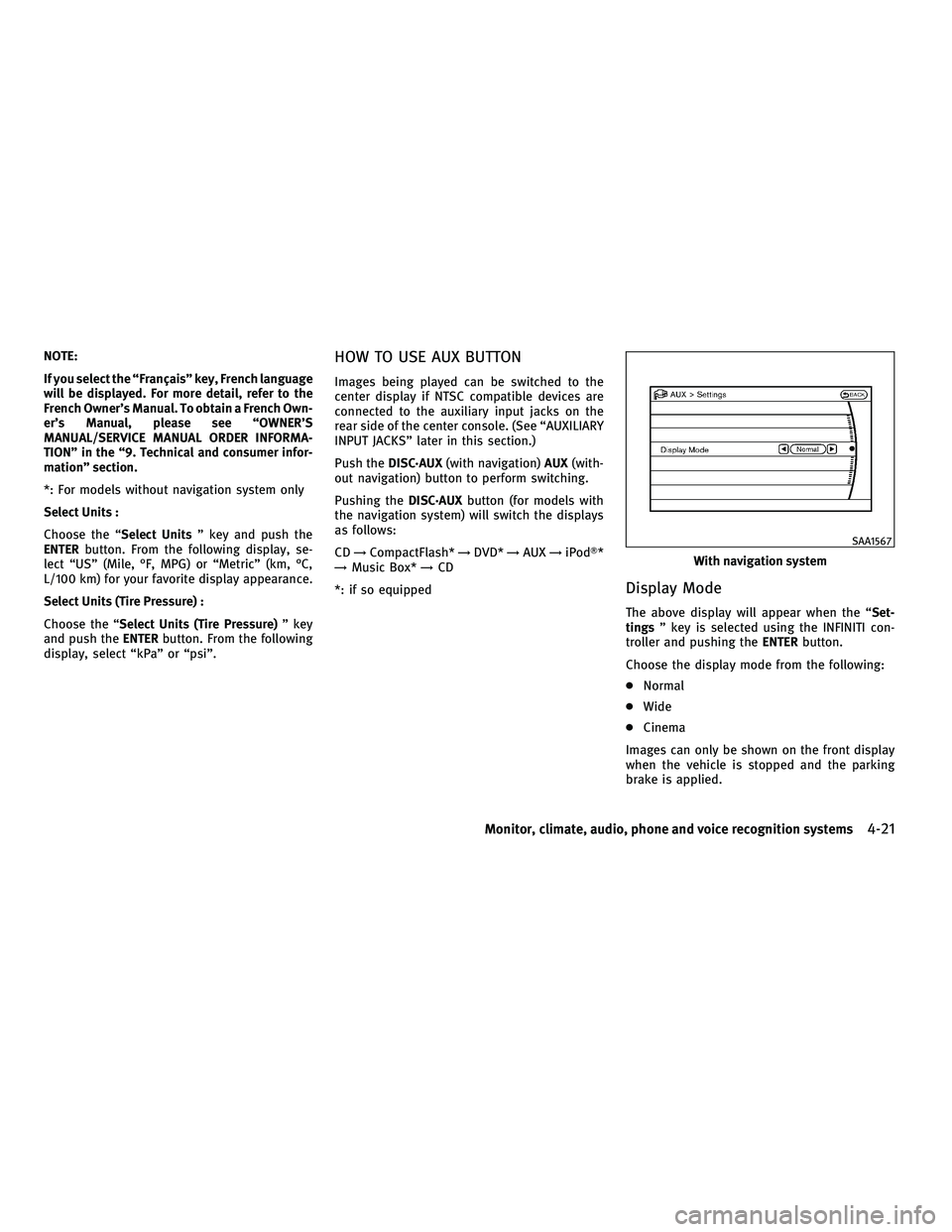
Display Mode
The above display will appear when the ª Set-
tings º key is selected using the INFINITI con-
troller and pushing the ENTERbutton.
Choose the display mode from the following:
c Normal
c Wide
c Cinema
Images can only be shown on the front display
when the vehicle is stopped and the parking
brake is applied.
With navigation system
SAA1567
Monitor, climate, audio, phone and voice recognition systems4-21
wÐ
Ð
05/19/09Ðtbrooks
X
Page 188 of 445
4. Maneuver the steering wheel to make thevehicle width guide lines
sDparallel to
the parking space
sCwhile referring to
the predicted course lines.
5. When the vehicle is parked in the space completely, move the selector lever to the
P (Park) position and apply the parking
brake.
DIFFERENCE BETWEEN PREDICTED AND
ACTUAL DISTANCES
The distance guide line and the vehicle width
guide line should be used as a reference only
when the vehicle is on a level, paved surface.
The distance viewed on the monitor is for
reference only and may be different than the
actual distance between the vehicle and dis-
played objects.
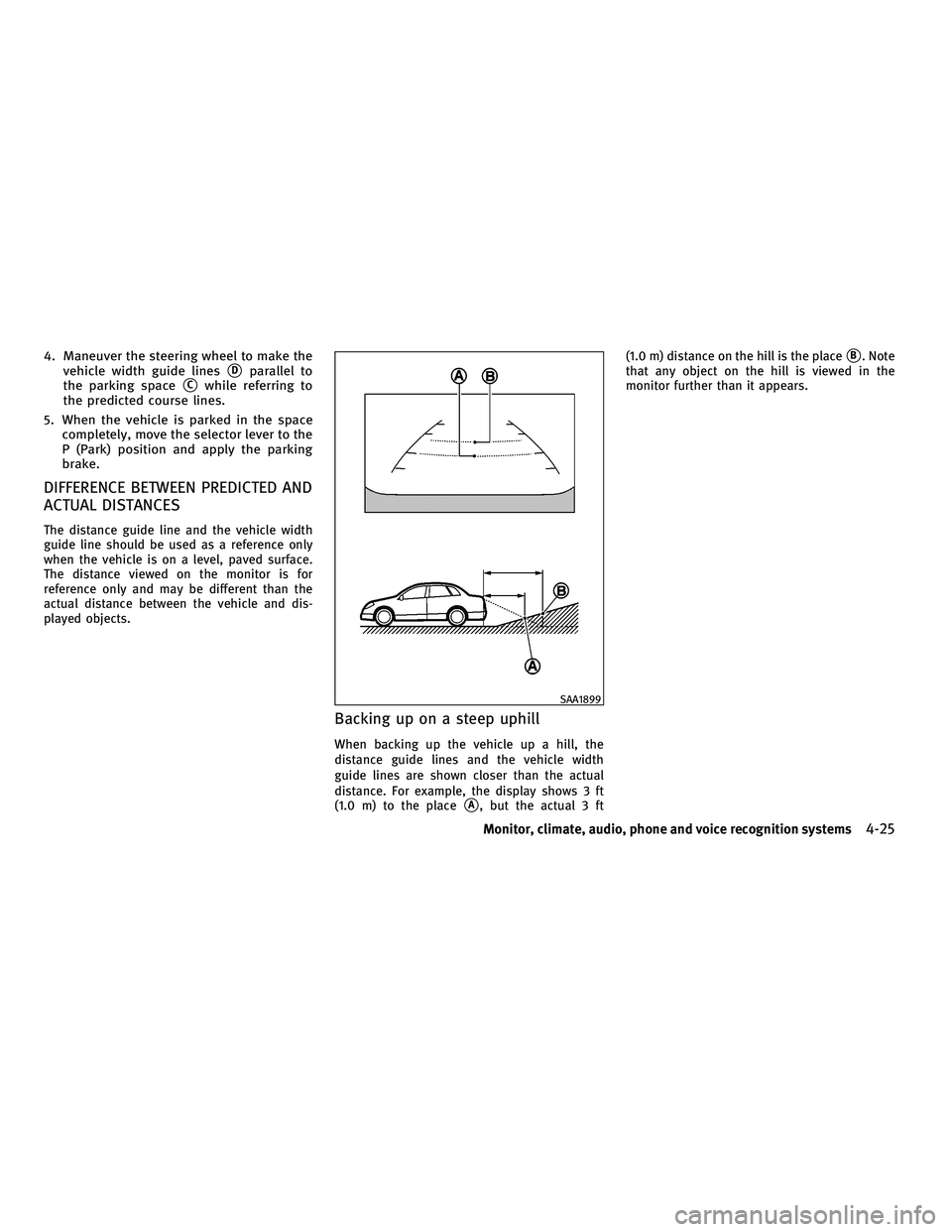
Backing up on a steep uphill
When backing up the vehicle up a hill, the
distance guide lines and the vehicle width
guide lines are shown closer than the actual
distance. For example, the display shows 3 ft
(1.0 m) to the place
sA, but the actual 3 ft (1.0 m) distance on the hill is the place
sB. Note
that any object on the hill is viewed in the
monitor further than it appears.
SAA1899
Monitor, climate, audio, phone and voice recognition systems4-25
wÐ
Ð
05/14/09Ðpattie
X
Page 190 of 445
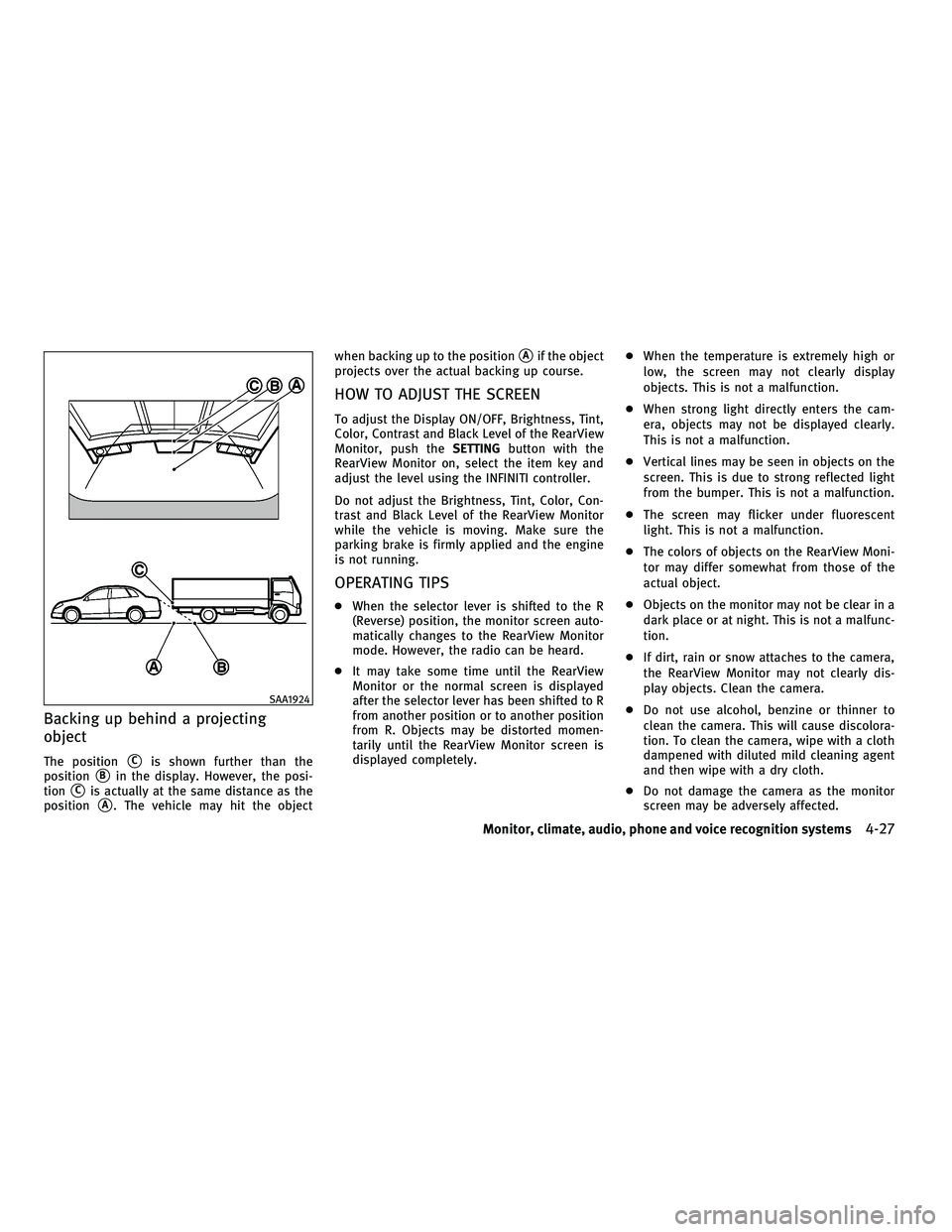
Backing up behind a projecting
object
The positionsCis shown further than the
position
sBin the display. However, the posi-
tion
sCis actually at the same distance as the
position
sA. The vehicle may hit the object when backing up to the position
sAif the object
projects over the actual backing up course.
HOW TO ADJUST THE SCREEN
To adjust the Display ON/OFF, Brightness, Tint,
Color, Contrast and Black Level of the RearView
Monitor, push the SETTINGbutton with the
RearView Monitor on, select the item key and
adjust the level using the INFINITI controller.
Do not adjust the Brightness, Tint, Color, Con-
trast and Black Level of the RearView Monitor
while the vehicle is moving. Make sure the
parking brake is firmly applied and the engine
is not running.
OPERATING TIPS
c When the selector lever is shifted to the R
(Reverse) position, the monitor screen auto-
matically changes to the RearView Monitor
mode. However, the radio can be heard.
c It may take some time until the RearView
Monitor or the normal screen is displayed
after the selector lever has been shifted to R
from another position or to another position
from R. Objects may be distorted momen-
tarily until the RearView Monitor screen is
displayed completely. c
When the temperature is extremely high or
low, the screen may not clearly display
objects. This is not a malfunction.
c When strong light directly enters the cam-
era, objects may not be displayed clearly.
This is not a malfunction.
c Vertical lines may be seen in objects on the
screen. This is due to strong reflected light
from the bumper. This is not a malfunction.
c The screen may flicker under fluorescent
light. This is not a malfunction.
c The colors of objects on the RearView Moni-
tor may differ somewhat from those of the
actual object.
c Objects on the monitor may not be clear in a
dark place or at night. This is not a malfunc-
tion.
c If dirt, rain or snow attaches to the camera,
the RearView Monitor may not clearly dis-
play objects. Clean the camera.
c Do not use alcohol, benzine or thinner to
clean the camera. This will cause discolora-
tion. To clean the camera, wipe with a cloth
dampened with diluted mild cleaning agent
and then wipe with a dry cloth.
c Do not damage the camera as the monitor
screen may be adversely affected.
SAA1924
Monitor, climate, audio, phone and voice recognition systems4-27
wÐ
Ð
05/14/09Ðpattie
X