brake INFINITI M 2010 Owner's Manual
[x] Cancel search | Manufacturer: INFINITI, Model Year: 2010, Model line: M, Model: INFINITI M 2010Pages: 445, PDF Size: 6.15 MB
Page 225 of 445
This vehicle is equipped with the mobile enter-
tainment system, which enables you to play a
Digital Versatile Disc (DVD), providing the im-
ages and sounds both in the front and rear
display screens.
WARNING
cThe driver must not attempt to operate or
view the Mobile Entertainment System
(MES) while the vehicle is in motion so that
full attention may be given to vehicle
operation.
c Do not attempt to modify the system to dis-
play a movie on the front screen while the
vehicle is being driven. Doing so may dis-
tract the driver and may cause a collision and
serious personal injury or death.
CAUTION
cThe glass screen on the liquid crystal display
may break if hit with a hard or sharp object. If
the glass breaks, do not touch the liquid
crystalline material, which contains a small
amount of mercury. In case of contact with
skin, wash immediately with soap and
water. c
Use a damp, soft cloth when cleaning the
Mobile Entertainment System components.
Do not use solvents or cleaning solutions.
c Do not attempt to use the system in extreme
temperature conditions [below 24ÉF
(220ÉC) or above 158ÉF (70ÉC)].
c To avoid discharging the vehicle battery, do
not operate the system more than 15 min-
utes without starting the engine.
Movies will not be shown on the front display
while the vehicle is in any drive position to
reduce driver distraction. Audio is available
when a movie is played. To view movies in the
front display, stop the vehicle in a safe location,
move the selector lever to the P (Park) position
and apply the parking brake.
DIGITAL VERSATILE DISC (DVD)
SYSTEM COMPONENTS
DVD drive
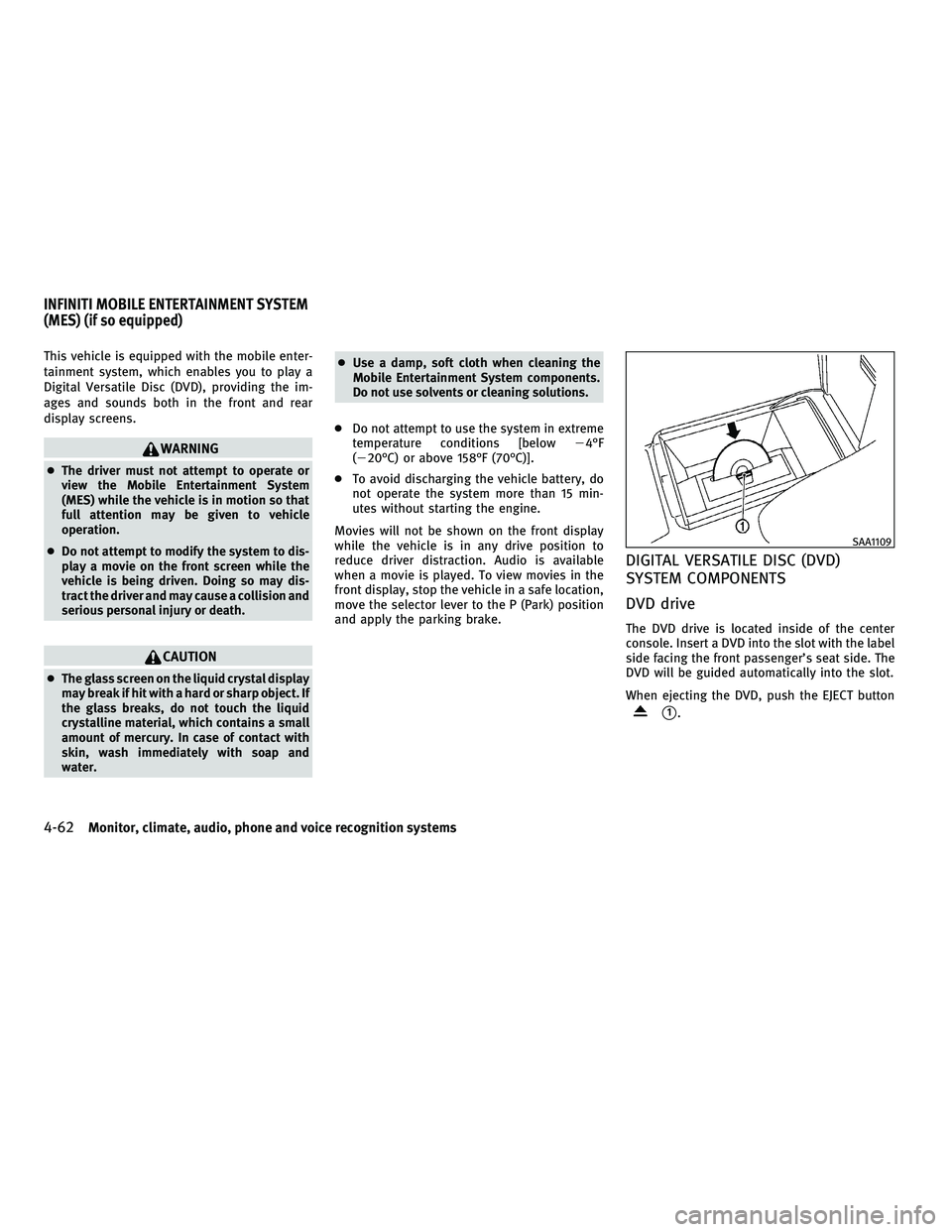
The DVD drive is located inside of the center
console. Insert a DVD into the slot with the label
side facing the front passenger's seat side. The
DVD will be guided automatically into the slot.
When ejecting the DVD, push the EJECT button
s1.
SAA1109
INFINITI MOBILE ENTERTAINMENT SYSTEM
(MES) (if so equipped)
4-62Monitor, climate, audio, phone and voice recognition systems
wÐ
Ð
05/14/09Ðpattie
X
Page 226 of 445
CAUTION
cDo not force a DVD into the slot. This could
cause damage the player.
c Do not use 8 cm (3.1 in) discs.
Displays
WARNING
Park the vehicle in a safe location and apply the
parking brake to view the images on the front
center display screen using the DVD drive or
other devices connected to the auxiliary input
jacks.
CAUTION
cThe glass screen on the liquid crystal display
may break if hit with a hard or sharp object. If
the glass breaks, do not touch the liquid
crystalline material, which contains a small
amount of mercury. In case of contact with
skin, wash immediately with soap and
water.
c Use soft, damp cloth when cleaning the Mo-
bile Entertainment System components. Do
not use solvents or cleaning solutions.
c Be sure to stow the rear display when it is not
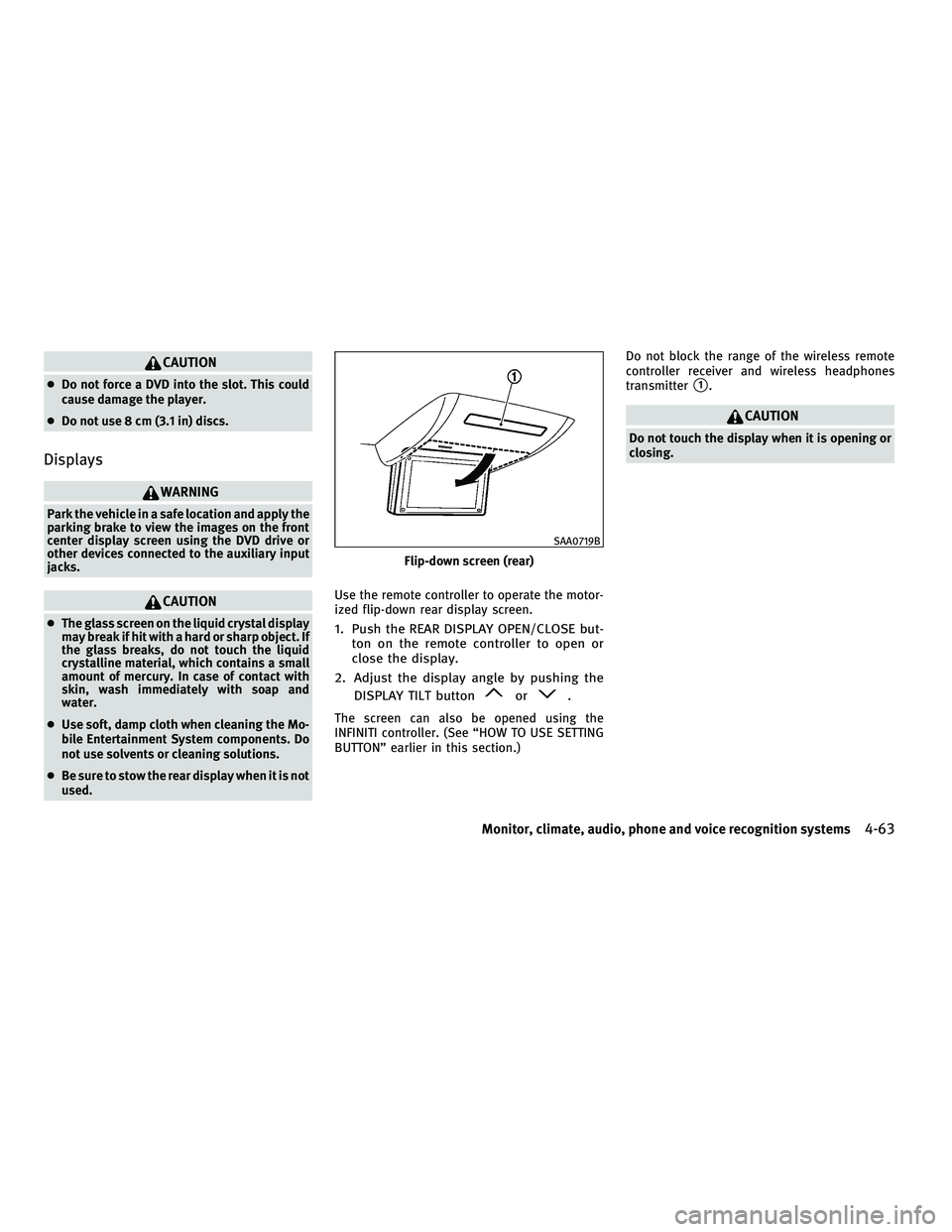
used. Use the remote controller to operate the motor-
ized flip-down rear display screen.1. Push the REAR DISPLAY OPEN/CLOSE but-
ton on the remote controller to open or
close the display.
2. Adjust the display angle by pushing the DISPLAY TILT button
or.
The screen can also be opened using the
INFINITI controller. (See ªHOW TO USE SETTING
BUTTONº earlier in this section.) Do not block the range of the wireless remote
controller receiver and wireless headphones
transmitter
s1.
CAUTION
Do not touch the display when it is opening or
closing.
Flip-down screen (rear)
SAA0719B
Monitor, climate, audio, phone and voice recognition systems4-63
wÐ
Ð
05/14/09Ðpattie
X
Page 258 of 445
SPEAKER ADAPTATION (SA) MODE
Speaker Adaptation allows up to two out-of
dialect users to train the system to improve
recognition accuracy. By repeating a number of
commands, the users can create a voice model
of their own voice that is stored in the system.
The system is capable of storing a different
speaker adaptation model for memory A and
memory B.
If memory A is available, the system will use
memory A to store the model. If memory A is in
use and memory B is available, the system will
use memory B to store the model. If both of the
memory locations are in use, the system will
ask the user to select which memory location
should be overwritten.
Training procedure
The procedure for training a voice is as follows.
1. Position the vehicle in a reasonably quietoutdoor location.
2. Sit in the driver's seat with the engine running, the parking brake on, and the
transmission in Park.
3. Press and hold the
button for more
than 5 seconds. 4. The system announces: ªPress the PHONE
SEND (
) button for the hands-free
phone system to enter the speaker adap-
tation mode.º
5. Press the
button.
6. Voice memory A or memory B is selected automatically. If both memory locations
are already in use, the system will prompt
you to overwrite one. Follow the instruc-
tions provided by the system.
7. When preparation is complete and you are ready to begin, the press the
but-
ton.
8. The SA mode will be explained. Follow the instructions provided by the system.
9. When training is finished, the system will tell you an adequate number of phrases
have been recorded.
10. The system will ask you to say your name. Follow the instructions to register
your name.
11. The system will announce that speaker adaptation has been completed and the
system is ready.
The SA mode will stop if:
cThe
button is pressed for more than 5
seconds in SA mode.
c The vehicle is driven during SA mode.
c The ignition switch is pushed to the LOCK
position.
Training phrases
During the SA mode, the system instructs you to
say the following phrases.
(The system will prompt you for each phrase.)
cphonebook new entry
c dial three oh four two nine
c delete call back number
c setup pair phone
c memo pad play
c eight pause nine three two pause seven
c delete all entries
c call seven two four zero nine
c phonebook delete entry
c memo pad record
c dial star two one seven oh
c Yes
Monitor, climate, audio, phone and voice recognition systems4-95
wÐ
Ð
05/15/09Ðpattie
X
Page 285 of 445

5 Starting and driving
Precautions when starting and driving.............. 5-2
Exhaust gas (carbon monoxide) .................. 5-2
Three-way catalyst ............................. 5-2
Tire Pressure Monitoring System (TPMS) ......... 5-3
Avoiding collision and rollover ................... 5-5
Off-road recovery ............................... 5-5
Rapid air pressure loss ......................... 5-6
Drinking alcohol/drugs and driving .............. 5-7
All-Wheel Drive (AWD) driving safety
precautions (for AWD models) ................... 5-7
Push-button ignition switch ........................ 5-8
Operating range for engine start function......... 5-8
Push-button ignition switch positions ............ 5-9
Intelligent Key battery discharge ................. 5-9
Before starting the engine ........................5-10
Starting the engine ................................ 5-11
Driving the vehicle ................................ 5-11
Automatic transmission ......................... 5-11
Parking brake .................................... 5-16
Lane Departure Warning (LDW) system/Lane
Departure Prevention (LDP) system
(if so equipped) .................................. 5-16
Lane Departure Warning (LDW) system ...........5-17 Lane Departure Prevention (LDP) system
..........5-19
Lane camera unit maintenance .................5-23
Cruise control .................................... 5-23
Precautions on cruise control ...................5-23
Cruise control operations ......................5-24
Intelligent Cruise Control (ICC) system
(if so equipped) .................................. 5-25
Selecting the vehicle-to-vehicle distance
control mode ................................. 5-26
Vehicle-to-vehicle distance control mode ........5-27
Precautions on vehicle-to-vehicle distance
control mode ................................. 5-27
Vehicle-to-vehicle distance control mode
operation ..................................... 5-29
Conventional (FIXED SPEED) cruise control
mode ........................................ 5-42
Preview function (for Intelligent Cruise
Control system equipped models) ..............5-45
Break-in schedule ................................ 5-46
Increasing fuel economy .......................... 5-46
All-Wheel Drive (AWD) (if so equipped) .............5-47
Parking/parking on hills .......................... 5-48
Power steering ................................... 5-49
wÐ
Ð
05/19/09Ðtbrooks
X
Page 286 of 445
Brake system.................................... 5-49
Braking precautions ........................... 5-49
Parking brake break-in ......................... 5-50
Brake assist ..................................... 5-50
Brake assist .................................. 5-50
Preview function (for Intelligent Cruise
Control (ICC) system equipped models) ..........5-50
Anti-lock Braking System (ABS) .................5-53
Vehicle Dynamic Control (VDC) system .............5-54
Rear active steer system (if so equipped) ...........5-55Cold weather driving
............................. 5-56
Freeing a frozen door lock .....................5-56
Anti-freeze .................................... 5-56
Battery ....................................... 5-56
Draining of coolant water ......................5-56
Tire equipment ................................ 5-56
Special winter equipment ......................5-56
Driving on snow or ice ......................... 5-56
Engine block heater (if so equipped) ............5-57
wÐ
Ð
05/15/09Ðpattie
X
Page 290 of 445

cReplacing tires with those not originally
specified by INFINITI could affect the proper
operation of the TPMS.
c Do not inject any tire liquid or aerosol tire
sealant into the tires, as this may cause a
malfunction of the tire pressure sensors.
CAUTION
cThe TPMS may not function properly when
the wheels are equipped with tire chains or
the wheels are buried in snow.
c Do not place metalized film or any metal
parts (antenna, etc.) on the windows. This
may cause poor reception of the signals from
the tire pressure sensors, and the TPMS will
not function properly.
Some devices and transmitters may temporarily
interfere with the operation of the TPMS and
cause the low tire pressure warning light to
illuminate. Some examples are:
± Facilities or electric devices using similar radio frequencies are near the vehicle.
± If a transmitter set to similar frequencies is being used in or near the vehicle. ± If a computer (or similar equipment) or a
DC/AC converter is being used in or near the
vehicle.
FCC Notice:
Changes or modifications not expressly ap-
proved by the party responsible for compliance
could void the user's authority to operate the
equipment.
This device complies with Part 15 of the FCC
Rules and RSS-210 of Industry Canada.
Operation is subject to the following two condi-
tions: (1) This device may not cause harmful in-
terference, and (2) this device must accept any
interference received, including interference
that may cause undesired operation of the de-
vice.
AVOIDING COLLISION AND ROLLOVER
WARNING
Failure to operate this vehicle in a safe and
prudent manner may result in loss of control or
an accident.
Be alert and drive defensively at all times. Obey
all traffic regulations. Avoid excessive speed,
high speed cornering, or sudden steering ma-
neuvers, because these driving practices could cause you to lose control of your vehicle.
As
with any vehicle, a loss of control could result in
a collision with other vehicles or objects, or
cause the vehicle to rollover, particularly if the
loss of control causes the vehicle to slide side-
ways. Be attentive at all times, and avoid
driving when tired. Never drive when under the
influence of alcohol or drugs (including pre-
scription or over-the-counter drugs which may
cause drowsiness). Always wear your seat belt
as outlined in the ªSEAT BELTSº in the ª1. Safety
Ð Seats, seat belts and supplemental restraint
systemº section of this manual, and also in-
struct your passengers to do so.
Seat belts help reduce the risk of injury in
collisions and rollovers. In a rollover crash, an
unbelted or improperly belted person is signifi-
cantly more likely to be injured or killed than a
person properly wearing a seat belt.
OFF-ROAD RECOVERY
While driving, the right side or left side wheels
may unintentionally leave the road surface. If
this occurs, maintain control of the vehicle by
following the procedure below. Please note that
this procedure is only a general guide. The
vehicle must be driven as appropriate based on
the conditions of the vehicle, road and traffic.
1. Remain calm and do not overreact.
2. Do not apply the brakes.
Starting and driving5-5
wÐ
Ð
05/15/09Ðpattie
X
Page 291 of 445

3. Maintain a firm grip on the steering wheelwith both hands and try to hold a straight
course.
4. When appropriate, slowly release the ac- celerator pedal to gradually slow the ve-
hicle.
5. If there is nothing in the way, steer the vehicle to follow the road while the ve-
hicle speed is reduced. Do not attempt to
drive the vehicle back onto the road sur-
face until vehicle speed is reduced.
6. When it is safe to do so, gradually turn the steering wheel until both tires return
to the road surface. When all tires are on
the road surface, steer the vehicle to stay
in the appropriate driving lane.
cIf you decide that it is not safe to return the
vehicle to the road surface based on vehicle,
road or traffic conditions, gradually slow the
vehicle to a stop in a safe place off the road.
RAPID AIR PRESSURE LOSS
Rapid air pressure loss or a ªblow-outº can
occur if the tire is punctured or is damaged due
to hitting a curb or pothole. Rapid air pressure
loss can also be caused by driving on under-
inflated tires.
Rapid air pressure loss can affect the handling
and stability of the vehicle, especially at high-
way speeds.
Help prevent rapid air pressure loss by main-
taining the correct air pressure and visually
inspect the tires for wear and damage. See
ªWHEELS AND TIRESº in the ª8. Maintenance
and do-it-yourselfº section of this manual.
If a tire rapidly loses air pressure or ªblows-outº
while driving maintain control of the vehicle by
following the procedure below. Please note that
this procedure is only a general guide. The
vehicle must be driven as appropriate based on
the conditions of the vehicle, road and traffic.
WARNING
The following actions can increase the chance
of losing control of the vehicle if there is a
sudden loss of tire air pressure. Losing control
of the vehicle may cause a collision and result
in personal injury. c
The vehicle generally moves or pulls in the
direction of the flat tire.
c Do not rapidly apply the brakes.
c Do not rapidly release the accelerator pedal.
c Do not rapidly turn the steering wheel.
1. Remain calm and do not overreact.
2. Maintain a firm grip on the steering wheel
with both hands and try to hold a straight
course.
3. When appropriate, slowly release the ac- celerator pedal to gradually slow the ve-
hicle.
4. Gradually steer the vehicle to a safe loca- tion off the road and away from traffic if
possible.
5. Lightly apply the brake pedal to gradually stop the vehicle.
6. Turn on the hazard warning flashers and either contact a roadside emergency ser-
vice to change the tire or see ªCHANGING
A FLAT TIREº in the ª6. In case of emer-
gencyº section of this Owner's Manual.
5-6Starting and driving
wÐ
Ð
05/15/09Ðpattie
X
Page 293 of 445

WARNING
Do not operate the push-button ignition switch
while driving the vehicle except in an emer-
gency. (The engine will stop when the ignition
switch is pushed 3 consecutive times or the
ignition switch is pushed and held for more
than 2 seconds.) If the engine stops while the
vehicle is being driven, this could lead to a
crash and serious injury.
Before operating the push-button ignition
switch, be sure to move the selector lever to the
P (Park) position.
OPERATING RANGE FOR ENGINE
START FUNCTION
The operating range for starting the engine
inside the vehicle
s1is shown in the illustra-
tion.
c The trunk area is not included in the operat-
ing range of the engine start function.
c If the Intelligent Key is on the instrument
panel, rear parcel shelf, inside the glove box
or door pocket, it may not be possible to
start the engine.
c If the Intelligent Key is near the door or door
glass outside the vehicle, it may be possible
to start the engine. When the ignition switch is pushed without
depressing the brake pedal, the ignition switch
position will change as follows:
c
Push the center once to change to ACC.
c Push the center two times to change to ON.
c Push the center three times to return to
LOCK.
The ignition switch is equipped with an anti-
theft steering lock device.
The ignition lock is designed so that the ignition
switch position cannot be switched to LOCK
until the selector lever is moved to the P (Park)
position.
SSD0659SSD0684
PUSH-BUTTON IGNITION SWITCH
5-8Starting and driving
wÐ
Ð
05/15/09Ðpattie
X
Page 294 of 445

When the ignition switch cannot be pushed
toward the LOCK position, proceed as follows:
1. Move the selector lever into the P (Park)position.
2. Push the ignition switch. The ignition switch position will change to the ON
position.
3. Push the ignition switch again to the LOCK position.
The selector lever can be moved from the P (Park)
position if the ignition switch is in the ON posi-
tion and the brake pedal is depressed.
In order for the steering wheel to be locked, it
must be turned about 1/8 of a right or left turn
from the straight up position.
To lock the steering wheel, push the ignition
switch to the LOCK position. To unlock the steer-
ing wheel, push the push-button ignition switch
again while lightly turning the steering wheel
right and left.
If the battery of the vehicle is discharged, the
push-button ignition switch cannot be turned
from the LOCK position.
Some indicators and warnings for operation are
displayed on the dot matrix liquid crystal dis-
play in the tachometer. (See ªDOT MATRIX LIQUID CRYSTAL DISPLAYº in the ª2. Instru-
ments and controlsº section.)
PUSH-BUTTON IGNITION SWITCH
POSITIONS
LOCK (Normal parking position)
The ignition switch can only be locked in this
position.
The ignition switch will be unlocked when it is
pushed to the ACC position while carrying the
Intelligent Key or with the Intelligent Key in-
serted in the port.
ACC (Accessories)
This position activates electrical accessories
such as the radio, when the engine is not
running.
ON (Normal operating position)
This position turns on the ignition system and
electrical accessories.
CAUTION
Do not leave the vehicle with the push-button
ignition switch in ACC or ON positions when the
engine is not running for an extended period.
This can discharge the battery.
INTELLIGENT KEY BATTERY DISCHARGE
If the battery of the Intelligent Key is almost
discharged, the guide light
sBof the Intelligent
Key port
sAblinks and the indicator appears on
the dot matrix liquid crystal display. (See ªDOT
MATRIX LIQUID CRYSTAL DISPLAYº in the ª2.
Instruments and controlsº section.)
In this case, inserting the Intelligent Key into
the port
s1allows you to start the engine. Make
sure that the key ring side faces backward as
illustrated. Insert the Intelligent Key in the port
until it is latched and secured.
SSD0512
Starting and driving5-9
wÐ
Ð
05/15/09Ðpattie
X
Page 295 of 445

To remove the Intelligent Key from the port,
push the ignition switch to the LOCK position
and push in the Intelligent Key
s2. Then the
Intelligent Key will be ejected from the port. Pull
the Intelligent Key out.
NOTE:
The Intelligent Key port does not charge the In-
telligent Key battery. If you see the low battery
indicator in the dot matrix liquid crystal display,
replace the battery as soon as possible. (See
ªBATTERY REPLACEMENTº in the ª8. Mainte-
nance and do-it-yourselfº section.)
CAUTION
c Never place anything except the Intelligent
Key in the Intelligent Key port. Doing so may
cause damage to the equipment.
c Make sure the Intelligent Key is in the cor-
rect direction when inserting it to the Intelli-
gent Key port. The engine may not start if it is
in the incorrect direction.
c Remove the Intelligent Key from the Intelli-
gent Key port after the ignition switch is
pushed to the LOCK position.
c Do not pull out the Intelligent Key from the
Intelligent Key port until the Intelligent Key
is ejected to the removal position. c
Make sure the area around the vehicle is
clear.
c Check fluid levels such as engine oil, cool-
ant, brake fluid and window washer fluid as
frequently as possible, or at least whenever
you refuel.
c Check that all windows and lights are clean.
c Visually inspect tires for their appearance
and condition. Also check tires for proper
inflation.
c Lock all doors.
c Position seat and adjust head restraints.
c Adjust inside and outside mirrors.
c Fasten seat belts and ask all passengers to
do likewise.
c Check the operation of warning lights when
the ignition switch is pushed to the ON
position. (See ªWARNING/INDICATOR LIGHTS
AND AUDIBLE REMINDERSº in the ª2. Instru-
ments and controlsº section.)
SSD0513
BEFORE STARTING THE ENGINE
5-10Starting and driving
wÐ
Ð
05/15/09Ðpattie
X