service INFINITI M 2010 User Guide
[x] Cancel search | Manufacturer: INFINITI, Model Year: 2010, Model line: M, Model: INFINITI M 2010Pages: 445, PDF Size: 6.15 MB
Page 205 of 445

1. ON´OFF/VOLUME control knob
2. Radio station preset and CD selectorbuttons
3. Radio tuning / MP3/WMA folder selector / AUDIO control knob
4. CD LOAD button (if so equipped) 5. Radio PRESET A-B-C selector button
6. Radio SCAN (tuning)/CD RPT (repeat) play
button
7. Radio CAT (category)/REW (rewind) button for SEEK/TRACK
8. FF (fast forward) button for SEEK/TRACK 9. CD EJECT button
10. CompactFlash (CF) card slot (located un-
der the audio unit) (if so equipped)
No satellite radio reception is available unless
there is an active XMT satellite radio service
subscription.
The audio control buttons are also located on
the center multi-function control panel.
SAA1818
4-42Monitor, climate, audio, phone and voice recognition systems
wÐ
Ð
05/19/09Ðtbrooks
X
Page 206 of 445

1. AM´FM´SAT band select button
2. DISC´AUX button1. RADIO AM´FM band select button
2. AUX button
3. DISC button
FM-AM-SAT RADIO WITH COMPACT
DISC (CD) PLAYER/CHANGER
For all operation precautions, see ªAUDIO OP-
ERATION PRECAUTIONSº earlier in this section.
The satellite radio mode requires an active XM
T
satellite radio service subscription. Satellite
radio is not available in Alaska, Hawaii and
Guam. It may take some time to receive the activation
signal after subscribing to the XM
Tsatellite
radio. After receiving the activation signal, an
available station list will be automatically up-
dated in the radio. Push the ignition switch from
LOCK to ACC to update the station list.
Audio main operation
Head unit :
The radio has an FM diversity reception system,
which employs two antennas printed on the
rear window. This system automatically
switches to the antenna which is receiving less
interference.
The auto loudness circuit enhances the low and
high frequency ranges automatically in both
radio reception and CD playback.
ON´OFF/Volume control :
Push the ignition switch to the ACC or ON
position, and then push the ON´OFF/VOLUME
control knob while the system is off to call up
the audio mode which was playing immediately
before the system was turned off. While the
system is on, pushing the ON´OFF/VOLUME
control knob turns the system off.
Turn the ON´OFF/VOLUME control knob to ad-
just the volume.
With navigation system
SAA1819
Without navigation system
SAA1820
Monitor, climate, audio, phone and voice recognition systems4-43
wÐ
Ð
05/14/09Ðpattie
X
Page 207 of 445

Adjusting tone quality and speaker balance :
To adjust Bass, Treble, Balance and Fade, push
the Audio control knob. When the display
shows the setting you want to change (Bass,
Treble, Balance and Fade), rotate the Audio
control knob to set the desired setting. For the
other setting methods, see ªHOW TO USE SET-
TING BUTTONº earlier in this section.
This vehicle has some sound effect functions as
follows (if so equipped):
cBOSET CenterpointT
c BOSET AudioPilotT
c Precision Phased Audio
c Speed Sensitive Volume
For more details, see ªVEHICLE INFORMATION
AND SETTINGSº earlier in this section.
FM-AM-SAT radio operation
orRadio (FM/AM/SAT) band select :
Pushing the radio band select button will
change the band as follows:
AM !FM !XM !AM When the radio band select button is pushed
while the ignition switch is in the ACC or ON
position, the radio will come on at the station
last played.
The last station played will also come on when
the ON´OFF/VOL control knob is pushed to ON.
The satellite radio mode requires an active XM
T
satellite radio service subscription. Satellite
radio is not available in Alaska, Hawaii and
Guam.
If another audio source is playing when the
radio band select button is turned to ON, the
audio source will automatically be turned off
and the last radio station played will come on.
When the stereo broadcast signal is weak, the
radio will automatically change from stereo to
monaural reception.
TUNE (Tuning) :
c For AM and FM radio
Turn the TUNE/FOLDER knob for manual tun-
ing.
c For satellite radio
Turn the TUNE/FOLDER knob to seek stations
from all of the categories when any CAT is
not selected.
SEEK tuning/CATEGORY
(CAT) :
c For AM and FM radio
Push the SEEK´CAT or TRACK button
orto tune from low to high or high to
low frequencies and to stop at the next
broadcasting station.
c For satellite radio
Push the SEEK´CAT or TRACK button
orto tune to the first station of the
next or previous category.
During satellite radio reception, the following
notices will be displayed under certain condi-
tions.
c NO SIGNAL (No signal is received while the
SAT tuner is connected.)
c OFF AIR (Broadcasting signed off)
c ANTENNA ERROR (Antenna connection error)
c LOADING (When the initial setting is per-
formed)
c UPDATING (When the satellite radio sub-
scription is not active)
c INVALID CH (Invalid station is received.)
4-44Monitor, climate, audio, phone and voice recognition systems
wÐ
Ð
05/14/09Ðpattie
X
Page 219 of 445
Title Text Priority :
Set the priority to CDDB (Compact Disc Data
Base) to acquire track information from the
Gracenote Database or set to CD TEXT to acquire
the information from CDs.
Delete ALL Music Box Data :
Delete all music data stored on the hard disk.
Gracenote
NOTE:
cThe information contained in the Gracenote
Database is not fully guaranteed.
c The service of the Gracenote Database on
the Internet may be stopped without prior
notice for maintenance.
End-User License Agreement
USE OF THIS PRODUCT IMPLIES ACCEPTANCE OF
THE TERMS BELOW.
GracenoteT MusicIDTTerms of Use
This device contains software from Gracenote,
Inc. of Emeryville, California (ªGracenoteº). The
software from Gracenote (the ªGracenote Soft-
wareº) enables this application to do online
disc identification and obtain music-related in- formation, including name, artist, track, and
title information (ªGracenote Dataº) from online
servers (ªGracenote Serversº) and to perform
other functions. You may use Gracenote Data
only by means of the intended End-User func-
tions of this device.
You agree that you will use Gracenote Data, the
Gracenote Software, and Gracenote Servers for
your own personal non-commercial use only.
You agree not to assign, copy, transfer or
transmit the Gracenote Software or any
Gracenote Data to any third party. YOU AGREE
NOT TO USE OR EXPLOIT GRACENOTE DATA, THE
GRACENOTE SOFTWARE, OR GRACENOTE SERV-
ERS, EXCEPT AS EXPRESSLY PERMITTED HEREIN.
You agree that your non-exclusive license to use
the Gracenote Data, the Gracenote Software,
and Gracenote Servers will terminate if you
violate these restrictions. If your license termi-
nates, you agree to cease any and all use of the
Gracenote Data, the Gracenote Software, and
Gracenote Servers. Gracenote reserves all
rights in Gracenote Data, the Gracenote Soft-
ware, and the Gracenote Servers, including all
ownership rights. Under no circumstances will
Gracenote become liable for any payment to
you for any information that you provide. You
agree that Gracenote, Inc. may enforce its rights
under this Agreement against you directly in its
own name.The Gracenote MusicID Service uses a unique
identifier to track queries for statistical pur-
poses. The purpose of a randomly assigned
numeric identifier is to allow the Gracenote
MusicID service to count queries without know-
ing anything about who you are. For more
information, see the web page for the
Gracenote Privacy Policy for the Gracenote Mu-
sicID Service.
The Gracenote Software and each item of
Gracenote Data are licensed to you ªAS IS.º
Gracenote makes no representations or warran-
ties, express or implied, regarding the accuracy
of any Gracenote Data from in the Gracenote
Servers. Gracenote reserves the right to delete
data from the Gracenote Servers or to change
data categories for any cause that Gracenote
deems sufficient. No warranty is made that the
Gracenote Software or Gracenote Servers are
error-free or that functioning of Gracenote Soft-
ware or Gracenote Servers will be uninter-
rupted. Gracenote is not obligated to provide
you with new enhanced or additional data types
or categories that Gracenote may provide in the
future and is free to discontinue its online
services at any time.
4-56Monitor, climate, audio, phone and voice recognition systems
wÐ
Ð
05/14/09Ðpattie
X
Page 220 of 445
GRACENOTE DISCLAIMS ALL WARRANTIES EX-
PRESS OR IMPLIED, INCLUDING, BUT NOT LIM-
ITED TO, IMPLIED WARRANTIES OF MERCHANT-
ABILITY, FITNESS FOR A PARTICULAR PURPOSE,
TITLE, AND NON-INFRINGEMENT. GRACENOTE
DOES NOT WARRANT THE RESULTS THAT WILL BE
OBTAINED BY YOUR USE OF THE GRACENOTE
SOFTWARE OR ANY GRACENOTE SERVER. IN NO
CASE WILL GRACENOTE BE LIABLE FOR ANY
CONSEQUENTIAL OR INCIDENTAL DAMAGES OR
FOR ANY LOST PROFITS OR LOST REVENUES.Copyright :
Music recognition technology and related data
are provided by Gracenote
T. Gracenote is the
industry standard in music recognition technol-
ogy and related content delivery. For more
information visit www.gracenote.com.
CD and music-related data from Gracenote, Inc.,
copyright 2000-2007 Gracenote. Gracenote
Software, copyright 2000-2007 Gracenote.
This product and service may practice one or
more of the following U.S. Patents: #5,987,525;
#6,061,680; #6,154,773, #6,161,132,
#6,230,192, #6,230,207, #6,240,459,
#6,330,593, and other patents issued or pend-
ing. Some services supplied under license from
Open Globe, Inc. for U.S. Patent: #6,304,523.
Gracenote and CDDB are registered trademarks
of Gracenote. The Gracenote logo and logotype,
and the ªPowered by Gracenoteº logo are trade-
marks of Gracenote.
CD/CF (CompactFlash) CARE AND
CLEANING
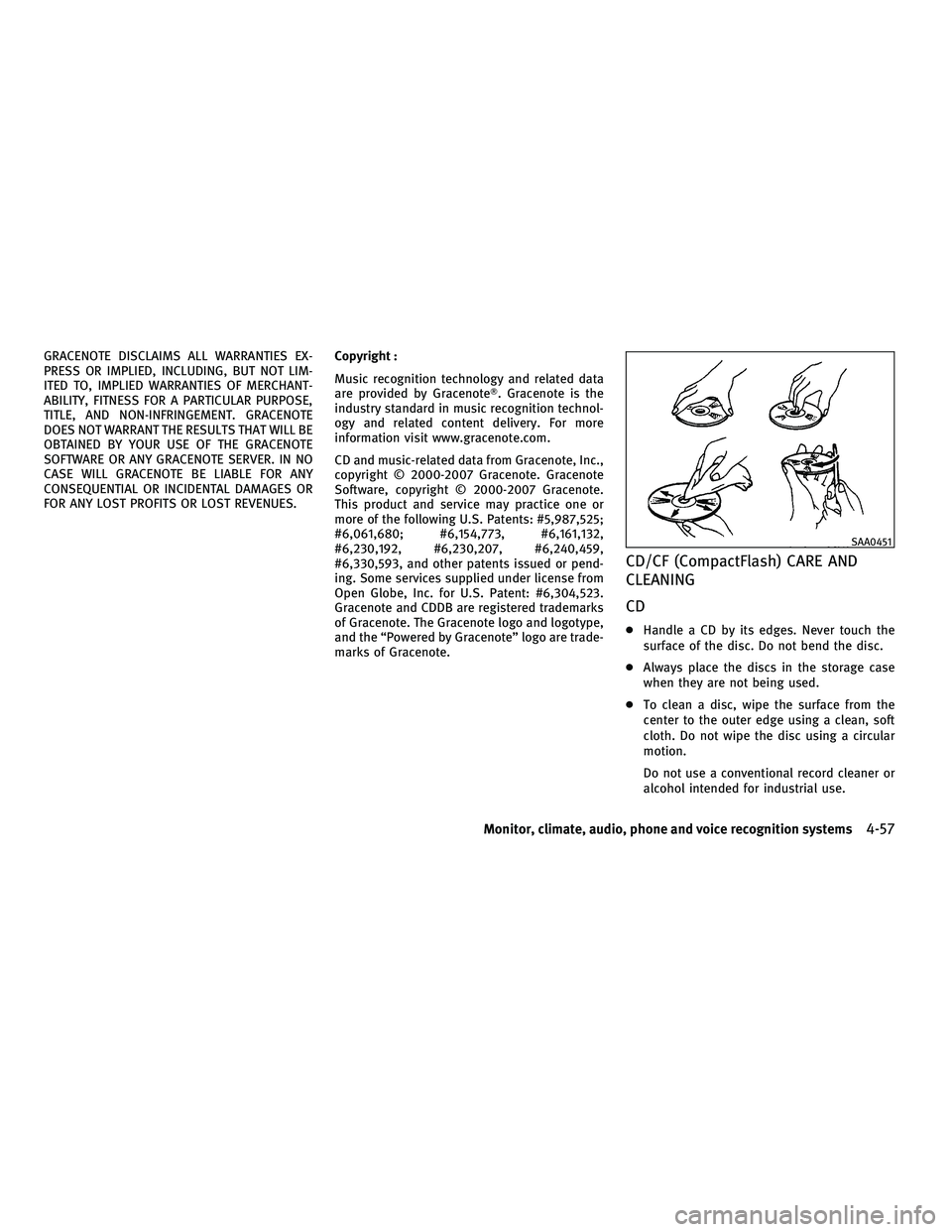
CD
c Handle a CD by its edges. Never touch the
surface of the disc. Do not bend the disc.
c Always place the discs in the storage case
when they are not being used.
c To clean a disc, wipe the surface from the
center to the outer edge using a clean, soft
cloth. Do not wipe the disc using a circular
motion.
Do not use a conventional record cleaner or
alcohol intended for industrial use.
SAA0451
Monitor, climate, audio, phone and voice recognition systems4-57
wÐ
Ð
05/14/09Ðpattie
X
Page 238 of 445
cYou will not be able to use a hands-free
phone under the following conditions:
± Your vehicle is outside of the telephone service area.
± Your vehicle is in an area where it is difficult to receive radio waves; such as in
a tunnel, in an underground parking ga-
rage, behind a tall building or in a moun-
tainous area.
± Your cellular phone is locked in order not to be dialed.
c
When the radio wave condition is not ideal or
ambient sound is too loud, it may be difficult
to hear the other person's voice during a call.
cImmediately after the ignition switch is pushed
to the ON position, it may be impossible to
receive a call for a short period of time.
c Do not place the cellular phone in an area
surrounded by metal or far away from the
in-vehicle phone module to prevent tone
quality degradation and wireless connection
disruption.
c While a cellular phone is connected through
the BluetoothT wireless connection, the bat-
tery power of the cellular phone may dis-
charge quicker than usual.
c If the Bluetooth THands-Free Phone System
seems to be malfunctioning, please visit www.InfinitiUSA.com/bluetooth for trouble-
shooting help.
c Some cellular phones or other devices may
cause interference or a buzzing noise to
come from the audio system speakers. Stor-
ing the device in a different location may
reduce or eliminate the noise.
c Refer to the cellular phone Owner's Manual
regarding the telephone pairing procedure
specific to your phone, battery charging,
cellular phone antenna, etc.
c The antenna display on the monitor will not
coincide with the antenna display of some
cellular phones.
c Keep the interior of the vehicle as quiet as
possible to hear the caller's voice clearly as
well as to minimize its echoes.
c If reception between callers is unclear, ad-
justing the incoming or outgoing call volume
may improve the clarity.
REGULATORY INFORMATION
FCC Regulatory information
± CAUTION: To maintain compliance with FCC's
RF exposure guidelines, use only the sup-
plied antenna. Unauthorized antenna, modi-
fication, or attachments could damage the
transmitter and may violate FCC regulations. ± Operation is subject to the following two
conditions:
1. this device may not cause interference and
2. this device must accept any interference, including interference that may cause
undesired operation of the device
IC Regulatory information
± Operation is subject to the following twoconditions: (1) this device may not cause
interference, and (2) this device must accept
any interference, including interference that
may cause undesired operation of the device.
± This Class B digital apparatus meets all requirements of the Canadian Interference-
Causing Equipment Regulations.
Bluetooth trademark:
BLUETOOTHT is a trade-
mark owned by Bluetooth
SIG, Inc., U.S.A.
Monitor, climate, audio, phone and voice recognition systems4-75
wÐ
Ð
05/19/09Ðtbrooks
X
Page 243 of 445

RECEIVING A CALL
When you hear a phone ring, the display will
change to the incoming call mode. To receive a
call, perform one of the following procedures
listed below.
a) Select the ªAnswerº key on the displayand push the ENTERbutton.
b) Push the PHONEbutton on the instrument
panel.
c) Push the
button on the steering
wheel.
There are some options available when receiv-
ing a call. Select one of the following displayed
on the screen. c
Answer
Accept an incoming call to talk.
c On Hold
Put an incoming call on hold.
c Reject Call
Reject an incoming call.
To finish the call, perform one of the follow-
ing procedures listed below.
a) Select the ªHang upº key on the display
and push the ENTERbutton.
b) Push the PHONEbutton on the instrument
panel.
c) Push the
button on the steering
wheel.
DURING A CALL
There are some options available during a call.
Select one of the following displayed on the
screen if necessary.
c Hang up
Finish the call.
c Use Handset
Transfer the call to the cellular phone.
c Mute
Mute your voice to the person.
c Keypad
Send a dial tone to the caller for using
network services such as voice mail.
SAA1578SAA1579
4-80Monitor, climate, audio, phone and voice recognition systems
wÐ
Ð
05/14/09Ðpattie
X
Page 247 of 445
WARNING
cUse a phone after stopping your vehicle in a
safe location. If you have to use a phone
while driving, exercise extreme caution at all
times so full attention may be given to ve-
hicle operation.
c If you find yourself unable to devote full at-
tention to vehicle operation while talking on
the phone, pull off the road to a safe location
and stop your vehicle before doing so.
CAUTION
To avoid draining the vehicle battery, use a
phone after starting the engine.
Your INFINITI is equipped with Bluetooth T
Hands-Free Phone System. If you are an owner
of a compatible Bluetooth Tenabled cellular
phone, you can set up the wireless connection
between your cellular phone and the in-vehicle
phone module. With BluetoothT wireless tech-
nology, you can make or receive a telephone
call with your cellular phone in your pocket.
Once your cellular phone is paired to the in-
vehicle phone module, no phone connecting
procedure is required anymore. Your phone is
automatically connected with the in-vehicle phone module when the ignition switch is
pushed to the ON position with the registered
cellular phone turned on and carried in the
vehicle.
You can register up to 5 different BluetoothT
cellular phones in the in-vehicle phone module.
However, you can talk on only one cellular
phone at a time.
The INFINITI Voice Recognition system supports
the phone commands, so dialing a phone num-
ber using your voice is possible.
Before using the Bluetooth
THands-Free Phone
System, refer to the following notes.
c Set up the wireless connection between a
compatible cellular phone and the in-vehicle
phone module before using the BluetoothT
Hands-Free Phone System.
c Some Bluetooth Tenabled cellular phones
may not be recognized by the in-vehicle
phone module. Please visit
www.InfinitiUSA.com/bluetooth for a recom-
mended phone list.
c You will not be able to use a hands-free
phone under the following conditions:
± Your vehicle is outside of the telephone service area. ± Your vehicle is in an area where it is
difficult to receive radio waves; such as in
a tunnel, in an underground parking ga-
rage, behind a tall building or in a moun-
tainous area.
± Your cellular phone is locked in order not to be dialed.
c When the radio wave condition is not ideal
or ambient sound is too loud, it may be
difficult to hear the other person's voice
during a call.
c Immediately after the ignition switch is
pushed to the ON position, it may be impos-
sible to receive a call for a short period of
time.
c Do not place the cellular phone in an area
surrounded by metal or far away from the
in-vehicle phone module to prevent tone
quality degradation and wireless connection
disruption.
c While a cellular phone is connected through
the BluetoothT wireless connection, the bat-
tery power of the cellular phone may dis-
charge quicker than usual.
c If the Bluetooth THands-Free Phone System
seems to be malfunctioning, please visit
www.InfinitiUSA.com/bluetooth for trouble-
shooting help.
BLUETOOTHT HANDS-FREE PHONE SYSTEM
WITHOUT NAVIGATION SYSTEM
4-84Monitor, climate, audio, phone and voice recognition systems
wÐ
Ð
05/14/09Ðpattie
X
Page 287 of 445

WARNING
cDo not leave children or adults who would
normally require the support of others alone
in your vehicle. Pets should not be left alone
either. They could accidentally injure them-
selves or others through inadvertent opera-
tion of the vehicle. Also, on hot, sunny days,
temperatures in a closed vehicle could
quickly become high enough to cause severe
or possibly fatal injuries to people or
animals.
c Closely supervise children when they are
around cars to prevent them from playing
and becoming locked in the trunk where they
could be seriously injured. Keep the car
locked, with the rear seatback and trunk lid
securely latched when not in use, and pre-
vent children's access to car keys.
EXHAUST GAS (carbon monoxide)
WARNING
cDo not breathe exhaust gases; they contain
colorless and odorless carbon monoxide.
Carbon monoxide is dangerous. It can cause
unconsciousness or death. c
If you suspect that exhaust fumes are enter-
ing the vehicle, drive with all windows fully
open, and have the vehicle inspected
immediately.
c Do not run the engine in closed spaces such
as a garage.
c Do not park the vehicle with the engine run-
ning for any extended length of time.
c Keep the trunk lid closed while driving, oth-
erwise exhaust gases could be drawn into
the passenger compartment. If you must
drive with the trunk lid open, follow these
precautions:
1. Open all the windows.
2. Set the
air recirculation to off and
the fan control to high to circulate the air.
c The exhaust system and body should be in-
spected by a qualified mechanic whenever:
± The vehicle is raised for service.
± You suspect that exhaust fumes are en- tering into the passenger compartment.
± You notice a change in the sound of the exhaust system. ± You have had an accident involving dam-
age to the exhaust system, underbody, or
rear of the vehicle.
THREE-WAY CATALYST
The three-way catalyst is an emission control
device installed in the exhaust system. Exhaust
gases in the three-way catalyst are burned at
high temperatures to help reduce pollutants.
WARNING
cThe exhaust gas and the exhaust system are
very hot. Keep people, animals or flammable
materials away from the exhaust system
components.
c Do not stop or park the vehicle over flam-
mable materials such as dry grass, waste
paper or rags. They may ignite and cause a
fire.
CAUTION
cDo not use leaded gasoline. Deposits from
leaded gasoline will seriously reduce the
three-way catalyst's ability to help reduce
exhaust pollutants.
PRECAUTIONS WHEN STARTING AND
DRIVING
5-2Starting and driving
wÐ
Ð
05/15/09Ðpattie
X
Page 345 of 445

Every new INFINITI comes with a 4 year, unlim-
ited mileage Roadside Assistance plan. In the
event of a roadside emergency, Roadside Assis-
tance Service is available to you. Please refer to
your Warranty Information Booklet (U.S.) or
Warranty & Roadside Assistance Information
Booklet (Canada) for details. Both the Warranty
Information Booklet and Roadside Assistance
Calling Card in your Owner's Literature Portfolio
provide the Toll-Free Number to call for assis-
tance. Roadside Assistance is provided 24
hours a day, 365 days a year, for 4 years from
the date sold to give emergency roadside help,
in the event of mechanical or nonmechanical
trouble(s) such as flat tires, out-of-gas, dead
battery, lost keys, mechanical breakdown, acci-
dent, etc.TIRE PRESSURE MONITORING SYSTEM
(TPMS)
This vehicle is equipped with the Tire Pressure
Monitoring System (TPMS). It monitors tire
pressure of all tires except the spare. When the
low tire pressure warning light is lit, one or
more of your tires is significantly under-
inflated. If the vehicle is being driven with low
tire pressure, the TPMS will activate and warn
you of it by the low tire pressure warning light
(in the instrument panel) or the LOW PRESSURE
information screen (on the display). This system
will activate only when the vehicle is driven at
speeds above 16 MPH (25 km/h). For more
details, see ªWARNING/INDICATOR LIGHTS AND
AUDIBLE REMINDERSº in the ª2. Instruments
and controlsº section and ªTIRE PRESSURE
MONITORING SYSTEM (TPMS)º in the ª5. Start-
ing and drivingº section.
For information about the tire pressure informa-
tion display, see ªHOW TO USE INFO BUTTONº
in the ª4. Monitor, climate, audio, phone and
voice recognition systemsº section.
WARNING
cIf the low tire pressure warning light illumi-
nates or LOW PRESSURE information is dis-
played on the monitor screen while driving,
avoid sudden steering maneuvers or abrupt
braking, reduce vehicle speed, pull off the
road to a safe location and stop the vehicle
as soon as possible. Driving with under-
inflated tires may permanently damage the
tires and increase the likelihood of tire fail-
ure. Serious vehicle damage could occur and
may lead to an accident and could result in
serious personal injury. Check the tire pres-
sure for all four tires. Adjust the tire pressure
to the recommended COLD tire pressure
shown on the Tire and Loading Information
label to turn the low tire pressure warning
light OFF. If the light still illuminates while
driving after adjusting the tire pressure, a
tire may be flat. If you have a flat tire, replace
it with a spare tire as soon as possible.
c When a spare tire is mounted or a wheel is
replaced, tire pressure will not be indicated,
the TPMS will not function and the low tire
pressure warning light will flash for approxi-
mately 1 minute. The light will remain on
after 1 minute. Contact your INFINITI retailer
as soon as possible for tire replacement
and/or system resetting.
ROADSIDE ASSISTANCE PROGRAM FLAT TIRE
6-2In case of emergency
wÐ
Ð
05/15/09Ðpattie
X