light INFINITI M 2010 Service Manual
[x] Cancel search | Manufacturer: INFINITI, Model Year: 2010, Model line: M, Model: INFINITI M 2010Pages: 445, PDF Size: 6.15 MB
Page 96 of 445

Intelligent Cruise Control
(ICC) system MAIN switch
indicator light (green; if so
equipped)
The light comes on when the Intelligent Cruise
Control (ICC) system MAIN switch is pushed.
The light goes out when the MAIN switch is
pushed again. While the MAIN switch indicator
light comes on, the ICC system is operational.
Lane Departure Prevention
(LDP) ON indicator light
(green; if so equipped)
The light comes on in green when the Lane
Departure Prevention (LDP) system is turned on.
The light turns off when the system is turned
off.
NOTE:
This light is common with the lane departure
warning light (orange). (See ªLane departure
warning lightº earlier in this section.)
For more details, see ªLANE DEPARTURE WARN-
ING (LDW) SYSTEM/LANE DEPARTURE PREVEN-
TION (LDP) SYSTEMº in the ª5. Starting and
drivingº section.
Malfunction Indicator Light
(MIL)
If the malfunction indicator light comes on
steady or blinks while the engine is running, it
may indicate a potential emission control mal-
function.
The malfunction indicator light may also come
on steady if the fuel-filler cap is loose or
missing, or if the vehicle runs out of fuel. Check
to make sure the fuel-filler cap is installed and
closed tightly, and that the vehicle has at least
3 US gallons (14 liters) of fuel in the fuel tank.
After a few driving trips, the
light should
turn off if no other potential emission control
system malfunction exists.
If this indicator light remains on for 20 seconds
and then blinks for 10 seconds when the engine
is not running, it indicates that the vehicle is
not ready for an emission control system
inspection/maintenance test. (See ªREADINESS
FOR INSPECTION/MAINTENANCE (I/M) TESTº in
the ª9. Technical and consumer informationº
section.)
Operation :
The malfunction indicator light will come on in
one of two ways: c
Malfunction indicator light on steady Ð An
emission control system malfunction has
been detected. Check the fuel-filler cap. If
the fuel-filler cap is loose or missing, tighten
or install the cap and continue to drive the
vehicle. The
light should turn off after
a few driving trips. If the
light does
not turn off after a few driving trips, have the
vehicle inspected by an INFINITI retailer. You
do not need to have your vehicle towed to
the retailer.
c Malfunction indicator light blinking Ð An
engine misfire has been detected which may
damage the emission control system.
To reduce or avoid emission control system
damage:
a) Do not drive at speeds above 45 MPH (72 km/h).
b) Avoid hard acceleration or deceleration.
c) Avoid steep uphill grades.
d) If possible, reduce the amount of cargo being hauled or towed.
The malfunction indicator light may stop
blinking and remain on.
Have the vehicle inspected by an INFINITI
retailer. You do not need to have your vehicle
towed to the retailer.
Instruments and controls2-19
wÐ
Ð
05/19/09Ðtbrooks
X
Page 97 of 445
CAUTION
Continued vehicle operation without having
the emission control system checked and re-
paired as necessary could lead to poor drive-
ability, reduced fuel economy, and possible
damage to the emission control system.
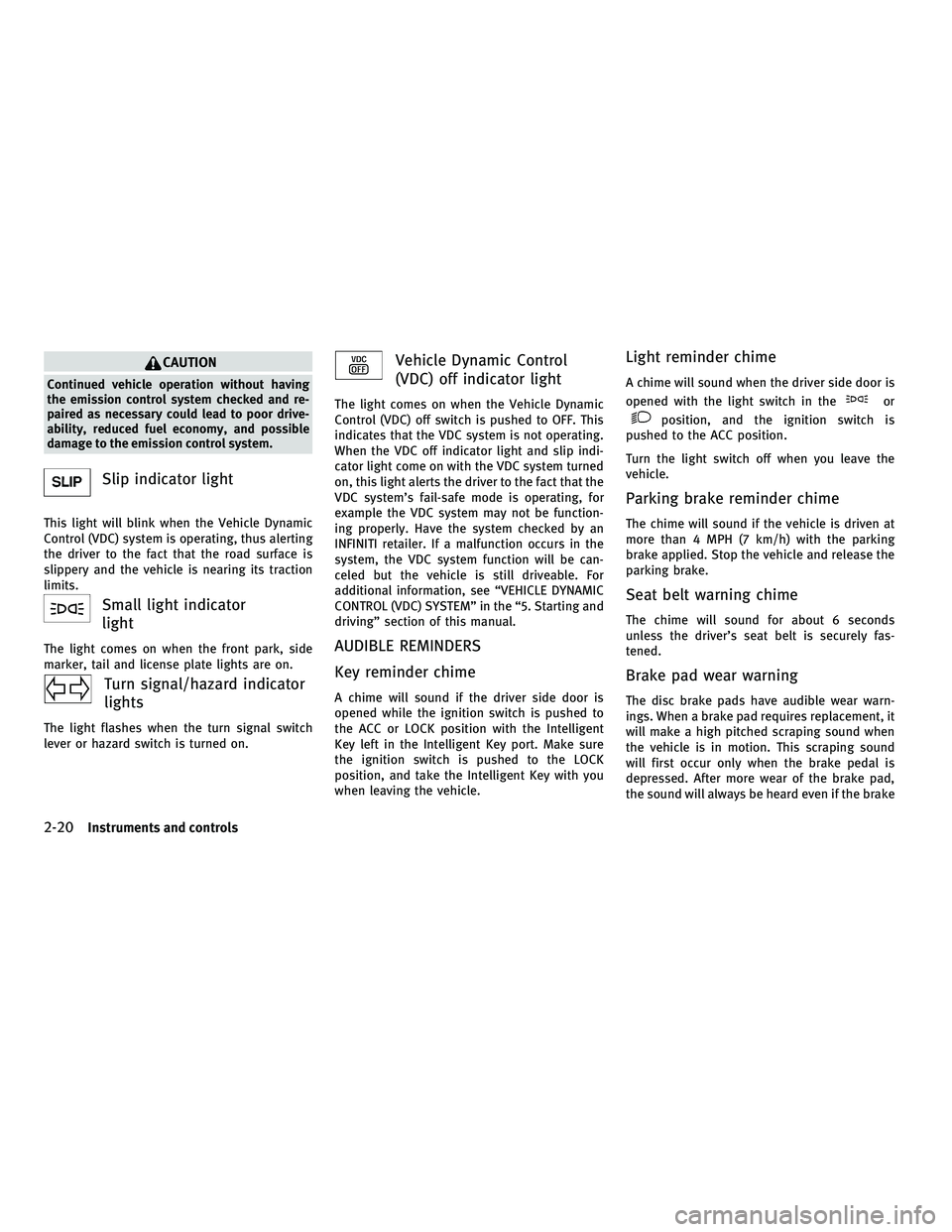
Slip indicator light
This light will blink when the Vehicle Dynamic
Control (VDC) system is operating, thus alerting
the driver to the fact that the road surface is
slippery and the vehicle is nearing its traction
limits.
Small light indicator
light
The light comes on when the front park, side
marker, tail and license plate lights are on.
Turn signal/hazard indicator
lights
The light flashes when the turn signal switch
lever or hazard switch is turned on.
Vehicle Dynamic Control
(VDC) off indicator light
The light comes on when the Vehicle Dynamic
Control (VDC) off switch is pushed to OFF. This
indicates that the VDC system is not operating.
When the VDC off indicator light and slip indi-
cator light come on with the VDC system turned
on, this light alerts the driver to the fact that the
VDC system's fail-safe mode is operating, for
example the VDC system may not be function-
ing properly. Have the system checked by an
INFINITI retailer. If a malfunction occurs in the
system, the VDC system function will be can-
celed but the vehicle is still driveable. For
additional information, see ªVEHICLE DYNAMIC
CONTROL (VDC) SYSTEMº in the ª5. Starting and
drivingº section of this manual.
AUDIBLE REMINDERS
Key reminder chime
A chime will sound if the driver side door is
opened while the ignition switch is pushed to
the ACC or LOCK position with the Intelligent
Key left in the Intelligent Key port. Make sure
the ignition switch is pushed to the LOCK
position, and take the Intelligent Key with you
when leaving the vehicle.
Light reminder chime
A chime will sound when the driver side door is
opened with the light switch in the
or
position, and the ignition switch is
pushed to the ACC position.
Turn the light switch off when you leave the
vehicle.
Parking brake reminder chime
The chime will sound if the vehicle is driven at
more than 4 MPH (7 km/h) with the parking
brake applied. Stop the vehicle and release the
parking brake.
Seat belt warning chime
The chime will sound for about 6 seconds
unless the driver's seat belt is securely fas-
tened.
Brake pad wear warning
The disc brake pads have audible wear warn-
ings. When a brake pad requires replacement, it
will make a high pitched scraping sound when
the vehicle is in motion. This scraping sound
will first occur only when the brake pedal is
depressed. After more wear of the brake pad,
the sound will always be heard even if the brake
2-20Instruments and controls
wÐ
Ð
05/14/09Ðpattie
X
Page 98 of 445

pedal is not depressed. Have the brakes
checked as soon as possible if the warning
sound is heard.
Lane departure warning chime (if so
equipped)
When the Lane Departure Warning (LDW) or
Lane Departure Prevention (LDP) system is on,
the chime sounds if the vehicle is traveling
close to either the left or the right of a traveling
lane with detectable lane markers.
See ªLANE DEPARTURE WARNING (LDW)
SYSTEM/LANE DEPARTURE PREVENTION (LDP)
SYSTEMº in the ª5. Starting and drivingº sec-
tion for more details.The dot matrix liquid crystal display
s1is
located under the tachometer, and it displays
the Automatic Transmission (AT) position indi-
cator, the Intelligent Cruise Control (ICC) system
(if so equipped) information and the Intelligent
Key operation information.
For detailed information about each system, see
the following sections:
c Automatic Transmission (AT)
± ªWARNING/INDICATOR LIGHTS AND AU- DIBLE REMINDERSº earlier in this section.
± ªDRIVING THE VEHICLEº in the ª5. Start- ing and drivingº section. c
Intelligent Cruise Control (ICC) system
± ªINTELLIGENT CRUISE CONTROL (ICC) SYSTEMº in the ª5. Starting and drivingº
section.
c Intelligent Key system
± ªINTELLIGENT KEY SYSTEMº in the ª3. Pre-driving checks and adjustmentsº sec-
tion.
± ªPUSH-BUTTON IGNITION SWITCHº in the ª5. Starting and drivingº section.
SIC3611
DOT MATRIX LIQUID CRYSTAL DISPLAY
Instruments and controls2-21
wÐ
Ð
05/19/09Ðtbrooks
X
Page 99 of 445

INDICATORS FOR OPERATION
1. Engine start operation indicator
(ignition switch in the LOCK or ACC
position)
This indicator appears when the selector lever
is in the P (Park) position.
This indicator means that the engine will start
by pushing the ignition switch with the brake
pedal depressed.
2. Engine start operation indicator
(ignition switch in the ON position)
This indicator appears when the ignition switch
is in the ON position with the selector lever in
the P (Park) position.
This indicator means that the engine will start
by pushing the ignition switch with the brake
pedal depressed.
3. Steering lock release malfunction
indicator
This indicator appears when the steering wheel
cannot be released from the LOCK position.
If this indicator appears, push the ignition
switch while lightly turning the steering wheel
right and left.
SIC2765
2-22Instruments and controls
wÐ
Ð
05/19/09Ðtbrooks
X
Page 101 of 445

10. Intelligent Key battery discharge
indicator
This indicator appears when the Intelligent Key
battery is running out of power.
If this indicator appears, replace the battery
with a new one. (See ªBATTERY REPLACEMENTº
in the ª8. Maintenance and do-it-yourselfº sec-
tion.)Your vehicle has two types of security systems,
as follows:
cVehicle security system
c INFINITI Vehicle Immobilizer System
The security condition will be shown by the
security indicator light.
VEHICLE SECURITY SYSTEM
The vehicle security system provides visual and
audio alarm signals if someone opens the
doors, hood, or trunk lid when the system is
armed. It is not, however, a motion detection
type system that activates when a vehicle is
moved or when a vibration occurs.
The system helps deter vehicle theft but cannot
prevent it, nor can it prevent the theft of interior
or exterior vehicle components in all situations.
Always secure your vehicle even if parking for a
brief period. Never leave your Intelligent Key(s)
in the vehicle, and always lock it when unat-
tended. Be aware of your surroundings, and
park in secure, well-lit areas whenever pos-
sible.
Many devices offering additional protection,
such as component locks, identification mark-
ers, and tracking systems, are available at auto
supply stores and specialty shops. Your INFINITI
retailer may also offer such equipment. Check
with your insurance company to see if you may
be eligible for discounts for various theft pro-
tection features.
SIC2132
SECURITY SYSTEMS
2-24Instruments and controls
wÐ
Ð
05/14/09Ðpattie
X
Page 102 of 445

How to arm the vehicle security
system
1. Close all windows.
The system can be armed even if the windows
are open.
2. Push the ignition switch to the LOCKposition.
3. Remove the Intelligent Key from the ve- hicle.
4. Close all doors, hood and trunk. Lock all doors. The doors can be locked with the
Intelligent Key, door handle request
switch, power door lock switch or me-
chanical key. 5. Confirm that the security indicator light
sAcomes on. The security indicator light
stays on for about 30 seconds. The ve-
hicle security system is now pre-armed.
After about 30 seconds the vehicle secu-
rity system automatically shifts into the
armed phase. The security light begins to
flash once every approximately 3 sec-
onds. If, during this 30-second pre-arm
time period, the door is unlocked, or the
ignition switch is pushed to ACC or ON,
the system will not arm.
Even when the driver and/or passengers are in
the vehicle, the system will activate with all
doors, hood, and trunk lid locked with the igni-
tion switch in the LOCK position. When pushing
the ignition switch to the ACC or ON position, the
system will be released.
Vehicle security system activation
The vehicle security system will give the follow-
ing alarm:
c The headlights blink and the horn sounds
intermittently.
c The alarm automatically turns off after ap-
proximately 1 minute. However, the alarm
reactivates if the vehicle is tampered with
again. The alarm is activated by:
c
Unlocking the door or opening the trunk lid
without using the button on the Intelligent
Key, the door handle request switch or the
mechanical key. (Even if the door is opened
by releasing the door inside lock knob, the
alarm will activate.)
c Opening the hood.
How to stop an activated alarm
The alarm will stop by unlocking a door by
pushing the unlock button
on the Intel-
ligent Key, the door handle request switch or
using the mechanical key. The alarm will not
stop if the ignition switch is pushed to the ACC
or ON position.
If the system does not operate as described
above, have it checked by an INFINITI retailer.
INFINITI VEHICLE IMMOBILIZER
SYSTEM
The INFINITI Vehicle Immobilizer System will not
allow the engine to start without the use of the
registered Intelligent Key.
Statement related to section 15 of FCC rules for
INFINITI Vehicle Immobilizer System (CONT
ASSY - CARD SLOT)
SIC2766
Instruments and controls2-25
wÐ
Ð
05/14/09Ðpattie
X
Page 103 of 445

This device complies with part 15 of the FCC
Rules and RSS-210 of Industry Canada. Opera-
tion is subject to the following two conditions;
(1) This device may not cause harmful interfer-
ence, and (2) this device must accept any inter-
ference received, including interference that
may cause undesired operation of the device.
CHANGES OR MODIFICATIONS NOT EXPRESSLY
APPROVED BY THE PARTY RESPONSIBLE FOR
COMPLIANCE COULD VOID THE USER'S AUTHOR-
ITY TO OPERATE THE EQUIPMENT.
Security indicator light
The security indicator light indicates the status
of the INFINITI Vehicle Immobilizer System.
The light
sAblinks when the ignition switch is
in the ACC or LOCK position. This function
indicates that the security systems equipped on
the vehicle are operational.
If the INFINITI Vehicle Immobilizer System is
malfunctioning, this light will remain on while
the ignition switch is in the ON position. If the light still remains on and/or the engine will
not start, see an INFINITI retailer for INFINITI Ve-
hicle Immobilizer System service as soon as
possible. Please bring all registered Intelligent
Keys that you have when visiting an INFINITI
retailer for service.
SIC2766
2-26Instruments and controls
wÐ
Ð
05/14/09Ðpattie
X
Page 105 of 445

RAIN-SENSING AUTO WIPER SYSTEM
The rain-sensing auto wiper system can auto-
matically turn on the wipers and adjust the
wiper speed depending on the rainfall and the
vehicle speed by using the rain sensor located
on the upper part of the windshield.
To set the rain-sensing auto wiper system, push
the lever down to the INT (intermittent) position
s1. The wiper will sweep once while the ignition
switch is in the ON position.
The rain sensor sensitivity level can be adjusted
by turning the knob toward the front
s2(High)
or toward the rear
s3(Low).
c High Ð High sensitive operation
c Low Ð Low sensitive operation To turn the rain-sensing auto wiper system off,
push up the lever to the OFF position, or pull
down the lever to the LO or HI position.
CAUTION
Do not touch the rain sensor and around it when
the wiper switch is in the INT position and the
ignition switch is in the ON position. The wipers
may operate unexpectedly and cause to an in-
jury or a wiper damage.
c The rain-sensing auto wipers are intended for
use during rain. If the switch is left in the INT
position, the wipers may operate unexpect-
edly when dirt, fingerprints, oil film or insects
are stuck on or around the sensor. The wipers
may also operate when exhaust gas or mois-
ture affect the rain sensor.
c The rain-sensing auto wipers may not oper-
ate if rain does not hit the rain sensor even if
it is raining. To defog/defrost the rear window glass and
outside mirrors (if so equipped with defroster),
start the engine and push the switch on. The
indicator light
s1will come on. Push the switch
again to turn the defroster off.
It will automatically turn off in approximately 15
minutes.
CAUTION
When cleaning the inner side of the rear win-
dow, be careful not to scratch or damage the
rear window defroster.
SIC3887SIC2767B
REAR WINDOW AND OUTSIDE MIRROR
DEFROSTER SWITCH
2-28Instruments and controls
wÐ
Ð
05/14/09Ðpattie
X
Page 106 of 445

XENON HEADLIGHTS
WARNING
HIGH VOLTAGE
cWhen xenon headlights are on, they produce
a high voltage. To prevent an electric shock,
never attempt to modify or disassemble. Al-
ways have your xenon headlights replaced
at an INFINITI retailer.
c Xenon headlights provide considerably
more light than conventional headlights. If
they are not correctly aimed, they might
temporarily blind an oncoming driver or the
driver ahead of you and cause a serious acci-
dent. If headlights are not aimed correctly,
immediately take your vehicle to an INFINITI
retailer and have the headlights adjusted
correctly.
When the xenon headlight is initially turned on,
its brightness or color varies slightly. However,
the color and brightness will soon stabilize.
c The life of xenon headlights will be shortened
by frequent on-off operation. It is generally
desirable not to turn off the headlights for
short intervals (for example, when the ve-
hicle stops at a traffic signal). Even when the daytime running lights are active (Canada
only), the xenon headlights do not turn on.
This way the life of the xenon headlights is
not reduced.
c If the xenon headlight bulb is close to burn-
ing out, the brightness will drastically de-
crease, the light will start blinking, or the
color of the light will become reddish. If one
or more of the above signs appear, contact an
INFINITI retailer.
HEADLIGHT SWITCH
Lighting
s1Turn the switch to theposition:
The front park, side marker, tail, license
plate and instrument lights will come on.
s2Turn the switch to theposition:
Headlights will come on and all the other
lights remain on.
SIC2411
HEADLIGHT AND TURN SIGNAL SWITCH
Instruments and controls2-29
wÐ
Ð
05/14/09Ðpattie
X
Page 107 of 445

Autolight system
The autolight system allows the headlights to
be set so they turn on and off automatically.
To set the autolight system:
1. Make sure the headlight switch is in theAUTO position
s1.
2. Push the ignition switch to the ON posi- tion.
3. The autolight system automatically turns the headlights on and off.
To turn the autolight system off, turn the switch
to the OFF,
orposition. The autolight system can turn on the headlights
automatically when it is dark and turn off the
headlights when it is light.
If the ignition switch is pushed to the LOCK
position and one of the doors is opened and
this condition is continued, the headlights re-
main on for 5 minutes.
Automatic headlights off delay :
You can keep the headlights on for up to 180
seconds after you push the ignition switch to
LOCK and open any door then close all the
doors.
You can adjust the period of the automatic
headlights off delay from 0 seconds (OFF) to 180
seconds.
For automatic headlights off delay setting, see
ªComfort & Conv. settingsº in the ª4. Monitor,
climate, audio, phone and voice recognition
systemsº section.
Be sure not to put anything on top of the photo
sensor
sAlocated on the top of the instrument
panel. The photo sensor controls the autolight;
if it is covered, the photo sensor reacts as if it is
dark and the headlights will illuminate.
SIC2412SAA0642A
2-30Instruments and controls
wÐ
Ð
05/14/09Ðpattie
X