warning INFINITI M 2013 Owners Manual
[x] Cancel search | Manufacturer: INFINITI, Model Year: 2013, Model line: M, Model: INFINITI M 2013Pages: 522, PDF Size: 3.72 MB
Page 183 of 522
4-12Monitor, climate, audio, phone and voice recognition systems
Fuel Economy information
The approximate distance to empty, aver-
age fuel economy and current fuel econo-
my will be displayed for reference.
To reset the average fuel economy (Avg
Fuel Econ), select the“Reset Fuel Eco”or
“Reset” key.
If the “Fuel Eco History” or“View” key is
selected, the average fuel consumption
history will be displayed in graph form
along with the average for the previous
Reset-to-Reset period.
The unit can be converted between “US”
and “Metric”. (See “How to use SETTING
button” later in this section.)
The fuel economy information may differ
from the information displayed on the
vehicle information display. This is due to
the timing difference in updating the
information and does not indicate a mal-
function.
For models without the navigation system,
the information can be displayed by
pushing the
ECON button on the
control panel.
JVH0248X
Models with navigation system
JVH0249X
Models without navigation system
TIRE PRESSURE information
WARNING
. When a spare tire is mounted or a wheel
is replaced, tire pressure will not be
indicated, the TPMS will not function
and the low tire pressure warning light
will flash for approximately 1 minute.
The light will remain on after 1 minute.
Contact your INFINITI retailer as soon as
possible for tire replacement and/or
system resetting.
. Replacing tires with those not originally
specified by INFINITI could affect the
proper operation of the TPMS.
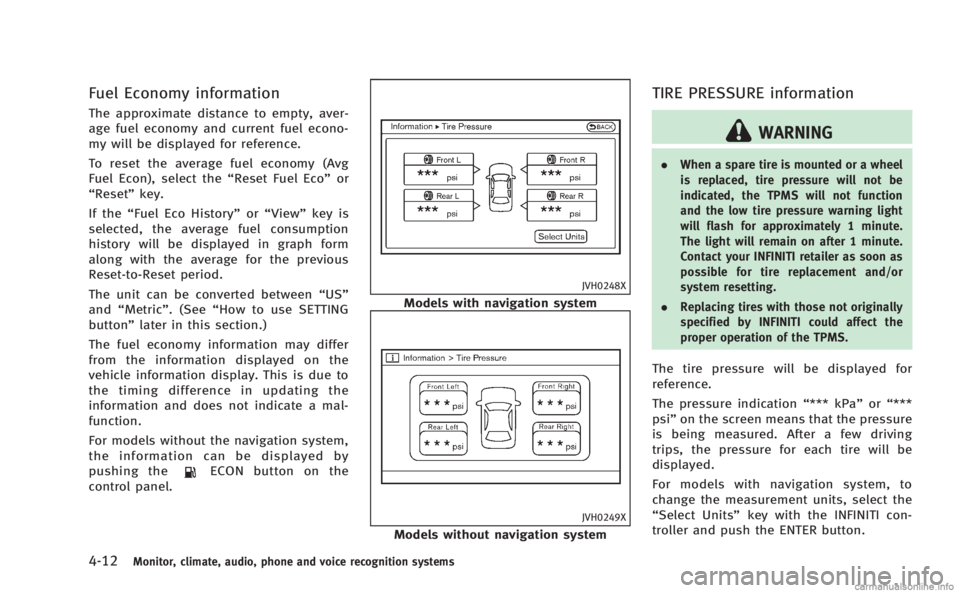
The tire pressure will be displayed for
reference.
The pressure indication “*** kPa”or“***
psi ”on the screen means that the pressure
is being measured. After a few driving
trips, the pressure for each tire will be
displayed.
For models with navigation system, to
change the measurement units, select the
“Select Units” key with the INFINITI con-
troller and push the ENTER button.
Page 190 of 522

JVH0176M
Switch Beeps settings (models
without navigation system)
The“Switch Beeps” screen will appear
when pushing the SETTING button, select-
ing the “Switch Beeps” key with the
INFINITI controller and pushing the ENTER
button.
Switch Beeps:
When this item is turned to ON, you will
hear a beep sound when you use a button.
ECO DRIVE settings (if so equipped)
To adjust the Eco pedal driver’s assist,
select the “Standard”, “Soft“or“OFF” key and adjust it with the INFINITI controller.
For the details of
“ECO DRIVE”, see “ECO
pedal system” in the“5. Starting and
driving” section.
DRIVER ASSISTANCE settings (if so
equipped)
For the details of the “Driver Assistance”
settings, see the following items:
. “Lane Departure Warning (LDW) sys-
tem/Lane Departure Prevention (LDP)
system” in the“5. Starting and driving”
section.
. “Blind Spot Warning (BSW) system/
Blind Spot Intervention
TM(BSI) system”
in the “5. Starting and driving” section.
. “Distance Control Assist (DCA) system”
in the “5. Starting and driving” section.
. “Forward Collision Warning (FCW) sys-
tem” in the “5. Starting and driving”
section.
SAA3008
Others settings (models with navi-
gation system)
The Others settings display will appear
when pushing the SETTING button and
selecting the “Others”key.
The following items are available:
. Comfort
. Language & Units
. Voice Recognition
. Infiniti Connection
. Camera
. Sonar
Monitor, climate, audio, phone and voice recognition systems4-19
Page 198 of 522
When the selector lever is shifted into the
“R”(Reverse) position, the monitor display
shows view to the rear of the vehicle.
The system is designed as an aid to the
driver in detecting large stationary objects
to help avoid damaging the vehicle. The
system will not detect small objects below
the bumper and may not detect objects
close to the bumper or on the ground.
WARNING
. The RearView camera is a convenience
but it is not a substitute for proper
backing up. Always turn and check that
it is safe to do so before backing up.
Always back up slowly.
. Objects viewed in the RearView Monitor
differ from actual distance because a
wide-angle lens is used. Objects in the
RearView Monitor will appear visually
opposite like ones viewed in the inside
and outside mirrors.
. Make sure that the trunk is securely
closed when backing up.
. Underneath the bumper and the corner
areas of the bumper cannot be viewed on
the RearView monitor because of its monitoring range limitation.
. Do not put anything on the RearView
camera. The RearView camera is in-
stalled above the license plate.
. When washing the vehicle with high-
pressure water, be sure not to spray it
around the camera. Otherwise, water
may enter the camera unit causing water
condensation on the lens, a malfunction,
fire or an electric shock.
. Do not strike the camera. It is a precision
instrument. Otherwise, it may malfunc-
tion or cause damage resulting in a fire
or an electric shock.
CAUTION
There is a plastic cover over the camera. Do
not scratch the cover when cleaning dirt or
snow from the cover.
SAA1896
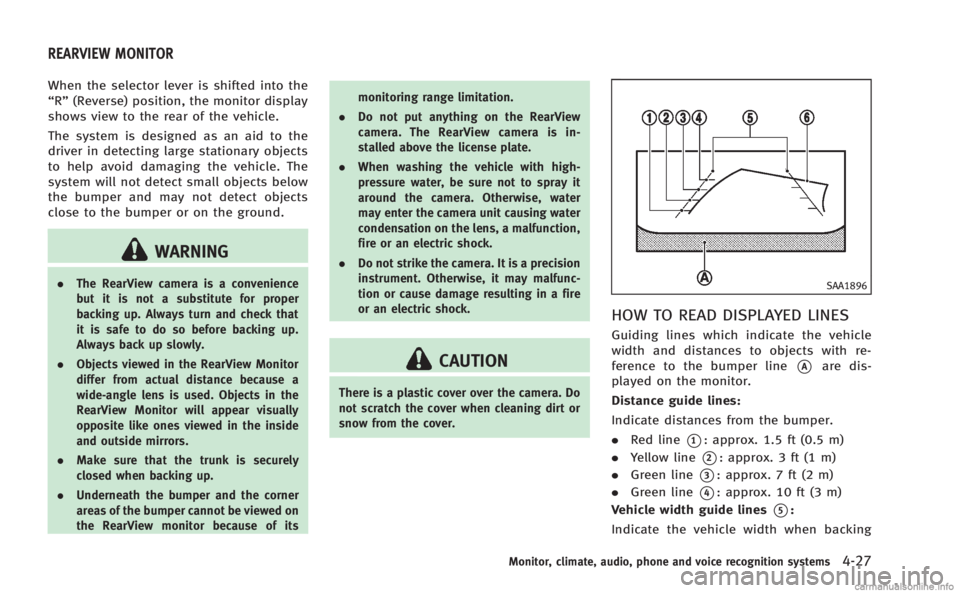
HOW TO READ DISPLAYED LINES
Guiding lines which indicate the vehicle
width and distances to objects with re-
ference to the bumper line
*Aare dis-
played on the monitor.
Distance guide lines:
Indicate distances from the bumper.
. Red line
*1: approx. 1.5 ft (0.5 m)
. Yellow line
*2: approx. 3 ft (1 m)
. Green line
*3: approx. 7 ft (2 m)
. Green line
*4: approx. 10 ft (3 m)
Vehicle width guide lines
*5:
Indicate the vehicle width when backing
Monitor, climate, audio, phone and voice recognition systems4-27
REARVIEW MONITOR
Page 199 of 522
4-28Monitor, climate, audio, phone and voice recognition systems
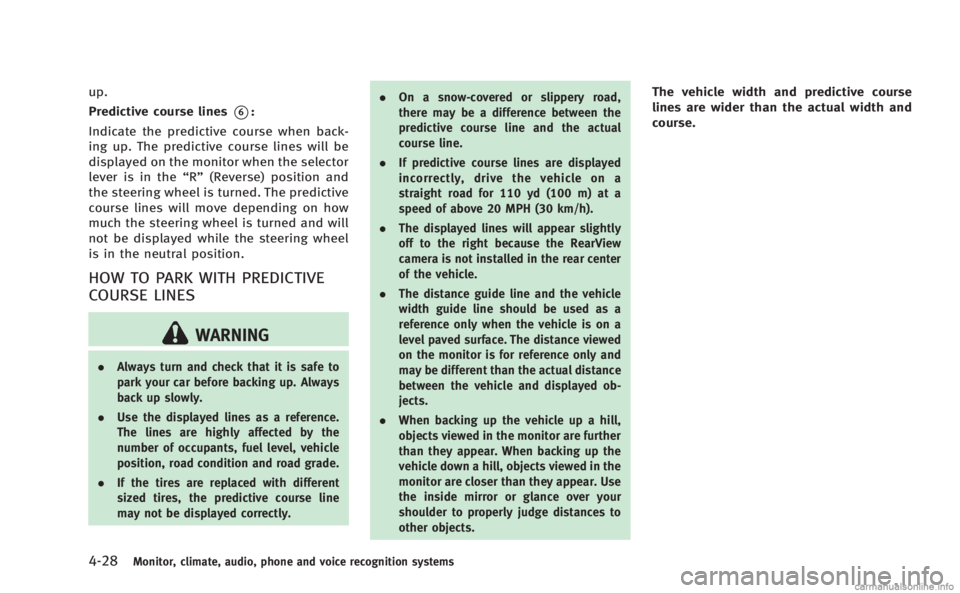
up.
Predictive course lines
*6:
Indicate the predictive course when back-
ing up. The predictive course lines will be
displayed on the monitor when the selector
lever is in the “R”(Reverse) position and
the steering wheel is turned. The predictive
course lines will move depending on how
much the steering wheel is turned and will
not be displayed while the steering wheel
is in the neutral position.
HOW TO PARK WITH PREDICTIVE
COURSE LINES
WARNING
. Always turn and check that it is safe to
park your car before backing up. Always
back up slowly.
. Use the displayed lines as a reference.
The lines are highly affected by the
number of occupants, fuel level, vehicle
position, road condition and road grade.
. If the tires are replaced with different
sized tires, the predictive course line
may not be displayed correctly. .
On a snow-covered or slippery road,
there may be a difference between the
predictive course line and the actual
course line.
. If predictive course lines are displayed
incorrectly, drive the vehicle on a
straight road for 110 yd (100 m) at a
speed of above 20 MPH (30 km/h).
. The displayed lines will appear slightly
off to the right because the RearView
camera is not installed in the rear center
of the vehicle.
. The distance guide line and the vehicle
width guide line should be used as a
reference only when the vehicle is on a
level paved surface. The distance viewed
on the monitor is for reference only and
may be different than the actual distance
between the vehicle and displayed ob-
jects.
. When backing up the vehicle up a hill,
objects viewed in the monitor are further
than they appear. When backing up the
vehicle down a hill, objects viewed in the
monitor are closer than they appear. Use
the inside mirror or glance over your
shoulder to properly judge distances to
other objects.
The vehicle width and predictive course
lines are wider than the actual width and
course.
Page 205 of 522
4-34Monitor, climate, audio, phone and voice recognition systems
SAA3142
Front
SAA3012
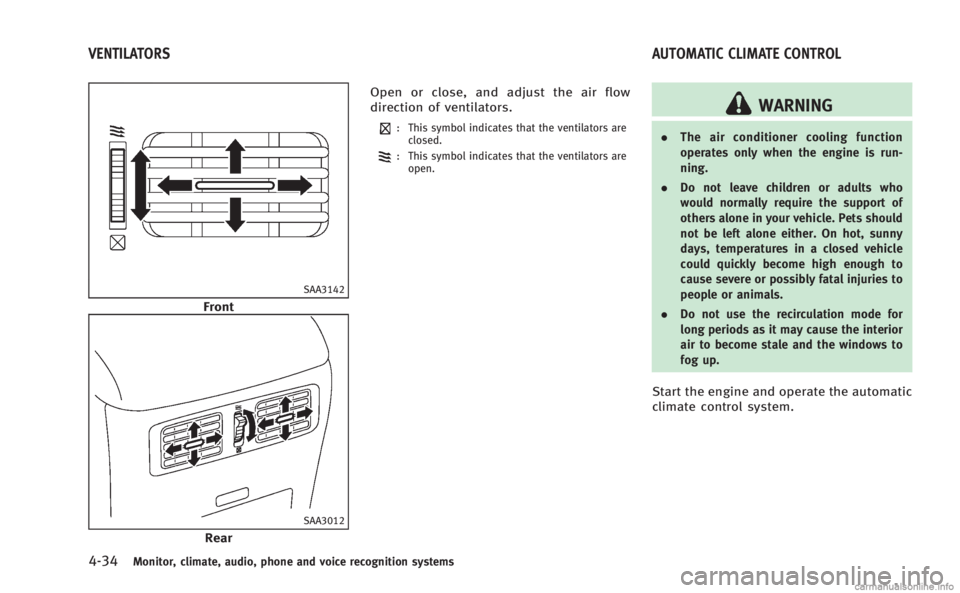
RearOpen or close, and adjust the air flow
direction of ventilators.
: This symbol indicates that the ventilators are
closed.
: This symbol indicates that the ventilators are
open.
WARNING
. The air conditioner cooling function
operates only when the engine is run-
ning.
. Do not leave children or adults who
would normally require the support of
others alone in your vehicle. Pets should
not be left alone either. On hot, sunny
days, temperatures in a closed vehicle
could quickly become high enough to
cause severe or possibly fatal injuries to
people or animals.
. Do not use the recirculation mode for
long periods as it may cause the interior
air to become stale and the windows to
fog up.
Start the engine and operate the automatic
climate control system.
VENTILATORS AUTOMATIC CLIMATE CONTROL
Page 219 of 522
4-48Monitor, climate, audio, phone and voice recognition systems
panel helps maintain a constant tempera-
ture. Do not put anything on or around this
sensor.
LINKING INTELLIGENT KEY
The Climate control system settings can be
memorized for each Intelligent Key. For
more details, see“Setting memory func-
tion” in the “3. Pre-driving checks and
adjustments” section.
IN-CABIN MICROFILTER
Without Forest Air
®system
The climate control system is equipped
with an in-cabin microfilter which collects
dirt, pollen, dust, allergen (such as pollen,
tick shell), etc. To make sure that the air
conditioner heats, defogs, and ventilates
efficiently, replace the filter in accordance
with the maintenance schedule in the
INFINITI Service and Maintenance Guide.
To replace the filter, contact an INFINITI
retailer.
The filter should be replaced if the air flow
decreases significantly or if windows fog
up easily when operating the heater or air
conditioner.
With Forest Air®system
The climate control system is equipped
with a natural grape seed polyphenol filter
which collects and neutralizes dirt, pollen,
dust, etc. To make sure that the air
conditioner heats, defogs and ventilates
efficiently, replace the filter in accordance
with the maintenance schedule in the
INFINITI Service and Maintenance Guide.
To replace the filter, contact an INFINITI
retailer.
The filter should be replaced if the air flow
decreases significantly or if windows fog
up easily when operating the heater or air
conditioner.
SERVICING CLIMATE CONTROL
The climate control system in your INFINITI
is charged with a refrigerant designed with
the environment in mind. This refrigerant
will not harm the earth’s ozone layer.
However, special charging equipment and
lubricant are required when servicing your
INFINITI air conditioner. Using improper
refrigerants or lubricants will cause severe
damage to your climate control system.
(See “Capacities and recommended fuel/
lubricants” in the“9. Technical and con-
sumer information” section for climate control system refrigerant and lubricant
recommendations.)
Your INFINITI retailer will be able to service
your environmentally friendly climate con-
trol system.
WARNING
The system contains refrigerant under high
pressure. To avoid personal injury, any air
conditioner service should be done only by
an experienced technician with the proper
equipment.
Page 226 of 522

USB (Universal Serial Bus)
WARNING
Do not connect or disconnect the USB device
while driving. Doing so can be a distraction.
If distracted you could lose control of your
vehicle and cause an accident or serious
injury.
NOTE:
.Do not force the USB device into the
USB port. Inserting the USB device
tilted or up-side-down into the port
may damage the USB device and the
port. Make sure that the USB device is
connected correctly into the USB port.
. Do not grab the USB port cover (if so
equipped) when pulling the USB device
out of the port. This could damage the
port and the cover.
. Do not leave the USB cable in a place
where it can be pulled unintentionally.
Pulling the cable may break the wire,
USB device or the port.
The vehicle is not equipped with a USB
memory (flash drive). Customers should
prepare USB devices as necessary. This system cannot be used to format USB
devices. To format a USB device, use a
personal computer.
In some countries, the USB device for the
front seats plays only sound without
images for regulatory reasons, even when
the vehicle is parked.
This system supports various USB memory
devices, USB hard drives and iPod
®
players. Some USB devices may not be
supported by this system.
.
Partitioned USB devices may not be
played correctly.
. Some characters used in other lan-
guages (Chinese, Japanese, etc.) are
not displayed properly on the vehicle
center screen. Using English language
characters with a USB device is recom-
mended.
General notes for USB use:
. The USB device may not function when
the passenger compartment tempera-
ture is extremely high. Lower the
temperature before use.
. During cold weather or rainy days, the
player may malfunction due to humid-
ity. If this occurs, remove the USB
device and dehumidify or ventilate the USB player completely.
. Do not connect a USB device if a
connector, cable or USB port is wet.
Allow the connector, cable, and USB
port to dry completely before connect-
ing the USB device. (Wait for 24 hours
or more until it is dry.) If the connector
and USB port are exposed to fluids
other than water, evaporative residue
may cause a short circuit between the
connector pins and USB port. In this
case, replace the cable and USB port.
Otherwise damage to the USB device
and a loss of function may occur.
. If the cable is damaged (insulation cut,
connectors cracked, contamination
such as liquids, dust, dirt, etc. in the
connectors), do not use the cable.
Replace the cable with a new one.
. Do not put a USB device in a location
where static electricity occurs, electrical
noise is generated or hot air from the
air conditioner blows directly on it.
Doing so may cause the data stored on
the USB device to be corrupted.
. Be careful not to do the following or the
cable could be damaged and a loss of
function may occur.
Monitor, climate, audio, phone and voice recognition systems4-55
Page 239 of 522
4-68Monitor, climate, audio, phone and voice recognition systems
Text (models without navigation system):
When the“Text”key is selected in the
screen using the INFINITI controller and
then the ENTER button is pushed while the
CD is being played, the music information
below will be displayed on the screen.
CD:
. Disc title
. Track title
CD with compressed audio files:
. Folder title
. File title
. Song title
. Album title
. Artist
Next/Previous Track and Fast For-
ward/Rewind:
When the
orbutton is pushed for
more than 1.5 seconds while the CD is
being played, the CD will play while fast
forwarding or rewinding. When the button
is released, the CD will return to normal
play speed.
When the
orbutton is pushed for
less than 1.5 seconds while the CD is being
played, the next track or the beginning of the current track on the CD will be played.
RANDOM (RDM), REPEAT (RPT):
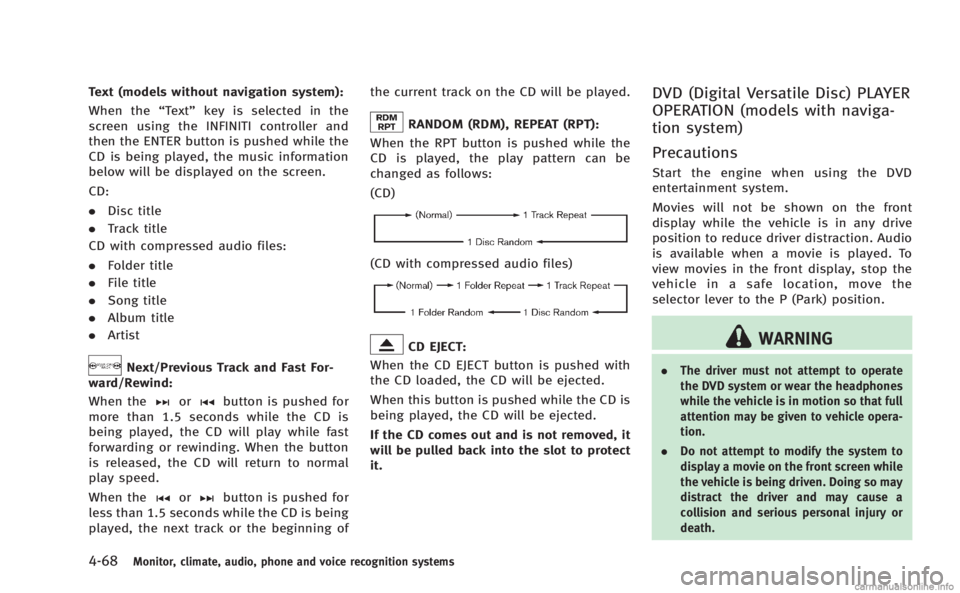
When the RPT button is pushed while the
CD is played, the play pattern can be
changed as follows:
(CD)
(CD with compressed audio files)
CD EJECT:
When the CD EJECT button is pushed with
the CD loaded, the CD will be ejected.
When this button is pushed while the CD is
being played, the CD will be ejected.
If the CD comes out and is not removed, it
will be pulled back into the slot to protect
it.
DVD (Digital Versatile Disc) PLAYER
OPERATION (models with naviga-
tion system)
Precautions
Start the engine when using the DVD
entertainment system.
Movies will not be shown on the front
display while the vehicle is in any drive
position to reduce driver distraction. Audio
is available when a movie is played. To
view movies in the front display, stop the
vehicle in a safe location, move the
selector lever to the P (Park) position.
WARNING
. The driver must not attempt to operate
the DVD system or wear the headphones
while the vehicle is in motion so that full
attention may be given to vehicle opera-
tion.
. Do not attempt to modify the system to
display a movie on the front screen while
the vehicle is being driven. Doing so may
distract the driver and may cause a
collision and serious personal injury or
death.
Page 257 of 522
4-86Monitor, climate, audio, phone and voice recognition systems
When installing a car phone or a CB radio
in your vehicle, be sure to observe the
following cautions, otherwise the new
equipment may adversely affect the elec-
tronic control modules and electronic con-
trol system harness.
WARNING
.A cellular phone should not be used for
any purpose while driving so full atten-
tion may be given to vehicle operation.
Some jurisdictions prohibit the use of
cellular phones while driving.
. If you must make a call while your
vehicle is in motion, the hands-free
cellular phone operational mode (if so
equipped) is highly recommended. Ex-
ercise extreme caution at all times so full
attention may be given to vehicle opera-
tion.
. If a conversation in a moving vehicle
requires you to take notes, pull off the
road to a safe location and stop your
vehicle before doing so.
CAUTION
.Keep the antenna as far away as
possible from the electronic control
modules.
. Keep the antenna wire more than 8 in
(20 cm) away from the electronic control
system harness. Do not route the anten-
na wire next to any harness.
. Adjust the antenna standing-wave ratio
as recommended by the manufacturer.
. Connect the ground wire from the CB
radio chassis to the body.
. For details, consult an INFINITI retailer.
WARNING
.Use a phone after stopping your vehicle
in a safe location. If you have to use a
phone while driving, exercise extreme
caution at all times so full attention may
be given to vehicle operation.
. If you find yourself unable to devote full
attention to vehicle operation while
talking on the phone, pull off the road
to a safe location and stop your vehicle
before doing so.
CAUTION
To avoid draining the vehicle battery, use a
phone after starting the engine.
Your INFINITI is equipped with Bluetooth®
Hands-Free Phone System. If you are an
owner of a compatible Bluetooth®enabled
cellular phone, you can set up the wireless
connection between your cellular phone
and the in-vehicle phone module. With
Bluetooth
®wireless technology, you can
make or receive a telephone call with your
cellular phone in your pocket.
CAR PHONE OR CB RADIO Bluetooth®HANDS-FREE PHONE SYSTEM
(models with navigation system)
Page 268 of 522

WARNING
.Use a phone after stopping your vehicle
in a safe location. If you have to use a
phone while driving, exercise extreme
caution at all times so full attention may
be given to vehicle operation.
. If you find yourself unable to devote full
attention to vehicle operation while
talking on the phone, pull off the road
to a safe location and stop your vehicle
before doing so.
CAUTION
To avoid draining the vehicle battery, use a
phone after starting the engine.
Your vehicle is equipped with Bluetooth®
Hands-Free Phone System. If you are an
owner of a Bluetooth®enabled cellular
phone, you can set up the wireless
connection between your cellular phone
and the in-vehicle phone module. With
Bluetooth
®wireless technology, you can
make or receive a telephone call with your
cellular phone in your pocket. Once your cellular phone is paired to the
in-vehicle phone module, no phone con-
necting procedure is required. Your phone
is automatically connected with the in-
vehicle phone module when the ignition
switch is pushed to the
“ON”position with
the registered cellular phone turned on
and carried in the vehicle.
You can register up to 5 different Blue-
tooth
®cellular phones in the in-vehicle
phone module. However, you can talk on
only one cellular phone at a time.
When a call is active, the audio system and
microphone (located in the ceiling in front
of the RearView mirror) are used for the
handsfree communications.
If the audio system is being used at the
time, the audio mode will mute and will
stay muted until the active call is ended.
The INFINITI Voice Recognition system
supports the phone commands, so dialing
a phone number using your voice is
possible.
Before using the Bluetooth
®Hands-Free
Phone System, refer to the following notes.
. Wireless LAN (Wi-Fi) and the Bluetooth
®
functions share the same frequency
band (2.4 GHz). Using the Bluetooth®
and the wireless LAN functions at the
same time may slow down or discon-
nect the communication and cause
undesired noise. It is recommended
that you turn off the wireless LAN (Wi-
Fi) when using the Bluetooth
®func-
tions.
. Set up the wireless connection between
a cellular phone and the in-vehicle
phone module before using the Blue-
tooth
®Hands-Free Phone System.
. Some Bluetooth®enabled cellular
phones may not be recognized by the
in-vehicle phone module.
. You will not be able to use a hands-free
phone under the following conditions:
— Your vehicle is outside of the tele-
phone service area.
— Your vehicle is in an area where it is
difficult to receive radio waves; such
as in a tunnel, in an underground
parking garage, behind a tall build-
ing or in a mountainous area.
— Your cellular phone is locked in
order not to be dialed.
. When the radio wave condition is not
ideal or ambient sound is too loud, it
may be difficult to hear the other
person’s voice during a call.
Monitor, climate, audio, phone and voice recognition systems4-97
Bluetooth®HANDS-FREE PHONE SYSTEM
(models without navigation system)