climate control INFINITI Q60 2014 Workshop Manual
[x] Cancel search | Manufacturer: INFINITI, Model Year: 2014, Model line: Q60, Model: INFINITI Q60 2014Pages: 466, PDF Size: 3.2 MB
Page 242 of 466
less than 1.5 seconds while the iPod®
audio device is being played, the next track
will be played.
When the Rewind button is pushed for less
than 1.5 seconds within 3 seconds after
the current track started playing, the
previous track will be played.
When the Rewind button is pushed for less
than 1.5 seconds after 3 seconds from
when the current track started playing, the
beginning of the current track will be
played.
The INFINITI controller can also be used to
select tracks when the iPod
®is playing.
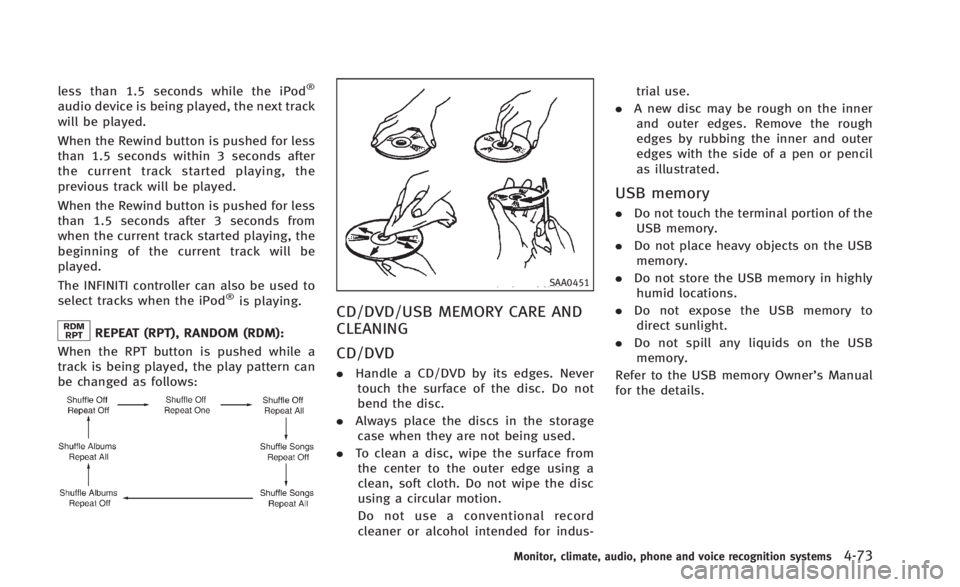
REPEAT (RPT), RANDOM (RDM):
When the RPT button is pushed while a
track is being played, the play pattern can
be changed as follows:
SAA0451
CD/DVD/USB MEMORY CARE AND
CLEANING
CD/DVD
. Handle a CD/DVD by its edges. Never
touch the surface of the disc. Do not
bend the disc.
. Always place the discs in the storage
case when they are not being used.
. To clean a disc, wipe the surface from
the center to the outer edge using a
clean, soft cloth. Do not wipe the disc
using a circular motion.
Do not use a conventional record
cleaner or alcohol intended for indus- trial use.
. A new disc may be rough on the inner
and outer edges. Remove the rough
edges by rubbing the inner and outer
edges with the side of a pen or pencil
as illustrated.
USB memory
. Do not touch the terminal portion of the
USB memory.
. Do not place heavy objects on the USB
memory.
. Do not store the USB memory in highly
humid locations.
. Do not expose the USB memory to
direct sunlight.
. Do not spill any liquids on the USB
memory.
Refer to the USB memory Owner’s Manual
for the details.
Monitor, climate, audio, phone and voice recognition systems4-73
Page 243 of 466
4-74Monitor, climate, audio, phone and voice recognition systems
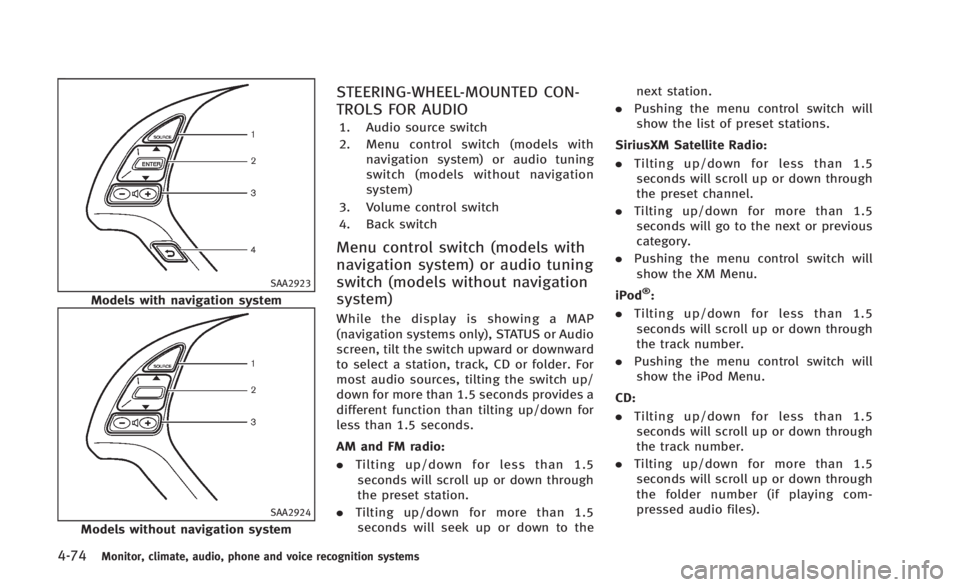
SAA2923
Models with navigation system
SAA2924
Models without navigation system
STEERING-WHEEL-MOUNTED CON-
TROLS FOR AUDIO
1. Audio source switch
2. Menu control switch (models withnavigation system) or audio tuning
switch (models without navigation
system)
3. Volume control switch
4. Back switch
Menu control switch (models with
navigation system) or audio tuning
switch (models without navigation
system)
While the display is showing a MAP
(navigation systems only), STATUS or Audio
screen, tilt the switch upward or downward
to select a station, track, CD or folder. For
most audio sources, tilting the switch up/
down for more than 1.5 seconds provides a
different function than tilting up/down for
less than 1.5 seconds.
AM and FM radio:
. Tilting up/down for less than 1.5
seconds will scroll up or down through
the preset station.
. Tilting up/down for more than 1.5
seconds will seek up or down to the next station.
. Pushing the menu control switch will
show the list of preset stations.
SiriusXM Satellite Radio:
. Tilting up/down for less than 1.5
seconds will scroll up or down through
the preset channel.
. Tilting up/down for more than 1.5
seconds will go to the next or previous
category.
. Pushing the menu control switch will
show the XM Menu.
iPod
®:
. Tilting up/down for less than 1.5
seconds will scroll up or down through
the track number.
. Pushing the menu control switch will
show the iPod Menu.
CD:
. Tilting up/down for less than 1.5
seconds will scroll up or down through
the track number.
. Tilting up/down for more than 1.5
seconds will scroll up or down through
the folder number (if playing com-
pressed audio files).
Page 244 of 466
.Pushing the menu control switch will
show the CD Menu.
DVD (models with navigation system):
. Tilting up/down for less than 1.5
seconds will scroll up or down through
the track number.
. Tilting up/down for more than 1.5
seconds will scroll up or down through
the title number.
. Pushing the menu control switch will
select an item from the DVD display.
. When the transparent operation menu
appears, the switch will control the
menu.
USB:
. Tilting up/down for less than 1.5
seconds will scroll up or down through
the track number.
. Tilting up/down for more than 1.5
seconds will scroll up or down through
the folder number.
. Pushing the menu control switch will
show the USB Menu.
Bluetooth
®Audio (models with navigation
system):
. Tilting up/down for less than 1.5
seconds will scroll up or down through the track number.
BACK switch (models with
navigation system)
Push this switch to go back to the previous
screen or cancel the selection if it is not
completed.
Volume control switches
Push the upper (+) or lower (−) side switch
to increase or decrease the volume.
Audio source switch
Push the source select switch to change
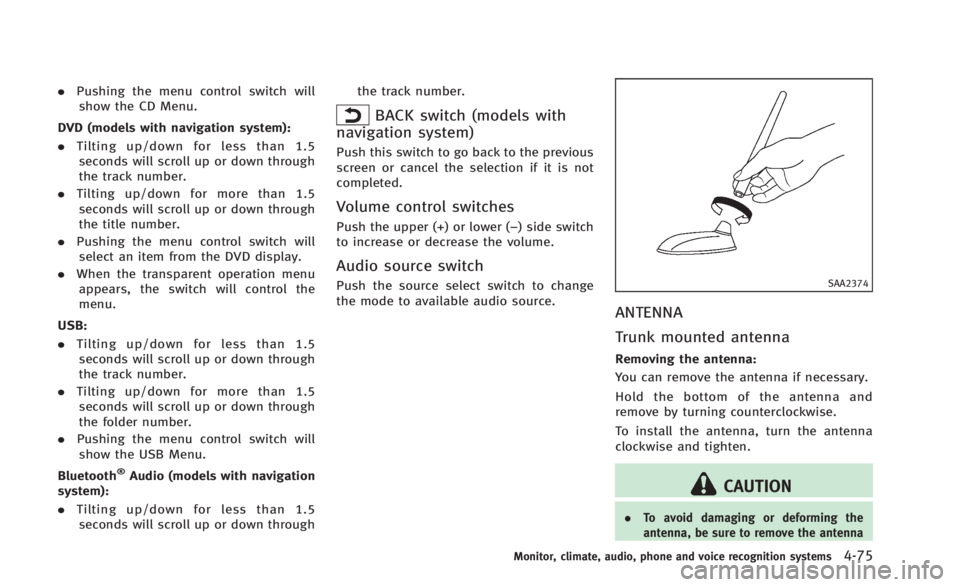
the mode to available audio source.SAA2374
ANTENNA
Trunk mounted antenna
Removing the antenna:
You can remove the antenna if necessary.
Hold the bottom of the antenna and
remove by turning counterclockwise.
To install the antenna, turn the antenna
clockwise and tighten.
CAUTION
. To avoid damaging or deforming the
antenna, be sure to remove the antenna
Monitor, climate, audio, phone and voice recognition systems4-75
Page 245 of 466
4-76Monitor, climate, audio, phone and voice recognition systems
under the following conditions.
—The vehicle enters an automatic carwash.
—The vehicle enters a garage with alow ceiling.
—The vehicle is covered with a car
cover.
. Always properly tighten the antenna rod
during installation. Otherwise, the an-
tenna rod may break during vehicle
operation.
When installing a car phone or a CB radio
in your vehicle, be sure to observe the
following cautions, otherwise the new
equipment may adversely affect the elec-
tronic control modules and electronic con-
trol system harness.
WARNING
.A cellular phone should not be used for
any purpose while driving so full atten-
tion may be given to vehicle operation.
Some jurisdictions prohibit the use of
cellular phones while driving.
. If you must make a call while your
vehicle is in motion, the hands-free
cellular phone operational mode (if so
equipped) is highly recommended. Ex-
ercise extreme caution at all times so full
attention may be given to vehicle opera-
tion.
. If a conversation in a moving vehicle
requires you to take notes, pull off the
road to a safe location and stop your
vehicle before doing so.
CAUTION
.Keep the antenna as far away as
possible from the electronic control
modules.
. Keep the antenna wire more than 8 in
(20 cm) away from the electronic control
system harness. Do not route the anten-
na wire next to any harness.
. Adjust the antenna standing-wave ratio
as recommended by the manufacturer.
. Connect the ground wire from the CB
radio chassis to the body.
. For details, consult an INFINITI retailer.
CAR PHONE OR CB RADIO
Page 248 of 466
SAA1772
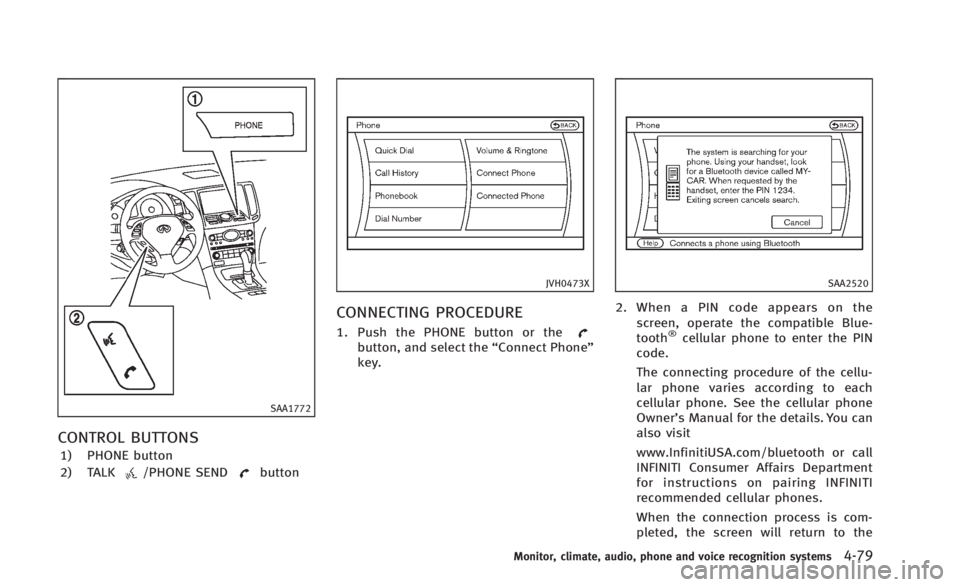
CONTROL BUTTONS
1) PHONE button
2) TALK
/PHONE SENDbutton
JVH0473X
CONNECTING PROCEDURE
1. Push the PHONE button or thebutton, and select the“Connect Phone”
key.
SAA2520
2. When a PIN code appears on the screen, operate the compatible Blue-
tooth
®cellular phone to enter the PIN
code.
The connecting procedure of the cellu-
lar phone varies according to each
cellular phone. See the cellular phone
Owner’s Manual for the details. You can
also visit
www.InfinitiUSA.com/bluetooth or call
INFINITI Consumer Affairs Department
for instructions on pairing INFINITI
recommended cellular phones.
When the connection process is com-
pleted, the screen will return to the
Monitor, climate, audio, phone and voice recognition systems4-79
Page 253 of 466
4-84Monitor, climate, audio, phone and voice recognition systems
.Answer
Accept an incoming call to talk.
. Hold Call
Put an incoming call on hold.
. Reject Call
Reject an incoming call.
To finish the call, perform one of the
following procedures listed below.
a) Select the “Hang up”key.
b) Push the PHONE button on the instru- ment panel.
c) Push the
button on the steering
wheel.SAA3587
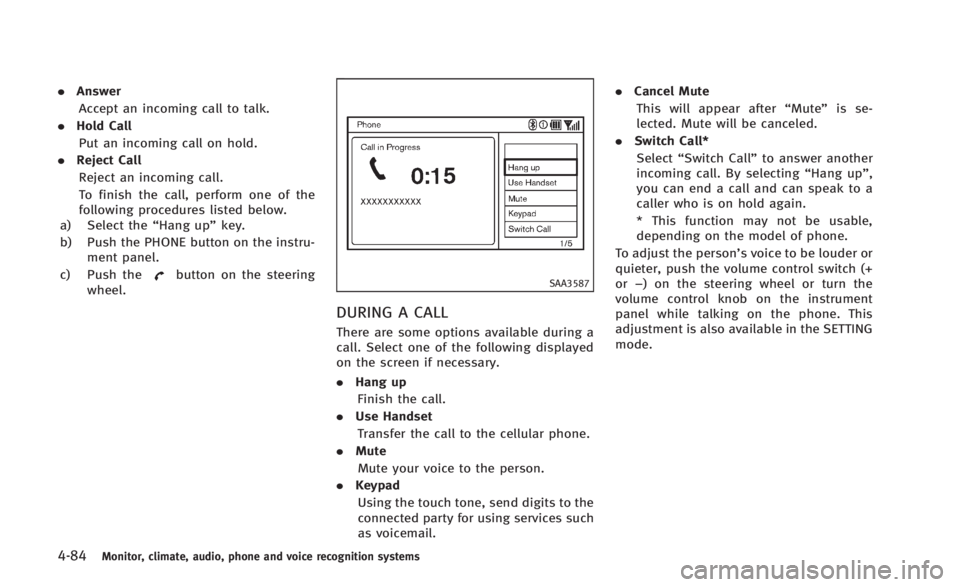
DURING A CALL
There are some options available during a
call. Select one of the following displayed
on the screen if necessary.
. Hang up
Finish the call.
. Use Handset
Transfer the call to the cellular phone.
. Mute
Mute your voice to the person.
. Keypad
Using the touch tone, send digits to the
connected party for using services such
as voicemail. .
Cancel Mute
This will appear after “Mute”is se-
lected. Mute will be canceled.
. Switch Call*
Select “Switch Call” to answer another
incoming call. By selecting “Hang up”,
you can end a call and can speak to a
caller who is on hold again.
* This function may not be usable,
depending on the model of phone.
To adjust the person’s voice to be louder or
quieter, push the volume control switch (+
or −) on the steering wheel or turn the
volume control knob on the instrument
panel while talking on the phone. This
adjustment is also available in the SETTING
mode.
Page 254 of 466
JVH0480X
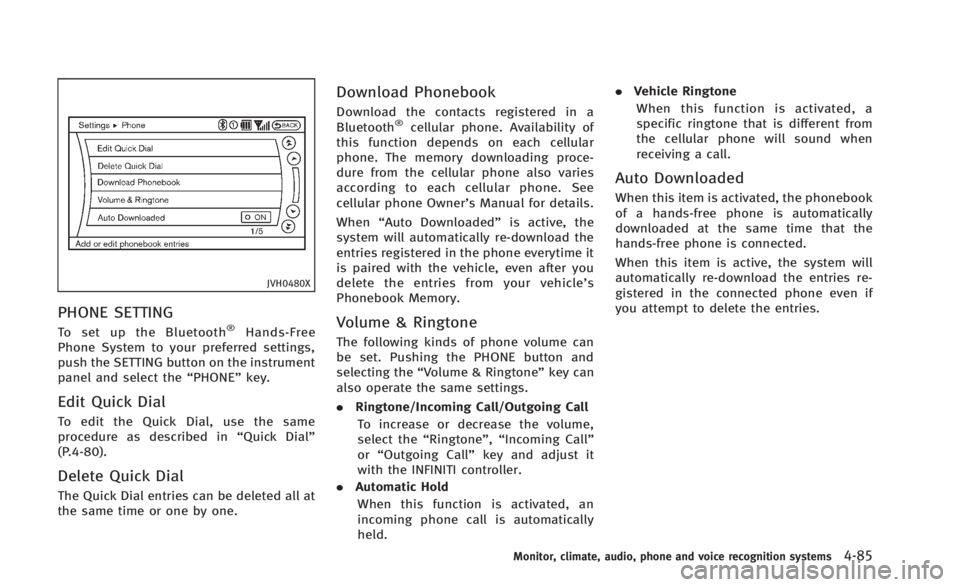
PHONE SETTING
To set up the Bluetooth®Hands-Free
Phone System to your preferred settings,
push the SETTING button on the instrument
panel and select the “PHONE”key.
Edit Quick Dial
To edit the Quick Dial, use the same
procedure as described in “Quick Dial”
(P.4-80).
Delete Quick Dial
The Quick Dial entries can be deleted all at
the same time or one by one.
Download Phonebook
Download the contacts registered in a
Bluetooth®cellular phone. Availability of
this function depends on each cellular
phone. The memory downloading proce-
dure from the cellular phone also varies
according to each cellular phone. See
cellular phone Owner’s Manual for details.
When “Auto Downloaded” is active, the
system will automatically re-download the
entries registered in the phone everytime it
is paired with the vehicle, even after you
delete the entries from your vehicle’ s
Phonebook Memory.
Volume & Ringtone
The following kinds of phone volume can
be set. Pushing the PHONE button and
selecting the “Volume & Ringtone” key can
also operate the same settings.
. Ringtone/Incoming Call/Outgoing Call
To increase or decrease the volume,
select the “Ringtone”, “Incoming Call”
or “Outgoing Call” key and adjust it
with the INFINITI controller.
. Automatic Hold
When this function is activated, an
incoming phone call is automatically
held. .
Vehicle Ringtone
When this function is activated, a
specific ringtone that is different from
the cellular phone will sound when
receiving a call.
Auto Downloaded
When this item is activated, the phonebook
of a hands-free phone is automatically
downloaded at the same time that the
hands-free phone is connected.
When this item is active, the system will
automatically re-download the entries re-
gistered in the connected phone even if
you attempt to delete the entries.
Monitor, climate, audio, phone and voice recognition systems4-85
Page 258 of 466

Bluetooth®trademark
Bluetooth®is a trademark
owned by Bluetooth SIG, Inc.,
and licensed to Visteon Cor-
poration.
SAA1582
CONTROL BUTTONS
1. PHONE SENDbutton
Push the button to initiate a VR (Voice
Recognition) session or answer an
incoming call. You can also use the
button to skip through system feedback
and to enter commands during a call.
2. PHONE END
button
Push the button to cancel a VR session
or end a call.
VOICE RECOGNITION SYSTEM
You can also use the Bluetooth®hands-
free phone system with Voice Recognition
System.
INFO
. The available voice commands are only
applicable to the relevant language set
in the LANGUAGE setting screen. (See
“How to use SETTING button” (P.4-13).)
. If the vehicle is in motion, some
commands may not be available so full
attention may be given to vehicle
operation.
Manual command selection
Commands can be selected manually.
While the commands are displayed on the
screen, select a command by operating the
Tune switch, and then push the
button. Once a command is manually
selected, the voice command function is
cancelled. To return to voice command
mode, push the
button to cancel the
current operation, and then perform the
first procedure of voice command.
Monitor, climate, audio, phone and voice recognition systems4-89
Page 260 of 466
SAA2574
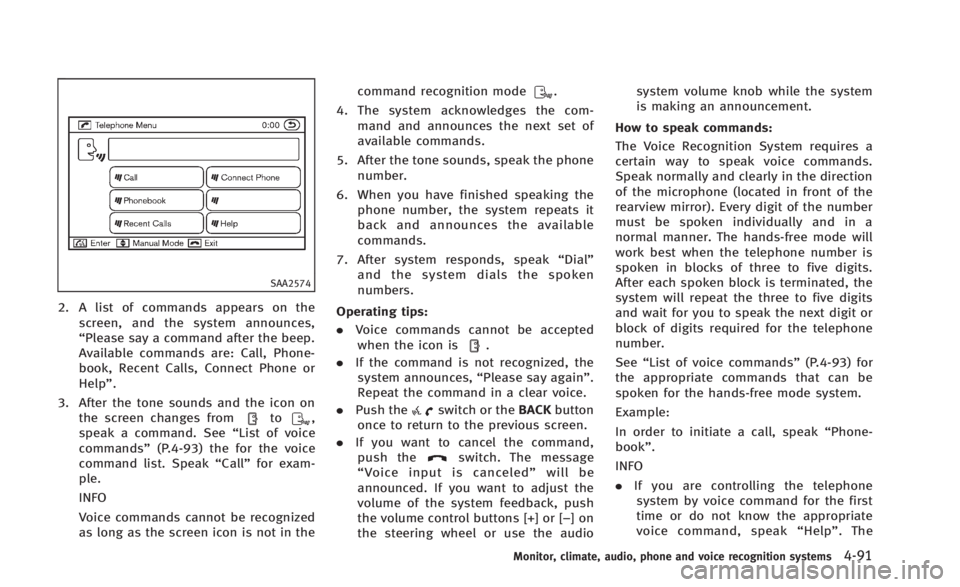
2. A list of commands appears on thescreen, and the system announces,
“Please say a command after the beep.
Available commands are: Call, Phone-
book, Recent Calls, Connect Phone or
Help”.
3. After the tone sounds and the icon on the screen changes from
to,
speak a command. See “List of voice
commands” (P.4-93) the for the voice
command list. Speak “Call”for exam-
ple.
INFO
Voice commands cannot be recognized
as long as the screen icon is not in the command recognition mode
.
4. The system acknowledges the com- mand and announces the next set of
available commands.
5. After the tone sounds, speak the phone number.
6. When you have finished speaking the phone number, the system repeats it
back and announces the available
commands.
7. After system responds, speak “Dial”
and the system dials the spoken
numbers.
Operating tips:
. Voice commands cannot be accepted
when the icon is
.
. If the command is not recognized, the
system announces, “Please say again”.
Repeat the command in a clear voice.
. Push the
switch or the BACKbutton
once to return to the previous screen.
. If you want to cancel the command,
push the
switch. The message
“ Voice input is canceled” will be
announced. If you want to adjust the
volume of the system feedback, push
the volume control buttons [+] or [−]on
the steering wheel or use the audio system volume knob while the system
is making an announcement.
How to speak commands:
The Voice Recognition System requires a
certain way to speak voice commands.
Speak normally and clearly in the direction
of the microphone (located in front of the
rearview mirror). Every digit of the number
must be spoken individually and in a
normal manner. The hands-free mode will
work best when the telephone number is
spoken in blocks of three to five digits.
After each spoken block is terminated, the
system will repeat the three to five digits
and wait for you to speak the next digit or
block of digits required for the telephone
number.
See “List of voice commands” (P.4-93) for
the appropriate commands that can be
spoken for the hands-free mode system.
Example:
In order to initiate a call, speak “Phone-
book”.
INFO
. If you are controlling the telephone
system by voice command for the first
time or do not know the appropriate
voice command, speak “Help” . The
Monitor, climate, audio, phone and voice recognition systems4-91
Page 272 of 466
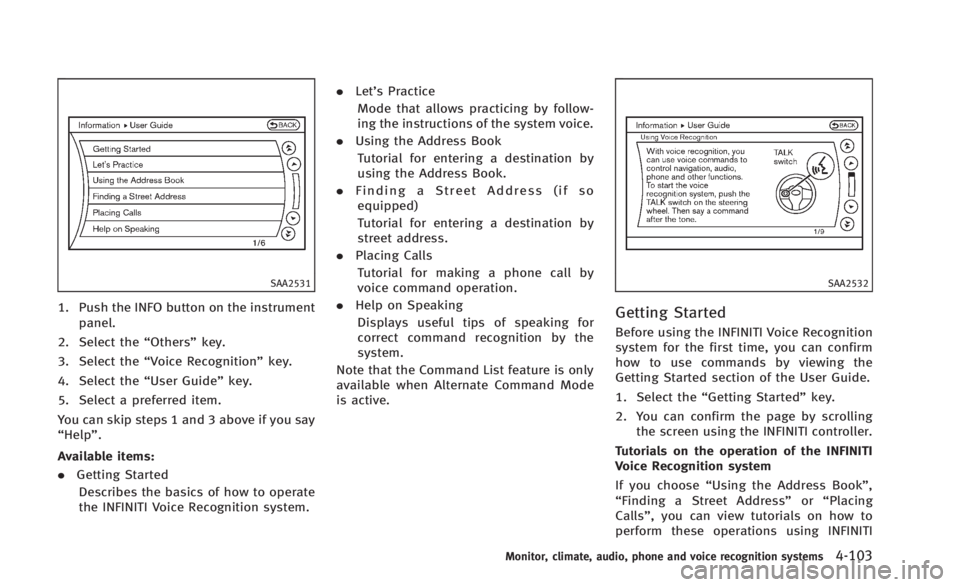
SAA2531
1. Push the INFO button on the instrumentpanel.
2. Select the “Others”key.
3. Select the “Voice Recognition” key.
4. Select the “User Guide”key.
5. Select a preferred item.
You can skip steps 1 and 3 above if you say
“Help”.
Available items:
. Getting Started
Describes the basics of how to operate
the INFINITI Voice Recognition system. .
Let’s Practice
Mode that allows practicing by follow-
ing the instructions of the system voice.
. Using the Address Book
Tutorial for entering a destination by
using the Address Book.
. Finding a Street Address (if so
equipped)
Tutorial for entering a destination by
street address.
. Placing Calls
Tutorial for making a phone call by
voice command operation.
. Help on Speaking
Displays useful tips of speaking for
correct command recognition by the
system.
Note that the Command List feature is only
available when Alternate Command Mode
is active.
SAA2532
Getting Started
Before using the INFINITI Voice Recognition
system for the first time, you can confirm
how to use commands by viewing the
Getting Started section of the User Guide.
1. Select the “Getting Started” key.
2. You can confirm the page by scrolling the screen using the INFINITI controller.
Tutorials on the operation of the INFINITI
Voice Recognition system
If you choose “Using the Address Book”,
“ Finding a Street Address” or“Placing
Calls”, you can view tutorials on how to
perform these operations using INFINITI
Monitor, climate, audio, phone and voice recognition systems4-103