light INFINITI Q60 2018 Service Manual
[x] Cancel search | Manufacturer: INFINITI, Model Year: 2018, Model line: Q60, Model: INFINITI Q60 2018Pages: 466, PDF Size: 2.47 MB
Page 102 of 466

19. All-Wheel Drive (AWD) warning
(if so equipped)
This warning appears when the Intelligent
All-Wheel Drive (AWD) system is not func-
tioning properly while the engine is running.
The displayed message will vary depending
on the condition of the AWD system mal-
function. (See “Intelligent All-Wheel Drive
(AWD)” (P.5-126).)
20. Extended storage fuse warning
This warning may appear if the extended
storage fuse switch is not pushed in
(switched on). When this warning appears,
push in (switch on) the extended storage
fuse switch to turn off the warning. For
more information, see “Extended storage
fuse switch” (P.8-26).
21. Adaptive Front lighting System
(AFS) warning (if so equipped)
This warning appears when the Adaptive
Front lighting System (AFS) is not function-
ing properly. It is recommended you have the
system checked by an INFINITI retailer.
(See “Adaptive Front lighting System (AFS)”
(P.2-42).)
22. Power will turn off to save the
battery warning
This warning appears after a period of time
if the shift lever has not moved from the “P”
(Park) position with the ignition switch in the
ACC or ON position.
23. Power turned off to save the
battery warning
This warning appears after the ignition
switch is automatically turned OFF to save
the battery.
24. Light reminder warning
This warning appears when the driver side
door is opened with the headlight switch is
left ON and the ignition switch is placed in
the ACC, OFF or LOCK position. Place the
headlight switch to “OFF” or “AUTO” posi-
tion. For additional information, see “Head-
light and turn signal switch” (P.2-38).
25. “TIMER” indicator
This indicator appears when the set “TIMER”
indicator activates. You can set the time for
up to 6 hours. (See the Infiniti InTouch
Owner’s Manual.)
26. Low outside temperature
warning
This warning appears if the outside tem-
perature is below 37°F (3°C). The warning
can be set not to be displayed. (See the
Infiniti InTouch Owner’s Manual.)
27. Chassis control warning
This warning appears if Active Lane Control
(if so equipped), the active trace control
system and/or chassis control are not
functioning properly. It is recommended
you have the system checked by an INFINITI
retailer. (See “Active Lane Control” (P.5-26),
“Active trace control” (P.5-136) and “Chassis
control” (P.5-138).)
28. Cruise indicator
Models without Intelligent Cruise Control
(ICC) system:
This indicator shows the cruise control
system status. The status is shown by the
color.
See “Cruise control” (P.5-71) for details.
Models with Intelligent Cruise Control (ICC)
system:
This indicator shows the conventional (fixed
speed) cruise control mode status. The
status is shown by the color.
Instruments and controls2-25
Page 109 of 466

2-32Instruments and controls
The outside temperature sensor is located in
front of the radiator. The sensor may be
affected by road or engine heat, wind
directions and other driving conditions. The
display may differ from the actual outside
temperature or the temperature displayed
on various signs or billboards.
SIC2132
Your vehicle has two types of security
systems, as follows:
.Vehicle security system
.INFINITI Vehicle Immobilizer System
The security condition will be shown by the
security indicator light.
VEHICLE SECURITY SYSTEM
The vehicle security system provides visual
and audio alarm signals if someone opens
the doors, hood, or trunk lid when the
system is armed. It is not, however, a motion
detection type system that activates when a
vehicle is moved or when a vibration occurs.
The system helps deter vehicle theft but
cannot prevent it, nor can it prevent thetheft of interior or exterior vehicle compo-
nents in all situations. Always secure your
vehicle even if parking for a brief period.
Never leave your Intelligent Key(s) in the
vehicle, and always lock it when unattended.
Be aware of your surroundings, and park in
secure, well-lit areas whenever possible.
Many devices offering additional protection,
such as component locks, identification
markers, and tracking systems, are available
at auto supply stores and specialty shops.
Your INFINITI retailer may also offer such
equipment. Check with your insurance com-
pany to see if you may be eligible for
discounts for various theft protection fea-
tures.
SECURITY SYSTEMS
Page 110 of 466

SIC2045
How to arm the vehicle security
system
1. Close all windows.
The system can be armed even if the
windows are open.
2. Push the ignition switch to the OFF
position.
3. Remove the Intelligent Key from the
vehicle.
4. Close all doors, hood and trunk. Lock all
doors. The doors can be locked with the
Intelligent Key, door handle request
switch, power door lock switch or me-
chanical key.5. Confirm that the security indicator light
comes on. The security indicator light
stays on for about 30 seconds. The
vehicle security system is now pre-
armed. After about 30 seconds the
vehicle security system automatically
shifts into the armed phase. The security
light begins to flash once every approxi-
mately 3 seconds. If, during this 30-
second pre-arm time period, the door is
unlocked, or the ignition switch is pushed
to ACC or ON, the system will not arm.
Even when the driver and/or passengers
are in the vehicle, the system will activate
with all doors, hood, and trunk lid locked
with the ignition switch in the LOCK
position. When pushing the ignition switch
to the ACC or ON position, the system will
be released.
Vehicle security system activation
The vehicle security system will give the
following alarm:
.The headlights blink and the horn sounds
intermittently.
.The alarm automatically turns off after
approximately 1 minute. However, the
alarm reactivates if the vehicle is tam-
pered with again.The alarm is activated by:
.Unlocking the door or opening the trunk
lid without using the button on the
Intelligent Key, the door handle request
switch, one touch unlock sensor or the
mechanical key. (Even if the door is
opened by releasing the door inside lock
knob, the alarm will activate.)
.Opening the hood.
How to stop an activated alarm
The alarm will stop by unlocking a door by
pushing the UNLOCK button on the Intelli-
gent Key, the door handle request switch,
touching the one touch unlock sensor or
using the mechanical key. The alarm will not
stop if the ignition switch is placed in the
ACC or ON position.
If the system does not operate as described
above, it is recommended you have it
checked by an INFINITI retailer.
INFINITI VEHICLE IMMOBILIZER
SYSTEM
The INFINITI Vehicle Immobilizer System
will not allow the engine to start without
the use of the registered Intelligent Key.
Never leave these keys in the vehicle.
Instruments and controls2-33
Page 111 of 466
2-34Instruments and controls
FCC Notice:
For USA:
This device complies with Part 15 of the
FCC Rules. Operation is subject to the
following two conditions: (1) This device
may not cause harmful interference, and (2)
this device must accept any interference
received, including interference that may
cause undesired operation.
NOTE:
Changes or modifications not expressly
approved by the party responsible for
compliance could void the user’s authority
to operate the equipment.
For Canada:
This device complies with Industry Canada
licence-exempt RSS standard(s). Operation
is subject to the following two conditions:
(1) this device may not cause interference,
and (2) this device must accept any inter-
ference, including interference that may
cause undesired operation of the device.
SIC2045
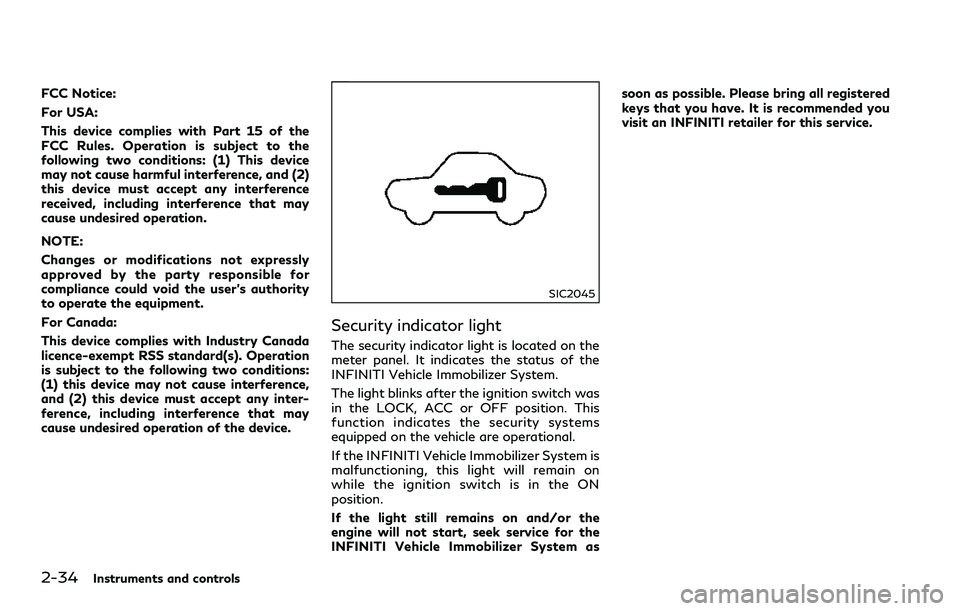
Security indicator light
The security indicator light is located on the
meter panel. It indicates the status of the
INFINITI Vehicle Immobilizer System.
The light blinks after the ignition switch was
in the LOCK, ACC or OFF position. This
function indicates the security systems
equipped on the vehicle are operational.
If the INFINITI Vehicle Immobilizer System is
malfunctioning, this light will remain on
while the ignition switch is in the ON
position.
If the light still remains on and/or the
engine will not start, seek service for the
INFINITI Vehicle Immobilizer System assoon as possible. Please bring all registered
keys that you have. It is recommended you
visit an INFINITI retailer for this service.
Page 114 of 466

.High — High sensitive operation
.Low — Low sensitive operation
To turn the rain-sensing auto wiper system
off, push up the lever to the OFF position, or
pull down the lever to the LO or HI position.
CAUTION
Do not touch the rain sensor and around
it when the wiper switch is in the AUTO
position and the ignition switch is in the
ON position. The wipers may operate
unexpectedly and cause to an injury or
may damage a wiper.
.The rain-sensing auto wipers are in-
tended for use during rain. If the switch
is left in the AUTO position, the wipers
may operate unexpectedly when dirt,
fingerprints, oil film or insects are stuck
on or around the sensor. The wipers may
also operate when exhaust gas or
moisture affect the rain sensor.
.The rain-sensing auto wipers may not
operate if rain does not hit the rain
sensor even if it is raining.
.When the windshield glass is coated
with water repellent, the speed of the
rain-sensing auto wipers may be higher
even though the amount of the rainfall is
small..Be sure to turn off the rain-sensing auto
wiper system when you use a car wash.
.Using genuine wiper blades is recom-
mended for proper operation of the
rain-sensing auto wiper system. (See
“Windshield wiper blades” (P.8-22) for
wiper blade replacement.)
JVI1441X
To defog/defrost the rear window glass and
outside mirrors, start the engine and push
the switch
on. The indicator lightwill
come on. Push the switch again to turn the
defroster off.
It will automatically turn off in approxi-
mately 15 minutes.
CAUTION
When cleaning the inner side of the rear
window, be careful not to scratch or
damage the rear window defroster.
Instruments and controls2-37
REAR WINDOW AND OUTSIDE
MIRROR DEFROSTER SWITCH
Page 115 of 466
2-38Instruments and controls
JVI1485X
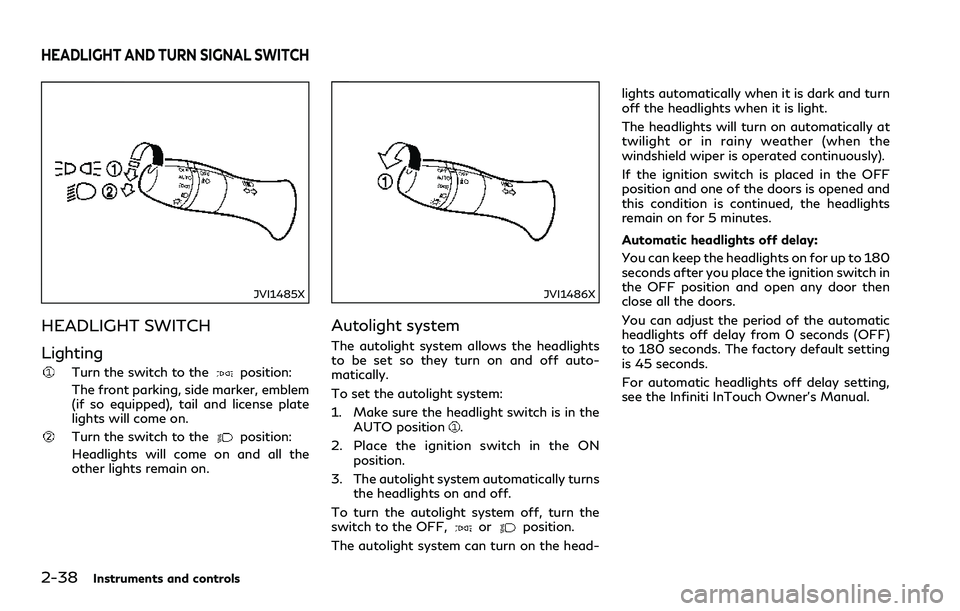
HEADLIGHT SWITCH
Lighting
Turn the switch to theposition:
The front parking, side marker, emblem
(if so equipped), tail and license plate
lights will come on.
Turn the switch to theposition:
Headlights will come on and all the
other lights remain on.
JVI1486X
Autolight system
The autolight system allows the headlights
to be set so they turn on and off auto-
matically.
To set the autolight system:
1. Make sure the headlight switch is in the
AUTO position
.
2. Place the ignition switch in the ON
position.
3. The autolight system automatically turns
the headlights on and off.
To turn the autolight system off, turn the
switch to the OFF,
orposition.
The autolight system can turn on the head-lights automatically when it is dark and turn
off the headlights when it is light.
The headlights will turn on automatically at
twilight or in rainy weather (when the
windshield wiper is operated continuously).
If the ignition switch is placed in the OFF
position and one of the doors is opened and
this condition is continued, the headlights
remain on for 5 minutes.
Automatic headlights off delay:
You can keep the headlights on for up to 180
seconds after you place the ignition switch in
the OFF position and open any door then
close all the doors.
You can adjust the period of the automatic
headlights off delay from 0 seconds (OFF)
to 180 seconds. The factory default setting
is 45 seconds.
For automatic headlights off delay setting,
see the Infiniti InTouch Owner’s Manual.
HEADLIGHT AND TURN SIGNAL SWITCH
Page 116 of 466
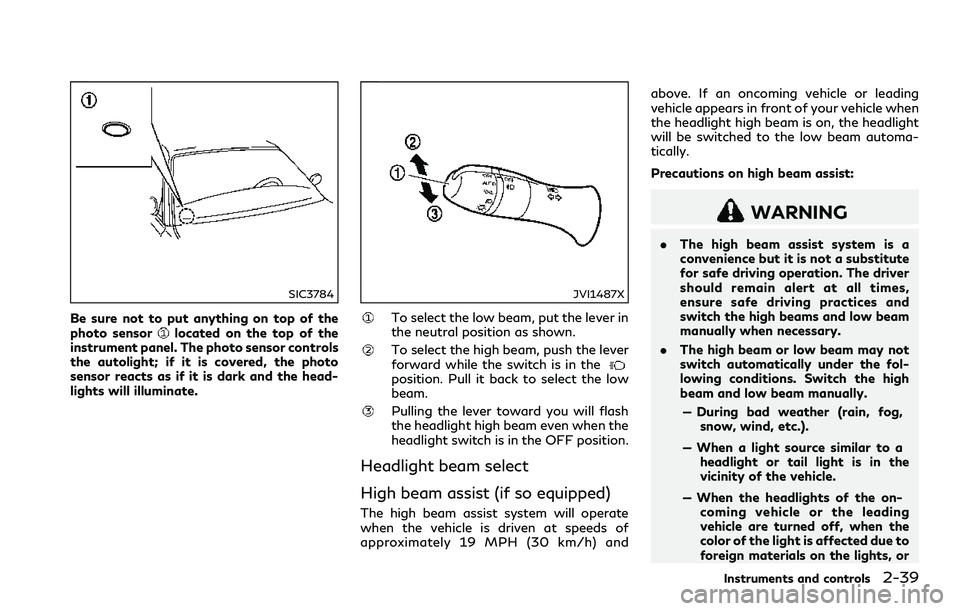
SIC3784
Be sure not to put anything on top of the
photo sensorlocated on the top of the
instrument panel. The photo sensor controls
the autolight; if it is covered, the photo
sensor reacts as if it is dark and the head-
lights will illuminate.
JVI1487X
To select the low beam, put the lever in
the neutral position as shown.
To select the high beam, push the lever
forward while the switch is in the
position. Pull it back to select the low
beam.
Pulling the lever toward you will flash
the headlight high beam even when the
headlight switch is in the OFF position.
Headlight beam select
High beam assist (if so equipped)
The high beam assist system will operate
when the vehicle is driven at speeds of
approximately 19 MPH (30 km/h) andabove. If an oncoming vehicle or leading
vehicle appears in front of your vehicle when
the headlight high beam is on, the headlight
will be switched to the low beam automa-
tically.
Precautions on high beam assist:
WARNING
.The high beam assist system is a
convenience but it is not a substitute
for safe driving operation. The driver
should remain alert at all times,
ensure safe driving practices and
switch the high beams and low beam
manually when necessary.
.The high beam or low beam may not
switch automatically under the fol-
lowing conditions. Switch the high
beam and low beam manually.
— During bad weather (rain, fog,
snow, wind, etc.).
— When a light source similar to a
headlight or tail light is in the
vicinity of the vehicle.
— When the headlights of the on-
coming vehicle or the leading
vehicle are turned off, when the
color of the light is affected due to
foreign materials on the lights, or
Instruments and controls2-39
Page 117 of 466
2-40Instruments and controls
when the light beam is out of
position.
— When there is a sudden, contin-
uous change in brightness.
— When driving on a road that
passes over rolling hills, or a road
that has level differences.
— When driving on a road with
many curves.
— When a sign or mirror-like sur-
face is reflecting intense light
towards the front of the vehicle.
— When the container, etc. being
towed by a leading vehicle is
reflecting intense light.
— When a headlight on your vehicle
is damaged or dirty.
— When the vehicle is leaning at an
angle due to a punctured tire,
being towed, etc.
.The timing of switching the low beam
and high beam may change under the
following situations.
— The brightness of the headlights
of the oncoming vehicle or leading
vehicle.
— The movement and direction of
the oncoming vehicle and theleading vehicle.
— When only one light on the on-
coming vehicle or the leading
vehicle is illuminated.
— When the oncoming vehicle or the
leading vehicle is a two-wheeled
vehicle.
— Road conditions (incline, curve,
the road surface, etc.).
— The number of passengers and
the amount of luggage.
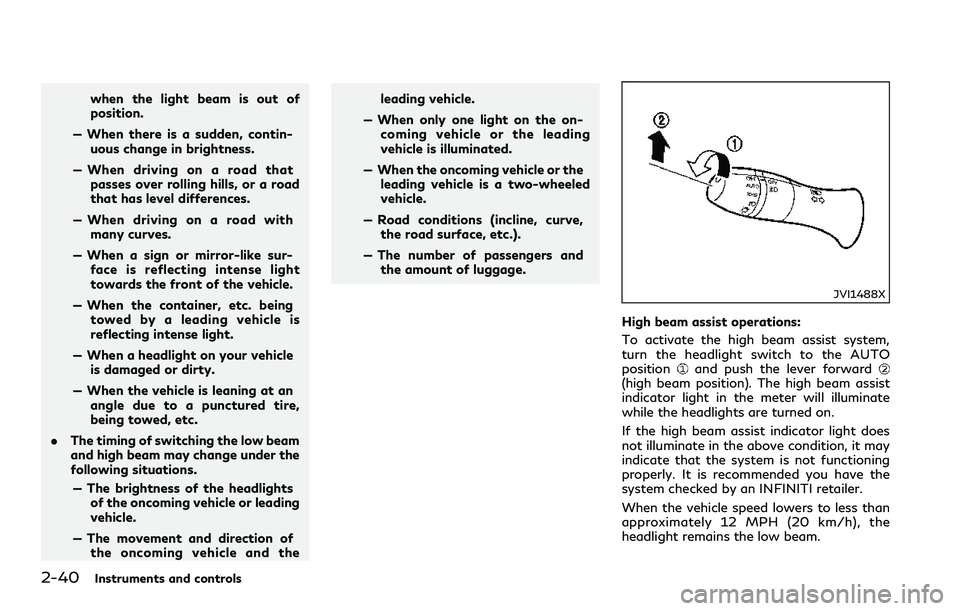
JVI1488X
High beam assist operations:
To activate the high beam assist system,
turn the headlight switch to the AUTO
position
and push the lever forward(high beam position). The high beam assist
indicator light in the meter will illuminate
while the headlights are turned on.
If the high beam assist indicator light does
not illuminate in the above condition, it may
indicate that the system is not functioning
properly. It is recommended you have the
system checked by an INFINITI retailer.
When the vehicle speed lowers to less than
approximately 12 MPH (20 km/h), the
headlight remains the low beam.
Page 118 of 466
To turn off the high beam assist system, turn
the headlight switch to theposition or
select the low beam position by placing the
lever in the neutral position.
JVS0823X
Ambient image sensor maintenance:
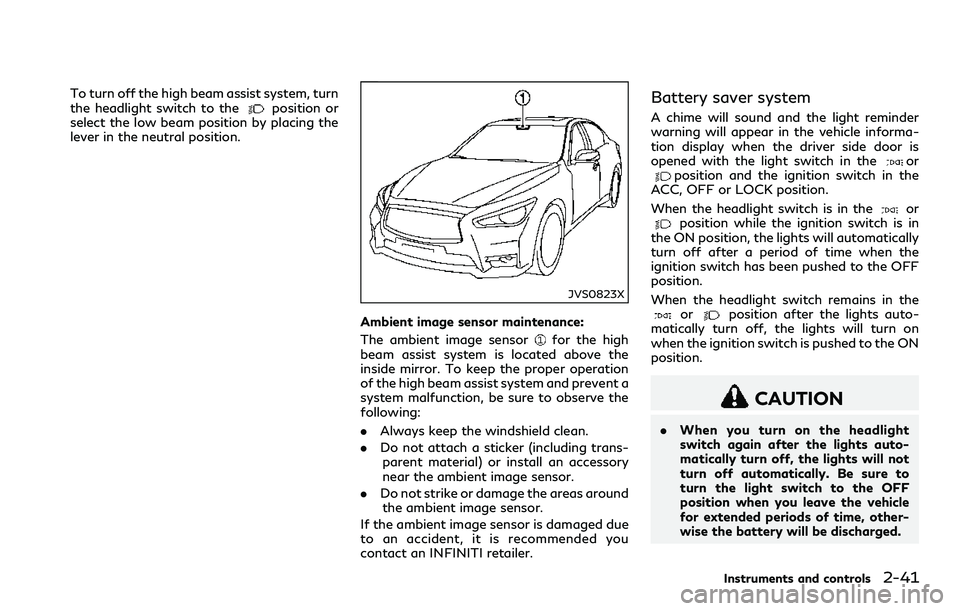
The ambient image sensor
for the high
beam assist system is located above the
inside mirror. To keep the proper operation
of the high beam assist system and prevent a
system malfunction, be sure to observe the
following:
.Always keep the windshield clean.
.Do not attach a sticker (including trans-
parent material) or install an accessory
near the ambient image sensor.
.Do not strike or damage the areas around
the ambient image sensor.
If the ambient image sensor is damaged due
to an accident, it is recommended you
contact an INFINITI retailer.
Battery saver system
A chime will sound and the light reminder
warning will appear in the vehicle informa-
tion display when the driver side door is
opened with the light switch in the
orposition and the ignition switch in the
ACC, OFF or LOCK position.
When the headlight switch is in the
orposition while the ignition switch is in
the ON position, the lights will automatically
turn off after a period of time when the
ignition switch has been pushed to the OFF
position.
When the headlight switch remains in the
orposition after the lights auto-
matically turn off, the lights will turn on
when the ignition switch is pushed to the ON
position.
CAUTION
.When you turn on the headlight
switch again after the lights auto-
matically turn off, the lights will not
turn off automatically. Be sure to
turn the light switch to the OFF
position when you leave the vehicle
for extended periods of time, other-
wise the battery will be discharged.
Instruments and controls2-41
Page 119 of 466

2-42Instruments and controls
.Never leave the light switch on when
the engine is not running for a period
of time even if the headlights turn off
automatically.
Daytime running light system
The daytime running lights automatically
illuminate when the engine is started with
the parking brake released. The daytime
running lights operate with the headlight
switch in the OFF, AUTO or
position.
Turn the headlight switch to theposition
for full illumination when driving at night.
If the parking brake is applied before the
engine is started, the daytime running lights
do not illuminate. The daytime running lights
illuminate once the parking brake is released.
The daytime running lights will remain on
until the ignition switch is pushed to the OFF
position.
WARNING
When the daytime running light system
is active, tail lights on your vehicle are
not on. It is necessary at dusk to turn on
your headlights. Failure to do so could
cause an accident injuring yourself and
others.
Adaptive Front lighting System
(AFS) (if so equipped)
The Adaptive Front lighting System (AFS)
will automatically adjust the headlights (low
beam) toward the turning direction to
improve the driver’s view. When the head-
light switch is ON and the driver operates
the steering wheel in a turn, the AFS system
will be activated.
The AFS will operate:
.when the headlight switch is ON.
.when the shift lever is in any position
other than P (Park) or R (Reverse).
.when the vehicle is driven at above 3
MPH (5 km/h) for the left-side head-
light. Note that the right-side low beam
headlight will swivel but the left-side
headlight will not swivel when the vehicle
is below 3 MPH (5 km/h) and the
steering wheel is turned.
AFS will also adjust the headlight to a proper
axis automatically, depending on the number
of occupants in the vehicle, the load the
vehicle is carrying and the road conditions.
If the AFS warning appears in the vehicle
information display after the ignition switch
has been pushed to the ON position, this
may indicate that the AFS is not functioning
properly. Have the system checked. It is
recommended you visit an INFINITI retailerfor this service. When the engine is started,
the headlights will vibrate to check the
system condition. This is not a malfunction.