fuel INFINITI Q60 COUPE 2014 User Guide
[x] Cancel search | Manufacturer: INFINITI, Model Year: 2014, Model line: Q60 COUPE, Model: INFINITI Q60 COUPE 2014Pages: 458, PDF Size: 4.27 MB
Page 97 of 458

2-26Instruments and controls
SIC3264
TRIP COMPUTER
Switches for the trip computer are located
on the right side of the combination meter
panel. To operate the trip computer, push
the side or front of the switches as shown
above.
*Aswitch
*Bswitch
When the ignition switch is pushed to the
ON position, modes of the trip computer
can be selected by pushing the
switch
*A.
Each time the
switch*Ais pushed, the
display will change as follows: Current fuel consumption
?Average fuel
consumption and speed ?Elapsed time
and trip odometer ?Distance to empty
(dte) ?Outside air temperature (ICY) ?
Setting ?Warning check
1. Current fuel consumption
The current fuel consumption mode shows
the current fuel consumption.
2. Average fuel consumption (MPG
or l (liter)/100 km) and speed (MPH
or km/h)
Fuel consumption:
The average fuel consumption mode shows
the average fuel consumption since the
last reset. Resetting is done by pushing the
switch*Bfor longer than 1 second.
(The average speed is also reset at the
same time.)
The display is updated every 30 seconds.
At about the first 1/3 mile (500 m) after a
reset, the display shows “——”.
Speed:
The average speed mode shows the
average vehicle speed since the last reset.
Resetting is done by pushing the
switch*Bfor longer than 1 second. (The average fuel consumption is also reset
at the same time.)
The display is updated every 30 seconds.
The first 30 seconds after a reset, the
display shows
“——”.
3. Elapsed time and trip odometer
(mls or km)
Elapsed time:
The elapsed time mode shows the time
since the last reset. The displayed time can
be reset by pushing the
switch*Bfor
longer than 1 second. (The trip odometer is
also reset at the same time.)
Trip odometer:
The trip odometer mode shows the total
distance the vehicle has been driven since
the last reset. Resetting is done by pushing
the
switch*Bfor longer than 1
second. (The elapsed time is also reset at
the same time.)
4. Distance to empty (dte —mls or
km)
The distance to empty (dte) mode provides
you with an estimation of the distance that
can be driven before refueling. The dte is
constantly being calculated, based on the
Page 98 of 458

amount of fuel in the fuel tank and the
actual fuel consumption.
The display is updated every 30 seconds.
The dte mode includes a low range warning
feature. If the fuel level is low, the warning
is displayed on the screen.
When the fuel level drops even lower, the
dte display will change to“——”.
. If the amount of fuel added is small, the
display just before the ignition switch
is pushed to the OFF position may
continue to be displayed.
. When driving uphill or rounding curves,
the fuel in the tank shifts, which may
momentarily change the display.
5. Outside air temperature (ICY —8F
or 8C)
The outside air temperature is displayed in
8For 8C in the range of −22 to 1318F(−30
to 558C).
The outside air temperature mode includes
a low temperature warning feature. If the
outside air temperature is below 378 F
(38C), the warning is displayed on the
screen.
The outside temperature sensor is located
in front of the radiator. The sensor may be affected by road or engine heat, wind
directions and other driving conditions.
The display may differ from the actual
outside temperature or the temperature
displayed on various signs or billboards.
6. Setting
Setting cannot be made while driving. A
message
“Setting can only be operated
when stopped” is also displayed on the
dot matrix crystal display.
The
switch*Aandswitch*Bare
used in the setting mode to select and
decide a menu.
SKIP:
Push the
switch*Ato move to the
warning check mode.
Push the
switch*Bto select other
menus.
ALERT:
There are 3 submenus under the alert
menu.
. BACK
Select this submenu to return to the top
page of the setting mode.
. TIME TO REST
Select this submenu to specify when the
“time to rest” indicator activates.
. ICY
Select this submenu to display the low
outside temperature warning.
MAINTENANCE: There are 5 submenus under the main-
tenance menu.
. BACK
Select this submenu to return to the top
page of the setting mode.
. ENGINE OIL
Select this submenu to set or reset the
distance for changing the engine oil.
. OIL FILTER
Select this submenu to set or reset the
distance for replacing the oil filter.
. TIRE
Select this submenu to set or reset the
distance for replacing tires.
. OTHER
Select this submenu and set or reset
the distance for replacing items other
than the engine oil, oil filter and tires.
DISPLAY:
There are 3 submenus under the display
menu.
Instruments and controls2-27
Page 132 of 458
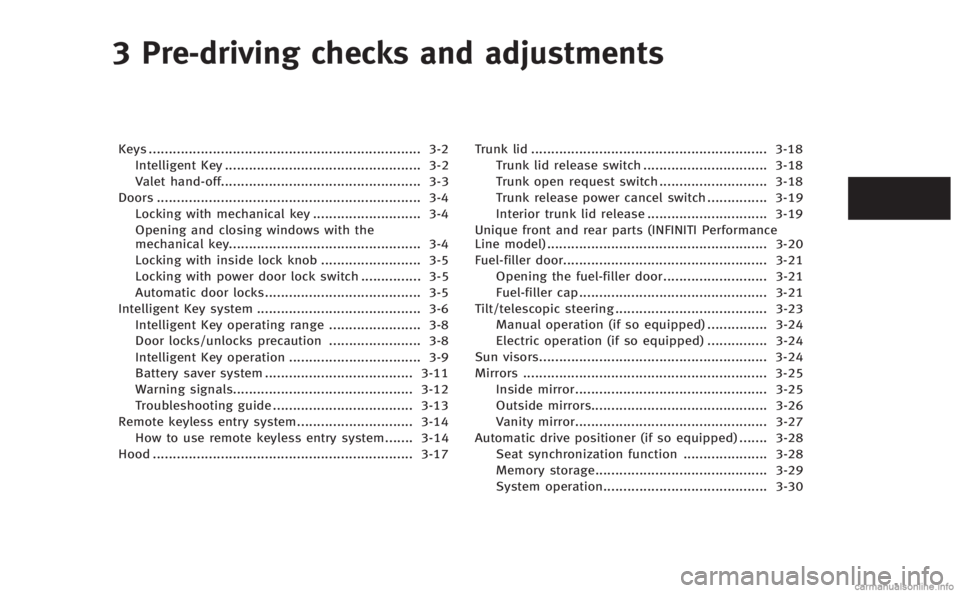
3 Pre-driving checks and adjustments
Keys.................................................................... 3-2
Intelligent Key ................................................. 3-2
Valet hand-off.................................................. 3-3
Doors .................................................................. 3-4 Locking with mechanical key ........................... 3-4
Opening and closing windows with the
mechanical key................................................ 3-4
Locking with inside lock knob ......................... 3-5
Locking with power door lock switch ............... 3-5
Automatic door locks....................................... 3-5
Intelligent Key system ......................................... 3-6 Intelligent Key operating range ....................... 3-8
Door locks/unlocks precaution ....................... 3-8
Intelligent Key operation ................................. 3-9
Battery saver system ..................................... 3-11
Warning signals............................................. 3-12
Troubleshooting guide ................................... 3-13
Remote keyless entry system............................. 3-14 How to use remote keyless entry system....... 3-14
Hood ................................................................. 3-17 Trunk lid ........................................................... 3-18
Trunk lid release switch ............................... 3-18
Trunk open request switch ........................... 3-18
Trunk release power cancel switch ............... 3-19
Interior trunk lid release .............................. 3-19
Unique front and rear parts (INFINITI Performance
Line model) ....................................................... 3-20
Fuel-filler door................................................... 3-21 Opening the fuel-filler door.......................... 3-21
Fuel-filler cap............................................... 3-21
Tilt/telescopic steering ...................................... 3-23 Manual operation (if so equipped) ............... 3-24
Electric operation (if so equipped) ............... 3-24
Sun visors......................................................... 3-24
Mirrors ............................................................. 3-25 Inside mirror................................................ 3-25
Outside mirrors............................................ 3-26
Vanity mirror................................................ 3-27
Automatic drive positioner (if so equipped) ....... 3-28 Seat synchronization function ..................... 3-28
Memory storage........................................... 3-29
System operation......................................... 3-30
Page 136 of 458
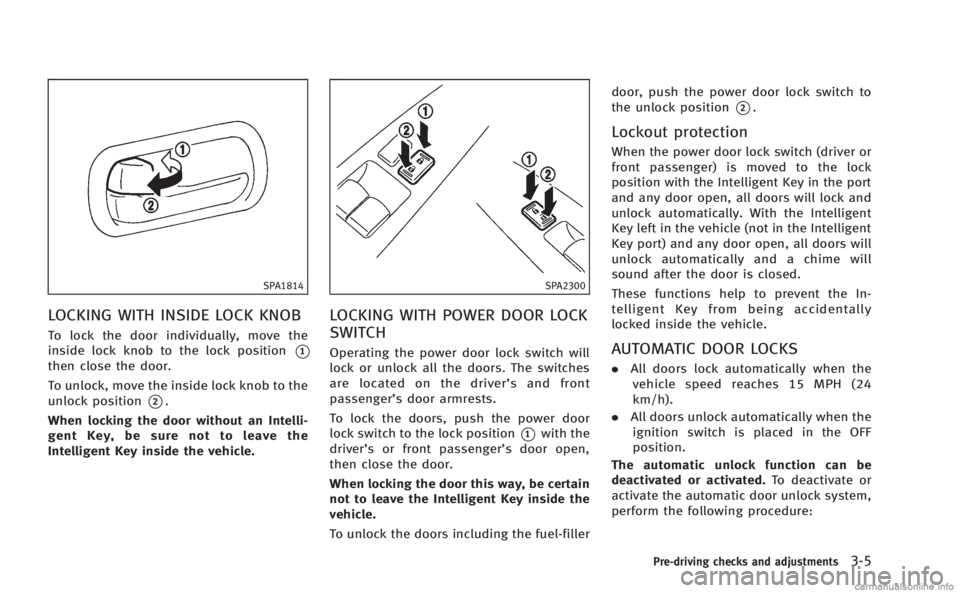
SPA1814
LOCKING WITH INSIDE LOCK KNOB
To lock the door individually, move the
inside lock knob to the lock position
*1
then close the door.
To unlock, move the inside lock knob to the
unlock position
*2.
When locking the door without an Intelli-
gent Key, be sure not to leave the
Intelligent Key inside the vehicle.
SPA2300
LOCKING WITH POWER DOOR LOCK
SWITCH
Operating the power door lock switch will
lock or unlock all the doors. The switches
are located on the driver’ s and front
passenger’s door armrests.
To lock the doors, push the power door
lock switch to the lock position
*1with the
driver’s or front passenger’s door open,
then close the door.
When locking the door this way, be certain
not to leave the Intelligent Key inside the
vehicle.
To unlock the doors including the fuel-filler door, push the power door lock switch to
the unlock position
*2.
Lockout protection
When the power door lock switch (driver or
front passenger) is moved to the lock
position with the Intelligent Key in the port
and any door open, all doors will lock and
unlock automatically. With the Intelligent
Key left in the vehicle (not in the Intelligent
Key port) and any door open, all doors will
unlock automatically and a chime will
sound after the door is closed.
These functions help to prevent the In-
telligent Key from being accidentally
locked inside the vehicle.
AUTOMATIC DOOR LOCKS
.
All doors lock automatically when the
vehicle speed reaches 15 MPH (24
km/h).
. All doors unlock automatically when the
ignition switch is placed in the OFF
position.
The automatic unlock function can be
deactivated or activated. To deactivate or
activate the automatic door unlock system,
perform the following procedure:
Pre-driving checks and adjustments3-5
Page 140 of 458
trunk, make sure you carry the key with
you and then lock the doors or the
trunk.
. Do not pull the door handle before
pushing the door handle request
switch. The door will be unlocked but
will not open. Release the door handle
once and pull it again to open the door.
. The Intelligent Key system (opening/
closing doors with the door handle
request switch) can be set to remain
inactive. (See “Vehicle information and
settings” (P.4-9).)
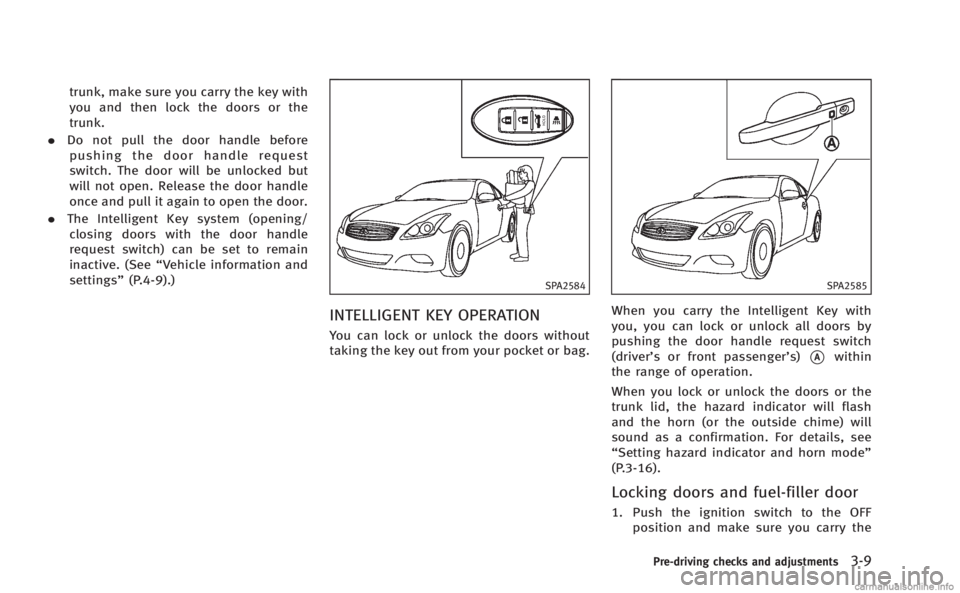
SPA2584
INTELLIGENT KEY OPERATION
You can lock or unlock the doors without
taking the key out from your pocket or bag.
SPA2585
When you carry the Intelligent Key with
you, you can lock or unlock all doors by
pushing the door handle request switch
(driver’s or front passenger’s)
*Awithin
the range of operation.
When you lock or unlock the doors or the
trunk lid, the hazard indicator will flash
and the horn (or the outside chime) will
sound as a confirmation. For details, see
“Setting hazard indicator and horn mode”
(P.3-16).
Locking doors and fuel-filler door
1. Push the ignition switch to the OFF position and make sure you carry the
Pre-driving checks and adjustments3-9
Page 141 of 458

3-10Pre-driving checks and adjustments
Intelligent Key with you.*1
2. Close all the doors.*2
3. Push the door handle request switch (driver’s or front passenger’s)
*Awhile
carrying the Intelligent Key with you.*3
4. All the doors and fuel-filler door will lock.
5. The hazard indicator flashes twice and the outside chime sounds twice.
*1: Doors will lock with the Intelligent Key
while the ignition switch is in the ACC or
ON position.
*2: Doors will not lock with the Intelligent
Key while any door is open.
*3: Doors will not lock by pushing the door
handle request switch with the Intelligent
Key inside the vehicle. However, when an
Intelligent Key is inside the vehicle, doors
can be locked with another registered
Intelligent Key.
CAUTION
. After locking the doors using the request
switch, make sure that the doors have
been securely locked by operating the
door handles. .
When locking the doors using the
request switch, make sure to have the
Intelligent Key in your possession before
operating the request switch to prevent
the Intelligent Key from being left in the
vehicle.
. The request switch is operational only
when the Intelligent Key has been
detected by the Intelligent Key system.
Lockout protection:
To prevent the Intelligent Key from being
accidentally locked in the vehicle, lockout
protection is equipped with the Intelligent
Key system.
When the driver’s side door is open, the
doors are locked, and then the Intelligent
Key is put inside the vehicle and all the
doors are closed; the lock will automati-
cally unlock and the door buzzer sounds.
NOTE:
The doors may not lock when the Intelli-
gent Key is in the same hand that is
operating the request switch to lock the
door. Put the Intelligent Key in a purse,
pocket or your other hand.
CAUTION
The lockout protection may not function
under the following conditions:
.When the Intelligent Key is placed on top
of the instrument panel.
. When the Intelligent Key is placed inside
the glove box or a storage bin.
. When the Intelligent Key is placed inside
the door pockets.
. When the Intelligent Key is placed inside
or near metallic materials.
Unlocking doors and fuel-filler door
1. Push the door handle request switch
(driver’s or front passenger’s)
*Aonce
while carrying the Intelligent Key with
you.
2. The hazard indicator flashes once and outside chime sounds once. The corre-
sponding door and the fuel-filler door
will unlock.
3. Push the door handle request switch again within 1 minute.
4. The hazard indicator flashes once and outside chime sounds once again. All
Page 142 of 458
the doors will unlock.
All doors and the fuel-filler door will be
locked automatically unless one of the
following operations is performed within 1
minute after pushing the request switch
while the doors are locked.
. Opening any door
. Pushing the ignition switch
. Inserting the Intelligent Key into the
Intelligent Key port.
During this 1-minute time period, if the
UNLOCK
button on the Intelligent Key
is pushed, all doors will be locked auto-
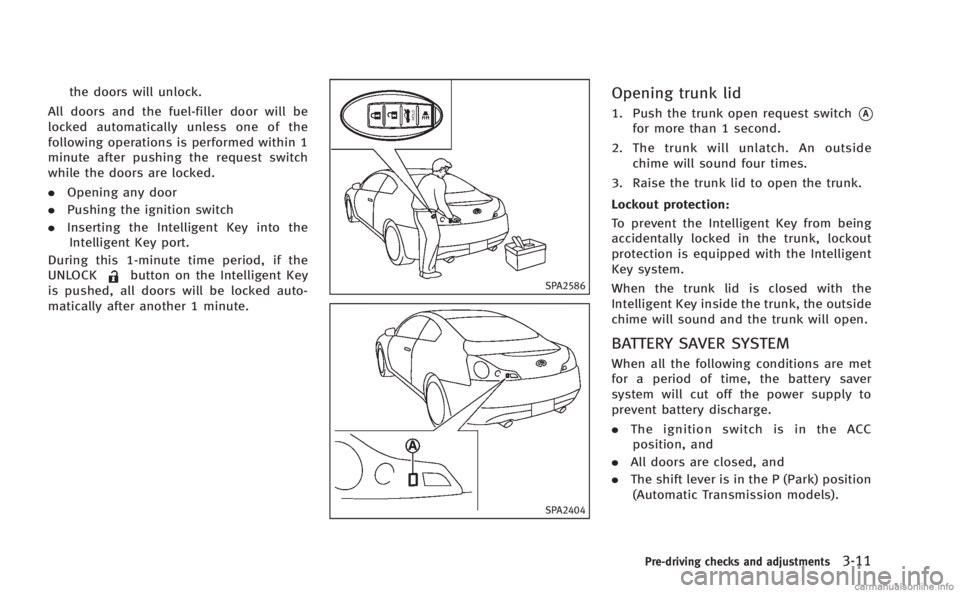
matically after another 1 minute.SPA2586
SPA2404
Opening trunk lid
1. Push the trunk open request switch*A
for more than 1 second.
2. The trunk will unlatch. An outside chime will sound four times.
3. Raise the trunk lid to open the trunk.
Lockout protection:
To prevent the Intelligent Key from being
accidentally locked in the trunk, lockout
protection is equipped with the Intelligent
Key system.
When the trunk lid is closed with the
Intelligent Key inside the trunk, the outside
chime will sound and the trunk will open.
BATTERY SAVER SYSTEM
When all the following conditions are met
for a period of time, the battery saver
system will cut off the power supply to
prevent battery discharge.
. The ignition switch is in the ACC
position, and
. All doors are closed, and
. The shift lever is in the P (Park) position
(Automatic Transmission models).
Pre-driving checks and adjustments3-11
Page 145 of 458

3-14Pre-driving checks and adjustments
WARNING
The Intelligent Key transmits radio waves
when the buttons are pushed. The FAA
advises that the radio waves may affect
aircraft navigation and communication sys-
tems. Do not operate the Intelligent Key
while on an airplane. Make sure the buttons
are not operated unintentionally when the
unit is stored during a flight.
It is possible to lock/unlock all doors, fuel-
filler door, activate the panic alarm and
open the windows by pushing the buttons
on the Intelligent Key from outside the
vehicle.
Before locking the doors, make sure the
Intelligent Key is not left in the vehicle.
The LOCK/UNLOCK button on the Intelli-
gent Key can operate at a distance of
approximately 33 ft (10 m) from the
vehicle. (The effective distance depends
upon the conditions around the vehicle.)
As many as 4 Intelligent Keys can be used
with one vehicle. For information concern-
ing the purchase and use of additional
Intelligent Keys, contact an INFINITI retai-
ler.The lock and unlock buttons on the
Intelligent Key will not operate when:
.
the distance between the Intelligent Key
and the vehicle is over 33 ft (10 m).
. the Intelligent Key battery is dis-
charged.
After locking with the remote keyless entry
function, pull the door handle to make sure
the doors are securely locked.
The LOCK/UNLOCK operating range varies
depending on the environment. To securely
operate the lock and unlock buttons,
approach the vehicle to about 3 ft (1 m)
from the door.SPA2100
1. LOCK button
2. UNLOCK button
3. TRUNK button
4. PANIC button
HOW TO USE REMOTE KEYLESS
ENTRY SYSTEM
When you lock or unlock the doors or the
trunk lid, the hazard indicator will flash
and the horn (or the outside chime) will
sound as a confirmation. For details, see
“Setting hazard indicator and horn mode”
(P.3-16).
REMOTE KEYLESS ENTRY SYSTEM
Page 146 of 458
Locking doors and fuel-filler door
1. Push the ignition switch to the OFFposition and make sure you carry the
Intelligent Key with you.*
2. Close all the doors.
3. Push the LOCK
button*1on the
Intelligent Key.
4. All the doors and fuel-filler door will lock.
5. The hazard indicator flashes twice and the horn chirps once.
*: Doors will lock with the Intelligent Key
while the ignition switch is in the ACC or
ON position.
Operate the door handles to confirm that
the doors have been securely locked.
Unlocking doors and fuel-filler door
1. Push the UNLOCKbutton*2on the
Intelligent Key once.
2. The hazard indicator flashes once. The driver’s door and fuel-filler door will
unlock.
3. Push the UNLOCK
button on the
Intelligent Key again within 1 minute.
4. The hazard indicator flashes once again. All the doors will unlock. All doors will be locked automatically
unless one of the following operations is
performed within 1 minute after pushing
the UNLOCK
button on the Intelligent
Key while the doors are locked. If during
this 1-minute time period, the UNLOCK
button on the Intelligent Key is pushed, all
doors will be locked automatically after
another 1 minute.
. Opening any door
. Pushing the ignition switch
. Inserting the Intelligent Key into the
Intelligent Key port.
During this 1-minute time period, if the
UNLOCK
button on the Intelligent Key
is pushed, all doors will be locked auto-
matically after another 1 minute.
Opening windows
The UNLOCK*2button operation also
allows you to open the window that is
equipped with the automatic open/close
function. (See “Power windows” (P.2-50).)
To open the window, push the door
UNLOCK
button on the Intelligent Key
for about 3 seconds after the door is
unlocked.
To stop opening, release the UNLOCK
button. If the window open operation is stopped in
mid-operation while pushing the UNLOCK
button, release and push the UNLOCKbutton again until the window opens
completely.
Window cannot be closed using the In-
telligent Key.
The door window can also be operated by
turning the mechanical key in a door lock.
(See “Doors” (P.3-4).)
Opening trunk lid
1. Push the TRUNKbutton*3on the
Intelligent Key for more than 1 second.
2. The trunk will unlatch.
3. Raise the trunk lid to open the trunk.
Using panic alarm
If you are near your vehicle and feel
threatened, you may activate the alarm to
call attention as follows:
1. Push the PANIC
button*4on the
key for more than 1 second.
2. The theft warning alarm and headlights will stay on for 25 seconds.
3. The panic alarm stops when:
.It has run for 25 seconds, or
Pre-driving checks and adjustments3-15
Page 152 of 458
SPA2835
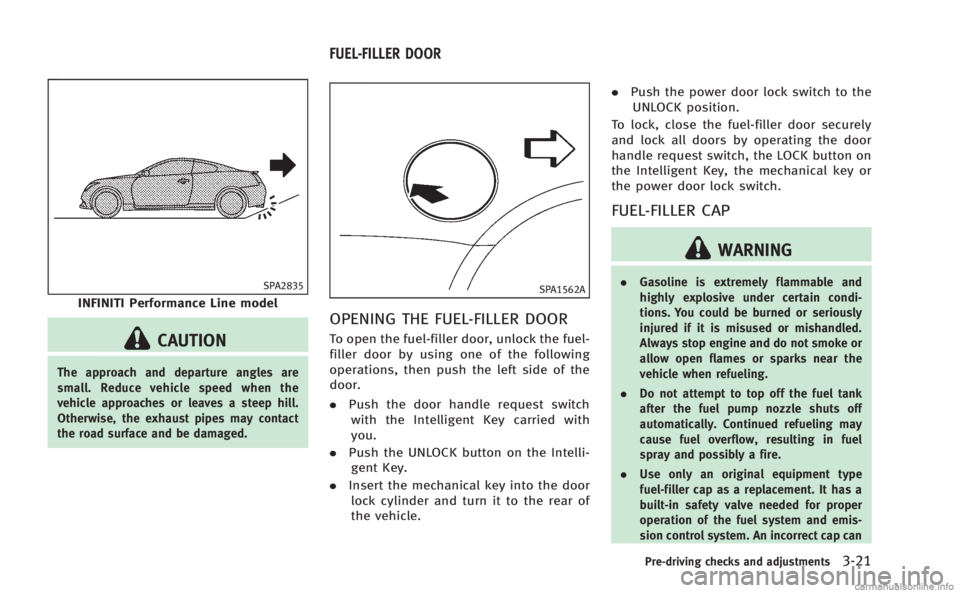
INFINITI Performance Line model
CAUTION
The approach and departure angles are
small. Reduce vehicle speed when the
vehicle approaches or leaves a steep hill.
Otherwise, the exhaust pipes may contact
the road surface and be damaged.
SPA1562A
OPENING THE FUEL-FILLER DOOR
To open the fuel-filler door, unlock the fuel-
filler door by using one of the following
operations, then push the left side of the
door.
.Push the door handle request switch
with the Intelligent Key carried with
you.
. Push the UNLOCK button on the Intelli-
gent Key.
. Insert the mechanical key into the door
lock cylinder and turn it to the rear of
the vehicle. .
Push the power door lock switch to the
UNLOCK position.
To lock, close the fuel-filler door securely
and lock all doors by operating the door
handle request switch, the LOCK button on
the Intelligent Key, the mechanical key or
the power door lock switch.
FUEL-FILLER CAP
WARNING
. Gasoline is extremely flammable and
highly explosive under certain condi-
tions. You could be burned or seriously
injured if it is misused or mishandled.
Always stop engine and do not smoke or
allow open flames or sparks near the
vehicle when refueling.
. Do not attempt to top off the fuel tank
after the fuel pump nozzle shuts off
automatically. Continued refueling may
cause fuel overflow, resulting in fuel
spray and possibly a fire.
. Use only an original equipment type
fuel-filler cap as a replacement. It has a
built-in safety valve needed for proper
operation of the fuel system and emis-
sion control system. An incorrect cap can
Pre-driving checks and adjustments3-21
FUEL-FILLER DOOR