service INFINITI QX50 2014 User Guide
[x] Cancel search | Manufacturer: INFINITI, Model Year: 2014, Model line: QX50, Model: INFINITI QX50 2014Pages: 498, PDF Size: 2.47 MB
Page 255 of 498
4-92Monitor, climate, audio, phone and voice recognition systems
tions.
. Set up the wireless connection between
a compatible cellular phone and the in-
vehicle phone module before using the
Bluetooth
®Hands-Free Phone System.
. Some Bluetooth®enabled cellular
phones may not be recognized by the
in-vehicle phone module. Please visit
www.InfinitiUSA.com/bluetooth for a
recommended phone list.
. You will not be able to use a hands-free
phone under the following conditions:
— Your vehicle is outside of the tele-
phone service area.
— Your vehicle is in an area where it is
difficult to receive radio waves; such
as in a tunnel, in an underground
parking garage, behind a tall build-
ing or in a mountainous area.
— Your cellular phone is locked in
order not to be dialed.
. When the radio wave condition is not
ideal or ambient sound is too loud, it
may be difficult to hear the other
person’s voice during a call.
. Immediately after the ignition switch is
pushed to the ON position, it may be
impossible to receive a call for a short
period of time. .
Do not place the cellular phone in an
area surrounded by metal or far away
from the in-vehicle phone module to
prevent tone quality degradation and
wireless connection disruption.
. While a cellular phone is connected
through the Bluetooth®wireless con-
nection, the battery power of the
cellular phone may discharge quicker
than usual.
. If the Bluetooth
®Hands-Free Phone
System seems to be malfunctioning,
please visit www.InfinitiUSA.com/blue-
tooth for troubleshooting help.
. Some cellular phones or other devices
may cause interference or a buzzing
noise to come from the audio system
speakers. Storing the device in a
different location may reduce or elim-
inate the noise.
. Refer to the cellular phone Owner’s
Manual regarding the telephone pairing
procedure specific to your phone,
battery charging, cellular phone anten-
na, etc.
. The antenna display on the monitor will
not coincide with the antenna display
of some cellular phones. .
Keep the interior of the vehicle as quiet
as possible to hear the caller ’s voice
clearly as well as to minimize its
echoes.
. If reception between callers is unclear,
adjusting the incoming or outgoing call
volume may improve the clarity.
REGULATORY INFORMATION
FCC Regulatory information
. CAUTION: To maintain compliance with
FCC’s RF exposure guidelines, use only
the supplied antenna. Unauthorized
antenna, modification, or attachments
could damage the transmitter and may
violate FCC regulations.
. Operation is subject to the following
two conditions:
1. this device may not cause interference and
2. this device must accept any interfer- ence, including interference that may
cause undesired operation of the de-
vice
IC Regulatory information
.Operation is subject to the following
two conditions: (1) this device may not
cause interference, and (2) this device
Page 261 of 498
4-98Monitor, climate, audio, phone and voice recognition systems
SAA2525
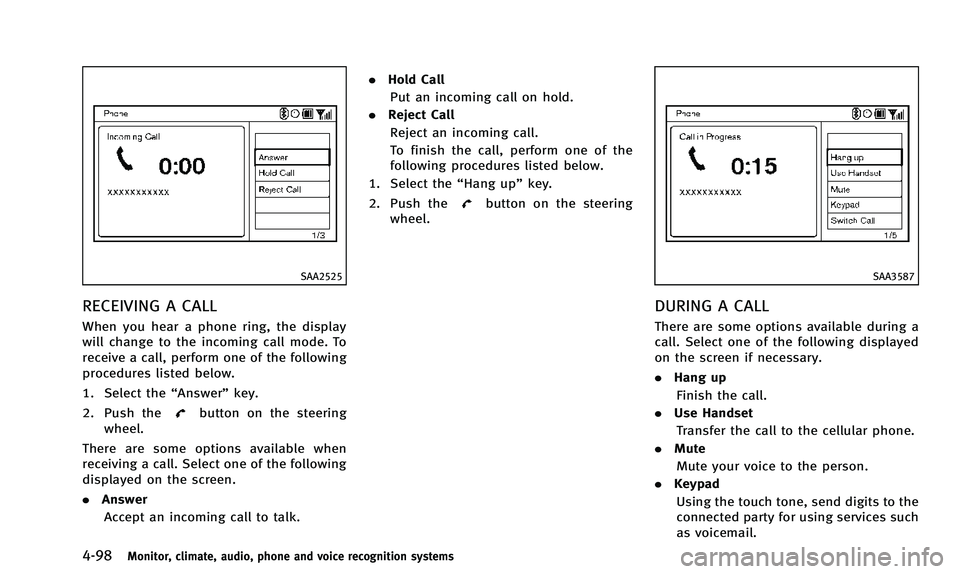
RECEIVING A CALL
When you hear a phone ring, the display
will change to the incoming call mode. To
receive a call, perform one of the following
procedures listed below.
1. Select the“Answer”key.
2. Push the
button on the steering
wheel.
There are some options available when
receiving a call. Select one of the following
displayed on the screen.
. Answer
Accept an incoming call to talk. .
Hold Call
Put an incoming call on hold.
. Reject Call
Reject an incoming call.
To finish the call, perform one of the
following procedures listed below.
1. Select the “Hang up”key.
2. Push the
button on the steering
wheel.
SAA3587
DURING A CALL
There are some options available during a
call. Select one of the following displayed
on the screen if necessary.
. Hang up
Finish the call.
. Use Handset
Transfer the call to the cellular phone.
. Mute
Mute your voice to the person.
. Keypad
Using the touch tone, send digits to the
connected party for using services such
as voicemail.
Page 265 of 498

4-102Monitor, climate, audio, phone and voice recognition systems
WARNING
.Use a phone after stopping your vehicle
in a safe location. If you have to use a
phone while driving, exercise extreme
caution at all times so full attention may
be given to vehicle operation.
. If you find yourself unable to devote full
attention to vehicle operation while
talking on the phone, pull off the road
to a safe location and stop your vehicle
before doing so.
CAUTION
To avoid draining the vehicle battery, use a
phone after starting the engine.
Your vehicle is equipped with Bluetooth®
Hands-Free Phone System. If you are an
owner of a Bluetooth®enabled cellular
phone, you can set up the wireless
connection between your cellular phone
and the in-vehicle phone module. With
Bluetooth
®wireless technology, you can
make or receive a telephone call with your
cellular phone in your pocket. Once your cellular phone is paired to the
in-vehicle phone module, no phone con-
necting procedure is required. Your phone
is automatically connected with the in-
vehicle phone module when the ignition
switch is pushed to the
“ON”position with
the registered cellular phone turned on
and carried in the vehicle.
You can register up to 5 different Blue-
tooth
®cellular phones in the in-vehicle
phone module. However, you can talk on
only one cellular phone at a time.
When a call is active, the audio system and
microphone (located in the ceiling in front
of the rearview mirror) are used for the
handsfree communications.
If the audio system is being used at the
time, the audio mode will mute and will
stay muted until the active call is ended.
The INFINITI Voice Recognition system
supports the phone commands, so dialing
a phone number using your voice is
possible.
Before using the Bluetooth
®Hands-Free
Phone System, refer to the following notes.
. Wireless LAN (Wi-Fi) and the Bluetooth
®
functions share the same frequency
band (2.4 GHz). Using the Bluetooth®
and the wireless LAN functions at the
same time may slow down or discon-
nect the communication and cause
undesired noise. It is recommended
that you turn off the wireless LAN (Wi-
Fi) when using the Bluetooth
®func-
tions.
. Set up the wireless connection between
a cellular phone and the in-vehicle
phone module before using the Blue-
tooth
®Hands-Free Phone System.
. Some Bluetooth®enabled cellular
phones may not be recognized by the
in-vehicle phone module.
. You will not be able to use a hands-free
phone under the following conditions:
— Your vehicle is outside of the tele-
phone service area.
— Your vehicle is in an area where it is
difficult to receive radio waves; such
as in a tunnel, in an underground
parking garage, behind a tall build-
ing or in a mountainous area.
— Your cellular phone is locked in
order not to be dialed.
. When the radio wave condition is not
ideal or ambient sound is too loud, it
may be difficult to hear the other
person’s voice during a call.
Bluetooth®HANDS-FREE PHONE SYSTEM
(models without navigation system) (if so
equipped)
Page 266 of 498

.Immediately after the ignition switch is
pushed to the “ON”position, it may be
impossible to receive a call for a short
period of time.
. Do not place the cellular phone in an
area surrounded by metal or far away
from the in-vehicle phone module to
prevent tone quality degradation and
wireless connection disruption.
. While a cellular phone is connected
through the Bluetooth
®wireless con-
nection, the battery power of the
cellular phone may discharge quicker
than usual.
. If the Bluetooth
®Hands-Free Phone
System seems to be malfunctioning,
please contact an INFINITI retailer.
. Some cellular phones or other devices
may cause interference or a buzzing
noise to come from the audio system
speakers. Storing the device in a
different location may reduce or elim-
inate the noise.
. Refer to the cellular phone Owner’s
Manual regarding the telephone pairing
procedure specific to your phone,
battery charging, cellular phone anten-
na, etc. .
The antenna display on the monitor will
not coincide with the antenna display
of some cellular phones.
. Keep the interior of the vehicle as quiet
as possible to hear the caller ’s voice
clearly as well as to minimize its
echoes.
. If reception between callers is unclear,
adjusting the incoming or outgoing call
volume may improve the clarity.
. This wireless hands free car kit is based
on Bluetooth
®technology,
— Frequency: 2402 MHz - 2480 MHz
— Output Power: 4.14 dBm E.I.R.P
— Modulation: FHSS GFSK 8DPSK, p/
4DQPSK
— Number of Channels: 79
— This wireless equipment cannot be
used for any services related to
safety because there is the possibi-
lity of radio interference.
REGULATORY INFORMATION
FCC Regulatory information
. CAUTION: To maintain compliance with
FCC’s RF exposure guidelines, use only
the supplied antenna. Unauthorized
antenna, modification, or attachments
could damage the transmitter and may
violate FCC regulations.
. Operation is subject to the following
two conditions:
1) this device may not cause interfer- ence and
2) this device must accept any inter- ference, including interference that
may cause undesired operation of
the device
IC Regulatory information
.Operation is subject to the following
two conditions: (1) this device may not
cause interference, and (2) this device
must accept any interference, including
interference that may cause undesired
operation of the device.
. This Class B digital apparatus meets all
requirements of the Canadian Interfer-
ence-Causing Equipment Regulations.
Monitor, climate, audio, phone and voice recognition systems4-103
Page 312 of 498

WARNING
.Do not leave children or adults who
would normally require the support of
others alone in your vehicle. Pets should
not be left alone either. They could
accidentally injure themselves or others
through inadvertent operation of the
vehicle. Also, on hot, sunny days,
temperatures in a closed vehicle could
quickly become high enough to cause
severe or possibly fatal injuries to
people or animals.
. Properly secure all cargo to help prevent
it from sliding or shifting. Do not place
cargo higher than the seatbacks. In a
sudden stop or collision, unsecured
cargo could cause personal injury.
EXHAUST GAS (carbon monoxide)
WARNING
.Do not breathe exhaust gases; they
contain colorless and odorless carbon
monoxide. Carbon monoxide is danger-
ous. It can cause unconsciousness or death.
. If you suspect that exhaust fumes are
entering the vehicle, drive with all
windows fully open, and have the
vehicle inspected immediately.
. Do not run the engine in closed spaces
such as a garage.
. Do not park the vehicle with the engine
running for any extended length of time.
. Keep the lift gate closed while driving,
otherwise exhaust gases could be drawn
into the passenger compartment. If you
must drive with the lift gate open, follow
these precautions:
—Open all the windows.
—Set theair recirculation to off
and the fan control to high to
circulate the air.
. If electrical wiring or other cable con-
nections must pass to a trailer through
the seal on the lift gate or the body,
follow the manufacturer’s recommenda-
tion to prevent carbon monoxide entry
into the vehicle.
. The exhaust system and body should be
inspected by a qualified mechanic when-
ever:
—The vehicle is raised for service.
—You suspect that exhaust fumes are
entering into the passenger compart-
ment.
—You notice a change in the sound ofthe exhaust system.
—You have had an accident involvingdamage to the exhaust system,
underbody, or rear of the vehicle.
THREE-WAY CATALYST
The three-way catalyst is an emission
control device installed in the exhaust
system. Exhaust gases in the three-way
catalyst are burned at high temperatures to
help reduce pollutants.
WARNING
. The exhaust gas and the exhaust system
are very hot. Keep people, animals or
flammable materials away from the
exhaust system components.
. Do not stop or park the vehicle over
flammable materials such as dry grass,
waste paper or rags. They may ignite and
Starting and driving5-3
PRECAUTIONS WHEN STARTING AND
DRIVING
Page 317 of 498

5-8Starting and driving
If a tire rapidly loses air pressure or
“blows-out”while driving maintain control
of the vehicle by following the procedure
below. Please note that this procedure is
only a general guide. The vehicle must be
driven as appropriate based on the condi-
tions of the vehicle, road and traffic.
WARNING
The following actions can increase the
chance of losing control of the vehicle if
there is a sudden loss of tire air pressure.
Losing control of the vehicle may cause a
collision and result in personal injury.
. The vehicle generally moves or pulls in
the direction of the flat tire.
. Do not rapidly apply the brakes.
. Do not rapidly release the accelerator
pedal.
. Do not rapidly turn the steering wheel.
1. Remain calm and do not overreact.
2. Maintain a firm grip on the steering
wheel with both hands and try to hold a
straight course. 3. When appropriate, slowly release the
accelerator pedal to gradually slow the
vehicle.
4. Gradually steer the vehicle to a safe location off the road and away from
traffic if possible.
5. Lightly apply the brake pedal to gradu- ally stop the vehicle.
6. Turn on the hazard warning flashers and either contact a roadside emer-
gency service to change the tire or see
“Changing a flat tire” (P.6-4).
DRINKING ALCOHOL/DRUGS AND
DRIVING
WARNING
Never drive under the influence of alcohol or
drugs. Alcohol in the bloodstream reduces
coordination, delays reaction time and im-
pairs judgement. Driving after drinking
alcohol increases the likelihood of being
involved in an accident injuring yourself and
others. Additionally, if you are injured in an
accident, alcohol can increase the severity
of the injury.
INFINITI is committed to safe driving.
However, you must choose not to drive
under the influence of alcohol. Every year
thousands of people are injured or killed in
alcohol-related accidents. Although the
local laws vary on what is considered to
be legally intoxicated, the fact is that
alcohol affects all people differently and
most people underestimate the effects of
alcohol.
Remember, drinking and driving don’t mix!
And that is true for drugs, too (over-the-
counter, prescription, and illegal drugs).
Don’t drive if your ability to operate your
vehicle is impaired by alcohol, drugs, or
some other physical condition.
Page 392 of 498

WARNING
If the engine is not running or is turned off
while driving, the power assist for the
steering will not work. Steering will be
harder to operate.
The power assisted steering uses a hy-
draulic pump, driven by the engine, to
assist steering.
If the engine stops or the drive belt breaks,
you will still have control of the vehicle.
However, much greater steering effort is
needed, especially in sharp turns and at
low speeds.
BRAKING PRECAUTIONS
The brake system has two separate hy-
draulic circuits. If one circuit malfunctions,
you will still have braking at two wheels.
You may feel a small click and hear a sound
when the brake pedal is fully depressed
slowly. This is not a malfunction and
indicates that the brake assist mechanism
is operating properly.
Vacuum assisted brakes
The brake booster aids braking by using
engine vacuum. If the engine stops, you
can stop the vehicle by depressing the
brake pedal. However, greater foot pres-
sure on the brake pedal will be required to
stop the vehicle and the stopping distance
will be longer.
When the brake pedal is depressed slowly
and firmly, you may hear a clicking noise
and feel a slight pulsation. This is normal
and indicates that the Brake Assist System
is operating.
Wet brakes
When the vehicle is washed or driven
through water, the brakes may get wet.
As a result, your braking distance will be
longer and the vehicle may pull to one sideduring braking.
To dry brakes, drive the vehicle at a safe
speed while lightly tapping the brake pedal
to heat-up the brakes. Do this until the
brakes return to normal. Avoid driving the
vehicle at high speeds until the brakes
function correctly.
PARKING BRAKE BREAK-IN
Break in the parking brake shoes whenever
the stopping effect of the parking brake is
weakened or whenever the parking brake
shoes and/or drums/rotors are replaced,
in order to assure the best braking
performance.
This procedure is described in the vehicle
service manual and can be performed by
an INFINITI retailer.
Using the brakes
Avoid resting your foot on the brake pedal
while driving. This will cause overheating
of the brakes, wearing out the brake and
pads faster and reduce gas mileage.
To help save the brakes and to prevent the
brakes from overheating, reduce speed
and downshift to a lower gear before going
down a slope or long grade. Overheated
brakes may reduce braking performance
Starting and driving5-83
POWER STEERING
BRAKE SYSTEM
Page 403 of 498
6-2In case of emergency
SIC2574
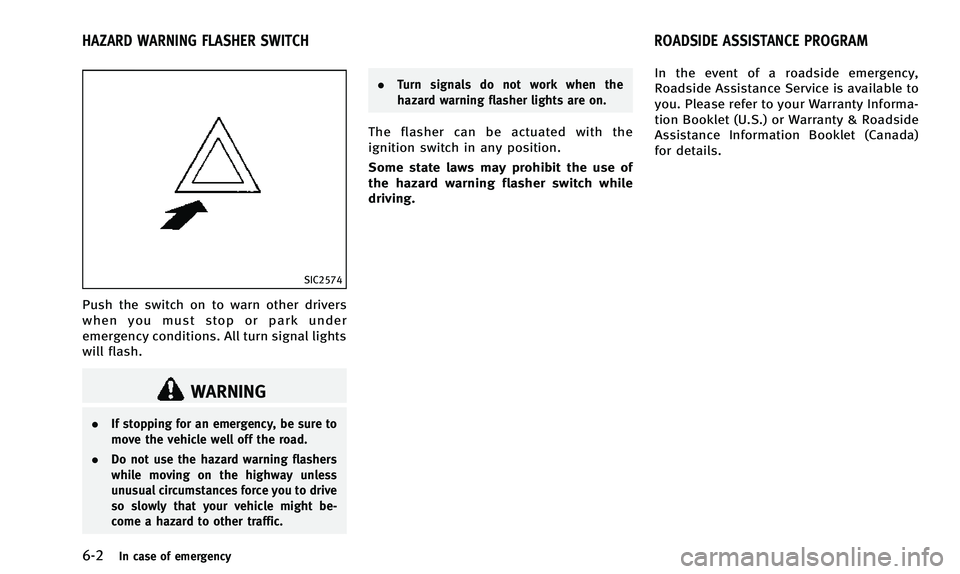
Push the switch on to warn other drivers
when you must stop or park under
emergency conditions. All turn signal lights
will flash.
WARNING
.If stopping for an emergency, be sure to
move the vehicle well off the road.
. Do not use the hazard warning flashers
while moving on the highway unless
unusual circumstances force you to drive
so slowly that your vehicle might be-
come a hazard to other traffic. .
Turn signals do not work when the
hazard warning flasher lights are on.
The flasher can be actuated with the
ignition switch in any position.
Some state laws may prohibit the use of
the hazard warning flasher switch while
driving. In the event of a roadside emergency,
Roadside Assistance Service is available to
you. Please refer to your Warranty Informa-
tion Booklet (U.S.) or Warranty & Roadside
Assistance Information Booklet (Canada)
for details.
HAZARD WARNING FLASHER SWITCH
ROADSIDE ASSISTANCE PROGRAM
Page 412 of 498

speed.
3. If engine overheating is caused by climbing a long hill on a hot day, run
the engine at a fast idle (approximately
1,500 rpm) until the temperature gauge
indication returns to normal.
4. Get out of the vehicle. Look and listen for steam or coolant escaping from the
radiator before opening the hood. (If
steam or coolant is escaping, turn off
the engine.) Do not open the hood
further until no steam or coolant can be
seen.
5. Open the engine hood.
WARNING
If steam or water is coming from the engine,
stand clear to prevent getting burned.
6. Visually check drive belts for damage or looseness. Also check if the cooling fan
is running. The radiator hoses and
radiator should not leak water. If cool-
ant is leaking or the cooling fan does
not run, stop the engine.
WARNING
Be careful not to allow your hands, hair,
jewelry or clothing to come into contact
with, or get caught in, engine belts or the
engine cooling fan. The engine cooling fan
can start at any time.
7. After the engine cools down, check thecoolant level in the reservoir tank with
the engine running. Add coolant to the
reservoir tank if necessary. Have your
vehicle repaired at the nearest INFINITI
retailer. When towing your vehicle, all State (Pro-
vincial in Canada) and local regulations for
towing must be followed. Incorrect towing
equipment could damage your vehicle.
Towing instructions are available from an
INFINITI retailer. Local service operators are
familiar with the applicable laws and
procedures for towing. To assure proper
towing and to prevent accidental damage
to your vehicle, INFINITI recommends that
you have a service operator tow your
vehicle. It is advisable to have the service
operator carefully read the following pre-
cautions.
WARNING
.
Never ride in a vehicle that is being
towed.
. Never get under your vehicle after it has
been lifted by a tow truck.
CAUTION
.When towing, make sure that the trans-
mission, axles, steering system and
powertrain are in working condition. If
any unit is damaged, dollies must be
In case of emergency6-11
TOWING YOUR VEHICLE
Page 415 of 498

6-14In case of emergency
VEHICLE RECOVERY (freeing a stuck
vehicle)
WARNING
.Stand clear of a stuck vehicle.
. Do not spin your tires at high speed. This
could cause them to explode and result
in serious injury. Parts of your vehicle
could also overheat and be damaged.
Pulling a stuck vehicle
If your vehicle is stuck in sand, snow, mud,
etc., use a tow strap or other device
designed specifically for vehicle recovery.
Always follow the manufacturer’s instruc-
tions for the recovery device.
Remove the recovery hook cover from the
front bumper using a suitable tool.
Securely install the vehicle recovery hook
*1stored with jacking tools as illustrated.
Attach the tow strap to the recovery hook.
Make sure that the hook is properly
secured in the original place after use.
Do not use the tie down hook
*2for
towing or vehicle recovery.
CAUTION
. Tow chains or cables must be attached
only to the vehicle recovery hooks or
main structural members of the vehicle.
Otherwise, the vehicle body will be
damaged.
. Do not use the vehicle tie downs to free
a vehicle stuck in sand, snow, mud, etc.
. Never tow a vehicle using the vehicle tie
downs or recovery hooks.
. Always pull the cable straight out from
the front of the vehicle. Never pull on the
vehicle at an angle.
. Pulling devices should be routed so they
do not touch any part of the suspension,
steering, brake or cooling systems.
. Pulling devices such as ropes or canvas
straps are not recommended for use in
vehicle towing or recovery.
Rocking a stuck vehicle
If your vehicle is stuck in sand, snow, mud,
etc., use the following procedure:
1. Turn off the Vehicle Dynamic Control
(VDC) system. 2. Make sure the area in front and behind
the vehicle is clear of obstructions.
3. Turn the steering wheel right and left to clear an area around the front tires.
4. Slowly rock the vehicle forward and backward.
.Shift back and forth between R
(reverse) and D (drive).
.Apply the accelerator as little aspossible to maintain the rocking
motion.
.Release the accelerator pedal beforeshifting between R and D.
.Do not spin the tires above 35 MPH(55 km/h).
5. If the vehicle cannot be freed after a few tries, contact a professional towing
service to remove the vehicle.