interior lights INFINITI QX50 2021 Owner's Manual
[x] Cancel search | Manufacturer: INFINITI, Model Year: 2021, Model line: QX50, Model: INFINITI QX50 2021Pages: 542, PDF Size: 3.51 MB
Page 85 of 542
Driver Assistance/Navigation linking.........2-47
E-call (SOS) button (if so equipped) .............2-48
Power outlets ................................. 2-48
12v outlets ................................. 2-48
Extended storage switch .......................2-49
Storage ....................................... 2-50
Front-door pockets ......................... 2-50
Seatback pockets ........................... 2-51
Front console lid ............................ 2-51
Storage trays ............................... 2-52
Glove box ................................... 2-52
Console box ................................ 2-53
Overhead sunglasses storage ................2-53
Cup holders ................................. 2-54
Cargo area storage bin ......................2-55
Luggage hooks ............................. 2-55
Coat hooks ................................. 2-56
Roof rack (if so equipped) ...................2-56
Cargo cover (if so equipped) .................2-62
Windows ...................................... 2-63Power windows
............................ 2-63
Rear door sunshade (if so equipped) .........2-65
Moonroof (if so equipped) ......................2-66
Power moonroof ........................... 2-66
Interior lights .................................. 2-68
Map lights .................................. 2-69
Personal lights .............................. 2-69
Cargo light ................................. 2-69
HomeLink® Universal Transceiver
(if so equipped) ................................ 2-70
Programming HomeLink® ...................2-70
Programming HomeLink® for Canadian
customers and gate openers .................2-72
Operating the HomeLink® Universal
Transceiver ................................. 2-73
Programming trouble-diagnosis .............2-73
Clearing the programmed information .......2-73
Reprogramming
a single HomeLink®
button ...................................... 2-73
If your vehicle is stolen ......................2-74
Page 123 of 542
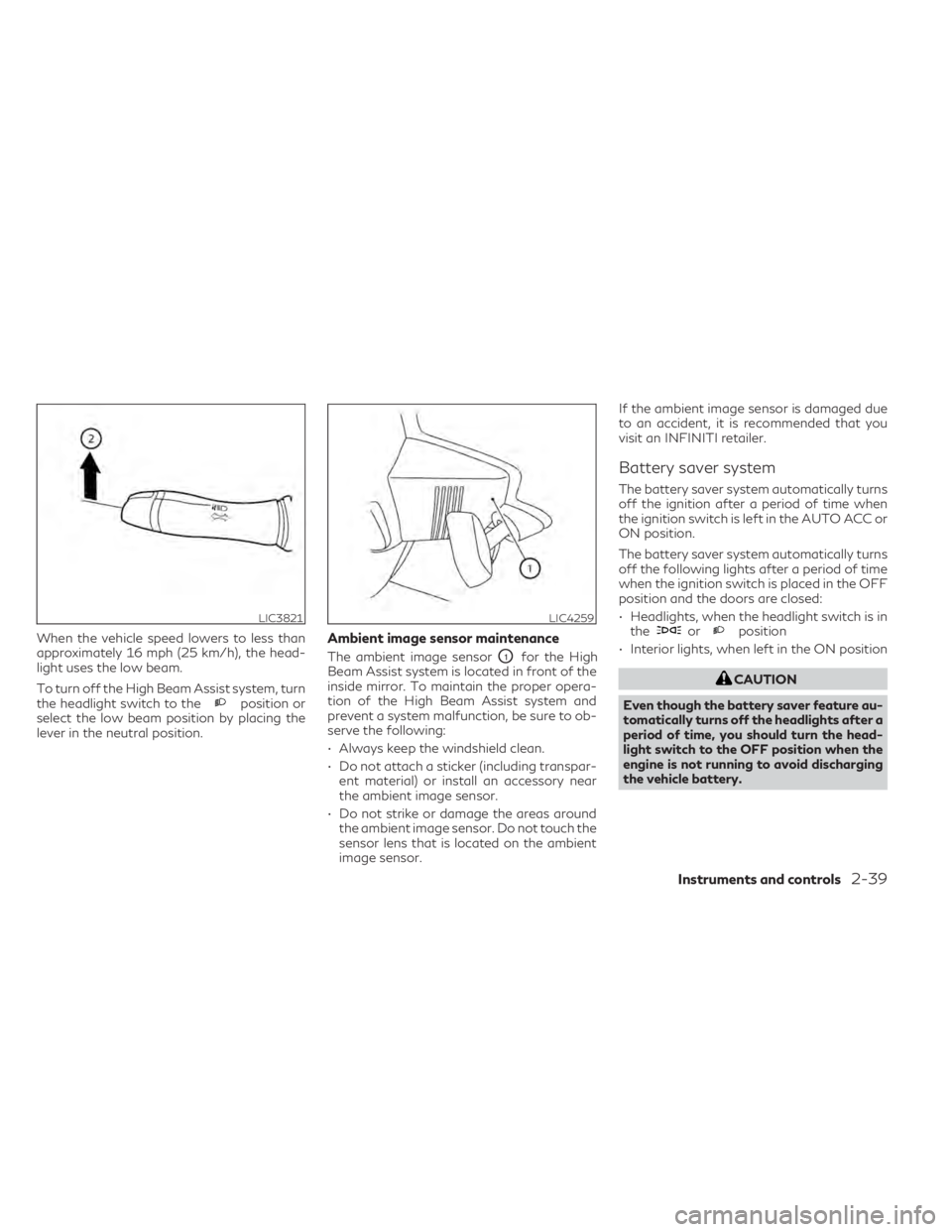
When the vehicle speed lowers to less than
approximately 16 mph (25 km/h), the head-
light uses the low beam.
To turn off the High Beam Assist system, turn
the headlight switch to the
position or
select the low beam position by placing the
lever in the neutral position.
Ambient image sensor maintenance
The ambient image sensorO1for the High
Beam Assist system is located in front of the
inside mirror. To maintain the proper opera-
tion of the High Beam Assist system and
prevent a system malfunction, be sure to ob-
serve the following:
• Always keep the windshield clean.
• Do not attach a sticker (including transpar- ent material) or install an accessory near
the ambient image sensor.
• Do not strike or damage the areas around the ambient image sensor. Do not touch the
sensor lens that is located on the ambient
image sensor. If the ambient image sensor is damaged due
to an accident, it is recommended that you
visit an INFINITI retailer.
Battery saver system
The battery saver system automatically turns
off the ignition after a period of time when
the ignition switch is left in the AUTO ACC or
ON position.
The battery saver system automatically turns
off the following lights after a period of time
when the ignition switch is placed in the OFF
position and the doors are closed:
• Headlights, when the headlight switch is in
the
orposition
• Interior lights, when left in the ON position
CAUTION
Even though the battery saver feature au-
tomatically turns off the headlights after a
period of time, you should turn the head-
light switch to the OFF position when the
engine is not running to avoid discharging
the vehicle battery.
LIC3821LIC4259
Instruments and controls2-39
Page 124 of 542

Adaptive Front lighting System
(AFS) (if so equipped)
The Adaptive Front lighting System (AFS) will
automatically adjust the headlights (low
beam) toward the turning direction to im-
prove the driver’s view. When the headlight
switch is ON and the driver operates the
steering wheel in a turn, the AFS system will
be activated.
The AFS will operate:
• when the headlight switch is ON.
• when the shift lever is in any position otherthan P (Park) or R (Reverse).
• when the vehicle is driven at above 16 mph (25 km/h) for the left-side headlight. Note
that the right-side low beam headlight will
swivel but the left side will not swivel when
the vehicle is at a stop and the steering
wheel is turned. The vehicle must attain a
speed above 16 mph (25 km/h) before AFS
activates the left-side headlight.
AFS will also adjust the headlight to a proper
axis automatically, depending on the number
of occupants in the vehicle, the load the ve-
hicle is carrying and the road conditions. If the AFS OFF indicator blinks or the vehicle
information display shows an AFS system
error message after the ignition switch has
been pushed to the ON position, this may
indicate that the AFS is not functioning prop-
erly. Have the system checked. It is recom-
mended you visit an INFINITI retailer for this
service. When the engine is started, the head-
lights will vibrate to check the system condi-
tion. This is not a malfunction.
Automatic headlight aiming control
(if so equipped)
Your vehicle is equipped with an automatic
headlight levelling system. The headlight axis
is controlled automatically.
INFINITI recommends that you consult the
local regulations on the use of lights.
LED DAYTIME RUNNING LIGHTS
(DRL) SYSTEM
The LED portion of the headlights automati-
cally illuminate at 100% intensity when the
engine is started and the parking brake re-
leased. The LED Daytime Running Lights
(DRL) system operates with the headlight
switch in the OFF position. When you turn
the headlight switch to the
position for
full illumination, the LED lights switch from
LED DRL system to the park function. If the parking brake is applied before the
engine is started, the LED DRL system does
not illuminate. The LED DRL system illumi-
nates when the parking brake is released. The
LED DRL system will remain on until the
ignition switch is placed in the OFF position.
It is necessary at dusk to turn the headlight
switch on for interior controls and switches
to illuminate, as those remain off while the
switch is in the OFF position.
WARNING
When the LED DRL system is active, tail
lights on your vehicle are not on. It is nec-
essary at dusk to turn on your headlights.
Failure to do so could cause an accident
injuring yourself and others.
2-40Instruments and controls
Page 152 of 542

•Do not pull or push the sunshade. This
could cause improper operation or dam-
age it.
CAUTION
• Do not place objects (such as newspa-
pers, handkerchiefs, etc.) on the sun-
shade inlet port. Doing so may entangle
these objects in the sunshade when it is
extending or retracting, causing im-
proper operation or damage to the
sunshade.
• Do not push the sunshade arm with your
hands, etc., as this may deform it. Im-
proper operation or damage to the sun-
shade may result.
• Do not put any object into the sunshade
inlet port as this may result in improper
operation or damage the sunshade.
• Do not hang any object on the arm rail as
this may result in improper operation or
damage the sunshade.
• Do not forcefully pull the sunshade. Do-
ing so may elongate the sunshade. Im-
proper operation or damage to the sun-
shade may result. The interior lights will automatically turn on
and stay on for a period of time when:
• The doors are unlocked by the Intelligent
Key, a key or the request switch while all
doors are closed and the ignition switch is
in the OFF position.
• The doors and/or liftgate is opened.
• The switch is individually pushed.
When the ON switch
O1is pushed, the inte-
rior lights illuminate.
When the DOOR/OFF switch
O2is pushed,
the interior lights do not illuminate unless
individually pushed.
NOTE:
The footwell lights and step lights illuminate
when the driver and passenger doors are
open regardless of the interior light switch
position. These lights will turn off automati-
cally after a period of time while doors are
open to prevent the battery from becoming
discharged.
CAUTION
Do not use for extended periods of time
with the engine stopped. This could result
in a discharged battery.
LIC3841
INTERIOR LIGHTS
2-68Instruments and controls
Page 153 of 542

MAP LIGHTS
To turn the map lights on, push the switches.
To turn them off, push the switches again.
CAUTION
Do not use for extended periods of time
with the engine stopped. This could result
in a discharged battery.
PERSONAL LIGHTS
To turn the rear personal lights on, push the
switch. To turn them off, push the switch
again.
CARGO LIGHT
The light illuminates when the liftgate is
opened. When the liftgate is closed, the light
goes off.
The light will go off after a period of time if
the liftgate is left open, unless the ignition
switch is placed in the ON position. For additional information, see “Exterior and
interior lights” (P. 8-24).
LIC3842LIC3907
Rear personal lights
Instruments and controls2-69
Page 173 of 542

If a door handle is pulled too quickly while
unlocking the doors using the one touch un-
lock sensor, you may be unable to open the
door. Returning the door handle to its original
position will allow you to open the door.
Using the interior lights
The interior lights illuminate for a period of
time when a door is unlocked.
The lights can be turned off without waiting
by performing one of the following
operations:
• Placing the ignition switch in the ONposition.
• Locking the doors with the Intelligent Key.
• Switching the interior light switch to the OFF position.
For additional information, see “Interior
lights” (P. 2-68).
Door handle welcome lights
When you unlock the doors using the Intelli-
gent Key, request switch or one touch unlock
sensor, the door handle welcome lights
OAwill illuminate for a period of time. The wel-
come lights will also illuminate when you
open an unlocked door without carrying the
Intelligent Key with you. When you lock the
doors using the Intelligent Key or request
switch, the door handle welcome lights fade
out.
NOTE:
The door handle welcome lights and one
touch unlock sensor can be deactivated in
the ”Comfort & Convenience” options of the
“Settings” menu in the lower touch-screen
display. For additional information, refer to
the separate INFINITI InTouch™ Owner’s
Manual.
HOW TO USE THE REMOTE
KEYLESS ENTRY FUNCTION
The remote keyless entry function can oper-
ate all door locks using the remote keyless
function of the Intelligent Key. The remote
keyless function can operate at a distance of
10 m (33 ft) away from the vehicle. The op-
erating distance depends upon the conditions
around the vehicle.
The remote keyless entry function will not
function under the following conditions:
• When the Intelligent Key is not within the operational range.
• When the Intelligent Key battery is discharged.
LPD2732
Driver’s and passenger’s side
Pre-driving checks and adjustments3-13
Page 175 of 542

3. Press thebutton on the Intelligent
Key.
4. The hazard indicator lights flash twice and the horn beeps once.
5. All doors, liftgate and fuel-filler door will be locked.
WARNING
After locking the doors using the Intelli-
gent Key, be sure that the doors have been
securely locked by operating the door
handles within two seconds of locking.
Failure to follow these instructions may re-
sult in inadvertently unlocking the doors,
which may decrease the safety and secu-
rity of your vehicle.
Unlocking doors
1. Press thebutton on the Intelligent
Key.
2. The hazard indicator lights flash once and the driver’s and fuel-filler doors unlock.
3. Press the
button again within 1 min-
ute to unlock all doors and liftgate. All doors, liftgate and fuel-filler door will be
locked automatically unless one of the fol-
lowing operations is performed within 1 min-
ute after pressing the
button:
• Opening any doors.
• Pushing the ignition switch.
Using the interior lights
The interior lights illuminate for a period of
time when a door is unlocked.
The lights can be turned off without waiting
by performing one of the following
operations:
• Placing the ignition switch in the ON position.
• Locking the doors with the Intelligent Key.
• Switching the interior light switch to the OFF position.
For additional information, see “Interior
lights” (P. 2-68).
Opening windows
The Intelligent Key allows you to simultane-
ously open windows equipped with auto-
matic operation.
To open the windows, press and hold the
button on the Intelligent Key for longer
than 3 seconds after all doors are unlocked. The door windows will open while pressing
the
button on the Intelligent Key.
The door windows cannot be closed by using
the Intelligent Key.
Releasing the rear liftgate
The rear liftgate can be opened and closed by
performing the following:
• Press the
button for longer than 1
second to open the rear liftgate.
• Press the
button again for longer than
1 second to close the rear liftgate.
When the
button is pressed during the
open or close process, the liftgate motors will
stop. When the
button is pressed again
for longer than 1 second the liftgate will re-
verse direction.
Using the panic alarm
If you are near your vehicle and feel threat-
ened, you may activate the panic alarm to call
attention by pressing and holding the
button on the Intelligent Key for longer than
0.5 seconds.
The panic alarm and headlights will stay on
for a period of time.
Pre-driving checks and adjustments3-15
Page 280 of 542
•Do not use the LDW system under the
following conditions as it may not func-
tion properly:
– During bad weather (rain, fog, snow,
etc.).
– When driving on slippery roads, such
as on ice or snow.
– When driving on winding or uneven
roads.
– When there is a lane closure due to
road repairs.
– When driving in a makeshift or tem-
porary lane.
– When driving on roads where the lane
width is too narrow.
– When driving without normal tire
conditions (for example, tire wear,
low tire pressure, installation of
spare tire, tire chains, nonstandard
wheels).
– When the vehicle is equipped with
non-original brake parts or suspen-
sion parts.
– When you are towing a trailer or
other vehicle. The system may not function properly under
the following conditions:
• On roads where there are multiple parallel
lane markers; lane markers that are faded
or not painted clearly; yellow painted lane
markers; non-standard lane markers; or
lane markers covered with water, dirt,
snow, etc.
• On roads where the discontinued lane markers are still detectable.
• On roads where there are sharp curves.
• On roads where there are sharply contrast- ing objects, such as shadows, snow, water,
wheel ruts, seams or lines remaining after
road repairs. (The LDW system could de-
tect these items as lane markers.)
• On roads where the traveling lane merges or separates.
• When the vehicle’s traveling direction does not align with the lane marker.
• When traveling close to the vehicle in front of you, which obstructs the lane camera
unit detection range.
• When rain, snow, dirt or an object adheres to the windshield in front of the lane cam-
era unit.
• When the headlights are not bright due to dirt on the lens or if the aiming is not ad-
justed properly. • When strong light enters the lane camera
unit. (For example, the light directly shines
on the front of the vehicle at sunrise or
sunset.)
• When a sudden change in brightness oc- curs. (For example, when the vehicle enters
or exits a tunnel or under a bridge.)
SYSTEM TEMPORARILY
UNAVAILABLE
If the vehicle is parked in direct sunlight under
high temperature conditions (over approxi-
mately 104°F [40°C]) and then started, the
LDW system may be deactivated automati-
cally and the following message will appear in
the vehicle information display: “Not avail-
able: High Camera Temp.”
When the interior temperature is reduced, the
LDW system will resume operating
automatically.
The LDW system is not designed to warn
under the following conditions:
• When you operate the lane change signaland change traveling lanes in the direction
of the signal. (The LDW system will become
operable again approximately 2 seconds
after the lane change signal is turned off.)
• When the vehicle speed lowers to less than approximately 37 mph (60 km/h).
5-38Starting and driving
Page 431 of 542
8 Do-it-yourself
Maintenance precautions........................8-2
Engine compartment check locations .............8-3
Engine cooling system .......................... 8-4
Checking engine coolant level .................8-5
Changing engine coolant ......................8-5
Engine oil ........................................8-6
Checking engine oil level .......................8-6
Changing engine oil and oil filter ...............8-6
Continuously Variable Transmission (CVT)
fluid ........................................... 8-10
Brake fluid ..................................... 8-10
Windshield-washer fluid ......................... 8-11
Windshield-washer fluid reservoir .............8-11
Battery ........................................ 8-12
Jump starting ............................... 8-14
Variable voltage control system ................8-14
Drive belt ...................................... 8-15
Spark plugs .................................... 8-15
Replacing spark plugs ....................... 8-15
Air cleaner ..................................... 8-16
In-cabin microfilter .......................... 8-16Windshield wiper blades
........................ 8-17
Cleaning .................................... 8-17
Replacing ................................... 8-17
Brakes ......................................... 8-19
Fuses .......................................... 8-20
Engine compartment ........................ 8-20
Passenger compartment ....................8-21
Battery replacement ........................... 8-22
INFINITI Intelligent Key .....................8-22
Lights ......................................... 8-24
Headlights .................................. 8-24
Fog lights (if so equipped) ...................8-24
Exterior and interior lights ...................8-25
Replacement procedures ....................8-26
Wheels and tires ............................... 8-27
Tire pressure ................................ 8-27
Tire labeling ................................ 8-30
Types
of tires ............................... 8-33
Tire chains .................................. 8-36
Changing wheels and tires ...................8-36
Page 455 of 542

EXTERIOR AND INTERIOR LIGHTS
ItemWattage (W)Bulb No.
Headlight assembly* High/Low ——
Park/Daytime running ——
Turn ——
Side marker ——
Fog light (if so equipped) ——
Door mirror turn signal light* ——
Map light assembly* Dome lights* ——
Map lights* ——
Courtesy light (if so equipped)* ——
Vanity mirror light* 2—
Footwell light* ——
Welcome light* ——
Personal light* ——
Glove box light* 1—
Front step lights* 5168
Rear step lights (if so equipped)* 5168
Cargo lights* 5—
High-mounted stop light* ——
Rear combination light Tail* ——
Stop* ——
Turn* ——
Backup (reversing) assembly* Tail* ——
Turn* ——
Backup* ——
License plate light* ——
* It is recommended that you visit an INFINITI retailer for replacement.
Always check with the Parts Department at an INFINITI retailer for the latest parts
information.
Do-it-yourself8-25