lock INFINITI QX55 2023 Owner's Manual
[x] Cancel search | Manufacturer: INFINITI, Model Year: 2023, Model line: QX55, Model: INFINITI QX55 2023Pages: 526, PDF Size: 5.75 MB
Page 82 of 526

SUPPLEMENTAL AIR BAG
WARNING LIGHT
The supplemental air bag warning light, dis-
playingin the instrument panel, moni-
tors the circuits for the air bag systems, pre-
tensioner(s) and all related wiring.
When the ignition switch is placed in the ON
position, the supplemental air bag warning
light illuminates for about 7 seconds and then
turns OFF. This means the system is
operational. If any of the following conditions occur, the
front air bag, side air bag, curtain air bag,
knee air bag and pretensioner systems need
servicing:
• The supplemental air bag warning light re-
mains on after approximately 7 seconds.
• The supplemental air bag warning light flashes intermittently.
• The supplemental air bag warning light does not come on at all.
Under these conditions, the front air bag, side
air bag, curtain air bag, knee air bag or pre-
tensioner systems may not operate properly.
They must be checked and repaired. It is rec-
ommended that you visit an INFINITI retailer
for this service.
WARNING
If the supplemental air bag warning light is
on, it could mean that the front air bag, side
air bag, curtain air bag, knee air bag and/or
pretensioner systems will not operate in an
accident. To help avoid injury to yourself or
others, have your vehicle checked as soon
as possible. It is recommended that you
visit an INFINITI retailer for this service.
Repair and replacement procedure
The front air bags, side air bags, curtain air
bags, knee air bags and pretensioner(s) are
designed to inflate on a one-time-only basis.
As a reminder, unless it is damaged, the
supplemental air bag warning light remains
illuminated after inflation has occurred.
These systems should be repaired and/or re-
placed as soon as possible. It is recom-
mended that you visit an INFINITI retailer for
this service.
When maintenance work is required on the
vehicle, the front air bags, side air bags, cur-
tain air bags, knee air bags, pretensioner(s)
and related parts should be pointed out to the
person performing the maintenance. The ig-
nition switch should always be in the LOCK
position when working under the hood or
inside the vehicle.
LRS0100
1-62Safety-Seats, seat belts and supplemental restraint system
Page 84 of 526
WARNING
• The pop-up engine hood will not activate
in the event of a side impact, rear impact
or rollover collision.
• The pop-up engine hood may not acti-
vate in the event of a corner impact col-
lision of the front bumper.
• No unauthorized changes should be
made to any components including hood
and front bumper, or wiring of the
pop-up engine hood system. This is to
prevent accidental or improper activa-
tion, or damage to the pop-up engine
hood system.
• It is recommended that work performed
around or on the pop-up engine hood
system should be done by an INFINITI
retailer. The wiring of the pop-up engine
hood system should not be modified or
disconnected. Unauthorized electrical
test equipment and probing devices
should not be used on the pop-up engine
hood system. This could affect proper
operation of the pop-up engine hood and
cause accidental and improper
activation. •
Do not pull the hood lock release handle
or push the hood down after the pop-up
engine hood system activates. Doing so
could cause personal injury or damage to
the hood because the hood cannot be
closed manually after the system is acti-
vated. When the pop-up engine hood ac-
tivates, it is recommended that you visit
an INFINITI retailer.
• If you need to dispose of the pop-up en-
gine hood system, or scrap the vehicle, it
is recommended that you visit an
INFINITI retailer. Correct pop-up engine
hood system disposal procedures are set
forth in the appropriate INFINITI Service
Manual. Incorrect disposal procedures
could cause personal injury.
• The pop-up engine hood cannot be re-
used after activation. It is recommended
that you visit an INFINITI retailer for re-
placement. If the vehicle becomes in-
volved in a frontal collision but the
pop-up engine hood system is not acti-
vated, it is recommended that you have
the pop-up engine hood system checked
and, if necessary, replaced by an
INFINITI retailer. •
Immediately after the pop-up engine
hood has been activated, do not touch
the components because the lifters will
be hot. You may severely burn yourself.
POP-UP ENGINE HOOD
ACTIVATION CONDITIONS
When the pop-up engine hood will activate
The pop-up engine hood activates in certain
frontal collisions with pedestrians or objects
when the vehicle is driven at speeds between
approximately 12 and 37 mph (20 and 60
km/h).
The pop-up engine hood activates when the
collision impact reaches a certain level even if
the collision does not cause damage to the
front bumper. In addition, it may activate
when the vehicle collides with small animals,
lumps of snow or any other objects, depend-
ing on the condition and speed of collision.
When the vehicle receives an impact to the
undercarriage or a lower part of the front
bumper, the pop-up engine hood may also
activate. Reduce speed and be careful when
driving on a road surface that seems likely to
impact the undercarriage or a lower part of
the front bumper. Some examples are shown
in the following illustrations.
1-64Safety-Seats, seat belts and supplemental restraint system
Page 95 of 526
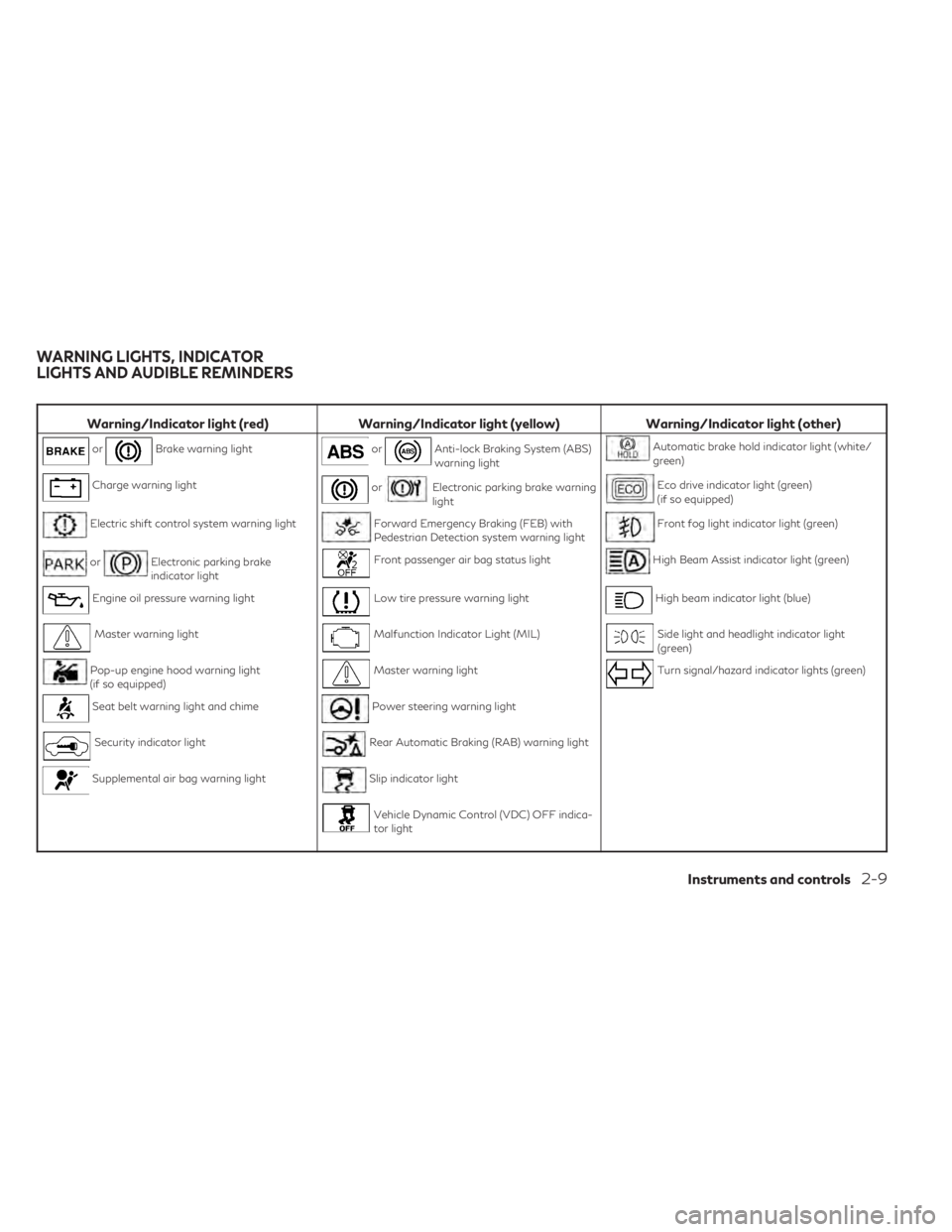
Warning/Indicator light (red)Warning/Indicator light (yellow) Warning/Indicator light (other)
orBrake warning lightorAnti-lock Braking System (ABS)
warning lightAutomatic brake hold indicator light (white/
green)
Charge warning lightorElectronic parking brake warning
lightEco drive indicator light (green)
(if so equipped)
Electric shift control system warning lightForward Emergency Braking (FEB) with
Pedestrian Detection system warning lightFront fog light indicator light (green)
orElectronic parking brake
indicator lightFront passenger air bag status lightHigh Beam Assist indicator light (green)
Engine oil pressure warning lightLow tire pressure warning lightHigh beam indicator light (blue)
Master warning lightMalfunction Indicator Light (MIL)Side light and headlight indicator light
(green)
Pop-up engine hood warning light
(if so equipped)Master warning lightTurn signal/hazard indicator lights (green)
Seat belt warning light and chimePower steering warning light
Security indicator lightRear Automatic Braking (RAB) warning light
Supplemental air bag warning lightSlip indicator light
Vehicle Dynamic Control (VDC) OFF indica-
tor light
WARNING LIGHTS, INDICATOR
LIGHTS AND AUDIBLE REMINDERS
Instruments and controls2-9
Page 98 of 526
Pop-up engine hood
warning light (if so equipped)
When the ignition switch is in the ON posi-
tion, the pop-up engine hood warning light
illuminates for about 7 seconds and then
turns off. This indicates the pop-up engine
hood system is operational.
If any of the following conditions occur, the
pop-up engine hood system may need servic-
ing. Have the system checked. It is recom-
mended that you visit an INFINITI retailer for
this service.
• The pop-up engine hood warning light re-mains illuminated after about 7 seconds.
• The pop-up engine hood warning light flashes intermittently.
• The pop-up engine hood warning light does not come on at all.
The pop-up engine hood may not function
properly unless checked and/or repaired.
For additional information, see “Pop-up en-
gine hood” (P. 1-63).
Seat belt warning light and
chime
The light and chime remind you to fasten your
seat belts. The light illuminates whenever the
ignition switch is placed in the ON position and remains illuminated until the driver's seat
belt is fastened. At the same time, the chime
sounds for about 6 seconds unless the driv-
er's seat belt is securely fastened.
The seat belt warning light may also illumi-
nate if the front passenger's seat belt is not
fastened when the front passenger's seat is
occupied. For 7 seconds after the ignition
switch is placed in the ON position, the sys-
tem does not activate the warning light for
the front passenger.
The rear row seats may be also equipped
with a seat belt warning light.
For additional information, see “Seat belts”
(P. 1-11).
Security indicator light
This light blinks when the ignition switch is
placed in the OFF or LOCK position.
The blinking security indicator light indicates
that the security systems equipped on the
vehicle are operational.
For additional information, see “Security sys-
tems” (P. 2-33).
Supplemental air bag
warning light
When the ignition switch is placed in the ON
position, the supplemental air bag warning
light illuminates for about 7 seconds and then
turns off. This means the system is
operational.
If any of the following conditions occur, the
front air bag, side air bag, curtain air bag, and
pretensioner seat belt systems need
servicing:
• The supplemental air bag warning light re-
mains on after approximately 7 seconds.
• The supplemental air bag warning light flashes intermittently.
• The supplemental air bag warning light does not come on at all.
It is recommended that you visit an INFINITI
retailer for these services.
Unless checked and repaired, the supplemen-
tal restraint system (air bag system) and/or
the pretensioners may not function properly.
For additional information, see “Supplemen-
tal Restraint System (SRS)” (P. 1-41).
2-12Instruments and controls
Page 99 of 526
WARNING
If the supplemental air bag warning light is
on, it could mean that the front air bag, side
air bag, curtain air bag and/or preten-
sioner systems will not operate in an acci-
dent. To help avoid injury to yourself or
others, have your vehicle checked as soon
as possible. It is recommended that you
visit an INFINITI retailer for this service.
WARNING/INDICATOR LIGHTS
(yellow)
For additional information, see “Vehicle in-
formation display” (P. 2-19).
orAnti-lock Braking
System (ABS)
warning light
When the ignition switch is placed in the ON
position, the ABS warning light illuminates
and then turns off. This indicates the ABS is
operational.
If the ABS light comes on while the engine is
running, it may indicate the anti-lock braking
system is not functioning properly. Have the
system checked. It is recommended that you
visit an INFINITI retailer for this service. If an ABS malfunction occurs, the anti-lock
function is turned off. The brake system then
operates normally, but without anti-lock as-
sistance. For additional information, see
“Brake system” (P. 5-139).
orElectronic parking
brake warning light
The electronic parking brake system warning
light functions for the electronic parking
brake system. If the warning light illuminates,
it may indicate the electronic parking brake
system is not functioning properly. Have the
system checked. It is recommended that you
visit an INFINITI retailer for this service.
For additional information, see “Electronic
parking brake” (P. 5-24).
Forward Emergency
Braking (FEB) with
Pedestrian Detection
system warning light
This light comes on when the ignition switch
is placed in the ON position. It turns off after
the engine is started.
This light illuminates when the FEB with Pe-
destrian Detection system is set to OFF in the
lower display. If the light illuminates when the FEB with
Pedestrian Detection system is on, it may
indicate that the system is unavailable. For
additional information, see “Forward Emer-
gency Braking (FEB) with Pedestrian Detec-
tion system” (P. 5-109) and “Predictive For-
ward Collision Warning (PFCW)” (P. 5-120).
Front passenger air bag
status light
The front passenger air bag status light will
be lit and the passenger front air bag will be
off depending on how the front passenger
seat is being used.
For additional information, see “Front pas-
senger air bag and status light” (P. 1-52).
Low tire pressure warning
light
Your vehicle is equipped with a Tire Pressure
Monitoring System (TPMS) that monitors the
tire pressure of all tires.
The low tire pressure warning light warns of
low tire pressure or indicates that the TPMS
is not functioning properly.
After the ignition switch is placed in the ON
position, this light illuminates for about 1 sec-
ond and turns off.
Instruments and controls2-13
Page 104 of 526
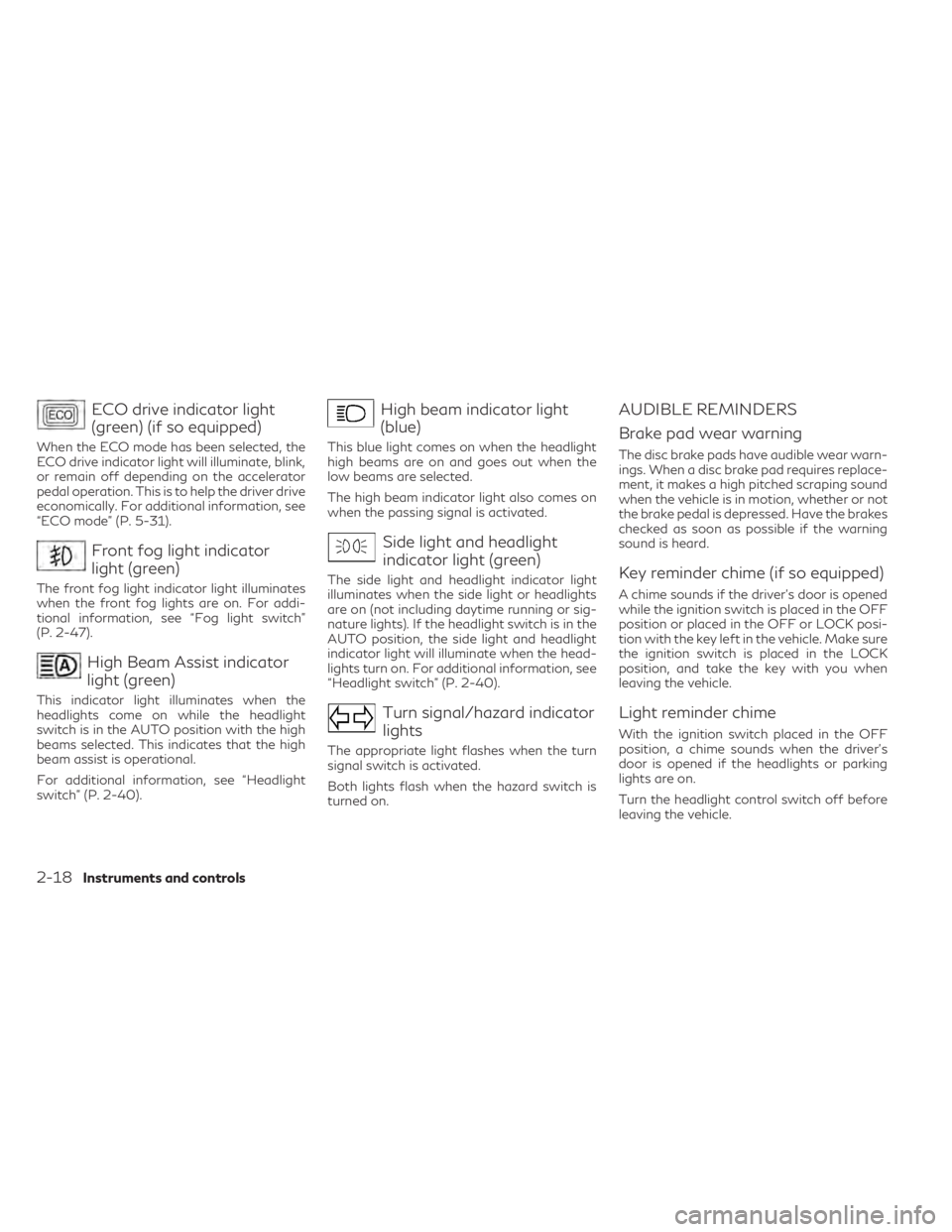
ECO drive indicator light
(green) (if so equipped)
When the ECO mode has been selected, the
ECO drive indicator light will illuminate, blink,
or remain off depending on the accelerator
pedal operation. This is to help the driver drive
economically. For additional information, see
“ECO mode” (P. 5-31).
Front fog light indicator
light (green)
The front fog light indicator light illuminates
when the front fog lights are on. For addi-
tional information, see “Fog light switch”
(P. 2-47).
High Beam Assist indicator
light (green)
This indicator light illuminates when the
headlights come on while the headlight
switch is in the AUTO position with the high
beams selected. This indicates that the high
beam assist is operational.
For additional information, see “Headlight
switch” (P. 2-40).
High beam indicator light
(blue)
This blue light comes on when the headlight
high beams are on and goes out when the
low beams are selected.
The high beam indicator light also comes on
when the passing signal is activated.
Side light and headlight
indicator light (green)
The side light and headlight indicator light
illuminates when the side light or headlights
are on (not including daytime running or sig-
nature lights). If the headlight switch is in the
AUTO position, the side light and headlight
indicator light will illuminate when the head-
lights turn on. For additional information, see
“Headlight switch” (P. 2-40).
Turn signal/hazard indicator
lights
The appropriate light flashes when the turn
signal switch is activated.
Both lights flash when the hazard switch is
turned on.
AUDIBLE REMINDERS
Brake pad wear warning
The disc brake pads have audible wear warn-
ings. When a disc brake pad requires replace-
ment, it makes a high pitched scraping sound
when the vehicle is in motion, whether or not
the brake pedal is depressed. Have the brakes
checked as soon as possible if the warning
sound is heard.
Key reminder chime (if so equipped)
A chime sounds if the driver's door is opened
while the ignition switch is placed in the OFF
position or placed in the OFF or LOCK posi-
tion with the key left in the vehicle. Make sure
the ignition switch is placed in the LOCK
position, and take the key with you when
leaving the vehicle.
Light reminder chime
With the ignition switch placed in the OFF
position, a chime sounds when the driver's
door is opened if the headlights or parking
lights are on.
Turn the headlight control switch off before
leaving the vehicle.
2-18Instruments and controls
Page 105 of 526
Intelligent Key door buzzer (if so
equipped)
The Intelligent Key door buzzer sounds if any
one of the following improper operations is
found.
• The Intelligent Key is left inside the vehiclewhen locking the doors.
• The Intelligent Key is taken outside the ve- hicle when operating the vehicle.
When the buzzer sounds, be sure to check
both the vehicle and the Intelligent Key Sys-
tem. For additional information, see
“INFINITI Intelligent Key” (P. 3-2).
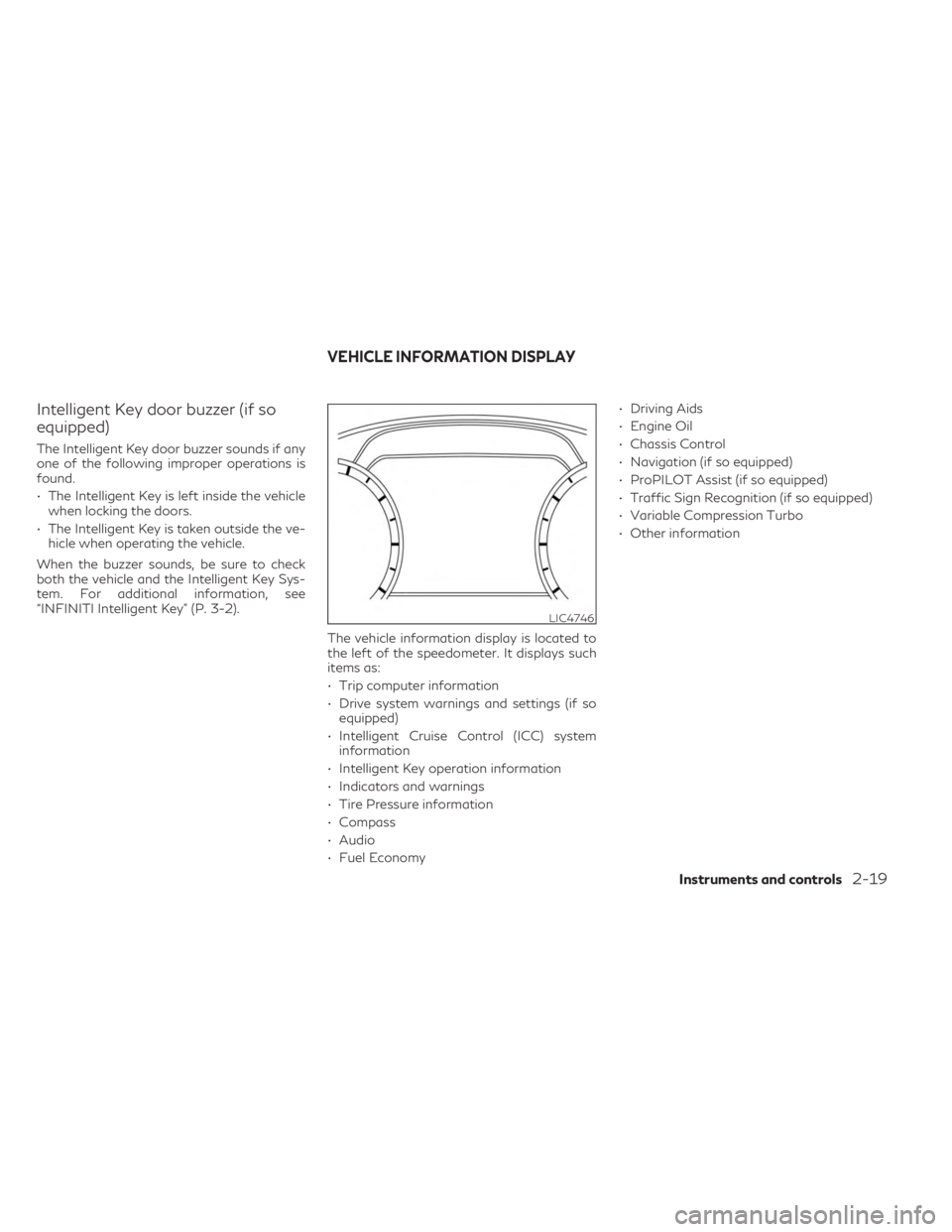
The vehicle information display is located to
the left of the speedometer. It displays such
items as:
• Trip computer information
• Drive system warnings and settings (if soequipped)
• Intelligent Cruise Control (ICC) system information
• Intelligent Key operation information
• Indicators and warnings
• Tire Pressure information
• Compass
• Audio
• Fuel Economy • Driving Aids
• Engine Oil
• Chassis Control
• Navigation (if so equipped)
• ProPILOT Assist (if so equipped)
• Traffic Sign Recognition (if so equipped)
• Variable Compression Turbo
• Other information
LIC4746
VEHICLE INFORMATION DISPLAY
Instruments and controls2-19
Page 117 of 526

For additional information, see “Vehicle Dy-
namic Control (VDC)” (P. 5-141), “Blind Spot
Intervention® (BSI)” (P. 5-53), “Lane Depar-
ture Prevention (LDP)” (P. 5-39) and/or “Pro-
PILOT Assist” (P. 5-73).
Lane Departure Prevention
(LDP) ON / Blind Spot
Intervention® (BSI) ON /
ProPILOT Assist status
indicator
This indicator appears when the LDP/BSI/
ProPILOT system is engaged.
For additional information, see Lane Depar-
ture Prevention (LDP) (P. 5-39), Blind Spot
Intervention® (BSI) (P. 5-53), ProPILOT As-
sist (P. 5-73).
Lane Departure Warning
(LDW)/Lane Departure
Prevention (LDP) indicator
This indicator appears when the LDW/LDP
systems are engaged.
For additional information, see “Lane Depar-
ture Warning (LDW)” (P. 5-34) and “Lane
Departure Prevention (LDP) (P. 5-39).
Malfunction
This warning appears when one or more of
the following systems (if so equipped) is not
functioning properly:
• Blind Spot Intervention® (BSI)
• Blind Spot Warning (BSW)
• Forward Emergency Braking (FEB) withPedestrian Detection
• Lane Departure Warning (LDW)
• Lane Departure Prevention (LDP)
• Predictive Forward Collision Warning (PFCW)
• ProPILOT Assist
• Rear Cross Traffic Alert (RCTA)
• Traffic Sign Recognition (TSR)
If one or more of these warning appears,
have the system checked. It is recommended
that you visit an INFINITI retailer for this
service.
Not Available Bad Weather
This message may appear when the Steering
Assist system is engaged.
Under the following condition, the Steering
Assist system is automatically canceled:
• When the wiper (HI) operates The system will be available when the above
condition no longer exists.
Forward Driving Aids temporarily
disabled Front Sensor blocked See
Owner’s Manual
This message appears when the front radar
sensor may be obstructed due to:
• mud, dirt, snow, ice, etc.
• inclement weather (rain, fog, snow, etc.)
All forward driving aids are temporarily dis-
abled until the system detects that the front
radar sensor is no longer obstructed.
For additional information, see:
• Forward Emergency Braking (FEB) with
Pedestrian Detection (P. 5-109)
• Predictive Forward Collision Warning (PFCW) (P. 5-120)
• ProPILOT Assist (P. 5-73)
Not Available: High Camera Temp
This message appears when the camera de-
tects an interior temperature of more than
104°F (40°C).
For additional information, see “Blind Spot
Intervention® (BSI)” (P. 5-53) , “Lane Depar-
ture Warning (LDW)” (P. 5-34), “Lane Depar-
ture Prevention (LDP)” (P. 5-39) or “Traffic
Sign Recognition (TSR)” (P. 5-31).
Instruments and controls2-31
Page 119 of 526

Steering Assist Not Available:
Cannot Detect Lane
This message may appear when the Steering
Assist system is engaged.
Under the following conditions, the Steering
Assist system is automatically canceled:
• When lane markers in the traveling lanecannot be correctly detected for a period of
time due to such items as a snow rut, re-
flection of light on a rainy day or several
unclear lane markers are present
If you want to use the Steering Assist system
again, cancel the ProPILOT Assist system
and set it again when lane markers are clearly
visible.
Steering Assist status
This indicator appears when the Steering As-
sist system is engaged.
For additional information, see “ProPILOT
Assist” (P. 5-73).
System fault See Owner’s Manual
This warning appears if there is a malfunction
in the Rear Automatic Braking (RAB) system.
For additional information, see “Rear Auto-
matic Braking (RAB)” (P. 5-104).
Unavailable: Side Radar Obstruction
This message appears when one of the fol-
lowing systems (if so equipped) becomes un-
available because a radar blockage is de-
tected.
• Blind Spot Intervention® (BSI)
• Blind Spot Warning (BSW)
• Rear Cross Traffic Alert (RCTA)
For additional information, see:
• “Blind Spot Intervention® (BSI)” (P. 5-53)
• “Blind Spot Warning (BSW)” (P. 5-45)
• “Rear Cross Traffic Alert (RCTA)” (P. 5-65)
Vehicle ahead detection
indicator
This indicator appears when the following
systems (if so equipped) are engaged and
have detected a vehicle:
• Forward Emergency Braking (FEB) with Pedestrian Detection
• Predictive Forward Collision Warning (PFCW)
For additional information, see “Forward
Emergency Braking (FEB) with Pedestrian
Detection system” (P. 5-109) or “Predictive
Forward Collision Warning (PFCW)”
(P. 5-120) Your vehicle has two types of security
systems:
• Vehicle security system
• INFINITI Vehicle Immobilizer System
VEHICLE SECURITY SYSTEM
The vehicle security system provides visual
and audible alarm signals if someone opens
the doors, liftgate or hood when the system is
armed. It is not, however, a motion detection
type system that activates when a vehicle is
moved or when a vibration occurs.
LIC0661
SECURITY SYSTEMS
Instruments and controls2-33
Page 120 of 526

The system helps deter vehicle theft but can-
not prevent it nor can it prevent the theft of
interior or exterior vehicle components in all
situations. Always secure your vehicle even if
parking for a brief period. Never leave your
Intelligent Key in the vehicle, and always lock
the vehicle when unattended. Be aware of
your surroundings, and park in secure, well-lit
areas whenever possible.
Many devices offering additional protection,
such as component locks, identification
markers, and tracking systems, are available
at auto supply stores and specialty shops. An
INFINITI retailer may also offer such equip-
ment. Check with your insurance company to
see if you may be eligible for discounts for
various theft protection features.
How to arm the vehicle security
system
1. Close all windows and the moonroof (if soequipped). (The system can be armed even
if the windows and moonroof are open.)
2. Remove the Intelligent Key from the vehicle.
3. Close all doors, hood and liftgate. Lock all doors. The doors can be locked with the
Intelligent Key, door handle request
switch, or power door lock switch. 4. Confirm that the
security indicator
light stays on for about 30 seconds. The
vehicle security system is now pre-armed.
The vehicle security system will automati-
cally shift into the armed phase. The
security light begins to flash once every
three seconds. If during the pre-armed
phase one of the following occurs, the
system will not arm:
• Any door is unlocked with the Intelligent Key or door request switch.
• Ignition switch is placed in AUTO ACC or ON position.
• Even when the driver and/or passengers
are in the vehicle, the system will activate
with all the doors, hood and liftgate locked
with the ignition switch placed in the
LOCK position. When placing the ignition
switch in the AUTO ACC or ON position,
the system will be released.
Vehicle security system activation
The vehicle security system will give the fol-
lowing alarm:
• The turn signals blink and the horn sounds intermittently. • The alarm automatically turns off after a
period of time. However, the alarm reacti-
vates if the vehicle is tampered with again.
The alarm can be shut off by pressing the
button on the Intelligent Key.
The alarm is activated by:
• Opening the door or liftgate without using the Intelligent Key (even if the door is un-
locked by releasing the door inside lock
switch).
How to stop an activated alarm
The alarm stops only by unlocking the driver’s
door or the liftgate by pressing the
button on the Intelligent Key or pushing the
request switch on the driver's or passenger's
door with the Intelligent Key in range of the
door handle.
INFINITI VEHICLE IMMOBILIZER
SYSTEM
The INFINITI Vehicle Immobilizer System will
not allow the engine to start without the use
of a registered INFINITI Vehicle Immobilizer
System key.
2-34Instruments and controls