roof INFINITI QX56 2008 Factory Service Manual
[x] Cancel search | Manufacturer: INFINITI, Model Year: 2008, Model line: QX56, Model: INFINITI QX56 2008Pages: 4083, PDF Size: 81.73 MB
Page 1 of 4083
A
B
C
D
E
F
G
H
I
J
K
L
M
N
P
O
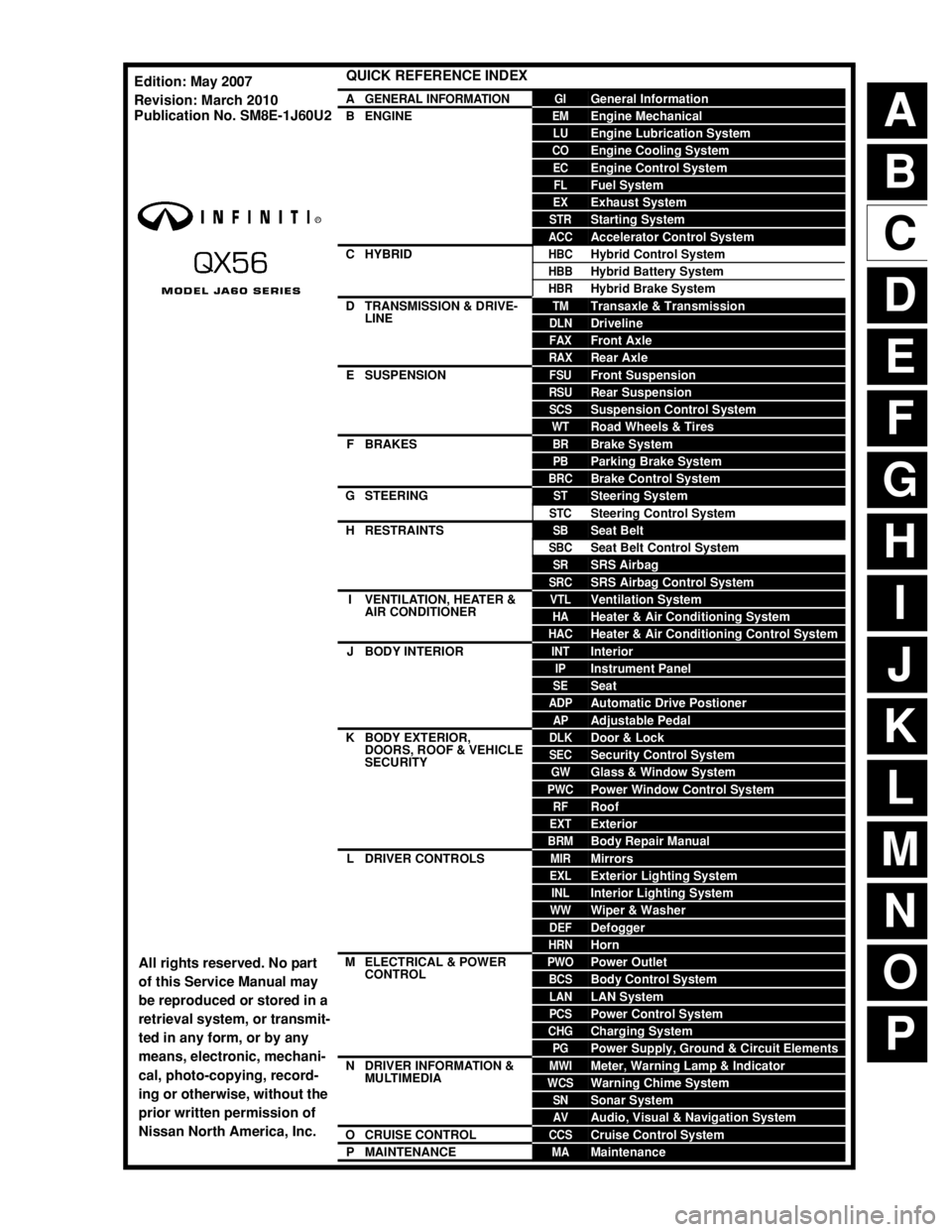
QUICK REFERENCE INDEX
AGENERAL INFORMATIONGIGeneral Information
BENGINEEMEngine Mechanical
LUEngine Lubrication System
COEngine Cooling System
ECEngine Control System
FLFuel System
EXExhaust System
STRStarting System
ACCAccelerator Control System
CHYBRIDHBCHybrid Control System
HBBHybrid Battery System
HBRHybrid Brake System
DTRANSMISSION & DRIVE-
LINETMTransaxle & Transmission
DLNDriveline
FAXFront Axle
RAXRear Axle
ESUSPENSIONFSUFront Suspension
RSURear Suspension
SCSSuspension Control System
WTRoad Wheels & Tires
FBRAKESBRBrake System
PBParking Brake System
BRCBrake Control System
GSTEERINGSTSteering System
STCSteering Control System
HRESTRAINTSSBSeat Belt
SBCSeat Belt Control System
SRSRS Airbag
SRCSRS Airbag Control System
IVENTILATION, HEATER &
AIR CONDITIONERVTLVentilation System
HAHeater & Air Conditioning System
HACHeater & Air Conditioning Control System
JBODY INTERIORINTInterior
IPInstrument Panel
SESeat
ADPAutomatic Drive Postioner
APAdjustable Pedal
KBODY EXTERIOR,
DOORS, ROOF & VEHICLE
SECURITYDLKDoor & Lock
SECSecurity Control System
GWGlass & Window System
PWCPower Window Control System
RFRoof
EXTExterior
BRMBody Repair Manual
LDRIVER CONTROLSMIRMirrors
EXLExterior Lighting System
INLInterior Lighting System
WWWiper & Washer
DEFDefogger
HRNHorn
MELECTRICAL & POWER
CONTROLPWOPower Outlet
BCSBody Control System
LANLAN System
PCSPower Control System
CHGCharging System
PGPower Supply, Ground & Circuit Elements
NDRIVER INFORMATION &
MULTIMEDIAMWIMeter, Warning Lamp & Indicator
WCSWarning Chime System
SNSonar System
AVAudio, Visual & Navigation System
OCRUISE CONTROLCCSCruise Control System
PMAINTENANCEMAMaintenance
All rights reserved. No part
of this Service Manual may
be reproduced or stored in a
retrieval system, or transmit-
ted in any form, or by any
means, electronic, mechani-
cal, photo-copying, record-
ing or otherwise, without the
prior written permission of
Nissan North America, Inc.
Edition: May 2007
Revision: March 2010
Publication No. SM8E-1J60U2
Page 201 of 4083
![INFINITI QX56 2008 Factory Service Manual AV-20
< FUNCTION DIAGNOSIS >[AUDIO SYSTEM]
HANDS-FREE PHONE SYSTEM
HANDS-FREE PHONE SYSTEM
System DiagramINFOID:0000000001696034
System DescriptionINFOID:0000000001696035
Refer to the Owners Manual f](/img/42/57030/w960_57030-200.png "INFINITI QX56 2008 Factory Service Manual AV-20
< FUNCTION DIAGNOSIS >[AUDIO SYSTEM]
HANDS-FREE PHONE SYSTEM
HANDS-FREE PHONE SYSTEM
System DiagramINFOID:0000000001696034
System DescriptionINFOID:0000000001696035
Refer to the Owners Manual f")
AV-20
< FUNCTION DIAGNOSIS >[AUDIO SYSTEM]
HANDS-FREE PHONE SYSTEM
HANDS-FREE PHONE SYSTEM
System DiagramINFOID:0000000001696034
System DescriptionINFOID:0000000001696035
Refer to the Owner's Manual for Bluetoot
h telephone system operating instructions.
NOTE:
Cellular telephones must have their wireless connection set up (paired) before using the Bluetooth telephone
system.
Bluetooth telephone system allows users who have a Bluetooth equipped cellular telephone to make a wire-
less connection between their cellular telephone and the AV control unit. Hands-free cellular telephone calls
can be sent and received. Personal memos can be created using the Nissan Voice Recognition system. Some
Bluetooth cellular telephones may not be recognized by t he AV control unit. When a cellular telephone or the
AV control unit is replaced, the telephone must be pair ed with the AV control unit. Different cellular telephones
may have different pairing procedures. Refer to the cellular telephone operating manual and the vehicle
Owner’s Manual for more information.
AV CONTROL UNIT
When the ignition switch is turned to ACC or ON, the AV control unit will power up. During power up, the Blue-
tooth feature is initialized and performs various self checks. Initialization may take up to 10 seconds. If a
phone is present in the vehicle and paired with the AV control unit, Nissan Voice Recognition will then become
active. Bluetooth telephone functions can be turned off using the Nissan Voice Recognition system.
STEERING WHEEL AUDIO CONTROL SWITCHES
When buttons on the steering wheel audio control switch are pushed, the resistance in steering wheel audio
control switch circuit changes depending on which button is pushed. The AV control unit uses this signal to
perform various functions while navigati ng through the voice recognition system.
The following functions can be performed using the steering wheel audio control switch:
• Initiate Self Diagnosis of the Bluetooth telephone system
• Start a voice recognition session
• Answer and end telephone calls
• Adjust the volume of calls
• Record memos
MICROPHONE
The microphone is located in the roof console assembly . The microphone sends a signal to the AV control unit.
The microphone can be actively tested during self-diagnosis.
Component Parts LocationINFOID:0000000001696036
Refer to AV- 11 , "Component Parts Location".
Component DescriptionINFOID:0000000001696037
AWNIA0131GB
Part name Description
AV control unit • Receives telephone voice signal from Antenna and Microphone
• Sends telephone voice and voice guidance signals to the speakers
BOSE speaker amp. • Recieves audio signals from the AV control unit
• Outputs amplified audio signals to the speakers.
Revision: March 2010
2008 QX56
Page 356 of 4083
![INFINITI QX56 2008 Factory Service Manual AV
REAR AUDIO REMOTE CONTROL UNITAV-175
< ON-VEHICLE REPAIR > [AUDIO SYSTEM]
C
D
E
F
G H
I
J
K L
M B A
O P
REAR AUDIO REMOTE CONTROL UNIT
Removal and InstallationINFOID:0000000001601497
REMOVAL
CAUT](/img/42/57030/w960_57030-355.png "INFINITI QX56 2008 Factory Service Manual AV
REAR AUDIO REMOTE CONTROL UNITAV-175
< ON-VEHICLE REPAIR > [AUDIO SYSTEM]
C
D
E
F
G H
I
J
K L
M B A
O P
REAR AUDIO REMOTE CONTROL UNIT
Removal and InstallationINFOID:0000000001601497
REMOVAL
CAUT")
AV
REAR AUDIO REMOTE CONTROL UNITAV-175
< ON-VEHICLE REPAIR > [AUDIO SYSTEM]
C
D
E
F
G H
I
J
K L
M B A
O P
REAR AUDIO REMOTE CONTROL UNIT
Removal and InstallationINFOID:0000000001601497
REMOVAL
CAUTION:
Wrap removal tool with clean shop cl oth to prevent damage to the headliner.
1. Carefully remove the rear audio remote control unit from the rear roof console assembly (1).
2. Disconnect connectors and remove the rear audio remote con- trol unit.
INSTALLATION
Installation is in the reverse order of removal.
ALNIA0276ZZ
Revision: March 2010 2008 QX56
Page 357 of 4083
![INFINITI QX56 2008 Factory Service Manual AV-176
< ON-VEHICLE REPAIR >[AUDIO SYSTEM]
DVD ENTERTAINMENT SYSTEM
DVD ENTERTAINMENT SYSTEM
Removal and InstallationINFOID:0000000001601499
REMOVAL
1. Remove the rear roof console. Refer to
INT-17,](/img/42/57030/w960_57030-356.png "INFINITI QX56 2008 Factory Service Manual AV-176
< ON-VEHICLE REPAIR >[AUDIO SYSTEM]
DVD ENTERTAINMENT SYSTEM
DVD ENTERTAINMENT SYSTEM
Removal and InstallationINFOID:0000000001601499
REMOVAL
1. Remove the rear roof console. Refer to
INT-17,")
AV-176
< ON-VEHICLE REPAIR >[AUDIO SYSTEM]
DVD ENTERTAINMENT SYSTEM
DVD ENTERTAINMENT SYSTEM
Removal and InstallationINFOID:0000000001601499
REMOVAL
1. Remove the rear roof console. Refer to
INT-17, "Removal and Installation".
2. Disconnect the video monitor connector.
3. Remove the video monitor housing.
4. Remove the video monitor hinge screws.
5. Remove the video monitor.
INSTALLATION
Installation is in reverse order of removal.
WKIA1502E
WKIA1219E
Revision: March 2010 2008 QX56
Page 363 of 4083
![INFINITI QX56 2008 Factory Service Manual AV-182
< ON-VEHICLE REPAIR >[AUDIO SYSTEM]
MICROPHONE
MICROPHONE
Removal and InstallationINFOID:0000000001601625
REMOVAL
1. Remove the front roof console finisher. Refer to
INT-17,
"Removal and Insta](/img/42/57030/w960_57030-362.png "INFINITI QX56 2008 Factory Service Manual AV-182
< ON-VEHICLE REPAIR >[AUDIO SYSTEM]
MICROPHONE
MICROPHONE
Removal and InstallationINFOID:0000000001601625
REMOVAL
1. Remove the front roof console finisher. Refer to
INT-17,
\"Removal and Insta")
AV-182
< ON-VEHICLE REPAIR >[AUDIO SYSTEM]
MICROPHONE
MICROPHONE
Removal and InstallationINFOID:0000000001601625
REMOVAL
1. Remove the front roof console finisher. Refer to
INT-17,
"Removal and Installation".
2. Disconnect the Bluetooth microphone connector (A).
3. Detach the Bluetooth microphone (1) from the front roof console finisher and remove the Bluetooth microphone (1).
INSTALLATION
Installation is in the reverse order of removal.
ALNIA0275ZZALNIA0274ZZ
Revision: March 2010 2008 QX56
Page 587 of 4083

BRM-1
BODY EXTERIOR, DOORS, ROOF & VEHICLE SECURITY
C
DE
F
G H
I
J
L
M
SECTION BRM
A
B
BRM
N
O P
CONTENTS
BODY REPAIR
SERVICE INFORMATION .. ..........................2
BODY REPAIR ....................................................2
Body Mounting .................................................... ......2
Body Exterior Paint Color ..........................................3
Body Component Parts .............................................4
Corrosion Protection .................................................9
Body Sealing ....................................................... ....12
Body Construction ...................................................16
Body Alignment .......................................................16
Handling Precaution for Plastics ..............................31
Precaution in Repairing High Strength Steel ...........34
Foam Repair ............................................................36
Replacement Operation ...........................................37
Revision: March 2010 2008 QX56
Page 593 of 4083

BODY REPAIRBRM-7
< SERVICE INFORMATION >
C
DE
F
G H
I
J
L
M A
B
BRM
N
O P
5. Front pillar hinge brace (RH, LH)
6. Center pillar hinge brace
7. Outer front pillar reinforcement (RH, LH)
8. Center inner pillar (RH, LH)
9. Front inner pillar upper (RH, LH)
10. Inner roof side rail (RH, LH)
11. Roof with sunroof opening
12. Roof
13. Front roof rail
14. Sunroof reinforcement
15. Roof 1st bow
16. Roof 2nd bow
17. Roof 3rd bow
18. Roof 4th bow
19. Rear roof rail
20. Main back pillar (RH, LH)
21. Back pillar reinforcement (RH, LH)
22. Rear inner side panel (RH, LH)
23. Rear wheel housing (RH, LH)
24. Rear body side outer (RH, LH)
25. Front body side outer (RH, LH)
26. Front door assembly (RH, LH)
27. Rear door assembly (RH, LH)
28. Lift gate assembly
Revision: March 2010 2008 QX56
Page 597 of 4083

BODY REPAIRBRM-11
< SERVICE INFORMATION >
C
DE
F
G H
I
J
L
M A
B
BRM
N
O P
the new parts. Select an excellent anti-corrosive wax which will penetrate after application and has a long shelf
life.
UNDERCOATING
The underside of the floor and wheelhouse are undercoated to prevent rust, vibration, noise and stone chip-
ping. Therefore, when such a panel is replaced or re paired, apply undercoating to that part. Use an undercoat-
ing which is rust preventive, soundproof, vibr ation-proof, shock-resistant, adhesive, and durable.
Precautions in undercoating
1. Do not apply undercoating to any place unless specif ied (such as the areas above the muffler and three
way catalyst which are subjected to heat).
2. Do not undercoat the exhaust pipe or other parts which become hot.
3. Do not undercoat rotating parts.
LIIA0905E
Revision: March 2010 2008 QX56
Page 794 of 4083

DLK-1
BODY EXTERIOR, DOORS, ROOF & VEHICLE SECURITY
C
DE
F
G H
I
J
L
M
SECTION DLK
A
B
DLK
N
O P
CONTENTS
DOOR & LOCK
WITH INTELLIGENT KEY SYSTEM
BASIC INSPECTION ....... .............................
6
DIAGNOSIS AND REPAIR WORKFLOW ..... .....6
Work Flow ........................................................... ......6
INSPECTION AND ADJUSTMENT .....................9
ADDITIONAL SERVICE WHEN REMOVING BAT-
TERY NEGATIVE TERMINAL ............................... ......
9
ADDITIONAL SERVICE WHEN REMOVING
BATTERY NEGATIVE TERMINAL : Description ......
9
ADDITIONAL SERVICE WHEN REMOVING
BATTERY NEGATIVE TERMINAL : Special Re-
pair Requirement ................................................. ......
9
ADDITIONAL SERVICE WHEN REPLACING
CONTROL UNIT .................................................... ......
9
ADDITIONAL SERVICE WHEN REPLACING
CONTROL UNIT : Description ..................................
9
ADDITIONAL SERVICE WHEN REPLACING
CONTROL UNIT : Special Repair Requirement .......
9
FUNCTION DIAGNOSIS ..............................10
DOOR LOCK FUNCTION .............................. ....10
DOOR LOCK AND UNLOCK SWITCH ................. ....10
DOOR LOCK AND UNLOCK SWITCH : System
Diagram ...................................................................
10
DOOR LOCK AND UNLOCK SWITCH : System
Description ..............................................................
10
DOOR LOCK AND UNLOCK SWITCH :
Component Parts Location ....................................
11
DOOR LOCK AND UNLOCK SWITCH :
Component Description ..........................................
11
DOOR REQUEST SWITCH ................................... ....12
DOOR REQUEST SWITCH : System Diagram ......12
DOOR REQUEST SWITCH : System Description ....12
DOOR REQUEST SWITCH :
Component Parts Location ....................................
15
DOOR REQUEST SWITCH :
Component Description ...................................... ....
17
INTELLIGENT KEY ................................................ ....17
INTELLIGENT KEY : System Diagram ....................17
INTELLIGENT KEY : System Description ...............17
INTELLIGENT KEY : Component Parts Location ....20
INTELLIGENT KEY : Component Description ........21
BACK DOOR OPENER FUNCTION .................23
BACK DOOR OPENER SWITCH .......................... ....23
BACK DOOR OPENER SWITCH : System Dia-
gram ........................................................................
23
BACK DOOR OPENER SWITCH : System De-
scription ...................................................................
23
BACK DOOR OPENER SWITCH :
Component Parts Location ....................................
28
BACK DOOR OPENER SWITCH :
Component Description ..........................................
28
INTELLIGENT KEY ................................................ ....29
INTELLIGENT KEY : System Diagram ....................29
INTELLIGENT KEY : System Description ...............29
INTELLIGENT KEY : Component Parts Location ....31
INTELLIGENT KEY : Component Description ........32
WARNING FUNCTION ......................................34
System Description ..................................................34
Component Parts Location ....................................38
KEY REMINDER FUNCTION ............................40
System Description ..................................................40
Component Parts Location ....................................41
HAZARD AND BUZZER REMINDER FUNC-
TION ..................................................................
43
System Diagram ......................................................43
System Description ..................................................43
Component Parts Location ....................................44
Component Description ..........................................46
HOMELINK UNIVERSAL TRANSCEIVER .......47
Revision: March 2010 2008 QX56
Page 846 of 4083
![INFINITI QX56 2008 Factory Service Manual DIAGNOSIS SYSTEM (INTELLIGENT KEY UNIT)DLK-53
< FUNCTION DIAGNOSIS > [WITH INTELLIGENT KEY SYSTEM]
C
D
E
F
G H
I
J
L
M A
B
DLK
N
O P
ACTIVE TEST
AS REQ SW Indicates [ON (pressed)/OFF (re
leased)] cond](/img/42/57030/w960_57030-845.png "INFINITI QX56 2008 Factory Service Manual DIAGNOSIS SYSTEM (INTELLIGENT KEY UNIT)DLK-53
< FUNCTION DIAGNOSIS > [WITH INTELLIGENT KEY SYSTEM]
C
D
E
F
G H
I
J
L
M A
B
DLK
N
O P
ACTIVE TEST
AS REQ SW Indicates [ON (pressed)/OFF (re
leased)] cond")
DIAGNOSIS SYSTEM (INTELLIGENT KEY UNIT)DLK-53
< FUNCTION DIAGNOSIS > [WITH INTELLIGENT KEY SYSTEM]
C
D
E
F
G H
I
J
L
M A
B
DLK
N
O P
ACTIVE TEST
AS REQ SW Indicates [ON (pressed)/OFF (re
leased)] condition of door request switch (passenger
side).
IGN SW Indicates [ON (ON or START position)/OFF (other than ON and START position)] con-
dition of ignition switch ON position.
ACC SW Indicates [ON/OFF] condition of ignition switch ACC position.
DOOR LOCK SIG Indicates [ON/OFF] condition of LOCK signal from Intelligent Key.
DOOR UNLOCK SIG Indicates [ON/OFF] condition of UNLOCK signal from Intelligent Key.
DOOR SW DR Indicates [OPEN/CLOSE] condition of front door switch (driver side) from BCM via CAN
communication.
DOOR SW AS Indicates [OPEN/CLOSE] condition of front door switch (passenger side) from BCM via
CAN communication.
DOOR SW RR Indicates [OPEN/CLOSE] condition of rear door switch (RH) from BCM via CAN com-
munication.
DOOR SW RL Indicates [OPEN/CLOSE] condition of rear door switch (LH) from BCM via CAN com-
munication.
DOOR BK SW Indicates [OPEN/CLOSE] condition of back door switch from BCM via CAN communi-
cation.
VEHICLE SPEED Displays the vehicle speed signal received from combination meter by numerical value
[km/h].
Monitor Item
Condition
Test itemDescription
DOOR LOCK/UNLOCK This test is able to check door lock/unlock operation.
• ALL UNLK: All door lock actuators are unlocked.
• DR UNLK: Door lock actuator
(driver side) is unlocked.
• AS UNLK: Door lock actuator (passenger side) is unlocked.
• BK UNLK: This item is indicated, but inactive.
• LOCK: All door lock actuator is locked.
ANTENNA This test is able to check Intelligent Key antenna operation.
When the following condition are met, hazard warning lamps flash.
• ROOM ANT1: Inside key antenna (front of center console) detects Intelligent Key,
when “ROOM ANT1” is selected.
• ROOM ANT2: Inside key antenna (rear luggage area) detects Intelligent Key, when “ROOM ANT2”is selected.
• ROOM ANT3: Inside key antenna (rear of center console) detects Intelligent Key, when “ROOM ANT3” is selected.
• ROOM ANT4: Inside key antenna (roof console) detects Intelligent Key, when “ROOM ANT4”is selected.
• DRIVER ANT: Outside key antenna (driver side) detects Intelligent Key, when “DRIV- ER ANT” is selected.
• ASSIST ANT: Outside key antenna (passenger side) detects Intelligent Key, when
“ASSIST ANT” is selected.
• BK DOOR ANT: Outside key antenna (rear bumper) detects Intelligent Key, when “BK DOOR ANT” is selected.
OUTSIDE BUZZER This test is able to check Intelligent Key warning buzzer operation.
•ON
•OFF
INSIDE BUZZER This test is able to check warning chime in combination meter operation.
• TAKE OUT: Take away
warning chime sounds.
• KNOB: Ignition knob switch warning chime sounds.
• KEY: Key warning chime sounds.
•OFF
Revision: March 2010 2008 QX56