change wheel INFINITI QX60 2015 Owner's Guide
[x] Cancel search | Manufacturer: INFINITI, Model Year: 2015, Model line: QX60, Model: INFINITI QX60 2015Pages: 554, PDF Size: 5.84 MB
Page 370 of 554

Automatic deactivation
Condition A:
The warning and assist functions of the LDP
system are not designed to work under the fol-
lowing conditions:● When you operate the lane change signal
and change the traveling lanes in the direc-
tion of the signal. (The LDP system will be
deactivated for approximately 2 seconds af-
ter the lane change signal is turned off.)
● When the vehicle speed lowers to less than
approximately 45 MPH (70 km/h).
After the above conditions have finished and the
necessary operating conditions are satisfied, the
warning and assist functions will resume.
Condition B:
The assist function of the LDP system is not
designed to work under the following conditions
(warning is still functional): ● When the brake pedal is depressed.
● When the steering wheel is turned as far as
necessary for the vehicle to change lanes.
● When the vehicle is accelerated during LDP
system operation.
● When the ICC approach warning occurs. ●
When the hazard warning flashers are oper-
ated.
● When driving on a curve at high speed.
After the above conditions have finished and the
necessary operating conditions are satisfied, the
LDP system application of the brakes will resume.
Condition C:
If the following messages appear in the vehicle
information display, a chime will sound and the
LDP system will be turned off automatically. ● “Unavailable Road is slippery”:
When the VDC system (except TCS func-
tion) or ABS operates.
● “Unavailable VDC OFF”:
When the VDC system is turned off.
● “Unavailable Snow mode active”:
When the drive mode select switch is turned
to the SNOW mode.
Action to take:
When the above conditions no longer exist, turn
off the LDP system. Push the dynamic driver
assistance switch again to turn the LDP system
back on. Temporary disabled status at high tem-
perature:
If the vehicle is parked in direct sunlight under
high temperature conditions (over approximately
104°F (40°C)) and then the LDP system is turned
on, the LDP system may be deactivated auto-
matically and the following message will appear
on the vehicle information display. “Unavailable
High Cabin Temp.” When the interior tempera-
ture is reduced, the system will resume operating
automatically.
Starting and driving5-31
Page 376 of 554

The BSI system turns on when the dynamic driver
assistance switch on the steering wheel is
pushed when the “Blind Spot Intervention” is
enabled in the settings menu on the vehicle infor-
mation display. The BSI ON indicator light on the
instrument panel illuminates when the BSI sys-
tem is turned on.
The BSI system provides a chime and turns on or
flashes the Blind Spot Warning indicator light
even if the BSW system is off.
How to enable/disable the BSI system
Perform the following steps to enable or disable
the BSI system.1. Press the
button until “Settings” dis-
plays in the vehicle information display. Use
the
button to select “Driver Assis-
tance”. Then press the ENTER button.
2. Select “Driver Aids”, and press the ENTER button.
3. To set the BSI system to on or off, use the
buttons to navigate in the menu
and use the ENTER button to select or
change an item:
● Select “Blind Spot” and press the ENTER
button.
– To turn on the warning, use the ENTER button to check box for “Warning (BSW)”
– To turn on the assistance system, use the ENTER button to check box for “Assis-
tance (BSI)”
– Use the ENTER button to toggle through the brightness choices —
“Bright/STD/Dark”
BSI temporarily not available
When any of the following messages appear on
the vehicle information display, a chime will sound
and the BSI system will be turned off automati-
cally. ●
“Unavailable Road is slippery” :
When the VDC system (except traction con-
trol system function) or ABS operates.
● “Unavailable VDC OFF” :
When the VDC system is turned off.
● “Unavailable Snow mode active” :
When the drive mode select switch is turned
to the SNOW mode.
● “Unavailable High Cabin Temp. ” :
When the camera detects that the interior
temperature is high (over approximately
104°F (40°C)) .
● “Unavailable Side Radar Obstruction” :
When side radar blockage is detected.
Turn off the BSI system and turn it on again when
the above conditions no longer exist.
BSI malfunction
When the BSI system malfunctions, it will be
turned off automatically, a chime will sound and
the BSI system warning light (orange) will illumi-
nate.
Action to take:
Stop the vehicle in a safe location, place the
vehicle in the P (Park) position, turn the engine off
and restart the engine. If the warning light (or-
ange) continues to illuminate, have the system
checked by an INFINITI retailer.
SSD0938
Starting and driving5-37
Page 378 of 554

– When the headlights are not brightdue to dirt on the lens or if aiming is
not adjusted properly.
– When strong light enters a lane cam- era unit. (For example: light directly
shines on the front of the vehicle at
sunrise or sunset.)
– When a sudden change in brightness occurs. (For example: when the ve-
hicle enters or exits a tunnel or under
a bridge.)
● Do not use the BSI system under the
following conditions because the sys-
tem may not function properly.
– During bad weather (For example: rain, fog, snow, etc.)
– When driving on slippery roads, such as on ice or snow, etc.
– When driving on winding or uneven roads.
– When there is a lane closure due to road repairs.
– When driving in a makeshift lane.
– When driving on roads where the lane width is too narrow. – When driving with a tire that is not
within normal tire conditions (e.g.
tire wear, low tire pressure, installa-
tion of spare tire, tire chains, non-
standard wheels) .
– When the vehicle is equipped with non-original brake parts or suspen-
sion parts.
● Do not use the BSI systems when tow-
ing a trailer.
● Excessive noise (e.g. audio system vol-
ume, open vehicle window) will inter-
fere with the chime sound, and it may
not be heard.
BSW/BSI DRIVING SITUATIONS
Another vehicle approaching from
behind
Illustration 1: The Blind Spot Warning indicator
light illuminates if a vehicle enters the detection
zone from behind in an adjacent lane.
However, if the overtaking vehicle is traveling much
faster than your vehicle, the indicator light may not
illuminate before the detected vehicle is beside
your vehicle. Always use the side and rear mirrors
and turn and look in the direction your vehicle will
move to ensure it is safe to change lanes.
Illustration 1 – Approaching from behind
SSD1026
Starting and driving5-39
Page 399 of 554

ICC switch
The system is operated by the CRUISE ON/OFF
switch and four control switches, all mounted on
the steering wheel.1. ACCEL/RES switch: Resumes set speed or increases speed in-
crementally.
2. COAST/SET switch: Sets desired cruise speed or reduces speed
incrementally. 3. CANCEL switch:
Deactivates the system without erasing the
set speed.
4. DISTANCE switch: Changes the vehicle’s following distance:
●Long
● Middle
● Short
5. CRUISE ON/OFF switch: Master switch to activate the system.
ICC system display and indicators
The display is located between the speedometer
and tachometer.1. CRUISE ON/OFF switch indicator: Indicates that the CRUISE ON/OFF switch
is ON.
2. Vehicle ahead detection indicator: Indicates whether it detects a vehicle in front
of you.
3. Set distance indicator: Displays the selected distance between ve-
hicles set with the distance switch.
LSD2056LSD2119
5-60Starting and driving
Page 430 of 554
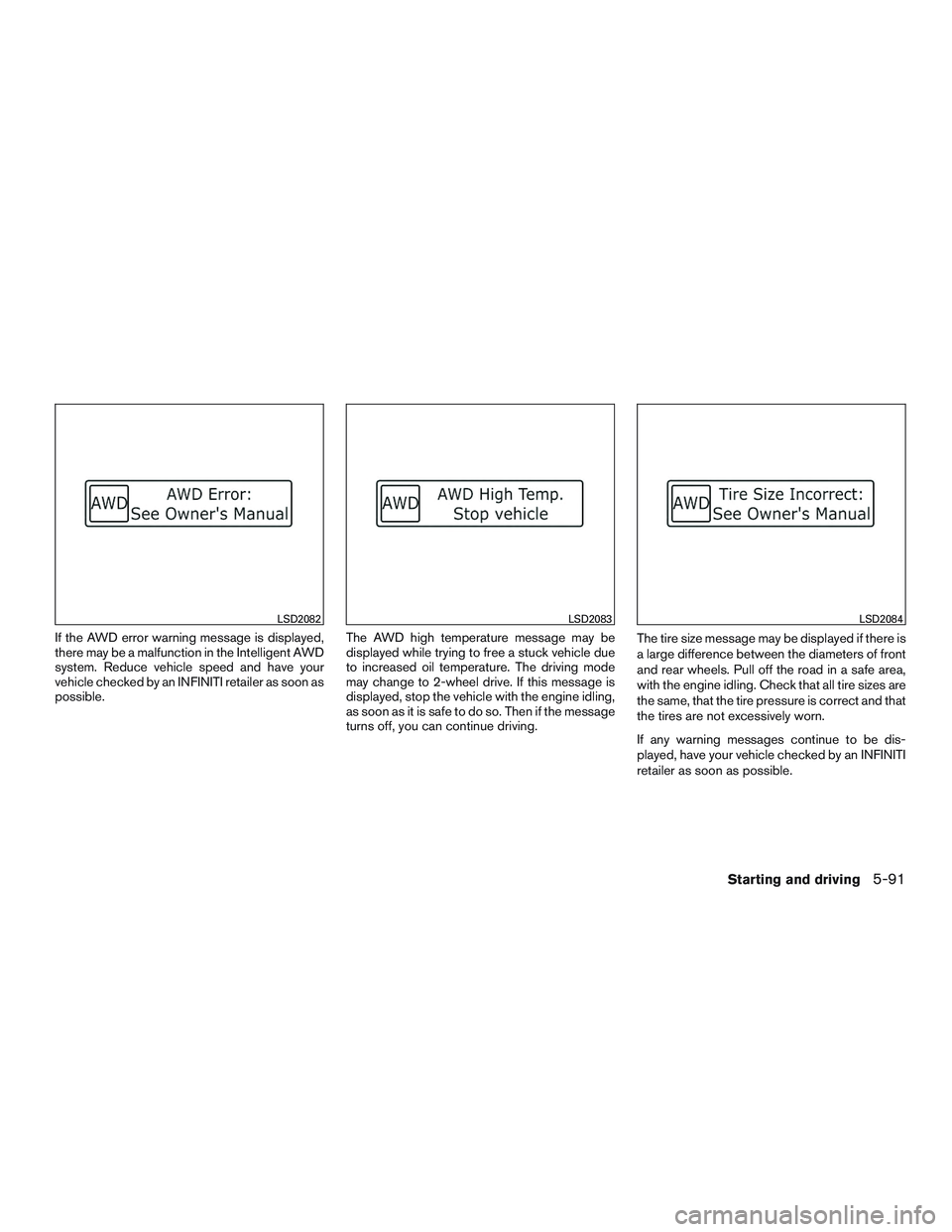
If the AWD error warning message is displayed,
there may be a malfunction in the Intelligent AWD
system. Reduce vehicle speed and have your
vehicle checked by an INFINITI retailer as soon as
possible.The AWD high temperature message may be
displayed while trying to free a stuck vehicle due
to increased oil temperature. The driving mode
may change to 2-wheel drive. If this message is
displayed, stop the vehicle with the engine idling,
as soon as it is safe to do so. Then if the message
turns off, you can continue driving.The tire size message may be displayed if there is
a large difference between the diameters of front
and rear wheels. Pull off the road in a safe area,
with the engine idling. Check that all tire sizes are
the same, that the tire pressure is correct and that
the tires are not excessively worn.
If any warning messages continue to be dis-
played, have your vehicle checked by an INFINITI
retailer as soon as possible.
LSD2082LSD2083LSD2084
Starting and driving5-91
Page 431 of 554

WARNING
●Do not drive beyond the performance
capability of the tires. Accelerating
quickly, sharp steering maneuvers or
sudden braking may cause loss of con-
trol, even with Intelligent AWD
engaged.
● For AWD equipped vehicles, do not at-
tempt to raise 2 wheels off the ground
and shift the transmission to any drive
or reverse position with the engine run-
ning. Doing so may result in drivetrain
damage or unexpected vehicle move-
ment which could result in serious per-
sonal injury or vehicle damage.
●
Do not attempt to test an AWD equipped
vehicle on a 2-wheel dynamometer (such
as the dynamometers used by some
states for emissions testing) or similar
equipment even if the other 2 wheels are
raised off the ground. Make sure that you
inform the test facility personnel that
your vehicle is equipped with AWD be-
fore it is placed on a dynamometer. Using
the wrong test equipment may result in
drivetrain damage or unexpected vehicle
movement which could result in serious
personal injury or vehicle damage.
CAUTION
● Do not operate the engine on a free
roller when any of the wheels are
raised.
● If you use the free roller, rotate 4 wheels
with the same speed without raising
any wheels.
● If an AWD warning message is dis-
played while driving there may be a
malfunction in the AWD system. Reduce
the vehicle speed immediately and have
your vehicle checked by an INFINITI re-
tailer as soon as possible.
● The powertrain may be damaged if you
continue driving when the AWD tem-
perature or tire size incorrect messages
are displayed
● If the AWD high temperature message
is displayed while you are driving, pull
off the road in a safe area, and idle the
engine. The driving mode will change to
2WD to prevent the AWD system from
malfunctioning. If the warning message
turns off, you can drive again. ●
If the tire size incorrect message is dis-
played while you are driving, pull off the
road in a safe area with the engine
idling. Check that all tire sizes are the
same, that the tire pressure is correct
and that the tires are not excessively
worn.
● If a warning message continues to be
displayed after the above operations,
have your vehicle checked by an
INFINITI retailer as soon as possible.
5-92Starting and driving
Page 449 of 554

●Replacing tires with those not originally
specified by INFINITI could affect the
proper operation of the TPMS.
● Do not inject any tire liquid or aerosol
tire sealant into the tires, as this may
cause a malfunction of the tire pressure
sensors.
CHANGING A FLAT TIRE
If you have a flat tire, follow the instructions be-
low:
Stopping the vehicle
1. Safely move the vehicle off the road and
away from traffic.
2. Turn on the hazard warning flashers.
3. Park on a level surface and apply the parking brake. Move the shift lever to P (Park) .
4. Turn off the engine.
5. Raise the hood to warn other traffic and to signal professional road assistance person-
nel that you need assistance.
6. Have all passengers get out of the vehicle and stand in a safe place, away from traffic
and clear of the vehicle.
WARNING
●Make sure the parking brake is securely
applied and the CVT is shifted into P
(Park) .
● Never change tires when the vehicle is
on a slope, ice or slippery areas. This is
hazardous.
● Never change tires if oncoming traffic is
close to your vehicle. Wait for profes-
sional road assistance.
A. Blocks
B. Flat tire
Blocking wheels
Place suitable blocks at both the front and back
of the wheel diagonally opposite the flat tire to
prevent the vehicle from moving when it is jacked
up.
WARNING
Be sure to block the wheel as the vehicle
may move and result in personal injury.
LCE2142
6-4In case of emergency
Page 452 of 554

Jacking up vehicle and removing the
damaged tire
WARNING
●Never get under the vehicle while it is
supported only by the jack. If it is nec-
essary to work under the vehicle, sup-
port it with safety stands.
● Use only the jack provided with your
vehicle to lift the vehicle. Do not use the
jack provided with your vehicle on other
vehicles. The jack is designed for lifting
only your vehicle during a tire change.
● Use the correct jack-up points. Never
use any other part of the vehicle for jack
support.
● Never jack up the vehicle more than
necessary.
● Never use blocks on or under the jack.
● Do not start or run the engine while
vehicle is on the jack. It may cause the
vehicle to move. This is especially true
for vehicles with limited slip
differentials.
● Do not allow passengers to stay in the
vehicle while it is on the jack. ●
Never run the engine with a wheel(s) off
the ground. It may cause the vehicle to
move.
Always refer to the illustration for the correct
placement and jack-up points for your specific
vehicle model and jack type.
Carefully read the caution label attached to
the jack body and the following instruc-
tions.
In case of emergency6-7
Page 473 of 554
Steering wheelCheck for changes in the steer-
ing system, such as excessive freeplay, hard
steering or strange noises.
Warning lights and chimes Make sure all
warning lights and chimes are operating properly.
Windshield wiper and washer* Check that
the wipers and washer operate properly and that
the wipers do not streak.
Windshield defroster Check that the air
comes out of the defroster outlets properly and in
sufficient quantity when operating the heater or
air conditioner.
Under the hood and vehicle
The maintenance items listed here should be
checked periodically (for example, each time you
check the engine oil or refuel) .
Battery* Check the fluid level in each cell. It
should be between the MAX and MIN lines. Ve-
hicles operated in high temperatures or under
severe conditions require frequent checks of the
battery fluid level. NOTE:
Care should be taken to avoid situations
that can lead to potential battery discharge
and potential no-start conditions such as:
1. Installation or extended use of electronic accessories that consume battery power
when the engine is not running (Phone char-
gers, GPS, DVD players, etc.)
2. Vehicle is not driven regularly and/or only driven short distances. In these cases, the
battery may need to be charged to maintain
battery health.
Brake fluid level* Make sure that the brake fluid
level is between the MIN and MAX lines on the
reservoir.
Engine coolant level* Check the coolant level
when the engine is cold.
Engine drive belts* Make sure the drive belts
are not frayed, worn, cracked or oily.
Engine oil level* Check the level after parking
the vehicle on a level surface with the engine off.
Wait more than 10 minutes for the oil to drain
back into the oil pan.
Exhaust system Make sure there are no loose
supports, cracks or holes. If the sound of the
exhaust seems unusual or there is a smell of
exhaust fumes, immediately have the exhaust system inspected by an INFINITI retailer. See the
carbon monoxide warning in the “Starting and
driving” section of this manual.
Fluid leaks
Check under the vehicle for fuel, oil,
water or other fluid leaks after the vehicle has
been parked for a while. Water dripping from the
air conditioner after use is normal. If you should
notice any leaks or if gasoline fumes are evident,
check for the cause and have it corrected imme-
diately.
Power steering fluid level* and lines Check
the level when the fluid is cold, with the engine
off. Check the lines for proper attachment, leaks,
cracks, etc.
Radiator and hoses Check the front of the
radiator and clean off any dirt, insects, leaves,
etc., that may have accumulated. Make sure the
hoses have no cracks, deformation, rot or loose
connections.
Underbody The underbody is frequently ex-
posed to corrosive substances such as those
used on icy roads or to control dust. It is very
important to remove these substances from the
underbody, otherwise rust may form on the floor
pan, frame, fuel lines and exhaust system. At the
end of winter, the underbody should be thor-
oughly flushed with plain water, in those areas
where mud and dirt may have accumulated. For
8-4Maintenance and do-it-yourself
Page 509 of 554
Replacing wheels and tires
When replacing a tire, use the same size, tread
design, speed rating and load carrying capacity
as originally equipped. Recommended types and
sizes are shown in “Wheels and tires” in the
“Technical and consumer information” section of
this manual.
WARNING
●The use of tires other than those recom-
mended or the mixed use of tires of
different brands, construction (bias,
bias-belted or radial) , or tread patterns
can adversely affect the ride, braking,
handling, VDC system, ground clear-
ance, body-to-tire clearance, tire chain
clearance, speedometer calibration,
headlight aim and bumper height.
Some of these effects may lead to acci-
dents and could result in serious per-
sonal injury.
● If your vehicle was originally equipped
with 4 tires that were the same size and
you are only replacing 2 of the 4 tires,
install the new tires on the rear axle.
Placing new tires on the front axle may
cause loss of vehicle control in some
driving conditions and cause an acci-
dent and personal injury. ●
If the wheels are changed for any rea-
son, always replace with wheels which
have the same off-set dimension.
Wheels of a different off-set could
cause premature tire wear, degrade ve-
hicle handling characteristics, affect the
VDC system and/or interference with
the brake discs/drums. Such interfer-
ence can lead to decreased braking ef-
ficiency and/or early brake pad/shoe
wear. Refer to “Wheels and tires” in the
“Technical and consumer information”
section of this manual for wheel off-set
dimensions.
● When a spare tire is mounted or a wheel
is replaced, tire pressure will not be
indicated, the TPMS will not function
and the low tire pressure warning light
will flash for approximately 1 minute.
The light will remain on after 1 minute.
Contact your INFINITI retailer as soon
as possible for tire replacement and/or
system resetting.
● Replacing tires with those not originally
specified by INFINITI could affect the
proper operation of the TPMS. ●
Do not install a damaged or deformed
wheel or tire even if it has been re-
paired. Such wheels or tires could have
structural damage and could fail with-
out warning.
● The use of retread tires is not
recommended.
● For additional information regarding
tires, refer to “Important Tire Safety In-
formation” (US) or “Tire Safety Informa-
tion” (Canada) in the Warranty Informa-
tion Booklet.
Wheel balance
Unbalanced wheels may affect vehicle handling
and tire life. Even with regular use, wheels can get
out of balance. Therefore, they should be bal-
anced as required.
Wheel balance service should be per-
formed with the wheels off the vehicle.
Spin balancing the wheels on the vehicle
could lead to mechanical damage.
● For additional information regarding
tires, refer to “Important Tire Safety
Information” (US) or “Tire Safety Infor-
mation” (Canada) in the Warranty In-
formation Booklet.
8-40Maintenance and do-it-yourself