light INFINITI QX60 2023 Manual PDF
[x] Cancel search | Manufacturer: INFINITI, Model Year: 2023, Model line: QX60, Model: INFINITI QX60 2023Pages: 636, PDF Size: 7.28 MB
Page 188 of 636
CAUTION
• The battery could run down if the seat
heater is operated while the engine is not
running.
• Do not use the seat heater for extended
periods or when no one is using the seat.
• Do not put anything on the seat which
insulates heat, such as a blanket, cush-
ion, seat cover, etc. Otherwise, the seat
may become overheated.
• Do not place anything hard or heavy on
the seat or pierce it with a pin or similar
object. This may result in damage to the
heater.
• Any liquid spilled on the heated seat
should be removed immediately with a
dry cloth.
• When cleaning the seat, never use gaso-
line, benzine, thinner, or any similar
materials.
• If any malfunctions are found or the
heated seat does not operate, turn the
switch off and have the system checked.
It is recommended that you visit an
INFINITI retailer for this service. The front seats are warmed by built-in
heaters.
1. Start the engine.
2. Push the switch, as desired. The indicator
light in the switch will illuminate.
The heater is controlled by a thermostat,
automatically turning the heater on and
off. The indicator light will remain on as
long as the switch is on.
3. When the seat is warmed or before you leave the vehicle, be sure to push the
switch to turn it off. The driver’s side
heated seat will retain the current settings
even if the engine is restarted.WARNING
Do not use or allow occupants to use the
seat heater if you or the occupants cannot
monitor elevated seat temperatures or
have an inability to feel pain in body parts
that contact the seat. Use of the seat
heater by such people could result in seri-
ous injury.
CAUTION
• The battery could run down if the seat
heater is operated while the engine is not
running.
• Do not use the seat heater for extended
periods or when no one is using the seat.
• Do not put anything on the seat which
insulates heat, such as a blanket, cush-
ion, seat cover, etc. Otherwise, the seat
may become overheated.
• Do not place anything hard or heavy on
the seat or pierce it with a pin or similar
object. This may result in damage to the
heater.
• Any liquid spilled on the heated seat
should be removed immediately with a
dry cloth.
HEATED 2ND ROW SEAT SWITCHES
(if so equipped)
2-86Instruments and controls
Page 189 of 636

•When cleaning the seat, never use gaso-
line, benzine, thinner, or any similar
materials.
• If any malfunctions are found or the
heated seat does not operate, turn the
switch off and have the system checked.
It is recommended that you visit an
INFINITI retailer for this service.
The 2nd row captain’s seats are warmed by
built-in heaters. The switches are located on
the rear of the front center console and can
be operated independently of each other.
1. Start the engine.
2. Push the switch, as desired. The indicatorlight in the switch will illuminate.
The heater is controlled by a thermostat,
automatically turning the heater on and
off. The indicator light will remain on as
long as the switch is on.
3. When the seat is warmed or before you leave the vehicle, be sure to turn the
switch off. Push the heated steering wheel switch to
warm the steering wheel after the ignition
switch is placed in the ON position. The
switch color will change from white to or-
ange as the feature turns from OFF to ON.
If the surface temperature of the steering
wheel is below 68°F (20°C), the system will
heat the steering wheel and cycle off and on
to maintain a temperature above 68°F
(20°C). The indicator light will remain on as
long as the system is on (approximately 30
minutes).
LIC4697LIC4816
HEATED STEERING WHEEL SWITCH
(if so equipped)
Instruments and controls2-87
Page 192 of 636
NOTE:
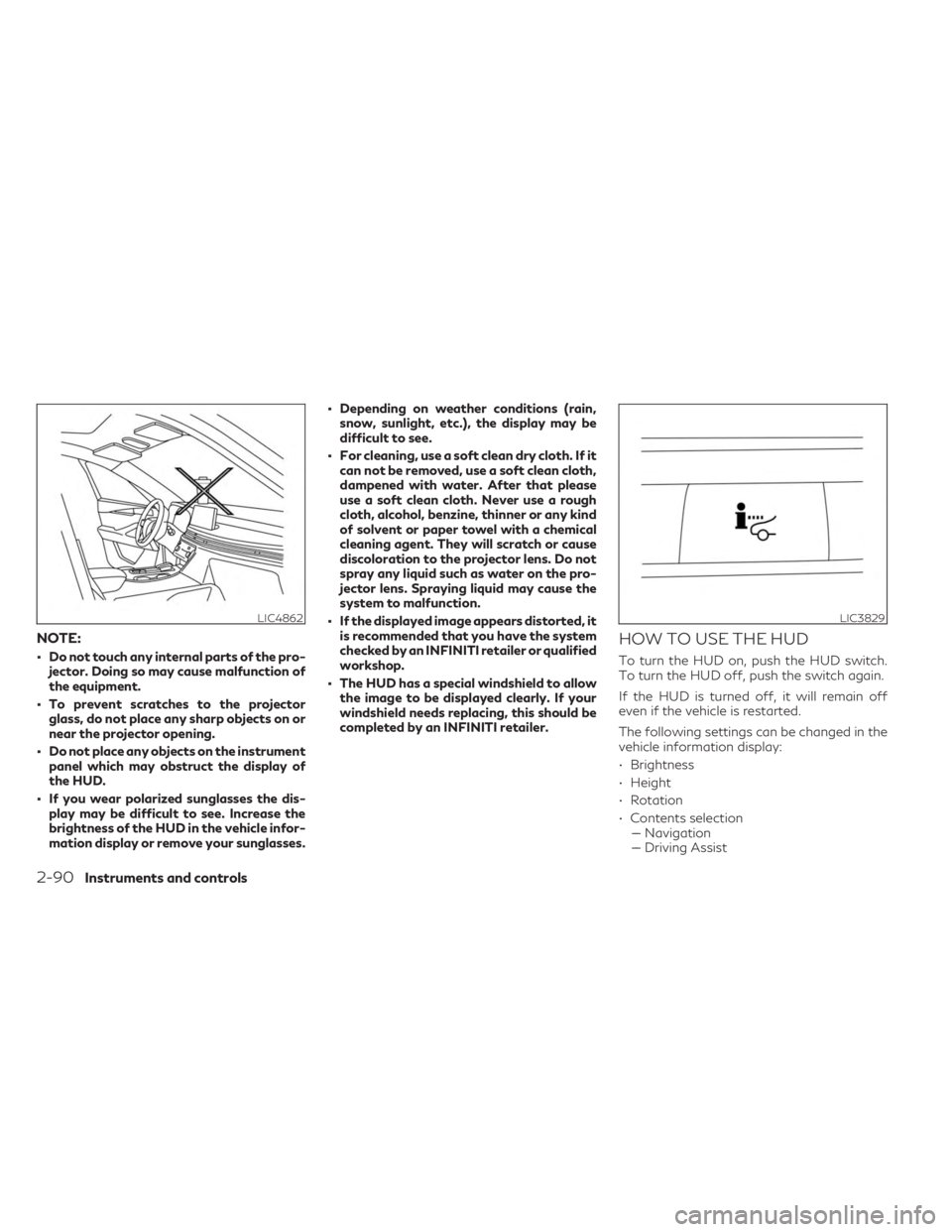
• Do not touch any internal parts of the pro-jector. Doing so may cause malfunction of
the equipment.
• To prevent scratches to the projector glass, do not place any sharp objects on or
near the projector opening.
• Do not place any objects on the instrument panel which may obstruct the display of
the HUD.
• If you wear polarized sunglasses the dis- play may be difficult to see. Increase the
brightness of the HUD in the vehicle infor-
mation display or remove your sunglasses. • Depending on weather conditions (rain,
snow, sunlight, etc.), the display may be
difficult to see.
• For cleaning, use a soft clean dry cloth. If it can not be removed, use a soft clean cloth,
dampened with water. After that please
use a soft clean cloth. Never use a rough
cloth, alcohol, benzine, thinner or any kind
of solvent or paper towel with a chemical
cleaning agent. They will scratch or cause
discoloration to the projector lens. Do not
spray any liquid such as water on the pro-
jector lens. Spraying liquid may cause the
system to malfunction.
• If the displayed image appears distorted, it is recommended that you have the system
checked by an INFINITI retailer or qualified
workshop.
• The HUD has a special windshield to allow the image to be displayed clearly. If your
windshield needs replacing, this should be
completed by an INFINITI retailer.
HOW TO USE THE HUD
To turn the HUD on, push the HUD switch.
To turn the HUD off, push the switch again.
If the HUD is turned off, it will remain off
even if the vehicle is restarted.
The following settings can be changed in the
vehicle information display:
• Brightness
• Height
• Rotation
• Contents selection–– Navigation
–– Driving Assist
LIC4862LIC3829
2-90Instruments and controls
Page 193 of 636
–– Speed Limit Sign
–– Audio
–– TEL/SMS
• Reset
NOTE:
Emergency information may display even if
the HUD is turned off.
This product includes the following software.
(1) Panasonic Corporation or software devel-
oped for Panasonic Corporation
(2) Third-party software licensed to Pana-
sonic Corporation
(3) Open source software
Regarding (3) Open source software, it in-
cludes open source software (OSS), including
various software to which license informa-
tion applies.
Refer to the license web site at:
http://car.panasonic.jp/oss/i02lln39.
DRIVER ASSISTANCE/
NAVIGATION LINKING
The HUD will display driver assistance and
navigation information. The driver assistance display will show
warning situations for the following systems:
• Forward Emergency Braking (FEB) with
Pedestrian Detection
• Lane Departure Warning (LDW)
• Predictive Forward Collision Warning (PFCW)
• Hands-free warning (for vehicles with Pro- PILOT Assist) (if so equipped)
• Traffic Sign Recognition (TSR) (if so equipped)
The Navigation System linking display will
show the following items:
• Intersection names
• Arrows indicating turning direction
• Distance to the next intersection
The Audio System linking display will show
the following items:
• Songs
• Radio stations
The TEL/SMS linking display will show the
following items:
• Caller’s name or phone number
Display brightness
The brightness of the display may be con-
trolled by the Navigation System. The bright-
ness will also be adjusted automatically ac-
cording to the exterior ambient lighting
brightness.
NOTE:
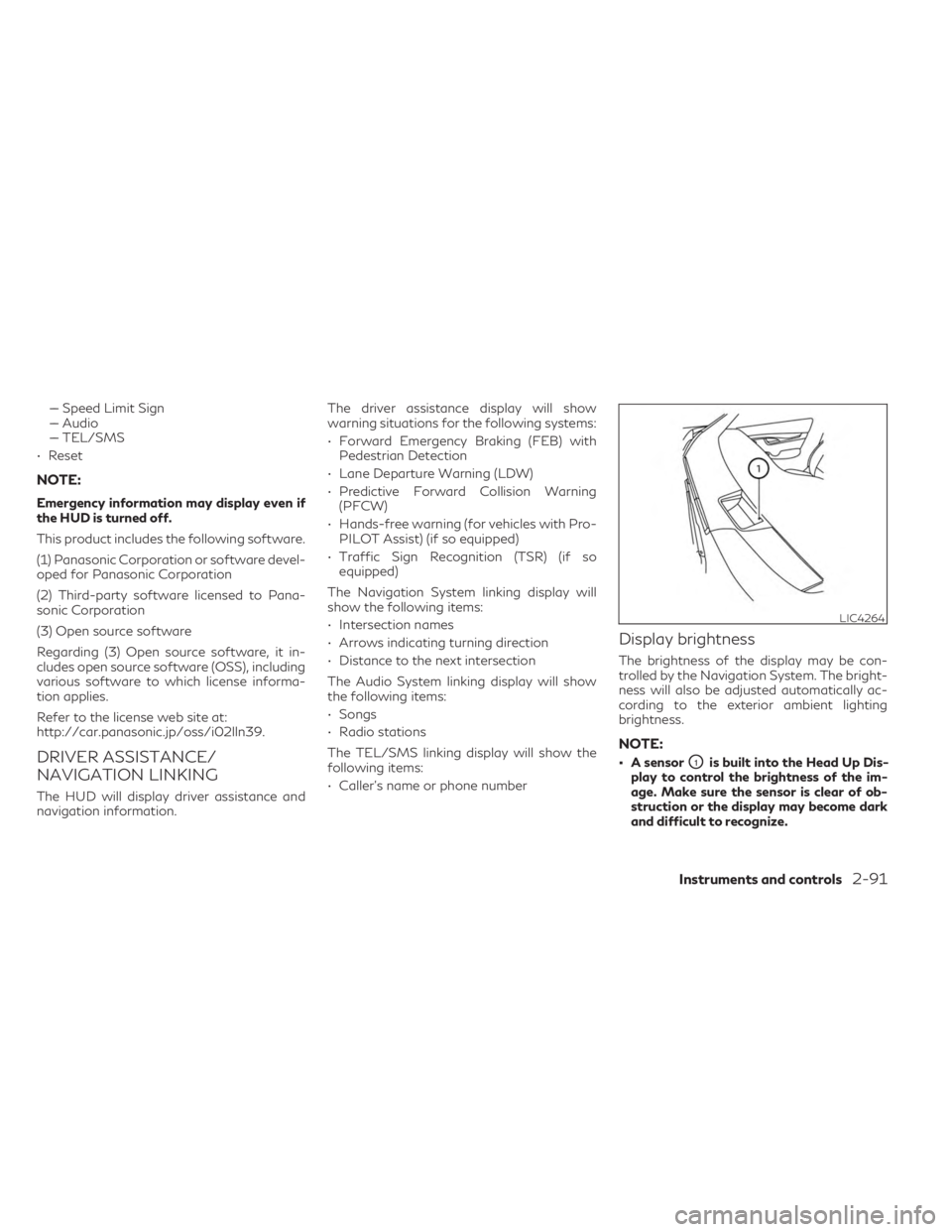
• A sensorO1is built into the Head Up Dis-
play to control the brightness of the im-
age. Make sure the sensor is clear of ob-
struction or the display may become dark
and difficult to recognize.
LIC4264
Instruments and controls2-91
Page 194 of 636

• Do not apply strong light to the sensor ofHead Up Display. Doing so may cause a
malfunction.
The Emergency call (SOS) button is used in
combination with an INFINITI InTouch™ Ser-
vices subscription to call for assistance in
case of an emergency.
Pressing the button will (with a paid subscrip-
tion) reach a response specialist that will
provide assistance based on the situation
described by the vehicle’s occupant. For ad-
ditional information, or to enroll your vehicle,
refer to www.InfinitiUSA.com/intouch, or
call 855–444–7244. The Rear Door Alert system functions under
certain conditions to indicate there may be an
object or passenger in the rear seat(s). Check
the seat(s) before exiting the vehicle.
The Rear Door Alert system is initially dis-
abled. The driver can enable the system using
the vehicle information display. For additional
information, see “Vehicle information
display- 7 inch (18 cm) Type A” (P. 2-22) or
“Vehicle information display- 12.3 inch
(31cm) Type B” (P. 2-44).
When the system is enabled:
• The system is activated when a rear door is
opened and closed within 10 minutes of
the vehicle being driven. When the vehicle is
started and the system is activated, a visual
message appears in the vehicle information
display. For additional information, see
“Rear Door Alert is activated” (P. 2-38) or
“Rear Door Alert is activated” (P. 2-61).
• If a rear door is opened and closed but the vehicle is not driven within approximately
10 minutes, the system will not be acti-
vated. A rear door must be opened and
closed and the car driven within 10 minutes
for the system to activate.
LIC4883
EMERGENCY CALL (SOS) BUTTON REAR DOOR ALERT
2-92Instruments and controls
Page 196 of 636

12V OUTLETS
The power outlets are for powering electrical
accessories such as cellular telephones. They
are rated at 12 volt, 120W (10A) maximum.
The console power outlets are powered only
when the ignition switch is in the ACC or ON
position.
The power outlet in the cargo area is pow-
ered directly by the vehicle’s battery.
CAUTION
• The outlet and plug may be hot during or
immediately after use.
• Only certain power outlets are designed
for use with a cigarette lighter unit. Do
not use any other power outlet for an
accessory lighter. It is recommended
that you visit an INFINITI retailer for ad-
ditional information.
• Do not use with accessories that exceed
a 12 volt, 120W (10A) power draw.
• Do not use double adapters or more than
one electrical accessory. •
Use power outlets with the engine run-
ning to avoid discharging the vehicle
battery.
• Avoid using power outlets when the air
conditioner, headlights or rear window
defroster is on.
• Before inserting or disconnecting a plug,
be sure the electrical accessory being
used is turned OFF.
• Push the plug in as far as it will go. If good
contact is not made, the plug may over-
heat or the internal temperature fuse
may open.
LIC4823
Center Console
LIC4811
2nd Row (if so equipped)
LIC4705
Cargo Area
POWER OUTLETS
2-94Instruments and controls
Page 197 of 636

•When not in use, be sure to close the cap.
Do not allow water or any other liquid to
contact the outlet.
120V OUTLET (if so equipped)
CAUTION
• The outlet and plug may be hot during or
immediately after use.
• Use power outlets with the engine run-
ning to avoid discharging the vehicle
battery.
• Do not use accessories that exceed a
120V, 150W power draw. Do not use
double adaptors or more than one elec-
trical accessory. •
Avoid using power outlets when the air
conditioner, headlights or rear window
defroster is on.
• Before inserting or disconnecting a plug,
be sure the electrical accessory being
used is turned OFF.
• Push the plug in as far as it will go. If good
contact is not made, the plug may over-
heat or the internal temperature fuse
may open.
• When not in use, be sure to close the cap.
Do not allow water or any other liquid to
contact the outlet.
LIC4822
2nd Row
Instruments and controls2-95
Page 199 of 636

The wireless charger is located on the front
of the center console. Lay the smartphone on
the pad of the wireless charger. Charging will
start automatically. The smartphone will be
charged continuously while the ignition
switch is in the ON position.
WARNING
• Never put metallic materials between
the wireless charger and a smartphone. •
Those who use a pacemaker or other medi-
cal equipment should contact the electric
medical equipment manufacturer for the
possible influences before use.
• Never put cloth over the smartphone
during charging process.
• Never charge a smartphone when it is
wet.
• Never put metallic materials or small
goods such as a cigarette lighter, Intelli-
gent Key or memory drive.
CAUTION
• Do not put an RFID/NFC/credit card
between the wireless charger and a
smartphone. This could cause data cor-
ruption in the card.
• Do not use the wireless charger with dust
accumulated or dirt on the pad.
• Do not hit the surface of the wireless
charger.
• Do not spill liquid (water, drinks, etc.) on
the charging pad.
• Do not use grease, oil or alcohol for
cleaning charging pad.LIC5032
3rd row
LIC4868
1. Indicator
2. Charging pad
WIRELESS CHARGER
Instruments and controls2-97
Page 205 of 636
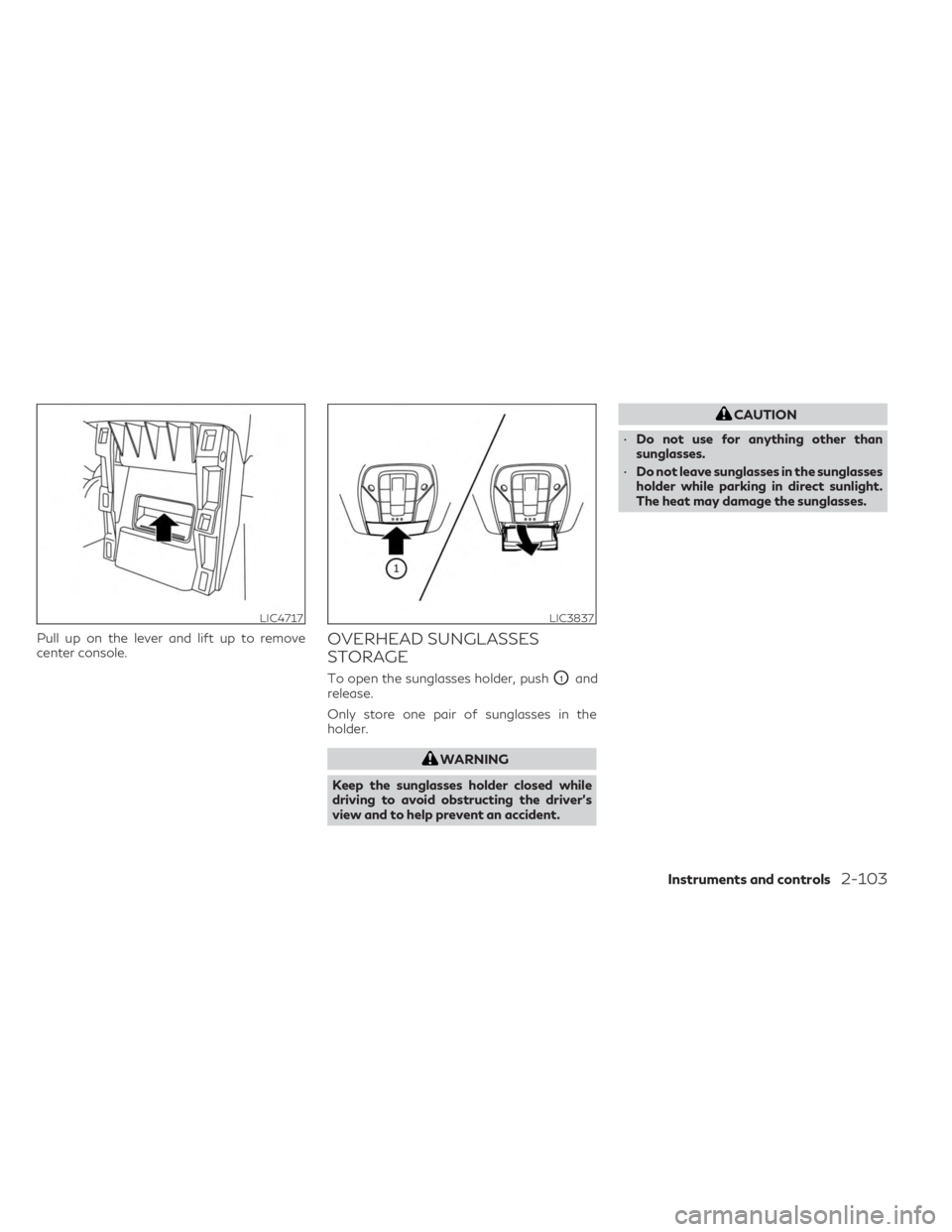
Pull up on the lever and lift up to remove
center console.OVERHEAD SUNGLASSES
STORAGE
To open the sunglasses holder, pushO1and
release.
Only store one pair of sunglasses in the
holder.
WARNING
Keep the sunglasses holder closed while
driving to avoid obstructing the driver’s
view and to help prevent an accident.
CAUTION
• Do not use for anything other than
sunglasses.
• Do not leave sunglasses in the sunglasses
holder while parking in direct sunlight.
The heat may damage the sunglasses.
LIC4717LIC3837
Instruments and controls2-103
Page 211 of 636

To open a window, push the switch to the
detent and continue to hold down until the
desired window position is reached. To close
a window, pull the switch to the detent and
continue to hold up until the desired window
position is reached.
Locking rear passengers' windows
When the window lock button is pushed (the
indicator illuminates), the rear passengers’
windows cannot be operated with the rear
passengers’ power window switch. The rear
passengers’ windows can only be operated
with the main switch (driver side switches).
To cancel the passenger’s window lock, push
the window lock button again.
Front passenger's power window
switch
The passenger's window switch operates
only the corresponding passenger's window.
To open the window partially, push the
switch down
O1lightly until the desired win-
dow position is reached. To close the window
partially, pull the switch up
O2until the de-
sired window position is reached.
Rear power window switch
The rear power window switches open or
close only the corresponding windows. To
open the window, push the switch and hold it
down
O1. To close the window, pull the
switch up
O2.
LIC4915LIC4729
Instruments and controls2-109