tire pressure INFINITI QX60-HYBRID 2015 Owner's Manual
[x] Cancel search | Manufacturer: INFINITI, Model Year: 2015, Model line: QX60-HYBRID, Model: INFINITI QX60-HYBRID 2015Pages: 577, PDF Size: 5.58 MB
Page 383 of 577
●If the LDW system malfunctions, it will
cancel automatically, and “Please see
owner’s manual” will appear in the ve-
hicle information display. If “Please see
owner’s manual” appears in the vehicle
information display, pull off the road to
a safe location and stop the vehicle.
Place the shift lever into the P (Park)
position and the ignition switch to the
off position and restart the engine. If
“Please see owner’s manual” continues
to appear in the vehicle information dis-
play, have the system checked by an
INFINITI retailer.
● Excessive noise will interfere with the
warning chime sound, and the chime
may not be heard.
● Do not use the LDW system under the
following conditions as it may not func-
tion properly:
– During bad weather (rain, fog, snow, etc.) .
– When driving on slippery roads, such as on ice or snow, etc.
– When driving on winding or uneven roads. – When there is a lane closure due to
road repairs.
– When driving in a makeshift or tem- porary lane.
– When driving on roads where the lane width is too narrow.
– When driving without normal tire conditions (for example, tire wear,
low tire pressure, installation of
spare tire, tire chains, nonstandard
wheels) .
– When the vehicle is equipped with nonoriginal brake parts or suspen-
sion parts.
– When you are towing a trailer or other vehicle.
The system may not function properly under the
following conditions: ● On roads where there are multiple parallel
lane markers; lane markers that are faded or
not painted clearly; yellow painted lane
markers; non-standard lane markers; or lane
markers covered with water, dirt, snow, etc.
● On roads where the discontinued lane mark-
ers are still detectable.
● On roads where there are sharp curves. ●
On roads where there are sharply contrast-
ing objects, such as shadows, snow, water,
wheel ruts, seams or lines remaining after
road repairs. (The LDW system could detect
these items as lane markers.)
● On roads where the traveling lane merges or
separates.
● When the vehicle’s traveling direction does
not align with the lane marker.
● When traveling close to the vehicle in front of
you, which obstructs the lane camera unit
detection range.
● When rain, snow, dirt or object adheres to
the windshield in front of the lane camera
unit.
● When the headlights are not bright due to
dirt on the lens or if the aiming is not adjusted
properly.
● When strong light enters the lane camera
unit. (For example, the light directly shines on
the front of the vehicle at sunrise or sunset.)
● When a sudden change in brightness oc-
curs. (For example, when the vehicle enters
or exits a tunnel or under a bridge.)
5-26Starting and driving
Page 385 of 577
LANE DEPARTURE PREVENTION
(LDP) SYSTEM
Precautions on LDP system
WARNING
●The LDP system will not always steer
the vehicle to keep it in the lane. It is not
designed to prevent loss of control. It is
the driver’s responsibility to stay alert,
drive safely, keep the vehicle in the trav-
eling lane, and be in control of vehicle at
all times.
● The LDP system is primarily intended
for use on well-developed freeways or
highways. It may not detect the lane
markers in certain roads, weather or
driving conditions.
● Using the LDP system under some con-
ditions of road, lane marker or weather,
or when you change lanes without us-
ing the lane change signal could lead to
an unexpected system operation. In
such conditions, you need to correct the
vehicle’s direction with your steering
operation to avoid accidents. ●
When the LDP system is operating,
avoid excessive or sudden steering ma-
neuvers. Otherwise, you could lose con-
trol of the vehicle.
● The LDP system will not operate at
speeds below approximately 45 MPH
(70 km/h) or if it cannot detect lane
markers.
● Do not use the LDP system under the
following conditions as it may not func-
tion properly:
– During bad weather (rain, fog, snow, etc.) .
– When driving on slippery roads, such as on ice or snow, etc.
– When driving on winding or uneven roads.
– When there is a lane closure due to road repairs.
– When driving in a makeshift or tem- porary lane.
– When driving on roads where the lane width is too narrow. – When driving without normal tire
conditions (for example, tire wear,
low tire pressure, installation of
spare tire, tire chains, non-standard
wheels) .
– When the vehicle is equipped with nonoriginal brake parts or suspen-
sion parts.
– When you are towing a trailer or other vehicle.
● If the LDP system malfunctions, it will
cancel automatically. The LDP system
warning light (orange) will illuminate in
the display.
● If LDP system warning light (orange)
illuminates in the display, pull off the
road to a safe location and stop the
vehicle. Turn the engine off and restart
the engine. If the LDP system warning
light (orange) continues to illuminate,
have the LDP system checked by an
INFINITI retailer.
● Excessive noise will interfere with the
warning chime sound, and the chime
may not be heard.
The LDP system may or may not operate
properly under the following conditions:
5-28Starting and driving
Page 395 of 577
– On roads where there are multipleparallel lane markers; lane markers
that are faded or not painted clearly;
yellow painted lane markers; non-
standard lane markers; lane markers
covered with water, dirt, snow, etc.
– On roads where discontinued lane markers are still detectable.
– On roads where there are sharp curves.
– On roads where there are sharply contrasting objects, such as shad-
ows, snow, water, wheel ruts, seams
or lines remaining after road repairs.
– On roads where the traveling lane merges or separates.
– When the vehicle’s traveling direc- tion does not align with the lane
markers.
– When traveling close to the vehicle in front of you, which obstructs the lane
camera unit detection range.
– When rain, snow or dirt adheres to the windshield in front of a lane cam-
era unit. – When the headlights are not bright
due to dirt on the lens or if aiming is
not adjusted properly.
– When strong light enters a lane cam- era unit. (For example: light directly
shines on the front of the vehicle at
sunrise or sunset.)
– When a sudden change in brightness occurs. (For example: when the ve-
hicle enters or exits a tunnel or under
a bridge.)
● Do not use the BSI system under the
following conditions because the sys-
tem may not function properly.
– During bad weather (For example: rain, fog, snow, etc.)
– When driving on slippery roads, such as on ice or snow, etc.
– When driving on winding or uneven roads.
– When there is a lane closure due to road repairs.
– When driving in a makeshift lane.
– When driving on roads where the lane width is too narrow. – When driving with a tire that is not
within normal tire conditions (e.g.
tire wear, low tire pressure, installa-
tion of spare tire, tire chains, non-
standard wheels) .
– When the vehicle is equipped with non-original brake parts or suspen-
sion parts.
● Do not use the BSI systems when tow-
ing a trailer.
● Excessive noise (e.g. audio system vol-
ume, open vehicle window) will inter-
fere with the chime sound, and it may
not be heard.
5-38Starting and driving
Page 404 of 577
– Illustration D: When an approachingvehicle turns into your vehicle’s park-
ing lot aisle.
– Illustration E: When the angle formed by your vehicle and ap-
proaching vehicle is small
● The following conditions may reduce
the ability of the radar to detect other
vehicles:
– Severe weather
– Road spray
– Ice build up on the vehicle
– Frost up on the vehicle
– Dirt up on the vehicle
● Do not attach stickers (including trans-
parent material) , install accessories or
apply additional paint near the radar
sensors. These conditions may reduce
the ability of the radar to detect other
vehicles
● The sonar sensors detect stationary ob-
jects behind the vehicle. The sonar sen-
sor may not detect:
– Small or moving objects
– Wedge-shaped objects – Object close to the bumper (less than
approximately 1 ft. (30 cm))
– Thin objects such as rope, wire and chain, etc.
● The brake engagement by the BCI sys-
tem is not as effective on a slope as it is
on flat ground. When on a steep slope
the system may not function properly.
● Do not use the BCI system under the
following conditions because the sys-
tem may not function properly.
– When driving with a tire that is not within normal tire conditions (e.g.
tire wear, low tire pressure, installa-
tion of spare tire, tire chains, non-
standard wheels) .
– When the vehicle is equipped with non-original brake parts or suspen-
sion parts.
● Do not use the BCI systems when tow-
ing a trailer.
● Excessive noise (e.g. audio system vol-
ume, open vehicle window) will inter-
fere with the chime sound, and it may
not be heard. When the shift lever is placed in R (Reverse)
position, the BCI ON appears in the vehicle infor-
mation display.
Starting and driving5-47
Page 450 of 577
●Keep your engine tuned up.
● Follow the recommended scheduled main-
tenance.
● Keep the tires inflated to the correct pres-
sure. Low tire pressure increases tire wear
and lowers fuel economy.
● Keep all the wheels in correct alignment.
Improper alignment increases tire wear and
lowers fuel economy.
● Use the recommended viscosity engine oil.
For additional information, refer to “Engine
oil and oil filter recommendations” in the
“Technical and consumer information” sec-
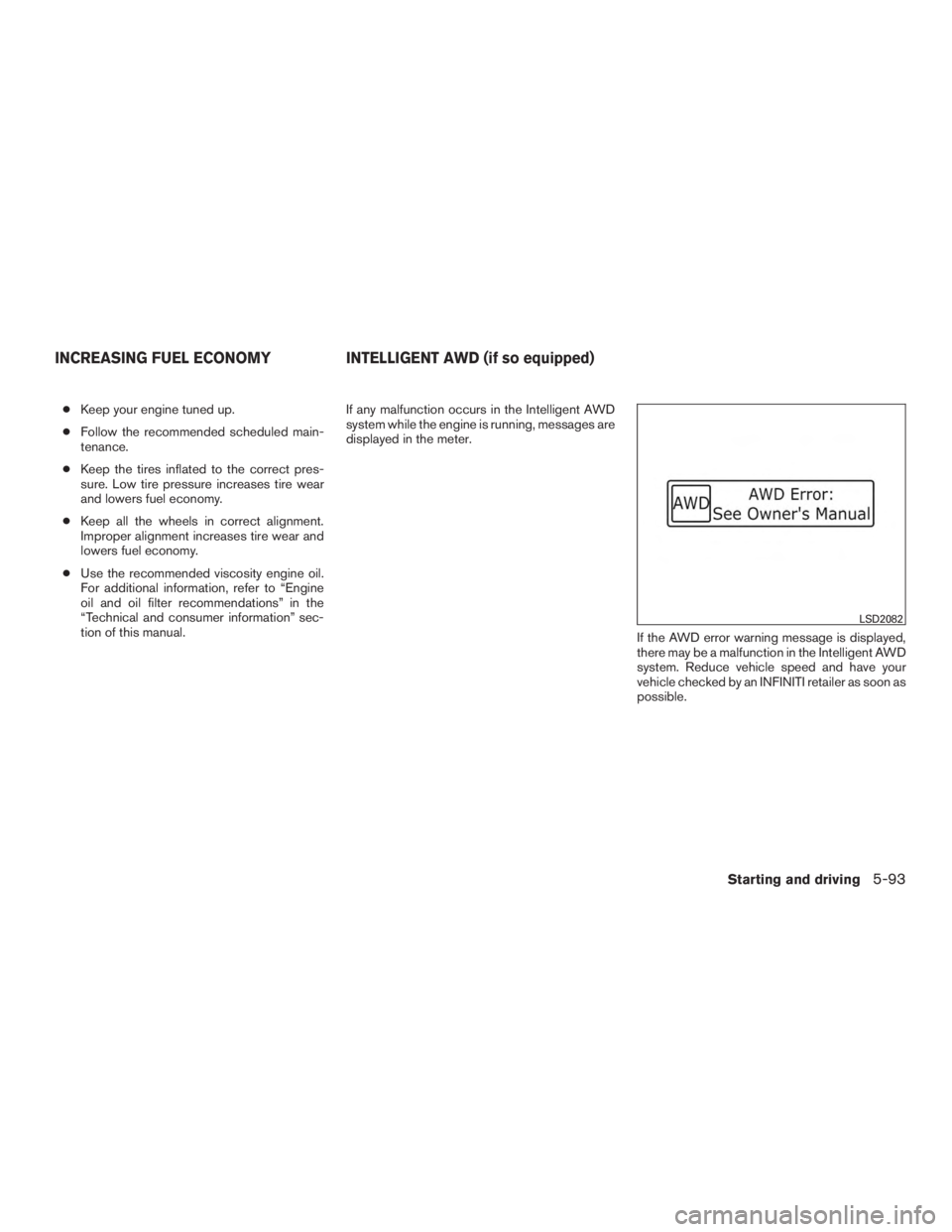
tion of this manual. If any malfunction occurs in the Intelligent AWD
system while the engine is running, messages are
displayed in the meter.
If the AWD error warning message is displayed,
there may be a malfunction in the Intelligent AWD
system. Reduce vehicle speed and have your
vehicle checked by an INFINITI retailer as soon as
possible.
LSD2082
INCREASING FUEL ECONOMYINTELLIGENT AWD (if so equipped)
Starting and driving5-93
Page 451 of 577
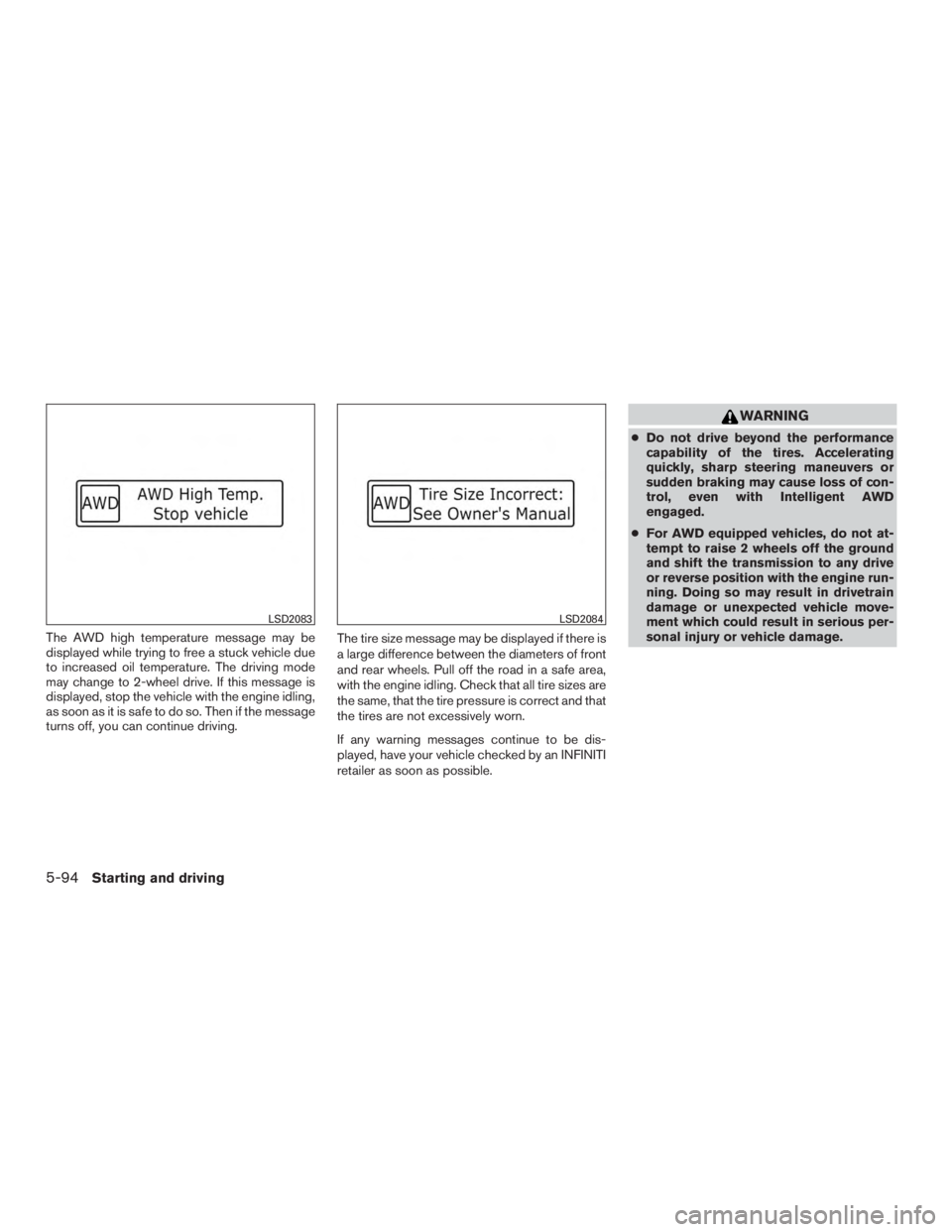
The AWD high temperature message may be
displayed while trying to free a stuck vehicle due
to increased oil temperature. The driving mode
may change to 2-wheel drive. If this message is
displayed, stop the vehicle with the engine idling,
as soon as it is safe to do so. Then if the message
turns off, you can continue driving.The tire size message may be displayed if there is
a large difference between the diameters of front
and rear wheels. Pull off the road in a safe area,
with the engine idling. Check that all tire sizes are
the same, that the tire pressure is correct and that
the tires are not excessively worn.
If any warning messages continue to be dis-
played, have your vehicle checked by an INFINITI
retailer as soon as possible.
WARNING
●
Do not drive beyond the performance
capability of the tires. Accelerating
quickly, sharp steering maneuvers or
sudden braking may cause loss of con-
trol, even with Intelligent AWD
engaged.
● For AWD equipped vehicles, do not at-
tempt to raise 2 wheels off the ground
and shift the transmission to any drive
or reverse position with the engine run-
ning. Doing so may result in drivetrain
damage or unexpected vehicle move-
ment which could result in serious per-
sonal injury or vehicle damage.
LSD2083LSD2084
5-94Starting and driving
Page 452 of 577
●Do not attempt to test an AWD
equipped vehicle on a 2-wheel dyna-
mometer (such as the dynamometers
used by some states for emissions test-
ing) or similar equipment even if the
other 2 wheels are raised off the
ground. Make sure that you inform the
test facility personnel that your vehicle
is equipped with AWD before it is
placed on a dynamometer. Using the
wrong test equipment may result in
drivetrain damage or unexpected ve-
hicle movement which could result in
serious personal injury or vehicle
damage.
CAUTION
●Do not operate the engine on a free
roller when any of the wheels are
raised.
● If you use the free roller, rotate 4 wheels
with the same speed without raising
any wheels.
● If an AWD warning message is dis-
played while driving there may be a
malfunction in the AWD system. Reduce
the vehicle speed immediately and have
your vehicle checked by an INFINITI re-
tailer as soon as possible. ●
The powertrain may be damaged if you
continue driving when the AWD tem-
perature or tire size incorrect messages
are displayed
● If the AWD high temperature message
is displayed while you are driving, pull
off the road in a safe area, and idle the
engine. The driving mode will change to
2WD to prevent the AWD system from
malfunctioning. If the warning message
turns off, you can drive again.
● If the tire size incorrect message is dis-
played while you are driving, pull off the
road in a safe area with the engine
idling. Check that all tire sizes are the
same, that the tire pressure is correct
and that the tires are not excessively
worn.
● If a warning message continues to be
displayed after the above operations,
have your vehicle checked by an
INFINITI retailer as soon as possible.
Starting and driving5-95
Page 455 of 577
WARNING
●While driving on a slippery surface, be
careful when braking, accelerating or
downshifting. Abrupt braking or accel-
erating could cause the wheels to skid
and result in an accident.
● If the engine is not running or is turned
off while driving, the power assist for
the brakes will not work. Braking will be
harder.
Wet brakes
When the vehicle is washed or driven through
water, the brakes may get wet. As a result, your
braking distance will be longer and the vehicle
may pull to one side during braking.
To dry the brakes, drive the vehicle at a safe
speed while lightly pressing the brake pedal to
heat up the brakes. Do this until the brakes return
to normal. Avoid driving the vehicle at high
speeds until the brakes function correctly.
Parking brake break-in
Break-in the parking brake shoes whenever the
effect of the parking brake is weakened or when-
ever the parking brake shoes and/or rotors are
replaced, in order to assure the best brake per-
formance. This procedure is described in the vehicle service
manual and can be performed by an INFINITI
retailer.
ANTI-LOCK BRAKING SYSTEM
(ABS)
WARNING
●
The Anti-lock Braking System (ABS) is a
sophisticated device, but it cannot pre-
vent accidents resulting from careless
or dangerous driving techniques. It can
help maintain vehicle control during
braking on slippery surfaces. Remem-
ber that stopping distances on slippery
surfaces will be longer than on normal
surfaces even with ABS. Stopping dis-
tances may also be longer on rough,
gravel or snow covered roads, or if you
are using tire chains. Always maintain a
safe distance from the vehicle in front of
you. Ultimately, the driver is respon-
sible for safety.
● Tire type and condition may also affect
braking effectiveness.
– When replacing tires, install the specified size of tires on all four
wheels. – When installing a spare tire, make
sure that it is the proper size and type
as specified on the Tire and Loading
Information label. For additional in-
formation, refer to “Tire and Loading
Information label” in the “Technical
and consumer information” section
of this manual.
– For additional information, refer to “Wheels and tires” in the “Mainte-
nance and do-it-yourself” section of
this manual.
The Anti-lock Braking System (ABS) controls the
brakes so the wheels do not lock during hard
braking or when braking on slippery surfaces.
The system detects the rotation speed at each
wheel and varies the brake fluid pressure to pre-
vent each wheel from locking and sliding. By
preventing each wheel from locking, the system
helps the driver maintain steering control and
helps to minimize swerving and spinning on slip-
pery surfaces.
Using the system
Depress the brake pedal and hold it down. De-
press the brake pedal with firm steady pressure,
but do not pump the brakes. The ABS will oper-
ate to prevent the wheels from locking up. Steer
the vehicle to avoid obstacles.
5-98Starting and driving
Page 458 of 577
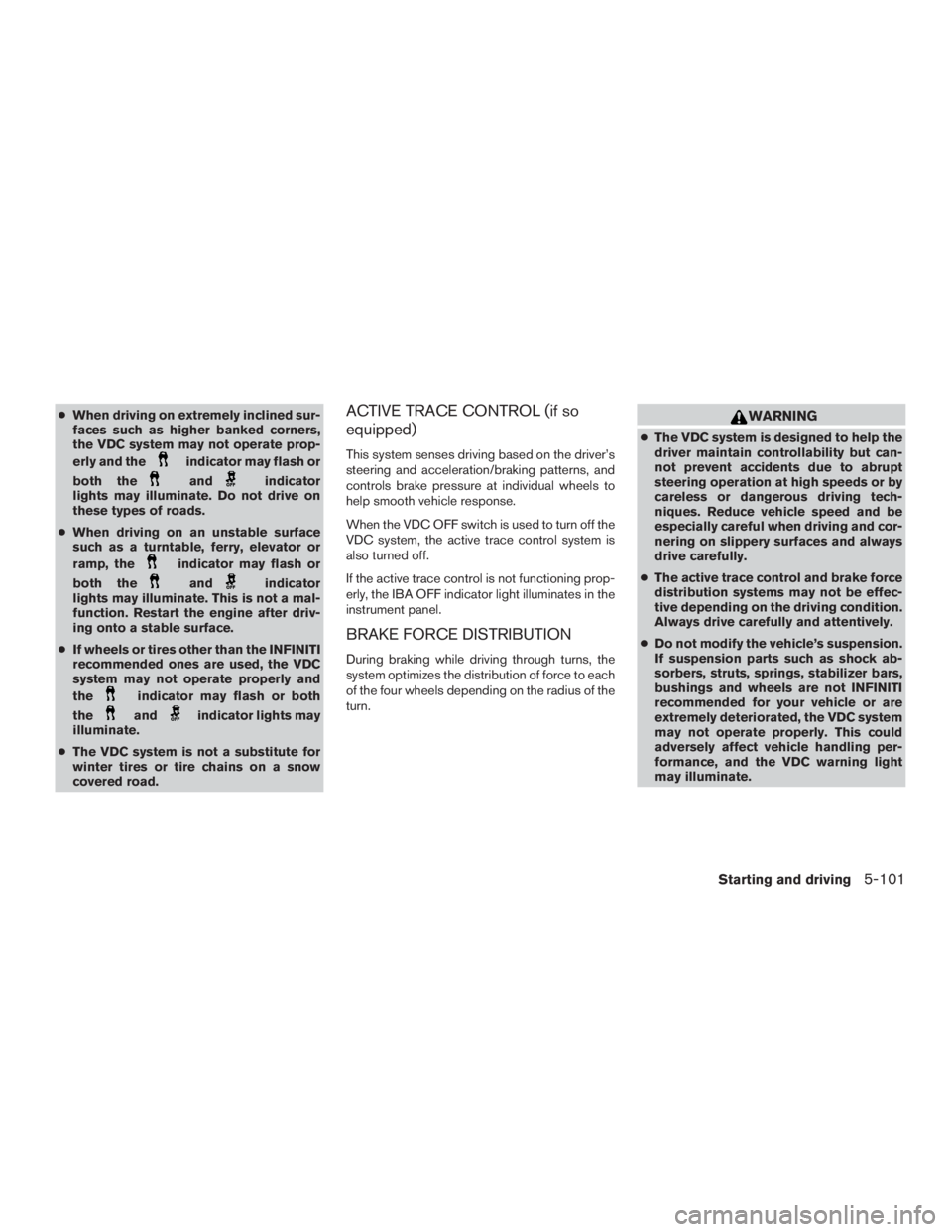
●When driving on extremely inclined sur-
faces such as higher banked corners,
the VDC system may not operate prop-
erly and the
indicator may flash or
both the
andindicator
lights may illuminate. Do not drive on
these types of roads.
● When driving on an unstable surface
such as a turntable, ferry, elevator or
ramp, the
indicator may flash or
both the
andindicator
lights may illuminate. This is not a mal-
function. Restart the engine after driv-
ing onto a stable surface.
● If wheels or tires other than the INFINITI
recommended ones are used, the VDC
system may not operate properly and
the
indicator may flash or both
the
andindicator lights may
illuminate.
● The VDC system is not a substitute for
winter tires or tire chains on a snow
covered road.
ACTIVE TRACE CONTROL (if so
equipped)
This system senses driving based on the driver’s
steering and acceleration/braking patterns, and
controls brake pressure at individual wheels to
help smooth vehicle response.
When the VDC OFF switch is used to turn off the
VDC system, the active trace control system is
also turned off.
If the active trace control is not functioning prop-
erly, the IBA OFF indicator light illuminates in the
instrument panel.
BRAKE FORCE DISTRIBUTION
During braking while driving through turns, the
system optimizes the distribution of force to each
of the four wheels depending on the radius of the
turn.
WARNING
●The VDC system is designed to help the
driver maintain controllability but can-
not prevent accidents due to abrupt
steering operation at high speeds or by
careless or dangerous driving tech-
niques. Reduce vehicle speed and be
especially careful when driving and cor-
nering on slippery surfaces and always
drive carefully.
● The active trace control and brake force
distribution systems may not be effec-
tive depending on the driving condition.
Always drive carefully and attentively.
● Do not modify the vehicle’s suspension.
If suspension parts such as shock ab-
sorbers, struts, springs, stabilizer bars,
bushings and wheels are not INFINITI
recommended for your vehicle or are
extremely deteriorated, the VDC system
may not operate properly. This could
adversely affect vehicle handling per-
formance, and the VDC warning light
may illuminate.
Starting and driving5-101
Page 466 of 577
6 In case of emergency
Hazard warning flasher switch......................6-2
Roadside assistance program .......................6-2
Emergency engine shut off .........................6-3
Flat tire ...........................................6-3
Tire Pressure Monitoring System (TPMS) ..........6-3
Changing a flat tire .............................6-4
Hybrid system stops operating while driving .........6-10
If the vehicle does not start ........................6-10Confirm battery is discharged
...................6-10
Emergency Start .............................. 6-11
Jump starting .................................... 6-11
Push starting ..................................... 6-14
If your vehicle overheats ........................... 6-14
Towing your vehicle ............................... 6-15
Towing recommended by INFINITI ...............6-15
Vehicle recovery (freeing a stuck vehicle) .........6-17