air JAGUAR XF 2011 1.G Owner's Manual
[x] Cancel search | Manufacturer: JAGUAR, Model Year: 2011, Model line: XF, Model: JAGUAR XF 2011 1.GPages: 225, PDF Size: 7.32 MB
Page 47 of 225

R
(FM8) SEMCON JLR OWNER GUIDE VER 1.00 EURO
LANGUAGE: english-en; MARQUE: jaguar; MODEL: XF
Blind spot monitoring
47
Note: This radar sensor is approved in all RTTE
countries.
Note: The system covers an area of a fixed lane
width. If the lanes are narrower than a typical
carriageway lane, obj ects travelling in
non-adjacent lanes may be detected.
BSM automatically switches on and becomes
active when the vehicle is travelling at more
than 16 km/h (10 mph) in a forward gear.
When the system initiates, it performs a
self-check, during which the warning icons in
the mirrors illuminate alternately for a short
period of time.
The indicator dot (2) re mains illuminated until
forward vehicle speed exceeds 16 km/h
(10 mph).
BSM is designed to work most effectively when
driving on multi-lane highways.
Note: If an overtaking vehicle is detected on
both sides of the vehicle simultaneously, the
warning icons in both mirrors will illuminate.
Note: BSM is automatically turned off when
reverse ( R) gear is selected, when the vehicle is
in park ( P), the vehicle is travelling below
16 km/h (10 mph). Under these conditions, an
amber warning indicator within the exterior
mirror is displayed.
SENSOR BLOCKAGE
The BSM system will automatically disable if
either of the sensor s become completely
obscured, an amber wa rning indicator dot (2)
is displayed in the exterior mirror and the
message BLIND SPOT MONITOR SENSOR
BLOCKED appears in the message centre.
Note: Blockage testing is only initiated when
vehicle speed is above 32 km/h (20 mph) and
will take at least two minutes of accumulated
driving above this speed, to determine that the
sensor is blocked. If the sensors become blocked, then please
check that there is nothing obscuring the rear
bumper and that it is cl
ear from ice, frost and
dirt.
BSM SYSTEM FAULT
If a fault with one of the radar sensors is
detected, an amber warning indicator dot is
displayed in the exterior mirror and the
message BLIND SPOT MONITOR NOT
AVAILABLE is displayed in the message centre.
Note: Even if the detected fault only affects the
radar sensor on one side of the vehicle, the
whole system is disabled. If the fault is
temporary, the system will operate correctly
once the engine has been switched off and then
on again.
If a fault in the system occurs, consult your
Dealer/Authorised Repairer.
Page 50 of 225
L
(FM8) SEMCON JLR OWNER GUIDE VER 1.00 EURO
LANGUAGE: english-en; MARQUE: jaguar; MODEL: XF
Garage door opener
50
ENTRY GATE PROGRAMMING
The technology of some entry gates requires
you to press and re-press (cycle) the hand-held
transmitter button every two seconds during
programming.
Continue to press and hold the desired
rear-view mirror button while you cycle your
hand-held transmitter until the indicator lamp
flashes rapidly.
INFORMATION AND ASSISTANCE
It is recommended that when you sell or
dispose of the vehi cle, the programmed
transceiver buttons be erased for
security purposes.
For information on the range of available
compatible products or accessories, or for
assistance, you should contact your Dealer/
Authorised Repairer.
You can also contact the supplier’s helpline on
0 0800 04663 5465. This toll-free number can
be called from anywhere within Europe. No
separate country code is required (the first zero
is not required when calling from within
Germany).
Contact can also be made via the internet. The
website addres s is www.eurohomelink.com.
The e-mail address is
[email protected].
Note: Keep the original transmitter for future
use or programming procedures if, for
example, you purchase a new vehicle.
Note: The manufacturer is not responsible for
any radio or TV interference caused by
unauthorised modifications to this equipment.
Such modifications c ould void the user’s
authority to operate the equipment.
Page 51 of 225
R
(FM8) SEMCON JLR OWNER GUIDE VER 1.00 EURO
LANGUAGE: english-en; MARQUE: jaguar; MODEL: XF
Warning lamps
51
Warning lampsWARNING LAMPS AND INDICATORS
RED warning lamps are for primary warnings.
A primary warning must be investigated
immediately, seek qualified assistance if
necessary.
AMBER warning lamps are for secondary
warnings. Some indicate that a vehicle system
is in operation, others i ndicate that the driver
must take action and then seek qualified
assistance as soon as possible
Other warning lamps within the instrument
panel indicate system st atus, such as blue for
main beam and green for direction indicators,
when in operation.
LAMP CHECK
A warning lamp bulb check is initiated when the
ignition system is switched on and lasts for 3
seconds (except for the airbag warning lamp
which will remain on for 6 seconds). If any
warning lamp remains on after this period,
investigate the cause before driving.
Some warning lamps have associated
messages displayed on the message centre.
Note: Not all warning lamps are included in the
check (e.g. high beam headlamps and direction
indicators).
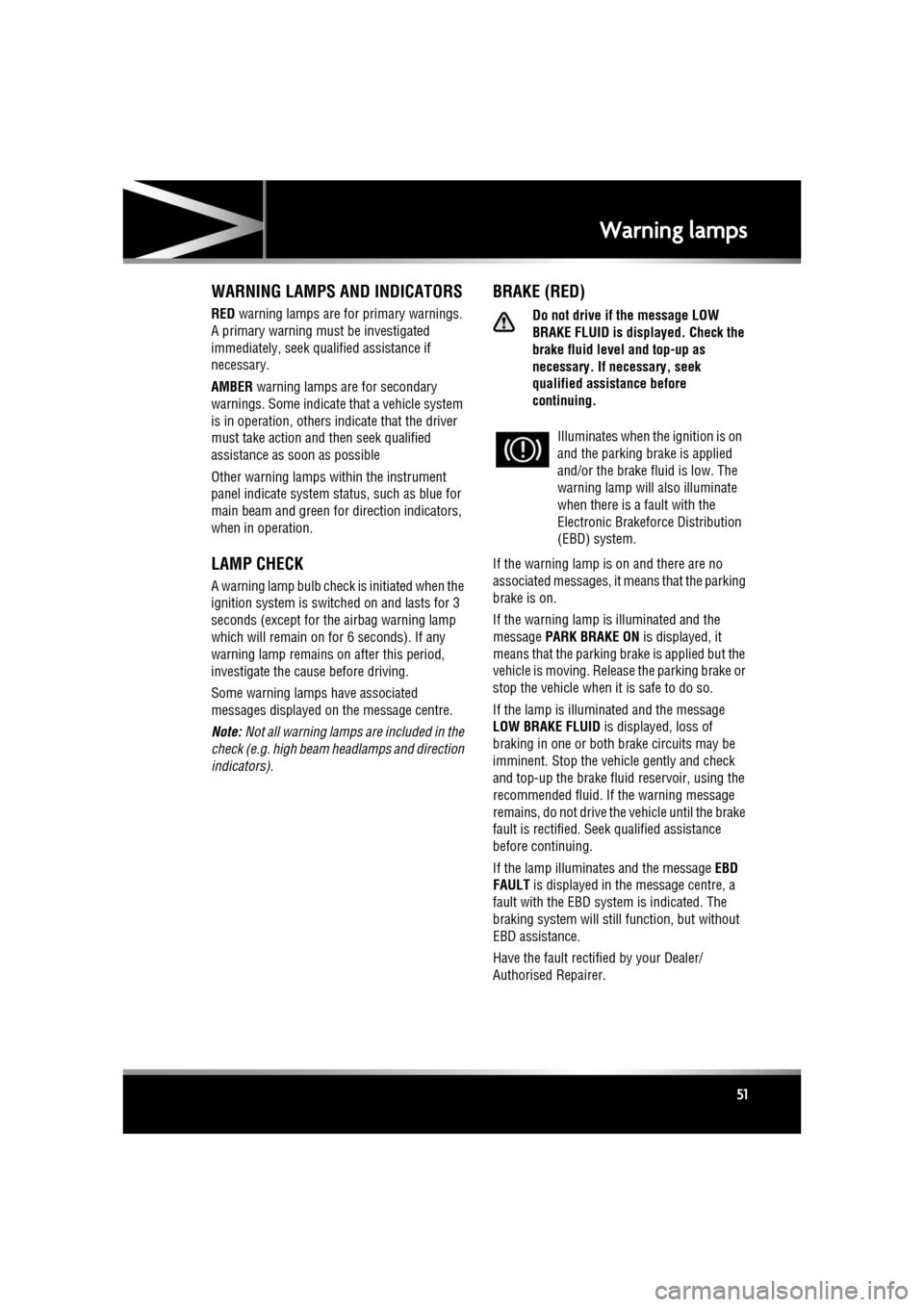
BRAKE (RED)
Do not drive if the message LOW
BRAKE FLUID is disp layed. Check the
brake fluid level and top-up as
necessary. If necessary, seek
qualified assistance before
continuing.
If the warning lamp is on and there are no
associated messages, it means that the parking
brake is on.
If the warning lamp is illuminated and the
message PARK BRAKE ON is displayed, it
means that the parking brake is applied but the
vehicle is moving. Release the parking brake or
stop the vehicle when it is safe to do so.
If the lamp is illuminated and the message
LOW BRAKE FLUID is displayed, loss of
braking in one or both brake circuits may be
imminent. Stop the vehicle gently and check
and top-up the brake fluid reservoir, using the
recommended fluid. If the warning message
remains, do not drive the vehicle until the brake
fault is rectified. Seek qualified assistance
before continuing.
If the lamp illuminates and the message EBD
FAULT is displayed in the message centre, a
fault with the EBD system is indicated. The
braking system will st ill function, but without
EBD assistance.
Have the fault rectified by your Dealer/
Authorised Repairer. Illuminates when the ignition is on
and the parking brake is applied
and/or the brake fl
uid is low. The
warning lamp will also illuminate
when there is a fault with the
Electronic Brakefor ce Distribution
(EBD) system.
Page 52 of 225
L
(FM8) SEMCON JLR OWNER GUIDE VER 1.00 EURO
LANGUAGE: english-en; MARQUE: jaguar; MODEL: XF
Warning lamps
52
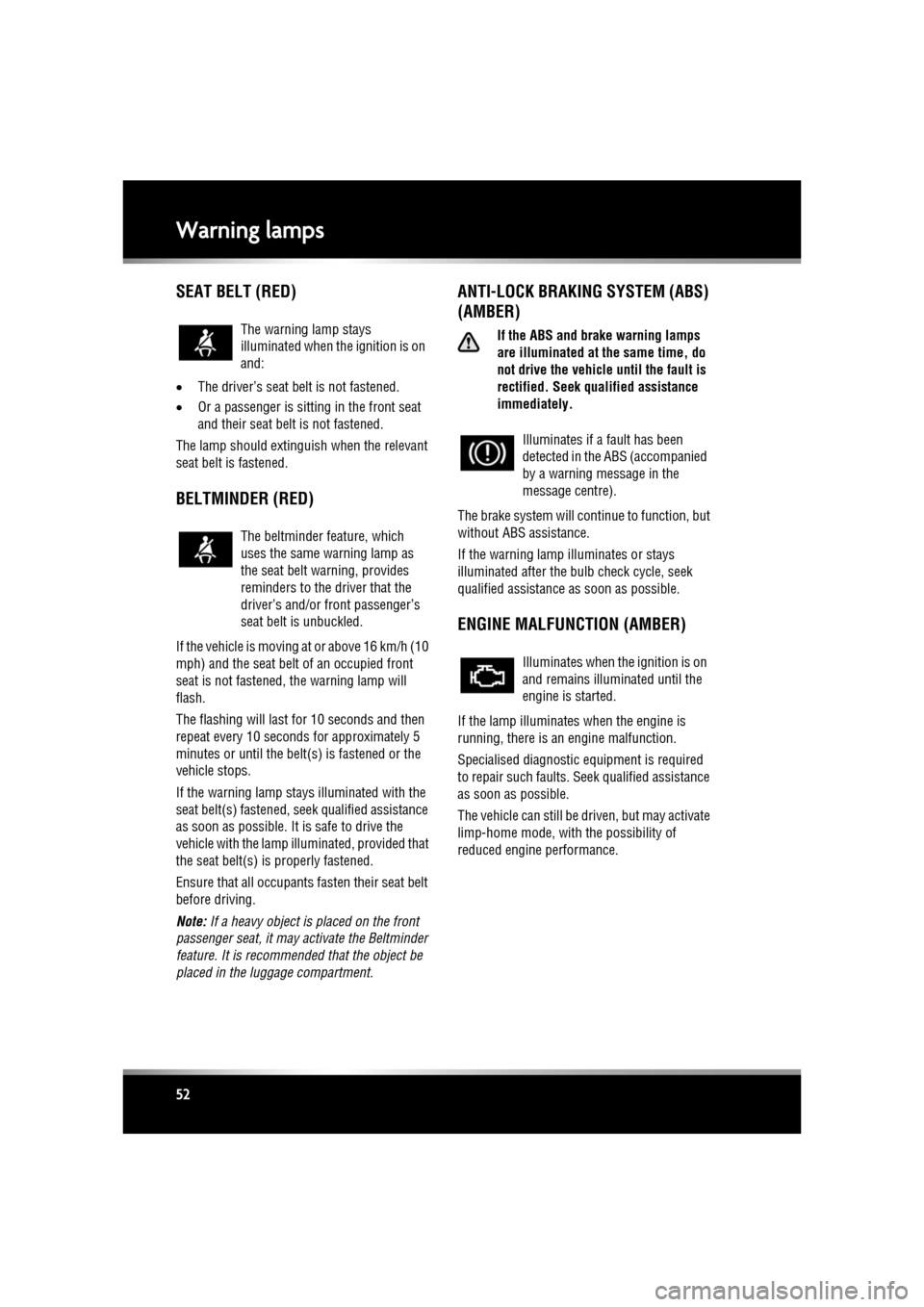
SEAT BELT (RED)
• The driver’s seat be lt is not fastened.
• Or a passenger is sitting in the front seat
and their seat belt is not fastened.
The lamp should extinguish when the relevant
seat belt is fastened.
BELTMINDER (RED)
If the vehicle is moving at or above 16 km/h (10
mph) and the seat belt of an occupied front
seat is not fastened, the warning lamp will
flash.
The flashing will last for 10 seconds and then
repeat every 10 seconds for approximately 5
minutes or until the belt(s) is fastened or the
vehicle stops.
If the warning lamp stays illuminated with the
seat belt(s) fastened, seek qualified assistance
as soon as possible. It is safe to drive the
vehicle with the lamp illu minated, provided that
the seat belt(s) is properly fastened.
Ensure that all occupants fasten their seat belt
before driving.
Note: If a heavy object is placed on the front
passenger seat, it may activate the Beltminder
feature. It is recomme nded that the object be
placed in the luggage compartment.
ANTI-LOCK BRAKING SYSTEM (ABS)
(AMBER)
If the ABS and brake warning lamps
are illuminated at the same time, do
not drive the vehicl e until the fault is
rectified. Seek q ualified assistance
immediately.
The brake system will c ontinue to function, but
without ABS assistance.
If the warning lamp illuminates or stays
illuminated after the bulb check cycle, seek
qualified assistance as soon as possible.
ENGINE MALFUNCTION (AMBER)
If the lamp illuminates when the engine is
running, there is an engine malfunction.
Specialised diagnostic equipment is required
to repair such faults. Seek qualified assistance
as soon as possible.
The vehicle can still be driven, but may activate
limp-home mode, with the possibility of
reduced engine performance.
The warning lamp stays
illuminated when the ignition is on
and:
The beltminder feature, which
uses the same warning lamp as
the seat belt warning, provides
reminders to the driver that the
driver’s and/or
front passenger’s
seat belt is unbuckled.
Illuminates if a fault has been
detected in the ABS (accompanied
by a warning message in the
message centre).
Illuminates when the ignition is on
and remains illuminated until the
engine is started.
Page 53 of 225
R
(FM8) SEMCON JLR OWNER GUIDE VER 1.00 EURO
LANGUAGE: english-en; MARQUE: jaguar; MODEL: XF
Warning lamps
53
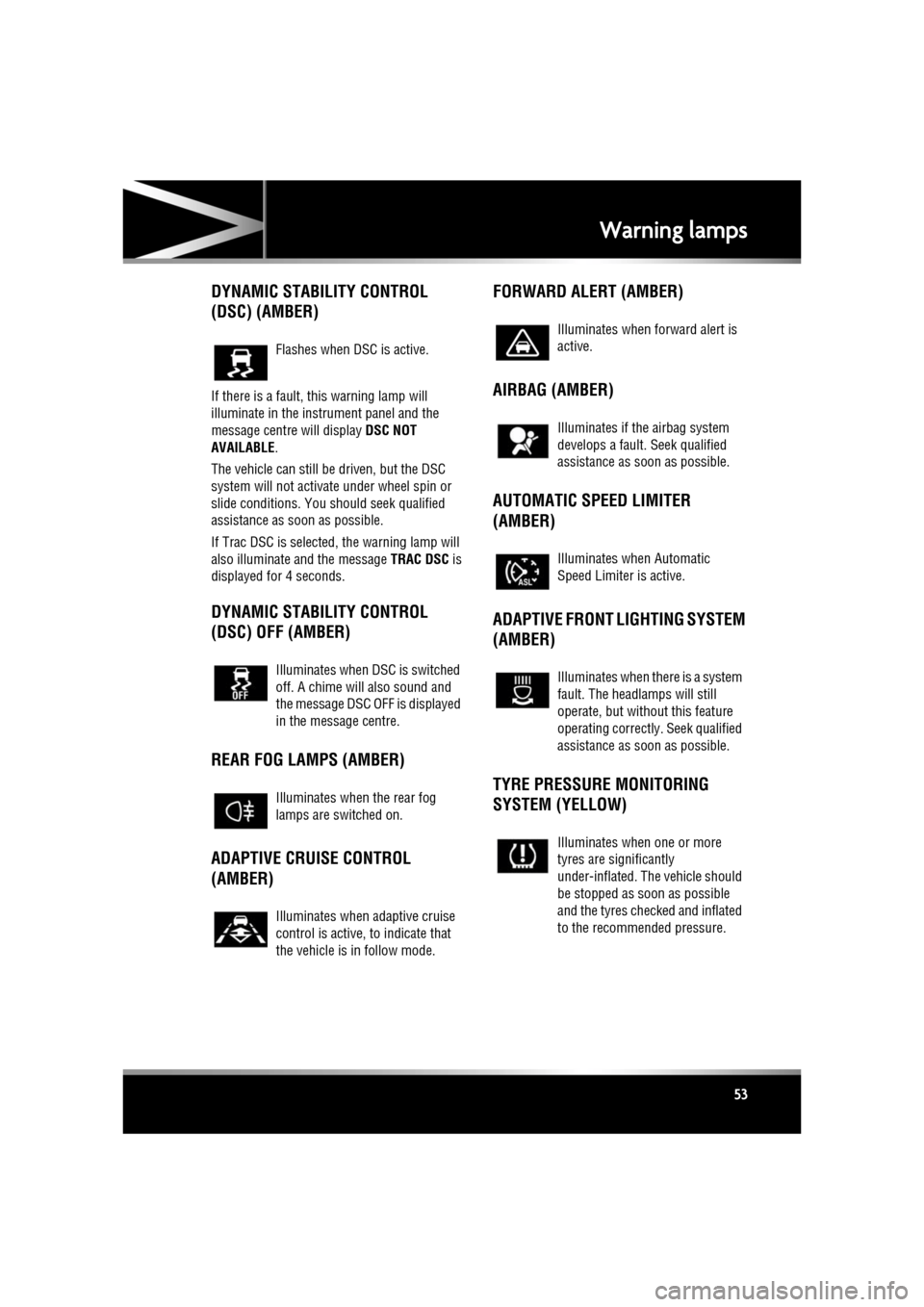
DYNAMIC STABILITY CONTROL
(DSC) (AMBER)
If there is a fault, this warning lamp will
illuminate in the instrument panel and the
message centre will display DSC NOT
AVAILABLE .
The vehicle can still be driven, but the DSC
system will not activate under wheel spin or
slide conditions. You s hould seek qualified
assistance as soon as possible.
If Trac DSC is selected, the warning lamp will
also illuminate and the message TRAC DSC is
displayed for 4 seconds.
DYNAMIC STABILITY CONTROL
(DSC) OFF (AMBER)
REAR FOG LAMPS (AMBER)
ADAPTIVE CRUISE CONTROL
(AMBER) FORWARD ALERT (AMBER)
AIRBAG (AMBER)
AUTOMATIC SPEED LIMITER
(AMBER)
ADAPTIVE FRONT LIGHTING SYSTEM
(AMBER)
TYRE PRESSURE MONITORING
SYSTEM (YELLOW)
Flashes when DSC is active.
Illuminates when DSC is switched
off. A chime will also sound and
the message DSC OFF is displayed
in the message centre.
Illuminates when the rear fog
lamps are switched on.
Illuminates when adaptive cruise
control is active, to indicate that
the vehicle is in follow mode.
Illuminates when forward alert is
active.
Illuminates if the airbag system
develops a fault.
Seek qualified
assistance as soon as possible.
Illuminates when Automatic
Speed Limiter is active.
Illuminates when there is a system
fault. The headlamps will still
operate, but without this feature
operating correctly . Seek qualified
assistance as soon as possible.
Illuminates when one or more
tyres are significantly
under-inflated. The vehicle should
be stopped as soon as possible
and the tyres checked and inflated
to the recommended pressure.
Page 59 of 225
R
(FM8) SEMCON JLR OWNER GUIDE VER 1.00 EURO
LANGUAGE: english-en; MARQUE: jaguar; MODEL: XF
Touch screen
59
TURNING OFF THE TOUCH SCREEN
Vehicles without Eco Stop/Start:
1. Press the screen on/off button once to
activate the screensaver (see 58, TOUCH
SCREEN HOME MENU ). If the screensaver
has not been set, a single press will turn off
the touch screen.
2. Press the screen on/off button twice to turn
off the touch screen.
3. To turn on the touch screen, press the
screen on/off button.
Vehicles with Eco Stop/Start:
1. From the Home menu , touch the screen off
soft key to activate the screensaver. If the
screensaver has not been set, touching the
screen off soft key w ill turn off the touch
screen.
2. From the screensaver, touch the screen off
soft key to turn off the touch screen.
3. To turn on the touch screen, touch
anywhere on the screen.
TOUCH SCREEN USE
Always run the engine during prolonged
use of the touch screen.
The buttons on the centre console, below the
touch screen display, are referred to as hard
buttons and should be pressed firmly. The
touch screen buttons are referred to as soft
keys and only require light pressure to
function. Do not use excessive pressure.
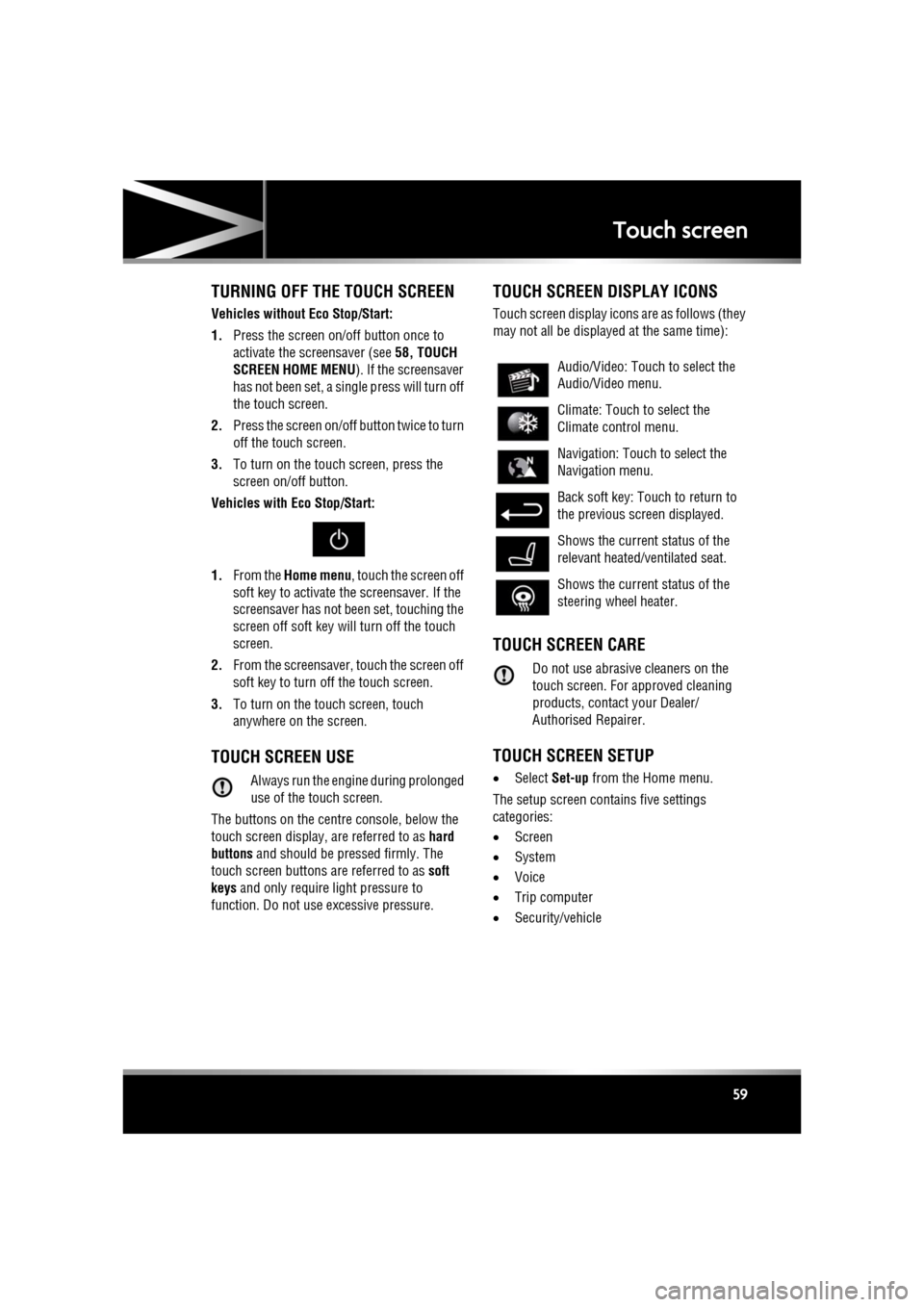
TOUCH SCREEN DISPLAY ICONS
Touch screen display icons are as follows (they
may not all be displayed at the same time):
TOUCH SCREEN CARE
Do not use abrasive cleaners on the
touch screen. For approved cleaning
products, contact your Dealer/
Authorised Repairer.
TOUCH SCREEN SETUP
• Select Set-up from the Home menu.
The setup screen cont ains five settings
categories:
• Screen
• System
• Voice
• Trip computer
• Security/vehicle
Audio/Video: Touc h to select the
Audio/Video menu.
Climate: Touch to select the
Climate control menu.
Navigation: Touch to select the
Navigation menu.
Back soft key: Touch to return to
the previous screen displayed.
Shows the current status of the
relevant heated/ventilated seat.
Shows the current status of the
steering wheel heater.
Page 63 of 225
R
(FM8) SEMCON JLR OWNER GUIDE VER 1.00 EURO
LANGUAGE: english-en; MARQUE: jaguar; MODEL: XF
Heating and ventilation
63
Heating and ventilationCLIMATE CONTROL
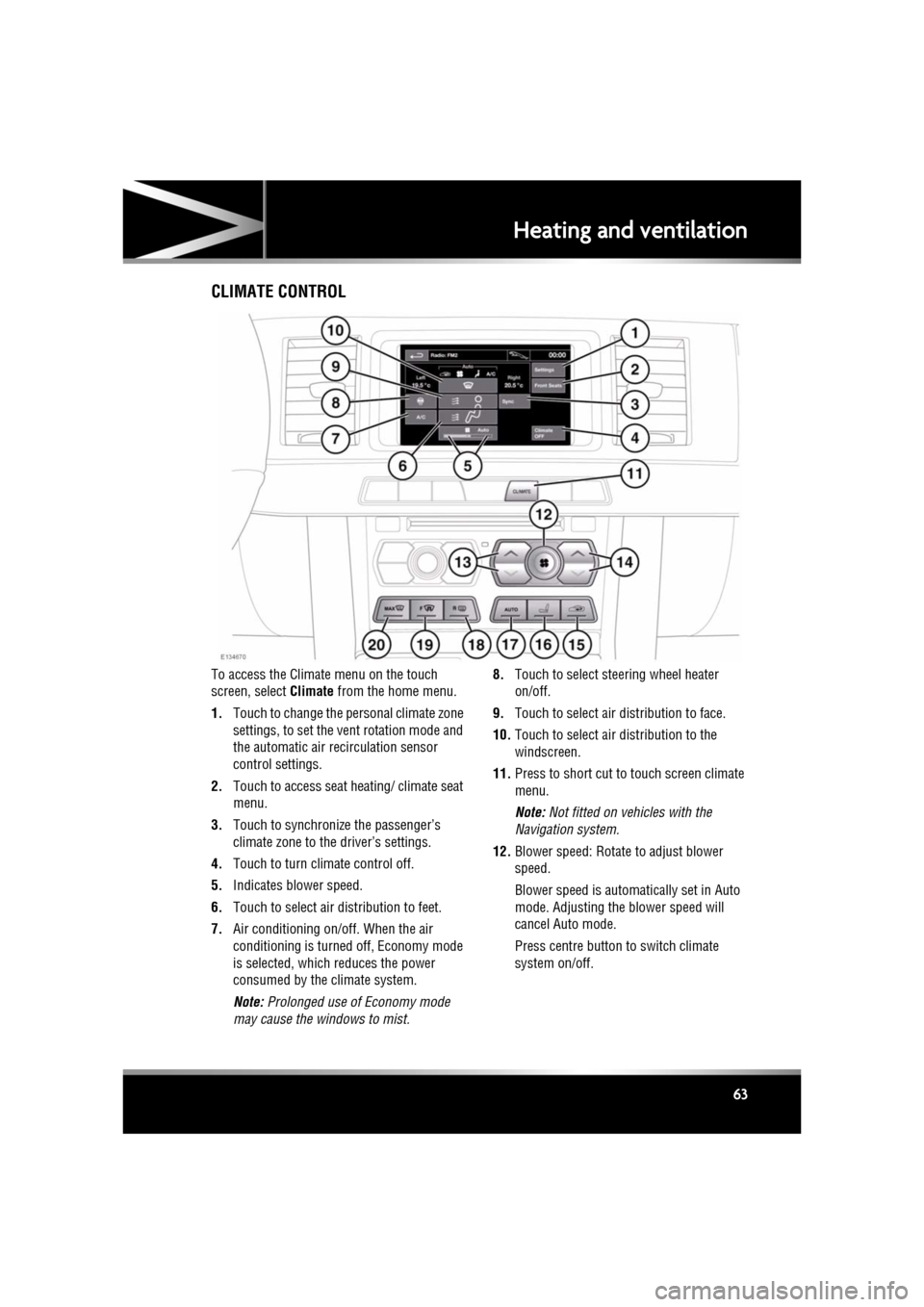
To access the Climate menu on the touch
screen, select Climate from the home menu.
1. Touch to change the personal climate zone
settings, to set the vent rotation mode and
the automatic air recirculation sensor
control settings.
2. Touch to access seat heating/ climate seat
menu.
3. Touch to synchronize the passenger’s
climate zone to the driver’s settings.
4. Touch to turn climate control off.
5. Indicates blower speed.
6. Touch to select air distribution to feet.
7. Air conditioning on/off. When the air
conditioning is turned off, Economy mode
is selected, which reduces the power
consumed by the climate system.
Note: Prolonged use of Economy mode
may cause the windows to mist. 8.
Touch to select steering wheel heater
on/off.
9. Touch to select air distribution to face.
10. Touch to select air distribution to the
windscreen.
11. Press to short cut to touch screen climate
menu.
Note: Not fitted on vehicles with the
Navigation system.
12. Blower speed: Rotate to adjust blower
speed.
Blower speed is automatically set in Auto
mode. Adjusting the blower speed will
cancel Auto mode.
Press centre button to switch climate
system on/off.
Page 64 of 225

L
(FM8) SEMCON JLR OWNER GUIDE VER 1.00 EURO
LANGUAGE: english-en; MARQUE: jaguar; MODEL: XF
Heating and ventilation
64
13. Left-hand temperature control: Press to
adjust temperature for the left side of the
vehicle. The temperat ure is displayed on
the touch screen ( HI or LO is displayed
when the maximum or minimum setting is
selected).
Note: The maximum possible temperature
differential betwee n left and right hand
temperature settings is 3°C (5.4°F).
14. Right-hand temperature control: Press to
adjust temperature for the right side of the
vehicle. The temperat ure is displayed on
the touch screen ( HI or LO is displayed
when the maximum or minimum setting is
selected).
15. Press briefly to select timed recirculation.
Press and hold to select continuous
recirculation. Press again to switch off. See
64, RECIRCULATION .
16. Press to access seat heating/ climate seat
menu.
17. AUTO control: Press to switch automatic
operation on.
18. Press to turn the heated rear screen on/off.
See 64, HEATED SCREENS .
19. Press to turn the heated front screen
on/off. See 64, HEATED SCREENS .
20. Defrost: Press to remove frost or heavy
misting from the winds creen. This setting
activates the blower s, air-conditioning,
front and rear screen heaters and prohibits
recirculation, to ac hieve a rapid defrost.
In addition to the selectable controls, the
climate menu displays symbols that indicate
the status of heating a nd ventilation functions.
Note: If the climate control system is switched
off, pressing an AUTO button or the Defrost
button, will switch the climate system on.HEATED SCREENS
With the engine running, the front (F) and rear
(R ) screen heaters, may be switched on and off
in any mode, including with the climate control
system off.
The front and rear screen heaters switch off
automatically after a timed period depending
on the ambient temperature. In cold ambient
conditions, below 5°C (41°F), the screen
heaters will switch on automatically when the
engine is started, unles s the engine or vehicle
interior is already warm.
RECIRCULATION
• Press briefly to activate timed
recirculation. The button indicator
illuminates when recirculation is on.
• Press and hold the but ton to activate
continuous recirculation. the button
indicator will flash and then illuminate
constantly.
• To cancel recirculation, press the button
briefly.
When selected, the air is recirculated inside the
vehicle. This helps to maintain a high or low
temperature, and is useful for preventing
fumes from entering the vehicle.
Timed recirculation : Recirculation will switch
off automatically after a set time (dependent on
the ambient temperature).
Latched recirculation: Recirculation will
remain on until the button is pressed again.
Note: Prolonged use at low temperatures may
cause the windows to mist.
Recirculation may also be selected in AUTO
mode, if the climate control system detects
high levels of pollution in the atmosphere
outside the vehicle (if an air quality sensor is
fitted). Manual operation of the recirculation
control will override the automatic setting.
Page 65 of 225
R
(FM8) SEMCON JLR OWNER GUIDE VER 1.00 EURO
LANGUAGE: english-en; MARQUE: jaguar; MODEL: XF
Heating and ventilation
65
AIR QUALITY SENSOR
If the air quality sensor detects pollution, air
recirculation is selected automatically to
reduce pollutants entering the vehicle.
The sensitivity of the se nsor can be adjusted
using the touch screen:
1. Select Settings from the Climate menu.
2. Touch the +/- buttons on the screen to
increase/decrease sensitivity.
To switch the function o ff, decrease sensitivity
to the minimum setting.
EXTERNAL TEMPERATURE
The external temperature is displayed in the
Home menu of the touch screen and in the
instrument panel.
When the external temp erature is low enough
that ice may be present on the road, an amber
snowflake warning lamp w ill illuminate in the
instrument panel.
AUTOMATIC CLIMATE CONTROL
AUTO mode should be used as the normal
operating mode. The air conditioning, heating
and ventilation controls automatically provide
an optimum environment at the selected
temperature.
Note: Screen heating and timed air
recirculation may be se lected in AUTO mode.
Any other manual adjustment cancels AUTO
operation.
Note: Water expelled by the air conditioning
may collect underneath the vehicle when
parked. This is not cause for concern.
TEMPERATURE CONTROLS
The driver and front seat passenger zone
temperatures can be i ndependently adjusted.
The temperature for each zone is displayed on
the relevant side of the touch screen.
Note: The maximum possible temperature
differential between the driver and passenger
settings is 3°C (5.4°F).
HEATED SEATS
Note: The seat heaters will only operate when
the engine is running.
The heated seats are controlled from the Home
or Climate menu on the touch screen.
• Touch the appropriate seat icon to switch
on the seat heater at maximum
temperature (3 red bars).
• Touch the icon a second and third time to
reduce the temperature (2 and 1 red bars).
• Touch the icon a fourth time to switch the
seat heater off.
This icon appears at the top of the
touch screen when the air quality
sensor is switched on.
Page 68 of 225
L
(FM8) SEMCON JLR OWNER GUIDE VER 1.00 EURO
LANGUAGE: english-en; MARQUE: jaguar; MODEL: XF
Luggage compartment
68
Do not repeatedly attempt to close the
luggage compartment after it
automatically re-ope ns, or the latch
may overheat. If the cause of the
automatic re-ope ning cannot be
determined: Unlock all the doors and
the luggage compartment with the
Smart Key; make sure that all doors, the
bonnet and the luggage compartment
are closed properly; lock the vehicle
again with the Smart Key.
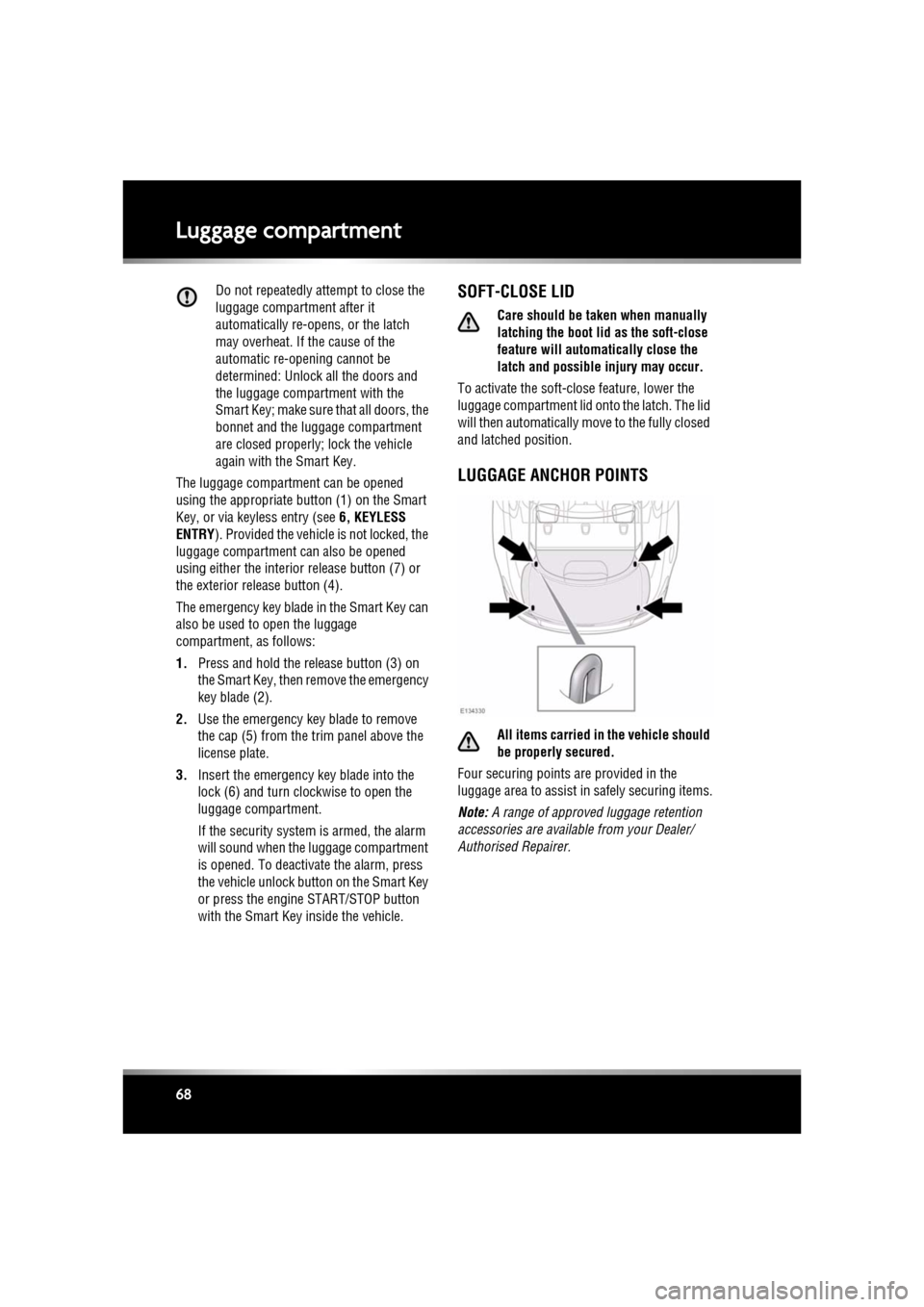
The luggage compartment can be opened
using the appropriate button (1) on the Smart
Key, or via keyless entry (see 6, KEYLESS
ENTRY ). Provided the vehicle is not locked, the
luggage compartment can also be opened
using either the interior release button (7) or
the exterior release button (4).
The emergency key blade in the Smart Key can
also be used to open the luggage
compartment, as follows:
1. Press and hold the release button (3) on
the Smart Key, then remove the emergency
key blade (2).
2. Use the emergency key blade to remove
the cap (5) from the trim panel above the
license plate.
3. Insert the emergency key blade into the
lock (6) and turn clockwise to open the
luggage compartment.
If the security system is armed, the alarm
will sound when the luggage compartment
is opened. To deactiva te the alarm, press
the vehicle unlock button on the Smart Key
or press the engine START/STOP button
with the Smart Key inside the vehicle.SOFT-CLOSE LID
Care should be taken when manually
latching the boot lid as the soft-close
feature will automat ically close the
latch and possible injury may occur.
To activate the soft-close feature, lower the
luggage compartment lid onto the latch. The lid
will then automatically move to the fully closed
and latched position.
LUGGAGE ANCHOR POINTS
All items carried in the vehicle should
be properly secured.
Four securing points are provided in the
luggage area to assist in safely securing items.
Note: A range of approved luggage retention
accessories are available from your Dealer/
Authorised Repairer.