Ett JAGUAR XJ 2004 X350 / 3.G User Guide
[x] Cancel search | Manufacturer: JAGUAR, Model Year: 2004, Model line: XJ, Model: JAGUAR XJ 2004 X350 / 3.GPages: 227, PDF Size: 4.22 MB
Page 113 of 227
4-42 On the Road
Starting/Stopping the
Vehicle
When the vehicle is stationary the
automatic gear selector may be left in ‘D’,
‘ 2 ’, ‘ 3’, ‘ 4’ or ‘ 5’, unless the vehicle is to
be parked. When stopping for traffic
lights, junctions etc., either select ‘ P’ or
apply the parkbrake and select ‘ N’.
Before Starting
Before starting the engine, new owners/
drivers should familiarize themselves with
the layout and operation of the controls
and instruments.
!WARNING:
Before attempting to start the engine,
check parkbrake is ON and gear
selector lever is in position ‘P’ or ‘N’.
To Start the Engine
The engine cannot be started until the
gear selector is in ‘ N’ or ‘ P’.
Insert the key into the ignition switch and
turn clockwise to position ‘II’ to switch
on the ignition.
When the key is turned to position ‘III’
the starter motor will turn the engine
until:
• The key is released and automatically returns to position ‘II’.
• The ignition switch is turned to ‘0’ or ‘I’.
• The gear selector is moved out of ‘P’ or ‘N’.
• The engine starts.
If the engine fails to start, the key must be
turned to position ‘0’ before attempting
to restart.
Do not use the starter continuously for
longer than six seconds. Continued use of
the starter will disc harge the battery and
may damage the starter mechanism.
Wait until the engine stops turning before
re-using the starter.
When the engine starts, release the key. The red charge light and the oil pressure
light in the instrument cluster should go
out when the engine is running.
If the engine fails to start
If an ignition key is placed in the ignition
switch and turned to position ‘II’ and the
alarm security light is flashing, it is
possible that the engine will not start.
In any event, please contact a Jaguar
Retailer to investigate the cause of the
light flashing.
It is possible that the fuel system inertia
switch may have tripped, see page 6 - 3
for the resetting procedure.
If the engine persistent
ly fails to start and
flooding is suspected, depress the
accelerator pedal fully, hold it in this
position and turn the key to position ‘III’
for six seconds. Release the key, remove
your foot from the accelerator pedal and
then attempt to restart the engine.
Note: The engine cannot start whilst the
pedal is fully depressed, it must be
released to enable the engine to start.
If the engine still fail s to start, switch the
ignition OFF and contact a Jaguar
Retailer.
Page 116 of 227
On the Road 4 - 45
Limp-home mode
In the unlikely event of an electrical or
mechanical failure, transmission
operation will be impaired. The vehicle
gear selector ranges P, R, N, D can still be
used to enable the vehicle to be driven to
a safe area. In this event consult a Jaguar
Retailer immediately.
!WARNING:
The driver should be aware that the
vehicle’s performance will be
reduced and must take this into
account when driving.
Sport Mode
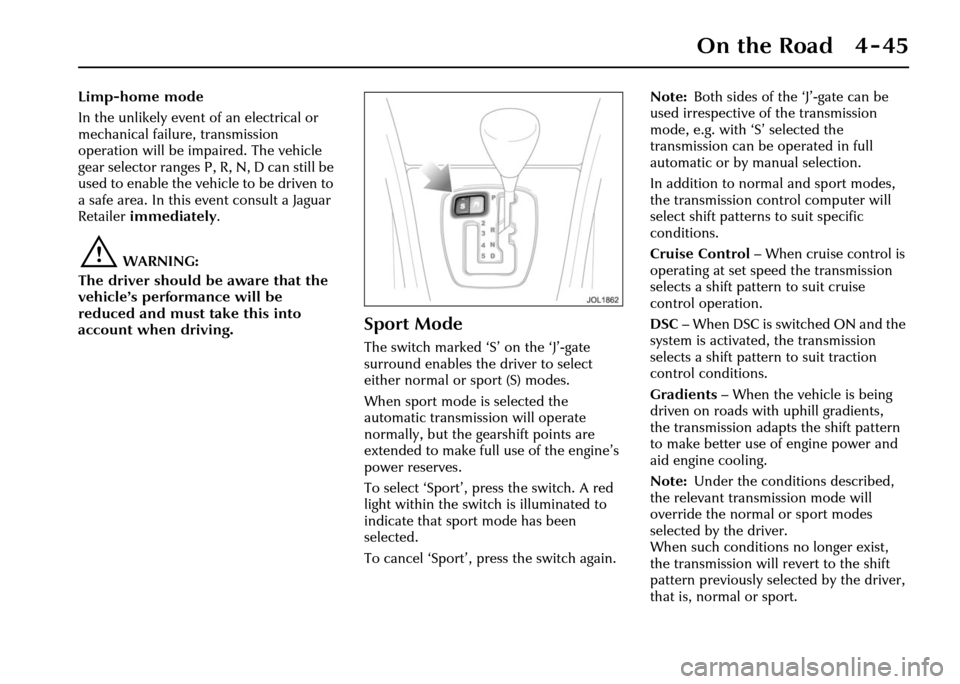
The switch marked ‘S ’ on the ‘J’-gate
surround enables the driver to select
either normal or sport (S) modes.
When sport mode is selected the
automatic transmission will operate
normally, but the ge arshift points are
extended to make full use of the engine’s
power reserves.
To select ‘Sport’, press the switch. A red
light within the switch is illuminated to
indicate that sport mode has been
selected.
To cancel ‘Sport’, press the switch again. Note:
Both sides of the ‘J’-gate can be
used irrespective of the transmission
mode, e.g. with ‘S’ selected the
transmission can be operated in full
automatic or by manual selection.
In addition to norm al and sport modes,
the transmission control computer will
select shift patterns to suit specific
conditions.
Cruise Control – When cruise control is
operating at set speed the transmission
selects a shift pattern to suit cruise
control operation.
DSC – When DSC is switched ON and the
system is activated, the transmission
selects a shift pattern to suit traction
control conditions.
Gradients – When the vehicle is being
driven on roads with uphill gradients,
the transmission adapts the shift pattern
to make better use of engine power and
aid engine cooling.
Note: Under the conditions described,
the relevant transmission mode will
override the normal or sport modes
selected by the driver.
When such conditions no longer exist,
the transmission will revert to the shift
pattern previously selected by the driver,
that is, normal or sport.
Page 120 of 227
On the Road 4 - 49
Cruise (Speed) Control
The cruise (speed) control system can be
used by the driver to maintain a selected
vehicle speed above 17.5 mph (28 km/h)
without the driver having to use the
accelerator.
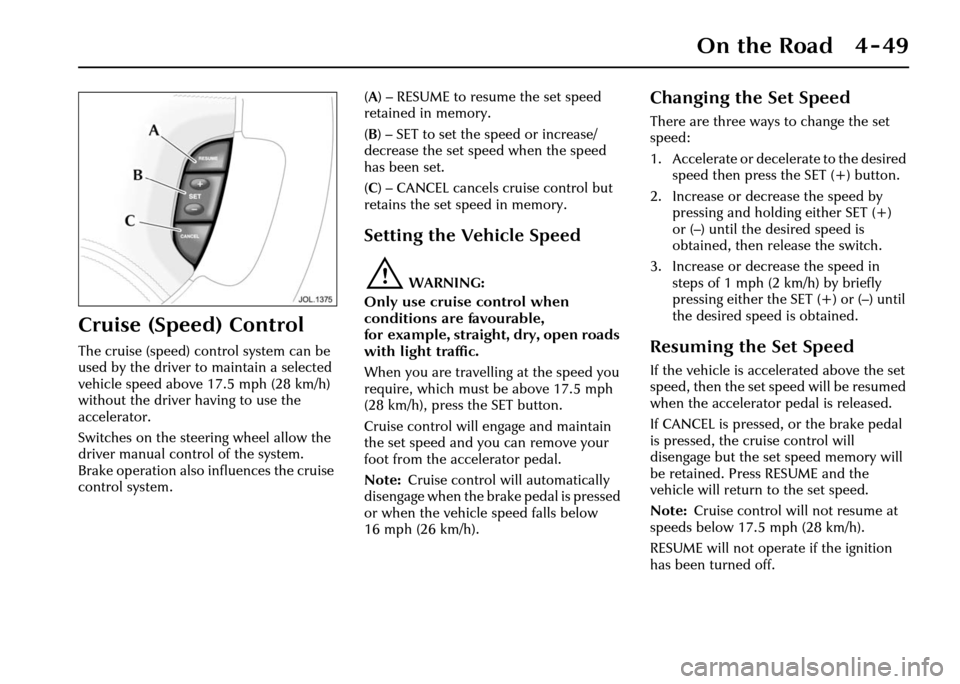
Switches on the steering wheel allow the
driver manual control of the system.
Brake operation also influences the cruise
control system. (
A ) – RESUME to resume the set speed
retained in memory.
( B ) – SET to set the speed or increase/
decrease the set speed when the speed
has been set.
( C ) – CANCEL cancels cruise control but
retains the set speed in memory.
Setting the Vehicle Speed
!WARNING:
Only use cruise control when
conditions are favourable,
for example, straight, dry, open roads
with light traffic.
When you are travelling at the speed you
require, which must be above 17.5 mph
(28 km/h), press the SET button.
Cruise control will engage and maintain
the set speed and you can remove your
foot from the accelerator pedal.
Note: Cruise control will automatically
disengage when the brake pedal is pressed
or when the vehicle speed falls below
16 mph (26 km/h).
Changing the Set Speed
There are three ways to change the set
speed:
1. Accelerate or decelerate to the desired speed then press the SET (+) button.
2. Increase or decrease the speed by pressing and holding either SET (+)
or (–) until the desired speed is
obtained, then release the switch.
3. Increase or decrease the speed in steps of 1 mph (2 km/h) by briefly
pressing either the SET (+) or (–) until
the desired speed is obtained.
Resuming the Set Speed
If the vehicle is accelerated above the set
speed, then the set speed will be resumed
when the accelerator pedal is released.
If CANCEL is pressed, or the brake pedal
is pressed, the cruise control will
disengage but the set speed memory will
be retained. Press RESUME and the
vehicle will return to the set speed.
Note: Cruise control will not resume at
speeds below 17.5 mph (28 km/h).
RESUME will not operate if the ignition
has been turned off.
Page 123 of 227
4-52 On the Road
• It is the drivers responsibility to stay alert, drive safely and be in control of
the vehicle at all times.
• Keep the front of the vehicle free from dirt, metal badges or objects,
including vehicle front protectors,
which may prevent the sensor from
operating.
• Do not use ACC when entering or leaving a motorway.
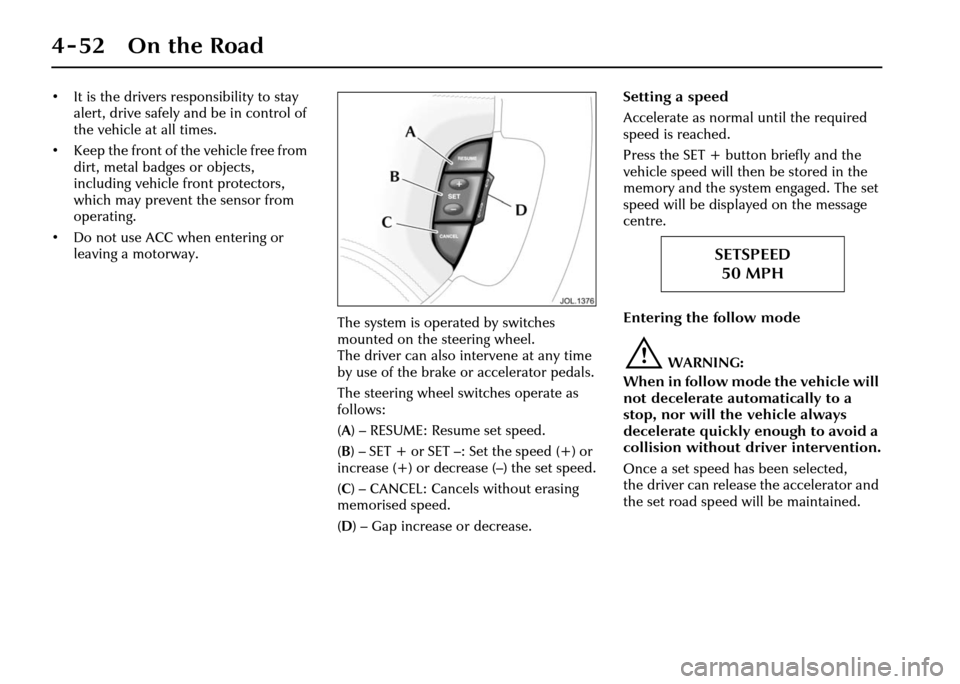
The system is operated by switches
mounted on the steering wheel.
The driver can also intervene at any time
by use of the brake or accelerator pedals.
The steering wheel switches operate as
follows:
(A ) – RESUME: Resume set speed.
( B )– SET+ or SET–: Setthe speed(+) or
increase (+) or decrease (–) the set speed.
( C ) – CANCEL: Cancels without erasing
memorised speed.
( D ) – Gap increase or decrease. Setting a speed
Accelerate as normal
until the required
speed is reached.
Press the SET + butto n briefly and the
vehicle speed will then be stored in the
memory and the system engaged. The set
speed will be displayed on the message
centre.
Entering the follow mode
!WARNING:
When in follow mode the vehicle will
not decelerate automatically to a
stop, nor will the vehicle always
decelerate quickly enough to avoid a
collision without driver intervention.
Once a set speed has been selected,
the driver can release the accelerator and
the set road speed will be maintained.
SETSPEED 50 MPH
Page 125 of 227
4-54 On the Road
Changing the set speed
There are three ways to change the set
speed:
1. Accelerate or brake to the required speed and press the ‘SET +’ button.
2. Increase or decrease the speed by pressing and holding either the
‘SET +’ or ‘–’ button until the required
set speed is shown on the message
centre. The vehicle speed will
gradually change to the selected
speed.
3. Increase or decrease the speed in steps of 1 mph (2 km/h) by briefly
pressing the ‘SET +’ or ‘–’ button.
ACC operates between approximately
20 mph and 110 mph (34 km/h and
180 km/h) dependent on the country
specification.
Set speeds outside this range will not be
captured.
The ACC may apply the brakes to slow
down the vehicle to the new set speed.
The new set speed will be displayed on
the message centre for four seconds after
it has been changed. Changing the gap
The gap from the vehicle ahead can be
decreased or increased by pressing the
gap setting rocker switch on the steering
wheel. Four gaps are available and the
selected gap setting will be displayed on
the message centre when the rocker
switch is pressed. After the ignition is
switched ON the default gap will be
automatically selected ready for ACC
operation.
Note:
It is the driver’s responsibility to
select a gap appropriate to the driving
conditions, and in accordance with
national driving regulations.
ACC automatic switch off
Adaptive cruise control will disengage,
but not clear the memory when:
• The CANCEL button is pressed.
• The brake pedal is pressed.
• The vehicle speed falls below 18 mph (30 km/h).
• Neutral, Park or Reverse gear positions are selected.
• The parkbrake is applied.
• DSC is activated. Adaptive cruise control will disengage,
and clear the memory when:
• The ignition switch is set to
position ‘0’.
• Maximum vehicle speed is reached.
• A fault occurs in the ACC system.
Resuming the set speed/follow mode
By pressing the RESUME button after ACC
has been cancelled, for example, after
braking, the ACC will become active
again provided that the set speed
memory has not been erased. The set
speed will be displayed for four seconds
and the original set speed will be
resumed, unless a vehicle ahead causes
the follow mode to become active.
Caution: ‘RESUME’ should only be
used if the driver is aware of the set
speed and intends to return to it.
Page 131 of 227
4-60 On the Road
Use of Headlamps In Daylight
When visibility is poor the headlamps
with dipped beam setting should be
switched on so that the vehicle may be
seen more easily by other road users.
The instrument illumination dimmer
control adjusts the brightness of the panel
lighting.
Engine Oil Consumption
A certain amount of oil consumption is
normal. The rate of consumption will
depend on the following:
• The quality and viscosity of the oil.
• The amount of oxidation and dilution of the oil.
• Climatic conditions.
• The speed at which the engine is being operated.
• Road conditions.
Drivers should expect above normal
consumption when the engine is new,
and after running-in if high speeds are
sustained.
Winter Driving
Freeing a frozen door lock
Caution: Do not ap ply a proprietary
lock de-icer through the keyhole.
Should the lock beco me frozen, warm the
end of the key before use.
Windscreen wiper blades
Before driving away, clear any ice from
the windscreen and check that the wiper
blades are free. Switching on the heated
screen will accelerate this process.
The heated wiper park, if fitted, will come
on automatically.
Frost precautions
The correct concentration of coolant
must be maintained at all times when
‘topping up’ or ‘refilling’ the cooling
system.
Parking the Vehicle
When leaving the vehicle, remember the
following:
• Whenever the vehicle is being parked, apply the parkbrake and move the
gear selector to Park ‘P’.
• Do not leave children or pets in the vehicle unattended.
• Do not leave luggage or valuables on view. Always take your valuables with
you or lock them in the luggage
compartment.
• Remove the ignition key and spare keys, even when the vehicle is in your
garage.
• When the vehicle is unoccupied, close
all windows and lock all doors
securely.
• Park the vehicle where it can be seen. At night, park in a well-lit area.
• Ensure that the keys and the key transmitters are removed from the
vehicle before locking the doors,
and that all doors, the luggage
compartment and the hood are
closed.
Page 139 of 227
4-68 On the Road
Catalytic Converters
A few precautions on the use of vehicles
fitted with catalytic converters are
necessary. These are:
1. In order to maintain the efficiency of the emission control system it is
essential that unleaded fuel is used.
Use of leaded fuel will seriously
damage the catalytic converters.
2. Heavy impact on the converter casings must be avoided.
3. The engine settings must not be altered; they have been established to
ensure that the vehicle will comply
with stringent exhaust emission
regulations. Incorrect engine settings
could cause unusually high catalytic
converter temperatures and thus
result in damage to the converter and
vehicle. If adjustment to the settings is
considered necessary, this should be
performed by a Jaguar Retailer. 4. A correctly tuned engine optimises
exhaust emissions, performance and
fuel economy and it is recommended
that the vehicle is regularly
maintained.
5. Do not continue to operate the vehicle if any engine malfunction is evident;
malfunctions should be rectified
immediately. For instance, misfire,
loss of engine performance, excessive
oil consumption or engine run-on may
lead to unusually high catalytic
converter temperatures and may
result in damage to the converters and
vehicle.
6. The use of catalytic converters increases exhaust system
temperatures, therefore, do not
operate or park the vehicle in areas
where combustible materials such as
dry grass or leaves may come into
contact with the exhaust system. 7. Do not run the engine with either a
spark plug lead disconnected or a
spark plug removed. Do not use any
device that requires an insert into a
spark plug hole in order to generate air
pressure e.g. tyre pump, paint spray
attachment etc., as this could also
result in catalyti c converter damage.
8. The vehicle is designed for normal road use. Below are examples of abuse
which could damage the catalytic
converters and vehicle. These may
lead to a dangerous condition due to
excessively high catalytic converter
temperatures.
• Competition or off-road use.
• Excessive engine speed.
• Overloading the vehicle.
• Switching off the engine whilst in gear.
Page 143 of 227
5 - 4 Climate Control
In AUTO mode, the air intake flap is
controlled automatically. If required,
air recirculation may be manually
selected for either a short or indefinite
period.
Air Recirculation
Timed air recirculationPress the button briefly to select
timed air recirculation.
The fresh air intake is opened
and the button LED extinguished at the
end of the time out period.
Latched air re circulation
Press and hold the button for a
few seconds to select latched air
recirculation. Selection is
indicated by the scre en symbol and two
beeps.
Selecting latched air recirculation cancels
AUTO operation.
To deselect latched air recirculation,
press the recirculat ion button again,
or select AUTO.
!WARNING:
To prevent humidity build up inside
the vehicle and possible screen
misting, avoid driving with the air
conditioning system off or with
manual air recirculation selected for
prolonged periods.
General Points
To ensure the satisfactory operation of
the climate control system, note the
following points:
• Ensure that the external grille at the base of the windscreen, which
provides fresh air for the climate
control system, is kept clear of leaves,
snow or obstructions.
• A solar sensor is mounted on the centre top of the fascia, as shown
opposite ( A) . E n s u r e t h a t this sensor is
not covered.
• Temperature and humidity sensors are located behind the small grille ( B).
Do not cover or obstruct the opening.
• Air ducts under the front seats supply the rear passenger footwells (see
illustration opposite). Objects or
material placed under the seats may
block or obstruct the open ducts. • The external air intake to the air
conditioner/heater system is fitted
with a filter. Ensure that the filter is
changed at the specified service
intervals to maintain efficient
operation.
• If the air conditioning system is not used frequently, it should be run
briefly at least once each week, with a
cold setting, to prevent the seals from
drying out with subsequent
refrigerant leaks.
• Moisture removed from the air by the air conditioning unit is discharged
onto the road underneath the vehicle.
After stopping, puddles of water may
form underneath the vehicle.
Air Distribution
The illustration opposite shows the
location of the air vents within the
vehicle. The airflow from the fascia face
level vents is regulated using thumbwheel
controls and adjustable direction vanes.
Air distribution between the windscreen,
fascia and floor levels is selected
automatically when operating in AUTO
mode but can be selected manually.
Page 146 of 227
Climate Control 5 - 7
To Switch the System On
The climate control system operates in
position ‘II’ (run) of the ignition switch.
With the ignition key turned to the run
position, the system will switch on in the
operating mode last set.
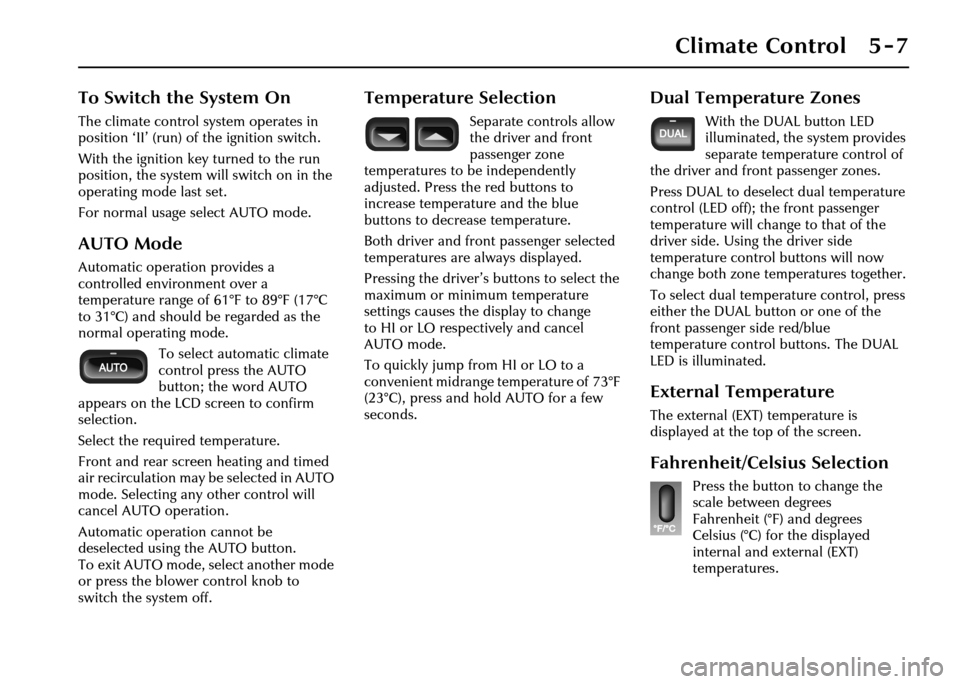
For normal usage select AUTO mode.
AUTO Mode
Automatic operation provides a
controlled environment over a
temperature range of 61°F to 89°F (17°C
to 31°C) and should be regarded as the
normal operating mode.To select automatic climate
control press the AUTO
button; the word AUTO
appears on the LCD screen to confirm
selection.
Select the required temperature.
Front and rear screen heating and timed
air recirculation may be selected in AUTO
mode. Selecting any other control will
cancel AUTO operation.
Automatic operation cannot be
deselected using the AUTO button.
To exit AUTO mode, select another mode
or press the blower control knob to
switch the system off.
Temperature Selection
Separate controls allow
the driver and front
passenger zone
temperatures to be independently
adjusted. Press the red buttons to
increase temperature and the blue
buttons to decrease temperature.
Both driver and front passenger selected
temperatures are always displayed.
Pressing the driver’s buttons to select the
maximum or minimum temperature
settings causes the display to change
to HI or LO respectively and cancel
AUTO mode.
To quickly jump from HI or LO to a
convenient midrange temperature of 73°F
(23°C), press and hold AUTO for a few
seconds.
Dual Temperature Zones
With the DUAL button LED
illuminated, the system provides
separate temperature control of
the driver and front passenger zones.
Press DUAL to deselect dual temperature
control (LED off); the front passenger
temperature will change to that of the
driver side. Using the driver side
temperature control buttons will now
change both zone temperatures together.
To select dual temperature control, press
either the DUAL button or one of the
front passenger side red/blue
temperature control buttons. The DUAL
LED is illuminated.
External Temperature
The external (EXT) temperature is
displayed at the top of the screen.
Fahrenheit/Celsius Selection
Press the button to change the
scale between degrees
Fahrenheit (°F) and degrees
Celsius (°C) for the displayed
internal and external (EXT)
temperatures.
Page 148 of 227
Climate Control 5 - 9
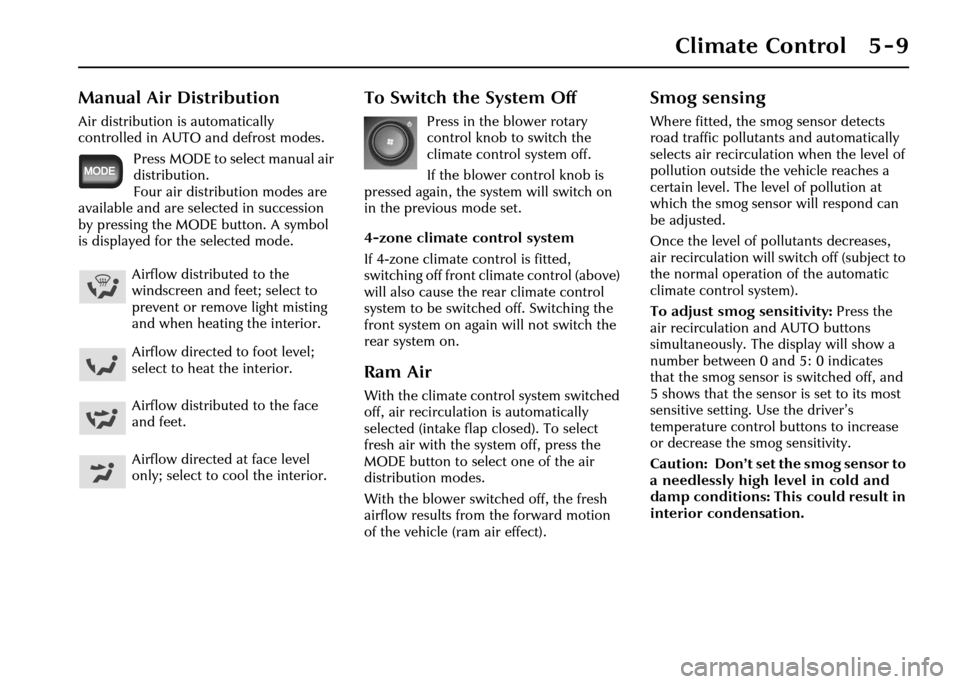
Manual Air Distribution
Air distribution is automatically
controlled in AUTO and defrost modes.Press MODE to select manual air
distribution.
Four air distribution modes are
available and are selected in succession
by pressing the MODE button. A symbol
is displayed for the selected mode.
To Switch the System Off
Press in the blower rotary
control knob to switch the
climate control system off.
If the blower control knob is
pressed again, the system will switch on
in the previous mode set.
4-zone climate control system
If 4-zone climate control is fitted,
switching off front climate control (above)
will also cause the rear climate control
system to be switched off. Switching the
front system on again will not switch the
rear system on.
Ram Air
With the climate control system switched
off, air recirculation is automatically
selected (intake flap closed). To select
fresh air with the system off, press the
MODE button to select one of the air
distribution modes.
With the blower switched off, the fresh
airflow results from the forward motion
of the vehicle (ram air effect).
Smog sensing
Where fitted, the smog sensor detects
road traffic pollutants and automatically
selects air recirculation when the level of
pollution outside the vehicle reaches a
certain level. The level of pollution at
which the smog sensor will respond can
be adjusted.
Once the level of pollutants decreases,
air recirculation will switch off (subject to
the normal operation of the automatic
climate control system).
To adjust smog sensitivity: Press the
air recirculation and AUTO buttons
simultaneously. The display will show a
number between 0 and 5: 0 indicates
that the smog sensor is switched off, and
5 shows that the sensor is set to its most
sensitive setting. Use the driver’s
temperature control bu ttons to increase
or decrease the smog sensitivity.
Caution: Don’t set the smog sensor to
a needlessly high level in cold and
damp conditions: This could result in
interior condensation.
Airflow distributed to the
windscreen and feet; select to
prevent or remove light misting
and when heating the interior.
Airflow directed to foot level;
select to heat the interior.
Airflow distributed to the face
and feet.
Airflow directed at face level
only; select to cool the interior.