steering JAGUAR XJ6 1994 2.G Electrical Diagnostic Manual
[x] Cancel search | Manufacturer: JAGUAR, Model Year: 1994, Model line: XJ6, Model: JAGUAR XJ6 1994 2.GPages: 327, PDF Size: 13.73 MB
Page 134 of 327
rl E I ect r ica I
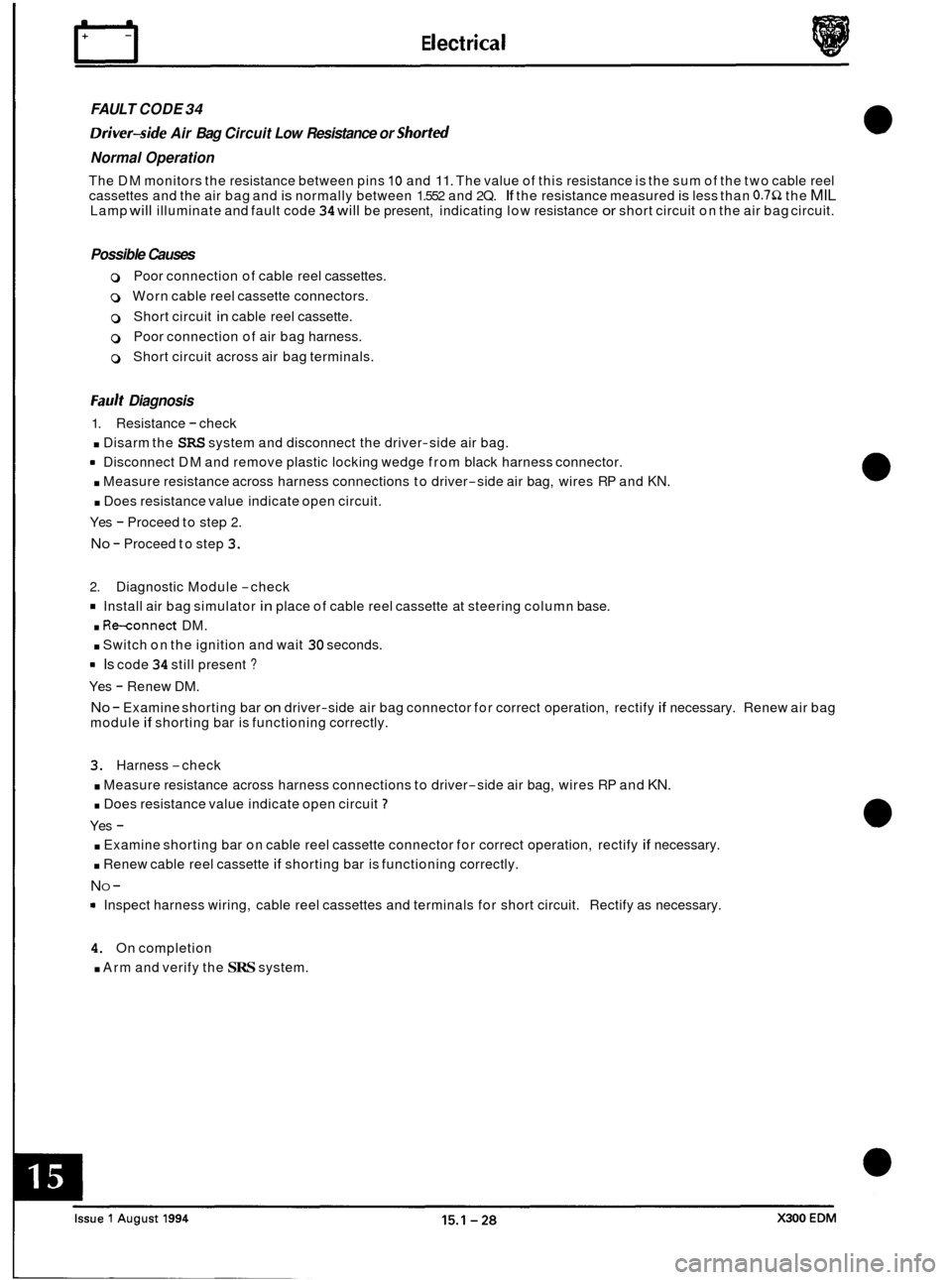
FAULT CODE 34
Driver-side Air Bag Circuit Low Resistance or Shorted
Normal Operation
The DM monitors the resistance between pins 10 and 11. The value of this resistance is the sum of the two cable reel
cassettes and the air bag and is normally between 1.552 and 2Q. If the resistance measured is less than 0.752 the MIL Lamp will illuminate and fault code 34 will be present, indicating low resistance or short circuit on the air bag circuit.
Possible Causes
0 Poor connection of cable reel cassettes.
0 Worn cable reel cassette connectors.
0 Short circuit in cable reel cassette.
0 Poor connection of air bag harness.
0 Short circuit across air bag terminals.
Fault Diagnosis
1. Resistance - check
. Disarm the SRS system and disconnect the driver-side air bag.
rn Disconnect DM and remove plastic locking wedge from black harness connector.
. Measure resistance across harness connections to driver-side air bag, wires RP and KN.
. Does resistance value indicate open circuit.
Yes
- Proceed to step 2.
No - Proceed to step 3.
2. Diagnostic Module -check
Install air bag simulator in place of cable reel cassette at steering column base.
. Re-connect DM.
. Switch on the ignition and wait 30 seconds.
rn Is code 34 still present ?
Yes - Renew DM.
No - Examine shorting bar on driver-side air bag connector for correct operation, rectify if necessary. Renew air bag
module if shorting bar is functioning correctly.
3. Harness -check
. Measure resistance across harness connections to driver-side air bag, wires RP and KN.
. Does resistance value indicate open circuit 7
Yes -
. Examine shorting bar on cable reel cassette connector for correct operation, rectify if necessary.
. Renew cable reel cassette if shorting bar is functioning correctly.
NO -
Inspect harness wiring, cable reel cassettes and terminals for short circuit. Rectify as necessary.
4. On completion
. Arm and verify the SRS system.
Page 154 of 327
Electrical n
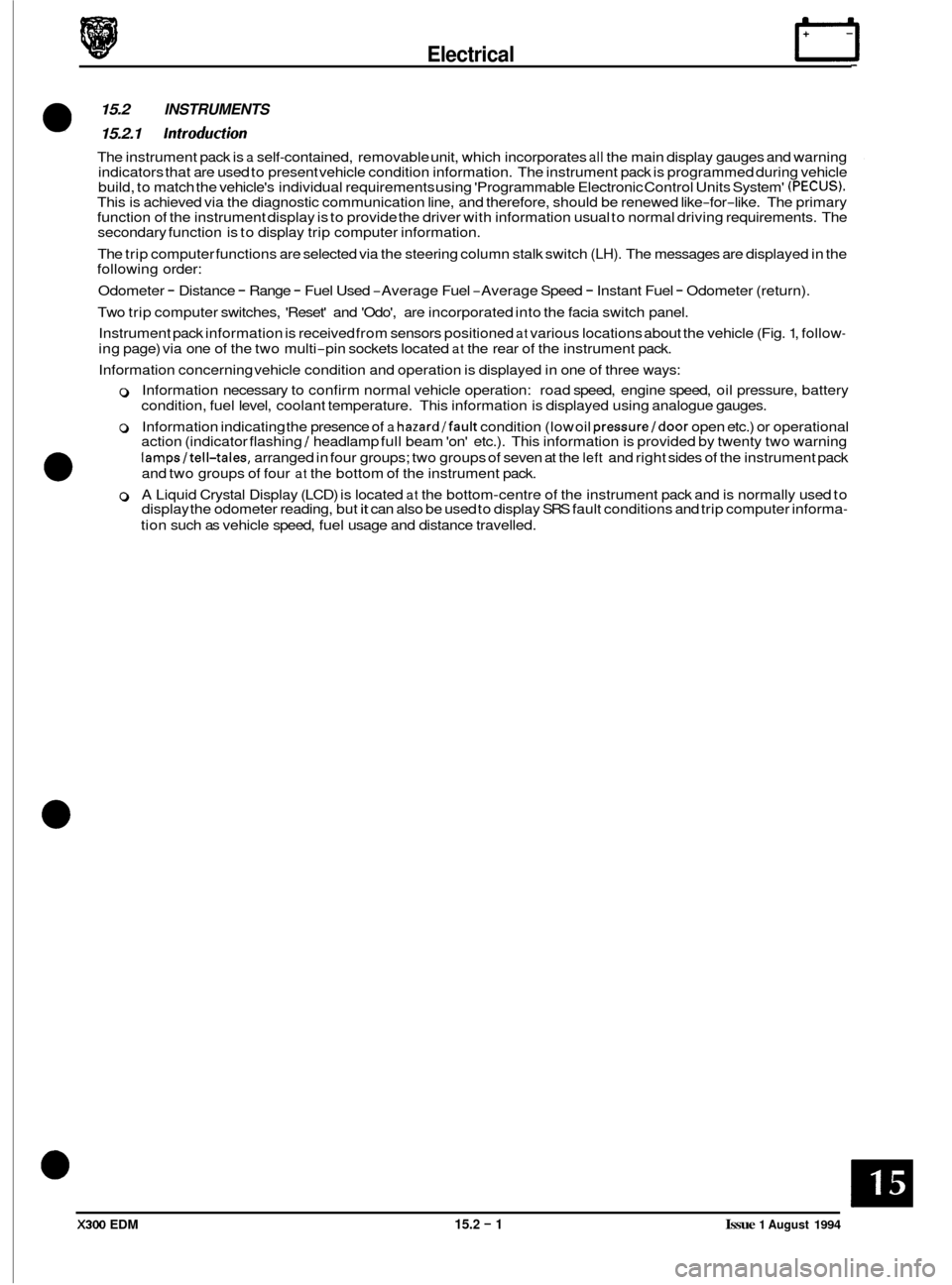
15.2 INSTRUMENTS
15.2.1 Introduction
The instrument pack is a self-contained, removable unit, which incorporates all the main display gauges and warning
indicators that are used to present vehicle condition information. The instrument pack is programmed during vehicle
build, to match the vehicle's individual requirements using 'Programmable Electronic Control Units System'
(PECUS). This is achieved via the diagnostic communication line, and therefore, should be renewed like-for-like. The primary
function of the instrument display is to provide the driver with information usual to normal driving requirements. The
secondary function is to display trip computer information.
The trip computer functions are selected via the steering column stalk switch
(LH). The messages are displayed in the
following order:
Odometer
- Distance - Range - Fuel Used -Average Fuel -Average Speed - Instant Fuel - Odometer (return).
Two trip computer switches, 'Reset' and 'Odo', are incorporated into the facia switch panel.
Instrument pack information is received from sensors positioned
at various locations about the vehicle (Fig. 1, follow-
ing page) via one of the two multi-pin sockets located at the rear of the instrument pack.
Information concerning vehicle condition and operation is displayed in one of three ways:
0 Information necessary to confirm normal vehicle operation: road speed, engine speed, oil pressure, battery
condition, fuel level, coolant temperature. This information is displayed using analogue gauges.
0 Information indicating the presence of a hazard/fault condition (low oil pressure/door open etc.) or operational
action (indicator flashing / headlamp full beam 'on' etc.). This information is provided by twenty two warning
lampsltell-tales, arranged in four groups; two groups of seven at the left and right sides of the instrument pack
and two groups of four
at the bottom of the instrument pack.
0 A Liquid Crystal Display (LCD) is located at the bottom-centre of the instrument pack and is normally used to
display the odometer reading, but it can also be used to display SRS fault conditions and trip computer informa-
tion such as vehicle speed, fuel usage and distance travelled.
0
X300 EDM 15.2 - 1 Issue 1 August 1994
Page 157 of 327
E I ect r ical
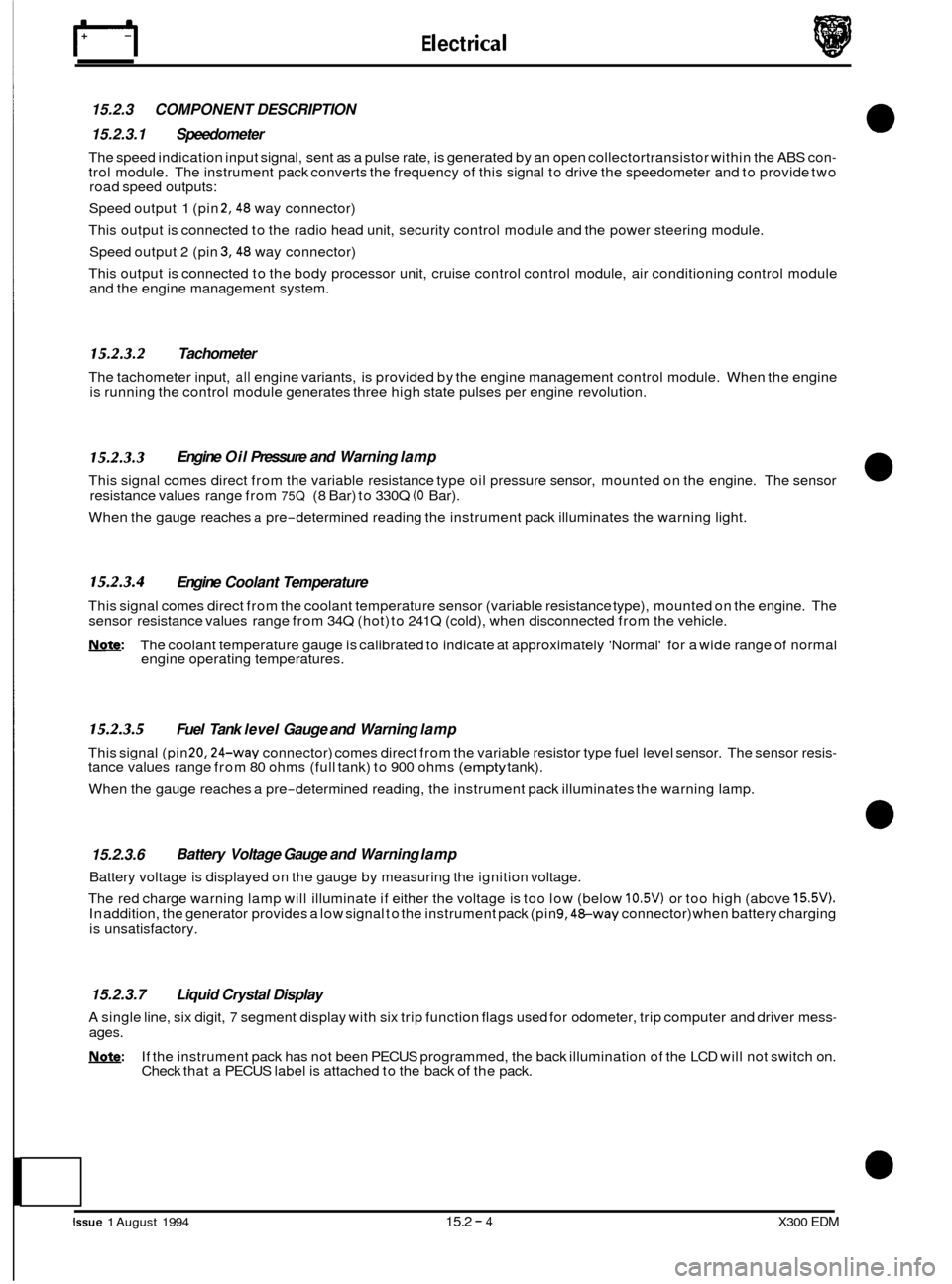
15.2.3 COMPONENT DESCRIPTION
15.2.3.1 Speedometer
The speed indication input signal, sent as a pulse rate, is generated by an open collectortransistor within the ABS con- trol module. The instrument pack converts the frequency of this signal to drive the speedometer and to provide two
road speed outputs:
Speed output
1 (pin 2,48 way connector)
This output is connected to the radio head unit, security control module and the power steering module.
Speed output 2 (pin
3,48 way connector)
This output is connected to the body processor unit, cruise control control module, air conditioning control module
and the engine management system.
15.2.3.2 Tachometer
The tachometer input, all engine variants, is provided by the engine management control module. When the engine
is running the control module generates three high state pulses per engine revolution.
15.2.3.3
This signal comes direct from the variable resistance type oil pressure sensor, mounted on the engine. The sensor
resistance values range from 75Q (8 Bar) to 330Q (0 Bar).
When the gauge reaches
a pre-determined reading the instrument pack illuminates the warning light.
Engine Oil Pressure and Warning lamp
15.2.3.4 Engine Coolant Temperature
This signal comes direct from the coolant temperature sensor (variable resistance type), mounted on the engine. The
sensor resistance values range from 34Q (hot) to 241Q (cold), when disconnected from the vehicle.
Note: The coolant temperature gauge is calibrated to indicate at approximately 'Normal' for a wide range of normal
engine operating temperatures.
15.2.3.5 Fuel Tank level Gauge and Warning lamp
This signal (pin 20,24-way connector) comes direct from the variable resistor type fuel level sensor. The sensor resis- tance values range from 80 ohms (full tank) to 900 ohms (empty tank).
When the gauge reaches a pre
-determined reading, the instrument pack illuminates the warning lamp.
15.2.3.6
Battery voltage is displayed on the gauge by measuring the ignition voltage.
The red charge warning lamp will illuminate if either the voltage is too low (below
10.5V) or too high (above 15.5V). In addition, the generator provides a low signal to the instrument pack (pin 9,48-way connector) when battery charging
is unsatisfactory.
Battery Voltage Gauge and Warning lamp
15.2.3.7 Liquid Crystal Display
A single line, six digit, 7 segment display with six trip function flags used for odometer, trip computer and driver mess- ages.
!Y,Q&: If the instrument pack has not been PECUS programmed, the back illumination of the LCD will not switch on.
Check that a PECUS label is attached to the back of the pack.
Issue 1 August 1994 15.2 - 4 X300 EDM
Page 178 of 327
E I ect r ical IT
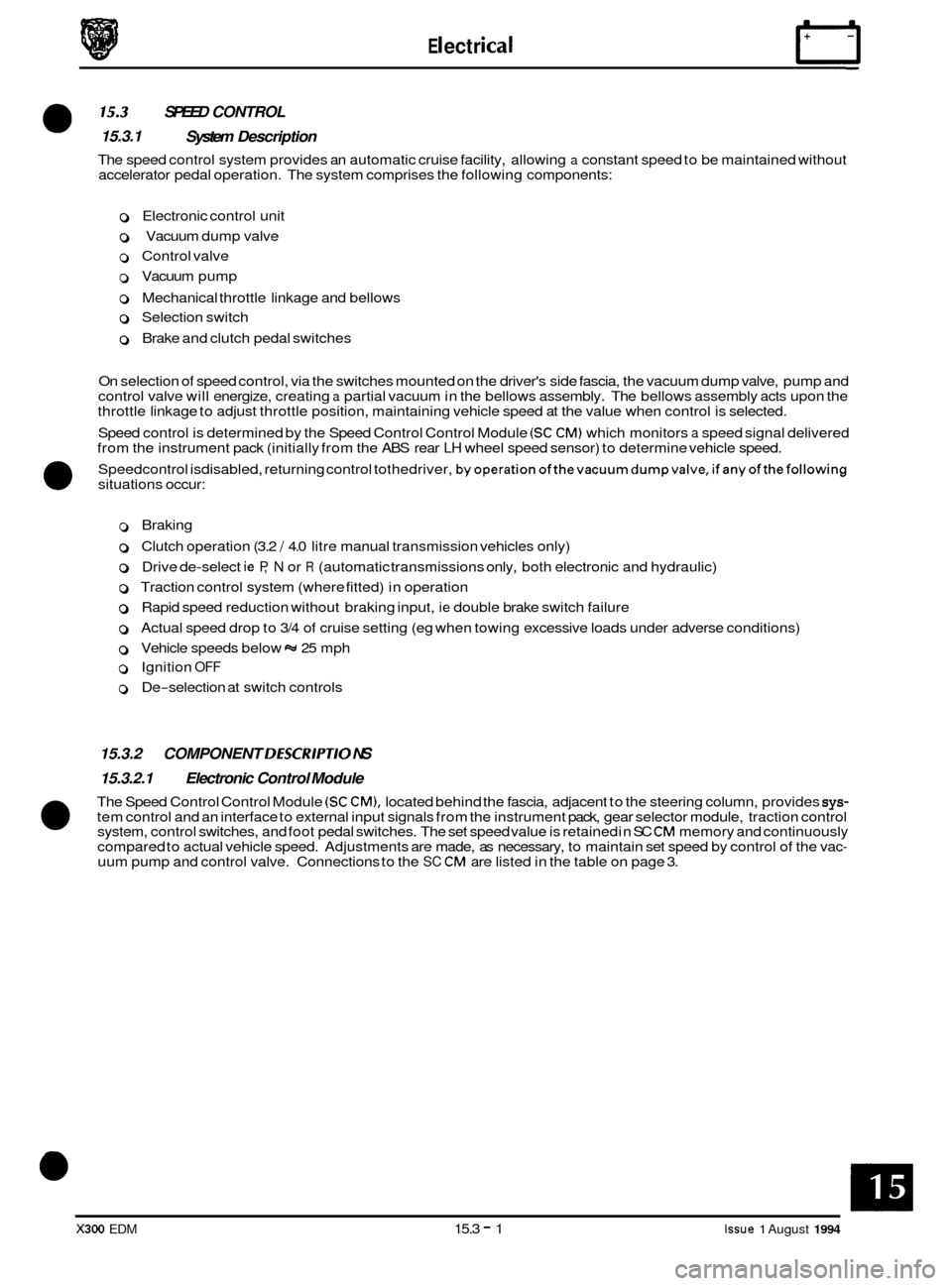
SPEED CONTROL
System Description
0 15.3 15.3.1
The speed control system provides an automatic cruise facility, allowing a constant speed to be maintained without
accelerator pedal operation. The system comprises the following components:
0 Electronic control unit
0 Vacuum dump valve
0 Control valve
0 Vacuum pump
0 Mechanical throttle linkage and bellows
0 Selection switch
0 Brake and clutch pedal switches
On selection of speed control, via the switches mounted on the driver's side fascia, the vacuum dump valve, pump and
control valve will energize, creating
a partial vacuum in the bellows assembly. The bellows assembly acts upon the
throttle linkage to adjust throttle position, maintaining vehicle speed at the value when control is selected.
Speed control is determined by the Speed Control Control Module
(SC CM) which monitors a speed signal delivered
from the instrument pack (initially from the ABS rear LH wheel speed sensor) to determine vehicle speed.
Speedcontrol isdisabled, returning control tothedriver,
byoperationofthevacuumdumpvalve,ifanyofthefollowing situations occur: 0
0 Braking
0 Clutch operation (3.2 / 4.0 litre manual transmission vehicles only)
o Drive de-select ie P, N or R (automatic transmissions only, both electronic and hydraulic)
0 Traction control system (where fitted) in operation
0 Rapid speed reduction without braking input, ie double brake switch failure
0 Actual speed drop to 3/4 of cruise setting (eg when towing excessive loads under adverse conditions)
0 Vehicle speeds below w 25 mph
0 Ignition OFF
0 De-selection at switch controls
15.3.2 COMPONENT DESCRlPTlO NS
15.3.2.1 Electronic Control Module
The Speed Control Control Module (SC CM), located behind the fascia, adjacent to the steering column, provides sys- tem control and an interface to external input signals from the instrument pack, gear selector module, traction control
system, control switches, and foot pedal switches. The set speed value is retained in SC CM memory and continuously
compared to actual vehicle speed. Adjustments are made, as necessary, to maintain set speed by control of the vac- uum pump and control valve. Connections to the SC CM are listed in the table on page 3.
X300 EDM 15.3 - 1 Issue 1 August 1994
Page 190 of 327
15.4 DRIVER ERGONOMICS
15.4.1 System Description
Adjustment of the seats, steering column and exterior rear view mirrors position is effected by means of control
switches. The switches maintain the adjustment facility while depressed, movement ceasing when the switch is re- leased.
Manual adjustment can be achieved either with the ignition key in place or with the driver‘s door open, or having been
closed within the last
30 seconds.
The system offers the following facilities:
Entry
/ Exit mode; an automatic seat /column position setting for ease of driver entry into / exit from the vehicle.
Driving position set; automatic recall of up to three preferred settings.
Passenger seat set; automatic recall of up to three preferred settings.
Remote recall; automatic recall of up to two memory positions from
a remote transmitter (in key fob).
Reverse mirror dip; automatic adjustment of passenger rear view mirror when reversing.
U: Vehicles intended for the Japanese market are fitted with an additional ‘fold away’ mirror function. This func- tion allows mirrors to fold flat against the car when parking in enclosed areas.
15.4.1.1 Entry/ Exit Mode
Entry / Exit mode is designed to give easier vehicle entry and exit for the driver. The facility is selected by positioning
the mode switch, located on the LH side of the column cowl, to ‘auto’ which designates the current seat / column posi- tion, ie driving positions, as the memorized position. On removal of ignition key or opening of driver‘s door, with igni- tion key still in place, the driver’s seat will move to the rear (current position allowing) and the column will adopt ‘tilt
away’ mode automatically creating additional space for driver exit
/ entry. Insertion of key in ignition or closure of
driver‘s door (with ignition key in place) returns seat / column positions to the memorized (previous) position.
Operation of eitherthe brake pedal or
seat/column manual controls during entry/exit mode execution will abort posi- tional adjustments. Setting the mode switch to OFF disables operation of entry / exit mode.
15.4.1.2 Driving Position Set
Setting of seat, column and external rear view mirrors to preferred driving position is available using the memory but- tons located on the drivers door switch pack. With the ignition key in place enter settings to be memorized as follows:
Adjust seat, column and mirrors to desired positions.
Press the ’memory’ button
so that it becomes illuminated.
Press button
1,2 or 3 to store configuration within four seconds of memory button operation. Memory light will extin- guish and a chime will sound, indicating procedure complete.
The above procedure may be repeated two more times until each button
(1,2 & 3) has a preferred position stored in
memory, accommodating different driver settings. Operation of any push-button (1,2 or 3) will re-position seat col-
umn and mirrors to the stored settings.
Memory recall will operate under the following conditions:
. Ignition key in and gear selector in park.
8 Ignition key in and handbrake on.
8 Ignition key out and driver’s door open (or having been closed within the last 30 seconds).
Re
-setting the preferred position on any setting button automatically erases previously stored information. Memory
information is not erased if power supply to the seat and column / mirror control modules is lost (e.g. battery discon- nected).
15.4.1.3 Passenger Seat Set
The procedure for setting and recalling a preferred passenger seat position is identical to that for a driving position.
Memory recall will only operate with ignition key in auxiliary position or passenger door open, or having been closed
within the last
30 seconds.
X300 EDM 15.4 - 1 Issue 1 August 1994
Page 205 of 327
rl Electrical
15.4.4 STEERING COLUMN /MIRROR
The steering column / mirror adjustment system comprises the following components:
0 Column tilt motor; up / down
0 Column reach motor; fore / aft
0 Column joystick switch; multi-directional
0 Driver’s mirror motors; horizontal and vertical movement
0 Passenger’s mirror motors; horizontal and vertical movement
0 Mirror joystick switches; driver and passenger - multi-directional
0 Column Mirror Control Module (C / M CM)
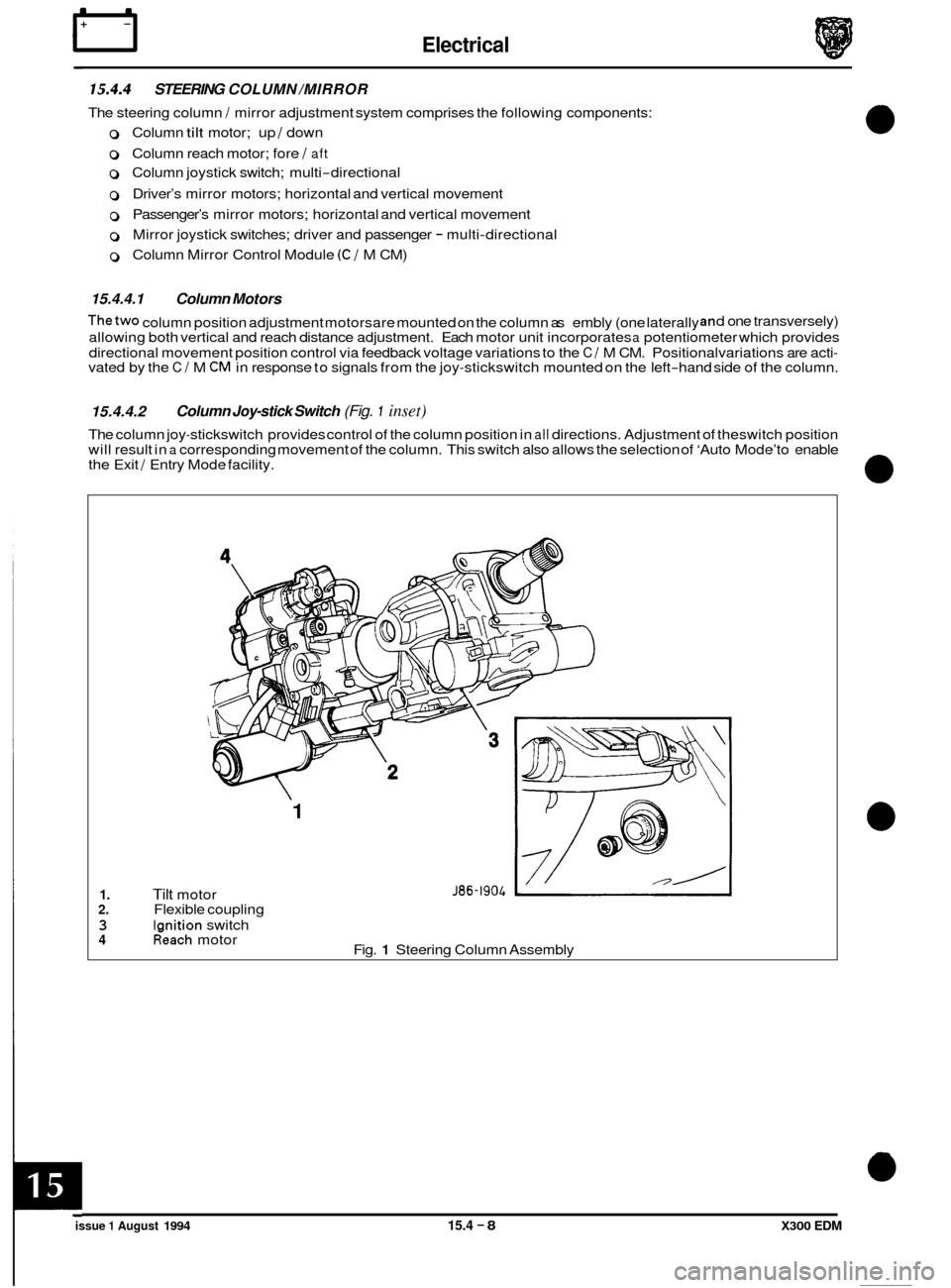
15.4.4.1 Column Motors
Thetwo column position adjustment motorsare mounted on the column as embly (one laterally d
one transversely)
allowing both vertical and reach distance adjustment. Each motor unit incorporates a potentiometer which provides
directional movement position control via feedback voltage variations to the
C / M CM. Positional variations are acti- vated by the C / M CM in response to signals from the joy-stickswitch mounted on the left-hand side of the column.
15.4.4.2
The column joy-stickswitch provides control of the column position in all directions. Adjustment of theswitch position
will result in a corresponding movement of the column. This switch also allows the selection of ‘Auto Mode’to enable
the Exit / Entry Mode facility.
Column Joy-stick Switch (Fig. 1 inset)
1. Tilt motor 2. Flexible coupling
3 lanition switch
1
J86-1904
Ifeach motor
Fig. 1 Steering Column Assembly 4
issue 1 August 1994 15.4 - 8 X300 EDM
Page 210 of 327
E I ect r ica I
15.4.7 SYMPTOM FLOW CHARTS
The following test procedures are designed to test the system as a whole, identifying faulty areas and indicating poss- ible solutions by functional operations.
During all test procedures the entry
/ exit mode switch must be OFF.
The first three test procedures listed i.e. drivers seat position adjustments, steering column position adjustments, rear
view mirror position adjustments must be carried out four times, each time under one of the conditions stated below:
Key in ignition barrel
Ignition key in auxiliary position
Driver’s door open with ignition key out
Driver’s door closed within the last 30 seconds with ignition key out.
0
Driver‘s seat position adjustments
1.
2.
3.
0
4.
5.
6.
7.
0
Locate seat switch pack on the side of the seat cushion.
Operate the fore
/ aft movement control switch. Does the seat respond in the correct
manner?
Yes: Proceed to step 3.
No:
Operate front and rear, raise / lower movement control switches. Does seat respond in the
correct manner in each case?
Yes: Proceed to step 4.
No:
Operate squab recline / incline movement control switch. Does squab respond in correct
manner?
Yes: Proceed to step 5.
No:
Operate lumbar pump inflate / deflate control switch. Does lumbar pad stiffen and slacken
according
I y?
Yes: Proceed to step 6
No:
Operate headrest raise / lower switch. Does headrest respond in correct manner?
Yes: proceed to step
7.
No:
Remove key from ignition, close driver‘s door and allow 30 seconds to elapse. Repeat
steps
1 - 6 and check that adjustment cannot be made.
Test complete; proceed to Memory Position Set.
Abort
test and refer to Diagnostic Sub
-Routines.
Abort test and refer to Diagnostic Sub
-Routines.
Abort test and refer to Diagnostic Sub
-Routines.
Abort test and refer to Diagnostic Sub
-Routines.
Abort test and refer to Diagnostic Sub
-Routines.
Steering column position adjustments
1.
2.
Locate steering column joystick switch the LH side of the column.
Operate switch to give fore
/ aft movement. Does the column respond in correct manner?
Yes: Proceed to step 3.
No:
Operate the switch to give raise / lower movement. Does column respond in the correct
manner in each case?
Yes: Proceed to step 4.
No:
Remove key from ignition, close driver’s door and allow 30 seconds to elapse. Repeat
steps 1
- 3 and check that adjustment cannot be made.
Test complete; proceed to Memory Position Set.
Abort
test and refer to Diagnostic Sub
-Routines.
3.
Abort test and refer to Diagnostic Sub-Routines.
4.
5.
X300 EDM 15.4 - 13 Issue 1 August 1994
Page 211 of 327
Rear view mirror position adjustments
1. Locate mirror select switch on driver's door switch pack and select driver's side mirror, ie
rotate switch towards the door.
2. Locate rear view mirror joystick switch on driver's door pack.
Operate the switch to give left
/ right and up / down movement. Does the mirror respond
in the correct manner?
3. Yes: Proceed to step 4 or 5.
No:
Japanese market vehicles only
Operate the switch to action 'fold away mode'. Does mirror respond in the correct manner
in each case?
Yes: Proceed to step
5.
No:
All markets
Operate mirror select switch to opposite position and repeat steps
1 to 4 for passenger side
mirror.
With ignition switched to auxiliary, select reverse gear and operate mirror joy
-stick
downwards. Does passenger side mirror dip automatically?
Yes: Proceed to step
7.
No:
Remove key from ignition, close driver's door and allow 30 seconds to elapse. Repeat
steps
1 - 6 and check that adjustment cannot be made.
Test complete; proceed to Memory Position Set.
Abort
test and refer to Diagnostic Sub
-Routines.
4.
Abort test and refer to Diagnostic Sub-Routines.
5.
6.
Abort test and refer to Diagnostic Sub-Routines.
7.
8.
Memory set position - drivefs side
1.
2.
3.
4.
5.
6.
7.
8.
Position the entry / exit switch, located on the LH side of the steering column, to off and
insert the key in the ignition.
Operate switches to position column, mirrors and seats to preferred positions.
Select 'memory' on the driver's door switch pack. Check that switch illuminates.
Depress desired memory button,
1,2 or 3, on door switch pack within 4 seconds of
memory select. Check that a chime sounds to confirm memory storage.
Operate the switches
so that memorized positions are changed. Depress relevant memory
option button,
1,2 or 3 and check that all positional settings are restored as memorized.
Remove key from ignition, close all doors and allow
30 seconds to elapse. Repeat steps 1
to 4 and check that adjustment cannot be made.
Readjust settings so that memorized positions are changed, leave the vehicle and operate
remote memory recall by locking and unlocking using the remote transmitter. Use both
transmitters to check both memory positions. Check all positional settings are restored as
memorized.
Yes: Proceed to step
8.
No:
Test complete. Abort
test and refer to Diagnostic Sub
-Routines.
X300 EDM Issue 1 August 1994 15.4 - 14
Page 213 of 327
Electrical rl
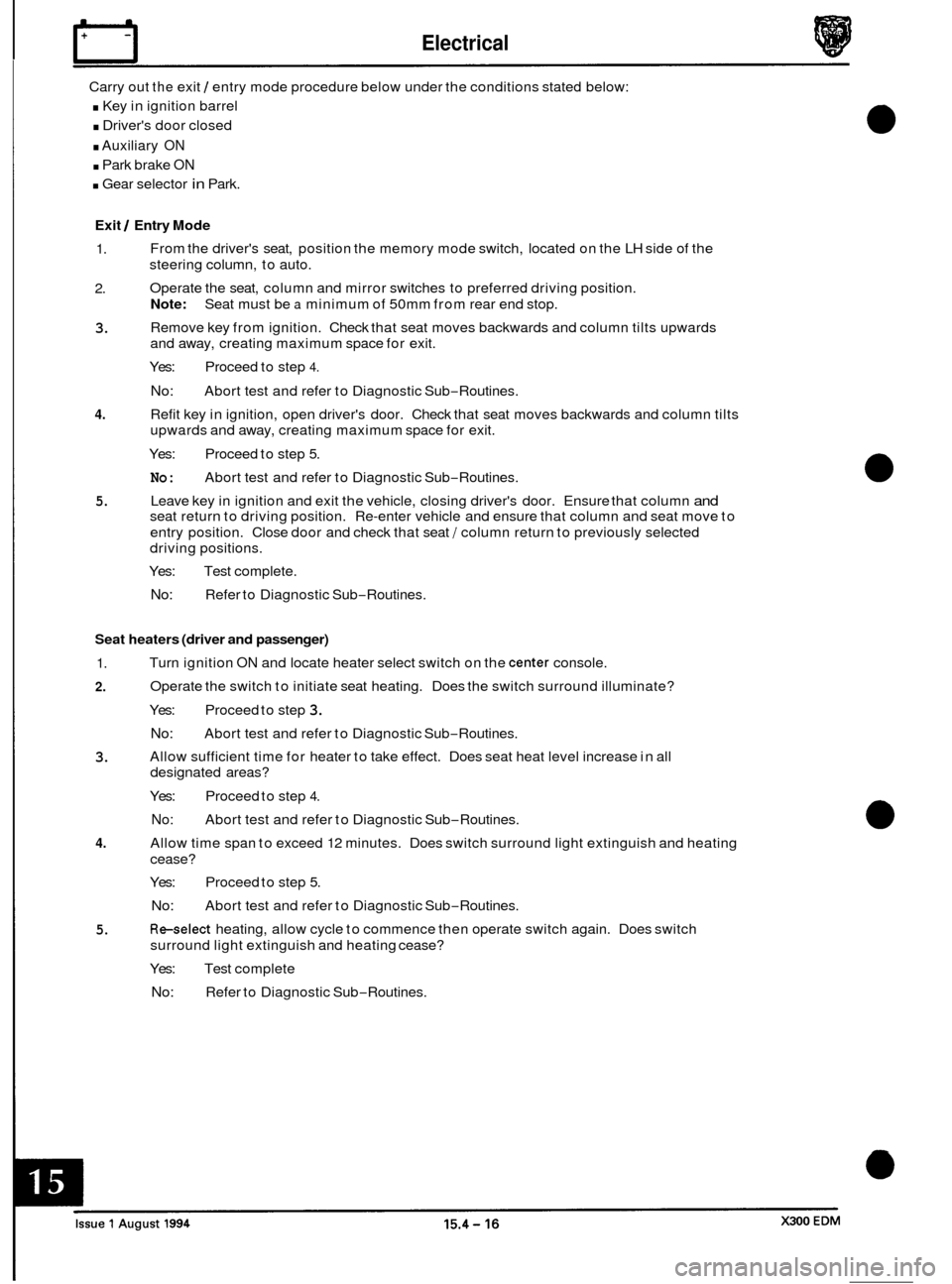
Carry out the exit 1 entry mode procedure below under the conditions stated below:
. Key in ignition barrel
. Driver's door closed
. Auxiliary ON
. Park brake ON
. Gear selector in Park.
Exit 1 Entry Mode
1.
2.
3.
From the driver's seat, position the memory mode switch, located on the LH side of the
steering column, to auto.
Operate the seat, column and mirror switches to preferred driving position.
Note:
Remove key from ignition. Check that seat moves backwards and column tilts upwards
and away, creating maximum space for exit.
Yes: Proceed to step
4.
No:
Seat must be a minimum of 50mm from rear end stop.
Abort test and refer to Diagnostic Sub
-Routines.
4.
5.
3.
Refit key in ignition, open driver's door. Check that seat moves backwards and column tilts
upwards and away, creating maximum space for exit.
Yes: Proceed to step
5.
No:
Leave key in ignition and exit the vehicle, closing driver's door. Ensure that column and
seat return to driving position. Re-enter vehicle and ensure that column and seat move to
entry position. Close door and check that seat
/ column return to previously selected
driving positions.
Yes: Test complete.
No: Refer to Diagnostic Sub-Routines.
Abort
test and refer to Diagnostic Sub
-Routines.
Seat heaters (driver and passenger)
1.
2.
Turn ignition ON and locate heater select switch on the center console.
Operate the switch to initiate seat heating. Does the switch surround illuminate?
Yes: Proceed to step
3.
No:
Allow sufficient time for heater to take effect. Does seat heat level increase in all
designated areas?
Abort
test and refer to Diagnostic Sub
-Routines.
4.
5.
Yes: Proceed to step 4.
No:
Allow time span to exceed 12 minutes. Does switch surround light extinguish and heating
cease?
Yes: Proceed to step
5.
No:
Re-select heating, allow cycle to commence then operate switch again. Does switch
surround light extinguish and heating cease?
Yes: Test complete
No: Refer to Diagnostic Sub-Routines.
Abort
test and refer to Diagnostic Sub
-Routines.
Abort test and refer to Diagnostic Sub
-Routines.
Page 215 of 327
Electrical IT
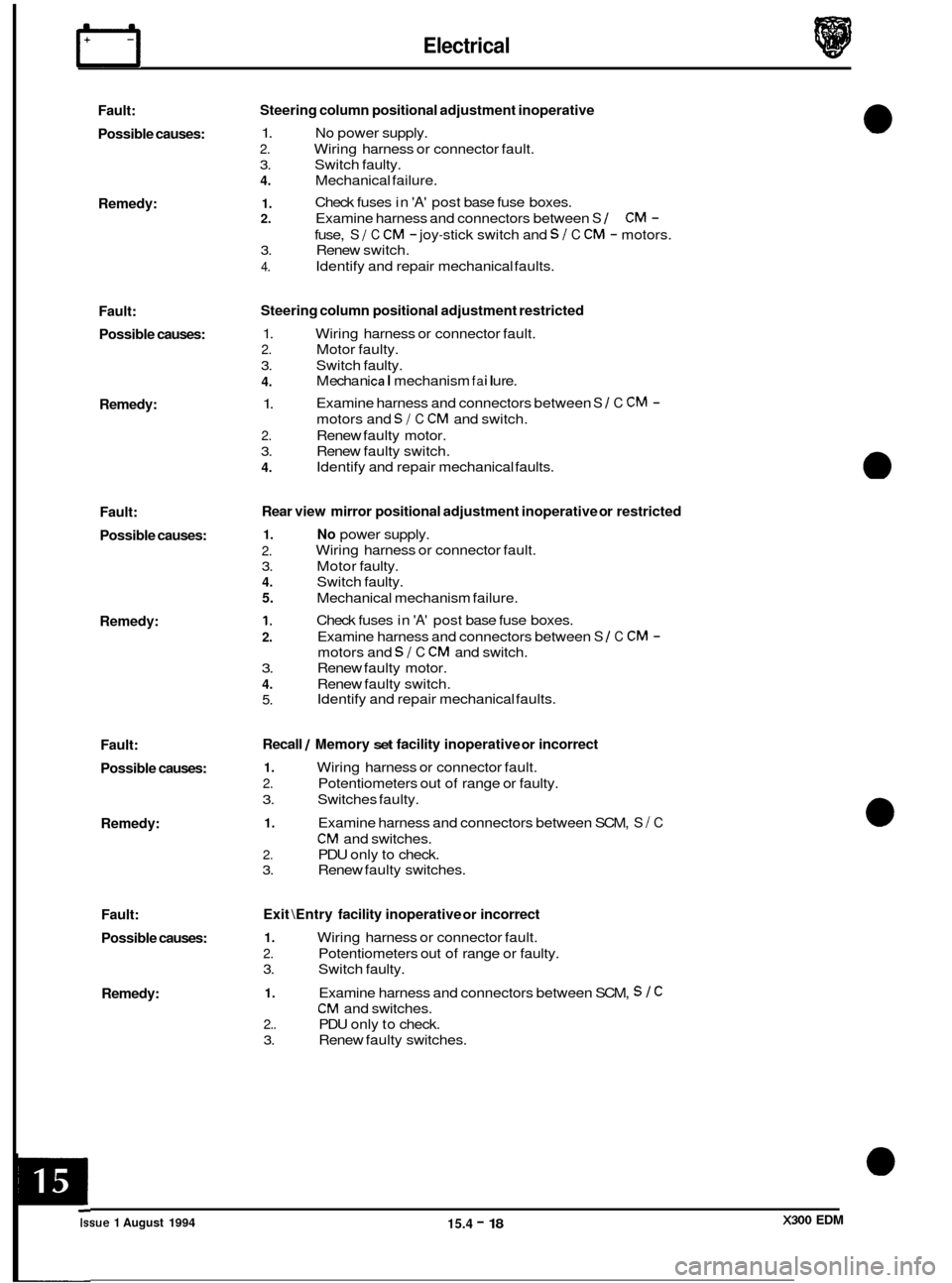
Fault:
Possible causes:
Remedy:
Fault: Possible causes:
Remedy:
Fault:
Possible causes:
Remedy:
Fault:
Possible causes:
Remedy:
Fault:
Possible causes:
Remedy: Steering
column positional adjustment inoperative
1. No power supply.
2. Wiring harness or connector fault.
3. Switch faulty.
4. Mechanical failure.
1. 2. Examine harness and connectors between S 1 CM -
3. Renew switch.
4.
Check fuses in 'A' post base fuse boxes.
fuse,
S I C CM - joy-stick switch and SI C CM - motors.
Identify and repair mechanical faults.
Steering column positional adjustment restricted
1. Wiring harness or connector fault.
2. Motor faulty.
3. Switch faulty.
4.
1.
2. Renew faulty motor.
3. Renew faulty switch.
4.
M echa n ica I mechanism fa i I u re.
Examine harness and connectors between
S 1 C CM -
motors and SI C CM and switch.
Identify and repair mechanical faults.
Rear view mirror positional adjustment inoperative or restricted
1. No power supply.
2.
3. Motor faulty.
4. Switch faulty.
5. Mechanical mechanism failure.
1.
2.
3. Renew faulty motor.
4. Renew faulty switch.
5.
Wiring harness or connector fault.
Check fuses in
'A' post base fuse boxes.
Examine harness and connectors between
S 1 C CM -
motors and SI C CM and switch.
Identify and repair mechanical faults.
Recall / Memory set facility inoperative or incorrect
1. Wiring harness or connector fault.
2. Potentiometers out of range or faulty.
3. Switches faulty.
1. Examine harness and connectors between SCM, S I C
CM and switches.
2. PDU only to check.
3. Renew faulty switches.
Exit \Entry facility inoperative or incorrect
1. Wiring harness or connector fault.
2. Potentiometers out of range or faulty.
3. Switch faulty.
1. Examine harness and connectors between SCM, S 1 C
CM and switches.
2.. PDU only to check.
3. Renew faulty switches. ~
Issue 1 August 1994 15.4 - 18 X300 EDM