cycle JEEP CHEROKEE 2015 KL / 5.G User Guide
[x] Cancel search | Manufacturer: JEEP, Model Year: 2015, Model line: CHEROKEE, Model: JEEP CHEROKEE 2015 KL / 5.GPages: 772, PDF Size: 18.21 MB
Page 143 of 772
Sun Visor “Slide-On-Rod” Feature — If Equipped
The sun visor “Slide-On-Rod” feature allows for addi-
tional flexibility in positioning the sun visor to block out
the sun.
1. Fold down the sun visor.
2. Unclip the visor from the center clip.
3. Pull the sun visor toward the inside rearview mirror to
extend it.
BLIND SPOT MONITORING (BSM) — IF
EQUIPPED
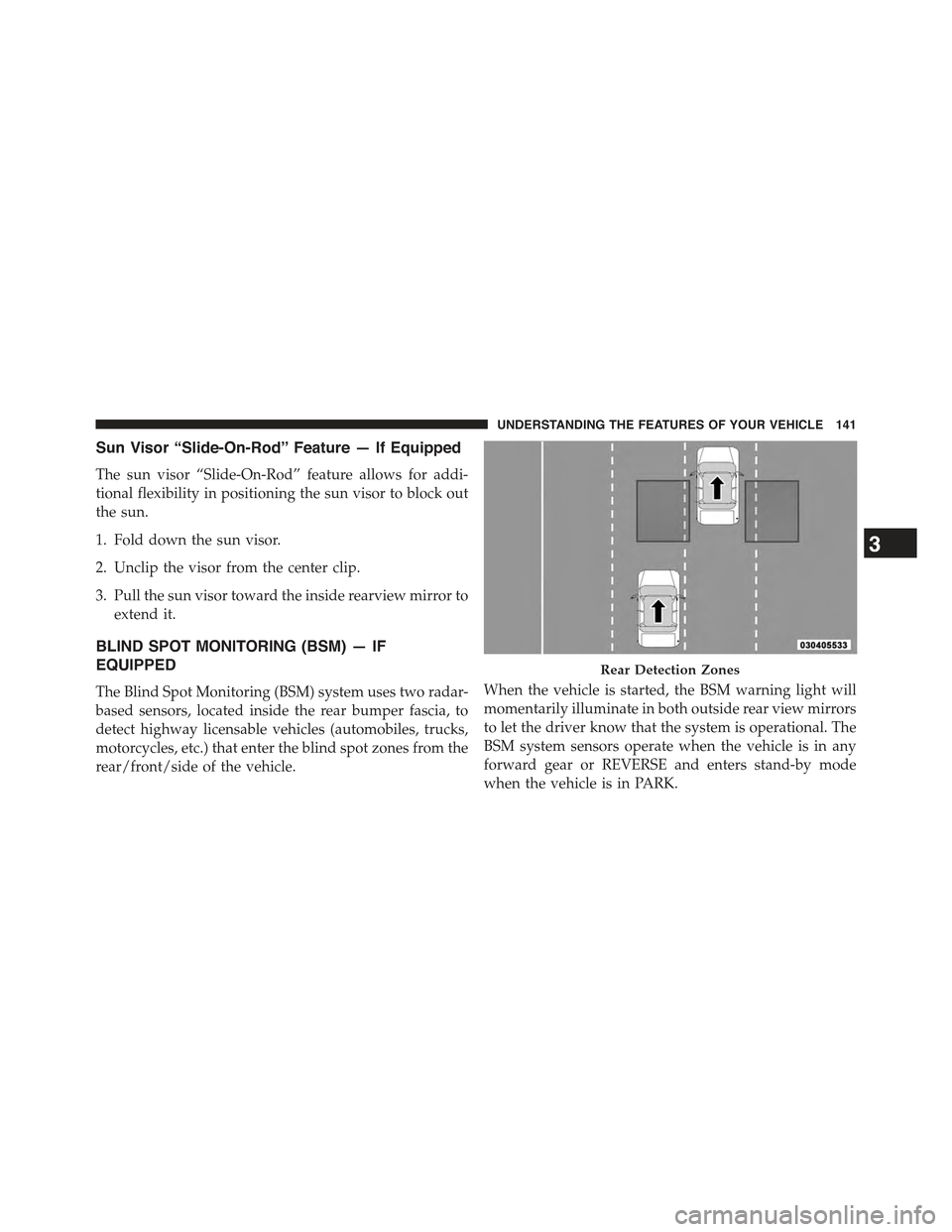
The Blind Spot Monitoring (BSM) system uses two radar-
based sensors, located inside the rear bumper fascia, to
detect highway licensable vehicles (automobiles, trucks,
motorcycles, etc.) that enter the blind spot zones from the
rear/front/side of the vehicle.
When the vehicle is started, the BSM warning light will
momentarily illuminate in both outside rear view mirrors
to let the driver know that the system is operational. The
BSM system sensors operate when the vehicle is in any
forward gear or REVERSE and enters stand-by mode
when the vehicle is in PARK.
Rear Detection Zones
3
UNDERSTANDING THE FEATURES OF YOUR VEHICLE 141
Page 144 of 772
The BSM detection zone covers approximately one lane
width on both sides of the vehicle (12 ft or 3.8 m). The
zone length starts at the outside mirror and extends
approximately 10 ft (3 m) beyond the rear bumper of the
vehicle. The BSM system monitors the detection zones on
both sides of the vehicle when the vehicle speed reaches
approximately 6 mph (10 km/h) or higher and will alert
the driver of vehicles in these areas.
NOTE:
•The BSM system does NOT alert the driver about
rapidly approaching vehicles that are outside the de-
tection zones.
•The BSM system detection zone DOES NOT change if
your vehicle is towing a trailer. Therefore, visually
verify the adjacent lane is clear for both your vehicle
and trailer before making a lane change. If the trailer or
other object (i.e., bicycle, sports equipment) extends
beyond the side of your vehicle, this may result in the
BSM warning light remaining illuminated the entire
time the vehicle is in a forward gear.
The area on the rear fascia where the radar sensors are
located must remain free of snow, ice, and dirt/road
contamination so that the BSM system can function
properly. Do not block the area of the rear fascia where
the radar sensors are located with foreign objects (bum-
per stickers, bicycle racks, etc.)
The BSM system will provide a visual alert in the
appropriate side view mirror based on a detected object.
If the turn signal is then activated, and it corresponds to
an alert present on that side of the vehicle, an audible
chime will also be sounded. Whenever a turn signal and
detected object are present on the same side at the same
time, both the visual and audio alerts will be issued. In
addition to the audible alert the radio (if on) will also be
muted.
142 UNDERSTANDING THE FEATURES OF YOUR VEHICLE
Page 165 of 772
Programming The Memory Feature
To create a new memory profile, perform the following:
NOTE:Saving a new memory profile will erase an
existing profile from memory.
1. Cycle the vehicles ignition to the ON position.
2. Adjust all memory profile settings to desired prefer-
ences (i.e., seat, side mirror and radio station presets).
3. Press and release the SET button on the memory
switch, then press the number (1) button within five
seconds. The Electronic Vehicle Information Center
(EVIC) or Driver Information Display (DID), will
display which memory position is being set.
If desired, a second memory profile can be stored into
memory as follows:
1. Cycle the vehicles ignition to the ON position.
2. Adjust all memory profile settings to desired prefer-
ences (i.e., seat, side mirror and radio station presets).
3. Press and release the SET button on the memory
switch, then press the number (2) button within five
seconds. The EVIC/DID will display which memory
position is being set.
NOTE:
•For vehicles equipped with an automatic transmission,
memory profiles can be set without the vehicle in
PARK, but the vehicle must be in PARK to recall a
memory profile.
•For vehicles equipped with a manual transmission, the
vehicle speed must be at 0 mph (0 km/h) to recall a
memory profile.
•To set a memory profile to your RKE transmitter, refer
to “Linking And Unlinking The Remote Keyless Entry
Transmitter To Memory” in this section.
3
UNDERSTANDING THE FEATURES OF YOUR VEHICLE 163
Page 166 of 772
Linking And Unlinking The Remote Keyless Entry
Transmitter To Memory
Your Remote Keyless Entry (RKE) transmitters can be
programmed to recall one of two pre-programmed
memory profiles with a press of the UNLOCK button on
the RKE transmitter.
NOTE:Before programming your RKE transmitters you
must select the “Memory To FOB” feature through the
Uconnect® system screen. Refer to “Uconnect® Settings”
in “Understanding Your Instrument Panel” for further
information.
To program your RKE transmitters, perform the follow-
ing:
1. Cycle the vehicles ignition to the OFF position.
2. Select the desired memory profile 1 or 2.
NOTE:If a memory profile has not already been set, refer
to#Programming The Memory Feature#in this section for
instructions on how to set a memory profile.
3. Press and release the SET button on the memory
switch, then within five seconds press and release the
button labeled 1 or 2 accordingly. “Memory Profile
Set” (1 or 2) will display in the EVIC/DID.
4. Press and release the LOCK button on the RKE
transmitter within 10 seconds.
NOTE:Your RKE transmitters can be unlinked to your
memory settings by pressing the SET (S) button, and
within 10 seconds, followed by pressing the UNLOCK
button on the RKE transmitter.
164 UNDERSTANDING THE FEATURES OF YOUR VEHICLE
Page 167 of 772
Memory Position Recall
NOTE:
•For vehicles equipped with an automatic transmission,
the vehicle must be in PARK to recall memory posi-
tions. If a recall is attempted when the vehicle is not in
PARK, a message will display in the EVIC/DID.
•For vehicles equipped with a manual transmission, the
vehicle speed must be at 0 mph (0 km/h) to recall
memory positions. If a recall is attempted with the
vehicle speed above 0 mph (0 km/h), a message will
display in the EVIC/DID.
To recall the memory settings for driver one, press
MEMORY button number 1 or the UNLOCK button on
the RKE transmitter linked to memory position 1.
To recall the memory setting for driver two, press
MEMORY button number 2 or the UNLOCK button on
the RKE transmitter linked to memory position 2.
A recall can be cancelled by pressing any of the
MEMORY buttons (S, 1, or 2) during a recall. When a
recall is cancelled, the driver seat will stop moving. A
delay of one second will occur before another recall can
be selected.
Easy Entry/Exit Seat
This feature provides automatic driver seat positioning to
enhance driver mobility when entering and exiting the
vehicle.
The distance the driver seat moves depends on where
you have the driver seat positioned when you cycle the
vehicles ignition to the OFF position.
•When you cycle the vehicles ignition to the OFF
position, the driver seat will move about 2.4 in (60
mm) rearward if the driver seat position is greater than
or equal to 2.7 in (67.7 mm) forward of the rear stop.
3
UNDERSTANDING THE FEATURES OF YOUR VEHICLE 165
Page 168 of 772
The seat will return to its previously set position when
you cycle the vehicles ignition to the ACC or RUN
position.
•The Easy Entry/Easy Exit feature is disabled when the
driver seat position is less than 0.9 in (22.7 mm)
forward of the rear stop. At this position, there is no
benefit to the driver by moving the seat for Easy Exit
or Easy Entry.
Each stored memory setting will have an associated Easy
Entry and Easy Exit position.
NOTE:The Easy Entry/Exit feature is not enabled when
the vehicle is delivered from the factory. The Easy
Entry/Exit feature is enabled (or later disabled) through
the programmable features in the Uconnect® system.
Refer to “Uconnect® Settings/Customer Programmable
Features” in “Understanding Your Instrument Panel” for
further information.
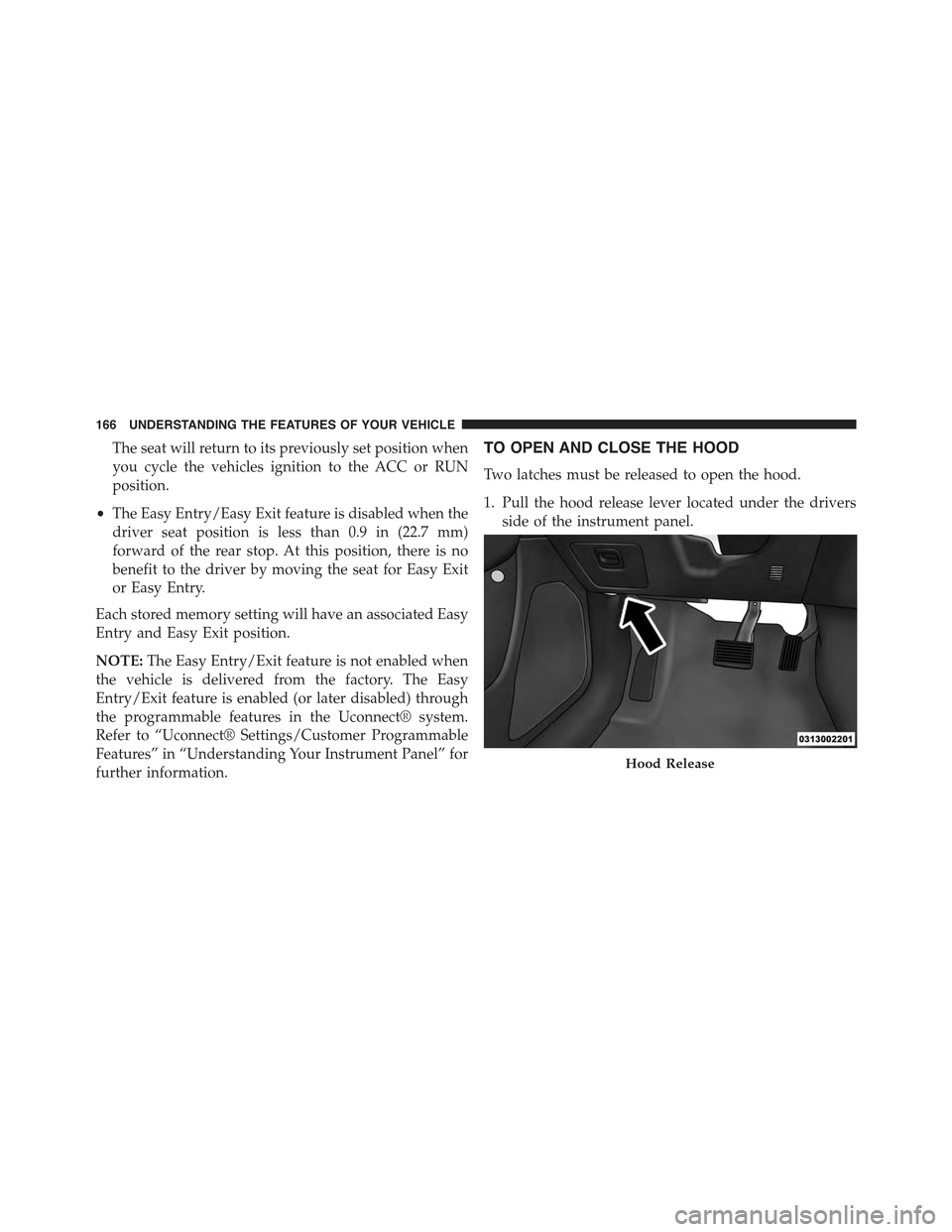
TO OPEN AND CLOSE THE HOOD
Two latches must be released to open the hood.
1. Pull the hood release lever located under the drivers
side of the instrument panel.
Hood Release
166 UNDERSTANDING THE FEATURES OF YOUR VEHICLE
Page 173 of 772
and other obstructions on the windshield or camera
lens will cause the system to function improperly.
•To opt out of the Advanced Auto High-Beam Sensitiv-
ity Control (default) and enter Reduced High-Beam
Sensitivity Control (not recommended), toggle high-
beam lever 6 full on/off cycles within 10 seconds of
ignition ON. System will return to default setting upon
ignition off.
If the windshield or Automatic High Beam Headlamp
Control mirror is replaced, the mirror must be re-aimed
to ensure proper performance. See your local authorized
dealer.
To Activate
1. Turn the headlight switch to the AUTO headlight
position.
2. Push the multifunction lever away from you (toward
front of vehicle) to engage the high beam mode.
NOTE:This system will not activate until the vehicle is
at or above 15 mph (24 km/h).
To Deactivate
1. Pull the multifunction lever toward you (or rearward
in car) to manually deactivate the system (normal
operation of low beams).
2. Push back on the multifunction lever once again to
reactivate the system.
3
UNDERSTANDING THE FEATURES OF YOUR VEHICLE 171
Page 178 of 772
Interior Lights
The interior lights come on when a door is opened.
To protect the battery, the interior lights will turn off
automatically 10 minutes after the ignition is moved to
the LOCK position. This will occur if the interior lights
were switched on manually or are on because a door is
open. This includes the glove box light, but not the trunk
light. To restore interior light operation, either place the
ignition in the ON/RUN position or cycle the light
switch.
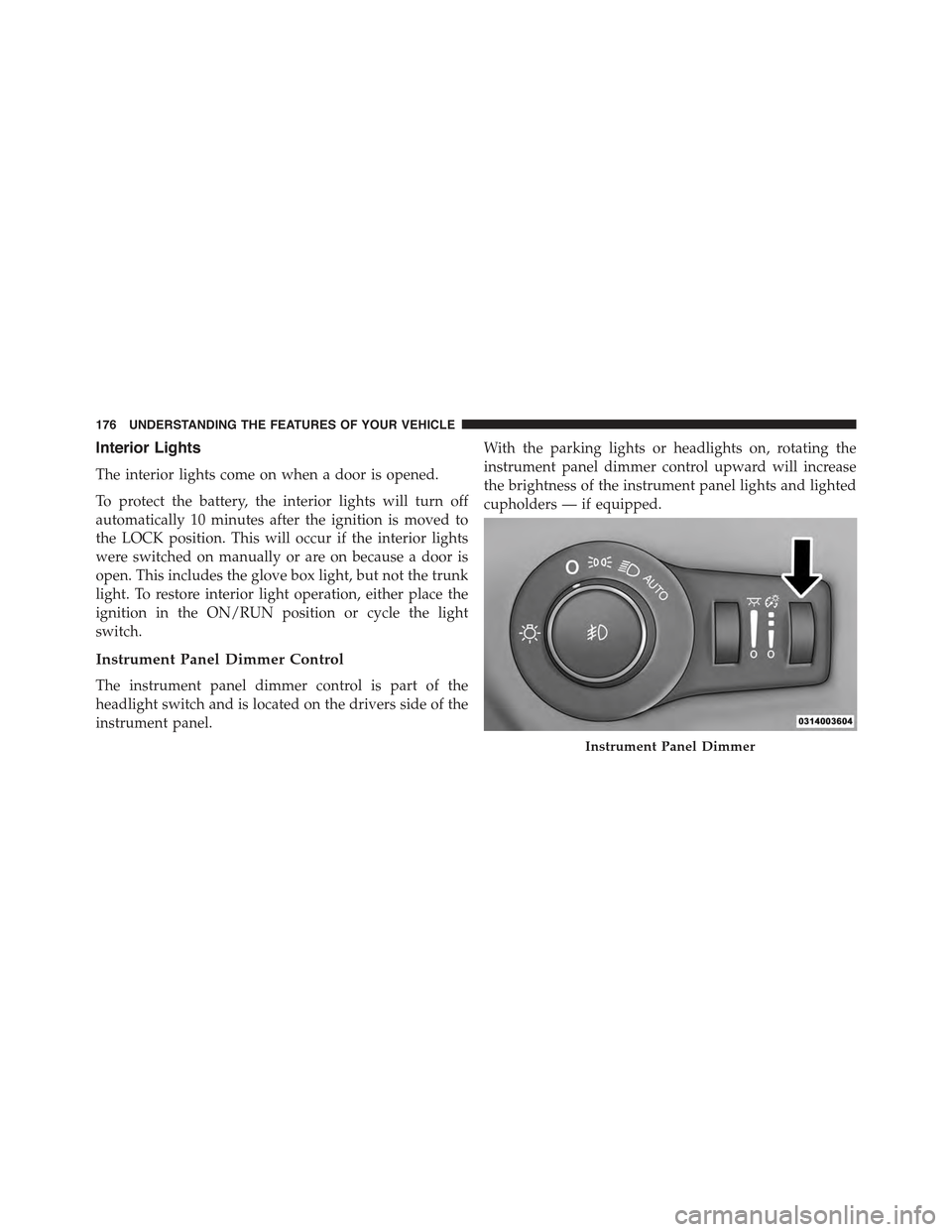
Instrument Panel Dimmer Control
The instrument panel dimmer control is part of the
headlight switch and is located on the drivers side of the
instrument panel.
With the parking lights or headlights on, rotating the
instrument panel dimmer control upward will increase
the brightness of the instrument panel lights and lighted
cupholders — if equipped.
Instrument Panel Dimmer
176 UNDERSTANDING THE FEATURES OF YOUR VEHICLE
Page 182 of 772
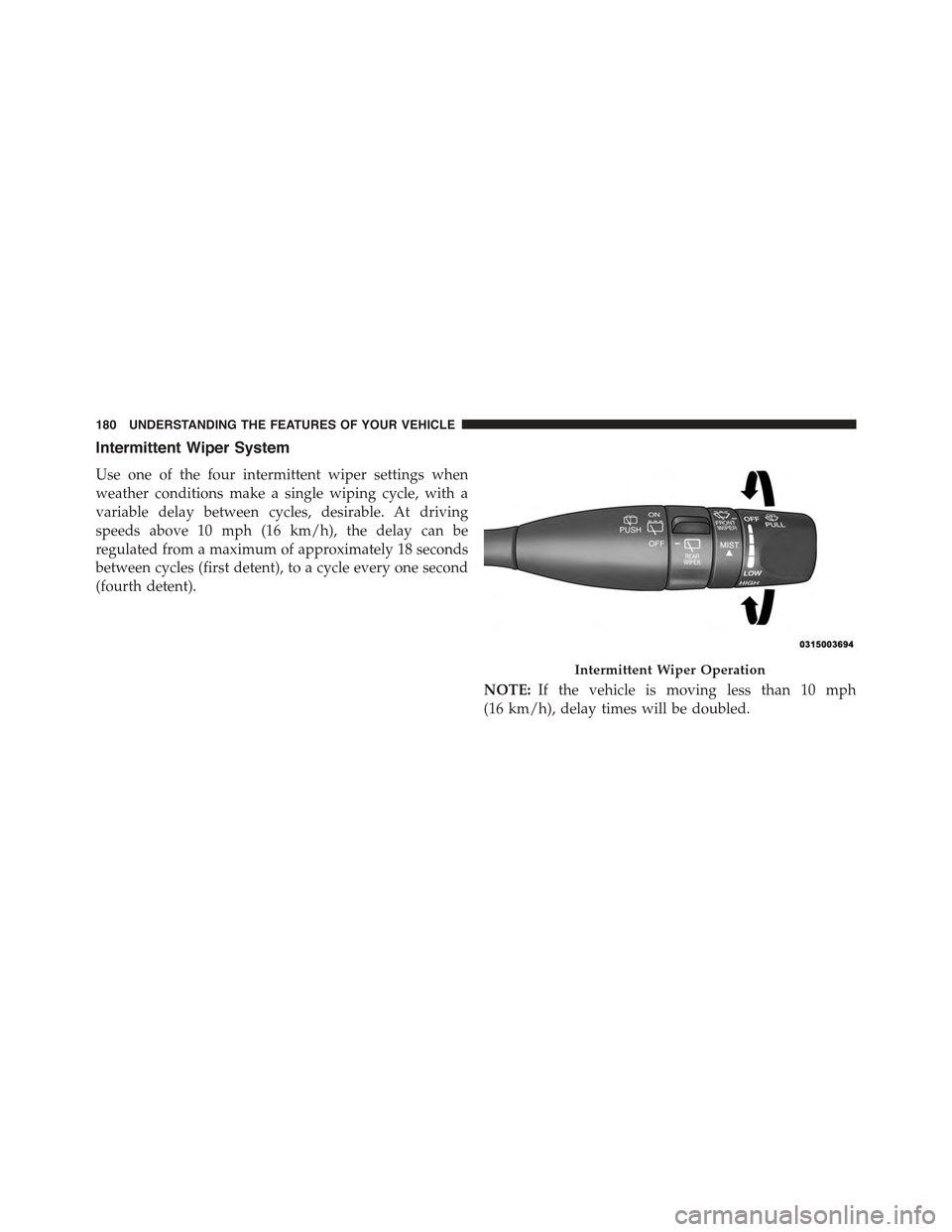
Intermittent Wiper System
Use one of the four intermittent wiper settings when
weather conditions make a single wiping cycle, with a
variable delay between cycles, desirable. At driving
speeds above 10 mph (16 km/h), the delay can be
regulated from a maximum of approximately 18 seconds
between cycles (first detent), to a cycle every one second
(fourth detent).
NOTE:If the vehicle is moving less than 10 mph
(16 km/h), delay times will be doubled.
Intermittent Wiper Operation
180 UNDERSTANDING THE FEATURES OF YOUR VEHICLE
Page 183 of 772
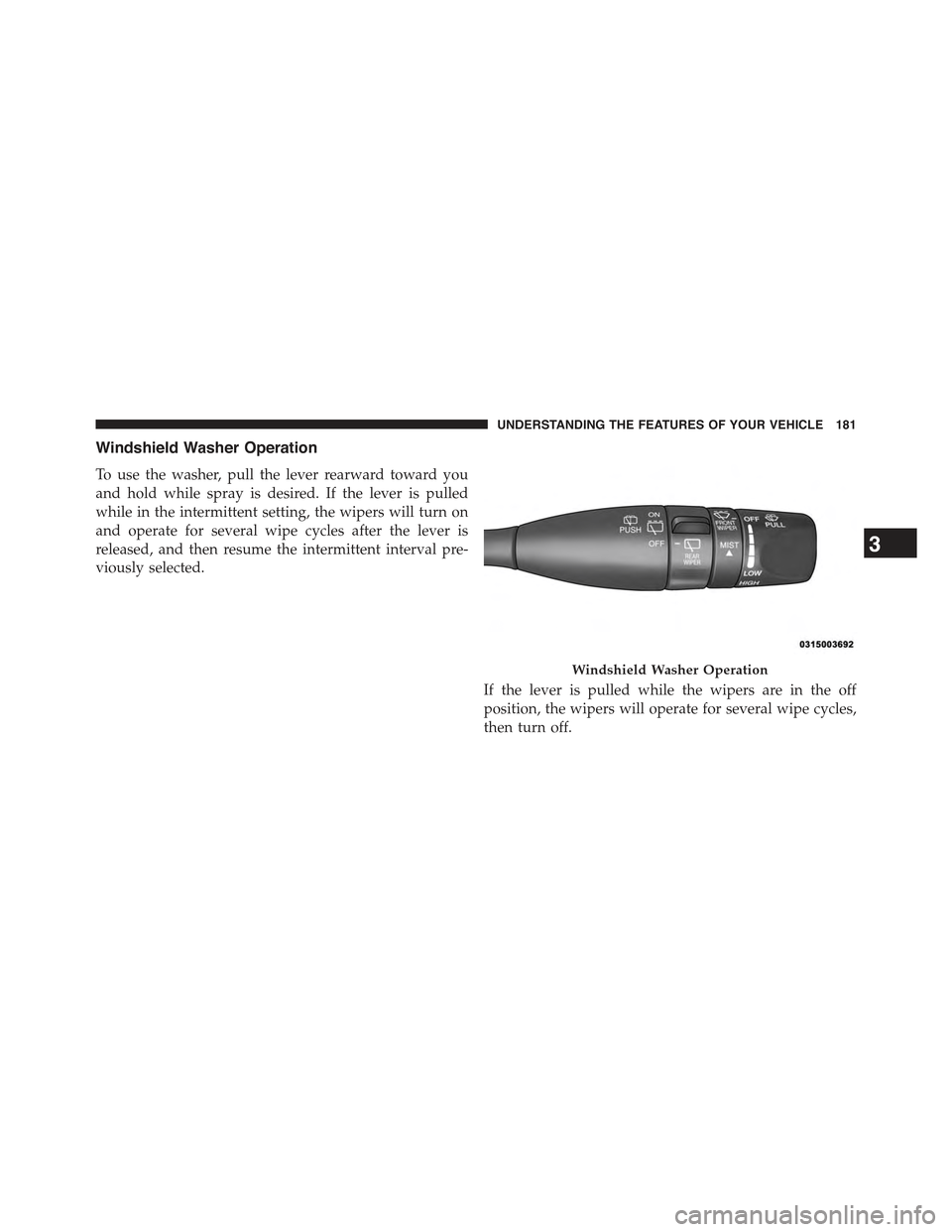
Windshield Washer Operation
To use the washer, pull the lever rearward toward you
and hold while spray is desired. If the lever is pulled
while in the intermittent setting, the wipers will turn on
and operate for several wipe cycles after the lever is
released, and then resume the intermittent interval pre-
viously selected.
If the lever is pulled while the wipers are in the off
position, the wipers will operate for several wipe cycles,
then turn off.
Windshield Washer Operation
3
UNDERSTANDING THE FEATURES OF YOUR VEHICLE 181