brake JEEP CHEROKEE 2016 KL / 5.G Owner's Guide
[x] Cancel search | Manufacturer: JEEP, Model Year: 2016, Model line: CHEROKEE, Model: JEEP CHEROKEE 2016 KL / 5.GPages: 770, PDF Size: 5.48 MB
Page 278 of 770
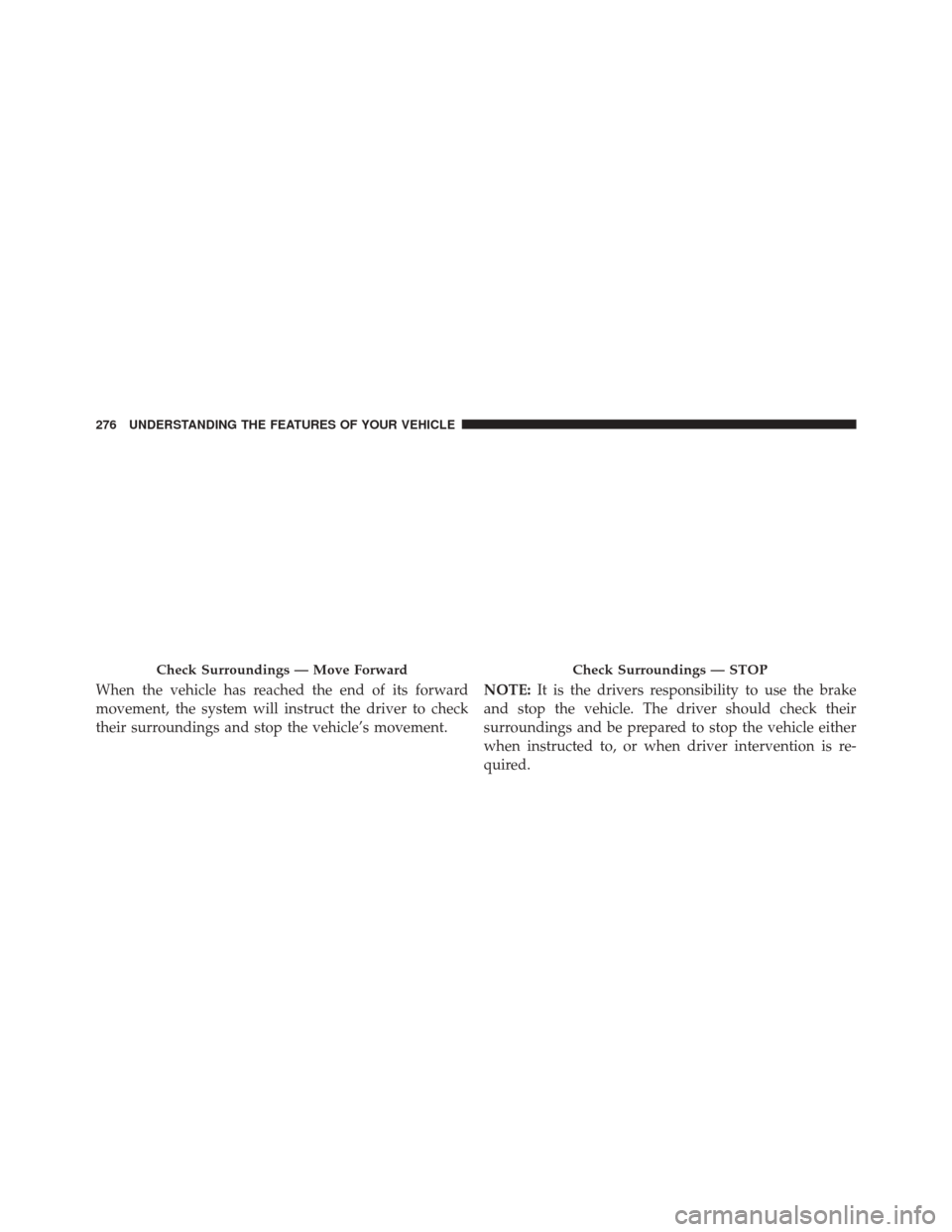
When the vehicle has reached the end of its forward
movement, the system will instruct the driver to check
their surroundings and stop the vehicle’s movement.NOTE:
It is the drivers responsibility to use the brake
and stop the vehicle. The driver should check their
surroundings and be prepared to stop the vehicle either
when instructed to, or when driver intervention is re-
quired.
Check Surroundings — Move ForwardCheck Surroundings — STOP
276 UNDERSTANDING THE FEATURES OF YOUR VEHICLE
Page 331 of 770
Brake Warning Light
Red TelltaleLight What It Means
United States
Canada
Brake Warning Light
This light monitors various brake functions, including brake fluid level and parking brake
application. If the brake light turns on it may indicate that the parking brake is applied, that
the brake fluid level is low, or that there is a problem with the anti-lock brake system reser-
voir.
If the light remains on when the parking brake has been disengaged, and the fluid level is at
the full mark on the master cylinder reservoir, it indicates a possible brake hydraulic system
malfunction or that a problem with the Brake Booster has been detected by the Anti-Lock
Brake System (ABS) / Electronic Stability Control (ESC) system. In this case, the light will
remain on until the condition has been corrected. If the problem is related to the brake
booster, the ABS pump will run when applying the brake, and a brake pedal pulsation may
be felt during each stop.
4
UNDERSTANDING YOUR INSTRUMENT PANEL 329
Page 332 of 770
The dual brake system provides a reserve braking capac-
ity in the event of a failure to a portion of the hydraulic
system. A leak in either half of the dual brake system is
indicated by the Brake Warning Light, which will turn on
when the brake fluid level in the master cylinder has
dropped below a specified level.
The light will remain on until the cause is corrected.
NOTE:The light may flash momentarily during sharp
cornering maneuvers, which change fluid level condi-
tions. The vehicle should have service performed, and
the brake fluid level checked.If brake failure is indicated, immediate repair is necessary.
WARNING!
Driving a vehicle with the red brake light on is
dangerous. Part of the brake system may have failed.
It will take longer to stop the vehicle. You could have
a collision. Have the vehicle checked immediately.
Vehicles equipped with the Anti-Lock Brake System
(ABS) are also equipped with Electronic Brake Force
Distribution (EBD). In the event of an EBD failure, the
Brake Warning Light will turn on along with the ABS
Light. Immediate repair to the ABS system is required.
330 UNDERSTANDING YOUR INSTRUMENT PANEL
Page 333 of 770
Operation of the Brake Warning Light can be checked by
turning the ignition switch from the OFF position to the
ON/RUN position. The light should illuminate for ap-
proximately two seconds. The light should then turn off
unless the parking brake is applied or a brake fault is
detected. If the light does not illuminate, have the light
inspected by an authorized dealer.The light also will turn on when the parking brake is
applied with the ignition switch in the ON/RUN posi-
tion.
NOTE:
This light shows only that the parking brake is
applied. It does not show the degree of brake application.
Vehicle Security Warning Light — If Equipped
Red Telltale Light What It Means
Vehicle Security Warning Light
This light will flash at a fast rate for approximately 15 seconds when the vehicle security
alarm is arming, and then will flash slowly until the vehicle is disarmed.
4
UNDERSTANDING YOUR INSTRUMENT PANEL 331
Page 347 of 770
Anti-Lock Brake (ABS) Indicator Light
Yellow TelltaleLight What It Means
Anti-Lock Brake (ABS) Indicator Light
This light monitors the Anti-Lock Brake System (ABS). The light will turn on when the igni-
tion switch is placed in the ON/RUN position and may stay on for as long as four seconds.
If the ABS light remains on or turns on while driving, then the Anti-Lock portion of the
brake system is not functioning and service is required. However, the conventional brake
system will continue to operate normally if the brake warning light is not on.
If the ABS light is on, the brake system should be serviced as soon as possible to restore the
benefits of Anti-Lock Brakes. If the ABS light does not turn on when the ignition switch is
placed in the ON/RUN position, have the light inspected by an authorized dealer.
4
UNDERSTANDING YOUR INSTRUMENT PANEL 345
Page 348 of 770
Electronic Park Brake Fail Light
Yellow TelltaleLight What It Means
Electronic Park Brake Fail Warning Light
This telltale will turn on to indicate the Electronic Park Brake is not functioning properly
and that service is required. Contact your authorized dealership.
Low Fuel Indicator Light
Yellow Telltale
Light What It Means
Low Fuel Indicator Light
When the fuel level reaches approximately 3.0 gal (11.0 L) this light will turn on, and remain
on until fuel is added.
346 UNDERSTANDING YOUR INSTRUMENT PANEL
Page 365 of 770
•OK Button
Push the OK button to access/select the information
screens or submenu screens of a main menu item. Push
and hold the OK arrow button for one second to reset
displayed/selected features that can be reset.
Oil Change Reset
Oil Change Due
Your vehicle is equipped with an engine oil change
indicator system. The “Oil Change Due” message will
display in the EVIC for five seconds after a single chime
has sounded to indicate the next scheduled oil change
interval. The engine oil change indicator system is duty
cycle based, which means the engine oil change interval
may fluctuate, dependent upon your personal driving
style. Unless reset, this message will continue to display each
time the ignition is cycled to the ON/RUN position. To
turn off the message temporarily, push and release the
OK
button. To reset the oil change indicator system (after
performing the scheduled maintenance), refer to the
following procedure.
1. Without pushing the brake pedal, push the ENGINE START/STOP button and cycle the ignition to the
ON/RUN position (do not start the engine).
2. Fully push the accelerator pedal, slowly, three times within 10 seconds.
3. Without pushing the brake pedal, push the ENGINE START/STOP button once to return the ignition to the
OFF/LOCK position.
4
UNDERSTANDING YOUR INSTRUMENT PANEL 363
Page 366 of 770
Secondary Method Of Navigating To The Oil Life
Screen In The DID And Holding OK
1. Without pushing the brake pedal, push the ENGINESTART/STOP button and cycle the ignition to the
ON/RUN position (do not start the engine).
2. Push and release the DOWNarrow button to scroll
downward through the main menu to “Vehicle Info.”
3. Push and release the RIGHTarrow button to access
the “Oil Life” screen.
4. Push and hold the OKbutton to reset of the Oil Life.
5. Push and release the UParrow button to exit the
screen.
NOTE: If the indicator message illuminates when you
start the vehicle, the oil change indicator system did not
reset. If necessary, repeat this procedure.EVIC Selectable Menu Items
Push and release the UPorDOWN arrow buttons until
the desired Selectable Menu icon is highlighted in the
EVIC.
Speedometer
Push and release the UPorDOWN arrow button until
the Speedometer Menu item is highlighted in the EVIC.
Push the OKbutton to change the speedometer scale
from mph to km/h (or vice versa).
Vehicle Info (Customer Information Features)
Push and release the UPorDOWN arrow button until
the Vehicle Info Menu item is highlighted in the EVIC.
Push and release the RIGHT/LEFTarrow button to cycle
through the Vehicle Info sub-menus, and follow the
prompts on each screen as needed.
364 UNDERSTANDING YOUR INSTRUMENT PANEL
Page 374 of 770
•OK Button
Push the OK button to access/select the information
screens or submenu screens of a main menu item. Push
and hold the OK arrow button for one second to reset
displayed/selected features that can be reset.
Oil Change Reset
Oil Change Due
Your vehicle is equipped with an engine oil change
indicator system. The “Oil Change Due” message will
display in the DID for five seconds after a single chime
has sounded to indicate the next scheduled oil change
interval. The engine oil change indicator system is duty
cycle based, which means the engine oil change interval
may fluctuate, dependent upon your personal driving
style.
Unless reset, this message will continue to display each
time you turn the ignition is cycled to the ON/RUN position. To turn off the message temporarily, push and
release the OK button. To reset the oil change indicator
system (after performing the scheduled maintenance),
refer to the following procedure.
Vehicles Equipped With Keyless Enter-N-Go
1. Without pushing the brake pedal, push the ENGINE
START/STOP button and cycle the ignition to the
ON/RUN position (do not start the engine).
2. Fully depress the accelerator pedal, slowly, three times within 10 seconds.
3. Without pushing the brake pedal, push the ENGINE START/STOP button once to return the ignition to the
OFF/LOCK position.
Vehicles Not Equipped With Keyless Enter-N-Go
1. Turn the ignition switch to the ON/RUN position (do not start the engine).
372 UNDERSTANDING YOUR INSTRUMENT PANEL
Page 383 of 770
Buttons On The Touchscreen
Buttons on the touchscreen are accessible on the
Uconnect display.
Customer Programmable Features/Personal
Settings — Uconnect 5.0 Settings
Push the SETTINGS or the MORE button on the face-
plate, then the “Settings” button on the touchscreen (if
equipped) to display the menu setting screen. In this
mode the Uconnect system allows you to access pro-
grammable features that may be equipped such as Dis-
play, Voice, Clock & Date, Safety & Assistance, Lights,
Doors & Locks, Auto-On Comfort, Engine Off Options,
Compass Settings, Audio, Phone/Bluetooth, Sirius Setup,
Restore Settings, and Clear Personal Data, Brakes and
System Information.
NOTE:Only one category may be selected at a time. When making a selection, press the button on the touch-
screen to enter the desired mode. Once in the desired
mode, press and release the preferred setting and make
your selection. Once the setting is complete, either press
the Back Arrow/Done button on the touchscreen or the
Back button on the faceplate to return to the previous
menu or press the “X” button on the touchscreen to close
out of the settings screen. Pressing the Up or Down
Arrow buttons on the right side of the screen will allow
you to toggle up or down through the available settings.
Display
After pressing the “Display” button on the touchscreen
the following settings will be available.
•
Display Mode
When in this display you may select the “Auto” or
“Manual” display settings. To change Mode status, press
4
UNDERSTANDING YOUR INSTRUMENT PANEL 381