door lock JEEP COMMANDER 2010 1.G User Guide
[x] Cancel search | Manufacturer: JEEP, Model Year: 2010, Model line: COMMANDER, Model: JEEP COMMANDER 2010 1.GPages: 460, PDF Size: 7.11 MB
Page 27 of 460
WARNING!
•Do not start or run an engine in a closed garage or
confined area. Exhaust gas contains Carbon Mon-
oxide (CO) which is odorless and colorless. Car-
bon monoxide is poisonous and can cause serious
injury or death when inhaled.
•Keep Remote Keyless Entry (RKE) transmitters
away from children. Operation of the Remote Start
System, windows, door locks or other controls
could cause serious injury or death.
To Enter Remote Start Mode
Press and release the REMOTE START button
on the RKE transmitter twice, within five sec-
onds. The parking lights will flash and the horn
will chirp twice (if programmed). Then, the
engine will start and the vehicle will remain in the
Remote Start mode for a 15 minute cycle. NOTE:
•If an engine fault is present the vehicle will start and
then shut down 10 seconds later.
•The park lamps will turn on and remain on during
Remote Start mode.
•For security, power window and power sunroof op-
eration (if equipped) are disabled when the vehicle is
in the Remote Start mode.
•The engine can be started two consecutive times (two
15 minute cycles) with the RKE transmitter. However,
the ignition switch must be cycled to the ON position
before you can repeat the start sequence for a third
cycle.
To Exit Remote Start Mode Without Driving the
Vehicle
Press and release the REMOTE START button one time or
allow the engine to run for the entire 15 minute cycle.
2
THINGS TO KNOW BEFORE STARTING YOUR VEHICLE 27
Page 28 of 460
NOTE:To avoid unintentional shutdowns, the system
will disable the one time press of the REMOTE START
button for two seconds after receiving a valid Remote
Start request.
To Exit Remote Start Mode and Drive the Vehicle
Before the end of 15 minute cycle, press and release the
UNLOCK button on the RKE transmitter to unlock the
doors and disarm the Vehicle Security Alarm (if
equipped). Then, prior to the end of the 15 minute cycle,
insert the key into the ignition switch and turn the switch
to the ON position.
•The ignition switch must be in the ON position in
order to drive the vehicle.
•For vehicles equipped with the Electronic Vehicle
Information Center (EVIC), the message “Insert Key/
Turn To Run” will flash in the EVIC until you insert
the key. Once inserted, the message “Turn To Run”
will flash in the EVIC until you turn the key to run.
DOOR LOCKS
Manual Door Locks
Use the manual door lock plunger to lock the doors from
inside the vehicle. If the plunger is down when the door
is closed, the door will lock. Therefore, make sure the key
is not inside the vehicle before closing the door.
WARNING!
•For personal security and safety in the event of an
accident, lock the vehicle doors when you drive, as
well as when you park and leave the vehicle.
•When leaving the vehicle, always remove the key
from the ignition and lock your vehicle. Do not
leave unattended children in the vehicle, or with
access to an unlocked vehicle. Unsupervised use of
vehicle equipment may cause severe personal in-
juries and death.
28 THINGS TO KNOW BEFORE STARTING YOUR VEHICLE
Page 29 of 460
Power Door Locks
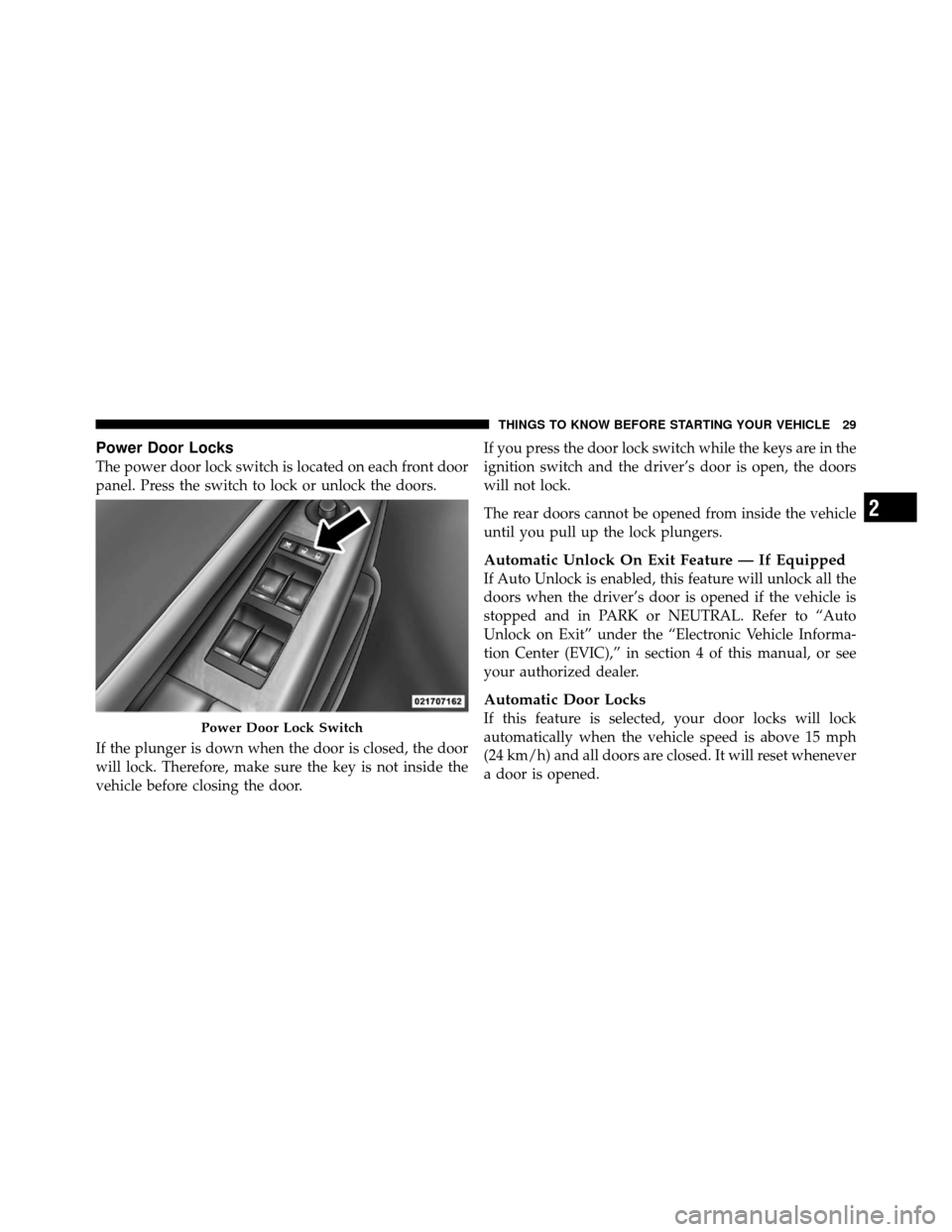
The power door lock switch is located on each front door
panel. Press the switch to lock or unlock the doors.
If the plunger is down when the door is closed, the door
will lock. Therefore, make sure the key is not inside the
vehicle before closing the door.If you press the door lock switch while the keys are in the
ignition switch and the driver’s door is open, the doors
will not lock.
The rear doors cannot be opened from inside the vehicle
until you pull up the lock plungers.
Automatic Unlock On Exit Feature — If Equipped
If Auto Unlock is enabled, this feature will unlock all the
doors when the driver’s door is opened if the vehicle is
stopped and in PARK or NEUTRAL. Refer to “Auto
Unlock on Exit” under the “Electronic Vehicle Informa-
tion Center (EVIC),” in section 4 of this manual, or see
your authorized dealer.
Automatic Door Locks
If this feature is selected, your door locks will lock
automatically when the vehicle speed is above 15 mph
(24 km/h) and all doors are closed. It will reset whenever
a door is opened.Power Door Lock Switch
2
THINGS TO KNOW BEFORE STARTING YOUR VEHICLE 29
Page 30 of 460
This feature is selectable and can be turned on or off.
Refer to “Auto Door Locks” under “Customer-
Programmable Features” in the “Electronic Vehicle Infor-
mation Center (EVIC),” in Section 4 of this manual, or see
your authorized dealer.
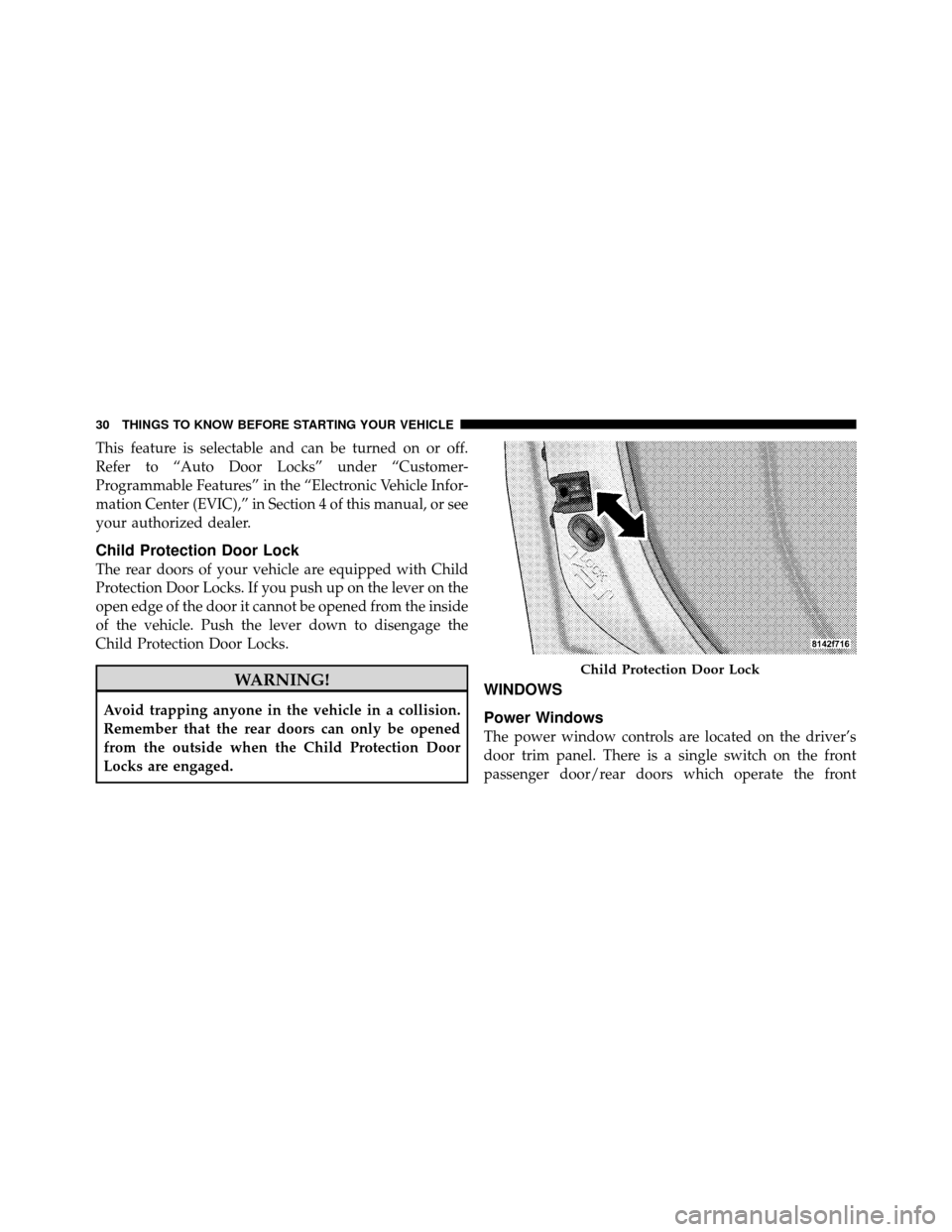
Child Protection Door Lock
The rear doors of your vehicle are equipped with Child
Protection Door Locks. If you push up on the lever on the
open edge of the door it cannot be opened from the inside
of the vehicle. Push the lever down to disengage the
Child Protection Door Locks.
WARNING!
Avoid trapping anyone in the vehicle in a collision.
Remember that the rear doors can only be opened
from the outside when the Child Protection Door
Locks are engaged.
WINDOWS
Power Windows
The power window controls are located on the driver’s
door trim panel. There is a single switch on the front
passenger door/rear doors which operate the front
Child Protection Door Lock
30 THINGS TO KNOW BEFORE STARTING YOUR VEHICLE
Page 32 of 460
Auto Up Feature with Anti-Pinch Protection —
Driver’s and Front Passenger Door Only
Lift the window switch to the second detent, release, and
the window will go up automatically.
To stop the window from going all the way up during the
Auto Up operation, push down on the switch briefly.
To close the window part way, lift the window switch to
the first detent and release when you want the window to
stop.
NOTE:If the window runs into any obstacle during the
auto-closure, it will reverse direction and then go back
down. Remove the obstacle and use the window switch
again to close the window. Any impact due to rough road
conditions may trigger the auto reverse function unex-
pectedly during auto closure. If this happens, pull the
switch lightly to the first detent and hold to close the
window manually.
WARNING!
There is no anti-pinch protection when the window
is almost closed. Be sure to clear all objects from the
window before closing.
Resetting the Auto Up Feature
Should the Auto Up feature stop working, the window
probably needs to be reset. To reset Auto Up, pull the
window switch up and close the window completely,
then pull and hold the switch for one second.
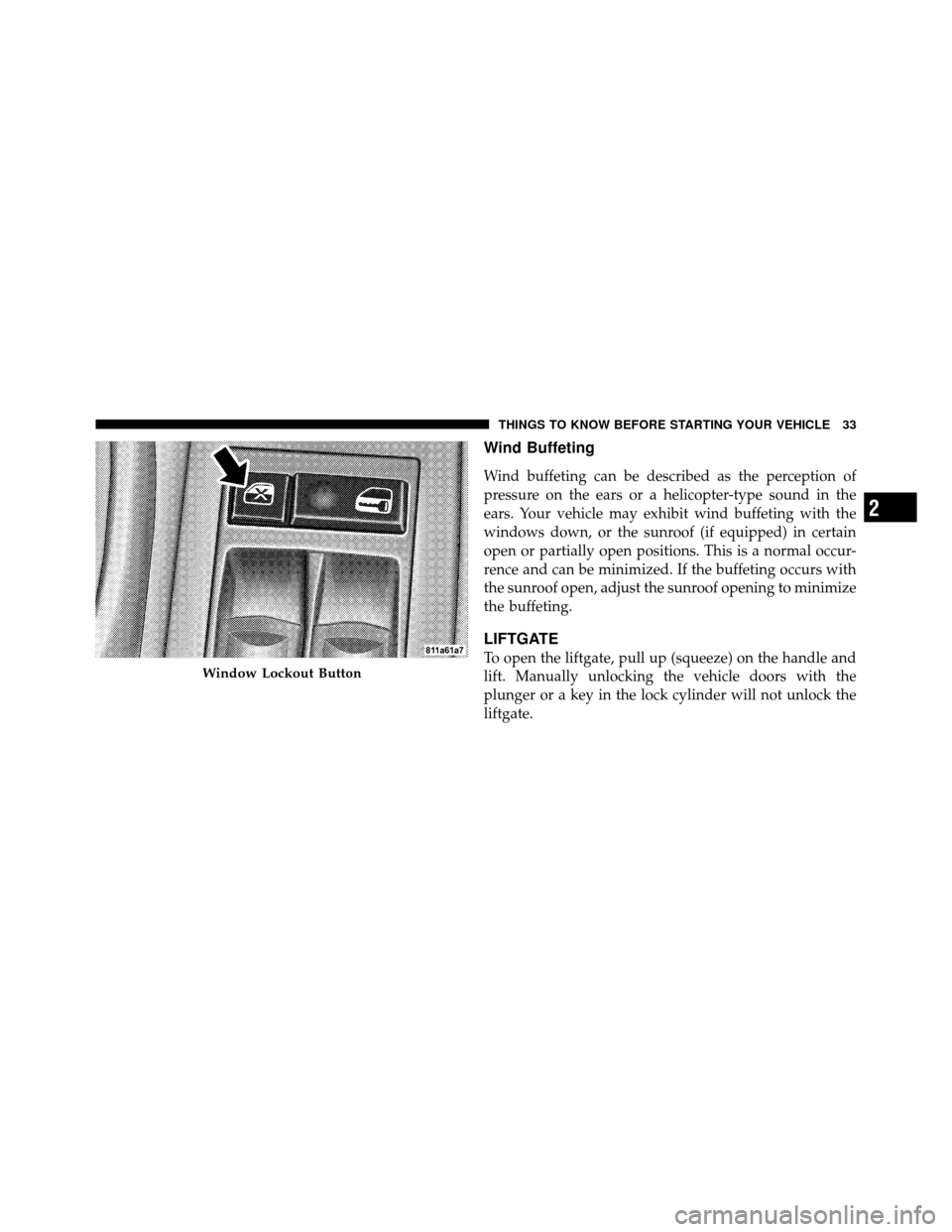
Window Lockout Button
The Window Lockout button on the driver’s door allows
you to disable the window control on the other doors. To
disable the window controls on the other doors, press the
Window Lockout button. To enable the window controls,
press the Window Lockout button again.
32 THINGS TO KNOW BEFORE STARTING YOUR VEHICLE
Page 33 of 460
Wind Buffeting
Wind buffeting can be described as the perception of
pressure on the ears or a helicopter-type sound in the
ears. Your vehicle may exhibit wind buffeting with the
windows down, or the sunroof (if equipped) in certain
open or partially open positions. This is a normal occur-
rence and can be minimized. If the buffeting occurs with
the sunroof open, adjust the sunroof opening to minimize
the buffeting.
LIFTGATE
To open the liftgate, pull up (squeeze) on the handle and
lift. Manually unlocking the vehicle doors with the
plunger or a key in the lock cylinder will not unlock the
liftgate.Window Lockout Button
2
THINGS TO KNOW BEFORE STARTING YOUR VEHICLE 33
Page 58 of 460
Front and Side Impact Sensors
In front and side impacts, impact sensors aid the ORC in
determining appropriate response to impact events. Ad-
ditional sensors in the ORC determine the level of airbag
deployment and provide verification.
Enhanced Accident Response System
In the event of an impact causing airbag deployment, if
the communication network remains intact, and the
power remains intact, depending on the nature of the
event the ORC will determine whether to have the
Enhanced Accident Response System to perform the
following functions:
•Cut off fuel to the engine.
•Flash hazard lights as long as the battery has power or
until the ignition key is turned off.
•Turn on the interior lights, which remain on as long as
the battery has power or until the ignition key is
removed.
•Unlock the doors automatically.
If a Deployment Occurs
The airbags are designed to deflate immediately after
deployment.
NOTE:Front and/or side airbags will not deploy in all
collisions. This does not mean something is wrong with
the airbag system.
58 THINGS TO KNOW BEFORE STARTING YOUR VEHICLE
Page 76 of 460
Defroster
Check operation by selecting the defrost mode and place
the blower control on high speed. You should be able to
feel the air directed against the windshield. See your
authorized dealer for service if your defroster is
inoperable.
Periodic Safety Checks You Should Make Outside
the Vehicle
Tires
Examine tires for excessive tread wear and uneven wear
patterns. Check for stones, nails, glass, or other objects
lodged in the tread. Inspect the tread and sidewall for
cuts and cracks. Check the wheel nuts for tightness.
Check the tires (including spare) for proper pressure.
Lights
Have someone observe the operation of exterior lights
while you work the controls. Check turn signal and high
beam indicator lights on the instrument panel.
Door Latches
Check for positive closing, latching, and locking.
Fluid Leaks
Check area under vehicle after overnight parking for fuel,
engine coolant, oil, or other fluid leaks. Also, if gasoline
fumes are detected or if fuel, power steering fluid, or
brake fluid leaks are suspected, the cause should be
located and corrected immediately.
76 THINGS TO KNOW BEFORE STARTING YOUR VEHICLE
Page 84 of 460
Outside Automatic Dimming Mirrors — If
Equipped
The driver and passenger outside mirrors will automati-
cally adjust for glare from vehicles behind you. This
feature is controlled by the inside Automatic Dimming
Mirror and can be turned on or off by pressing the button
at the base of the inside mirror. The mirrors will auto-
matically adjust for headlight glare when the inside
mirror adjusts.
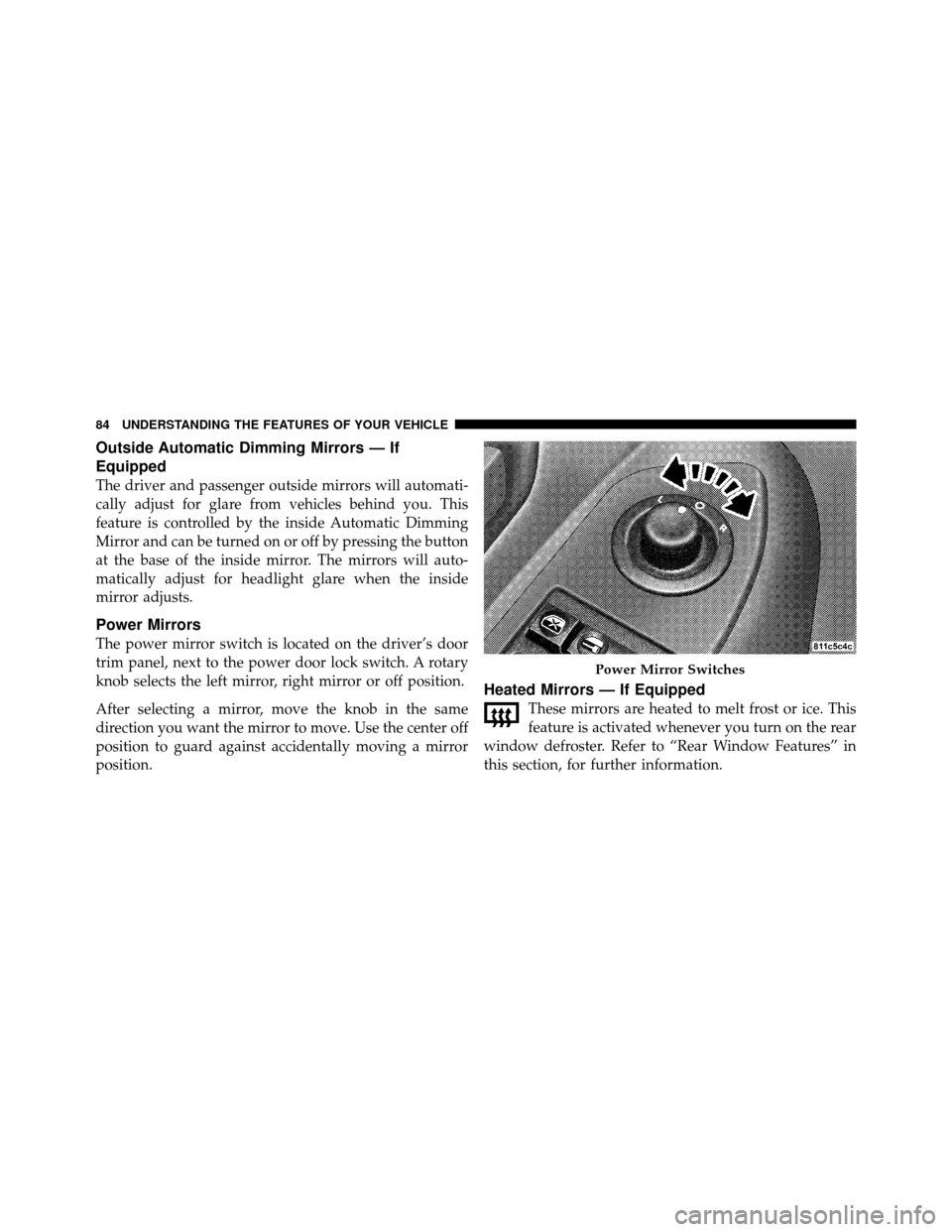
Power Mirrors
The power mirror switch is located on the driver’s door
trim panel, next to the power door lock switch. A rotary
knob selects the left mirror, right mirror or off position.
After selecting a mirror, move the knob in the same
direction you want the mirror to move. Use the center off
position to guard against accidentally moving a mirror
position.
Heated Mirrors — If Equipped
These mirrors are heated to melt frost or ice. This
feature is activated whenever you turn on the rear
window defroster. Refer to “Rear Window Features” in
this section, for further information.
Power Mirror Switches
84 UNDERSTANDING THE FEATURES OF YOUR VEHICLE
Page 98 of 460
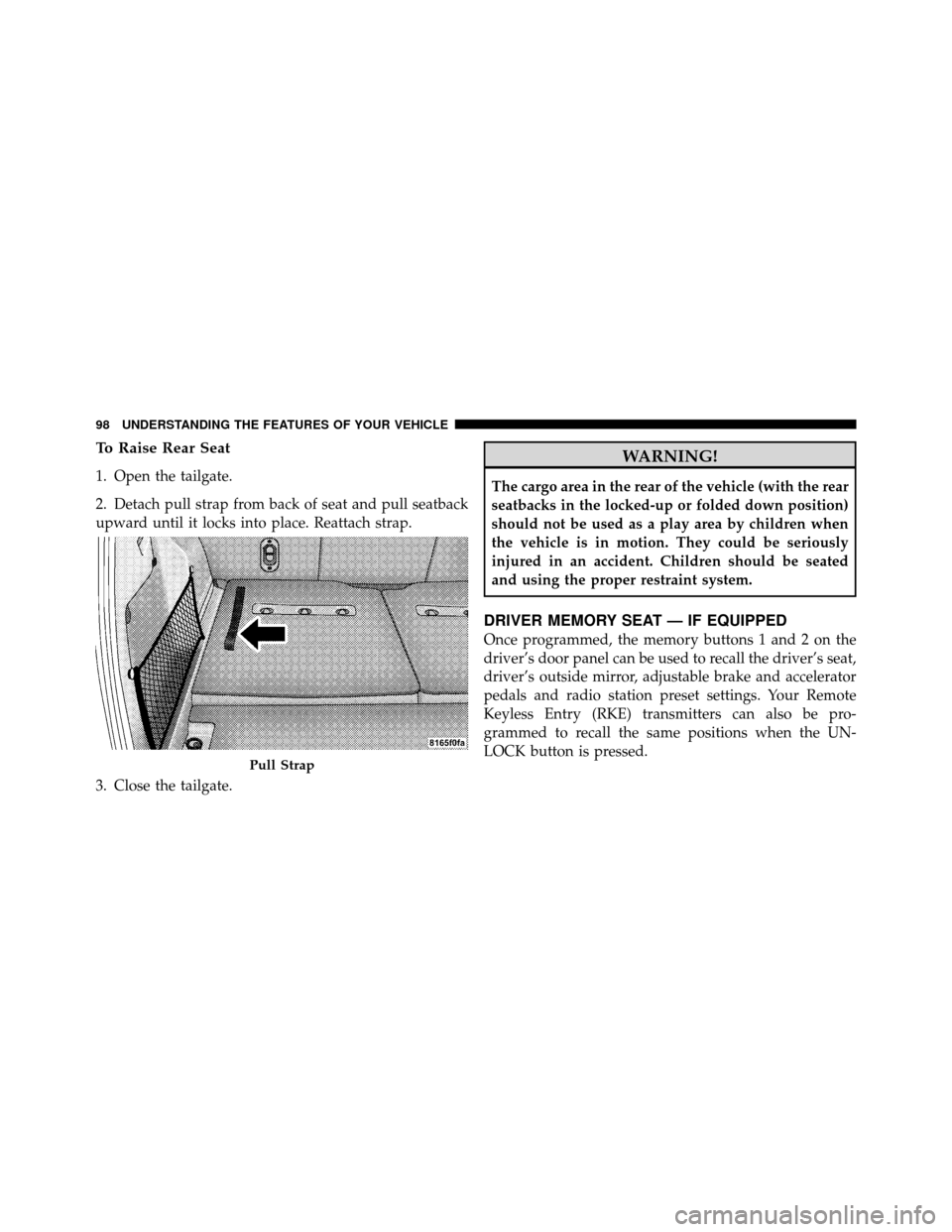
To Raise Rear Seat
1. Open the tailgate.
2. Detach pull strap from back of seat and pull seatback
upward until it locks into place. Reattach strap.
3. Close the tailgate.
WARNING!
The cargo area in the rear of the vehicle (with the rear
seatbacks in the locked-up or folded down position)
should not be used as a play area by children when
the vehicle is in motion. They could be seriously
injured in an accident. Children should be seated
and using the proper restraint system.
DRIVER MEMORY SEAT — IF EQUIPPED
Once programmed, the memory buttons 1 and 2 on the
driver’s door panel can be used to recall the driver’s seat,
driver’s outside mirror, adjustable brake and accelerator
pedals and radio station preset settings. Your Remote
Keyless Entry (RKE) transmitters can also be pro-
grammed to recall the same positions when the UN-
LOCK button is pressed.
Pull Strap
98 UNDERSTANDING THE FEATURES OF YOUR VEHICLE