radio JEEP COMPASS 2015 1.G User Guide
[x] Cancel search | Manufacturer: JEEP, Model Year: 2015, Model line: COMPASS, Model: JEEP COMPASS 2015 1.GPages: 560, PDF Size: 11.51 MB
Page 144 of 560
General Information
This device complies with Part 15 of the FCC rules and
RSS 210 of Industry Canada. Operation is subject to the
following conditions:
•Changes or modifications not expressly approved by
the party responsible for compliance could void the
user’s authority to operate the equipment.
•This device may not cause harmful interference.
•This device must accept any interference received,
including interference that may cause undesired op-
eration.
VOICE COMMAND — IF EQUIPPED
Voice Command System Operation
The Uconnect® Voice Command system allows
you to control your AM, FM radio, disk player,
USB mass storage class device, iPod® family of
devices, Bluetooth® Streaming Audio Device,
satellite radio, and a memo recorder.
NOTE:Take care to speak into the Voice Interface System
as calmly and normally as possible. The ability of the
Voice Interface System to recognize user voice commands
may be negatively affected by rapid speaking or a raised
voice level.
142 UNDERSTANDING THE FEATURES OF YOUR VEHICLE
Page 146 of 560
At any point, if the system does not recognize one of your
commands, you will be prompted to repeat it.
To hear the first available Menu, push the Voice Com-
mandbutton and say “Help” or “Main Menu.”
Commands
The Voice Command system understands two types of
commands, Universal commands and Local commands.
Universal commands are available at all times. Local
commands are available if the supported radio mode is
active.
Changing The Volume
1. Start a dialogue by pushing the Voice Command
button.
2. Say a command (e.g., “Help”).
3. Use the ON/OFF VOLUME rotary knob to adjust the
volume to a comfortable level while the Voice Com-
mand system is speaking. Please note the volume
setting for Voice Command is different than the audio
system.
Main Menu
Start a dialogue by pushing the Voice Command
button. You may say “Main Menu” to switch to
the main menu.
In this mode, you can say the following commands:
•“Radio AM” (to switch to the radio AM mode)
•“Radio FM” (to switch to radio FM mode)
•“Sat” (to switch to Satellite radio mode)
•“Disc” (to switch to the disc mode)
144 UNDERSTANDING THE FEATURES OF YOUR VEHICLE
Page 147 of 560
•“USB” (to switch to USB mode)
•“Bluetooth Streaming” (to switch to Bluetooth® Stream-
ing mode)
•“Memo” (to switch to the memo recorder)
•“System Setup” (to switch to system setup)
Radio AM
To switch to the AM band, say “AM” or “Radio AM.”
In this mode, you may say the following commands:
•“Frequency #” (to change the frequency)
•“Next Station” (to select the next station)
•“Previous Station” (to select the previous station)
•“Radio Menu” (to switch to the radio menu)
•“Main Menu” (to switch to the main menu)
Radio FM
To switch to the FM band, say “FM” or “Radio FM.” In this
mode, you may say the following commands:
•“Frequency #” (to change the frequency)
•“Next Station” (to select the next station)
•“Previous Station” (to select the previous station)
•“Menu Radio” (to switch to the radio menu)
•“Main Menu” (to switch to the main menu)
Satellite Radio
To switch to satellite radio mode, say “Sat” or “Satellite
Radio.” In this mode, you may say the following commands:
•“Channel Number” (to change the channel by its
spoken number)
•“Next Channel” (to select the next channel)
3
UNDERSTANDING THE FEATURES OF YOUR VEHICLE 145
Page 148 of 560
•“Previous Channel” (to select the previous channel)
•“List Channel” (to hear a list of available channels)
•“Select Name” (to say the name of a channel)
•“Menu Radio” (to switch to the radio menu)
•“Main Menu” (to switch to the main menu)
Disc Mode
To switch to the disc mode, say “Disc.” In this mode, you
may say the following commands:
•“Track” (#) (to change the track)
•“Next Track” (to play the next track)
•“Previous Track” (to play the previous track)
•“Main Menu” (to switch to the main menu)
USB Mode
To switch to USB mode, say “USB.” In this mode, you
may say the following commands:
•“Next Track” (to play the next track)
•“Previous Track” (to play the previous track)
•“Play” (to play an Artist Name, Playlist Name, Album
Name, Track Name, etc.)
Bluetooth® Streaming (BT) Mode
To switch to Bluetooth® Streaming (BT) mode, say
“Bluetooth Streaming.” In this mode, you may say the
following commands:
•“Play” (to play the current track)
•“Pause” (to pause the current track)
•“Next Track” (to play the next track)
•“Previous Track” (to play the previous track)
146 UNDERSTANDING THE FEATURES OF YOUR VEHICLE
Page 168 of 560
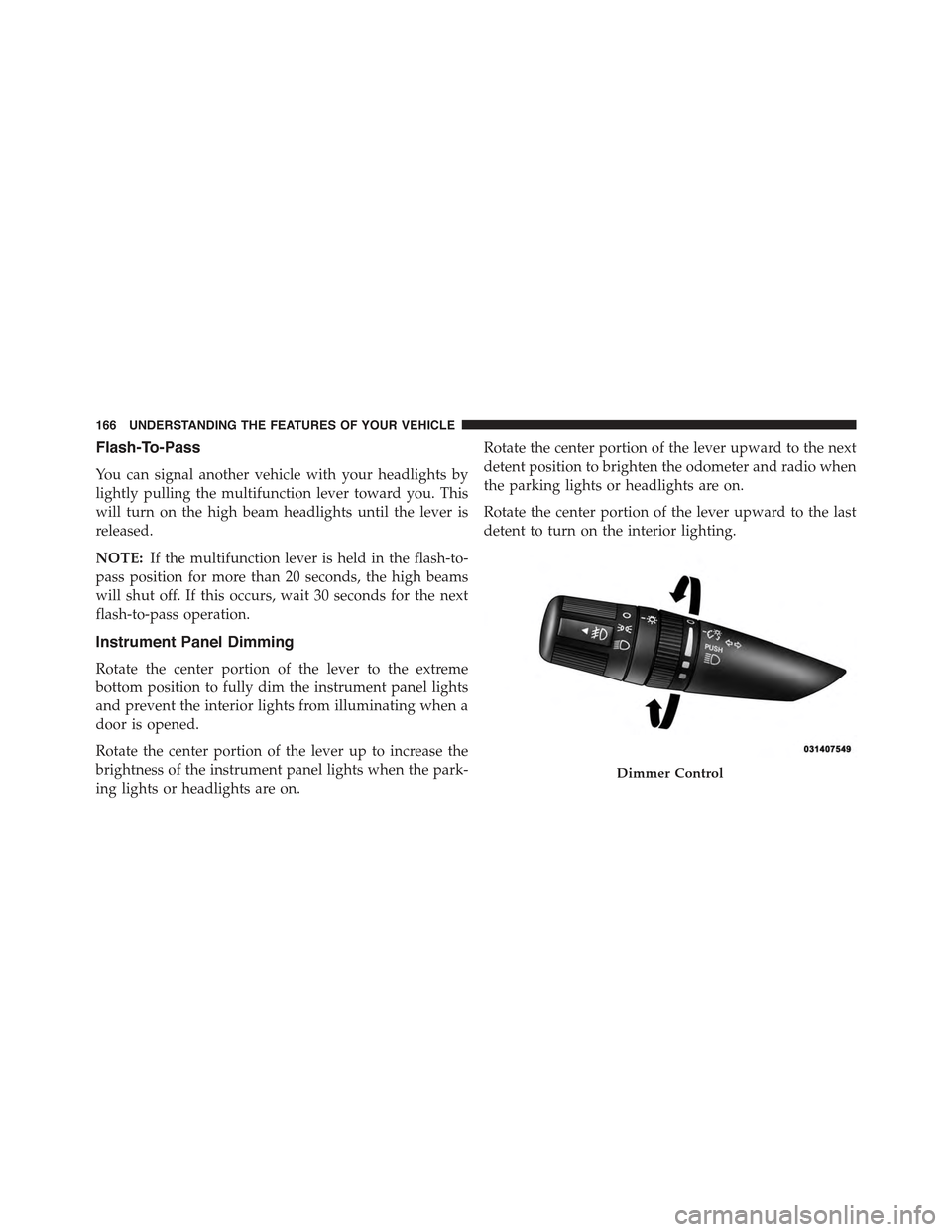
Flash-To-Pass
You can signal another vehicle with your headlights by
lightly pulling the multifunction lever toward you. This
will turn on the high beam headlights until the lever is
released.
NOTE:If the multifunction lever is held in the flash-to-
pass position for more than 20 seconds, the high beams
will shut off. If this occurs, wait 30 seconds for the next
flash-to-pass operation.
Instrument Panel Dimming
Rotate the center portion of the lever to the extreme
bottom position to fully dim the instrument panel lights
and prevent the interior lights from illuminating when a
door is opened.
Rotate the center portion of the lever up to increase the
brightness of the instrument panel lights when the park-
ing lights or headlights are on.
Rotate the center portion of the lever upward to the next
detent position to brighten the odometer and radio when
the parking lights or headlights are on.
Rotate the center portion of the lever upward to the last
detent to turn on the interior lighting.
Dimmer Control
166 UNDERSTANDING THE FEATURES OF YOUR VEHICLE
Page 182 of 560
Before You Begin Programming HomeLink®
Be sure that your vehicle is parked outside of the garage
before you begin programming.
For more efficient programming and accurate transmis-
sion of the radio-frequency signal it is recommended that
a new battery be placed in the hand-held transmitter of
the device that is being programmed to the HomeLink®
system.
To erase the channels place the ignition in the ON/RUN
position and push and hold the two outside HomeLink®
buttons (I and III) for up 20 seconds or until the red
indicator flashes.
NOTE:
•Erasing all channels should only be performed when
programming HomeLink® for the first time. Do not
erase channels when programming additional buttons.
•If you have any problems, or require assistance, please
call toll-free 1-800-355-3515 or, on the Internet at
HomeLink.com for information or assistance.
Programming A Rolling Code
For programming garage door openers that were manu-
factured after 1995. These garage door openers can be
identified by the “LEARN” or “TRAIN” button located
where the hanging antenna is attached to the garage door
opener. It is NOT the button that is normally used to
open and close the door. The name and color of the
button may vary by manufacturer.
180 UNDERSTANDING THE FEATURES OF YOUR VEHICLE
Page 186 of 560
3.Without releasing the buttonproceed with “Program-
ming A Non-Rolling Code” step 2 and follow all
remaining steps.
Canadian/Gate Operator Programming
For programming transmitters in Canada/United States
that require the transmitter signals to “time-out” after
several seconds of transmission.
Canadian radio frequency laws require transmitter sig-
nals to time-out (or quit) after several seconds of trans-
mission – which may not be long enough for HomeLink®
to pick up the signal during programming. Similar to this
Canadian law, some U.S. gate operators are designed to
time-out in the same manner.
It may be helpful to unplug the device during the cycling
process to prevent possible overheating of the garage
door or gate motor.
1. Cycle the ignition to the ON/RUN position.
2.Place the hand-held transmitter 1 to 3 inches (3 to 8 cm)
away from the HomeLink® button you wish to program
while keeping the HomeLink® indicator light in view.
3. Continue to push and hold the HomeLink® button,
while you push and release (“cycle”) your hand-held
transmitter every two seconds until HomeLink® has
successfully accepted the frequency signal. The indi-
cator light will flash slowly and then rapidly when
fully trained.
184 UNDERSTANDING THE FEATURES OF YOUR VEHICLE
Page 209 of 560
approximately eight turns, then move the crossbar to the
desired position, keeping the crossbars perpendicular to
the luggage rack side rails. Once the crossbar is in one of
the seven detent positions, retighten the thumb screws to
lock the crossbar into position.
NOTE:
•To help control wind noise when the crossbars are not
in use, place the front crossbar in the first detent from
the front of the vehicle and the rear crossbar in the
second detent from the rear of the vehicle.
•If the rear crossbar (or any metallic object) is placed
over the satellite radio antenna (if equipped), you may
experience interruption of satellite radio reception. For
improved satellite radio reception, place the rear cross-
bar in the second detent from the rear of the vehicle
when not in use.
•The grab handles on the back of the vehicle (if
equipped) are not to be used as a towing feature.
CAUTION!
•To prevent damage to the roof of your vehicle, DO
NOT carry any loads on the luggage rack without
crossbars installed. The load should be secured and
placed on top of the crossbars, not directly on the
roof. If it is necessary to place the load on the roof,
place a blanket or some other protection between
the load and the roof surface.
•To avoid damage to the luggage rack and vehicle,
do not exceed the maximum luggage rack load
capacity of 150 lb (68 kg). Always distribute heavy
loads as evenly as possible and secure the load
appropriately.
•Long loads which extend over the windshield, such
as wood panels or surfboards, or loads with large
frontal area should be secured to both the front and
rear of the vehicle.
(Continued)
3
UNDERSTANDING THE FEATURES OF YOUR VEHICLE 207
Page 211 of 560
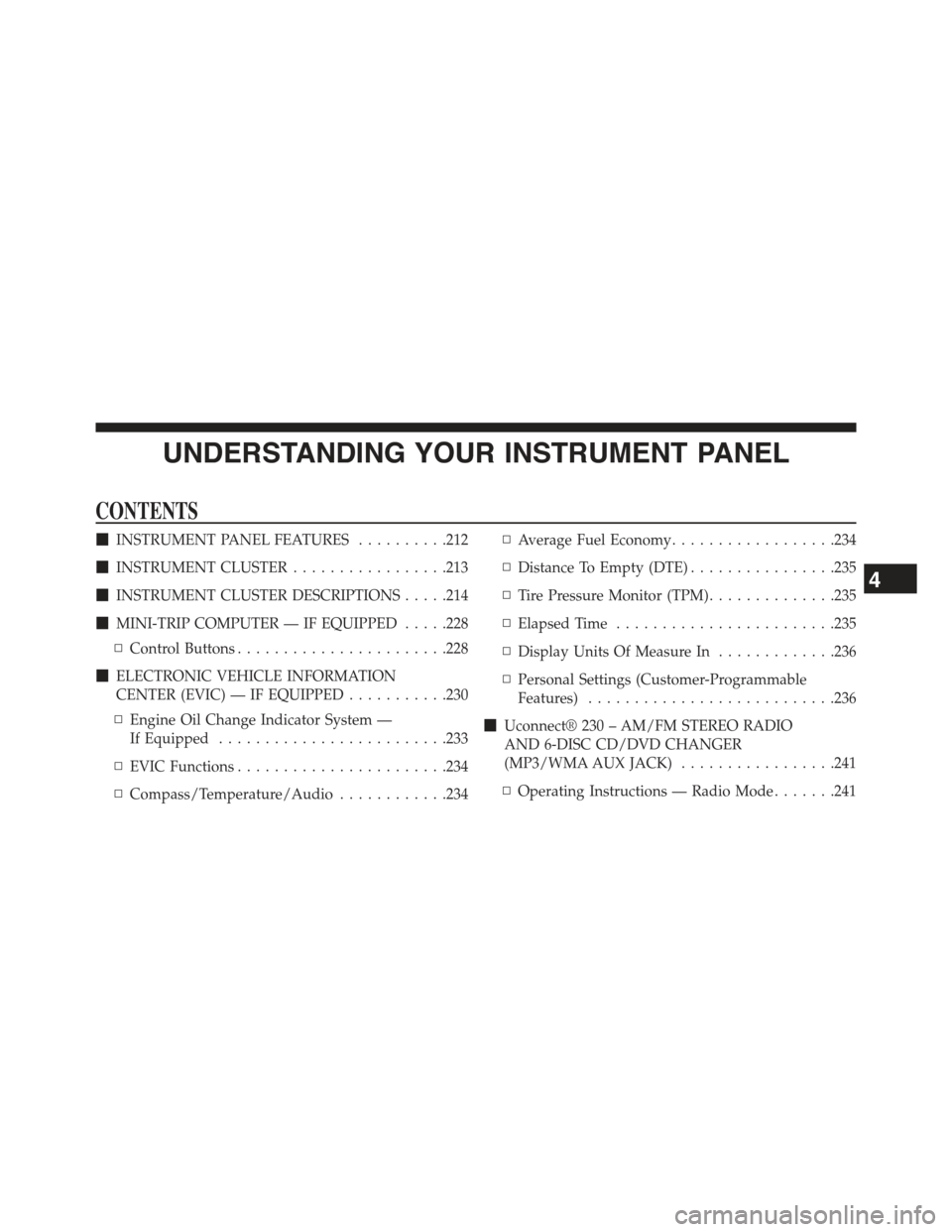
UNDERSTANDING YOUR INSTRUMENT PANEL
CONTENTS
!INSTRUMENT PANEL FEATURES..........212
!INSTRUMENT CLUSTER.................213
!INSTRUMENT CLUSTER DESCRIPTIONS.....214
!MINI-TRIP COMPUTER — IF EQUIPPED.....228
▫Control Buttons.......................228
!ELECTRONIC VEHICLE INFORMATION
CENTER (EVIC) — IF EQUIPPED...........230
▫Engine Oil Change Indicator System —
If Equipped.........................233
▫EVIC Functions.......................234
▫Compass/Temperature/Audio............234
▫Average Fuel Economy..................234
▫Distance To Empty (DTE)................235
▫Tire Pressure Monitor (TPM)..............235
▫Elapsed Time........................235
▫Display Units Of Measure In.............236
▫Personal Settings (Customer-Programmable
Features)...........................236
!Uconnect® 230 – AM/FM STEREO RADIO
AND 6-DISC CD/DVD CHANGER
(MP3/WMA AUX JACK).................241
▫Operating Instructions — Radio Mode.......241
4
Page 212 of 560
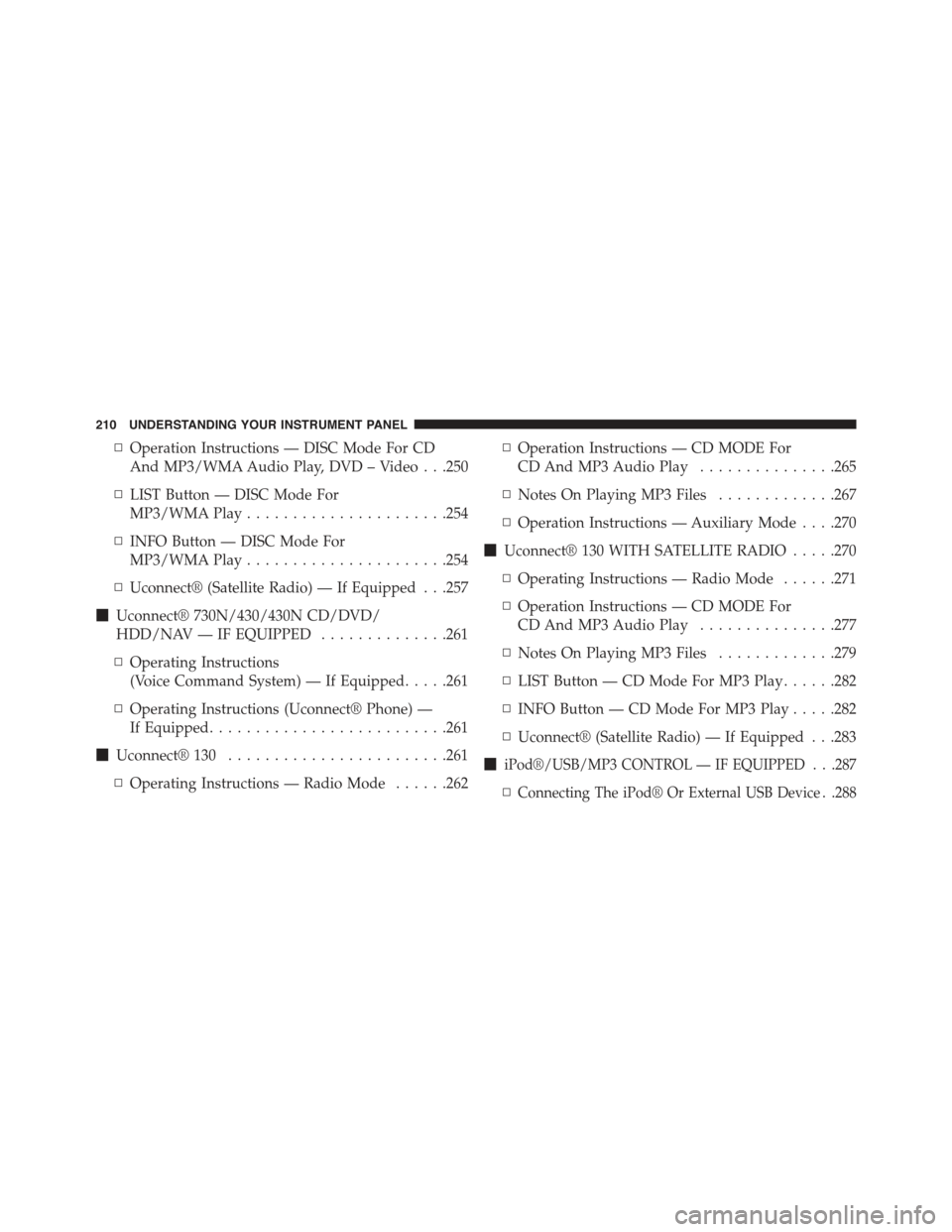
▫Operation Instructions — DISC Mode For CD
And MP3/WMA Audio Play, DVD – Video . . .250
▫LIST Button — DISC Mode For
MP3/WMA Play......................254
▫INFO Button — DISC Mode For
MP3/WMA Play......................254
▫Uconnect® (Satellite Radio) — If Equipped . . .257
!Uconnect® 730N/430/430N CD/DVD/
HDD/NAV — IF EQUIPPED..............261
▫Operating Instructions
(Voice Command System) — If Equipped.....261
▫Operating Instructions (Uconnect® Phone) —
If Equipped..........................261
!Uconnect® 130........................261
▫Operating Instructions — Radio Mode......262
▫Operation Instructions — CD MODE For
CD And MP3 Audio Play...............265
▫Notes On Playing MP3 Files.............267
▫Operation Instructions — Auxiliary Mode . . . .270
!Uconnect® 130 WITH SATELLITE RADIO.....270
▫Operating Instructions — Radio Mode......271
▫Operation Instructions — CD MODE For
CD And MP3 Audio Play...............277
▫Notes On Playing MP3 Files.............279
▫LIST Button — CD Mode For MP3 Play......282
▫INFO Button — CD Mode For MP3 Play.....282
▫Uconnect® (Satellite Radio) — If Equipped . . .283
!iPod®/USB/MP3 CONTROL — IF EQUIPPED . . .287
▫Connecting The iPod® Or External USB Device . .288
210 UNDERSTANDING YOUR INSTRUMENT PANEL