instrument cluster JEEP COMPASS 2015 1.G Owners Manual
[x] Cancel search | Manufacturer: JEEP, Model Year: 2015, Model line: COMPASS, Model: JEEP COMPASS 2015 1.GPages: 560, PDF Size: 11.51 MB
Page 21 of 560
3. The Vehicle Security Light in the instrument cluster
will flash rapidly for approximately 16 seconds. This
shows that the Vehicle Security Alarm is arming.
During this period, if a door is opened, the ignition
switch is turned to ON/RUN, or the power door locks
are unlocked in any manner, the Vehicle Security
Alarm will automatically disarm. After approximately
16 seconds, the Vehicle Security Light will flash slowly.
This shows that the Vehicle Security Alarm is fully
armed.
Rearming The System
If something triggers the alarm, and no action is taken to
disarm it, the Vehicle Security Alarm will turn off the
horn after three minutes, turn off all of the visual signals
after 15 minutes, and then the Vehicle Security Alarm will
rearm itself.
To Disarm The System
Push UNLOCK on the RKE transmitter, or insert the key
into the ignition switch and turn the ignition switch to
the ON/RUN position.
If something has triggered the Vehicle Security Alarm in
your absence, the horn will sound three times and
exterior lights blink three times when you unlock the
doors. Check the vehicle for tampering. The Vehicle
Security Alarm is designed to protect your vehicle;
however, you can create conditions where the Vehicle
Security Alarm will arm unexpectedly. If you remain in
the vehicle and lock the doors with the RKE transmitter,
once the Vehicle Security Alarm is armed (after 16
seconds), when you pull the door handle to exit, the
alarm will sound. If this occurs, push the UNLOCK
button on the RKE transmitter to disarm the Vehicle
Security Alarm.
2
THINGS TO KNOW BEFORE STARTING YOUR VEHICLE 19
Page 129 of 560
call and then push thebutton and say “Send.” The
system will prompt you to enter the name or number
and say the name of the phonebook entry you wish to
send. The Uconnect® Phone will then send the corre-
sponding phone number associated with the phone-
book entry, as tones over the phone.
NOTE:
•You may not hear all of the tones due to mobile phone
network configurations. This is normal.
•Some paging and voice mail systems have system time
out settings that are too short and may not allow the
use of this feature.
Barge In — Overriding Prompts
The “Voice Command” button can be used when you
wish to skip part of a prompt and issue your voice
command immediately. For example, if a prompt is
asking “Would you like to pair a phone, clear a...,” you
could push thebutton and say, “Pair a Phone” to
select that option without having to listen to the rest of
the voice prompt.
Turning Confirmation Prompts ON/OFF
Turning confirmation prompts off will stop the system
from confirming your choices (e.g., the Uconnect® Phone
will not repeat a phone number before you dial it).
1. Push thebutton to begin.
2. After the “Ready” prompt and the following beep, say
one of the following:
•“Setup Confirmation Prompts On”
•“Setup Confirmation Prompts Off”
Phone And Network Status Indicators
If available on the radio and/or on a premium display
such as the instrument panel cluster, and supported by
your mobile phone, the Uconnect® Phone will provide
3
UNDERSTANDING THE FEATURES OF YOUR VEHICLE 127
Page 167 of 560
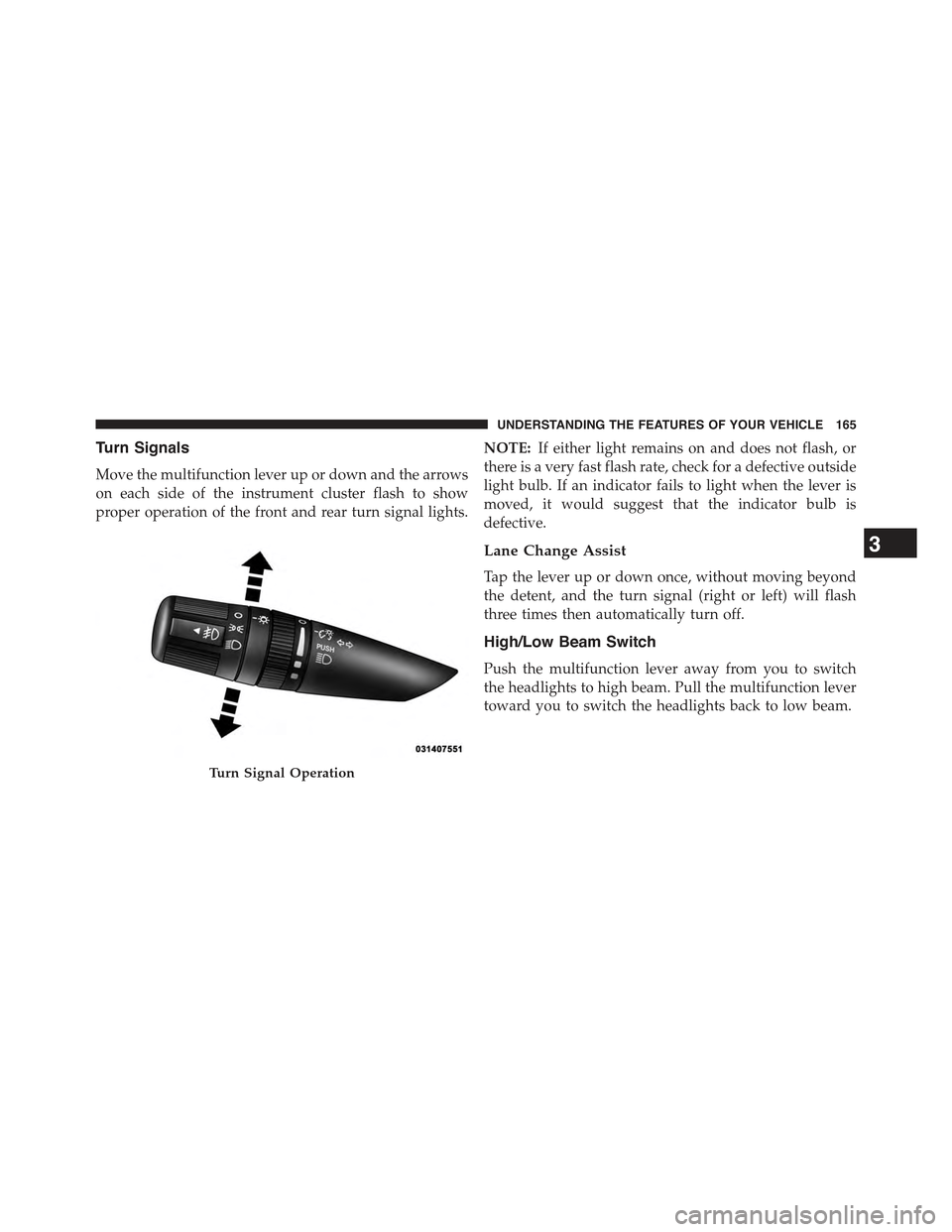
Turn Signals
Move the multifunction lever up or down and the arrows
on each side of the instrument cluster flash to show
proper operation of the front and rear turn signal lights.
NOTE:If either light remains on and does not flash, or
there is a very fast flash rate, check for a defective outside
light bulb. If an indicator fails to light when the lever is
moved, it would suggest that the indicator bulb is
defective.
Lane Change Assist
Tap the lever up or down once, without moving beyond
the detent, and the turn signal (right or left) will flash
three times then automatically turn off.
High/Low Beam Switch
Push the multifunction lever away from you to switch
the headlights to high beam. Pull the multifunction lever
toward you to switch the headlights back to low beam.
Turn Signal Operation
3
UNDERSTANDING THE FEATURES OF YOUR VEHICLE 165
Page 175 of 560
NOTE:In order to ensure proper operation, the Elec-
tronic Speed Control System has been designed to shut
down if multiple Speed Control functions are operated at
the same time. If this occurs, the Electronic Speed Control
System can be reactivated by pushing the Electronic
Speed Control ON/OFF button and resetting the desired
vehicle set speed.
To Activate
Push the ON/OFF button. The Cruise Indicator Light in
the instrument cluster will illuminate. To turn the system
off, push the ON/OFF button a second time. The Cruise
Indicator Light will turn off. The system should be
turned off when not in use.
WARNING!
Leaving the Electronic Speed Control system on
when not in use is dangerous. You could accidentally
set the system or cause it to go faster than you want.
You could lose control and have an accident. Always
leave the system OFF when you are not using it.
To Set A Desired Speed
Turn the Electronic Speed Control ON. When the vehicle
has reached the desired speed, press the SET (-) button
and release. Release the accelerator and the vehicle will
operate at the selected speed.
NOTE:The vehicle should be traveling at a steady speed
and on level ground before pressing the SET (-) button.
3
UNDERSTANDING THE FEATURES OF YOUR VEHICLE 173
Page 211 of 560
UNDERSTANDING YOUR INSTRUMENT PANEL
CONTENTS
!INSTRUMENT PANEL FEATURES..........212
!INSTRUMENT CLUSTER.................213
!INSTRUMENT CLUSTER DESCRIPTIONS.....214
!MINI-TRIP COMPUTER — IF EQUIPPED.....228
▫Control Buttons.......................228
!ELECTRONIC VEHICLE INFORMATION
CENTER (EVIC) — IF EQUIPPED...........230
▫Engine Oil Change Indicator System —
If Equipped.........................233
▫EVIC Functions.......................234
▫Compass/Temperature/Audio............234
▫Average Fuel Economy..................234
▫Distance To Empty (DTE)................235
▫Tire Pressure Monitor (TPM)..............235
▫Elapsed Time........................235
▫Display Units Of Measure In.............236
▫Personal Settings (Customer-Programmable
Features)...........................236
!Uconnect® 230 – AM/FM STEREO RADIO
AND 6-DISC CD/DVD CHANGER
(MP3/WMA AUX JACK).................241
▫Operating Instructions — Radio Mode.......241
4
Page 214 of 560
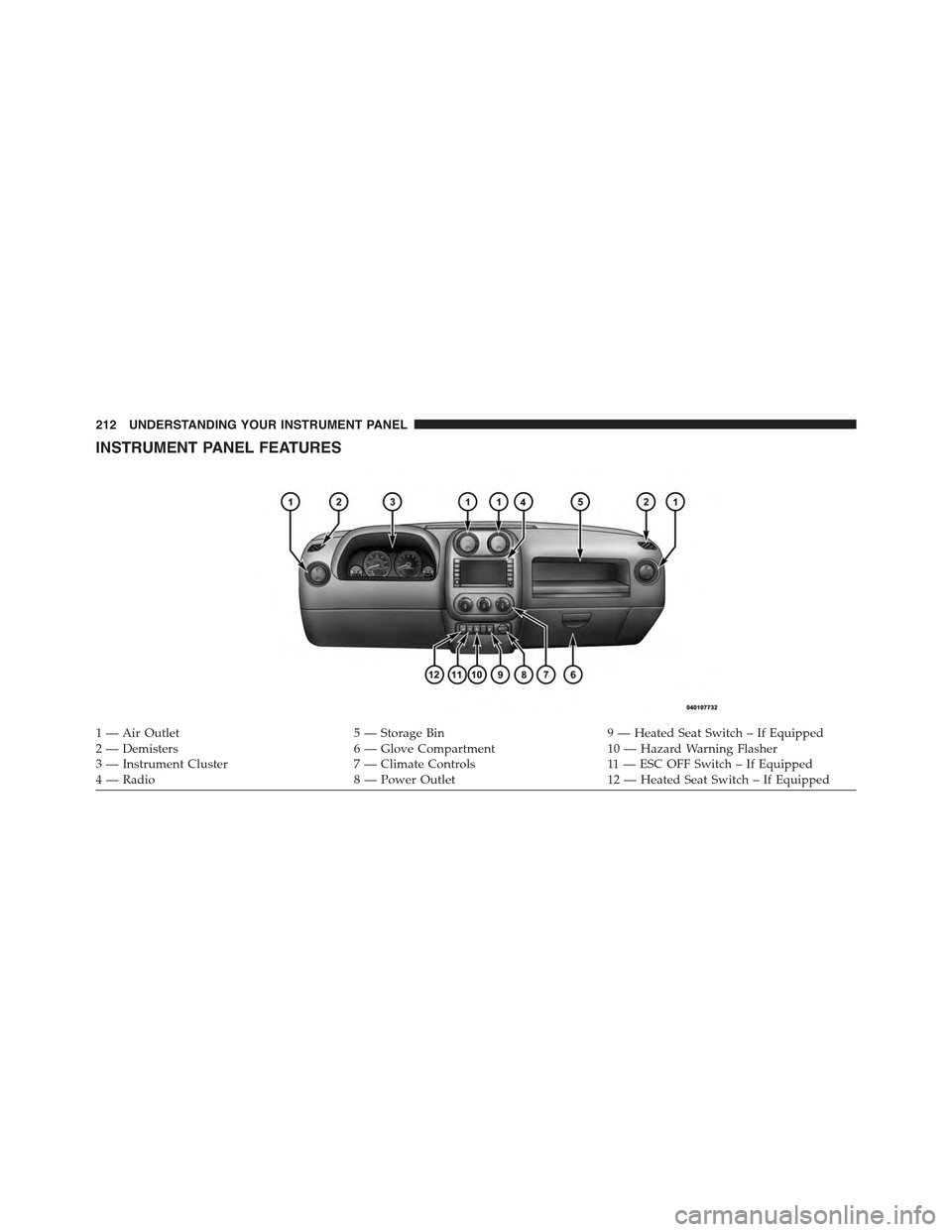
INSTRUMENT PANEL FEATURES
1 — Air Outlet5 — Storage Bin9 — Heated Seat Switch – If Equipped2 — Demisters6 — Glove Compartment10 — Hazard Warning Flasher3—InstrumentCluster7—ClimateControls11 — E S C O F F S w i t c h – I f E q u i p p e d4 — Radio8 — Power Outlet12 — Heated Seat Switch – If Equipped
212 UNDERSTANDING YOUR INSTRUMENT PANEL
Page 215 of 560
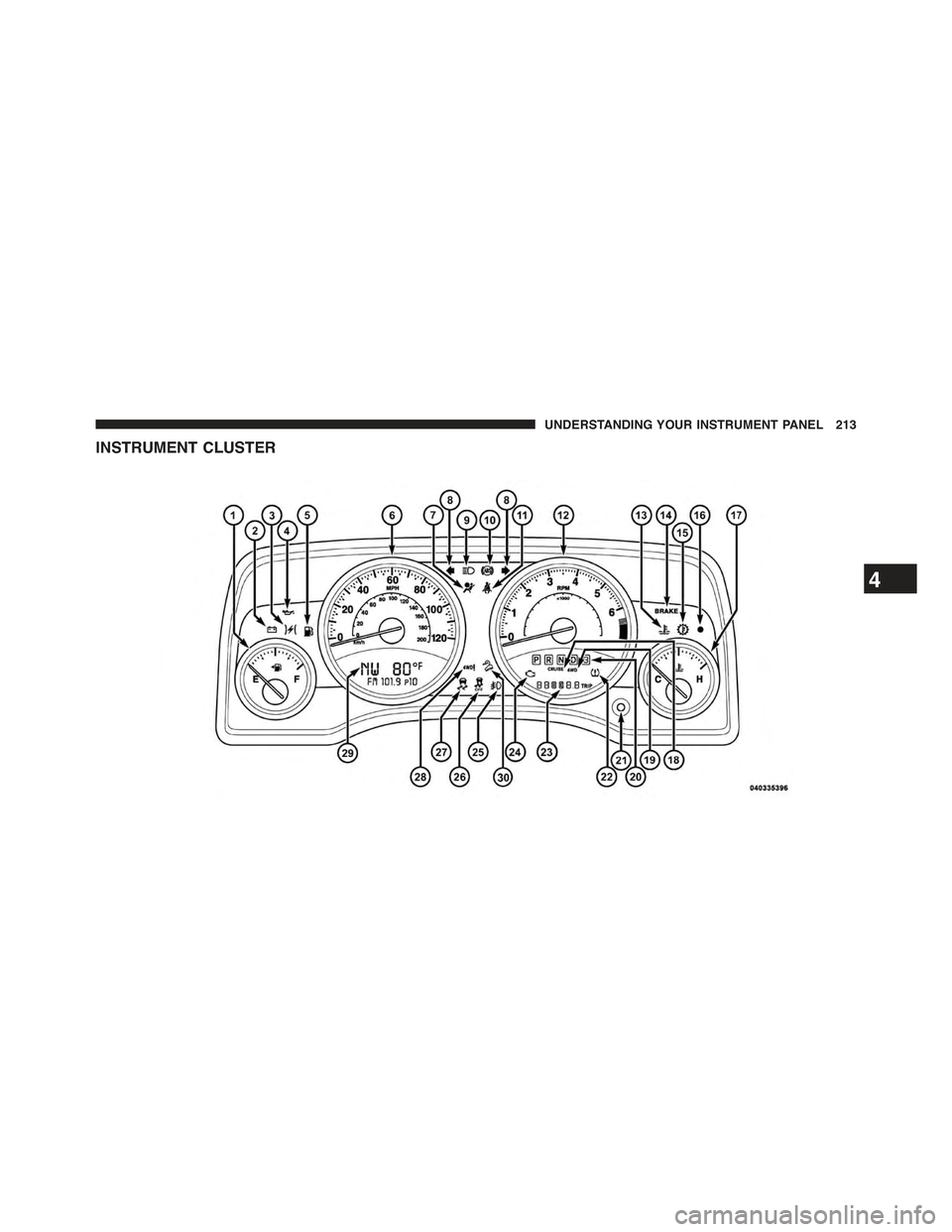
INSTRUMENT CLUSTER
4
UNDERSTANDING YOUR INSTRUMENT PANEL 213
Page 216 of 560
INSTRUMENT CLUSTER DESCRIPTIONS
1. Fuel Gauge /Fuel Door Reminder
When the ignition switch is in the ON/RUN
position, the pointer will show the level of fuel
remaining in the fuel tank. The fuel pump
symbol points to the side of the vehicle where
the fuel door is located.
2. Charging System Light
This light shows the status of the electrical charg-
ing system. The light should come on when the
ignition switch is first turned to ON/RUN and remain on
briefly as a bulb check. If the light stays on or comes on
while driving, turn off some of the vehicle’s non-essential
electrical devices or increase engine speed (if at idle).
If the charging system light remains on, it means that the
vehicle is experiencing a problem with the charging
system. Obtain SERVICE IMMEDIATELY. See an autho-
rized dealer.
If jump starting is required, refer to “Jump Starting
Procedures” in “What To Do In Emergencies”.
3. Electronic Throttle Control (ETC) Light
This light informs you of a problem with the
Electronic Throttle Control (ETC) system. If a
problem is detected, the light will come on
while the engine is running. Cycle the ignition
key when the vehicle has completely stopped and the
shift lever is placed in the PARK position. The light
should turn off. If the light remains lit with the engine
running, your vehicle will usually be drivable; however,
see an authorized dealer for service as soon as possible.
If the light is flashing when the engine is running,
immediate service is required and you may experience
reduced performance, an elevated/rough idle or engine
stall and your vehicle may require towing. The light will
come on when the ignition is first turned to ON/RUN
and remain
214 UNDERSTANDING YOUR INSTRUMENT PANEL
Page 223 of 560
20. Shift Lever Indicator
The Shift Lever Indicator is self-contained within the
instrument cluster. It displays the gear position of the
automatic transmission.
NOTE:You must apply the brakes before shifting from
PARK.
21. Odometer/Trip Odometer Reset Button
Press this button to change the display from odometer to
either of the two trip odometer settings. Trip A or Trip B
will appear when in the trip odometer mode. Push in and
hold the button for two seconds to reset the trip odometer
to 0 miles or kilometers. The odometer must be in Trip
mode to reset.
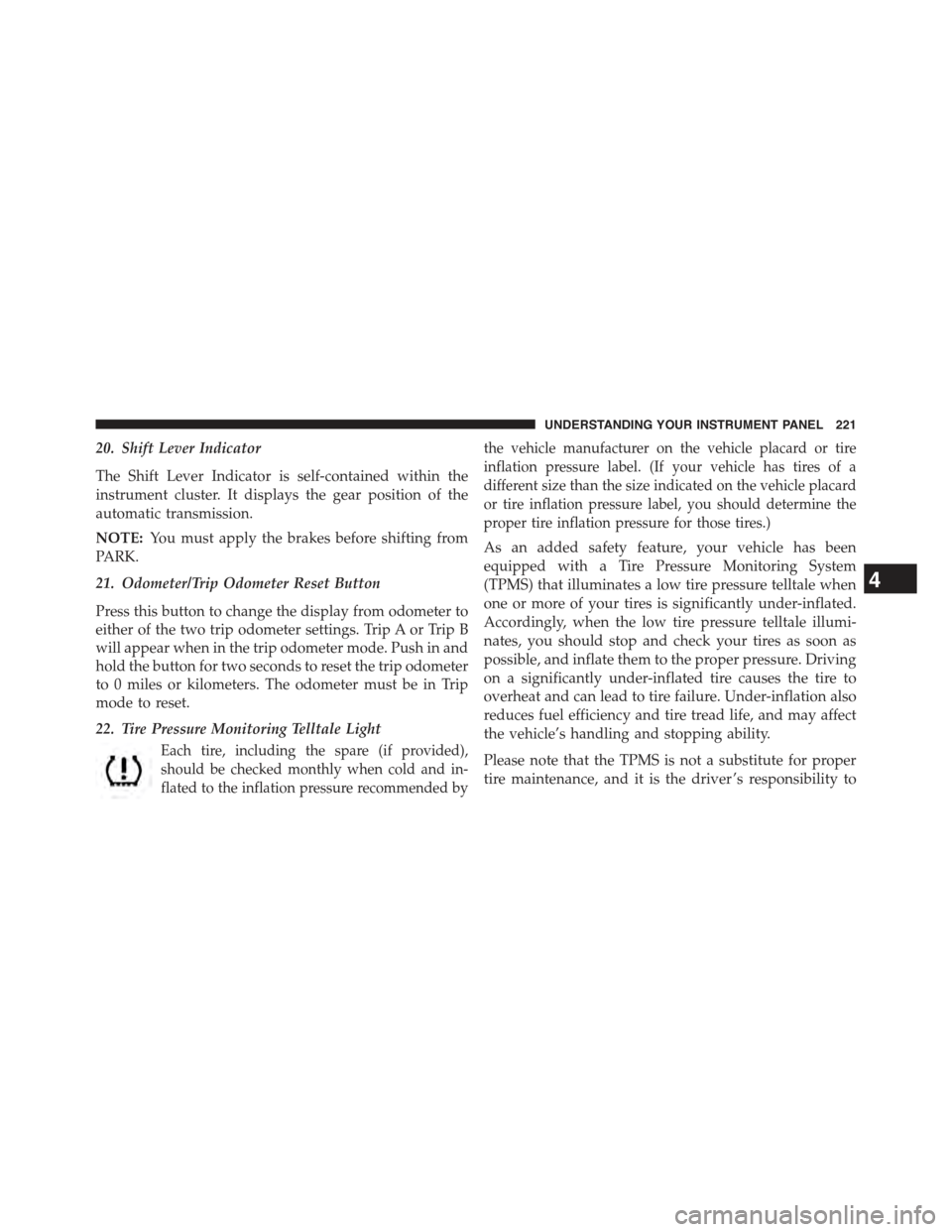
22. Tire Pressure Monitoring Telltale Light
Each tire, including the spare (if provided),
should be checked monthly when cold and in-
flated to the inflation pressure recommended by
the vehicle manufacturer on the vehicle placard or tire
inflation pressure label. (If your vehicle has tires of a
different size than the size indicated on the vehicle placard
or tire inflation pressure label, you should determine the
proper tire inflation pressure for those tires.)
As an added safety feature, your vehicle has been
equipped with a Tire Pressure Monitoring System
(TPMS) that illuminates a low tire pressure telltale when
one or more of your tires is significantly under-inflated.
Accordingly, when the low tire pressure telltale illumi-
nates, you should stop and check your tires as soon as
possible, and inflate them to the proper pressure. Driving
on a significantly under-inflated tire causes the tire to
overheat and can lead to tire failure. Under-inflation also
reduces fuel efficiency and tire tread life, and may affect
the vehicle’s handling and stopping ability.
Please note that the TPMS is not a substitute for proper
tire maintenance, and it is the driver ’s responsibility to
4
UNDERSTANDING YOUR INSTRUMENT PANEL 221
Page 225 of 560
23. Odometer Display/Trip Odometer Display Area
This display indicates the total distance the vehicle has
been driven.
NOTE:U.S. Federal regulations require that upon trans-
fer of vehicle ownership, the seller certify to the pur-
chaser the correct mileage that the vehicle has been
driven. If your odometer needs to be repaired or serviced,
the repair technician should leave the odometer reading
the same as it was before the repair or service. If s/he
cannot do so, then the odometer must be set at zero, and
a sticker must be placed in the door jamb stating what the
mileage was before the repair or service. It is a good idea
for you to make a record of the odometer reading before
the repair/service, so that you can be sure that it is
properly reset, or that the door jamb sticker is accurate if
the odometer must be reset at zero.
Vehicle Odometer Messages
When the appropriate conditions exist, the following
odometer messages will display:
door.............................Door Ajar
gATE.............................Gate Ajar
gASCAP......................Fuel Cap Fault
LoW tirE....................LowTirePressure
CHANgE OIL..............OilChange Required
HOTOIL..............Engine Oil Temp Too Hot
NOTE:If the vehicle is equipped with the optional
Electronic Vehicle Information Center (EVIC) in the in-
strument cluster, all warnings including “Door Ajar”, and
“Gate Ajar” will only be displayed in the EVIC display.
For additional information, refer to “Electronic Vehicle
Information Center — If Equipped”.
4
UNDERSTANDING YOUR INSTRUMENT PANEL 223