instrument cluster JEEP COMPASS 2015 1.G User Guide
[x] Cancel search | Manufacturer: JEEP, Model Year: 2015, Model line: COMPASS, Model: JEEP COMPASS 2015 1.GPages: 560, PDF Size: 11.51 MB
Page 226 of 560
gASCAP
If the vehicle diagnostic system determines that the fuel
filler cap is loose, improperly installed, or damaged, a
“gASCAP” message will display in the odometer display
area. Tighten the fuel filler cap properly and press the
TRIP ODOMETER button to turn off the message. If the
problem continues, the message will appear the next time
the vehicle is started.
A loose, improperly installed, or damaged fuel filler cap
may also turn on the Malfunction Indicator Light (MIL).
LoW tirE
When tire pressure is low, the odometer display will
toggle between LoW and tirE for three cycles.
HOTOIL
When this message is displayed there is a engine over-
temperature condition. When this condition occurs, the
“HOTOIL” message will be displayed in the odometer
along with a chime.
Refer to “Engine Oil Overheating” under in “What To Do
In Emergencies”.
CHANgE OIL Message
Your vehicle is equipped with an engine oil change
indicator system. The “CHANgE OIL” message will flash
in the instrument cluster odometer for approximately
12b seconds after a single chime has sounded to indicate
the next scheduled oil change interval. The engine oil
change indicator system is duty-cycle based, which
means the engine oil change interval may fluctuate
dependent upon your personal driving style. Unless
reset, this message will continue to display each time you
turn the ignition switch to the ON/RUN position. To turn
off the message temporarily, press and release the Trip
Odometer button on the instrument cluster. To reset the
224 UNDERSTANDING YOUR INSTRUMENT PANEL
Page 228 of 560
WARNING!
A malfunctioning catalytic converter, as referenced
above, can reach higher temperatures than in normal
operating conditions. This can cause a fire if you
drive slowly or park over flammable substances such
as dry plants, wood, cardboard, etc. This could result
in death or serious injury to the driver, occupants or
others.
25. Front Fog Light Indicator — If Equipped
This indicator will illuminate when the front
fog lights are on.
26. Electronic Stability Control (ESC) OFF Indicator
Light — If Equipped
This light indicates the Electronic Stability Con-
trol system (ESC) has been turned off by the
driver.
27. Electronic Stability Control (ESC) Activation/
Malfunction Indicator Light — If Equipped
The “ESC Activation/Malfunction Indicator
Light” in the instrument cluster will come on
when the ignition switch is turned to the
ON/RUN position. It should go out with the
engine running. If the “ESC Activation/Malfunction In-
dicator Light” comes on continuously with the engine
running, a malfunction has been detected in the ESC
system. If this light remains on after several ignition
cycles, and the vehicle has been driven several miles
(kilometers) at speeds greater than 30 mph (48 km/h), see
your authorized dealer as soon as possible to have the
problem diagnosed and corrected.
NOTE:
•The “ESC Off Indicator Light” and the “ESC
Activation/Malfunction Indicator Light” come on
momentarily each time the ignition switch is turned
to ON/RUN.
226 UNDERSTANDING YOUR INSTRUMENT PANEL
Page 230 of 560
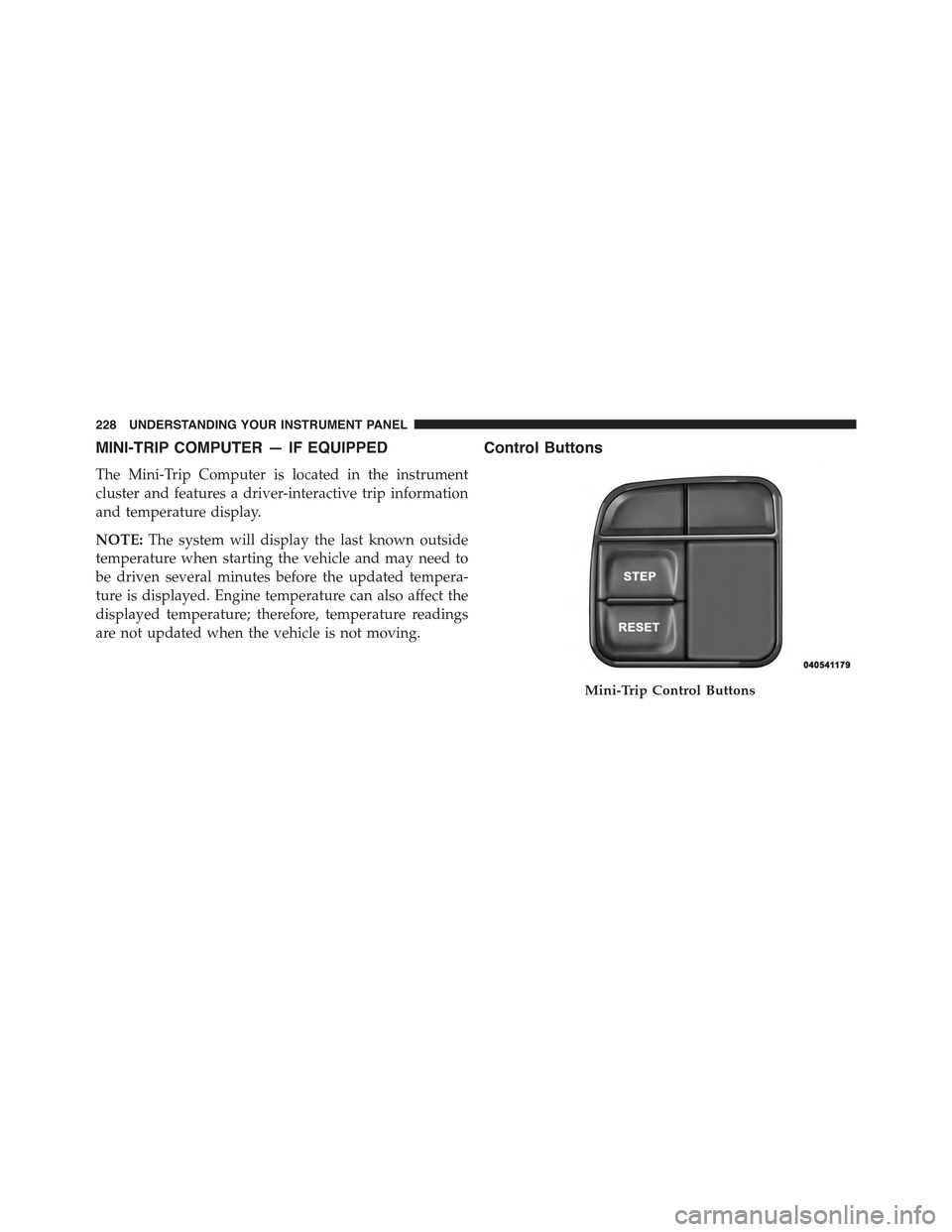
MINI-TRIP COMPUTER — IF EQUIPPED
The Mini-Trip Computer is located in the instrument
cluster and features a driver-interactive trip information
and temperature display.
NOTE:The system will display the last known outside
temperature when starting the vehicle and may need to
be driven several minutes before the updated tempera-
ture is displayed. Engine temperature can also affect the
displayed temperature; therefore, temperature readings
are not updated when the vehicle is not moving.
Control Buttons
Mini-Trip Control Buttons
228 UNDERSTANDING YOUR INSTRUMENT PANEL
Page 231 of 560
STEP Button
Push the STEP button located on the steering wheel to
scroll through sub menus (i.e., Temperature, Trip Func-
tions: Odometer, Trip A, Trip B).
RESET Button
To reset the display shown, turn the ignition switch to the
ON position, then push and hold the RESET button
located on the steering wheel.
The following displays can be reset or changed:
•Trip A
•Trip B
Trip Odometer (ODO)
This display shows the distance traveled since the last
reset. Push and release the STEP button on the instru-
ment cluster to switch from odometer, to Trip A or Trip B.
Trip A
Shows the total distance traveled for Trip A since the last
reset.
Trip B
Shows the total distance traveled for Trip B since the last
reset.
4
UNDERSTANDING YOUR INSTRUMENT PANEL 229
Page 232 of 560
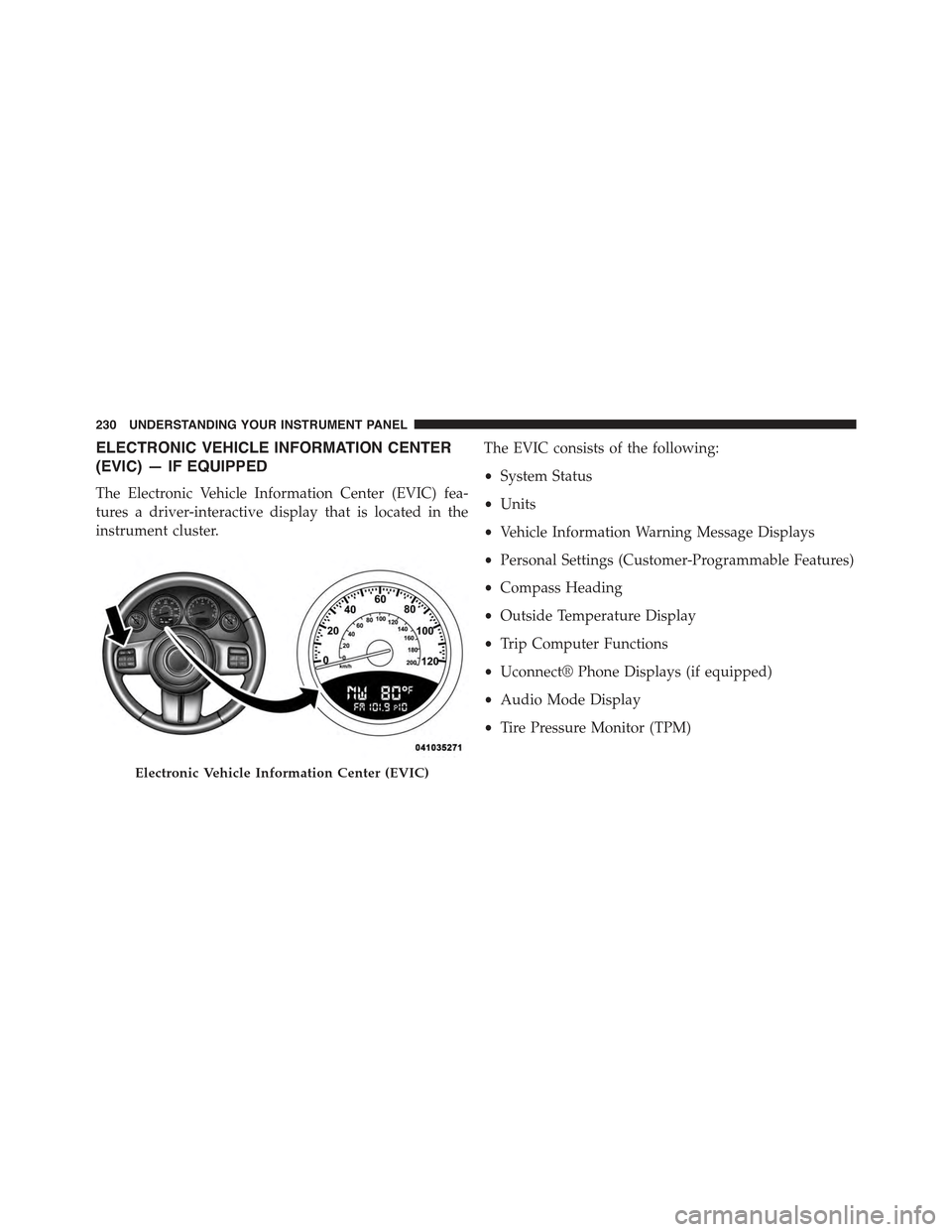
ELECTRONIC VEHICLE INFORMATION CENTER
(EVIC) — IF EQUIPPED
The Electronic Vehicle Information Center (EVIC) fea-
tures a driver-interactive display that is located in the
instrument cluster.
The EVIC consists of the following:
•System Status
•Units
•Vehicle Information Warning Message Displays
•Personal Settings (Customer-Programmable Features)
•Compass Heading
•Outside Temperature Display
•Trip Computer Functions
•Uconnect® Phone Displays (if equipped)
•Audio Mode Display
•Tire Pressure Monitor (TPM)
Electronic Vehicle Information Center (EVIC)
230 UNDERSTANDING YOUR INSTRUMENT PANEL
Page 235 of 560
•Low Tire
•Low Tire Pressure Display for Premium TPM System
•Service TPM System
Engine Oil Change Indicator System —
If Equipped
Oil Change Required
Your vehicle is equipped with an engine oil change
indicator system. The “Oil Change Required” message
will display in the EVIC display for approximately five
seconds after a single chime has sounded, to indicate the
next scheduled oil change interval. The engine oil change
indicator system is duty-cycle based, which means the
engine oil change interval may fluctuate dependent upon
your personal driving style.
Unless reset, this message will continue to display each
time you turn the ignition switch to the ON/RUN
position. To turn off the message temporarily, push and
release the Trip Odometer button on the instrument
cluster. To reset the oil change indicator system (after
performing the scheduled maintenance) refer to the fol-
lowing procedure.
1. Turn the ignition switch to the ON position.Do not
start the engine.
2. Fully push the accelerator pedal, slowly, three times
within 10 seconds.
3. Turn the ignition switch to the OFF/LOCK position.
NOTE:If the indicator message illuminates when you
start the vehicle, the oil change indicator system did not
reset. If necessary repeat this procedure.
4
UNDERSTANDING YOUR INSTRUMENT PANEL 233
Page 326 of 560
Key Ignition Park Interlock
This vehicle is equipped with a Key Ignition Park Inter-
lock which requires the transmission to be in PARK
before the ignition switch can be turned to the LOCK/
OFF (key removal) position. The key can only be re-
moved from the ignition when the ignition is in the
LOCK/OFF position, and once removed the transmission
is locked in PARK.
NOTE:If a malfunction occurs, the system will trap the
key in the ignition switch to warn you that this safety
feature is inoperable. The engine can be started and
stopped but the key cannot be removed until you obtain
service.
Brake/Transmission Shift Interlock System
This vehicle is equipped with a Brake Transmission Shift
Interlock system (BTSI) that holds the shift lever in PARK
unless the brakes are applied. To shift the transmission
out of PARK, the ignition switch must be turned to the
ON/RUN position (engine running or not) and the brake
pedal must be pressed.
Six-Speed Automatic Transmission — If Equipped
The transmission gear position display (located in the
instrument cluster) indicates the transmission gear range.
You must press the brake pedal to move the shift lever
out of PARK (refer to “Brake/Transmission Shift Inter-
lock System” in this section). To drive, move the shift
lever from PARK or NEUTRAL to the DRIVE position.
The electronically-controlled transmission provides a
precise shift schedule. The transmission electronics are
self-calibrating; therefore, the first few shifts on a new
vehicle may be somewhat abrupt. This is a normal
condition, and precision shifts will develop within a few
hundred miles (kilometers).
324 STARTING AND OPERATING
Page 327 of 560
Only shift from DRIVE to PARK or REVERSE when the
accelerator pedal is released and the vehicle is stopped.
Be sure to keep your foot on the brake pedal when
shifting between these gears.
The transmission shift lever has only PARK, REVERSE,
NEUTRAL, and DRIVE shift positions. Manual shifts can
be made using the Autostick® shift control (refer to
“AutoStick®” in this section). Moving the shift lever to
the left or right (-/+) while in the DRIVE position will
manually select the transmission gear, and will display
the current gear in the instrument cluster as 1, 2, 3, etc.
Gear Ranges
DO NOT race the engine when shifting from PARK or
NEUTRAL into another gear range.
NOTE:After selecting any gear range, wait a moment to
allow the selected gear to engage before accelerating.
This is especially important when the engine is cold.
PARK (P)
This range supplements the parking brake by locking the
transmission. The engine can be started in this range.
Never attempt to use PARK while the vehicle is in
motion. Apply the parking brake when leaving the
vehicle in this range.
When parking on a level surface, you may shift the
transmission into PARK first, and then apply the parking
brake.
When parking on a hill, apply the parking brake before
shifting the transmission to PARK, otherwise the load on
the transmission locking mechanism may make it diffi-
cult to move the shift lever out of PARK. As an added
precaution, turn the front wheels toward the curb on a
downhill grade and away from the curb on an uphill
grade.
5
STARTING AND OPERATING 325
Page 334 of 560
Continuously Variable Automatic Transmission
(CVT) — If Equipped
The transmission gear position display (located in the
instrument cluster) indicates the transmission gear range.
You must press the brake pedal to move the shift lever
out of PARK (refer to “Brake/Transmission Shift Inter-
lock System” in this section). To drive, move the shift
lever from PARK or NEUTRAL to the DRIVE position.
NOTE:The Continuously Variable Automatic Transmis-
sion (CVT) changes ratios in a continuous manner. This
may sometimes#feel#as if it is slipping, but this is normal
and does not harm anything.
Only shift from DRIVE to PARK or REVERSE when the
accelerator pedal is released and the vehicle is stopped.
Be sure to keep your foot on the brake pedal when
shifting between these gears.
The transmission shift lever has PARK, REVERSE, NEU-
TRAL, and DRIVE shift positions. Some models include a
LOW position (the LOW position manually downshifts
the transmission to a lower available ratio based on
vehicle speed); in others, manual shifts are made using
the Autostick® shift control (refer to#AutoStick®#in this
section). Moving the shift lever to the left or right (-/+)
while in the DRIVE position (if equipped with
AutoStick®) will manually select from a set of predefined
transmission gear ratios, and will display the current
gear in the instrument cluster as 1, 2, 3, etc.
Gear Ranges
DO NOT race the engine when shifting from PARK or
NEUTRAL into another gear range.
NOTE:After selecting any gear range, wait a moment to
allow the selected gear to engage before accelerating.
This is especially important when the engine is cold.
332 STARTING AND OPERATING
Page 340 of 560
downshift the transmission to the next lower gear, while
using (+) to enter AutoStick® mode will retain the
current gear. When AutoStick® is active, the current
transmission gear is displayed in the instrument cluster.
In AutoStick® mode, the transmission will shift up or
down when the driver moves the shift lever to the
right (+) or left (-), unless an engine lugging or overspeed
condition would result. It will remain in the selected gear
until another upshift or downshift is chosen, except as
described below:
•The transmission will automatically upshift when nec-
essary to prevent engine over-speed.
•The transmission will automatically downshift as the
vehicle slows (to prevent engine lugging) and will
display the current gear.
•The transmission will automatically downshift to first
gear when coming to a stop. After a stop, the driver
should manually upshift (+) the transmission as the
vehicle is accelerated.
•You can start out, from a stop, in first or second gear.
Tapping (+) (at a stop) will allow starting in second
gear. Starting out in second gear can be helpful in
snowy or icy conditions.
•If a requested downshift would cause the engine to
overspeed, that shift will not occur.
•Avoid using speed control when AutoStick® is engaged.
•Transmission shifting will be more noticeable when
AutoStick® is engaged.
•The system may revert to automatic shift mode if a
fault or overheat condition is detected.
338 STARTING AND OPERATING