coolant temperature JEEP COMPASS 2023 Owners Manual
[x] Cancel search | Manufacturer: JEEP, Model Year: 2023, Model line: COMPASS, Model: JEEP COMPASS 2023Pages: 344, PDF Size: 18.8 MB
Page 13 of 344
11
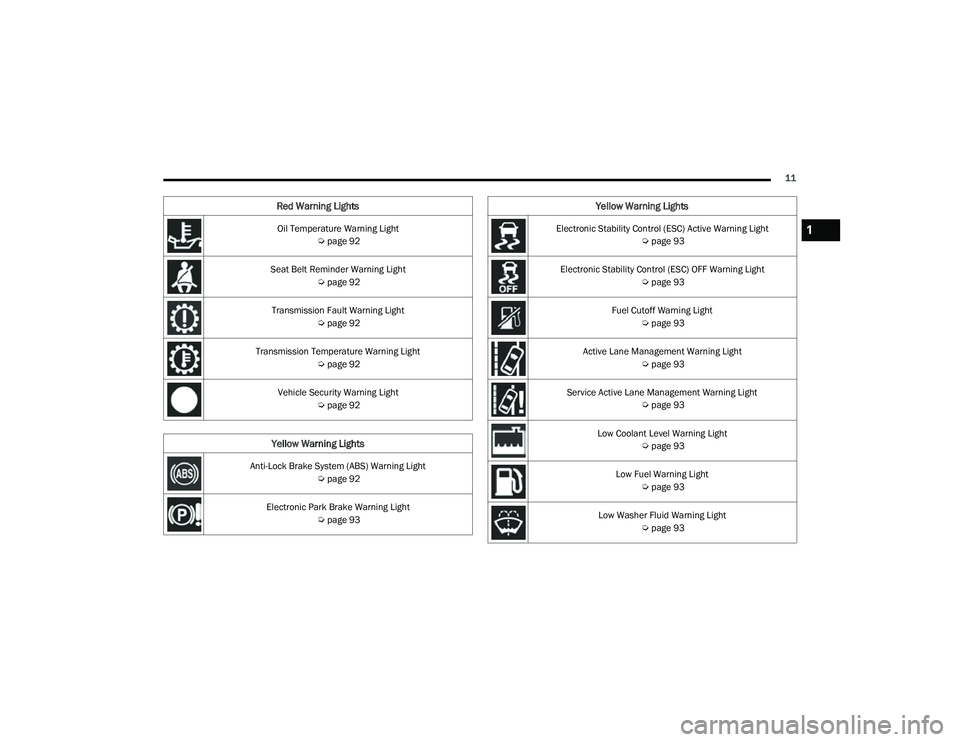
Oil Temperature Warning Light Úpage 92
Seat Belt Reminder Warning Light Úpage 92
Transmission Fault Warning Light Úpage 92
Transmission Temperature Warning Light Úpage 92
Vehicle Security Warning Light Úpage 92
Yellow Warning Lights
Anti-Lock Brake System (ABS) Warning Light
Úpage 92
Electronic Park Brake Warning Light Úpage 93
Red Warning Lights
Electronic Stability Control (ESC) Active Warning Light
Úpage 93
Electronic Stability Control (ESC) OFF Warning Light Úpage 93
Fuel Cutoff Warning Light Úpage 93
Active Lane Management Warning Light Úpage 93
Service Active Lane Management Warning Light Úpage 93
Low Coolant Level Warning Light Úpage 93
Low Fuel Warning Light Úpage 93
Low Washer Fluid Warning Light Úpage 93
Yellow Warning Lights
1
22_MP_OM_EN_USC_t.book Page 11
Page 58 of 344
56GETTING TO KNOW YOUR VEHICLE
Climate Control OFF
Press and release this button on the
touchscreen, or push and release the
button on the faceplate to turn the
Climate Control ON/OFF.
AUTOMATIC TEMPERATURE CONTROL
(ATC)
Automatic Operation
1. Push the AUTO button on the faceplate, or the
AUTO button on the touchscreen (if equipped)
on the Automatic Temperature Control (ATC)
Panel.
2. Next, adjust the temperature you would like the system to maintain by adjusting the
temperature control buttons. Once the desired
temperature is displayed, the system achieves
and automatically maintains that comfort level.
3. When the system is set up for your comfort level, it is not necessary to change the
settings. You experience the greatest
efficiency by simply allowing the system to
function automatically.
NOTE:
It is not necessary to move the temperature
settings for cold or hot vehicles. The system
automatically adjusts the temperature, mode,
and blower speed to provide comfort as quickly
as possible.
The temperature can be displayed in US or
Metric units by selecting the US/Metric
customer-programmable feature.
To provide you with maximum comfort in the
Automatic mode during cold start-ups, the blower
fan remains on low until the engine warms up.
The blower increases in speed and transition into
Auto mode.
Manual Operation Override
This system offers a full complement of manual
override features. The AUTO symbol in the front
ATC display will be turned off when the system is
being used in the manual mode.
CLIMATE VOICE COMMANDS
Adjust vehicle temperatures hands-free and keep
everyone comfortable while you keep moving ahead.
Push the VR button on the steering wheel. After the
beep, say one of the following commands:
“ Set the driver temperature to 70 degrees ”
“Set the passenger temperature to 70 degrees ”Did You Know:
Voice Command for Climate may
only be used to adjust the interior temperature of
your vehicle. Voice Command will not work to
adjust the heated seats or steering wheel if
equipped.
OPERATING TIPS
Refer to the chart at the end of this section for
suggested control settings for various weather
conditions.
Summer Operation
The engine cooling system must be protected with
a high-quality antifreeze coolant to provide proper
corrosion protection and to protect against engine
overheating. OAT coolant (conforming to
MS.90032) is recommended.
Winter Operation
To ensure the best possible heater and defroster
performance, make sure the engine cooling
system is functioning properly and the proper
amount, type, and concentration of coolant is
used. Use of the Air Recirculation mode during
Winter months is not recommended, because it
may cause window fogging.
Vacation/Storage
For information on maintaining the Climate Control
system when the vehicle is being stored for an
extended period of time, see Ú page 315.
22_MP_OM_EN_USC_t.book Page 56
Page 77 of 344
GETTING TO KNOW YOUR INSTRUMENT PANEL75
BASE / MIDLINE INSTRUMENT CLUSTER
D
ESCRIPTIONS
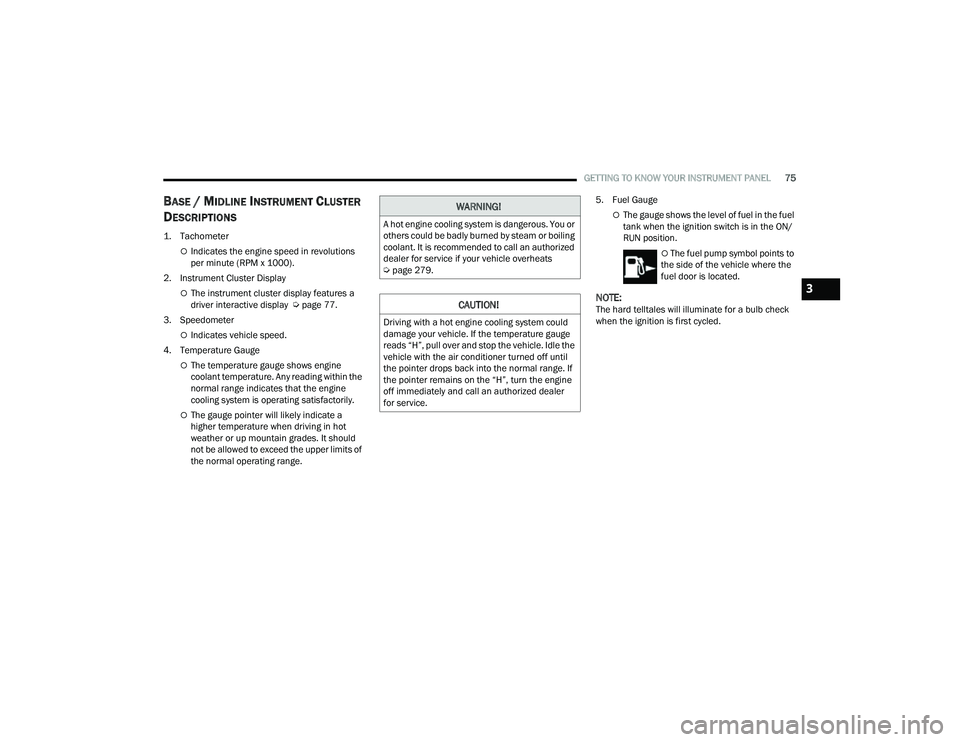
1. Tachometer
Indicates the engine speed in revolutions
per minute (RPM x 1000).
2. Instrument Cluster Display
The instrument cluster display features a
driver interactive display Ú page 77.
3. Speedometer
Indicates vehicle speed.
4. Temperature Gauge
The temperature gauge shows engine
coolant temperature. Any reading within the
normal range indicates that the engine
cooling system is operating satisfactorily.
The gauge pointer will likely indicate a
higher temperature when driving in hot
weather or up mountain grades. It should
not be allowed to exceed the upper limits of
the normal operating range. 5. Fuel Gauge
The gauge shows the level of fuel in the fuel
tank when the ignition switch is in the ON/
RUN position.
The fuel pump symbol points to
the side of the vehicle where the
fuel door is located.
NOTE:The hard telltales will illuminate for a bulb check
when the ignition is first cycled.
WARNING!
A hot engine cooling system is dangerous. You or
others could be badly burned by steam or boiling
coolant. It is recommended to call an authorized
dealer for service if your vehicle overheats
Ú page 279.
CAUTION!
Driving with a hot engine cooling system could
damage your vehicle. If the temperature gauge
reads “H”, pull over and stop the vehicle. Idle the
vehicle with the air conditioner turned off until
the pointer drops back into the normal range. If
the pointer remains on the “H”, turn the engine
off immediately and call an authorized dealer
for service.
3
22_MP_OM_EN_USC_t.book Page 75
Page 79 of 344
GETTING TO KNOW YOUR INSTRUMENT PANEL77
PREMIUM INSTRUMENT CLUSTER
D
ESCRIPTIONS
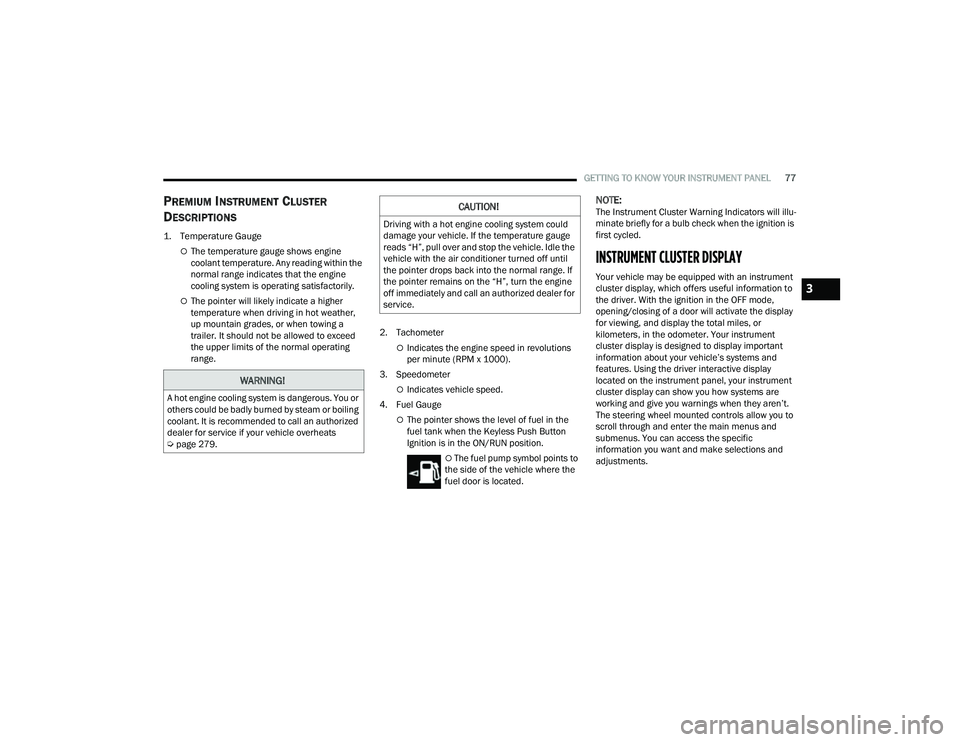
1. Temperature Gauge
The temperature gauge shows engine
coolant temperature. Any reading within the
normal range indicates that the engine
cooling system is operating satisfactorily.
The pointer will likely indicate a higher
temperature when driving in hot weather,
up mountain grades, or when towing a
trailer. It should not be allowed to exceed
the upper limits of the normal operating
range. 2. Tachometer
Indicates the engine speed in revolutions
per minute (RPM x 1000).
3. Speedometer
Indicates vehicle speed.
4. Fuel Gauge
The pointer shows the level of fuel in the
fuel tank when the Keyless Push Button
Ignition is in the ON/RUN position.
The fuel pump symbol points to
the side of the vehicle where the
fuel door is located.
NOTE:The Instrument Cluster Warning Indicators will illu -
minate briefly for a bulb check when the ignition is
first cycled.
INSTRUMENT CLUSTER DISPLAY
Your vehicle may be equipped with an instrument
cluster display, which offers useful information to
the driver. With the ignition in the OFF mode,
opening/closing of a door will activate the display
for viewing, and display the total miles, or
kilometers, in the odometer. Your instrument
cluster display is designed to display important
information about your vehicle’s systems and
features. Using the driver interactive display
located on the instrument panel, your instrument
cluster display can show you how systems are
working and give you warnings when they aren’t.
The steering wheel mounted controls allow you to
scroll through and enter the main menus and
submenus. You can access the specific
information you want and make selections and
adjustments.
WARNING!
A hot engine cooling system is dangerous. You or
others could be badly burned by steam or boiling
coolant. It is recommended to call an authorized
dealer for service if your vehicle overheats
Ú page 279.
CAUTION!
Driving with a hot engine cooling system could
damage your vehicle. If the temperature gauge
reads “H”, pull over and stop the vehicle. Idle the
vehicle with the air conditioner turned off until
the pointer drops back into the normal range. If
the pointer remains on the “H”, turn the engine
off immediately and call an authorized dealer for
service.
3
22_MP_OM_EN_USC_t.book Page 77
Page 85 of 344
GETTING TO KNOW YOUR INSTRUMENT PANEL83
VEHICLE INFO (CUSTOMER INFORMATION
FEATURES)
Push and release the up or down arrow
button until the Vehicle Info Menu item is displayed
in the instrument cluster display. Push and release
the left or right arrow button to cycle through
the Vehicle Info submenus and follow the prompts
on each screen as needed.
1. Tire Pressure
If tire pressure is OK for all tires a vehicle
ICON is displayed with tire pressure values
in each corner of the ICON.
If one or more tires have low pressure,
“Inflate Tire To XX” is displayed with the
vehicle ICON and the tire pressure values in
each corner of the ICON with the pressure
value of the low tire displayed in a different
color than the other tire pressure value.
If the Tire Pressure system requires service,
“Service Tire Pressure System” is displayed.
Tire PSI is an information only function and
cannot be reset Ú page 201.
2. Coolant Temperature
Displays the actual coolant temperature.
3. Transmission Temperature — Automatic Transmission Only
Displays the actual transmission tempera -
ture.
4. Oil Temperature
Displays the level of oil temperature.
5. Battery Voltage
Displays the actual battery voltage.
6. Clutch Message — If Equipped
“Drive in First Gear” message will be shown
in manual transmission vehicle during initial
launch and any time the vehicle speed fluc -
tuates below 5mph (8 km/h).
DRIVER ASSIST
Push and release the up or down arrow
button until the Driver Assist menu title is
highlighted in the instrument cluster display.
The instrument cluster display displays the current
ACC system settings. The information displayed
depends on ACC system status. Push the Adaptive Cruise Control (ACC) ON/OFF
button (located on the steering wheel) until one of
the following displays in the instrument cluster
display:
Adaptive Cruise Control Off
When ACC is deactivated, the display will read
“Adaptive Cruise Control Off.”
Adaptive Cruise Control Ready
When ACC is activated but the vehicle speed
setting has not been selected, the display will read
“Adaptive Cruise Control Ready.”
Push and release the SET + or the SET- button
(located on the steering wheel) and the following
will display in the instrument cluster display:
ACC SET
When ACC is set, the set speed will display in the
instrument cluster.
The ACC screen may display once again if any ACC
activity occurs, which may include any of the
following:
Distance Setting Change
System Cancel
Driver Override
System Off
ACC Proximity Warning
ACC Unavailable Warning
3
22_MP_OM_EN_USC_t.book Page 83
Page 93 of 344
GETTING TO KNOW YOUR INSTRUMENT PANEL91
Drowsiness Detected Warning —
If Equipped
Driver drowsiness detection helps to
avoid crashes caused by fatigue by
advising drivers to take a break in time.
Once Drowsy Driver is detected, A pop-up
will display continuously until the driver presses
the OK button to clear.
Once the pop-up message is cleared, it is stored
until the condition is no longer true.
Electric Power Steering (EPS) Fault
Warning Light
This warning light will turn on when
there's a fault with the EPS system
Ú page 114.
Electronic Throttle Control (ETC) Warning
Light
This warning light will illuminate to
indicate a problem with the ETC system.
If a problem is detected while the vehicle
is running, the light will either stay on or flash depending on the nature of the problem.
Cycle the ignition when the vehicle is safely and
completely stopped and the transmission is placed
in the PARK position. The light should turn off. If
the light remains on with the vehicle running, your
vehicle will usually be drivable; however, see an
authorized dealer for service as soon as possible.
NOTE:This light may turn on if the accelerator and brake
pedals are pressed at the same time.
If the light continues to flash when the vehicle is
running, immediate service is required and you
may experience reduced performance, an
elevated/rough idle, or engine stall and your
vehicle may require towing. The light will come on
when the ignition is placed in the ON/RUN position
and remain on briefly as a bulb check. If the light
does not come on during starting, have the system
checked by an authorized dealer.
Engine Temperature Warning Light
This warning light will illuminate to warn
of an overheated engine condition. If the
engine coolant temperature is too high,
this light will illuminate and a single
chime will sound.
If the light turns on while driving, safely pull over
and stop the vehicle. If the Air Conditioning (A/C)
system is on, turn it off. Also, shift the transmission
into NEUTRAL (N) and idle the vehicle. If the temperature reading does not return to normal,
turn the engine off immediately and call for service
Ú
page 261.
Hood Open Warning Light
This warning light will illuminate when the
hood is left open and not fully closed.
NOTE:If the vehicle is moving, there will also be a single
chime.
Liftgate Open Warning Light
This warning light will illuminate when the
liftgate is open.
NOTE:If the vehicle is moving, there will also be a single
chime.
Oil Pressure Warning Light
This warning light will illuminate to
indicate low engine oil pressure. If the
light turns on while driving, stop the
vehicle, shut off the engine as soon as
possible, and contact an authorized dealer.
A chime will sound when this light turns on.
Do not operate the vehicle until the cause is
corrected. This light does not indicate how much oil
is in the engine. The engine oil level must be
checked under the hood.
WARNING!
Continued operation with reduced assist could
pose a safety risk to yourself and others. Service
should be obtained as soon as possible.
3
22_MP_OM_EN_USC_t.book Page 91
Page 263 of 344
IN CASE OF EMERGENCY261
5. Remove funnel from filler pipe, clean off prior to putting back in the spare tire storage area.
IF YOUR ENGINE OVERHEATS
If the vehicle is overheating, it will need to be
serviced by an authorized dealer.
In any of the following situations, you can reduce
the potential for overheating your engine by taking
the appropriate action.
On highways — slow down.
In city traffic — while stopped, place the trans -
mission in NEUTRAL, but do not increase engine
idle speed.
NOTE:There are steps that you can take to slow down an
impending overheat condition:
If your Air Conditioner (A/C) is on, turn it off. The
A/C system adds heat to the engine cooling
system and turning the A/C off can help remove
this heat.
You can also turn the temperature control to
maximum heat, the mode control to floor and
the blower control to high. This allows the heater
core to act as a supplement to the radiator and
aids in removing heat from the engine cooling
system.
WARNING!
Never have any smoking materials lit in or
near the vehicle when the fuel door is open or
the tank is being filled.
Never add fuel when the engine is running.
This is in violation of most state and federal
fire regulations and may cause the Malfunc -
tion Indicator Light to turn on.
A fire may result if fuel is pumped into a
portable container that is inside of a vehicle.
You could be burned. Always place fuel
containers on the ground while filling.CAUTION!
Driving with a hot cooling system could damage
your vehicle. If the temperature gauge reads
“H,” pull over and stop the vehicle. Idle the
vehicle with the air conditioner turned off until
the pointer drops back into the normal range.
If the pointer remains on the “H” and you hear
continuous chimes, turn the engine off
immediately and call for service.WARNING!
You or others can be badly burned by hot engine
coolant (antifreeze) or steam from your radiator.
If you see or hear steam coming from under the
hood, do not open the hood until the radiator
has had time to cool. Never try to open a cooling
system pressure cap when the radiator or
coolant bottle is hot.
7
22_MP_OM_EN_USC_t.book Page 261
Page 269 of 344
267
SERVICING AND MAINTENANCE
SCHEDULED SERVICING
Your vehicle is equipped with an automatic oil
change indicator system. The oil change indicator
system will remind you that it is time to take your
vehicle in for scheduled maintenance.
Based on engine operation conditions, the oil
change indicator message will illuminate in the
instrument cluster. This means that service is
required for your vehicle. Operating conditions
such as frequent short-trips, trailer tow and
extremely hot or cold ambient temperatures will
influence when the “Change Oil” or “Oil Change
Required” message is displayed. Have your vehicle
serviced as soon as possible, within the next
500 miles (805 km).An authorized dealer will reset the oil change
indicator message after completing the scheduled
oil change. If a scheduled oil change is performed
by someone other than an authorized dealer, the
message can be reset by referring to the steps
described under Instrument Cluster Display
Ú
page 77.
NOTE:Under no circumstances should oil change
intervals exceed 10,000 miles (16,000 km), one
year or 350 hours of engine run time, whichever
comes first. The 350 hours of engine run or idle
time is generally only a concern for fleet
customers.
NOTE:The Oil Change Indicator will not illuminate under
these conditions. Once A Month Or Before A Long Trip:
Check engine oil level.
Check windshield washer fluid level.
Check the tire inflation pressures and look for
unusual wear or damage. Rotate tires at the first
sign of irregular wear, even if it occurs before
the oil indicator system turns on.
Check the fluid levels of the coolant reservoir,
and brake master cylinder reservoir, and fill as
needed.
Check function of all interior and exterior lights.
8
22_MP_OM_EN_USC_t.book Page 267
Page 282 of 344
280SERVICING AND MAINTENANCE
Coolant Checks
Check engine coolant (antifreeze) protection every
12 months (before the onset of freezing weather,
where applicable). If the engine coolant is dirty or
rusty in appearance, the system should be
drained, flushed and refilled with fresh engine
coolant. Check the front of the A/C condenser for
any accumulation of bugs, leaves, etc. If dirty,
clean by gently spraying water from a garden hose
vertically down the face of the condenser.
Cooling System — Drain, Flush And Refill
Some vehicles require special tools to add coolant
properly. Failure to fill these systems properly
could lead to severe internal engine damage. If any
coolant is needed to be added to the system
please contact an authorized dealer.
If the engine coolant (antifreeze) is dirty or
contains visible sediment, have an authorized
dealer clean and flush with OAT coolant
(conforming to MS.90032). Refer to the Maintenance Plan for the proper
maintenance intervals Ú
page 268.
Selection Of Coolant
For further information Ú page 323.
NOTE:
Mixing of engine coolant (antifreeze) other than
specified Organic Additive Technology (OAT)
engine coolant, may result in engine damage
and may decrease corrosion protection. OAT
engine coolant is different and should not be
mixed with Hybrid Organic Additive Technology
(HOAT) engine coolant or any “globally compat -
ible” coolant. If a non-OAT engine coolant is
introduced into the cooling system in an emer -
gency, the cooling system will need to be
drained, flushed, and refilled with fresh OAT
coolant (conforming to MS.90032), by an autho -
rized dealer as soon as possible.
Do not use water alone or alcohol-based engine
coolant products. Do not use additional rust
inhibitors or anti-rust products, as they may not
be compatible with the radiator engine coolant
and may plug the radiator.
This vehicle has not been designed for use with
propylene glycol-based engine coolant. Use of
propylene glycol-based engine coolant is not
recommended.
Some vehicles require special tools to add
coolant properly. Failure to fill these systems properly could lead to severe internal engine
damage. If any coolant is needed to be added to
the system please contact an authorized dealer.
Adding Coolant
Your vehicle has been built with an improved
engine coolant (OAT coolant conforming to
MS.90032) that allows extended maintenance
intervals. This engine coolant (antifreeze)
can be used up to 10 years or 150,000 miles
(240,000 km) before replacement. To prevent
reducing this extended maintenance period, it is
important that you use the same engine coolant
(OAT coolant conforming to MS.90032) throughout
the life of your vehicle.
Please review these recommendations for using
OAT engine coolant that meets the requirements of
the manufacturer Material Standard MS.90032.
When adding engine coolant:
We recommend using Mopar® Antifreeze/
Coolant 10 Year/150,000 Mile (240,000 km)
Formula OAT that meets the requirements of the
manufacturer Material Standard MS.90032.
Mix a minimum solution of 50% OAT engine
coolant that meets the requirements of the
manufacturer Material Standard MS.90032
and distilled water. Use higher concentrations
(not to exceed 70%) if temperatures below
−34°F (−37°C) are anticipated. Please contact
an authorized dealer for assistance.
When working near the radiator cooling fan,
disconnect the fan motor lead or turn the igni
-
tion to the OFF mode. The fan is temperature
controlled and can start at any time the igni -
tion is in the ON mode.
WARNING!
22_MP_OM_EN_USC_t.book Page 280
Page 283 of 344
SERVICING AND MAINTENANCE281
Use only high purity water such as distilled or
deionized water when mixing the water/engine
coolant solution. The use of lower quality water
will reduce the amount of corrosion protection
in the engine cooling system.
NOTE:
It is the owner's responsibility to maintain the
proper level of protection against freezing
according to the temperatures occurring in the
area where the vehicle is operated.
Some vehicles require special tools to add
coolant properly. Failure to fill these systems
properly could lead to severe internal engine
damage. If any coolant is needed to be added to
the system, please contact an authorized
dealer.
Mixing engine coolant types is not recom -
mended and can result in cooling system
damage. If HOAT and OAT coolant are mixed in
an emergency, have a authorized dealer drain,
flush, and refill with OAT coolant (conforming to
MS.90032) as soon as possible.
Cooling System Pressure Cap
The cap must be fully tightened to prevent loss of
engine coolant (antifreeze), and to ensure that engine
coolant will return to the radiator from the coolant
expansion bottle/recovery tank (if equipped).
The cap should be inspected and cleaned if there
is any accumulation of foreign material on the
sealing surfaces.
Disposal Of Used Coolant
Used ethylene glycol-based coolant (antifreeze) is
a regulated substance requiring proper disposal.
Check with your local authorities to determine the
disposal rules for your community. To prevent
ingestion by animals or children, do not store
ethylene glycol-based coolant in open containers
or allow it to remain in puddles on the ground.
If ingested by a child or pet, seek emergency
assistance immediately. Clean up any ground spills
immediately.
Coolant Level
The coolant expansion bottle provides a quick
visual method for determining that the coolant
level is adequate. With the engine off and cold, the
level of the engine coolant (antifreeze) in the bottle
should be between the “MIN” and “MAX” marks.
As long as the engine operating temperature is
satisfactory, the coolant bottle need only be
checked once a month.
When additional engine coolant is needed to
maintain the proper level, it should be added to the
coolant bottle. Do not overfill.
Cooling System Notes
NOTE:When the vehicle is stopped after a few miles/
kilometers of operation, you may observe vapor
coming from the front of the engine compartment.
This is normally a result of moisture from rain,
snow, or high humidity accumulating on the
radiator and being vaporized when the thermostat
opens, allowing hot engine coolant (antifreeze) to
enter the radiator.
If an examination of your engine compartment
shows no evidence of radiator or hose leaks, the
vehicle may be safely driven. The vapor will soon
dissipate.
WARNING!
Do not open hot engine cooling system. Never
add engine coolant (antifreeze) when the
engine is overheated. Do not loosen or
remove the cap to cool an overheated engine.
Heat causes pressure to build-up in the
cooling system. To prevent scalding or injury,
do not remove the pressure cap while the
system is hot or under pressure.
Do not use a pressure cap other than the one
specified for your vehicle. Personal injury or
engine damage may result.
8
22_MP_OM_EN_USC_t.book Page 281