4WD JEEP GLADIATOR 2023 User Guide
[x] Cancel search | Manufacturer: JEEP, Model Year: 2023, Model line: GLADIATOR, Model: JEEP GLADIATOR 2023Pages: 448, PDF Size: 17.37 MB
Page 148 of 448

146STARTING AND OPERATING
Vehicle is not in PARK
Vehicle speed is 1.2 mph (1.9 km/h) or less
Ignition is switched from ON/RUN to OFF
NOTE:For Keyless Enter ‘n Go™ equipped vehicles, the
engine will turn off and the ignition will change to
ACC position. After 30 minutes the ignition
switches to OFF automatically, unless the driver
turns the ignition OFF.
If the vehicle is not in PARK and the driver exits the
vehicle with the engine running, the vehicle may
AutoPark.
AutoPark will engage when all of these conditions
are met:
Vehicle is equipped with an 8-speed transmis -
sion
Driver door is ajar or if the driver door is
removed and the driver is not on the seat (seat
pad sensor detects driver missing)
Vehicle is not in PARK
Vehicle speed is 1.2 mph (1.9 km/h) or less
Driver seat belt is unbuckled
Brake pedal is not pressed
The message “ AutoPark Engaged Shift To P Then
Shift To Gear ” will display in the instrument cluster.
NOTE:In some cases the ParkSense graphic will be
displayed in the instrument cluster. In these cases,
the gear selector must be returned to “P” to select
desired gear.
If the driver shifts into PARK while moving, the
vehicle may AutoPark.
AutoPark will engage ONLY when vehicle speed is
1.2 mph (1.9 km/h) or less.
The message “ Vehicle Speed Is Too High To Shift
To P ” will be displayed in the instrument cluster if
vehicle speed is above 1.2 mph (1.9 km/h).
4WD LOW
AutoPark will be disabled when operating the
vehicle in 4WD LOW.
The message “ AutoPark Disabled ” will be
displayed in the instrument cluster. Additional customer warnings will be given when
both of these conditions are met:
Vehicle is not in PARK
Driver’s door is ajar
The message “ AutoPark Not Engaged” will be
displayed in the instrument cluster. A warning
chime will continue until you shift the vehicle into
PARK or the driver’s door is closed.
ALWAYS DO A VISUAL CHECK
that your vehicle is in
PARK by looking for the “P” in the instrument
cluster display and on the gear selector. As an
added precaution, always apply the parking brake
when exiting the vehicle.
EXTREME COLD WEATHER
(B
ELOW –22°F OR −30°C)
To ensure reliable starting at these temperatures,
use of an externally powered electric engine block
heater (available from an authorized dealer) is
recommended.
EXTENDED PARK STARTING
NOTE:Extended Park condition occurs when the vehicle
has not been started or driven for at least 30 days.
1. Install a battery charger or jumper cables to
the battery to ensure a full battery charge
during the crank cycle.
WARNING!
If vehicle speed is above 1.2 mph (1.9 km/h), the
transmission will default to NEUTRAL until the
vehicle speed drops below 1.2 mph (1.9 km/h). A
vehicle left in the NEUTRAL position can roll. As
an added precaution, always apply the parking
brake when exiting the vehicle.
23_JT_OM_EN_USC_t.book Page 146
Page 170 of 448
168STARTING AND OPERATING
OFF ROAD+ — IF EQUIPPED
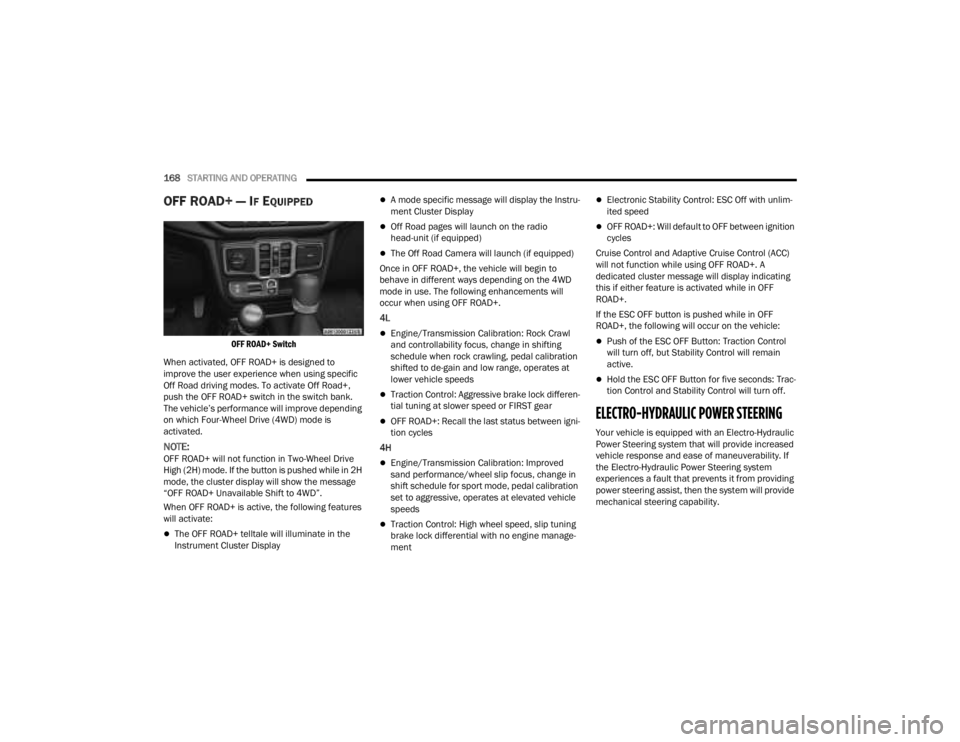
OFF ROAD+ Switch
When activated, OFF ROAD+ is designed to
improve the user experience when using specific
Off Road driving modes. To activate Off Road+,
push the OFF ROAD+ switch in the switch bank.
The vehicle’s performance will improve depending
on which Four-Wheel Drive (4WD) mode is
activated.
NOTE:OFF ROAD+ will not function in Two-Wheel Drive
High (2H) mode. If the button is pushed while in 2H
mode, the cluster display will show the message
“OFF ROAD+ Unavailable Shift to 4WD”.
When OFF ROAD+ is active, the following features
will activate:
The OFF ROAD+ telltale will illuminate in the
Instrument Cluster Display
A mode specific message will display the Instru -
ment Cluster Display
Off Road pages will launch on the radio
head-unit (if equipped)
The Off Road Camera will launch (if equipped)
Once in OFF ROAD+, the vehicle will begin to
behave in different ways depending on the 4WD
mode in use. The following enhancements will
occur when using OFF ROAD+.
4L
Engine/Transmission Calibration: Rock Crawl
and controllability focus, change in shifting
schedule when rock crawling, pedal calibration
shifted to de-gain and low range, operates at
lower vehicle speeds
Traction Control: Aggressive brake lock differen -
tial tuning at slower speed or FIRST gear
OFF ROAD+: Recall the last status between igni -
tion cycles
4H
Engine/Transmission Calibration: Improved
sand performance/wheel slip focus, change in
shift schedule for sport mode, pedal calibration
set to aggressive, operates at elevated vehicle
speeds
Traction Control: High wheel speed, slip tuning
brake lock differential with no engine manage -
ment
Electronic Stability Control: ESC Off with unlim -
ited speed
OFF ROAD+: Will default to OFF between ignition
cycles
Cruise Control and Adaptive Cruise Control (ACC)
will not function while using OFF ROAD+. A
dedicated cluster message will display indicating
this if either feature is activated while in OFF
ROAD+.
If the ESC OFF button is pushed while in OFF
ROAD+, the following will occur on the vehicle:
Push of the ESC OFF Button: Traction Control
will turn off, but Stability Control will remain
active.
Hold the ESC OFF Button for five seconds: Trac -
tion Control and Stability Control will turn off.
ELECTRO-HYDRAULIC POWER STEERING
Your vehicle is equipped with an Electro-Hydraulic
Power Steering system that will provide increased
vehicle response and ease of maneuverability. If
the Electro-Hydraulic Power Steering system
experiences a fault that prevents it from providing
power steering assist, then the system will provide
mechanical steering capability.
23_JT_OM_EN_USC_t.book Page 168
Page 179 of 448

STARTING AND OPERATING177
Adaptive Cruise Control Off
When ACC is deactivated, the display will read
“Adaptive Cruise Control Off.”
Adaptive Cruise Control Ready
When ACC is activated, but the vehicle speed
setting has not been selected, the display will read
“Adaptive Cruise Control Ready.”
Adaptive Cruise Control Set
When the SET (+) or the SET (-) button (located on
the steering wheel) is pushed, the display will read
“ACC SET.”
When ACC is set, the set speed will show in the
instrument cluster display.
The ACC screen may display once again if any of
the following ACC activity occurs:
System Cancel
Driver Override
System Off
ACC Proximity Warning
ACC Unavailable Warning
The instrument cluster display will return to the last
display selected after five seconds of no ACC
display activity.
Activating Adaptive Cruise Control (ACC)
The minimum set speed for the ACC system is
20 mph (32 km/h).
When the system is turned on and in the ready
state, the instrument cluster displays “ACC Ready.”
When the system is off, the instrument cluster
displays “Adaptive Cruise Control (ACC) Off.”
NOTE:You cannot engage ACC under the following condi -
tions:
When in 4WD Low
When the brakes are applied
When the parking brake is applied
When the automatic transmission is in PARK,
REVERSE or NEUTRAL
When the manual transmission is in first gear
When the vehicle speed is below 20 mph
(32 km/h) (manual transmission)
When the vehicle speed is below the minimum
speed range
When the brakes are overheated
When the driver’s door is open at low speeds
When the driver’s seat belt is unbuckled at low
speeds
When ESC Full Off mode is active
When Off Road+ (if equipped) is active
To Activate/Deactivate
Push and release the Adaptive Cruise Control
(ACC) on/off button. The ACC menu in the
instrument cluster display will read “ACC Ready.”
To turn the system off, push and release the
Adaptive Cruise Control (ACC) on/off button again.
At this time, the system will turn off and the
instrument cluster display will read “Adaptive
Cruise Control (ACC) Off.”
To Set A Desired Speed
When the vehicle reaches the speed desired, push
the SET (+) button or the SET (-) button and
release. The instrument cluster display will show
the set speed.
NOTE:Fixed Speed Cruise Control can be used without
ACC enabled. To change between the different
modes, push the ACC on/off button which turns
the ACC and the Fixed Speed Cruise Control off.
WARNING!
Leaving the Adaptive Cruise Control (ACC)
system on when not in use is dangerous. You
could accidentally set the system or cause it to
go faster than you want. You could lose control
and have a collision. Always leave the system off
when you are not using it.
4
23_JT_OM_EN_USC_t.book Page 177
Page 180 of 448

178STARTING AND OPERATING
Pushing the Fixed Speed Cruise Control on/off
button will result in turning on (changing to) Fixed
Speed Cruise Control mode.
If ACC is set when the vehicle speed is below
20 mph (32 km/h), the set speed will default to
20 mph (32 km/h).
NOTE:Fixed Speed Cruise Control cannot be set below
20 mph (32 km/h).
If either system is set when the vehicle speed is
above 20 mph (32 km/h), the set speed shall be
the current speed of the vehicle.
NOTE:
Keeping your foot on the accelerator pedal can
cause the vehicle to continue to accelerate
beyond the set speed. If this occurs, the message “DRIVER OVERRIDE” will display in the
instrument cluster display.
If you continue to accelerate beyond the set
speed while ACC is enabled, the system will not
be controlling the distance between your vehicle
and the vehicle ahead. The vehicle speed will
only be determined by the position of the accel-
erator pedal.
To Cancel
The following conditions cancel the ACC or Fixed
Speed Cruise Control systems:
The brake pedal is applied
The CANC (cancel) button is pushed
The Anti-Lock Brake system (ABS) activates
The gear selector is removed from the DRIVE
position
The braking temperature exceeds normal range
(overheated)
The Electronic Stability Control/Traction Control
system (ESC/TCS) activates
The vehicle parking brake is applied
A Trailer Sway Control (TSC) event occurs
The driver switches ESC to Full Off mode
The vehicle speed is less than 15 mph (24 km/h)
(manual transmission only)
The clutch is pressed for more than 10 seconds
(manual transmission only)
The vehicle is placed in NEUTRAL for more than
10 seconds (manual transmission only)
The driver shifts to FIRST gear (manual trans
-
mission only)
Vehicle is operating at a low RPM (manual trans -
mission only)
When Off Road+ (if equipped) is enabled
The following conditions will only cancel the ACC
system:
Driver seat belt is unbuckled at low speeds
Driver door is opened at low speeds
To Turn Off
The system will turn off and clear the set speed in
memory if:
The Adaptive Cruise Control (ACC) on/off button
is pushed
The Fixed Speed Cruise Control on/off button is
pushed
The ignition is placed in the OFF position
4WD Low is engaged
To Resume
If there is a set speed in memory push the RES
(resume) button and then remove your foot from
the accelerator pedal. The instrument cluster
display will display the last set speed.
WARNING!
In Fixed Speed Cruise Control mode (ACC not
enabled), the system will not react to vehicles
ahead. In addition, the proximity warning does
not activate and no alarm will sound even if you
are too close to the vehicle ahead since neither
the presence of the vehicle ahead nor the
vehicle-to-vehicle distance is detected. Be sure
to maintain a safe distance between your vehicle
and the vehicle ahead. Always be aware which
mode is selected.
23_JT_OM_EN_USC_t.book Page 178
Page 192 of 448
190STARTING AND OPERATING
NOTE:If snow, ice, mud, or any foreign substance builds
up on the camera lens, clean the lens, rinse with
water, and dry with a soft cloth. Do not cover the
lens.
Zoom View
When the Rear View Camera image is being
displayed, and the vehicle speed is below 8 mph
(13 km/h) while in any gear, Zoom View is
available. By pressing the “magnifying glass” icon
in the upper left of the display screen, the image
will zoom in to four times the standard view.
Pressing the icon a second time will return the view
to the standard Back Up Camera display.
When Zoom View is selected while the vehicle is in
REVERSE, then shifted to DRIVE, the camera delay
view will display the standard Back Up Camera view. If the vehicle is then returned to REVERSE
gear from DRIVE, the Zoom View selection will
automatically resume.
Shifting to NEUTRAL from any gear will maintain
the selected view (Zoom or Standard) as long as
the vehicle is below 8 mph (13 km/h).
If the vehicle is in PARK, Zoom View is available
until the gear selector is placed in DRIVE or
REVERSE and speeds are at or above 8 mph
(13 km/h).
NOTE:
If the vehicle is in DRIVE, NEUTRAL, or REVERSE,
and speed is greater than or equal to 8 mph
(13 km/h), Zoom View is unavailable and the
icon will appear gray.
While in Zoom View, the guidelines will not be
visible.
TRAILCAM SYSTEM — IF EQUIPPED
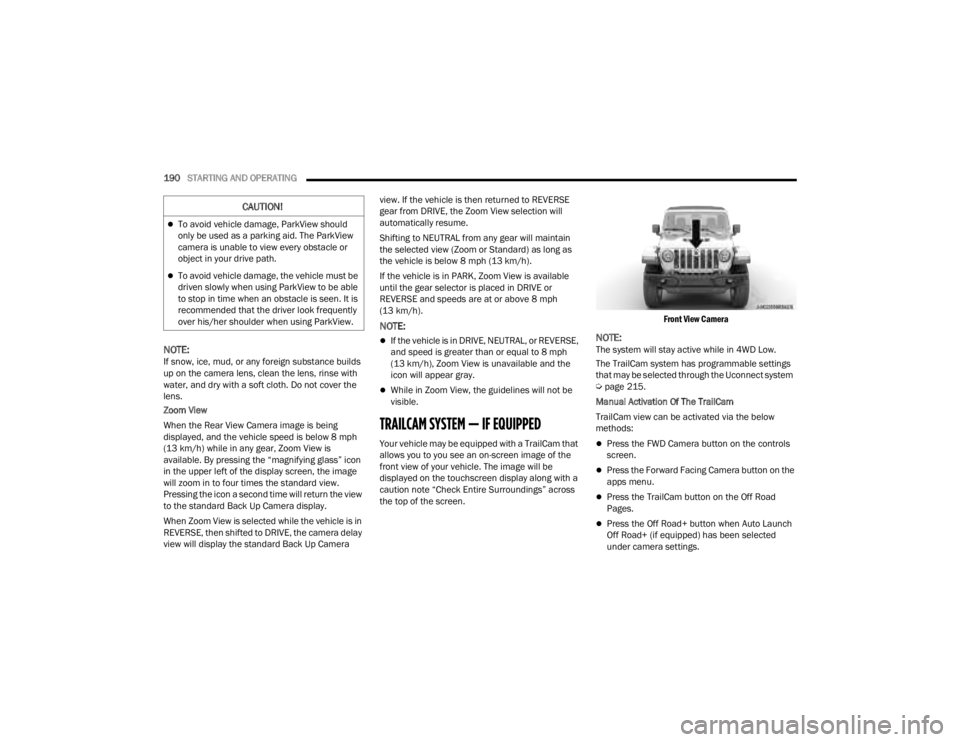
Your vehicle may be equipped with a TrailCam that
allows you to you see an on-screen image of the
front view of your vehicle. The image will be
displayed on the touchscreen display along with a
caution note “Check Entire Surroundings” across
the top of the screen.
Front View Camera
NOTE:The system will stay active while in 4WD Low.
The TrailCam system has programmable settings
that may be selected through the Uconnect system
Ú
page 215.
Manual Activation Of The TrailCam
TrailCam view can be activated via the below
methods:
Press the FWD Camera button on the controls
screen.
Press the Forward Facing Camera button on the
apps menu.
Press the TrailCam button on the Off Road
Pages.
Press the Off Road+ button when Auto Launch
Off Road+ (if equipped) has been selected
under camera settings.
CAUTION!
To avoid vehicle damage, ParkView should
only be used as a parking aid. The ParkView
camera is unable to view every obstacle or
object in your drive path.
To avoid vehicle damage, the vehicle must be
driven slowly when using ParkView to be able
to stop in time when an obstacle is seen. It is
recommended that the driver look frequently
over his/her shoulder when using ParkView.
23_JT_OM_EN_USC_t.book Page 190
Page 193 of 448
STARTING AND OPERATING191
The TrailCam view can also be activated by
pressing the icon on the Back Up Camera view.
The Back Up Camera view can also be activated by
pressing the icon on the TrailCam view.
When the vehicle is shifted out of REVERSE with
Camera Delay turned off and TrailCam view is
active, the TrailCam mode is exited and the
previous screen appears again.
When the vehicle is shifted out of REVERSE with
Camera Delay turned on and the TrailCam view is
active, the TrailCam image will be displayed for up
to 10 seconds unless the vehicle speed exceeds
8 mph (13 km/h), the transmission is shifted into
PARK, the ignition is placed in the OFF position, or
the touchscreen X button to disable display of the
TrailCam view is pressed.
Whenever the TrailCam image is activated through
the Manual Activation Methods, and the vehicle
speed is greater than or equal to 8 mph (13 km/h),
a display timer for the image is initiated. The image
will continue to be displayed until the display timer
exceeds 10 seconds.
NOTE:
If the vehicle speed remains below 8 mph
(13 km/h) while in 2WD or 4WD High, the
TrailCam image will be displayed continuously
until deactivated via the touchscreen X button,
the transmission is shifted into PARK, or the
ignition is placed in the OFF position.
The touchscreen X button to disable the display
of the camera image is made available ONLY
when the vehicle is not in REVERSE.
The TrailCam view will stay active regardless of
the vehicle speed and time while in 4WD Low.
Cleaning The TrailCam
Press and hold the Clean Camera button located
on the TrailCam view to wash the TrailCam. Washer
fluid will stop when the button is released.
The camera can be washed up to 20 seconds at
a time while holding the button.
The Clean Camera system is not available when
windshield washing is in process.
When enabled, active dynamic Tire Lines are
projected on the ground plane of the TrailCam view
based on the steering wheel position.
REFUELING THE VEHICLE — GASOLINE
ENGINE (IF EQUIPPED)
FUEL FILLER CAP
The fuel filler cap is located on the left side of the
vehicle. To access the fuel filler cap, push on the
fuel filler door to unlatch it. To close the fuel filler
door, push on it a second time. If the fuel filler cap
is lost or damaged, be sure the replacement cap is
the correct one for this vehicle.
1. Open the fuel filler door.
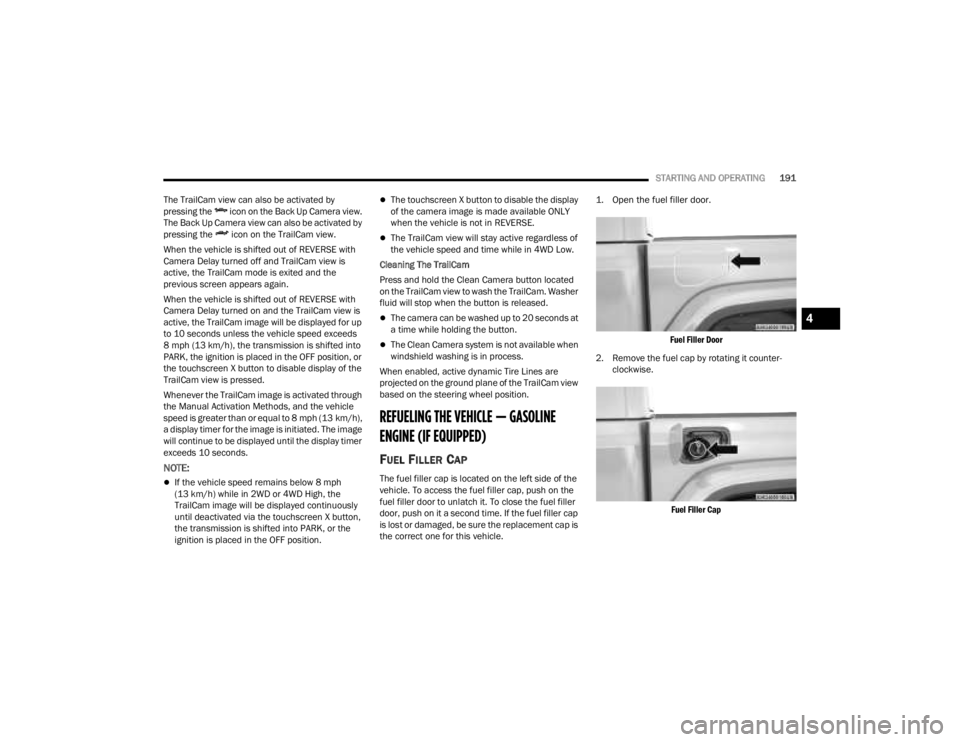
Fuel Filler Door
2. Remove the fuel cap by rotating it counter -
clockwise.
Fuel Filler Cap
4
23_JT_OM_EN_USC_t.book Page 191
Page 207 of 448

STARTING AND OPERATING205
(Continued)
(Continued)
RECREATIONAL TOWING (BEHIND MOTORHOME)
TOWING THIS VEHICLE BEHIND ANOTHER VEHICLE
RECREATIONAL TOWING —
F
OUR-WHEEL DRIVE MODELS
NOTE:The transfer case must be shifted into N (Neutral),
automatic transmission must be in PARK, and
manual transmission must be in gear (NOT in
NEUTRAL) for recreational towing.
Towing Condition Wheels OFF the Ground Four-Wheel Drive Models
Flat TowNONESee Instructions
Automatic transmission in PARK.
Manual transmission in gear(NOT in NEUTRAL [N]).
Transfer case in (N) Neutral.
Tow in forward direction.
Dolly Tow Front
NOT ALLOWED
Rear NOT ALLOWED
On Trailer ALL OK
NOTE:When towing your vehicle, always follow applicable state and provincial laws. Contact state and provincial Highway Safety offices for additional details.
CAUTION!
DO NOT dolly tow any 4WD vehicle. Towing
with only one set of wheels on the ground
(front or rear) will cause severe transmission
and/or transfer case damage. Tow with all
four wheels either ON the ground, or OFF the
ground (using a vehicle trailer).Tow only in the forward direction. Towing this
vehicle backwards can cause severe damage
to the transfer case.
CAUTION!
4
23_JT_OM_EN_USC_t.book Page 205
Page 279 of 448
MULTIMEDIA277
REGULATORY AND SAFETY
I
NFORMATION
US/CANADA
Exposure to Radio Frequency Radiation
The radiated output power of the internal wireless
radio is far below the FCC and IC radio frequency
exposure limits. Nevertheless, the wireless radio
will be used in such a manner that the radio is
8 inches (20 cm) or further from the human body.
The internal wireless radio operates within
guidelines found in radio frequency safety
standards and recommendations, which reflect
the consensus of the scientific community.
The radio manufacturer believes the internal
wireless radio is safe for use by consumers. The
level of energy emitted is far less than the
electromagnetic energy emitted by wireless
devices such as mobile phones. However, the use
of wireless radios may be restricted in some
situations or environments, such as aboard
airplanes. If you are unsure of restrictions, you are
encouraged to ask for authorization before turning
on the wireless radio Ú page 432.
OFF-ROAD PAGES — IF EQUIPPED
If your vehicle is equipped with Off-Road Pages, it
will provide you vehicle status while operating on
off-road conditions. It supplies information relating
to the vehicle ride height, the status of the transfer
case, the pitch and roll of the vehicle.
To access Off-Road Pages, press the Apps button
on the touchscreen, and then select Off-Road
Pages.
Main Menu
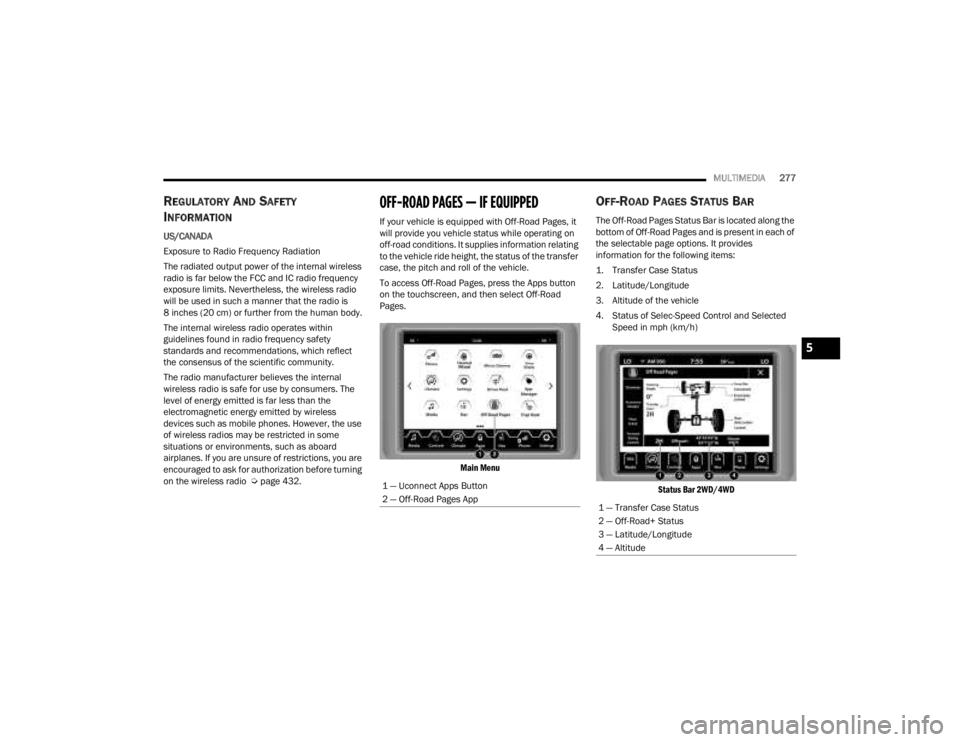
OFF-ROAD PAGES STATUS BAR
The Off-Road Pages Status Bar is located along the
bottom of Off-Road Pages and is present in each of
the selectable page options. It provides
information for the following items:
1. Transfer Case Status
2. Latitude/Longitude
3. Altitude of the vehicle
4. Status of Selec-Speed Control and Selected Speed in mph (km/h)
Status Bar 2WD/4WD
1 — Uconnect Apps Button
2 — Off-Road Pages App
1 — Transfer Case Status
2 — Off-Road+ Status
3 — Latitude/Longitude
4 — Altitude
5
23_JT_OM_EN_USC_t.book Page 277
Page 280 of 448
278MULTIMEDIA
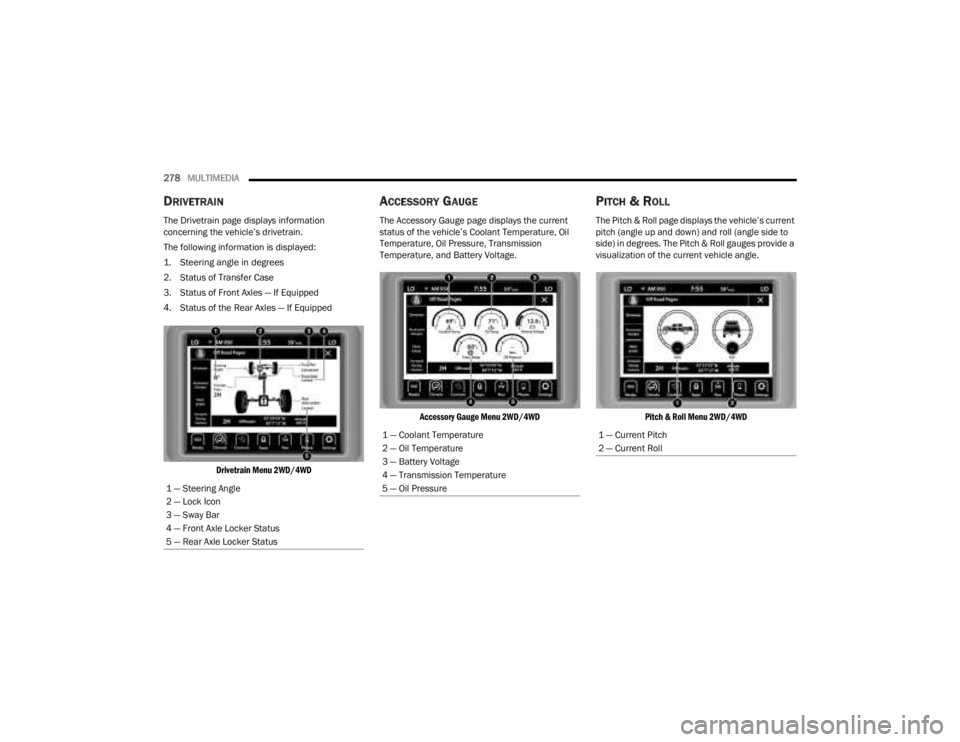
DRIVETRAIN
The Drivetrain page displays information
concerning the vehicle’s drivetrain.
The following information is displayed:
1. Steering angle in degrees
2. Status of Transfer Case
3. Status of Front Axles — If Equipped
4. Status of the Rear Axles — If Equipped
Drivetrain Menu 2WD/4WD
ACCESSORY GAUGE
The Accessory Gauge page displays the current
status of the vehicle’s Coolant Temperature, Oil
Temperature, Oil Pressure, Transmission
Temperature, and Battery Voltage.
Accessory Gauge Menu 2WD/4WD
PITCH & ROLL
The Pitch & Roll page displays the vehicle’s current
pitch (angle up and down) and roll (angle side to
side) in degrees. The Pitch & Roll gauges provide a
visualization of the current vehicle angle.
Pitch & Roll Menu 2WD/4WD
1 — Steering Angle
2 — Lock Icon
3 — Sway Bar
4 — Front Axle Locker Status
5 — Rear Axle Locker Status
1 — Coolant Temperature
2 — Oil Temperature
3 — Battery Voltage
4 — Transmission Temperature
5 — Oil Pressure1 — Current Pitch
2 — Current Roll
23_JT_OM_EN_USC_t.book Page 278
Page 287 of 448

SAFETY285
Selec-Speed Control (SSC) — If Equipped
SSC is intended for off-road driving in
4WD Low only. SSC maintains vehicle
speed by actively controlling engine
torque and brakes.
SSC has three states:
1. Off (feature is not enabled and will not activate)
2. Enabled (feature is enabled and ready but activation conditions are not met, or driver is
actively overriding with brake or throttle
application)
3. Active (feature is enabled and actively controlling vehicle speed)
Enabling SSC
SSC is enabled by pushing the SSC switch, but the
following conditions must also be met to enable
SSC:
The driveline is in 4WD Low.
The vehicle speed is below 5 mph (8 km/h).
The parking brake is released.
The driver seat belt is buckled.
The driver is not applying throttle.
The driver door is closed (If doors are attached,
the door must be closed. If doors are detached,
then driver seat belt must be buckled). Activating SSC
Once SSC is enabled it will activate automatically
once the following conditions are met:
The driver releases the throttle.
The driver releases the brake.
The transmission is in any selection other than
PARK.
Your vehicle speed is below 20 mph (32 km/h).
The driver door is closed (If doors are attached,
the door must be closed. If doors are detached,
then driver seat belt must be buckled).
The set speed for SSC is selectable by the driver,
and can be adjusted by using the gear shift +/-.
Additionally, the SSC set speed may be reduced
when climbing a grade and the level of set speed
reduction depends on the magnitude of grade. The
following summarizes the SSC set speeds:
SSC Target Set Speeds
1st = 0.6 mph (1 km/h)
2nd = 1.2 mph (2 km/h)
3rd = 1.8 mph (3 km/h)
4th = 2.5 mph (4 km/h)
5th = 3.1 mph (5 km/h)
6th = 3.7 mph (6 km/h)
7th = 4.3 mph (7 km/h)
8th = 5 mph (8 km/h)
9th = 5.6 mph (9 km/h) — if equipped
REVERSE = 0.6 mph (1 km/h)
NEUTRAL = 1.2 mph (2 km/h)
PARK = SSC remains enabled but not active
SSC Target Set Speeds — If Equipped With Off
Road+
1st = 0.6 mph (1 km/h)
2nd = 0.9 mph (1.5 km/h)
3rd = 1.2 mph (2 km/h)
4th = 1.5 mph (2.5 km/h)
5th = 1.8 mph (3 km/h)
6th = 2.5 mph (4 km/h)
7th = 3.7 mph (6 km/h)
8th = 5 mph (8 km/h)
REVERSE = 0.6 mph (1 km/h)
NEUTRAL = 1.2 mph (2 km/h)
PARK = SSC remains enabled but not active
NOTE:
During SSC, the +/- gear selector input is used
for SSC target speed selection but will not affect
the gear chosen by the transmission. While
6
23_JT_OM_EN_USC_t.book Page 285