tire pressure JEEP GLADIATOR 2023 User Guide
[x] Cancel search | Manufacturer: JEEP, Model Year: 2023, Model line: GLADIATOR, Model: JEEP GLADIATOR 2023Pages: 448, PDF Size: 17.37 MB
Page 198 of 448

196STARTING AND OPERATING
This label contains the month and year of
manufacture, Gross Vehicle Weight Rating
(GVWR), front and rear Gross Axle Weight Rating
(GAWR), and Vehicle Identification Number (VIN). A
Month-Day-Hour (MDH) number is included on this
label and indicates the Month, Day and Hour of
manufacture. The bar code that appears on the
bottom of the label is your VIN.
Gross Vehicle Weight Rating (GVWR)
The GVWR is the total permissible weight of your
vehicle including driver, passengers, vehicle,
options and cargo. The label also specifies
maximum capacities of front and rear Gross Axle
Weight Rating (GAWR). Total load must be limited
so GVWR on front and rear GAWR are not
exceeded.
Payload
The payload of a vehicle is defined as the allowable
load weight a truck can carry, including the weight
of the driver, all passengers, options and cargo.
Gross Axle Weight Rating (GAWR)
The GAWR is the maximum permissible load on the
front and rear axles. The load must be distributed
in the cargo area so that the GAWR of each axle is
not exceeded.
Each axle GAWR is determined by the components
in the system with the lowest load carrying capacity
(axle, springs, tires or wheels). Heavier axles or
suspension components sometimes specified by purchasers for increased durability does not
necessarily increase the vehicle's GVWR.
Tire Size
The tire size on the Vehicle Certification Label
represents the actual tire size on your vehicle.
Replacement tires must be equal to the load
capacity of this tire size.
Rim Size
This is the rim size that is appropriate for the tire
size listed.
Inflation Pressure
This is the cold tire inflation pressure for your
vehicle for all loading conditions up to full GAWR.
Curb Weight
The curb weight of a vehicle is defined as the total
weight of the vehicle with all fluids, including
vehicle fuel, at full capacity conditions, and with no
occupants or cargo loaded into the vehicle. The
front and rear curb weight values are determined
by weighing your vehicle on a commercial scale
before any occupants or cargo are added.
Loading
The actual total weight and the weight of the front
and rear of your vehicle at the ground can best be
determined by weighing it when it is loaded and
ready for operation.
The entire vehicle should first be weighed on a
commercial scale to ensure that the GVWR has not
been exceeded. The weight on the front and rear of
the vehicle should then be determined separately
to be sure that the load is properly distributed over
the front and rear axle. Weighing the vehicle may
show that the GAWR of either the front or rear axles
has been exceeded but the total load is within the
specified GVWR. If so, weight must be shifted from
front to rear or rear to front as appropriate until the
specified weight limitations are met. Store the
heavier items down low and be sure that the
weight is distributed equally. Stow all loose items
securely before driving.
Improper weight distributions can have an adverse
effect on the way your vehicle steers and handles
and the way the brakes operate.
WARNING!
Do not load your vehicle any heavier than the
GVWR or the maximum front and rear GAWR. If
you do, parts on your vehicle can break, or it can
change the way your vehicle handles. This could
cause you to lose control. Overloading can
shorten the life of your vehicle.
23_JT_OM_EN_USC_t.book Page 196
Page 205 of 448

STARTING AND OPERATING203
Towing Requirements — Tires
Proper tire inflation pressures are essential to
the safe and satisfactory operation of your
vehicle.
Check the trailer tires for proper tire inflation
pressures before trailer usage.
Check for signs of tire wear or visible tire
damage before towing a trailer.
Replacing tires with a higher load carrying
capacity will not increase the vehicle's GVWR
and GAWR limits.
For further information Úpage 395.
Towing Requirements — Trailer Brakes
Do not interconnect the hydraulic brake system
or vacuum system of your vehicle with that of
the trailer. This could cause inadequate braking
and possible personal injury.
An electronically actuated trailer brake
controller is required when towing a trailer with
electronically actuated brakes. When towing a
trailer equipped with a hydraulic surge actuated
brake system, an electronic brake controller is
not required.
NOTE:This vehicle has an aftermarket brake controller
connector under the dash to the left of the brake
pedal. This will be a four pin connector and will be
gray in color.
Trailer brakes are recommended for trailers
over 1,000 lb (453 kg) and required for trailers
in excess of 2,000 lb (907 kg).Towing Requirements — Trailer Lights And
Wiring
Whenever you pull a trailer, regardless of the trailer
size, stop lights and turn signals on the trailer are
required for motoring safety.
The Trailer Tow Package may include a four- and
seven-pin wiring harness. Use a factory approved
trailer harness and connector.
NOTE:Do not cut or splice wiring into the vehicle’s wiring
harness.
The electrical connections are all complete to the
vehicle but you must mate the harness to a trailer
connector. Refer to the following illustrations.
NOTE:
Disconnect the trailer wiring connector from the
vehicle (or any other device plugged into
vehicle’s electrical connectors) before
launching a boat into water.
Be sure to reconnect once clear from water
area.
WARNING!
Do not connect trailer brakes to your vehicle's
hydraulic brake lines. It can overload your
brake system and cause it to fail. You might
not have brakes when you need them and
could have an accident.
Towing any trailer will increase your stopping
distance. When towing, you should allow for
additional space between your vehicle and the
vehicle in front of you. Failure to do so could
result in an accident.
CAUTION!
If the trailer weighs more than 1,000 lb (453 kg)
loaded, it should have its own brakes and they
should be of adequate capacity. Failure to do
this could lead to accelerated brake lining wear,
higher brake pedal effort, and longer stopping
distances.
4
23_JT_OM_EN_USC_t.book Page 203
Page 211 of 448

STARTING AND OPERATING209
additional low speed pulling power is needed.
Vehicle speeds in excess of 25 mph (40 km/h)
should be avoided when in 4L range.
Simultaneous Brake And Throttle
Operation
Many off-road driving conditions require the
simultaneous use of the brake and throttle
(two-footed driving). When climbing rocks, logs, or
other stepped objects, using light brake pressure
with light throttle will keep the vehicle from jerking
or lurching. This technique is also used when you
need to stop and restart a vehicle on a steep
incline.
Driving In Snow, Mud And Sand
SNOW
In heavy snow or for additional control and traction
at slower speeds, shift the transmission into a low
gear and the transfer case into 4L if necessary. Do
not shift to a lower gear than necessary to maintain
headway. Over-revving the engine can spin the
wheels and traction will be lost. If you start to slow
to a stop, try turning your steering wheel no more than a quarter turn quickly back and forth, while
still applying throttle. This will allow the tires to get
fresh traction and help maintain your momentum.
MUD
Deep mud creates a great deal of suction around
the tires and is very difficult to get through. You
should use DRIVE, with the transfer case in the 4L
position to maintain your momentum. If you start to
slow to a stop, try turning your steering wheel no
more than a quarter turn quickly back and forth for
additional traction. Mud holes pose an increased
threat of vehicle damage and getting stuck. They
are normally full of debris from previous vehicles
getting stuck. As a good practice before entering
any mud hole, get out and determine how deep it
is, if there are any hidden obstacles and if the
vehicle can be safely recovered if stuck.
SAND
Soft sand is very difficult to travel through with full
tire pressure. When crossing soft, sandy spots in a
trail, maintain your vehicle's momentum and do
not stop. The key to driving in soft sand is using the
appropriate tire pressure, accelerating slowly, avoiding abrupt maneuvers and maintaining the
vehicle's momentum. If you are going to be driving
on large soft sandy areas or dunes, reduce your
tire pressure to a minimum of 15 psi (103 kPa) to
allow for a greater tire surface area. Reduced tire
pressure will drastically improve your traction and
handling while driving on the soft sand, but you
must return the tires to normal air pressure before
driving on pavement or other hard surfaces. Be
sure you have a way to reinflate the tires prior to
reducing the pressure.
Crossing Obstacles (Rocks And Other High
Points)
While driving off-road, you will encounter many
types of terrain. These varying types of terrain bring
different types of obstacles. Before proceeding,
review the path ahead to determine the correct
approach and your ability to safely recover the
vehicle if something goes wrong. Keeping a firm
grip on the steering wheel, bring the vehicle to a
complete stop and then inch the vehicle forward
CAUTION!
Do not use 4L range when operating the vehicle
on dry pavement. Driveline hardware damage
can result.
CAUTION!
On icy or slippery roads, do not downshift at high
engine RPM or vehicle speeds, because engine
braking may cause skidding and loss of control.
CAUTION!
Reduced tire pressures may cause tire
unseating and total loss of air pressure. To
reduce the risk of tire unseating, while at a
reduced tire pressure, reduce your speed and
avoid sharp turns or abrupt maneuvers.
4
23_JT_OM_EN_USC_t.book Page 209
Page 212 of 448

210STARTING AND OPERATING
until it makes contact with the object. Apply the
throttle lightly while holding a light brake pressure
and ease the vehicle up and over the object.
USING A SPOTTER
There are many times where it is hard to see the
obstacle or determine the correct path.
Determining the correct path can be extremely
difficult when you are confronting many obstacles.
In these cases have someone guide you over,
through, or around the obstacle. Have the person
stand a safe distance in front of you where they
can see the obstacle, watch your tires and
undercarriage, and guide you through.
CROSSING LARGE ROCKS
When approaching large rocks, choose a path
which ensures you drive over the largest of them
with your tires. This will lift your undercarriage over
the obstacle. The tread of the tire is tougher and
thicker than the side wall and is designed to take
the abuse. Always look ahead and make every
effort to cross the large rocks with your tires.
CROSSING A RAVINE, GULLY, DITCH,
WASHOUT OR RUT
When crossing a ravine, gully, ditch, washout or a
large rut, the angled approach is the key to
maintaining your vehicle's mobility. Approach
these obstacles at a 45-degree angle and let each
tire go through the obstacle independently. You
need to use caution when crossing large obstacles
with steep sides. Do not attempt to cross any large
obstacle with steep sides at an angle great enough
to put the vehicle at risk of a rollover. If you get
caught in a rut, dig a small trench to the right or left
at a 45-degree angle ahead of the front tires. Use
the removed dirt to fill the rut ahead of the turnout
you just created. You should now be able to drive
out following the trench you just created at a
45-degree angle.
CROSSING LOGS
To cross a log, approach it at a slight angle
(approximately 10 to 15 degrees). This allows one
front tire to be on top of the log while the other just
starts to climb the log. While climbing the log,
modulate your brake and accelerator to avoid
spinning the log out from under your tires. Then
ease the vehicle off the log using your brakes.
GETTING HIGH-CENTERED
If you get hung up or high-centered on an object,
get out of the vehicle and try to determine what the
vehicle is hung up on, where it is contacting the
underbody and what is the best direction to
recover the vehicle. Depending on what you are in
contact with, jack the vehicle up and place a few
rocks under the tires so the weight is off of the high
point when you let the vehicle down. You can also
try rocking the vehicle or winching the vehicle off
the object.
WARNING!
Crossing obstacles can cause abrupt steering
system loading which could cause you to lose
control of your vehicle.
CAUTION!
Never attempt to straddle a rock that is large
enough to strike your axles or undercarriage.
Never attempt to drive over a rock which is
large enough to contact the door sills.
WARNING!
There is an increased risk of rollover when
crossing an obstacle, at any angle, with steep
sides.
CAUTION!
Do not attempt to cross a log with a greater
diameter than the running ground clearance or
the vehicle will become high-centered.
CAUTION!
Winching or rocking the vehicle off hard objects
increases the risk of underbody damage.
23_JT_OM_EN_USC_t.book Page 210
Page 273 of 448

MULTIMEDIA271
To link your Uconnect account with Google
Assistant, follow these steps:
1. Download and install the Google Assistant app on your smart phone from the App
Store® or Google Play.
2. After installation, log in to the Google Assistant app with your Gmail ID. Verify your account by
pressing the icon in the upper right-hand
corner.
3. Press the Discover button in the bottom left corner of the screen. Enter the vehicle brand
name.
4. A prompt will appear to link your Uconnect account. Press “Link Uconnect to Google”.
5. Press “Sign In” and enter the email address and password you created when you activated
SiriusXM Guardian™. There will be additional
settings to confirm on the following screen.
6. Lastly, press “Authorize” to complete the linking process.
Now, you can ask Google Assistant to help you:
Remotely start the engine, or cancel a remote
start
Send a destination to your vehicle’s built-in
Uconnect Navigation system
Monitor vehicle vitals, such as tire pressure, fuel
level and oil life
And more!
Family Drive Alerts — If Equipped
Description
Family Drive Alerts help promote safer driving and
give you peace of mind when your loved ones are
out on the road. You can set boundary limits,
monitor driving speed, and pinpoint your vehicle’s
location any time, any place. Use the Vehicle
Branded App to set alerts:
Boundary Alert
Receive a notification the moment your vehicle
is driven either out of or into a geographic
boundary that you set.
Curfew Alert
Receive a notification when your car is being
driven outside of the curfew time.
Speed Alert
Receive a notification whenever your car
exceeds a speed limit you set.
Valet Alert
Receive a notification if and when your vehicle is
driven outside a quarter-mile radius of a valet
drop-off zone.
SmartWatch Integration — If Equipped
Description
SmartWatch Integration puts the Vehicle Branded
App right on your Apple® Watch or Android™ Wear.
To get started, follow these steps:
1. Download the Vehicle Branded App from the App Store® or Google Play.
2. Log onto the app from your smartphone using the username and password you created when
you first set up your account.
3. Make sure your watch and smartphone are connected through Bluetooth®.
4. The Vehicle Branded App should appear on your SmartWatch.
Once the app is downloaded on your SmartWatch,
you can enjoy these features:
Lock or unlock your vehicle by tapping the
remote lock button in the app and entering your
security PIN.
Remote start or stop your vehicle.
View important vehicle stats, such as fuel level,
vehicle location, tire pressure warning, and
more.
For help, refer to the Uconnect YouTube channel
for SmartWatch Integration.
5
23_JT_OM_EN_USC_t.book Page 271
Page 285 of 448
SAFETY283
ESC Activation/Malfunction Indicator Light
And ESC OFF Indicator Light
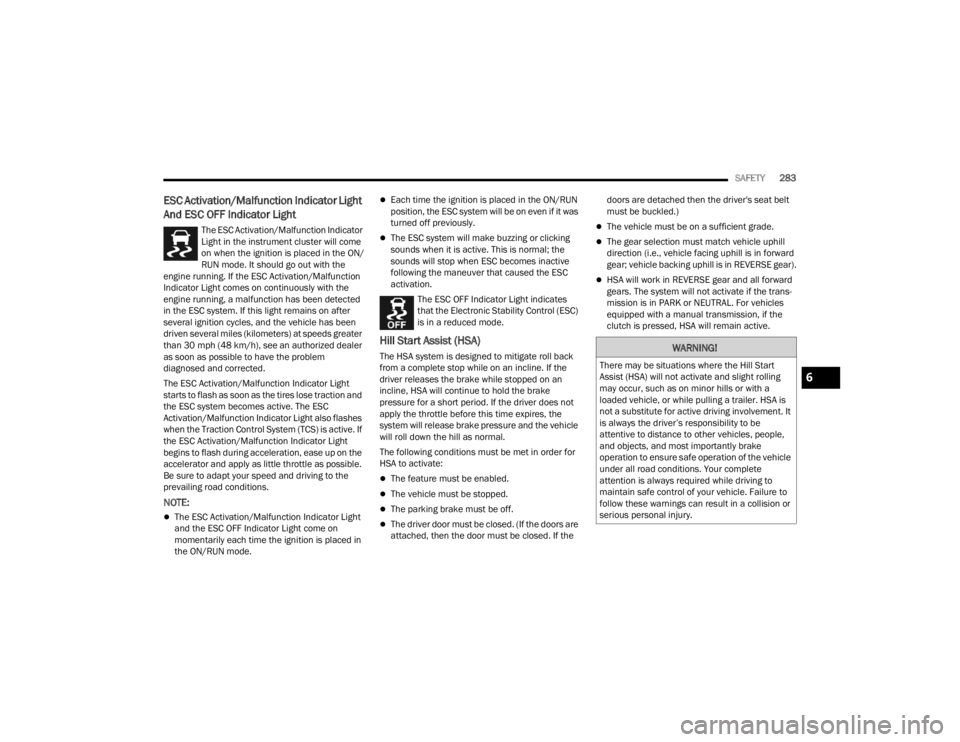
The ESC Activation/Malfunction Indicator
Light in the instrument cluster will come
on when the ignition is placed in the ON/
RUN mode. It should go out with the
engine running. If the ESC Activation/Malfunction
Indicator Light comes on continuously with the
engine running, a malfunction has been detected
in the ESC system. If this light remains on after
several ignition cycles, and the vehicle has been
driven several miles (kilometers) at speeds greater
than 30 mph (48 km/h), see an authorized dealer
as soon as possible to have the problem
diagnosed and corrected.
The ESC Activation/Malfunction Indicator Light
starts to flash as soon as the tires lose traction and
the ESC system becomes active. The ESC
Activation/Malfunction Indicator Light also flashes
when the Traction Control System (TCS) is active. If
the ESC Activation/Malfunction Indicator Light
begins to flash during acceleration, ease up on the
accelerator and apply as little throttle as possible.
Be sure to adapt your speed and driving to the
prevailing road conditions.
NOTE:
The ESC Activation/Malfunction Indicator Light
and the ESC OFF Indicator Light come on
momentarily each time the ignition is placed in
the ON/RUN mode.
Each time the ignition is placed in the ON/RUN
position, the ESC system will be on even if it was
turned off previously.
The ESC system will make buzzing or clicking
sounds when it is active. This is normal; the
sounds will stop when ESC becomes inactive
following the maneuver that caused the ESC
activation.
The ESC OFF Indicator Light indicates
that the Electronic Stability Control (ESC)
is in a reduced mode.
Hill Start Assist (HSA)
The HSA system is designed to mitigate roll back
from a complete stop while on an incline. If the
driver releases the brake while stopped on an
incline, HSA will continue to hold the brake
pressure for a short period. If the driver does not
apply the throttle before this time expires, the
system will release brake pressure and the vehicle
will roll down the hill as normal.
The following conditions must be met in order for
HSA to activate:
The feature must be enabled.
The vehicle must be stopped.
The parking brake must be off.
The driver door must be closed. (If the doors are
attached, then the door must be closed. If the doors are detached then the driver's seat belt
must be buckled.)
The vehicle must be on a sufficient grade.
The gear selection must match vehicle uphill
direction (i.e., vehicle facing uphill is in forward
gear; vehicle backing uphill is in REVERSE gear).
HSA will work in REVERSE gear and all forward
gears. The system will not activate if the trans
-
mission is in PARK or NEUTRAL. For vehicles
equipped with a manual transmission, if the
clutch is pressed, HSA will remain active.
WARNING!
There may be situations where the Hill Start
Assist (HSA) will not activate and slight rolling
may occur, such as on minor hills or with a
loaded vehicle, or while pulling a trailer. HSA is
not a substitute for active driving involvement. It
is always the driver’s responsibility to be
attentive to distance to other vehicles, people,
and objects, and most importantly brake
operation to ensure safe operation of the vehicle
under all road conditions. Your complete
attention is always required while driving to
maintain safe control of your vehicle. Failure to
follow these warnings can result in a collision or
serious personal injury.
6
23_JT_OM_EN_USC_t.book Page 283
Page 296 of 448

294SAFETY
Turning PEB On Or Off
NOTE:The default status of PEB is “On.” This allows the
system to warn you of a possible frontal collision
with the pedestrian.
The PEB button is located in the Uconnect display
in the Control settings Ú page 215.
To turn the PEB system off, push the Pedestrian
Emergency Braking button.
To turn the PEB system back on, push the Warning
Active Braking button.
Changing the PEB status to “Off” deactivates the
system, so no warning or active braking will be
available in case of a possible frontal collision with
the pedestrian/cyclist.
NOTE:The PEB system will retain the last setting selected
by the driver after ignition shut down. The system
will not reset to the default setting when the
vehicle is restarted.
TIRE PRESSURE MONITORING SYSTEM
(TPMS)
The Tire Pressure Monitoring System (TPMS) will
warn the driver of a low tire pressure based on the
vehicle recommended cold placard pressure.
NOTE:The alert warning on the cluster will stay on until
the tire is inflated to the placard pressure.
The tire pressure will vary with temperature by
approximately 1 psi (7 kPa) for every 12°F (6.5°C).
This means that when the outside temperature
decreases, the tire pressure will decrease. Tire
pressure should always be set based on cold
inflation tire pressure. This is defined as the tire
pressure after the vehicle has not been driven for
at least three hours, or driven less than 1 mile
(1.6 km) after a three hour period. The cold tire
inflation pressure must not exceed the maximum
inflation pressure molded into the tire sidewall.
The tire pressure will also increase as the vehicle
is driven. This is normal and there should be no
adjustment for this increased pressure. See Ú
page 395 on how to properly inflate the
vehicle’s tires.
The TPMS will warn the driver of a low tire pressure
if the tire pressure falls below the low-pressure
warning limit for any reason, including low
temperature effects and natural pressure loss
through the tire.
The TPMS will continue to warn the driver of low
tire pressure as long as the condition exists, and
will not turn off until the tire pressure is at or above
the recommended cold placard pressure. Once the
low tire pressure warning (Tire Pressure Monitoring
System Warning Light) illuminates, you must
increase the tire pressure to the recommended
cold placard pressure in order for the TPMS
Warning Light to turn off.
The system will automatically update and the
TPMS Warning Light will turn off once the system
receives the updated tire pressures. The vehicle
may need to be driven for up to 20 minutes above
15 mph (24 km/h) in order for the TPMS to receive
this information.
For example, your vehicle may have a
recommended cold (parked for more than three
hours) placard pressure of 33 psi (227 kPa). If the
ambient temperature is 68°F (20°C) and the
measured tire pressure is 28 psi (193 kPa), a
temperature drop to 20°F (-7°C) will decrease the
tire pressure to approximately 24 psi (165 kPa).
This tire pressure is low enough to turn on the
WARNING!
Pedestrian Emergency Braking (PEB) is not
intended to avoid a collision on its own, nor can
PEB detect every type of potential collision with
a pedestrian. The driver has the responsibility to
avoid a collision by controlling the vehicle via
braking and steering. Failure to follow this
warning could lead to serious injury or death.
23_JT_OM_EN_USC_t.book Page 294
Page 297 of 448
SAFETY295
(Continued)
TPMS Warning Light. Driving the vehicle may cause
the tire pressure to rise to approximately 28 psi
(193 kPa), but the TPMS Warning Light will still be
on. In this situation, the TPMS Warning Light will
turn off only after the tires are inflated to the
vehicle’s recommended cold placard pressure
value.
NOTE:When filling warm tires, the tire pressure may need
to be increased up to an additional 4 psi (28 kPa)
above the recommended cold placard pressure in
order to turn the TPMS Warning Light off.
NOTE:
The TPMS is not intended to replace normal tire
care and maintenance, or to provide warning of
a tire failure or condition.
The TPMS should not be used as a tire pressure
gauge while adjusting your tire pressure, unless
your vehicle is equipped with a Tire Fill Alert
(TFA) system.
Driving on a significantly underinflated tire
causes the tire to overheat and can lead to tire
failure. Underinflation also reduces fuel effi
-
ciency and tire tread life, and may affect the
vehicle’s handling and stopping ability.
The TPMS is not a substitute for proper tire
maintenance, and it is the driver’s responsibility
to maintain correct tire pressure using an accu -
rate tire pressure gauge, even if underinflation
has not reached the level to trigger illumination
of the TPMS Warning Light.
Seasonal temperature changes will affect tire
pressure, and the TPMS will monitor the actual
tire pressure in the tire Ú page 432.
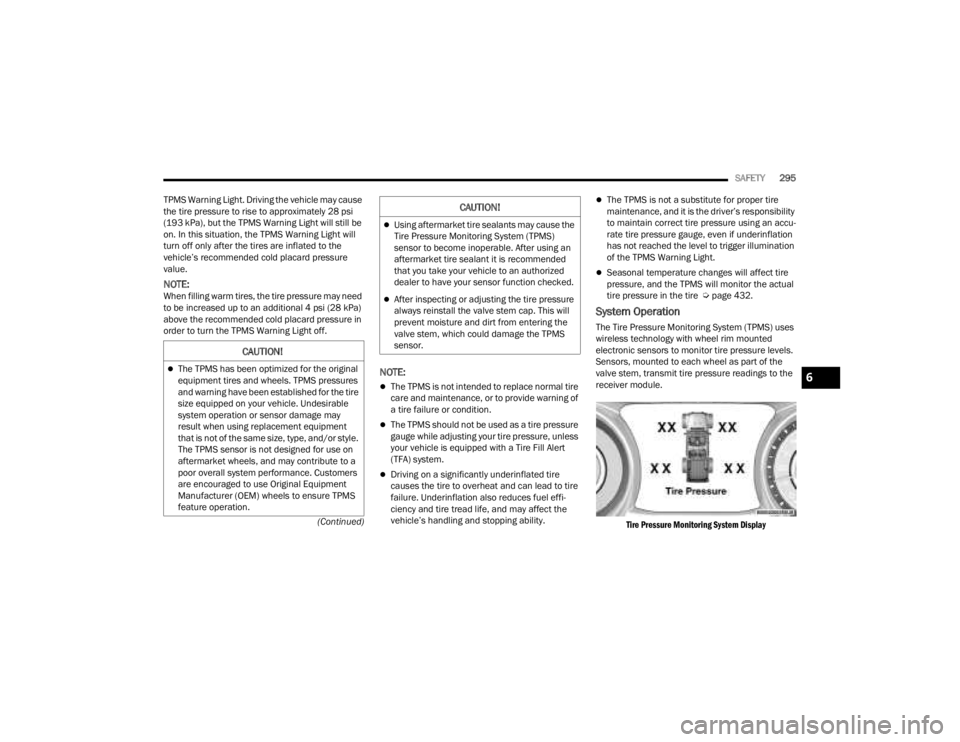
System Operation
The Tire Pressure Monitoring System (TPMS) uses
wireless technology with wheel rim mounted
electronic sensors to monitor tire pressure levels.
Sensors, mounted to each wheel as part of the
valve stem, transmit tire pressure readings to the
receiver module.
Tire Pressure Monitoring System Display
CAUTION!
The TPMS has been optimized for the original
equipment tires and wheels. TPMS pressures
and warning have been established for the tire
size equipped on your vehicle. Undesirable
system operation or sensor damage may
result when using replacement equipment
that is not of the same size, type, and/or style.
The TPMS sensor is not designed for use on
aftermarket wheels, and may contribute to a
poor overall system performance. Customers
are encouraged to use Original Equipment
Manufacturer (OEM) wheels to ensure TPMS
feature operation.
Using aftermarket tire sealants may cause the
Tire Pressure Monitoring System (TPMS)
sensor to become inoperable. After using an
aftermarket tire sealant it is recommended
that you take your vehicle to an authorized
dealer to have your sensor function checked.
After inspecting or adjusting the tire pressure
always reinstall the valve stem cap. This will
prevent moisture and dirt from entering the
valve stem, which could damage the TPMS
sensor.
CAUTION!
6
23_JT_OM_EN_USC_t.book Page 295
Page 298 of 448
296SAFETY
NOTE:It is particularly important for you to check the tire
pressure in all of the tires on your vehicle monthly
and to maintain the proper pressure.
The TPMS consists of the following components:
Receiver module
Four Tire Pressure Monitoring System sensors
Various Tire Pressure Monitoring System
messages, which display in the instrument
cluster
Tire Pressure Monitoring System Warning Light
TIRE PRESSURE MONITORING LOW PRESSURE
WARNINGS
The TPMS Warning Light will illuminate in
the instrument cluster and a chime will
sound when tire pressure is low in one or
more of the four active road tires. In
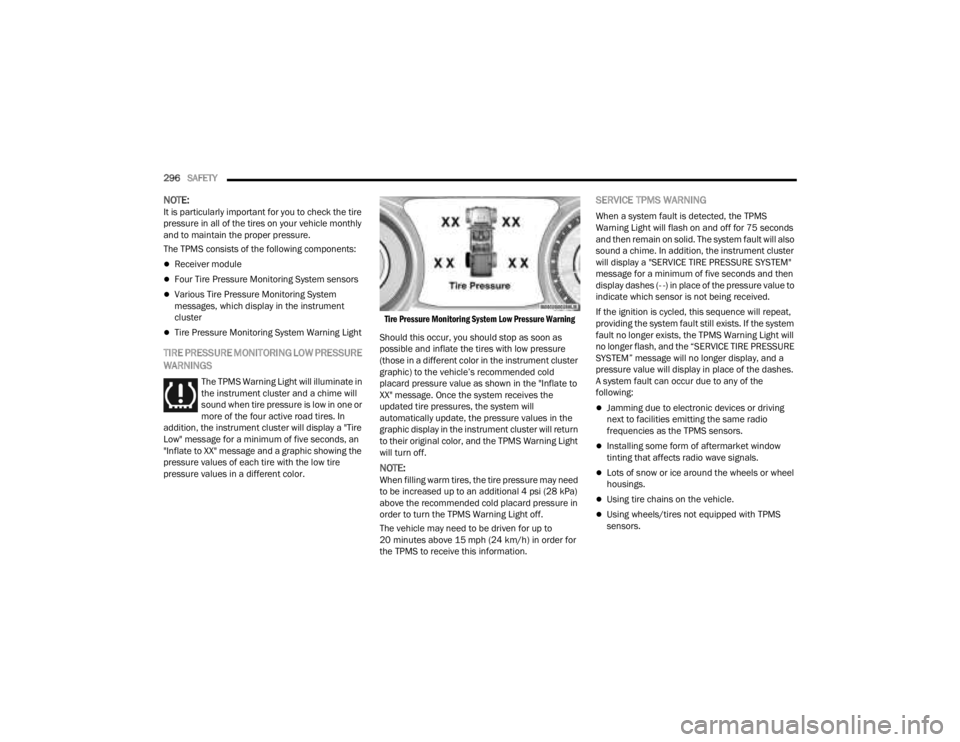
addition, the instrument cluster will display a "Tire
Low" message for a minimum of five seconds, an
"Inflate to XX" message and a graphic showing the
pressure values of each tire with the low tire
pressure values in a different color.
Tire Pressure Monitoring System Low Pressure Warning
Should this occur, you should stop as soon as
possible and inflate the tires with low pressure
(those in a different color in the instrument cluster
graphic) to the vehicle’s recommended cold
placard pressure value as shown in the "Inflate to
XX" message. Once the system receives the
updated tire pressures, the system will
automatically update, the pressure values in the
graphic display in the instrument cluster will return
to their original color, and the TPMS Warning Light
will turn off.
NOTE:When filling warm tires, the tire pressure may need
to be increased up to an additional 4 psi (28 kPa)
above the recommended cold placard pressure in
order to turn the TPMS Warning Light off.
The vehicle may need to be driven for up to
20 minutes above 15 mph (24 km/h) in order for
the TPMS to receive this information.
SERVICE TPMS WARNING
When a system fault is detected, the TPMS
Warning Light will flash on and off for 75 seconds
and then remain on solid. The system fault will also
sound a chime. In addition, the instrument cluster
will display a "SERVICE TIRE PRESSURE SYSTEM"
message for a minimum of five seconds and then
display dashes (- -) in place of the pressure value to
indicate which sensor is not being received.
If the ignition is cycled, this sequence will repeat,
providing the system fault still exists. If the system
fault no longer exists, the TPMS Warning Light will
no longer flash, and the “SERVICE TIRE PRESSURE
SYSTEM” message will no longer display, and a
pressure value will display in place of the dashes.
A system fault can occur due to any of the
following:
Jamming due to electronic devices or driving
next to facilities emitting the same radio
frequencies as the TPMS sensors.
Installing some form of aftermarket window
tinting that affects radio wave signals.
Lots of snow or ice around the wheels or wheel
housings.
Using tire chains on the vehicle.
Using wheels/tires not equipped with TPMS
sensors.
23_JT_OM_EN_USC_t.book Page 296
Page 299 of 448

SAFETY297
Vehicles With A Full-Size Matching Spare
1. If your vehicle is equipped with a matching full-size spare wheel and tire assembly, it has
a Tire Pressure Monitoring System sensor,
and can be monitored by the Tire Pressure
Monitoring System (TPMS) when swapped
with a low pressure road tire.
2. In the event that the matching full-size spare tire is swapped with a low pressure road tire,
the next ignition switch cycle will still show the
TPMS Warning Light to be on, a chime to
sound, an “Inflate to XX” message to appear in
the instrument cluster, and the graphic display
will still show the low tire pressure value in a
different color.
3. Driving the vehicle for up to 20 minutes above 15 mph (24 km/h) will turn off the TPMS
Warning Light as long as none of road tires are
below the low pressure warning threshold.
TIRE FILL ALERT
This feature notifies the user when the placard tire
pressure is attained while inflating or deflating the
tire.
The customer may choose to disable or enable the
Tire Fill Alert feature in the apps menu of the
Uconnect system.
NOTE:
Only one tire can be filled at a time when using
the Tire Fill Alert system.
The Tire Fill Alert feature cannot be entered if an
existing TPMS system fault is set to “active” or if
the system is in deactivation mode (if equipped).
The system will be activated when the system
detects an increase in tire pressure while filling the
tire. The ignition must be in the ON/RUN mode with
the transmission in PARK for vehicles equipped
with an automatic transmission. For vehicles
equipped with a manual transmission, the parking
brake must be applied.
NOTE:It is not required to have the engine running to
enter Tire Fill Alert mode.
The hazard lamps will come on to confirm the
vehicle is in Tire Fill Alert mode. If the hazard lamps
do not come on while inflating the tire, the Tire
Pressure Monitoring System (TPMS) sensor may
be in an inoperative position, preventing the TPMS
sensor signal from being received. In this case, the
vehicle may need to be moved slightly forward or
backward. The Tire Fill Alert system will only inflate or deflate
one tire at a time. Wait until the hazard lights have
stopped flashing for 30 seconds after the desired
pressure is achieved in one tire before switching to
another.
When Tire Fill Alert mode is entered, the tire
pressure display screen will be displayed in the
instrument cluster.
Operation:
The horn will chirp once to let the user know
when to stop filling the tire, when it reaches
recommended pressure.
The horn will chirp three times if the tire is over
-
filled and will continue to chirp every five
seconds if the user continues to inflate the tire.
The horn will chirp once again when enough air
is let out to reach proper inflation level.
The horn will also chirp three times if the tire is
then underinflated and will continue to chirp
every five seconds if the user continues to
deflate the tire.
NOTE:The Tire Fill Alert feature is set to “Disabled” every
time the ignition is turned to “OFF”. To re-enable
the Tire Fill Alert feature at the next ignition “RUN”
state, the customer must re-enable the feature
through use of the customer settings in the radio.
6
23_JT_OM_EN_USC_t.book Page 297