wheel JEEP GRAND CHEROKEE 2010 Owner handbook (in English)
[x] Cancel search | Manufacturer: JEEP, Model Year: 2010, Model line: GRAND CHEROKEE, Model: JEEP GRAND CHEROKEE 2010Pages: 350, PDF Size: 4.58 MB
Page 106 of 350
NOTE:
•Do not fold the 60% rear seat down with
the left outboard or rear center seat belt
buckled.
• Do not fold the 40% rear seat down with
the right outboard seat belt buckled.
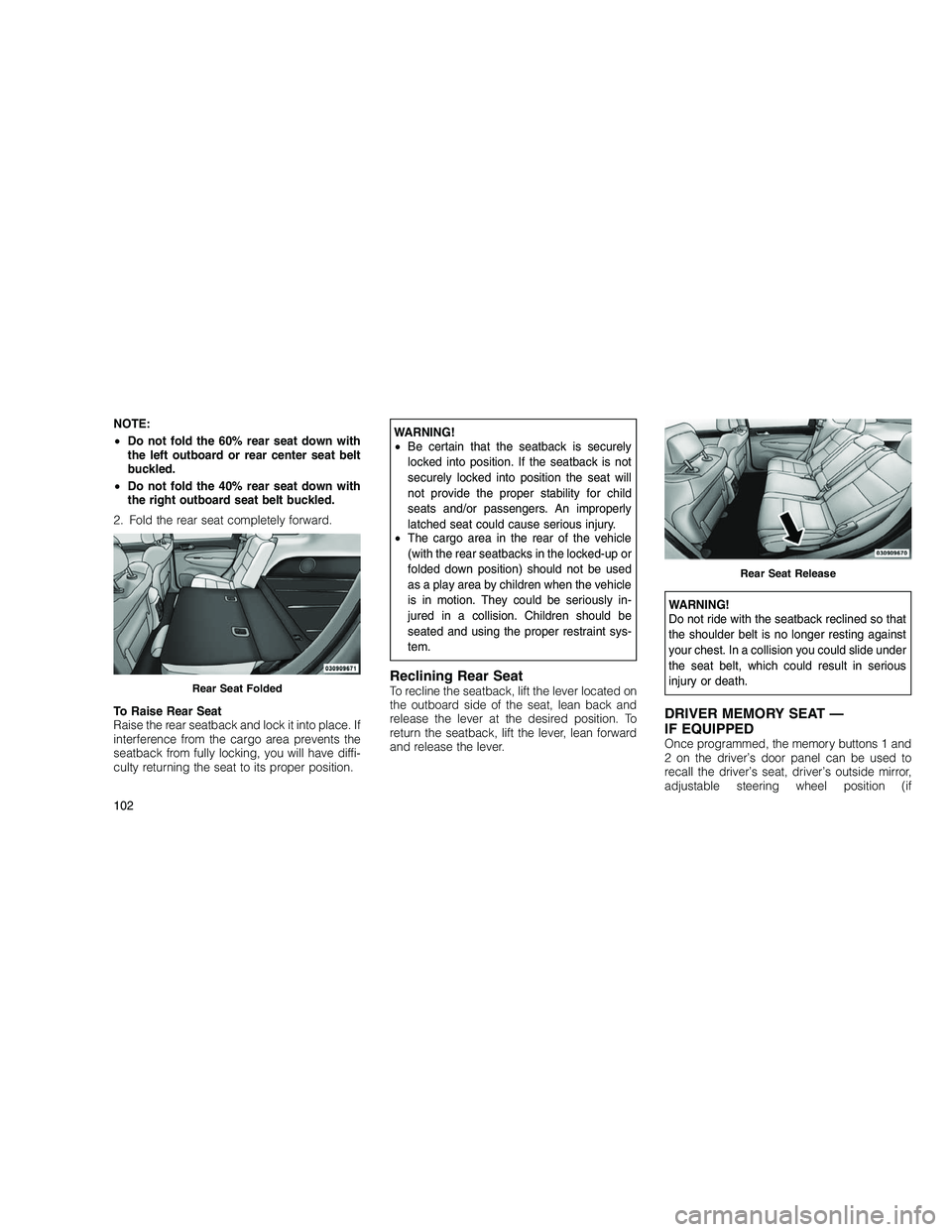
2. Fold the rear seat completely forward.
To Raise Rear Seat
Raise the rear seatback and lock it into place. If
interference from the cargo area prevents the
seatback from fully locking, you will have diffi-
culty returning the seat to its proper position.WARNING!
• Be certain that the seatback is securely
locked into position. If the seatback is not
securely locked into position the seat will
not provide the proper stability for child
seats and/or passengers. An improperly
latched seat could cause serious injury.
• The cargo area in the rear of the vehicle
(with the rear seatbacks in the locked-up or
folded down position) should not be used
as a play area by children when the vehicle
is in motion. They could be seriously in-
jured in a collision. Children should be
seated and using the proper restraint sys-
tem.
Reclining Rear SeatTo recline the seatback, lift the lever located on
the outboard side of the seat, lean back and
release the lever at the desired position. To
return the seatback, lift the lever, lean forward
and release the lever.
WARNING!
Do not ride with the seatback reclined so that
the shoulder belt is no longer resting against
your chest. In a collision you could slide under
the seat belt, which could result in serious
injury or death.
DRIVER MEMORY SEAT —
IF EQUIPPED
Once programmed, the memory buttons 1 and
2 on the driver’s door panel can be used to
recall the driver’s seat, driver’s outside mirror,
adjustable steering wheel position (if
Rear Seat Folded
Rear Seat Release
102
Page 110 of 350
WARNING!
Be sure the hood is fully latched before driving
your vehicle. If the hood is not fully latched, it
could open when the vehicle is in motion and
block your vision. Failure to follow this warn-
ing could result in serious injury or death.
LIGHTS
Headlight Switch
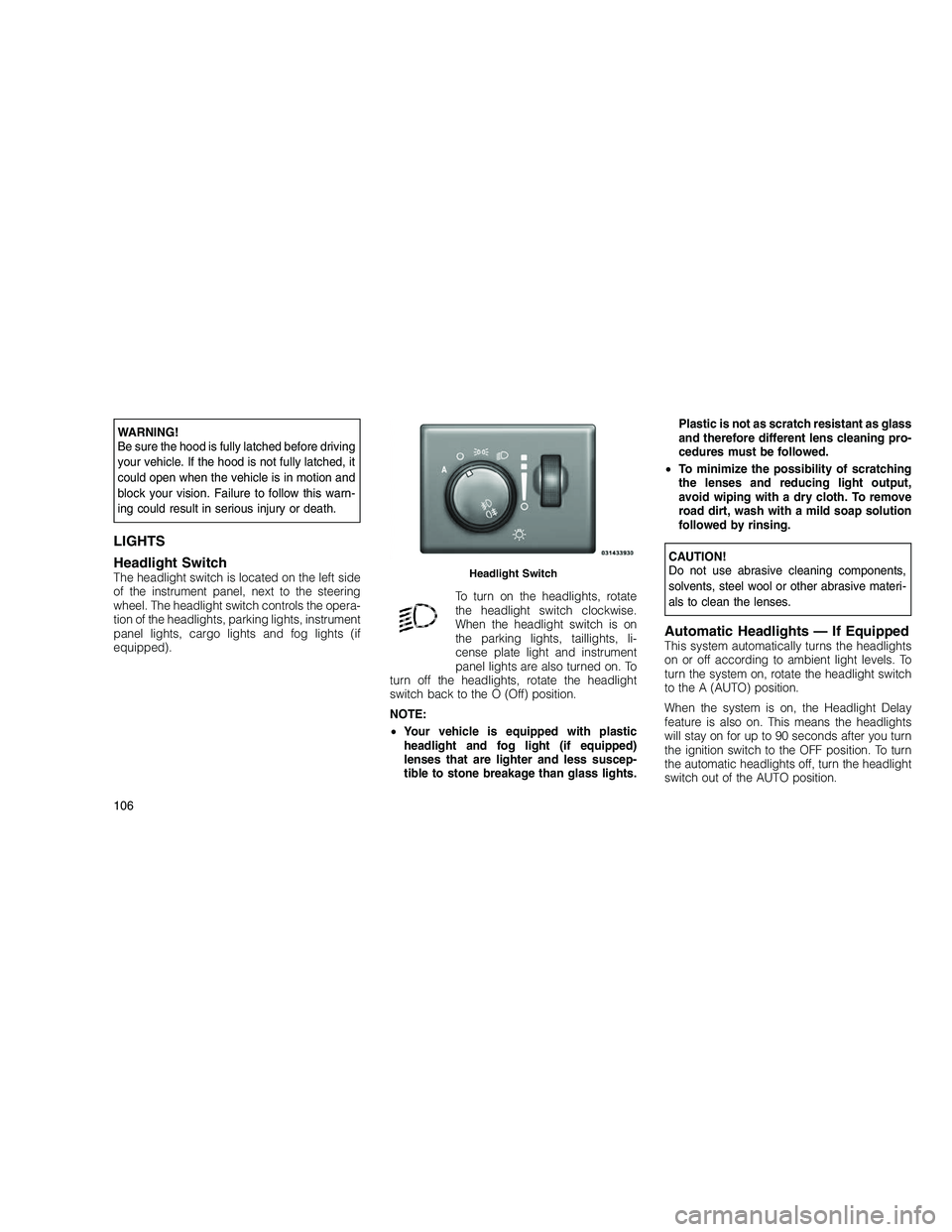
The headlight switch is located on the left side
of the instrument panel, next to the steering
wheel. The headlight switch controls the opera-
tion of the headlights, parking lights, instrument
panel lights, cargo lights and fog lights (if
equipped).To turn on the headlights, rotate
the headlight switch clockwise.
When the headlight switch is on
the parking lights, taillights, li-
cense plate light and instrument
panel lights are also turned on. To
turn off the headlights, rotate the headlight
switch back to the O (Off) position.
NOTE:
• Your vehicle is equipped with plastic
headlight and fog light (if equipped)
lenses that are lighter and less suscep-
tible to stone breakage than glass lights. Plastic is not as scratch resistant as glass
and therefore different lens cleaning pro-
cedures must be followed.
• To minimize the possibility of scratching
the lenses and reducing light output,
avoid wiping with a dry cloth. To remove
road dirt, wash with a mild soap solution
followed by rinsing.
CAUTION!
Do not use abrasive cleaning components,
solvents, steel wool or other abrasive materi-
als to clean the lenses.
Automatic Headlights — If EquippedThis system automatically turns the headlights
on or off according to ambient light levels. To
turn the system on, rotate the headlight switch
to the A (AUTO) position.
When the system is on, the Headlight Delay
feature is also on. This means the headlights
will stay on for up to 90 seconds after you turn
the ignition switch to the OFF position. To turn
the automatic headlights off, turn the headlight
switch out of the AUTO position.
Headlight Switch
106
Page 113 of 350
Headlight DelayTo aid in your exit, your vehicle is equipped with
a headlight delay that will leave the headlights
on for approximately 90 seconds. This delay is
initiated when the ignition is turned OFF while
the headlight switch is on, and then the head-
light switch is cycled off. Headlight delay can
be cancelled by either turning the headlight
switch on then off, or by turning the ignition ON.
The headlight delay time is programmable on
vehicles equipped with an Electronic Vehicle
Information Center (EVIC). Refer to “Electronic
Vehicle Information Center (EVIC)/Customer-
Programmable Features” in “Understanding
Your Instrument Panel” for further information.
Parking Lights and Panel Lights
To turn on the parking lights and instru-
ment panel lights, rotate the headlight
switch clockwise. To turn off the park-
ing lights, rotate the headlight switch back to
the O (Off) position.
Front and Rear Fog Lights —
If Equipped
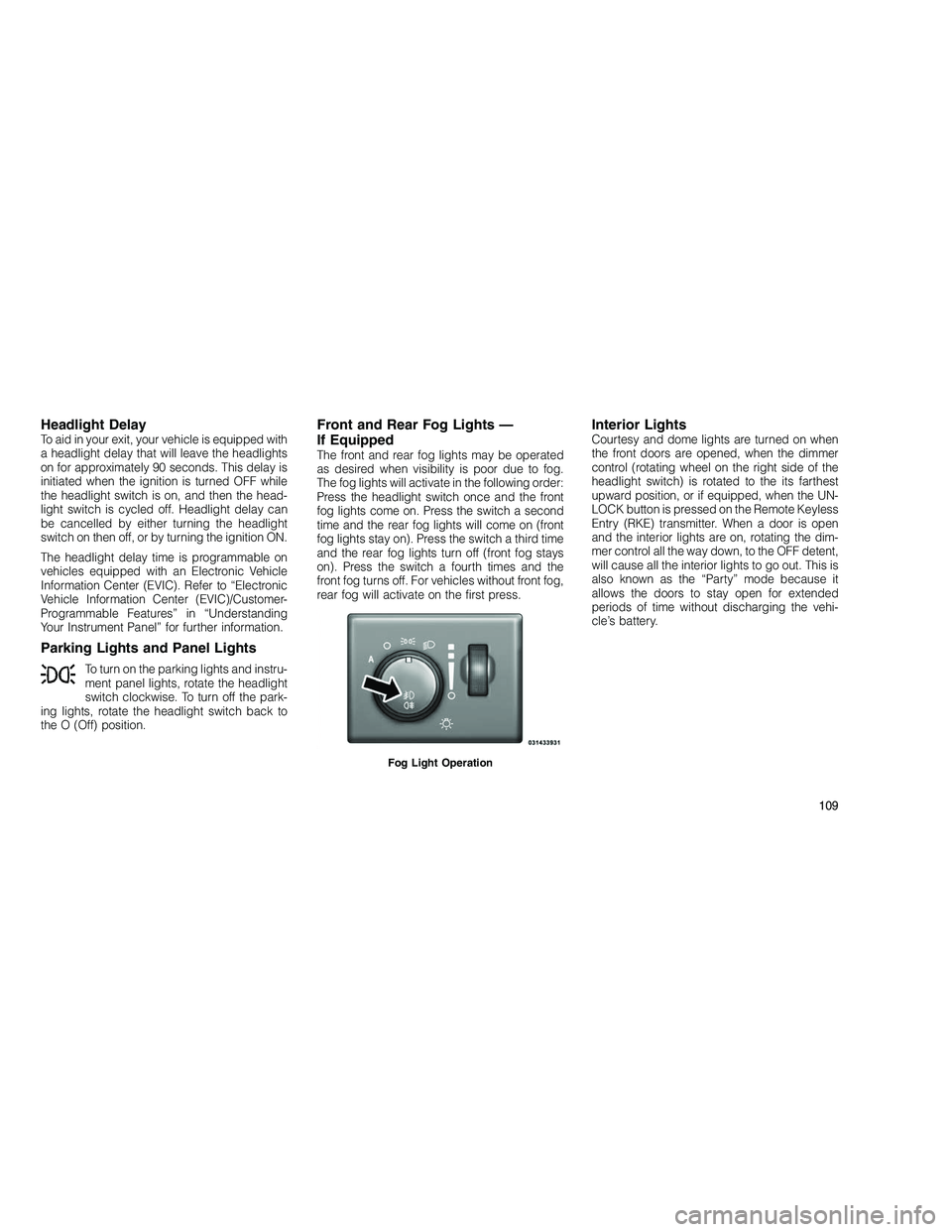
The front and rear fog lights may be operated
as desired when visibility is poor due to fog.
The fog lights will activate in the following order:
Press the headlight switch once and the front
fog lights come on. Press the switch a second
time and the rear fog lights will come on (front
fog lights stay on). Press the switch a third time
and the rear fog lights turn off (front fog stays
on). Press the switch a fourth times and the
front fog turns off. For vehicles without front fog,
rear fog will activate on the first press.
Interior LightsCourtesy and dome lights are turned on when
the front doors are opened, when the dimmer
control (rotating wheel on the right side of the
headlight switch) is rotated to the its farthest
upward position, or if equipped, when the UN-
LOCK button is pressed on the Remote Keyless
Entry (RKE) transmitter. When a door is open
and the interior lights are on, rotating the dim-
mer control all the way down, to the OFF detent,
will cause all the interior lights to go out. This is
also known as the “Party” mode because it
allows the doors to stay open for extended
periods of time without discharging the vehi-
cle’s battery.
Fog Light Operation
109
Page 115 of 350
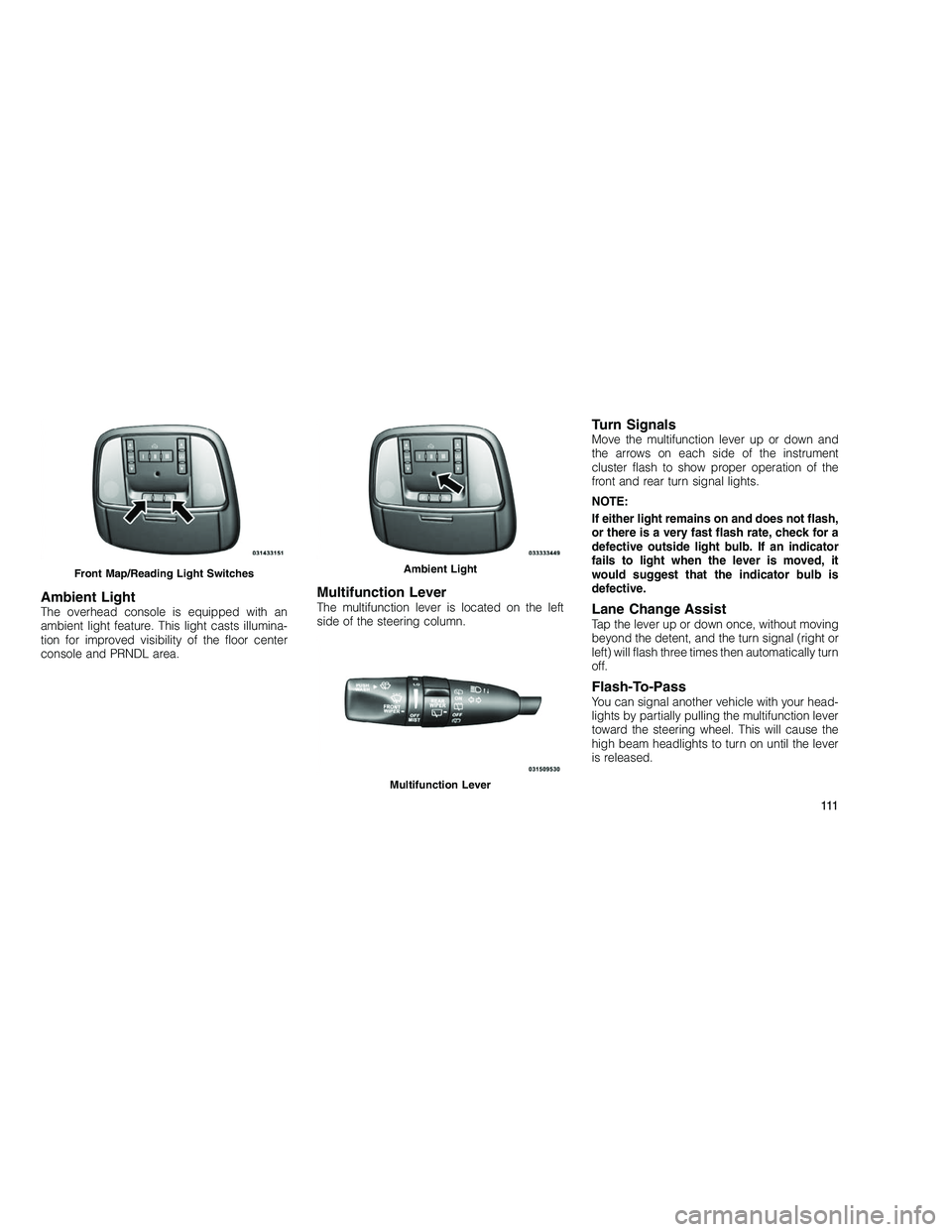
Ambient LightThe overhead console is equipped with an
ambient light feature. This light casts illumina-
tion for improved visibility of the floor center
console and PRNDL area.
Multifunction LeverThe multifunction lever is located on the left
side of the steering column.
Turn SignalsMove the multifunction lever up or down and
the arrows on each side of the instrument
cluster flash to show proper operation of the
front and rear turn signal lights.
NOTE:
If either light remains on and does not flash,
or there is a very fast flash rate, check for a
defective outside light bulb. If an indicator
fails to light when the lever is moved, it
would suggest that the indicator bulb is
defective.
Lane Change AssistTap the lever up or down once, without moving
beyond the detent, and the turn signal (right or
left) will flash three times then automatically turn
off.
Flash-To-PassYou can signal another vehicle with your head-
lights by partially pulling the multifunction lever
toward the steering wheel. This will cause the
high beam headlights to turn on until the lever
is released.
Front Map/Reading Light SwitchesAmbient Light
Multifunction Lever
111
Page 116 of 350
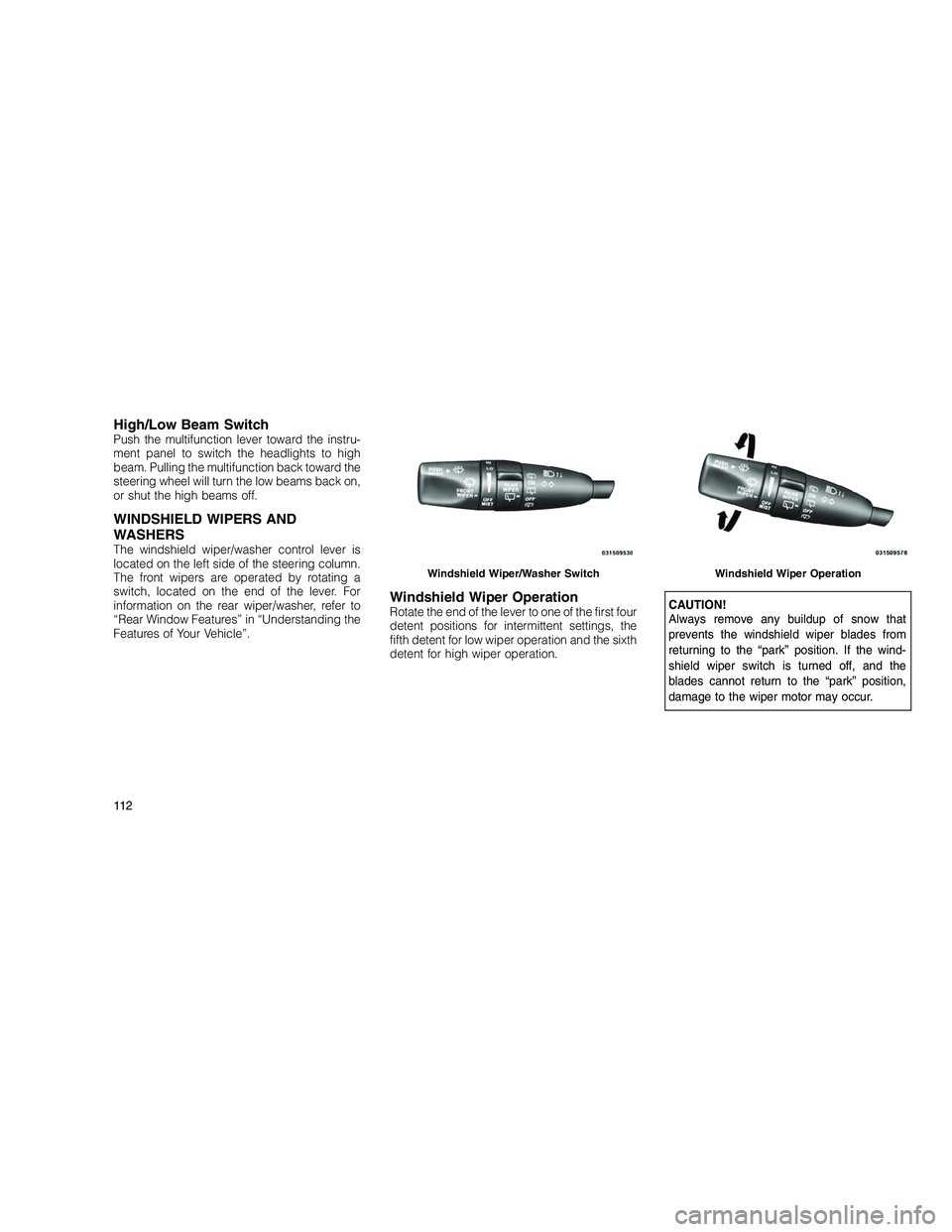
High/Low Beam SwitchPush the multifunction lever toward the instru-
ment panel to switch the headlights to high
beam. Pulling the multifunction back toward the
steering wheel will turn the low beams back on,
or shut the high beams off.
WINDSHIELD WIPERS AND
WASHERS
The windshield wiper/washer control lever is
located on the left side of the steering column.
The front wipers are operated by rotating a
switch, located on the end of the lever. For
information on the rear wiper/washer, refer to
“Rear Window Features” in “Understanding the
Features of Your Vehicle”.
Windshield Wiper OperationRotate the end of the lever to one of the first four
detent positions for intermittent settings, the
fifth detent for low wiper operation and the sixth
detent for high wiper operation.CAUTION!
Always remove any buildup of snow that
prevents the windshield wiper blades from
returning to the “park” position. If the wind-
shield wiper switch is turned off, and the
blades cannot return to the “park” position,
damage to the wiper motor may occur.
Windshield Wiper/Washer SwitchWindshield Wiper Operation
11 2
Page 117 of 350
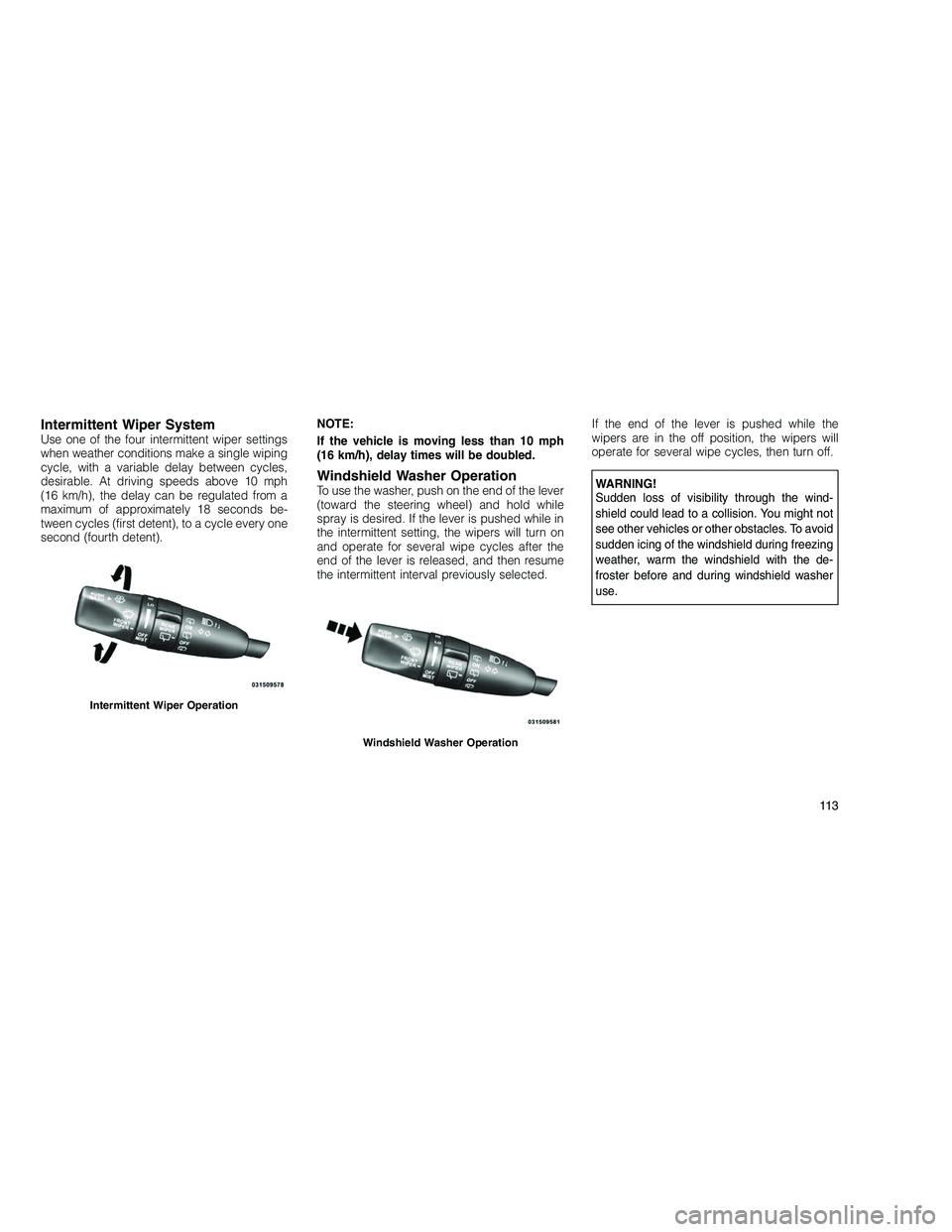
Intermittent Wiper SystemUse one of the four intermittent wiper settings
when weather conditions make a single wiping
cycle, with a variable delay between cycles,
desirable. At driving speeds above 10 mph
(16 km/h), the delay can be regulated from a
maximum of approximately 18 seconds be-
tween cycles (first detent), to a cycle every one
second (fourth detent).NOTE:
If the vehicle is moving less than 10 mph
(16 km/h), delay times will be doubled.
Windshield Washer OperationTo use the washer, push on the end of the lever
(toward the steering wheel) and hold while
spray is desired. If the lever is pushed while in
the intermittent setting, the wipers will turn on
and operate for several wipe cycles after the
end of the lever is released, and then resume
the intermittent interval previously selected.If the end of the lever is pushed while the
wipers are in the off position, the wipers will
operate for several wipe cycles, then turn off.WARNING!
Sudden loss of visibility through the wind-
shield could lead to a collision. You might not
see other vehicles or other obstacles. To avoid
sudden icing of the windshield during freezing
weather, warm the windshield with the de-
froster before and during windshield washer
use.
Intermittent Wiper Operation
Windshield Washer Operation
11 3
Page 119 of 350
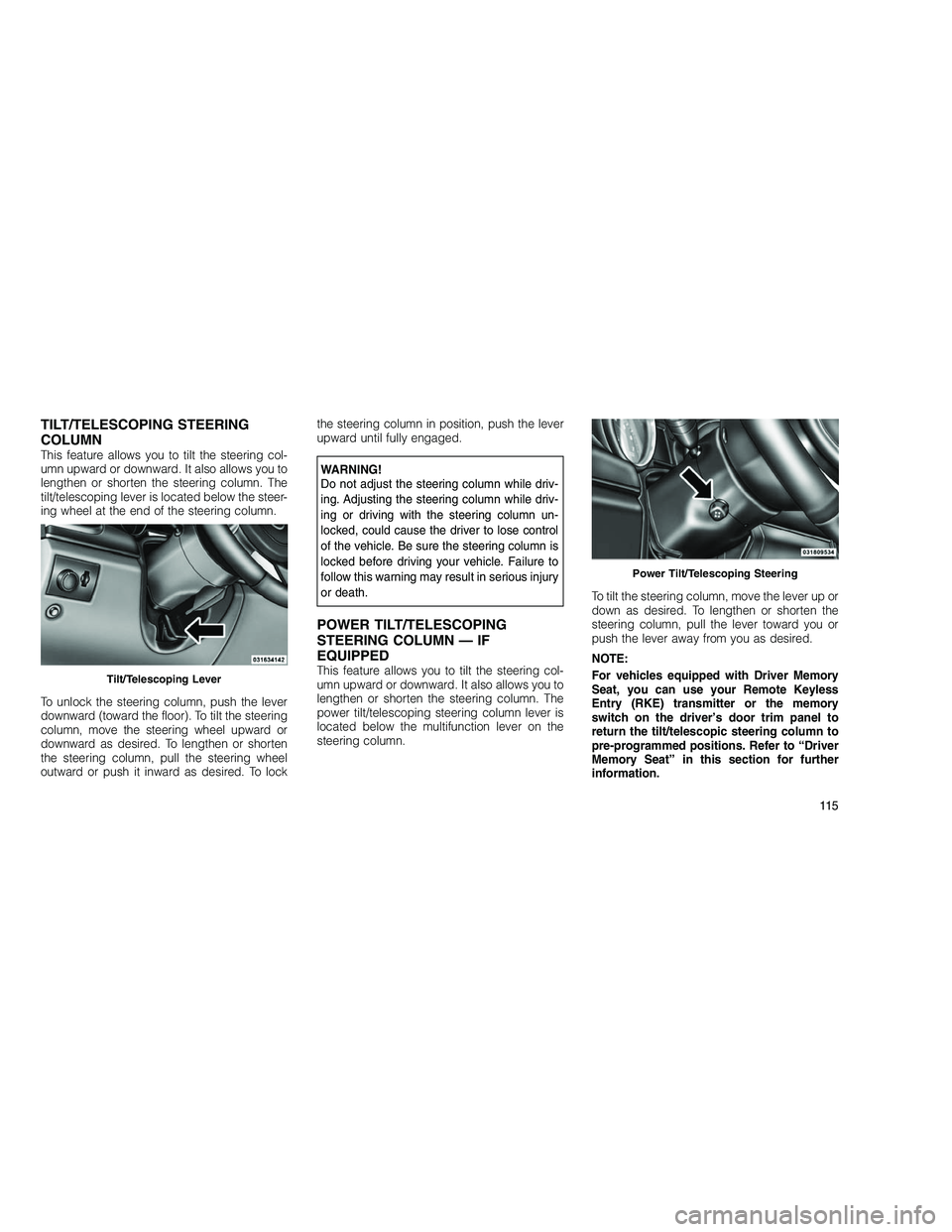
TILT/TELESCOPING STEERING
COLUMN
This feature allows you to tilt the steering col-
umn upward or downward. It also allows you to
lengthen or shorten the steering column. The
tilt/telescoping lever is located below the steer-
ing wheel at the end of the steering column.
To unlock the steering column, push the lever
downward (toward the floor). To tilt the steering
column, move the steering wheel upward or
downward as desired. To lengthen or shorten
the steering column, pull the steering wheel
outward or push it inward as desired. To lockthe steering column in position, push the lever
upward until fully engaged.WARNING!
Do not adjust the steering column while driv-
ing. Adjusting the steering column while driv-
ing or driving with the steering column un-
locked, could cause the driver to lose control
of the vehicle. Be sure the steering column is
locked before driving your vehicle. Failure to
follow this warning may result in serious injury
or death.
POWER TILT/TELESCOPING
STEERING COLUMN — IF
EQUIPPED
This feature allows you to tilt the steering col-
umn upward or downward. It also allows you to
lengthen or shorten the steering column. The
power tilt/telescoping steering column lever is
located below the multifunction lever on the
steering column.
To tilt the steering column, move the lever up or
down as desired. To lengthen or shorten the
steering column, pull the lever toward you or
push the lever away from you as desired.
NOTE:
For vehicles equipped with Driver Memory
Seat, you can use your Remote Keyless
Entry (RKE) transmitter or the memory
switch on the driver’s door trim panel to
return the tilt/telescopic steering column to
pre-programmed positions. Refer to “Driver
Memory Seat” in this section for further
information.Tilt/Telescoping Lever
Power Tilt/Telescoping Steering
11 5
Page 120 of 350
WARNING!
Do not adjust the steering column while driv-
ing. Adjusting the steering column while driv-
ing or driving with the steering column un-
locked, could cause the driver to lose control
of the vehicle. Be sure the steering column is
locked before driving your vehicle. Failure to
follow this warning may result in serious injury
or death.
HEATED STEERING WHEEL —
IF EQUIPPED
The steering wheel contains a heating element
that helps warm your hands in cold weather.
The heated steering wheel has only one tem-
perature setting. Once the heated steering
wheel has been turned on it will operate for
approximately 58 to 70 minutes before auto-
matically shutting off. The heated steering
wheel can shut off early or may not turn on
when the steering wheel is already warm.
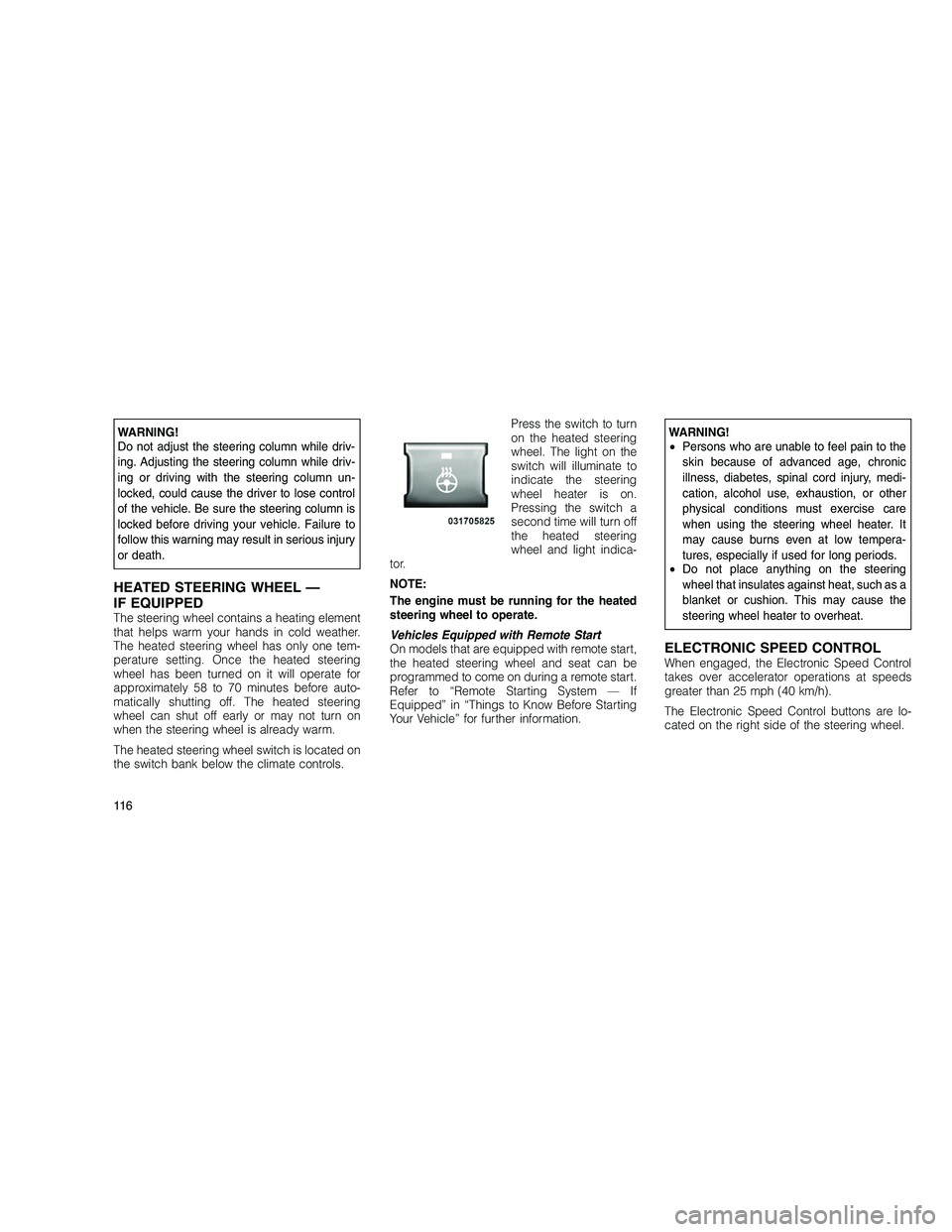
The heated steering wheel switch is located on
the switch bank below the climate controls.Press the switch to turn
on the heated steering
wheel. The light on the
switch will illuminate to
indicate the steering
wheel heater is on.
Pressing the switch a
second time will turn off
the heated steering
wheel and light indica-
tor.
NOTE:
The engine must be running for the heated
steering wheel to operate.
Vehicles Equipped with Remote Start
On models that are equipped with remote start,
the heated steering wheel and seat can be
programmed to come on during a remote start.
Refer to “Remote Starting System — If
Equipped” in “Things to Know Before Starting
Your Vehicle” for further information.
WARNING!
• Persons who are unable to feel pain to the
skin because of advanced age, chronic
illness, diabetes, spinal cord injury, medi-
cation, alcohol use, exhaustion, or other
physical conditions must exercise care
when using the steering wheel heater. It
may cause burns even at low tempera-
tures, especially if used for long periods.
• Do not place anything on the steering
wheel that insulates against heat, such as a
blanket or cushion. This may cause the
steering wheel heater to overheat.
ELECTRONIC SPEED CONTROLWhen engaged, the Electronic Speed Control
takes over accelerator operations at speeds
greater than 25 mph (40 km/h).
The Electronic Speed Control buttons are lo-
cated on the right side of the steering wheel.
11 6
Page 124 of 350
Adaptive Cruise Control (ACC)
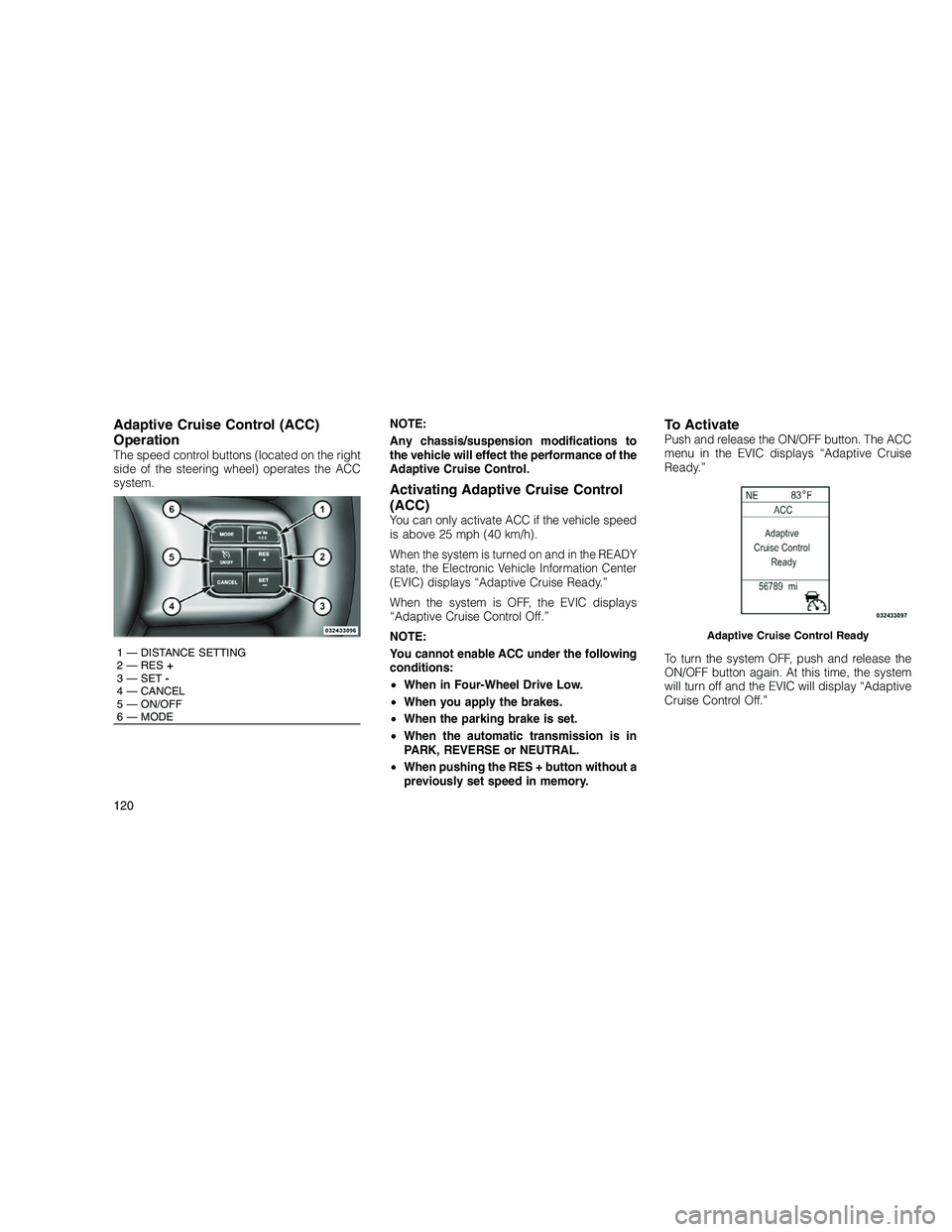
Operation
The speed control buttons (located on the right
side of the steering wheel) operates the ACC
system.NOTE:
Any chassis/suspension modifications to
the vehicle will effect the performance of the
Adaptive Cruise Control.
Activating Adaptive Cruise Control
(ACC)
You can only activate ACC if the vehicle speed
is above 25 mph (40 km/h).
When the system is turned on and in the READY
state, the Electronic Vehicle Information Center
(EVIC) displays “Adaptive Cruise Ready.”
When the system is OFF, the EVIC displays
“Adaptive Cruise Control Off.”
NOTE:
You cannot enable ACC under the following
conditions:
•
When in Four-Wheel Drive Low.
• When you apply the brakes.
• When the parking brake is set.
• When the automatic transmission is in
PARK, REVERSE or NEUTRAL.
• When pushing the RES + button without a
previously set speed in memory.
To ActivatePush and release the ON/OFF button. The ACC
menu in the EVIC displays “Adaptive Cruise
Ready.”
To turn the system OFF, push and release the
ON/OFF button again. At this time, the system
will turn off and the EVIC will display “Adaptive
Cruise Control Off.”
1 — DISTANCE SETTING
2 — RES +
3 — SET -
4 — CANCEL
5 — ON/OFF
6 — MODE
Adaptive Cruise Control Ready
120
Page 126 of 350
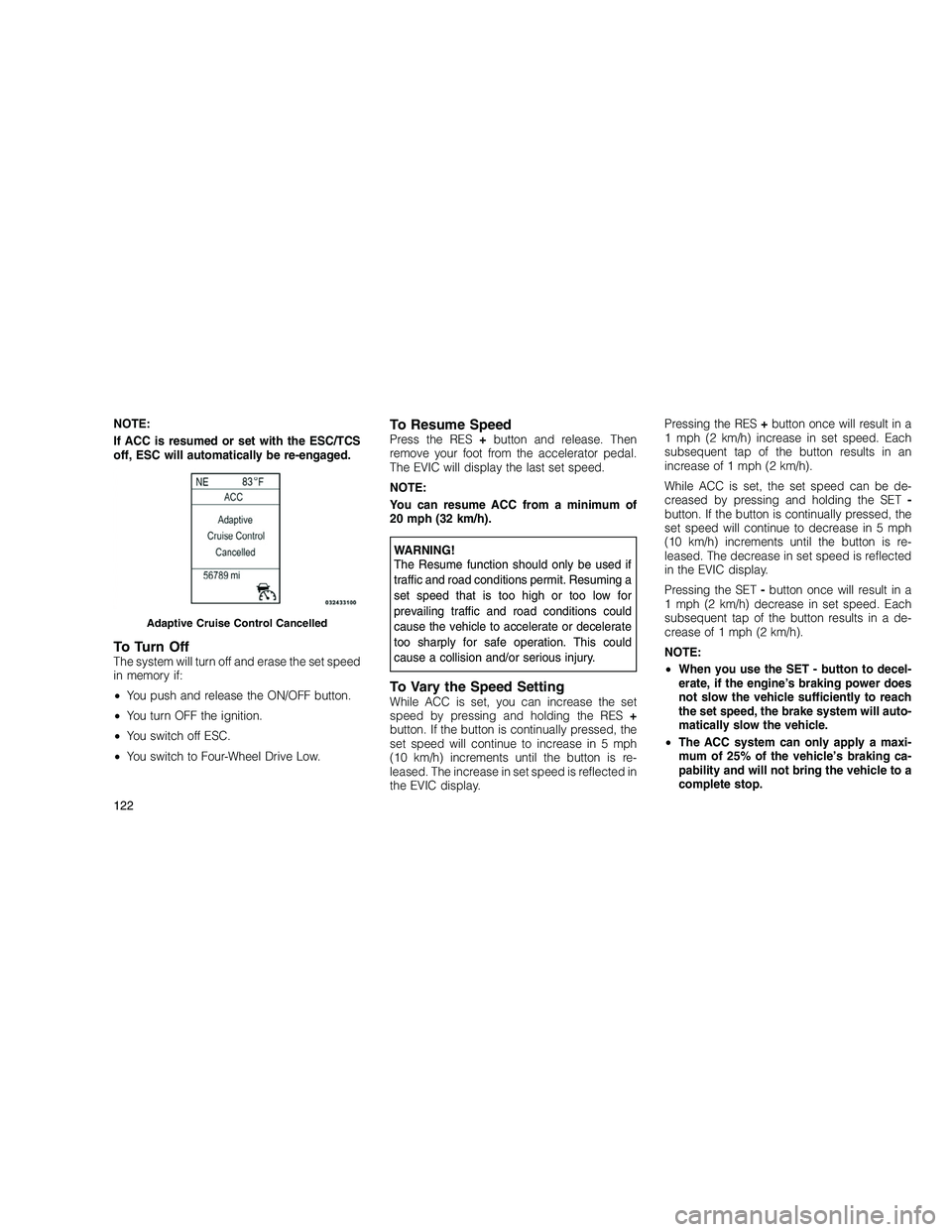
NOTE:
If ACC is resumed or set with the ESC/TCS
off, ESC will automatically be re-engaged.
To Turn OffThe system will turn off and erase the set speed
in memory if:
•You push and release the ON/OFF button.
• You turn OFF the ignition.
• You switch off ESC.
• You switch to Four-Wheel Drive Low.
To Resume SpeedPress the RES +button and release. Then
remove your foot from the accelerator pedal.
The EVIC will display the last set speed.
NOTE:
You can resume ACC from a minimum of
20 mph (32 km/h).
WARNING!
The Resume function should only be used if
traffic and road conditions permit. Resuming a
set speed that is too high or too low for
prevailing traffic and road conditions could
cause the vehicle to accelerate or decelerate
too sharply for safe operation. This could
cause a collision and/or serious injury.
To Vary the Speed SettingWhile ACC is set, you can increase the set
speed by pressing and holding the RES +
button. If the button is continually pressed, the
set speed will continue to increase in 5 mph
(10 km/h) increments until the button is re-
leased. The increase in set speed is reflected in
the EVIC display. Pressing the RES
+button once will result in a
1 mph (2 km/h) increase in set speed. Each
subsequent tap of the button results in an
increase of 1 mph (2 km/h).
While ACC is set, the set speed can be de-
creased by pressing and holding the SET -
button. If the button is continually pressed, the
set speed will continue to decrease in 5 mph
(10 km/h) increments until the button is re-
leased. The decrease in set speed is reflected
in the EVIC display.
Pressing the SET -button once will result in a
1 mph (2 km/h) decrease in set speed. Each
subsequent tap of the button results in a de-
crease of 1 mph (2 km/h).
NOTE:
• When you use the SET - button to decel-
erate, if the engine’s braking power does
not slow the vehicle sufficiently to reach
the set speed, the brake system will auto-
matically slow the vehicle.
• The ACC system can only apply a maxi-
mum of 25% of the vehicle’s braking ca-
pability and will not bring the vehicle to a
complete stop.
Adaptive Cruise Control Cancelled
122