brake JEEP GRAND CHEROKEE 2010 Owner handbook (in English)
[x] Cancel search | Manufacturer: JEEP, Model Year: 2010, Model line: GRAND CHEROKEE, Model: JEEP GRAND CHEROKEE 2010Pages: 350, PDF Size: 4.58 MB
Page 49 of 350
Airbag Warning LightYou will want to have the airbags
ready to inflate for your protection
in a collision. The airbag system is
designed to be maintenance free,
if any of the following occurs, have
an authorized dealer service the
airbag system immediately.
• The Airbag Warning Light does not come on
during the four to eight seconds when the
ignition switch is first turned to the ON/RUN
position.
• The Airbag Warning Light remains on after
the four to eight-second interval.
• The Airbag Warning Light comes on intermit-
tently or remains on while driving. NOTE:
If the speedometer, tachometer, or any en-
gine related gauges are not working, the
Occupant Restraint Controller (ORC) may
also be disabled. The airbags may not be
ready to inflate for your protection. Promptly
check the fuse block for blown fuses. Refer
to the label located on the inside of the fuse
block cover for the proper airbag fuses. See
your authorized dealer if the fuse is good.
Event Data Recorder (EDR)This vehicle is equipped with an event data
recorder (EDR). The main purpose of an EDR is
to record, in certain crash or near crash-like
situations, such as an air bag deployment or
hitting a road obstacle, data that will assist in
understanding how a vehicle’s systems per- formed. The EDR is designed to record data
related to vehicle dynamics and safety systems
for a short period of time, typically 30 seconds
or less. The EDR in this vehicle is designed to
record such data as:
•
How various systems in your vehicle were
operating;
• Whether or not the driver and passenger
safety belts were buckled/fastened;
• How far (if at all) the driver was depressing
the accelerator and/or brake pedal; and,
• How fast the vehicle was traveling.
These data can help provide a better under-
standing of the circumstances in which crashes
and injuries occur.
45
Page 58 of 350
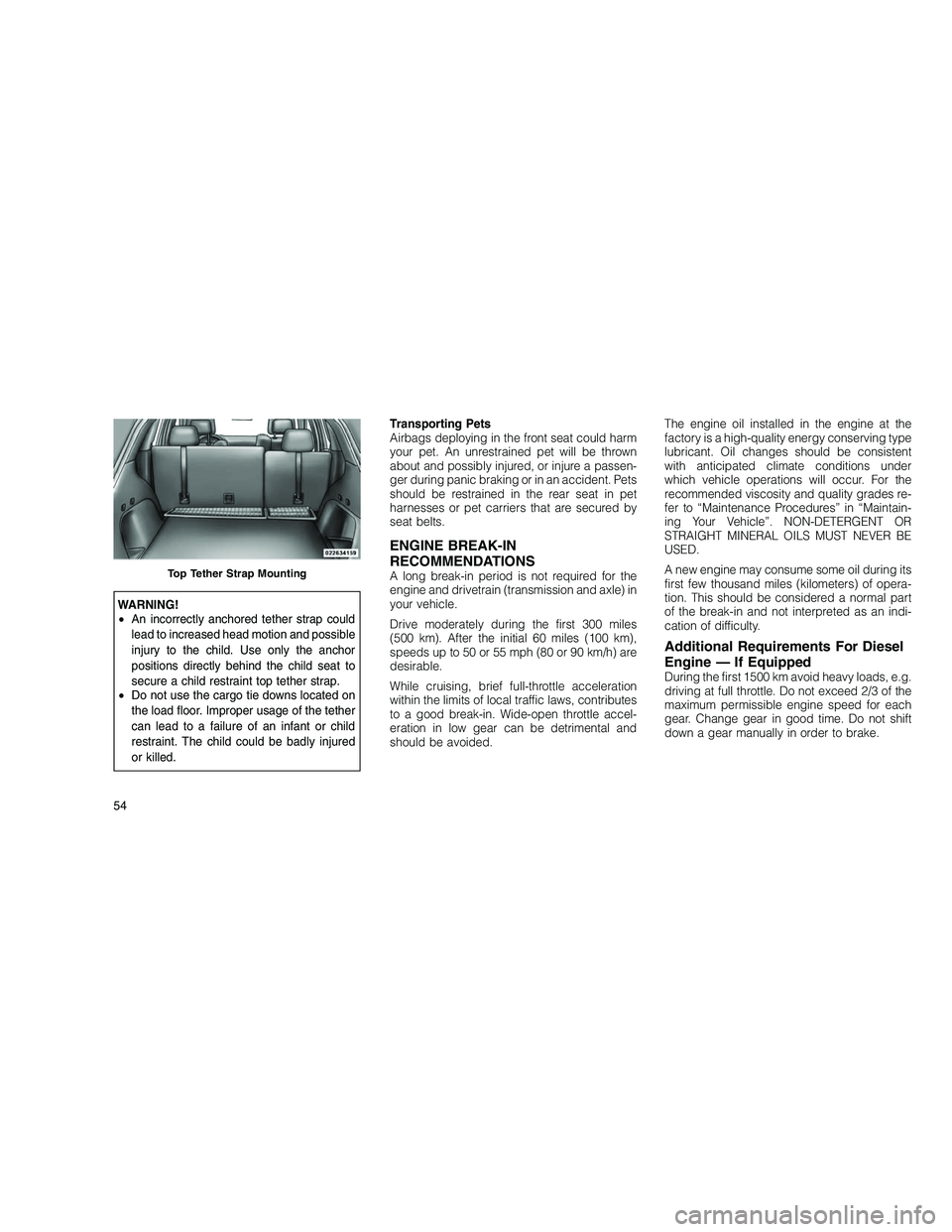
WARNING!
•An incorrectly anchored tether strap could
lead to increased head motion and possible
injury to the child. Use only the anchor
positions directly behind the child seat to
secure a child restraint top tether strap.
• Do not use the cargo tie downs located on
the load floor. Improper usage of the tether
can lead to a failure of an infant or child
restraint. The child could be badly injured
or killed. Transporting Pets
Airbags deploying in the front seat could harm
your pet. An unrestrained pet will be thrown
about and possibly injured, or injure a passen-
ger during panic braking or in an accident. Pets
should be restrained in the rear seat in pet
harnesses or pet carriers that are secured by
seat belts.
ENGINE BREAK-IN
RECOMMENDATIONS
A long break-in period is not required for the
engine and drivetrain (transmission and axle) in
your vehicle.
Drive moderately during the first 300 miles
(500 km). After the initial 60 miles (100 km),
speeds up to 50 or 55 mph (80 or 90 km/h) are
desirable.
While cruising, brief full-throttle acceleration
within the limits of local traffic laws, contributes
to a good break-in. Wide-open throttle accel-
eration in low gear can be detrimental and
should be avoided.
The engine oil installed in the engine at the
factory is a high-quality energy conserving type
lubricant. Oil changes should be consistent
with anticipated climate conditions under
which vehicle operations will occur. For the
recommended viscosity and quality grades re-
fer to “Maintenance Procedures” in “Maintain-
ing Your Vehicle”. NON-DETERGENT OR
STRAIGHT MINERAL OILS MUST NEVER BE
USED.
A new engine may consume some oil during its
first few thousand miles (kilometers) of opera-
tion. This should be considered a normal part
of the break-in and not interpreted as an indi-
cation of difficulty.
Additional Requirements For Diesel
Engine — If Equipped
During the first 1500 km avoid heavy loads, e.g.
driving at full throttle. Do not exceed 2/3 of the
maximum permissible engine speed for each
gear. Change gear in good time. Do not shift
down a gear manually in order to brake.
Top Tether Strap Mounting
54
Page 61 of 350
WARNING!(Continued)
• Never put floor mats or other floor cover-
ings on top of already installed floor mats.
Additional floor mats and other coverings
will reduce the size of the pedal area and
interfere with the pedals.
• Check mounting of mats on a regular basis.
Always properly reinstall and secure floor
mats that have been removed for cleaning.
• Always make sure that objects cannot fall
into the driver foot well while the vehicle is
moving. Objects can become trapped un-
der the brake pedal and accelerator pedal
causing a loss of vehicle control.
(Continued)WARNING!(Continued)
• If required, mounting posts must be prop-
erly installed, if not equipped from the fac-
tory.
Failure to properly follow floor mat installation
or mounting can cause interference with the
brake pedal and accelerator pedal operation
causing loss of control of the vehicle.
Periodic Safety Checks You Should
Make Outside the Vehicle
Tires
Examine tires for excessive tread wear and
uneven wear patterns. Check for stones, nails,
glass, or other objects lodged in the tread.
Inspect the tread and sidewall for cuts and
cracks. Check the wheel nuts for tightness.
Check the tires (including spare) for proper
pressure. Lights
Have someone observe the operation of exte-
rior lights while you work the controls. Check
turn signal and high beam indicator lights on
the instrument panel.
Door Latches
Check for positive closing, latching, and lock-
ing.
Fluid Leaks
Check area under vehicle after overnight park-
ing for fuel, engine coolant, oil, or other fluid
leaks. Also, if gasoline fumes are detected or if
fuel, power steering fluid, or brake fluid leaks
are suspected, the cause should be located
and corrected immediately.
57
Page 112 of 350
NOTE:
Broken, muddy, or obstructed headlights
and taillights of vehicles in the field of view
will cause headlights to remain on longer
(closer to the vehicle). Also, dirt, film, and
other obstructions (sticker, toll box, etc.) on
the windshield or camera lens will cause the
system to function improperly.
Daytime Running Lights —
If Equipped
The Daytime Running Lights (low intensity)
come on whenever the engine is running, and
the transmission is not in the PARK position.
The lights will remain on until the ignition is
switched to the OFF or ACC position or the
parking brake is engaged. The headlight
switch must be used for normal nighttime driv-
ing.
Disabling the Daytime Running Lights
To disable the Daytime Running Lights open
the hood and located the Power Distribution
Center (PDC), located on the right side of the
engine compartment.Open the PDC by pulling outward on the lock-
ing tabs (one on each side) and pulling upward
on the cover.Remove the left and right Daytime Running
Lamp relays and reinstall the PDC cover.
Automatic Headlight Leveling — HID
Headlights Only
This feature prevents the headlights from inter-
fering with the vision of oncoming drivers.
Headlight leveling automatically adjusts the
height of the headlight beam in reaction to
changes in vehicle pitch.
PDC Location
Locking Tab
Daytime Running Light Relays
108
Page 121 of 350
NOTE:
In order to ensure proper operation, the
Electronic Speed Control System has been
designed to shut down if multiple Speed
Control functions are operated at the same
time. If this occurs, the Electronic Speed
Control System can be reactivated by push-
ing the Electronic Speed Control ON/OFF
button and resetting the desired vehicle set
speed.
To ActivatePush the ON/OFF button. The Cruise Indicator
Light in the instrument cluster will illuminate. To
turn the system off, push the ON/OFF button a
second time. The Cruise Indicator Light will turn
off. The system should be turned off when not in
use.
WARNING!
Leaving the Electronic Speed Control system
on when not in use is dangerous. You could
accidentally set the system or cause it to go
faster than you want. You could lose control
and have a collision. Always leave the system
OFF when you are not using it.
To Set a Desired SpeedTurn the Electronic Speed Control ON. When
the vehicle has reached the desired speed,
press the SET (-) button and release. Release
the accelerator and the vehicle will operate at
the selected speed.NOTE:
The vehicle should be traveling at a steady
speed and on level ground before pressing
the SET button.
To DeactivateA soft tap on the brake pedal, pushing the
CANCEL button, or normal brake pressure
while slowing the vehicle will deactivate Elec-
tronic Speed Control without erasing the set
speed memory. Pressing the ON/OFF button or
turning the ignition switch OFF erases the set
speed memory.
To Resume SpeedTo resume a previously set speed, push the
RES (+) button and release. Resume can be
used at any speed above 20 mph (32 km/h).
To Vary the Speed SettingWhen the Electronic Speed Control is set, you
can increase speed by pushing the RES (+)
button. If the button is continually pressed, the
set speed will continue to increase until the
button is released, then the new set speed will
be established.
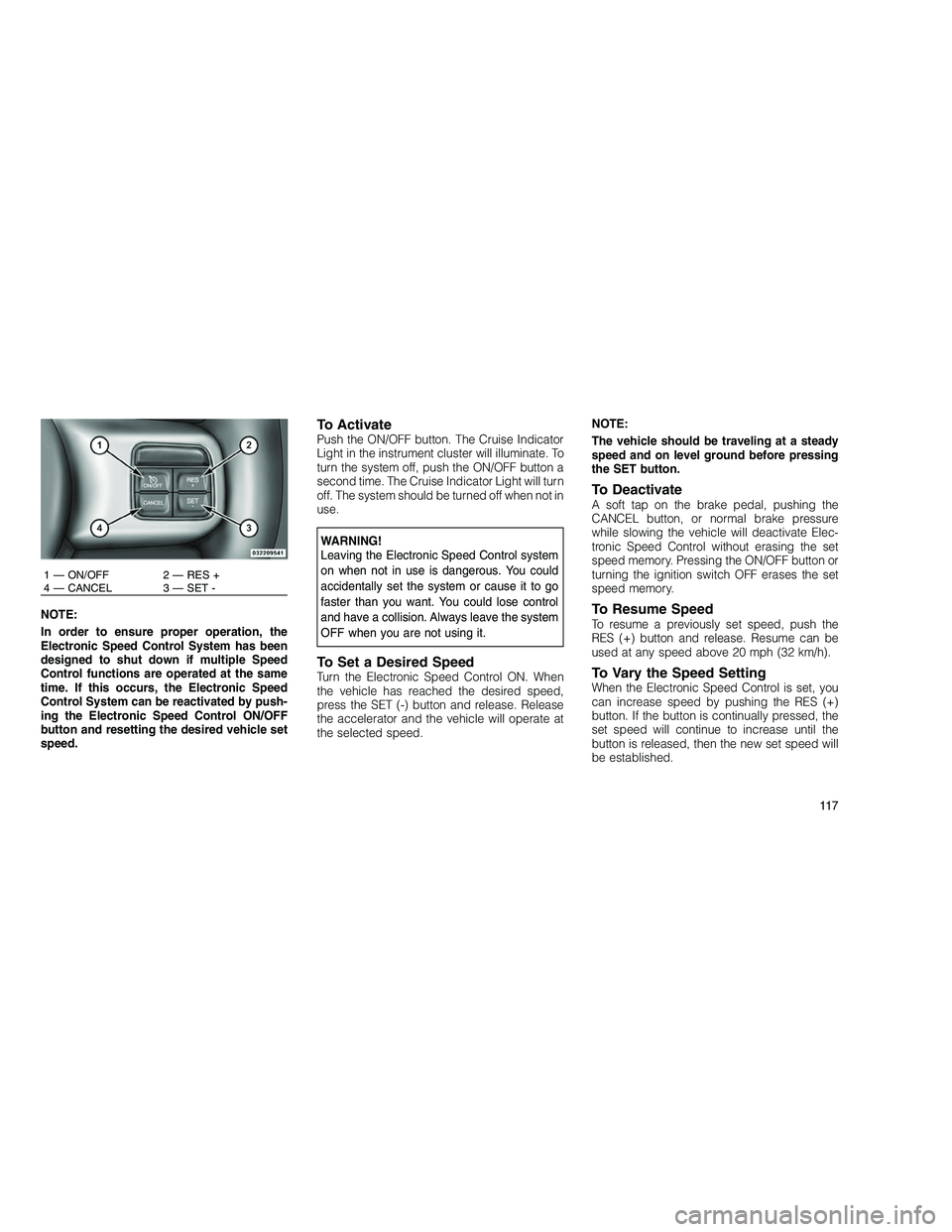
1 — ON/OFF 2 — RES +
4 — CANCEL 3 — SET -
11 7
Page 123 of 350
WARNING!
•Adaptive Cruise Control (ACC) is a conve-
nience system. It is not a substitute for
active driving involvement. It is always the
driver’s responsibility to be attentive of
road, traffic, and weather conditions, ve-
hicle speed, distance to the vehicle ahead;
and, most importantly, brake operation to
ensure safe operation of the vehicle under
all road conditions. Your complete attention
is always required while driving to maintain
safe control of your vehicle. Failure to fol-
low these warnings can result in a collision
or serious personal injury.
• The ACC system:
Does not react to pedestrians, oncoming
vehicles, and stationary objects (i.e., a
stopped vehicle in a traffic jam or a
disabled vehicle).
Cannot take street, traffic, and weather
conditions into account, and may be
limited upon adverse sight distance con-
ditions.
(Continued)WARNING!(Continued)
Does not predict the lane curvature or
the movement of preceding vehicles and
will not compensate for such changes.
Does not always fully recognize com-
plex driving conditions, which can result
in wrong or missing distance warnings.
Can only apply a maximum of 25% of
the vehicle’s braking capability, and will
not bring the vehicle to a complete stop.
WARNING!
You should switch off the ACC system:
• When driving in fog, heavy rain, heavy
snow, sleet, heavy traffic, and complex
driving situations (i.e., in highway construc-
tion zones).
• When entering a turn lane or highway off
ramp; when driving on roads that are wind-
ing, icy, snow-covered, slippery, or have
steep uphill or downhill slopes; and when
towing a trailer.
(Continued)
WARNING!(Continued)
• When circumstances do not allow safe
driving at a constant speed.
Failure to follow these warnings can result in a
collision or serious personal injury.
The Cruise Control system has two control
modes:
• Adaptive Cruise Control mode for maintain-
ing an appropriate distance between ve-
hicles.
• Normal (fixed speed) cruise control mode for
cruising at a constant preset speed. For
additional information, refer to “Normal
(Fixed Speed) Cruise Control Mode” in this
section. Note:The system will not react to
preceding vehicles. Always be aware of the
mode selected.
You can change the mode by using the Cruise
Control buttons. The two control modes func-
tion differently. Always confirm which mode is
selected.
11 9
Page 124 of 350
Adaptive Cruise Control (ACC)
Operation
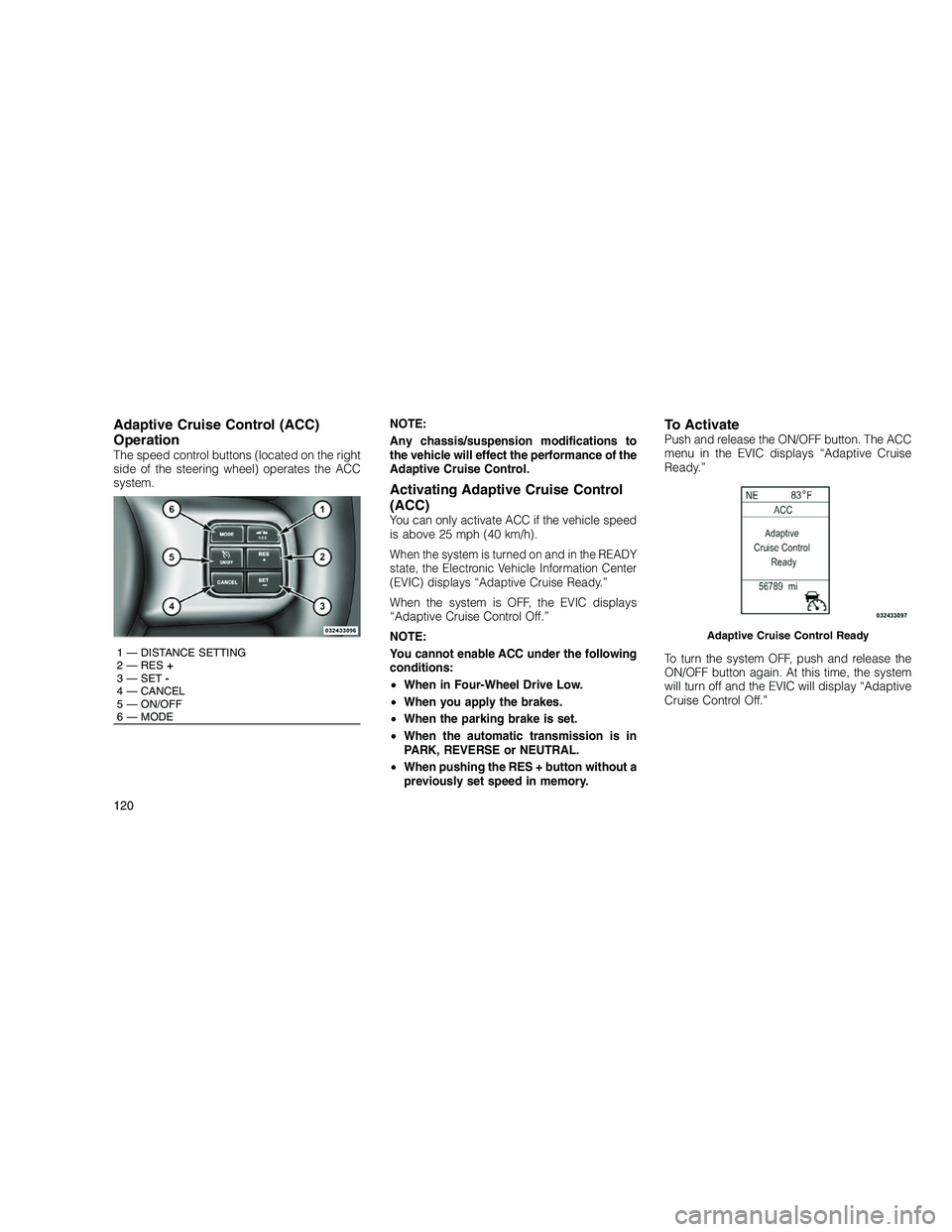
The speed control buttons (located on the right
side of the steering wheel) operates the ACC
system.NOTE:
Any chassis/suspension modifications to
the vehicle will effect the performance of the
Adaptive Cruise Control.
Activating Adaptive Cruise Control
(ACC)
You can only activate ACC if the vehicle speed
is above 25 mph (40 km/h).
When the system is turned on and in the READY
state, the Electronic Vehicle Information Center
(EVIC) displays “Adaptive Cruise Ready.”
When the system is OFF, the EVIC displays
“Adaptive Cruise Control Off.”
NOTE:
You cannot enable ACC under the following
conditions:
•
When in Four-Wheel Drive Low.
• When you apply the brakes.
• When the parking brake is set.
• When the automatic transmission is in
PARK, REVERSE or NEUTRAL.
• When pushing the RES + button without a
previously set speed in memory.
To ActivatePush and release the ON/OFF button. The ACC
menu in the EVIC displays “Adaptive Cruise
Ready.”
To turn the system OFF, push and release the
ON/OFF button again. At this time, the system
will turn off and the EVIC will display “Adaptive
Cruise Control Off.”
1 — DISTANCE SETTING
2 — RES +
3 — SET -
4 — CANCEL
5 — ON/OFF
6 — MODE
Adaptive Cruise Control Ready
120
Page 125 of 350
WARNING!
Leaving the Adaptive Cruise Control (ACC)
system on when not in use is dangerous. You
could accidentally set the system or cause it
to go faster than you want. You could lose
control and have a collision. Always leave the
system off when you are not using it.
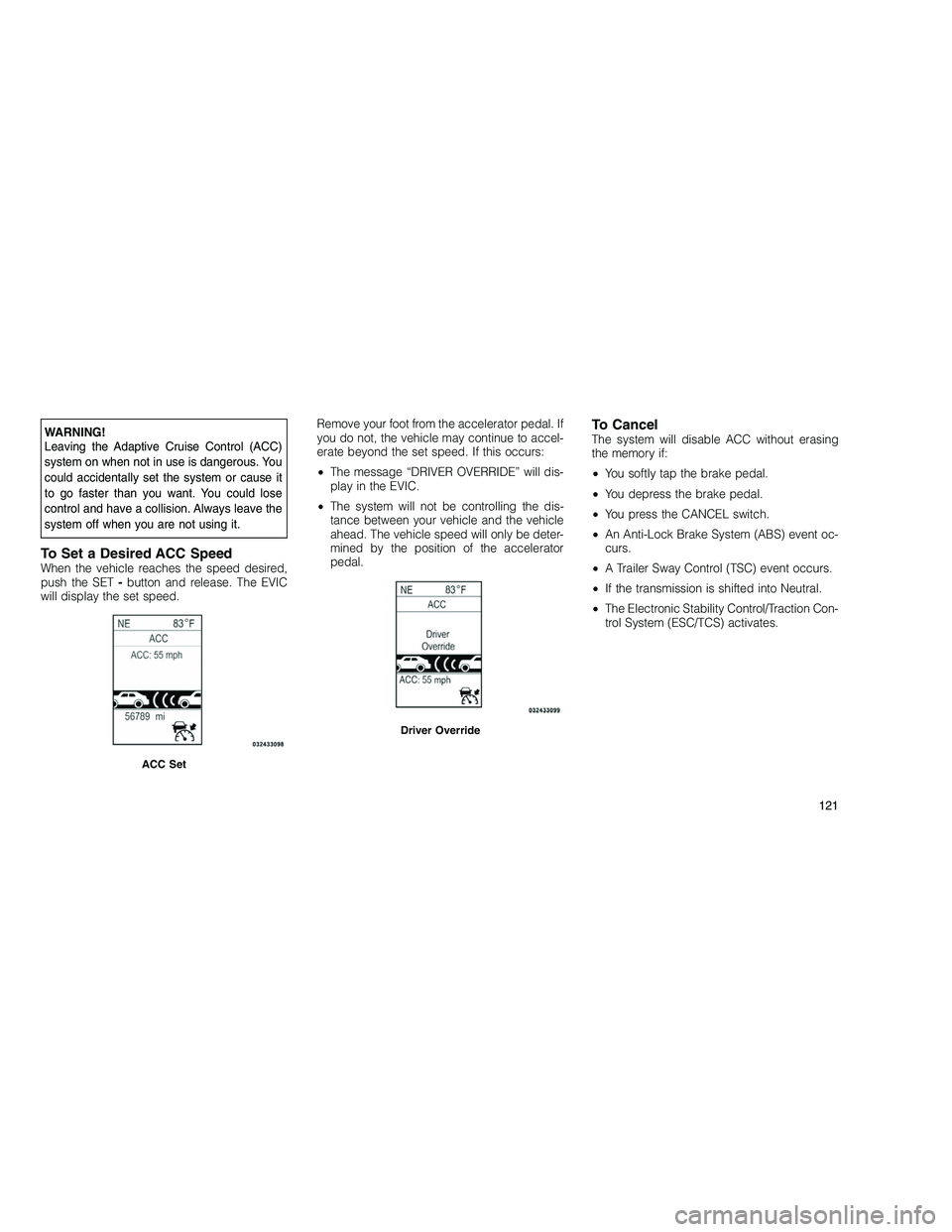
To Set a Desired ACC SpeedWhen the vehicle reaches the speed desired,
push the SET-button and release. The EVIC
will display the set speed. Remove your foot from the accelerator pedal. If
you do not, the vehicle may continue to accel-
erate beyond the set speed. If this occurs:
•
The message “DRIVER OVERRIDE” will dis-
play in the EVIC.
• The system will not be controlling the dis-
tance between your vehicle and the vehicle
ahead. The vehicle speed will only be deter-
mined by the position of the accelerator
pedal.
To CancelThe system will disable ACC without erasing
the memory if:
• You softly tap the brake pedal.
• You depress the brake pedal.
• You press the CANCEL switch.
• An Anti-Lock Brake System (ABS) event oc-
curs.
• A Trailer Sway Control (TSC) event occurs.
• If the transmission is shifted into Neutral.
• The Electronic Stability Control/Traction Con-
trol System (ESC/TCS) activates.
ACC Set
Driver Override
121
Page 126 of 350
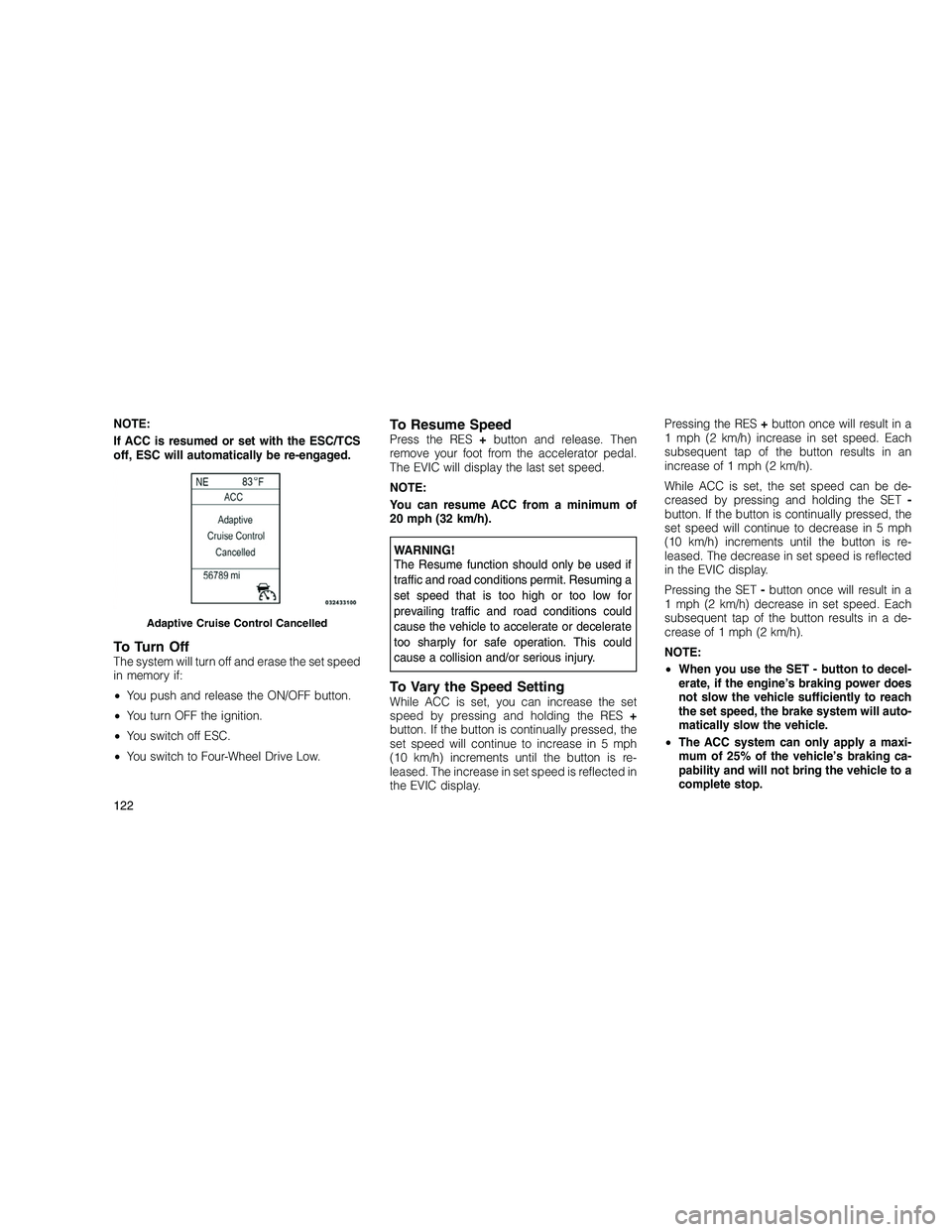
NOTE:
If ACC is resumed or set with the ESC/TCS
off, ESC will automatically be re-engaged.
To Turn OffThe system will turn off and erase the set speed
in memory if:
•You push and release the ON/OFF button.
• You turn OFF the ignition.
• You switch off ESC.
• You switch to Four-Wheel Drive Low.
To Resume SpeedPress the RES +button and release. Then
remove your foot from the accelerator pedal.
The EVIC will display the last set speed.
NOTE:
You can resume ACC from a minimum of
20 mph (32 km/h).
WARNING!
The Resume function should only be used if
traffic and road conditions permit. Resuming a
set speed that is too high or too low for
prevailing traffic and road conditions could
cause the vehicle to accelerate or decelerate
too sharply for safe operation. This could
cause a collision and/or serious injury.
To Vary the Speed SettingWhile ACC is set, you can increase the set
speed by pressing and holding the RES +
button. If the button is continually pressed, the
set speed will continue to increase in 5 mph
(10 km/h) increments until the button is re-
leased. The increase in set speed is reflected in
the EVIC display. Pressing the RES
+button once will result in a
1 mph (2 km/h) increase in set speed. Each
subsequent tap of the button results in an
increase of 1 mph (2 km/h).
While ACC is set, the set speed can be de-
creased by pressing and holding the SET -
button. If the button is continually pressed, the
set speed will continue to decrease in 5 mph
(10 km/h) increments until the button is re-
leased. The decrease in set speed is reflected
in the EVIC display.
Pressing the SET -button once will result in a
1 mph (2 km/h) decrease in set speed. Each
subsequent tap of the button results in a de-
crease of 1 mph (2 km/h).
NOTE:
• When you use the SET - button to decel-
erate, if the engine’s braking power does
not slow the vehicle sufficiently to reach
the set speed, the brake system will auto-
matically slow the vehicle.
• The ACC system can only apply a maxi-
mum of 25% of the vehicle’s braking ca-
pability and will not bring the vehicle to a
complete stop.
Adaptive Cruise Control Cancelled
122
Page 127 of 350
•The ACC system maintains set speed
when driving up hill and down hill. How-
ever, a slight speed change on moderate
hills is normal. In addition, downshifting
may occur while climbing uphill or de-
scending downhill. This is normal opera-
tion and necessary to maintain set speed.
Setting the Following Distance in
ACC
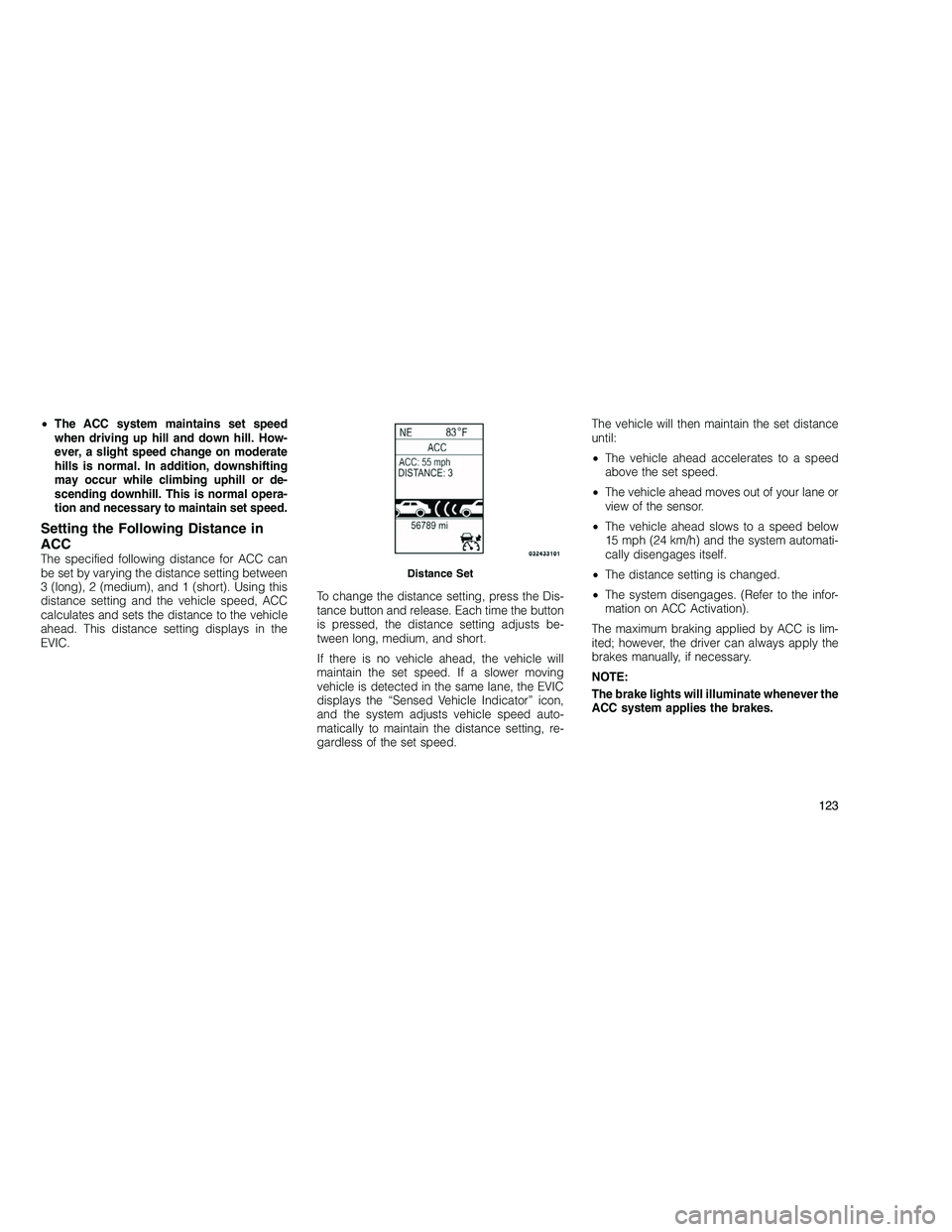
The specified following distance for ACC can
be set by varying the distance setting between
3 (long), 2 (medium), and 1 (short). Using this
distance setting and the vehicle speed, ACC
calculates and sets the distance to the vehicle
ahead. This distance setting displays in the
EVIC. To change the distance setting, press the Dis-
tance button and release. Each time the button
is pressed, the distance setting adjusts be-
tween long, medium, and short.
If there is no vehicle ahead, the vehicle will
maintain the set speed. If a slower moving
vehicle is detected in the same lane, the EVIC
displays the “Sensed Vehicle Indicator” icon,
and the system adjusts vehicle speed auto-
matically to maintain the distance setting, re-
gardless of the set speed.The vehicle will then maintain the set distance
until:
•
The vehicle ahead accelerates to a speed
above the set speed.
• The vehicle ahead moves out of your lane or
view of the sensor.
• The vehicle ahead slows to a speed below
15 mph (24 km/h) and the system automati-
cally disengages itself.
• The distance setting is changed.
• The system disengages. (Refer to the infor-
mation on ACC Activation).
The maximum braking applied by ACC is lim-
ited; however, the driver can always apply the
brakes manually, if necessary.
NOTE:
The brake lights will illuminate whenever the
ACC system applies the brakes.Distance Set
123