sensor JEEP GRAND CHEROKEE 2013 WK2 / 4.G User Guide
[x] Cancel search | Manufacturer: JEEP, Model Year: 2013, Model line: GRAND CHEROKEE, Model: JEEP GRAND CHEROKEE 2013 WK2 / 4.GPages: 704, PDF Size: 5.14 MB
Page 130 of 704

When the vehicle is started, the BSM warning light will
momentarily illuminate in both outside rear view mirrors
to let the driver know that the system is operational. The
BSM system sensors operate when the vehicle is in any
forward gear or REVERSE and enters stand-by mode
when the vehicle is in PARK.
The BSM detection zone covers approximately one lane
on both sides of the vehicle (11 ft or 3.35 m). The zone
starts at the outside rear view mirror and extends ap-
proximately 20 ft (6 m) to the rear of the vehicle. The BSM
system monitors the detection zones on both sides of the
vehicle when the vehicle speed has reached approxi-
mately 6 mph (10 km/h) or higher and will alert the
driver of vehicles in these areas.
NOTE:
•The BSM system does NOT alert the driver about
rapidly approaching vehicles that are outside the de-
tection zones.•The BSM system detection zone DOES NOT change if
your vehicle is towing a trailer. Therefore, visually
verify the adjacent lane is clear for both your vehicle
and trailer before making a lane change. If the trailer or
other object (i.e., bicycle, sports equipment) extends
beyond the side of your vehicle, this may result in the
BSM warning light remaining illuminated the entire
time the vehicle is in a forward gear.
The area on the rear fascia where the radar sensors are
located must remain free of snow, ice, and dirt/road
contamination so that the BSM system can function
properly. Do not block the area of the rear fascia where
the radar sensors are located with foreign objects (bum-
per stickers, bicycle racks, etc.).
128 UNDERSTANDING THE FEATURES OF YOUR VEHICLE
Page 131 of 704
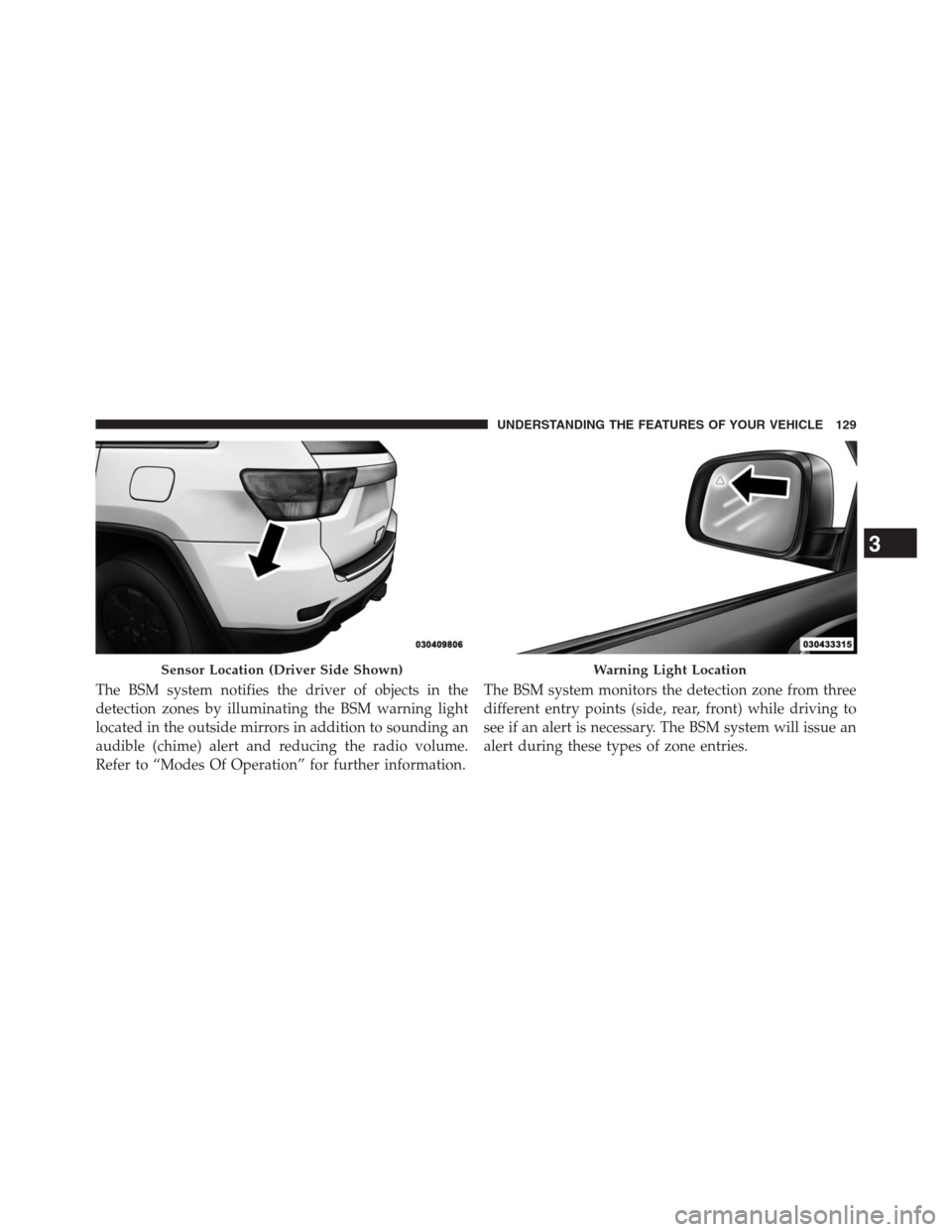
The BSM system notifies the driver of objects in the
detection zones by illuminating the BSM warning light
located in the outside mirrors in addition to sounding an
audible (chime) alert and reducing the radio volume.
Refer to “Modes Of Operation” for further information.The BSM system monitors the detection zone from three
different entry points (side, rear, front) while driving to
see if an alert is necessary. The BSM system will issue an
alert during these types of zone entries.
Sensor Location (Driver Side Shown)Warning Light Location
3
UNDERSTANDING THE FEATURES OF YOUR VEHICLE 129
Page 136 of 704
NOTE:In a parking lot situation, oncoming vehicles can
be obscured by vehicles parked on either side. If the
sensors are blocked by other structures or vehicles, the
system will not be able to alert the driver.
When RCP is on and the vehicle is in REVERSE, the
driver is alerted using both the visual and audible
alarms, including reducing the radio volume.
WARNING!
RCP is not a Back Up Aid system. It is intended to be
used to help a driver detect an oncoming vehicle in a
parking lot situation. Drivers must be careful when
backing up, even when using RCP. Always check
carefully behind your vehicle, look behind you, and
be sure to check for pedestrians, animals, other
vehicles, obstructions, and blind spots before back-
ing up. Failure to do so can result in serious injury or
death.
Modes Of Operation
Three selectable modes of operation are available in the
Electronic Vehicle Information Center (EVIC). Refer to
“Electronic Vehicle Information Center (EVIC)/Personal
Settings (Customer-Programmable Features)” in “Under-
standing Your Instrument Panel” for further information.
Blind Spot Alert
When operating in Blind Spot Alert mode, the BSM
system will provide a visual alert in the appropriate side
view mirror based on a detected object. However, when
the system is operating in RCP, the system will respond
with both visual and audible alerts when a detected
object is present. Whenever an audible alert is requested,
the radio is muted.
134 UNDERSTANDING THE FEATURES OF YOUR VEHICLE
Page 220 of 704
NOTE:The Electronic Speed Control system maintains
speed up and down hills. A slight speed change on
moderate hills is normal.
On steep hills, a greater speed loss or gain may occur so
it may be preferable to drive without Electronic Speed
Control.
WARNING!
Electronic Speed Control can be dangerous where the
system cannot maintain a constant speed. Your ve-
hicle could go too fast for the conditions, and you
could lose control and have an accident. Do not use
Electronic Speed Control in heavy traffic or on roads
that are winding, icy, snow-covered or slippery.
ADAPTIVE CRUISE CONTROL (ACC) — IF
EQUIPPED
Adaptive Cruise Control (ACC) increases the driving con-
venience provided by cruise control while traveling on
highways and major roadways. However, it is not a safety
system and not designed to prevent collisions.
ACC will allow you to keep cruise control engaged in light
to moderate traffic conditions without the constant need to
reset your cruise control. ACC utilizes a radar sensor
designed to detect a vehicle directly ahead of you.
NOTE:
•If the sensor does not detect a vehicle ahead of you,
ACC will maintain a fixed set speed.
•
If the ACC sensor detects a vehicle ahead, ACC will
apply limited braking or acceleration (not to exceed the
original set speed) automatically to maintain a preset
following distance, while matching the speed of the
vehicle ahead.
218 UNDERSTANDING THE FEATURES OF YOUR VEHICLE
Page 231 of 704
If there is no vehicle ahead, the vehicle will maintain the
set speed. If a slower moving vehicle is detected in the
same lane, the EVIC displays the “Sensed Vehicle Indi-
cator” icon, and the system adjusts vehicle speed auto-
matically to maintain the distance setting, regardless of
the set speed.
The vehicle will then maintain the set distance until:
•The vehicle ahead accelerates to a speed above the set
speed.
•The vehicle ahead moves out of your lane or view of
the sensor.
•The vehicle ahead slows to a speed below 15 mph
(24 km/h) and the system automatically disengages
itself.•The distance setting is changed.
•The system disengages. (Refer to the information on
ACC Activation).
The maximum braking applied by ACC is limited; how-
ever, the driver can always apply the brakes manually, if
necessary.
NOTE:The brake lights will illuminate whenever the
ACC system applies the brakes.
A Proximity Warning will alert the driver if ACC predicts
that its maximum braking level is not sufficient to
maintain the set distance. If this occurs, a visual alert
“BRAKE” will flash in the EVIC and a chime will sound
while ACC continues to apply its maximum braking
capacity. When this occurs, you should immediately
apply the brakes as needed to maintain a safe distance
from the vehicle ahead.
3
UNDERSTANDING THE FEATURES OF YOUR VEHICLE 229
Page 234 of 704
•Driver Override
•System Off
•ACC Proximity Warning
•ACC Unavailable Warning
•The EVIC will return to the last display selected after
five seconds of no ACC display activity.
Display Warnings And Maintenance
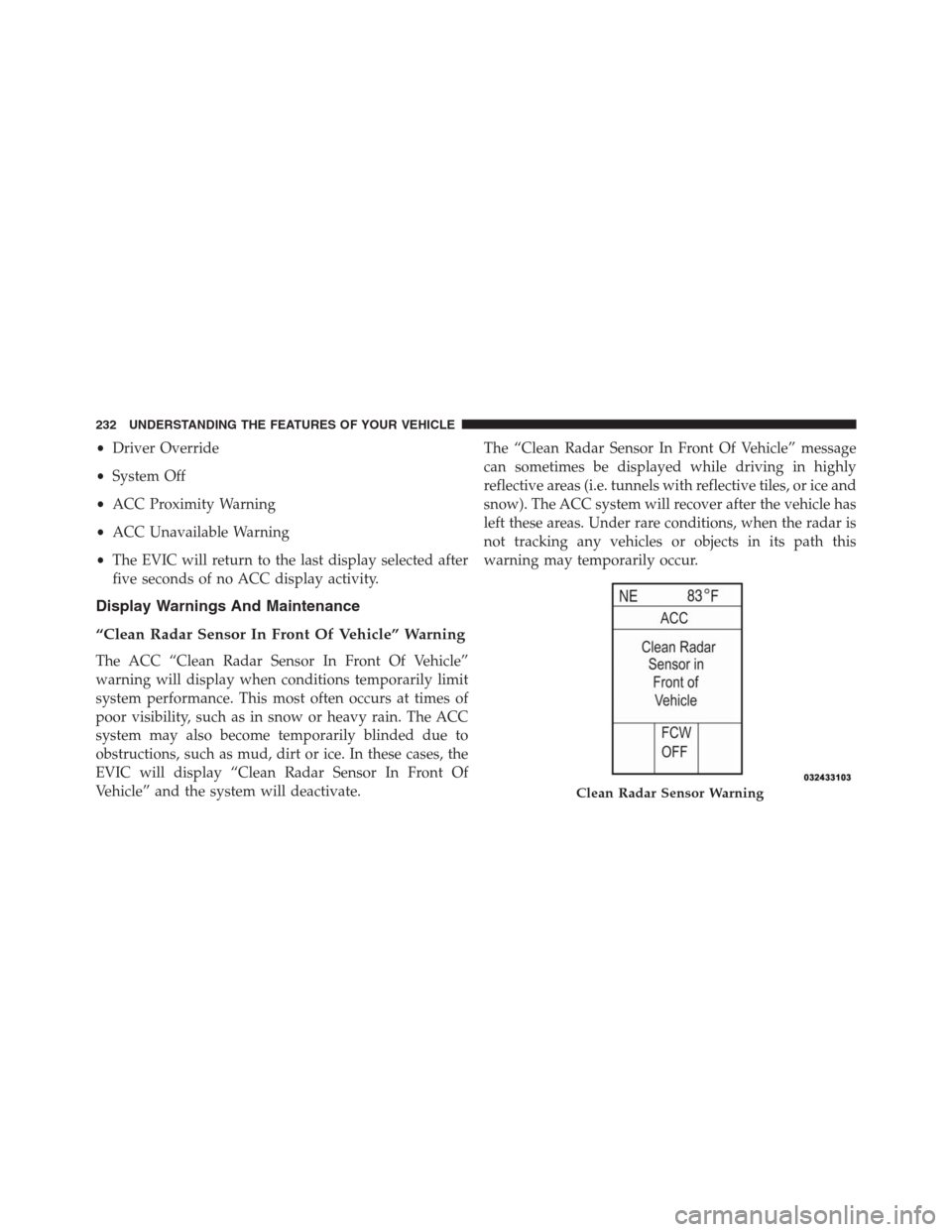
“Clean Radar Sensor In Front Of Vehicle” Warning
The ACC “Clean Radar Sensor In Front Of Vehicle”
warning will display when conditions temporarily limit
system performance. This most often occurs at times of
poor visibility, such as in snow or heavy rain. The ACC
system may also become temporarily blinded due to
obstructions, such as mud, dirt or ice. In these cases, the
EVIC will display “Clean Radar Sensor In Front Of
Vehicle” and the system will deactivate.The “Clean Radar Sensor In Front Of Vehicle” message
can sometimes be displayed while driving in highly
reflective areas (i.e. tunnels with reflective tiles, or ice and
snow). The ACC system will recover after the vehicle has
left these areas. Under rare conditions, when the radar is
not tracking any vehicles or objects in its path this
warning may temporarily occur.
Clean Radar Sensor Warning
232 UNDERSTANDING THE FEATURES OF YOUR VEHICLE
Page 235 of 704
NOTE:If the ACC “Clean Radar Sensor In Front Of
Vehicle” warning is active Normal (Fixed Speed) Cruise
Control is still available. For additional information refer
to “Normal (Fixed Speed) Cruise Control Mode” in this
section.
If weather conditions are not a factor, the driver should
examine the sensor. It may require cleaning or removal of
an obstruction. The sensor is located in the center of the
vehicle behind the lower grille.
To keep the ACC System operating properly, it is impor-
tant to note the following maintenance items:
•Always keep the sensor clean. Carefully wipe the
sensor lens with a soft cloth. Be cautious not to damage
the sensor lens.
•Do not remove any screws from the sensor. Doing so
could cause an ACC system malfunction or failure and
require a sensor realignment.•If the sensor is damaged due to a collision, see your
authorized dealer for service.
•Do not attach or install any accessories near the sensor,
including transparent material or aftermarket grilles.
Doing so could cause an ACC system failure or
malfunction.
When the condition that deactivated the system is no
longer present, the system will return to the “Adaptive
Cruise Control Off” state and will resume function by
simply reactivating it.
NOTE:
•If the “Clean Radar Sensor In Front Of Vehicle”
message occurs frequently (e.g. more than once on
every trip) without any snow, rain, mud, or other
obstruction, have the radar sensor realigned at your
authorized dealer.
3
UNDERSTANDING THE FEATURES OF YOUR VEHICLE 233
Page 236 of 704

•Installing a snow plow, front-end protector, an after-
market grille or modifying the grille is not recom-
mended. Doing so may block the sensor and inhibit
ACC operation.
Removing ACC Sensor For Off-Roading
NOTE:When off-roading, it may be advisable to remove
the ACC sensor. The sensor is located behind the front
lower grille in the center of the vehicle. After removing
the lower fascia, you may remove the lower sensor and
bracket assembly.
To remove the sensor follow these instructions:
1. Unplug the connector by depressing the two tabs on
the connector and pulling it out. Do not pull by the
wiring or use any tools to remove the connector.2. Remove the wiring christmas tree attachment from the
back of the bracket.
3. Remove the two M6 fasteners that connect the bracket
to the bumper.
NOTE:Do not change the adjustment fasteners or pull
the sensor off of the bracket. Doing so may misalign the
sensor.
Store the sensor and bracket assembly in a safe location.
The wiring and connector must be stowed properly after
the sensor and bracket assembly is removed.
234 UNDERSTANDING THE FEATURES OF YOUR VEHICLE
Page 237 of 704

A connector plug is stowed on top of the bumper beam.
Insert the wiring connector into the connector plug.
NOTE:
When the sensor is removed, Adaptive Cruise
Control, Normal Cruise Control, and Forward Collision
Warning will not be available. The cluster will display the
warning “ACC/FCW Unavailable - Service Radar Sensor.”
To reinstall the sensor and bracket assembly reverse the
process above. The fastener torque required to assembly
the bracket back to the beam is 6.6 ft lbs (9 N·m).
ACC Unavailable Warning
If the system turns off, and the EVIC displays “ACC/
FCW Unavailable, Vehicle System Error”, there may be a
temporary malfunction that limits ACC functionality.Although the vehicle is still drivable under normal
conditions, ACC will be temporarily unavailable. If this
occurs, try activating ACC again later, following a key
cycle. If the problem persists, see your authorized dealer.
Service ACC Warning
If the system turns off, and the EVIC displays “ACC/
FCW Unavailable Service Radar Sensor”, it indicates
there is an internal system fault. Although the vehicle is
still drivable under normal conditions, have the system
checked by an authorized dealer.3
UNDERSTANDING THE FEATURES OF YOUR VEHICLE 235
Page 244 of 704
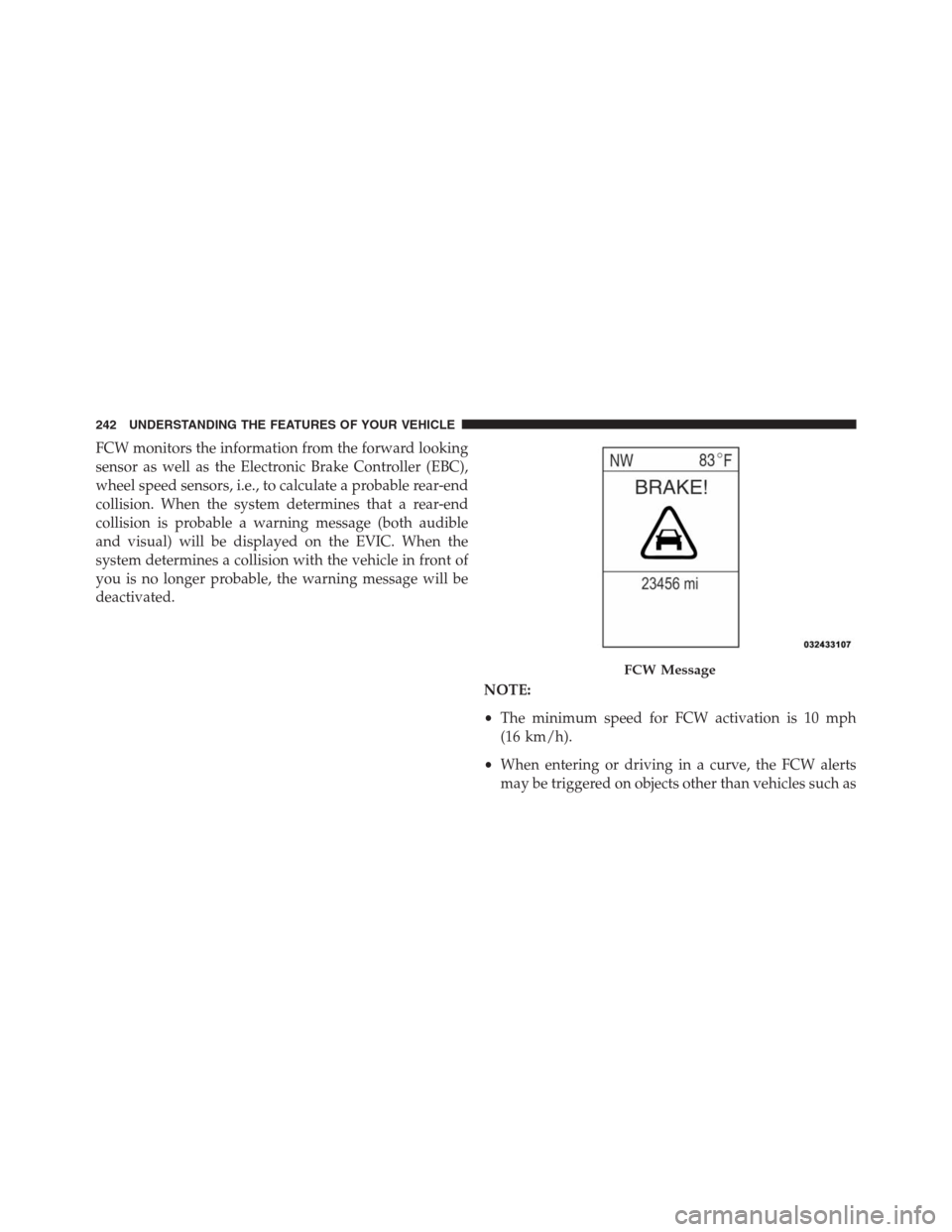
FCW monitors the information from the forward looking
sensor as well as the Electronic Brake Controller (EBC),
wheel speed sensors, i.e., to calculate a probable rear-end
collision. When the system determines that a rear-end
collision is probable a warning message (both audible
and visual) will be displayed on the EVIC. When the
system determines a collision with the vehicle in front of
you is no longer probable, the warning message will be
deactivated.
NOTE:
•The minimum speed for FCW activation is 10 mph
(16 km/h).
•When entering or driving in a curve, the FCW alerts
may be triggered on objects other than vehicles such as
FCW Message
242 UNDERSTANDING THE FEATURES OF YOUR VEHICLE