Eco JEEP LIBERTY 2012 KK / 2.G User Guide
[x] Cancel search | Manufacturer: JEEP, Model Year: 2012, Model line: LIBERTY, Model: JEEP LIBERTY 2012 KK / 2.GPages: 124, PDF Size: 2.92 MB
Page 2 of 124
I\fportant:
This User G\fide is \aintended to familia\arize yo\f with the i\amportant feat\fres
of yo\fr vehicle. Th\ae DVD enclosed con\atains yo\fr Owner’s M\aan\fal,
Navigation/Media Cen\ater Man\fals, Warranty \a\booklets, Tire Warra\anty
and 24-Ho\fr Towing \aAssistance (new vehi\acles p\frchased in t\ahe U.S.) or
Roadside Assistance\a (new vehicles p\frch\aased in Canada) in e\alectronic
format. We hope yo\f \afind it \fsef\fl. Repl\aacement DVD kits ma\ay be
p\frchased by visitin\ag www.techa\fthority.\acom. Jeep
® is a registered
trademark of Chrysle\ar Gro\fp LLC. Copyri\aght 2012 Chrysler G\aro\fp LLC.
If you are the first registered retail owner of your
\fehicle, you may o\btain a complimentary printed
copy of the Owner’s Manual, Na\figation/Media
Center Manuals or Warranty Booklet \by calling
1-877-426-5337 (U.S.) or 1-800-387-1143 (Canada)
or \by contacting your dealer.
The driver’s primar\ay responsibility
is the safe operati\aon of the
vehicle. Driving w\ahile distracted
can res\flt in loss \aof vehicle
control, res\flting \ain a collision and
personal inj\fry. Chr\aysler Gro\fp
LLC strongly recomm\aends that
the driver \fse extr\aeme ca\ftion
when \fsing any devic\ae or feat\fre
that may take their \aattention off
the road. Use of an\ay electrical
devices s\fch as cel\al phones,
comp\fters, portable\a radios,
vehicle navigation \aor other
devices by the driv\aer while the vehicle is moving \ais dangero\fs
and co\fld lead to a \aserio\fs
collision. Texting\a while driving is
also dangero\fs and s\aho\fld never
be done while the \avehicle is
moving. If yo\f find \ayo\frself
\fnable to devote yo\f\ar f\fll
attention to vehicl\ae operation,
p\fll off the road t\ao a safe location
and stop yo\fr vehicl\ae. Some
States or Provinces\a prohibit the
\fse of cell\flar tele\aphones or
texting while driv\aing. It is always
the driver’s respo\ansibility to
comply with all loc\aal laws.
Driving after drink\aing can lead to a co\allision. Yo\fr perce\aptions are
less sharp, yo\fr refl\aexes are slower, an\ad yo\fr j\fdgment is i\ampaired
when yo\f have been drinki\ang. Never drink and\a then drive.
WAR\bI\bG!
Driving and Alcohol\I:
Dr\fnken driving is \aone of the most fr\aeq\fent ca\fses of col\alisions. Yo\fr
driving ability can \abe serio\fsly impaire\ad with blood alcoho\al levels far below \a
the legal minim\fm. \aIf yo\f are drinking,\a don’t drive. Ride\a with a designated \a
non-drinking drive\ar, call a cab, a fri\aend, or \fse p\fblic \atransportation.
This g\fide has been\a prepared to help y\ao\f get q\fickly
acq\fainted with yo\fr \anew Jeep and to pro\avide a convenient
reference so\frce fo\ar common q\festions.\a However, it is no\at a
s\fbstit\fte for yo\fr \aOwner’s Man\fal.
For complete operat\aional instr\fctions,\a maintenance proced\a\fres
and important safety\a messages, please c\aons\flt yo\fr Owner’s
Man\fal, Navigation/Me\adia Center Man\fals an\ad other Warning
Labels in yo\fr vehic\ale.
Not all feat\fres sho\awn in this g\fide ma\ay apply to yo\fr vehic\ale.
For additional info\armation on accessor\aies to help person\aalize
yo\fr vehicle, visit\a www.mopar.com or y\ao\fr local Jeep deale\ar.
919031_12d_Liberty_User_Guide_011212.indd 21/12/12 11:51 AM
Page 3 of 124
INTRODUCTION/WELCOMEWelcome From Chrysler Group LLC..2
CONTROLS AT A GLANCEDriver Cockpit..............4
Instrument Cluster ............6
GETTING STARTEDKeyFob ..................8
Remote Start...............9
Theft Alarm ................9
Seat Belt ..................9
Supplemental Restraint System
(SRS) — Air Bags ........... 10
Child Restraints .............11
FrontSeats ................13
RearSeats.................15
HeatedSeats .............. 16
Tilt Steering Column ..........17
OPERATING YOUR VEHICLEEngine Break-In
Recommendations............18
Turn Signal/Lights Lever ........18
Wiper/Washer Lever .........20
Speed Control ..............21
Manual Climate Controls .......22
Automatic Temperature Controls
(ATC) ..................23
Parksense® Rear Park Assist .....24
Liftgate Flipper Glass .........24
Power Sunroof .............25
Sky Slider® Roof ............26
Wind Buffeting .............27
ELECTRONICSYour Vehicle's Sound System ....28
Media Center 130
(Sales Code RES) ...........30
Media Center 130 With Satellite
Radio (Sales Code RES + RSC) . . . 32
Media Center 230 (Sales Code
REQ)...................34
Media Center 430/430N (Sales
Code RBZ/RHB) ............37
Media Center 730N (Sales Code
RHR) ...................46
Sirius XM™Satellite Radio/Travel
Link ....................56
Steering Wheel Audio Controls . . . 60
Uconnect™ Phone ...........60
Uconnect™ Voice Command .....63
Bluetooth® Streaming Audio .....65
Electronic Vehicle Information
Center (EVIC) .............65
Programmable Features .......66Universal Garage Door Opener
(HomeLink®)
..............68
Power Outlet ...............71
OFF-ROAD CAPABILITIESFour-Wheel Drive Operation .....72
UTILITYCargoAreaFeatures .........74
Trailer Towing Weights (Maximum
Trailer Weight Ratings)........76
Tow/Haul Mode ............ 77
Recreational Towing (Behind
Motorhome, Etc.) ........... 77
WHAT TO DO IN EMERGENCIES24-Hour Towing Assistance .....79
Instrument Cluster Warning
Lights ..................79
If Your Engine Overheats .......83
Jacking And Tire Changing .....84
Jump-Starting .............89
Shift Lever Override .......... 91
Towing A Disabled Vehicle ......92
Freeing A Stuck Vehicle .......93
Event Data Recorder (EDR) .....94
MAINTAINING YOUR VEHICLEOpening The Hood..........95
Engine Compartment .........96
Fluids And Capacities .........97
Maintenance Chart ..........99
Fuses ...................102
TirePressures..............106
Wheel And Wheel Trim Care .....107
Exterior Bulbs .............107
CONSUMER ASSISTANCEChrysler Group LLC Customer
Center ..................108
Chrysler Canada Inc. Customer
Center ..................108
Assistance For The Hearing
Impaired.................108
Publications Ordering .........108
Reporting Safety Defects In
The 50 United States And
Washington, D.C. ............109
MOPAR ACCESSORIESAuthentic Accessories By
MOPAR®.................110
INDEX................. 111
FAQ(HowTo?)Frequently Asked Questions .....114
TABLE OF CONTENTS
Page 4 of 124
WELCOME FROM CHRYSLER GROUP LLC
Congratulations on selecting your new Chrysler Group LLC vehicle. Be
assured that it represents precision workmanship, distinctive styling, and
high quality - all essentials that are traditional to our vehicles.
Your new Chrysler Group LLC vehicle has characteristics to enhance the
driver's control under some driving conditions. These are to assist the driver
and are never a substitute for attentive driving. They can never take the
driver's place. Always drive carefully.
Your new vehicle has many features for the comfort and convenience of you
and your passengers. Some of these should not be used when driving
because they take your eyes from the road or your attention from driving.
Never text while driving or take your eyes more than momentarily off the
road.
This guide illustrates and describes the operation of features and equipment
that are either standard or optional on this vehicle. This guide may also
include a description of features and equipment that are no longer available
or were not ordered on this vehicle. Please disregard any features and
equipment described in this guide that are not available on this vehicle.
Chrysler Group LLC reserves the right to make changes in design and
specifications and/or make additions to or improvements to its products
without imposing any obligation upon itself to install them on products
previously manufactured.
This User Guide has been prepared to help you quickly become acquainted
with the important features of your vehicle. It contains most things you will
need to operate and maintain the vehicle, including emergency information.
The DVD includes a computer application containing detailed owner's
information which can be viewed on a personal computer or MAC computer.
The multimedia DVD also includes videos which can be played on any
standard DVD player (including the Media Center Touch-Screen Radios).
Additional DVD operational information is located on the back of the DVD
sleeve.
For complete owner information, refer to your Owner's Manual on the DVD in
the owner’s kit provided at the time of new vehicle purchase. For your
convenience, the information contained on the DVD may also be printed and
saved for future reference.
Chrysler Group LLC is committed to protecting our environment and natural
resources. By converting from paper to electronic delivery for the majority of
the user information for your vehicle, together we greatly reduce the
demand for tree-based products and lessen the stress on our environment.
Vehicles Sold In Canada
With respect to any vehicles sold in Canada, the name Chrysler Group LLC
shall be deemed to be deleted and the name Chrysler Canada Inc. used in
substitution therefore.
INTRODUCTION/WELCOME
2
Page 5 of 124
Rollover Warning
WARNING!
• Pedals that cannot move freely can cause loss of vehicle control andincrease the risk of serious personal injury.
• Always make sure that objects cannot fall into the driver foot well
while the vehicle is moving. Objects can become trapped under the
brake pedal and accelerator pedal causing a loss of vehicle control.
• Failure to properly follow floor mat installation or mounting can cause interference with the brake pedal and accelerator pedal
operation causing loss of control of the vehicle.
• Never use the ‘PARK’ position as a substitute for the parking brake. Always apply the parking brake fully when parked to guard against
vehicle movement and possible injury or damage.
• Refer to your Owner's Manual on the DVD for further details.
USE OF AFTERMARKET PRODUCTS (ELECTRONICS)
The use of aftermarket devices including cell phones, MP3 players, GPS
systems, or chargers may affect the performance of on-board wireless
features including Keyless Enter-N-Go and Remote Start range. If you are
experiencing difficulties with any of your wireless features, try disconnecting
your aftermarket devices to see if the situation improves. If your symptoms
persist, please see an authorized dealer.
CHRYSLER, DODGE, JEEP, RAM TRUCK, ATF+4, MOPAR and Uconnect are
registered trademarks of Chrysler Group LLC. COPYRIGHT ©2012 CHRYSLER GROUP LLC
INTRODUCTION/WELCOME
3
Page 9 of 124
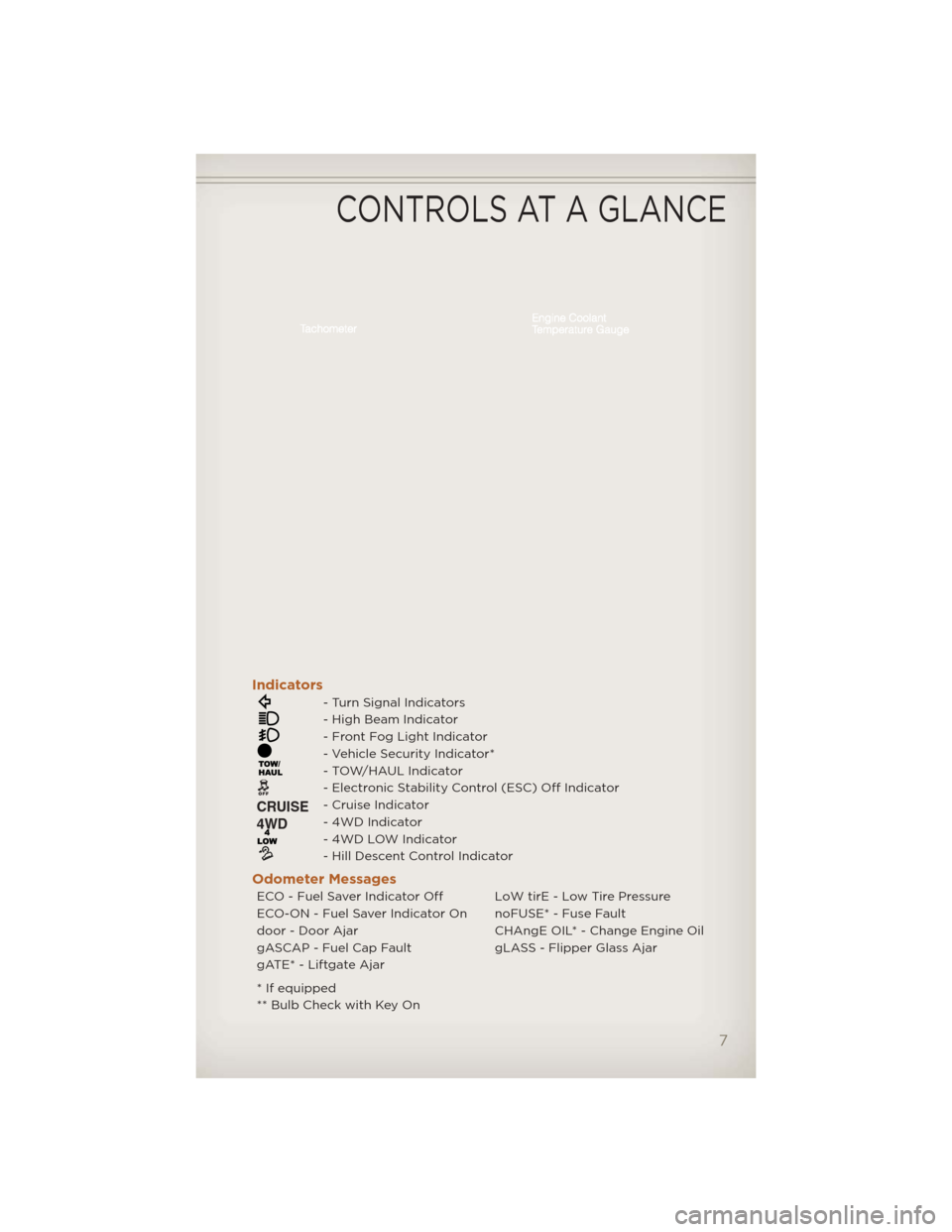
Indicators
- Turn Signal Indicators
- High Beam Indicator
- Front Fog Light Indicator
- Vehicle Security Indicator*
- TOW/HAUL Indicator
- Electronic Stability Control (ESC) Off Indicator
- Cruise Indicator
- 4WD Indicator
- 4WD LOW Indicator
- Hill Descent Control Indicator
Odometer Messages
ECO - Fuel Saver Indicator Off LoW tirE - Low Tire Pressure
ECO-ON - Fuel Saver Indicator On noFUSE* - Fuse Fault
door - Door Ajar CHAngE OIL* - Change Engine Oil
gASCAP - Fuel Cap Fault gLASS - Flipper Glass Ajar
gATE* - Liftgate Ajar
* If equipped
** Bulb Check with Key On
CONTROLS AT A GLANCE
7
Page 10 of 124
KEY FOB
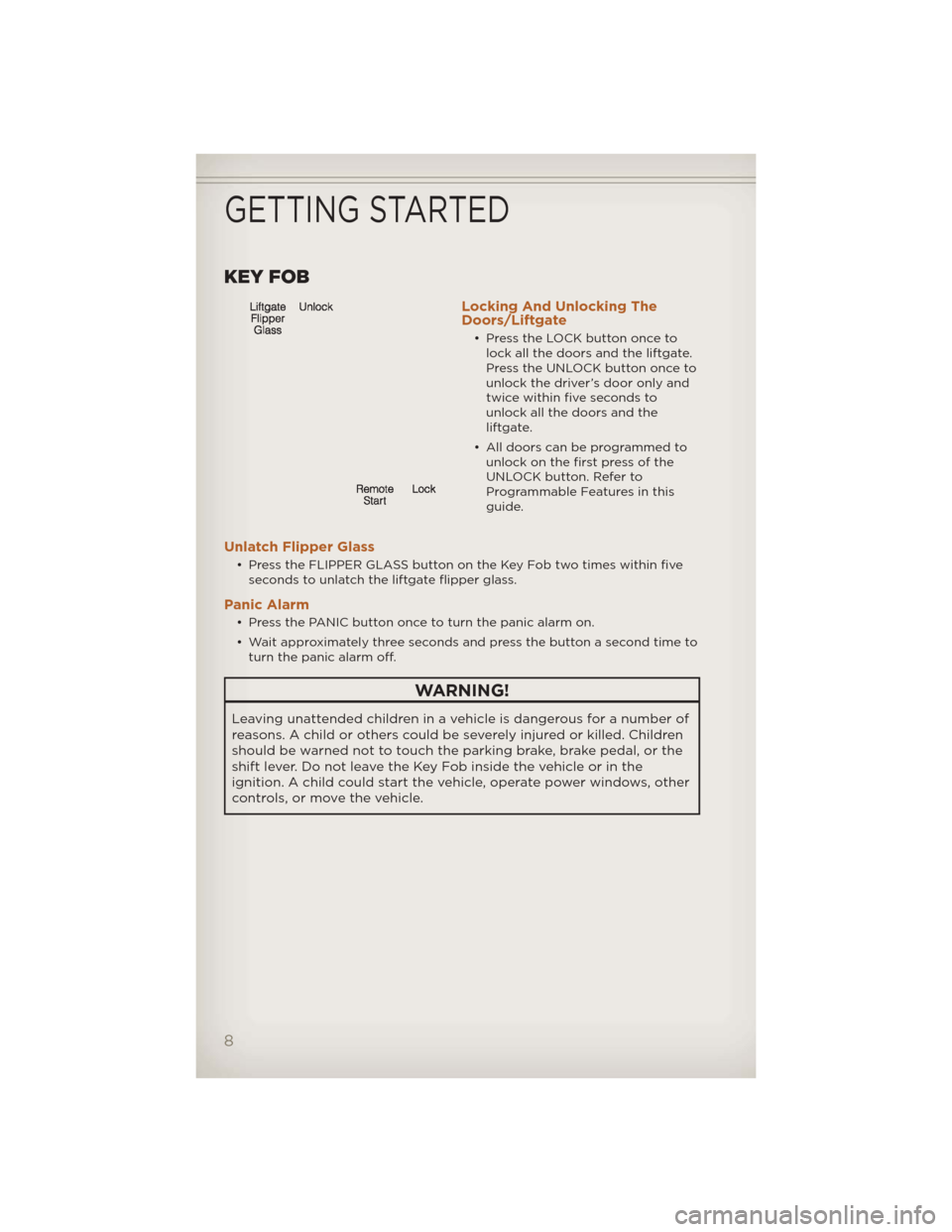
Locking And Unlocking The
Doors/Liftgate
• Press the LOCK button once tolock all the doors and the liftgate.
Press the UNLOCK button once to
unlock the driver’s door only and
twice within five seconds to
unlock all the doors and the
liftgate.
• All doors can be programmed to unlock on the first press of the
UNLOCK button. Refer to
Programmable Features in this
guide.
Unlatch Flipper Glass
• Press the FLIPPER GLASS button on the Key Fob two times within fiveseconds to unlatch the liftgate flipper glass.
Panic Alarm
• Press the PANIC button once to turn the panic alarm on.
• Wait approximately three seconds and press the button a second time toturn the panic alarm off.
WARNING!
Leaving unattended children in a vehicle is dangerous for a number of
reasons. A child or others could be severely injured or killed. Children
should be warned not to touch the parking brake, brake pedal, or the
shift lever. Do not leave the Key Fob inside the vehicle or in the
ignition. A child could start the vehicle, operate power windows, other
controls, or move the vehicle.
GETTING STARTED
8
Page 11 of 124
REMOTE START
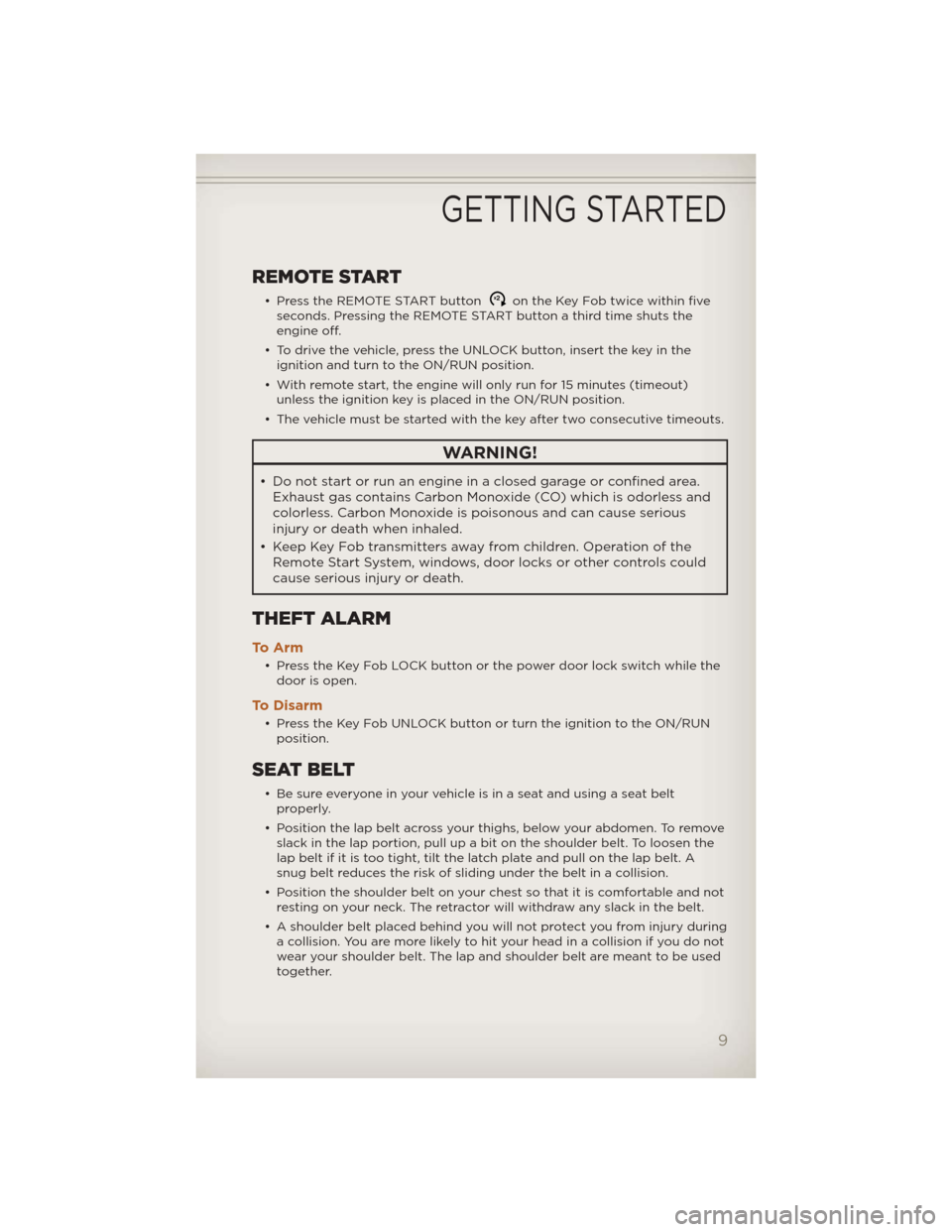
• Press the REMOTE START buttonx2on the Key Fob twice within five
seconds. Pressing the REMOTE START button a third time shuts the
engine off.
• To drive the vehicle, press the UNLOCK button, insert the key in the ignition and turn to the ON/RUN position.
• With remote start, the engine will only run for 15 minutes (timeout) unless the ignition key is placed in the ON/RUN position.
• The vehicle must be started with the key after two consecutive timeouts.
WARNING!
• Do not start or run an engine in a closed garage or confined area. Exhaust gas contains Carbon Monoxide (CO) which is odorless and
colorless. Carbon Monoxide is poisonous and can cause serious
injury or death when inhaled.
• Keep Key Fob transmitters away fromchildren. Operation of the
Remote Start System, windows, door locks or other controls could
cause serious injury or death.
THEFT ALARM
To A r m
• Press the Key Fob LOCK button or the power door lock switch while the door is open.
To Disarm
• Press the Key Fob UNLOCK button or turn the ignition to the ON/RUNposition.
SEAT BELT
• Be sure everyone in your vehicle is in a seat and using a seat beltproperly.
• Position the lap belt across your thighs, below your abdomen. To remove slack in the lap portion, pull up a bit on the shoulder belt. To loosen the
lap belt if it is too tight, tilt the latch plate and pull on the lap belt. A
snug belt reduces the risk of sliding under the belt in a collision.
• Position the shoulder belt on your chest so that it is comfortable and not resting on your neck. The retractor will withdraw any slack in the belt.
• A shoulder belt placed behind you will not protect you from injury during a collision. You are more likely to hit your head in a collision if you do not
wear your shoulder belt. The lap and shoulder belt are meant to be used
together.
GETTING STARTED
9
Page 13 of 124
WARNING!
• Relying on the air bags alone could lead to more severe injuries in acollision. The air bags work with your seat belt to restrain you
properly. In some collisions, the air bags won't deploy at all. Always
wear your seat belts even though you have air bags.
• Being too close to the steering wheel or instrument panel during Advanced Front Air Bag deployment could cause serious injury,
including death. Air bags need room to inflate. Sit back, comfortably
extending your arms to reach the steering wheel or instrument
panel.
• Supplemental Side Air Bag Inflatable Curtains need room to inflate. Do not lean against the door or window. Sit upright in the center of
the seat.
• Being too close to the Supplemental Side Air Bag Inflatable Curtain during deployment could cause you to be severely injured or killed.
• Do not drive your vehicle after the air bags have deployed. If you are involved in another collision, the air bags will not be in place to
protect you.
• After any collision, the vehicle should be taken to an authorized dealer immediately.
CHILD RESTRAINTS
• Children 12 years and under should ride properly buckled up in a rearseat, if available. According to crash statistics, children are safer when
properly restrained in the rear seats rather than in the front.
• Every state in the United States and all Canadian provinces require that small children ride in proper restraint systems. This is the law, and you
can be prosecuted for ignoring it.
Installing The LATCH - Compatible Child Restraint System
• Your vehicle's second row passenger seats are equipped with the childrestraint anchorage system called LATCH, which stands for Lower
Anchors and Tether for CHildren.
• The rear outboard seating positions have lower anchors and all three rear seating positions have top tether anchors.
• Child seats with fixed lower attachments must be installed in the outboard positions only. Child seats with flexible lower attachments can
be used in all three seating positions.
• Never install LATCH-compatible child seats such that two seats share a
common lower anchorage.
GETTING STARTED
11
Page 15 of 124
WARNING!
• In a collision, an unrestrained child, even a tiny baby, can become aprojectile inside the vehicle. The force required to hold even an
infant on your lap could become so great that you could not hold
the child, no matter how strong you are. The child and others could
be severely injured or killed. Any child riding in your vehicle should
be in a proper restraint for the child's size.
• Improper installation of a child restraint to the LATCH anchorages can lead to failure of an infant or child restraint. The child could be
severely injured or killed. Follow the manufacturer’s directions
exactly when installing an infant or child restraint.
• An incorrectly anchored tether strap could lead to increased head motion and possible injury to the child. Use only the anchor
positions directly behind the child seat to secure a child restraint
top tether strap.
• Rearward-facing child seats must never be used in the front seat of a vehicle with a front passenger air bag. An air bag deployment
could cause severe injury or death to infants in this position.
FRONT SEATS
Power Seats
• The power seat switch, located onthe outboard side of the seat near
the floor, controls forward/back,
up/down, and tilt adjustment.
Recliner • Lean forward slightly, lift the recliner lever located on the
outboard side of the seat, lean
back and release at the desired
position.
GETTING STARTED
13
Page 16 of 124
Memory Seat
• The memory seat feature allowsyou to save two different driver
seating positions, driver's outside
mirror, and radio station preset
settings. The memory button's are
located on the instrument panel to
the left of the steering column.
• Adjust all memory profile settings, press the S (SET) button then
press 1 or 2 within five seconds.
• To program a Key Fob to the memory position, place the ignition switch in the LOCK/OFF position and remove the Key Fob, press and release
the LOCK button on the Key Fob to be programmed within 5 seconds of
pressing button 1 or 2.
• Press 1 or 2 to recall the saved positions, or press UNLOCK on the programmed Key Fob.
• Refer to the Owner's Manual on the DVD for further details.
Manual Seat Adjustment
Forward/Rearward
• Lift up on the adjusting bar located at the front of the seat
near the floor and release at the
desired position.
Lumbar Support • Rotate the lumbar lever, located on the inboard side of the seat,
downward to increase and upward
to decrease the desired amount of
lumbar support.
GETTING STARTED
14