ECO mode JEEP PATRIOT 2009 1.G Service Manual
[x] Cancel search | Manufacturer: JEEP, Model Year: 2009, Model line: PATRIOT, Model: JEEP PATRIOT 2009 1.GPages: 457, PDF Size: 12.48 MB
Page 239 of 457
SEEK Buttons
Press and release the SEEK buttons to search for the next
channel in Satellite mode. Press the right switch to seek
up and the left switch to seek down. The radio will
remain tuned to the new channel until you make another
selection. Holding either button will bypass channels
without stopping until you release it.
SCAN Button (When Equipped)
Pressing the SCAN button causes the tuner to search for
the next channel, pausing for eight seconds before con-
tinuing to the next. To stop the search, press the SCAN
button a second time.
INFO Button — Except REU Radio
Pressing the INFO button will cycle the display informa-
tion between Artist, Song Title, and Composer (if avail-
able). Also, pressing and holding the INFO button for anadditional three seconds will make the radio display the
song title all of the time (press and hold again to return to
normal display).
INFO Button — REU Radio
Pressing the INFO button will display information about
Artist, Song Title, and Composer (if available). Pressing
the INFO button again will close the INFO screen.
RW/FF
Pressing the RW (Rewind) or FF (Fast Forward) buttons
causes the tuner to search for the next channel in the
direction of the arrows.
TUNE Control (Rotary)
Turn the rotary TUNE/SCROLL control knob clockwise
to increase or counterclockwise to decrease the channel.
UNDERSTANDING YOUR INSTRUMENT PANEL 237
4
Page 240 of 457
MUSIC TYPE Button — Except REU Radio
Pressing this button once will turn on the Music Type
mode for five seconds. Pressing the MUSIC TYPE button
or turning the TUNE/SCROLL control knob within five
seconds will allow the program format type to be se-
lected.
Toggle the MUSIC TYPE button again to select the music
type.
By pressing the SEEK button when the Music Type
function is active, the radio will be tuned to the next
channel with the same selected Music Type name.
If a preset button is activated while in the Music Type
(Program Type) mode, the Music Type mode will be
exited and the radio will tune to the preset channel.
MUSIC TYPE Button — REU Radio
Pressing this button provides a Music Type list from
which you can make a selection. Once a selection is
made, you can seek up or down or scan the channels and
the radio will tune to the next station matching the
selected format. There is no time-out for this screen.
Pressing the MUSIC TYPE button again will close the
Music Type screen. Once closed, seek up, seek down, and
scan will no longer be based on your selection.
SETUP Button
Pressing the SETUP button allows you to select the
following items:
•Display Sirius ID number — Press the AUDIO/
SELECT button to display the Sirius ID number. This
number is used to activate, deactivate, or change the
Sirius subscription.
238 UNDERSTANDING YOUR INSTRUMENT PANEL
Page 246 of 457
NOTE:There is a difference in temperature between the
upper and lower outlets for added comfort. The warmer
air goes to the floor outlets. This feature gives improved
comfort during sunny but cool conditions.
Floor
Air is directed through the floor outlets and side
window demister outlets with a small amount
through the defrost outlet.
Mix
Air is directed through the floor, defrost and side
window demister outlets. This setting works best in
cold or snowy conditions that require extra heat at
the windshield. This setting is good for maintaining
comfort while reducing moisture on the windshield.Defrost
Air is directed through the windshield and side
window demister outlets. Use this mode with
maximum fan and temperature settings for best wind-
shield and side window defrosting.
NOTE:The air conditioning compressor operates in
both Mix and Defrost even if the Air Conditioning
Snowflake button is not pressed. This dehumidifies the
air to help dry the windshield. To improve fuel economy,
use these modes only when necessary.
Air Outlets
The airflow from each of the instrument panel outlets can
be adjusted for direction and turned on or off to control
air flow.
244 UNDERSTANDING YOUR INSTRUMENT PANEL
Page 248 of 457
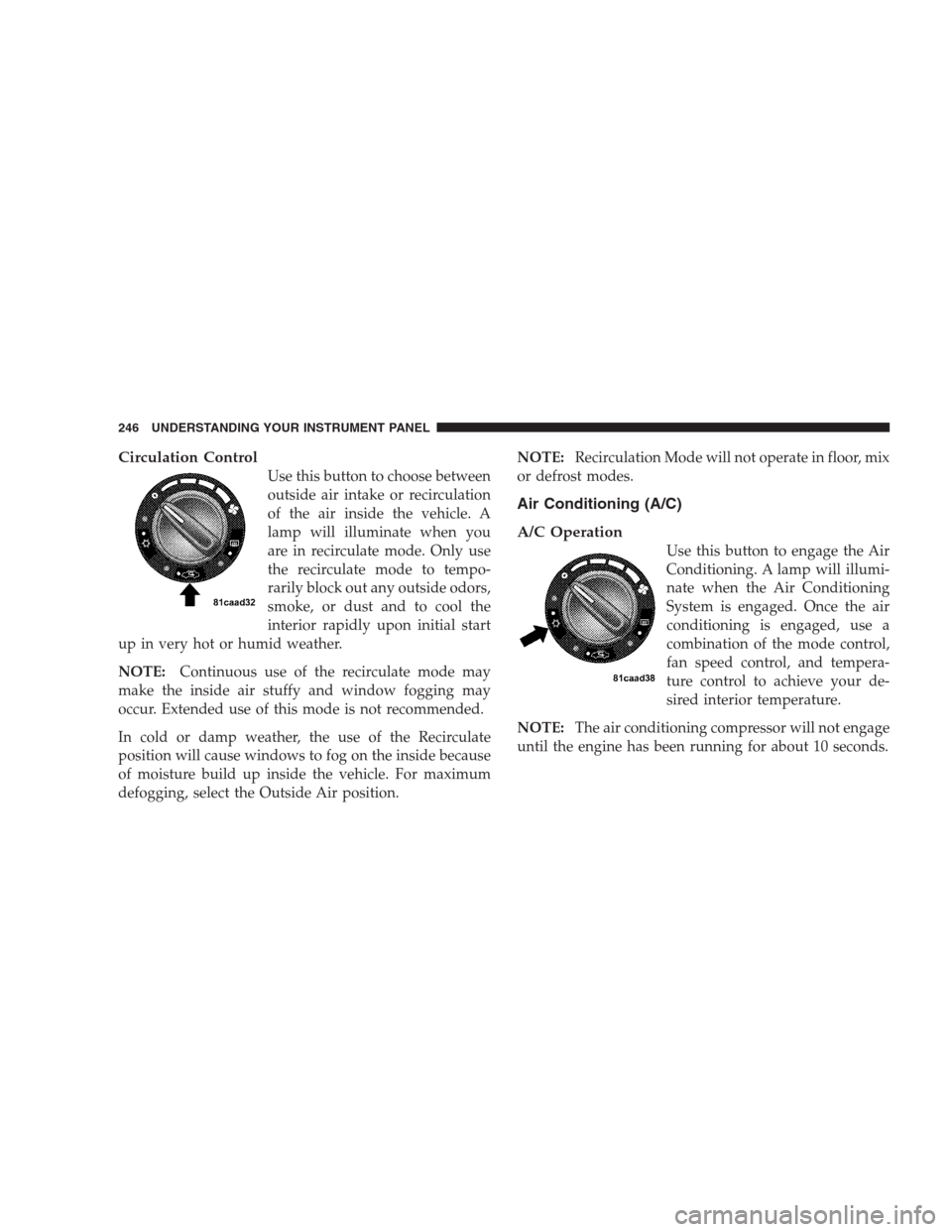
Circulation Control
Use this button to choose between
outside air intake or recirculation
of the air inside the vehicle. A
lamp will illuminate when you
are in recirculate mode. Only use
the recirculate mode to tempo-
rarily block out any outside odors,
smoke, or dust and to cool the
interior rapidly upon initial start
up in very hot or humid weather.
NOTE:Continuous use of the recirculate mode may
make the inside air stuffy and window fogging may
occur. Extended use of this mode is not recommended.
In cold or damp weather, the use of the Recirculate
position will cause windows to fog on the inside because
of moisture build up inside the vehicle. For maximum
defogging, select the Outside Air position.NOTE:Recirculation Mode will not operate in floor, mix
or defrost modes.
Air Conditioning (A/C)
A/C Operation
Use this button to engage the Air
Conditioning. A lamp will illumi-
nate when the Air Conditioning
System is engaged. Once the air
conditioning is engaged, use a
combination of the mode control,
fan speed control, and tempera-
ture control to achieve your de-
sired interior temperature.
NOTE:The air conditioning compressor will not engage
until the engine has been running for about 10 seconds.
246 UNDERSTANDING YOUR INSTRUMENT PANEL
Page 251 of 457
Window Fogging
Vehicle side windows tend to fog on the inside in mild
rainy or humid weather. To clear the windows, set mode
to the mix or defrost position. Direct the panel outlets
toward the side windows. Do not use recirculate without
A/C for long periods as fogging may occur.
Interior fogging on the windshield can be quickly re-
moved by using the defrost position.
If the fogging problem persists, clean the inside window
surfaces. The cause of undue fogging may be dirt collect-
ing on the inside surface of the glass.
NOTE:In cold weather, the use of the recircu-
late position will cause windows to fog on the
inside because of moisture build up inside the
vehicle. Moisture and ice can also accumulate
on the inside of the sheet metal and may result inheadliner and/or electronic component damage. For
maximum defogging, press the recirculation button until
recirculate is off.
Summer Operation
Air conditioned vehicles must be protected with a high-
quality antifreeze coolant to provide proper corrosion
protection and to raise the boiling point of the coolant for
protection against overheating. A 50% concentration is
recommended.
Outside Air Intake
When operating the system during the winter months,
make sure the air intake, directly in front of the wind-
shield, is free of ice, slush, snow or other obstructions
such as leaves. Leaves collected in the air-intake plenum
may reduce air flow and plug the plenum water drains.
The blower air will heat faster in cold weather if you use
only a low blower speed for the first few minutes of
vehicle operation.
UNDERSTANDING YOUR INSTRUMENT PANEL 249
4
Page 297 of 457
WARNING!
Many factors, such as vehicle loading, road condi-
tions and driving conditions, influence the chance
that wheel lift or rollover may occur. ERM cannot
prevent all wheel lift or rollovers, especially those
that involve leaving the roadway or striking objects
or other vehicles. Only a safe, attentive, and skillful
driver can prevent accidents. The capabilities of an
ERM-equipped vehicle must never be exploited in a
reckless or dangerous manner which could jeopar-
dize the user’s safety or the safety of others.
Hill Descent Control (HDC) — If Equipped
This system maintains vehicle speed while descending
hills during off-road driving situations. HDC will auto-
matically apply the brakes to control downhill speed to
between 4 mph (7 km/h) and 6 mph (9 km/h) depending
on terrain. The system is activated by placing the vehiclein “Off-Road” mode and placing the shift lever in LOW
or REVERSE. Refer to “Safe Off-Road Driving” under
“Starting and Operating” in Section 5.
When HDC is properly enabled, the Hill De-
cent Control light in the instrument cluster will
be illuminated.
HDC has the capability to sense terrain and will only
activate when the vehicle is descending a hill. It will not
activate on level ground. If desired, HDC can be fully
deactivated by putting the vehicle into ESP “Full Off”
mode. This is done by pressing and holding the ESP OFF
button for five seconds. Refer to “Electronic Stability
Program (ESP)” in this section of the manual.
HDC operation can be overridden with brake application
to slow the vehicle down below the HDC control speed.
Conversely, if more speed is desired during HDC control,
the accelerator pedal will increase vehicle speed like
STARTING AND OPERATING 295
5
Page 299 of 457
ESP Indicator Light
The “ESP Indicator Light” located in the instrument
cluster, starts to flash as soon as the tires lose traction and
the ESP system becomes active. If the “ESP Indicator
Light” begins to flash during acceleration, ease up on the
accelerator and apply as little throttle as possible. Be sure
to adapt your speed and driving to the prevailing road
conditions.
WARNING!
•Electronic Stability Program (ESP) cannot prevent
the natural laws of physics from acting on the
vehicle, nor can it increase the traction afforded by
prevailing road conditions.
(Continued)
WARNING! (Continued)
•ESP cannot prevent accidents, including those
resulting from excessive speed in turns, driving on
very slippery surfaces, or hydroplaning. Only a
safe, attentive, and skillful driver can prevent
accidents.
•The capabilities of an ESP-equipped vehicle must
never be exploited in a reckless or dangerous
manner which could jeopardize the user’s safety
or the safety of others.
ESP Operating Modes
The ESP system has three available operating modes for
4WD equipped vehicles and two available operating
modes for 2WD equipped vehicles.
STARTING AND OPERATING 297
5
Page 300 of 457
Full On (4WD Models) or On (2WD Models)
This is the normal operating mode for ESP. Whenever the
vehicle is started the ESP system will be in this “On”
mode. This mode should be used for most driving
situations. ESP should only be turned to “Partial Off” or
“ESP Off” for specific reasons as noted below.
Partial Off (4WD Models) or On (2WD Models)
This mode is entered by momentarily depressing the ESP
OFF switch. When in “Partial Off” mode the “ESP
Indicator Light” will be illuminated. This mode is in-
tended to be used if the vehicle is in deep snow, sand or
gravel conditions and more wheel spin than ESP would
normally allow is required to gain traction.
To turn ESP on again, momentarily depress the ESP OFF
switch. This will restore the normal “ESP On” mode of
operation.NOTE:To improve the vehicle’s traction when driving
with snow chains, or starting off in deep snow, sand or
gravel, it may be desirable to switch to the “Partial Off”
mode by pressing the ESP OFF switch. Once the situation
requiring ESP to be switched to the “Partial Off” mode is
overcome, turn ESP back on by momentarily depressing
the ESP OFF switch. This may be done while the vehicle
is in motion.
Full Off (4WD Models Only)
This mode is intended for off-highway or off-road use
when ESP stability features could inhibit vehicle maneu-
verability due to trail conditions. This mode is entered by
depressing and holding the ESP OFF switch for five
seconds when the vehicle is stopped and the engine is
running. After five seconds, the “ESP Indicator Light”
will illuminate and the “ESP Off” message will appear in
the odometer. Press and release the Trip Odometer button
located on the instrument cluster to clear this message.
298 STARTING AND OPERATING
Page 332 of 457
If a Non-FFV vehicle is inadvertently fueled with E-85
fuel, the engine will have some or all of these symptoms:
•operate in a lean mode
•OBD II “Malfunction Indicator Light” on
•poor engine performance
•poor cold start and cold drivability
•increased risk for fuel system component corrosion
To fix a Non-FFV vehicle inadvertently fueled once with
E-85 perform the following:
•drain the fuel tank (see your authorized dealer)
•change the engine oil and oil filter
•disconnect and reconnect the battery to reset the
engine controller memoryMore extensive repairs will be required for prolonged
exposure to E-85 fuel.
MMT In Gasoline
MMT is a manganese containing metallic additive that is
blended into some gasoline to increase the octane num-
ber. Gasolines blended with MMT offer no performance
advantage beyond gasolines of the same octane number
without MMT. Gasolines blended with MMT have been
shown to reduce spark plug life and reduce emission
system performance in some vehicles. The manufacturer
recommends using gasolines without MMT. Since the
MMT content of gasoline may not be indicated on the
pump, you should ask your gasoline retailer whether or
not their gasoline contains MMT.
It is even more important to look for gasolines without
MMT in Canada, because MMT can be used at levels
higher than those allowed in the United States.
330 STARTING AND OPERATING
Page 389 of 457
Fluid Level Check
Check the fluid level by removing the fill plug. The fluid
level should be between the bottom of the fill hole and a
point not more that 3/16 in (4.7 mm) below the bottom of
the hole.
Add fluid, if necessary, to maintain the proper level.
Frequency Of Fluid Change
Under normal operating conditions, the fluid installed at
the factory will give satisfactory lubrication for the life of
the vehicle. Fluid changes are not necessary unless lubri-
cant has become contaminated with water.
NOTE:If contaminated with water, the fluid should be
changed immediately.
Rear Drive Assembly (RDA) – AWD/4WD Models
Only
Lubricant Selection
Use only the manufacturer’s recommended fluid. Refer
to “Fluids, Lubricants, and Genuine Parts” in this section
for the correct fluid type.
Fluid Level Check
Visually inspect the unit at each oil change for leakage. If
leakage is detected, check the fluid level by removing the
fill plug. The fluid level should be maintained between
the bottom of the fill hole to 1/8 in (4 mm) below the fill
hole.
Add fluid, if necessary, to maintain the proper level.
Frequency Of Fluid Change
Refer to the “Maintenance Schedule” in Section 8 for the
correct maintenance interval.
MAINTAINING YOUR VEHICLE 387
7