light JEEP PATRIOT 2015 1.G Owner's Manual
[x] Cancel search | Manufacturer: JEEP, Model Year: 2015, Model line: PATRIOT, Model: JEEP PATRIOT 2015 1.GPages: 572, PDF Size: 11.46 MB
Page 106 of 572
Periodic Safety Checks You Should Make Outside
The Vehicle
Tires
Examine tires for excessive tread wear and uneven wear
patterns. Check for stones, nails, glass, or other objects
lodged in the tread or sidewall. Inspect the tread for cuts
and cracks. Inspect sidewalls for cuts, cracks, and bulges.
Check the wheel nuts for tightness. Check the tires
(including spare) for proper cold inflation pressure.
Lights
Have someone observe the operation of brake lights and
exterior lights while you work the controls. Check turn
signal and high beam indicator lights on the instrument
panel.
Door Latches
Check for proper closing, latching, and locking.
Fluid Leaks
Check area under vehicle after overnight parking for fuel,
engine coolant, oil, or other fluid leaks. Also, if gasoline
fumes are detected or if fuel, power steering fluid (if
equipped), or brake fluid leaks are suspected. The cause
should be located and corrected immediately.
104 THINGS TO KNOW BEFORE STARTING YOUR VEHICLE
Page 108 of 572
!VOICE COMMAND — IF EQUIPPED........145
▫Voice Command System Operation.........145
▫Commands.........................147
▫Voice Training.......................151
!SEATS . . . . . . . . . . . . . . . . . . . . . . . . . . . . ..151
▫Power Seats — If Equipped..............152
▫Heated Seats — If Equipped.............154
▫Manual Front Seat Adjustment............155
▫Manual Seat Height Adjustment — If
Equipped...........................156
▫Manual Lumbar — If Equipped...........157
▫Driver’s Seatback Recline................157
▫Head Restraints......................158
▫Folding Rear Seat.....................162
▫Reclining Rear Seat — If Equipped.........164
!TO OPEN AND CLOSE THE HOOD.........164
!LIGHTS.............................167
▫Multifunction Lever...................167
▫Headlights And Parking Lights...........168
▫Daytime Running Lights — If Equipped.....168
▫Lights-On Reminder...................168
▫Fog Lights — If Equipped...............168
▫Turn Signals.........................169
▫High/Low Beam Switch................170
▫Flash-To-Pass........................170
▫Instrument Panel Dimming...............170
106 UNDERSTANDING THE FEATURES OF YOUR VEHICLE
Page 109 of 572
▫Map/Reading Lights...................171
!WINDSHIELD WIPERS AND WASHERS......172
▫Windshield Wiper Operation.............174
▫Intermittent Wiper System...............174
▫Windshield Washers...................175
▫Mist Feature.........................175
!TILT STEERING COLUMN...............176
!ELECTRONIC SPEED CONTROL — IF
EQUIPPED...........................177
▫To Activate..........................178
▫To Set A Desired Speed.................179
▫To Deactivate........................179
▫To Resume Speed.....................179
▫To Vary The Speed Setting...............180
▫To Accelerate For Passing................181
!GARAGE DOOR OPENER — IF EQUIPPED . . .182
▫Before You Begin Programming HomeLink® . .183
▫Programming A Rolling Code.............184
▫Programming A Non-Rolling Code.........186
▫Canadian/Gate Operator Programming......187
▫Using HomeLink®....................189
▫Security............................189
▫Troubleshooting Tips...................189
▫General Information....................190
!POWER SUNROOF — IF EQUIPPED........191
▫Opening Sunroof — Express..............192
3
UNDERSTANDING THE FEATURES OF YOUR VEHICLE 107
Page 110 of 572
▫Opening Sunroof — Manual Mode.........192
▫Closing Sunroof — Express...............192
▫Closing Sunroof — Manual Mode..........193
▫Pinch Protect Feature...................193
▫Venting Sunroof — Express..............193
▫Sunshade Operation....................193
▫Wind Buffeting.......................193
▫Sunroof Maintenance...................194
▫Ignition Off Operation..................194
!ELECTRICAL POWER OUTLETS...........194
!POWER INVERTER — IF EQUIPPED.........197
!CUPHOLDERS.........................199
!STORAGE............................200
▫Glove Compartment And Storage Bin.......200
▫Door Storage.........................201
!CONSOLE FEATURES...................202
!CARGO AREA FEATURES................203
▫Cargo Light.........................203
▫Cargo Cover........................203
▫Removable Load Floor.................205
▫Cargo Tie-Down Loops.................206
▫Fold Down Speakers — If Equipped........207
!REAR WINDOW FEATURES..............208
▫Rear Window Wiper/Washer.............208
▫Rear Window Defroster.................209
!ROOF LUGGAGE RACK — IF EQUIPPED .. . .210
108 UNDERSTANDING THE FEATURES OF YOUR VEHICLE
Page 111 of 572
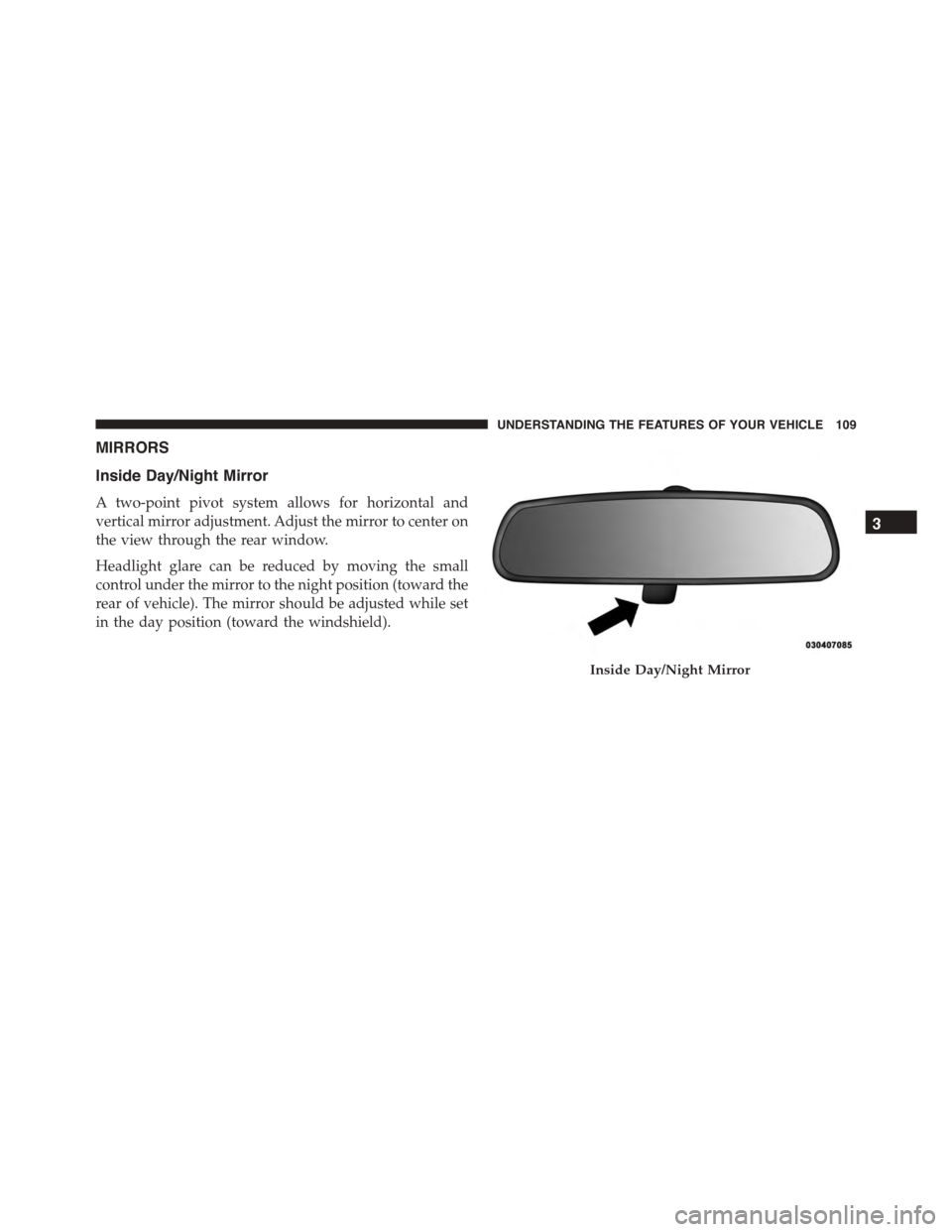
MIRRORS
Inside Day/Night Mirror
A two-point pivot system allows for horizontal and
vertical mirror adjustment. Adjust the mirror to center on
the view through the rear window.
Headlight glare can be reduced by moving the small
control under the mirror to the night position (toward the
rear of vehicle). The mirror should be adjusted while set
in the day position (toward the windshield).
Inside Day/Night Mirror
3
UNDERSTANDING THE FEATURES OF YOUR VEHICLE 109
Page 112 of 572
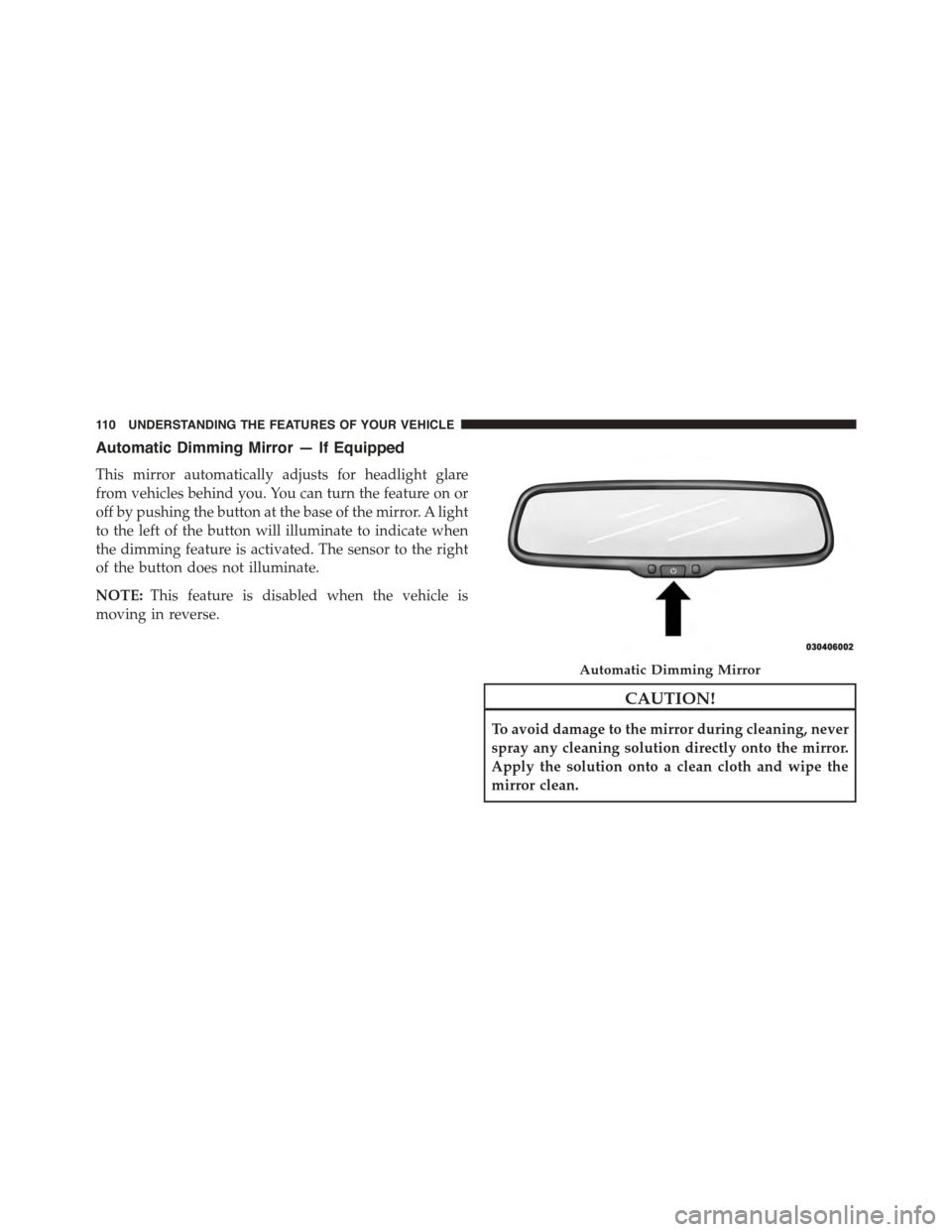
Automatic Dimming Mirror — If Equipped
This mirror automatically adjusts for headlight glare
from vehicles behind you. You can turn the feature on or
off by pushing the button at the base of the mirror. A light
to the left of the button will illuminate to indicate when
the dimming feature is activated. The sensor to the right
of the button does not illuminate.
NOTE:This feature is disabled when the vehicle is
moving in reverse.
CAUTION!
To avoid damage to the mirror during cleaning, never
spray any cleaning solution directly onto the mirror.
Apply the solution onto a clean cloth and wipe the
mirror clean.
Automatic Dimming Mirror
11 0 U N D E R S TA N D I N G T H E F E AT U R E S O F Y O U R V E H I C L E
Page 130 of 572
If the phone is not reachable and the Uconnect® Phone is
operational, you may reach the emergency number as
follows:
•Push the Phonebutton to begin.
•After the “Ready” prompt and the following beep, say
“Emergency” and the Uconnect® Phone will instruct
the paired mobile phone to call the emergency number.
This feature is supported in the U.S., Canada, and
Mexico.
NOTE:
•The emergency number dialed is based on the country
where the vehicle is purchased (911 for the U.S. and
Canada and 060 for Mexico). The number dialed may
not be applicable with the available mobile service and
area.
•If supported, this number may be programmable on
some systems. To do this, push the Phonebutton
and say “Setup,” followed by “Emergency.”
•The Uconnect® Phone does slightly lower your
chances of successfully making a phone call as to that
for the mobile phone directly.
WARNING!
To use your Uconnect® Phone System in an emer-
gency, your mobile phone must be:
•Turned on.
•Paired to the Uconnect® System.
•Have network coverage.
128 UNDERSTANDING THE FEATURES OF YOUR VEHICLE
Page 156 of 572
Heated Seats — If Equipped
On some models, the front driver and passenger seats
may be equipped with heaters in both the seat cushions
and seatbacks. The controls for the front heated seats are
located on the center instrument panel area.
You can choose from HI, LO or OFF heat settings. Amber
indicator lights in each switch indicate the level of heat in
use. Two indicator lights will illuminate for HI, one for
LO and none for OFF.
Push the switch once to select HI-level heating.
Push the switch a second time to select LO-
level heating. Push the switch a third time to
shut the heating elements OFF.
When the HI-level setting is selected, the heater will
provide a boosted heat level during the initial stages of
operation. Then, the heat output will drop to the normal
HI-level. If the HI-level setting is selected, the system will
automatically switch to LO-level after approximately 30
minutes of continuous operation. At that time, the dis-
play will change from HI to LO, indicating the change.
When the LO-level heating is selected, the system auto-
matically turns the heater and the indicator light OFF
after approximately 30 minutes of continuous operation.
NOTE:Once a heat setting is selected, heat will be felt
within two to five minutes.
WARNING!
•Persons who are unable to feel pain to the skin
because of advanced age, chronic illness, diabetes,
spinal cord injury, medication, alcohol use, exhaus-
tion or other physical condition must exercise care
when using the seat heater. It may cause burns
even at low temperatures, especially if used for
long periods of time.
(Continued)
154 UNDERSTANDING THE FEATURES OF YOUR VEHICLE
Page 169 of 572
LIGHTS
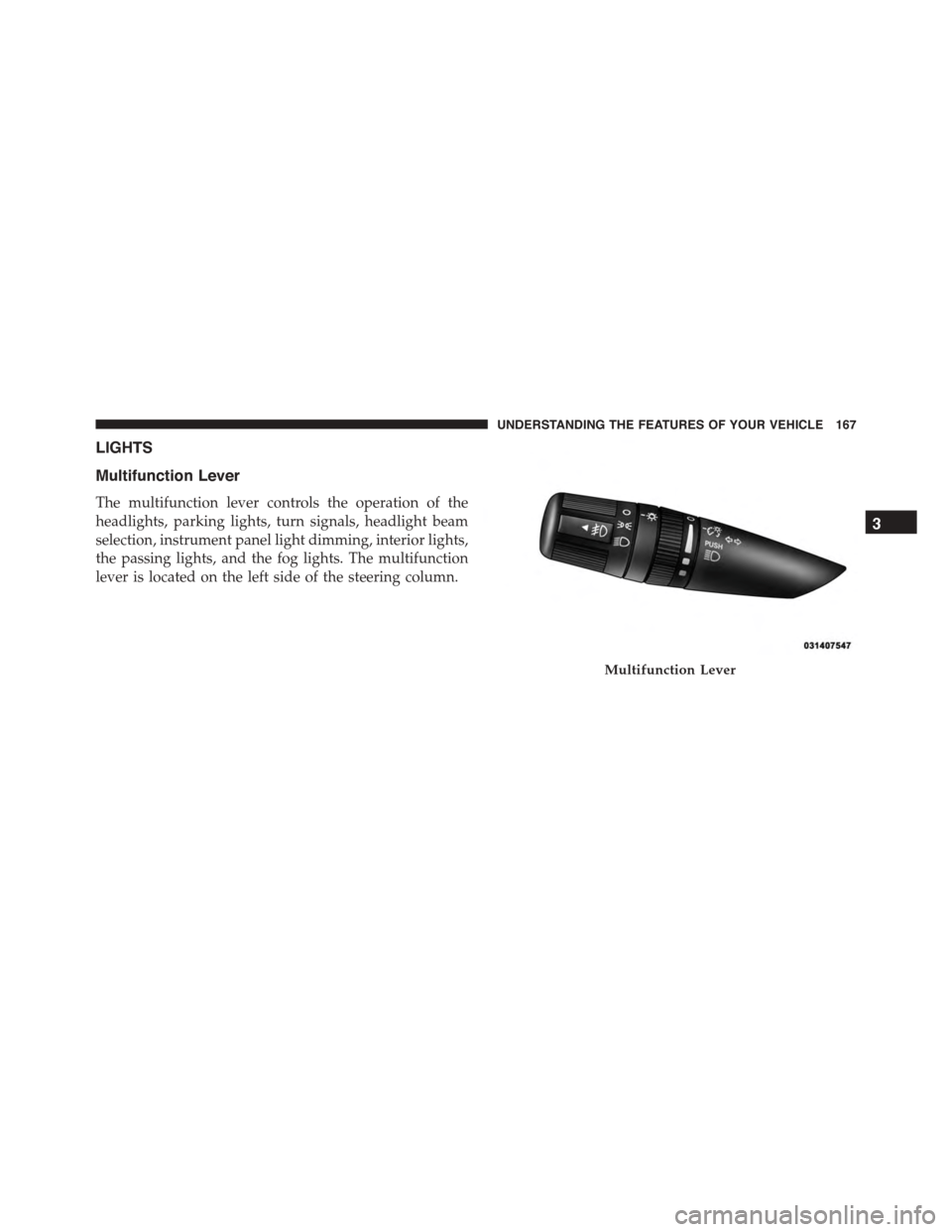
Multifunction Lever
The multifunction lever controls the operation of the
headlights, parking lights, turn signals, headlight beam
selection, instrument panel light dimming, interior lights,
the passing lights, and the fog lights. The multifunction
lever is located on the left side of the steering column.
Multifunction Lever
3
UNDERSTANDING THE FEATURES OF YOUR VEHICLE 167
Page 170 of 572
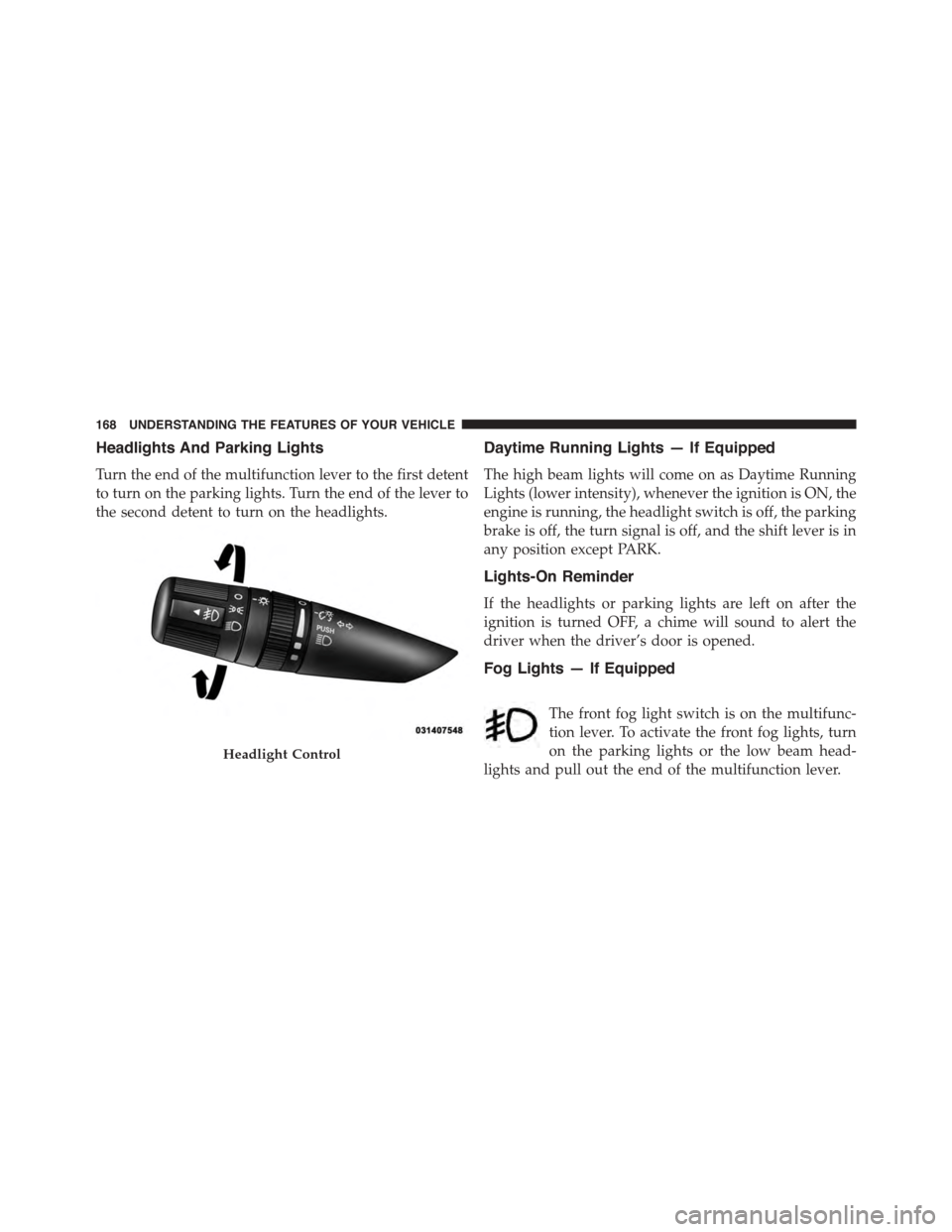
Headlights And Parking Lights
Turn the end of the multifunction lever to the first detent
to turn on the parking lights. Turn the end of the lever to
the second detent to turn on the headlights.
Daytime Running Lights — If Equipped
The high beam lights will come on as Daytime Running
Lights (lower intensity), whenever the ignition is ON, the
engine is running, the headlight switch is off, the parking
brake is off, the turn signal is off, and the shift lever is in
any position except PARK.
Lights-On Reminder
If the headlights or parking lights are left on after the
ignition is turned OFF, a chime will sound to alert the
driver when the driver’s door is opened.
Fog Lights — If Equipped
The front fog light switch is on the multifunc-
tion lever. To activate the front fog lights, turn
on the parking lights or the low beam head-
lights and pull out the end of the multifunction lever.
Headlight Control
168 UNDERSTANDING THE FEATURES OF YOUR VEHICLE