lock JEEP RENEGADE 2014 1.G User Guide
[x] Cancel search | Manufacturer: JEEP, Model Year: 2014, Model line: RENEGADE, Model: JEEP RENEGADE 2014 1.GPages: 212, PDF Size: 17.48 MB
Page 27 of 212
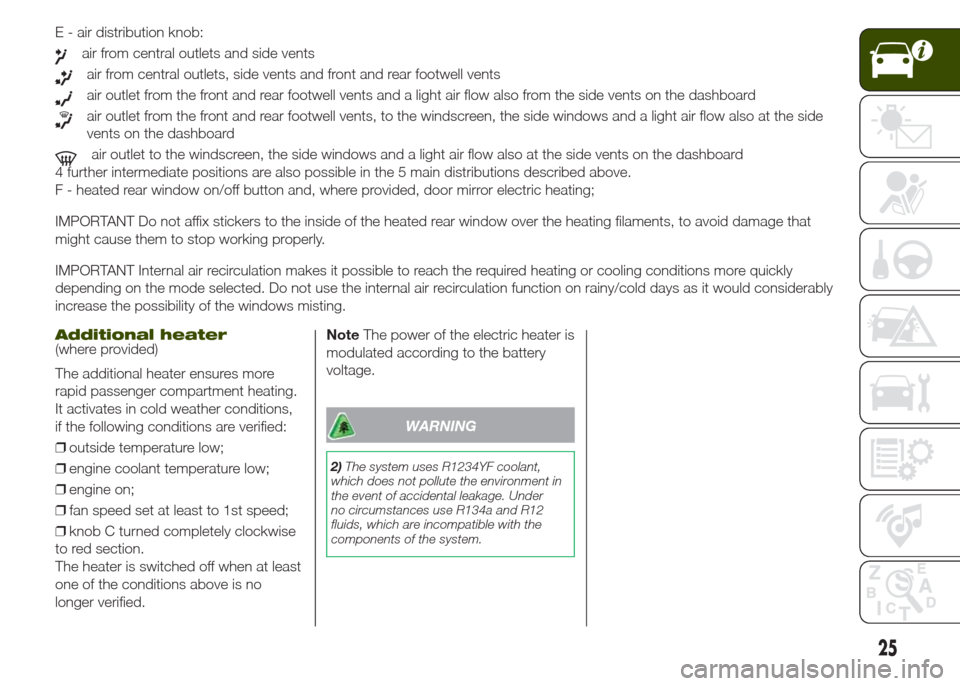
E - air distribution knob:
air from central outlets and side vents
air from central outlets, side vents and front and rear footwell vents
air outlet from the front and rear footwell vents and a light air flow also from the side vents on the dashboard
air outlet from the front and rear footwell vents, to the windscreen, the side windows and a light air flow also at the side
vents on the dashboard
air outlet to the windscreen, the side windows and a light air flow also at the side vents on the dashboard
4 further intermediate positions are also possible in the 5 main distributions described above.
F - heated rear window on/off button and, where provided, door mirror electric heating;
IMPORTANT Do not affix stickers to the inside of the heated rear window over the heating filaments, to avoid damage that
might cause them to stop working properly.
IMPORTANT Internal air recirculation makes it possible to reach the required heating or cooling conditions more quickly
depending on the mode selected. Do not use the internal air recirculation function on rainy/cold days as it would considerably
increase the possibility of the windows misting.
Additional heater(where provided)
The additional heater ensures more
rapid passenger compartment heating.
It activates in cold weather conditions,
if the following conditions are verified:
❒outside temperature low;
❒engine coolant temperature low;
❒engine on;
❒fan speed set at least to 1st speed;
❒knob C turned completely clockwise
to red section.
The heater is switched off when at least
one of the conditions above is no
longer verified.NoteThe power of the electric heater is
modulated according to the battery
voltage.
WARNING
2)The system uses R1234YF coolant,
which does not pollute the environment in
the event of accidental leakage. Under
no circumstances use R134a and R12
fluids, which are incompatible with the
components of the system.
25
Page 32 of 212
ANTI-PINCH DEVICE
The sun roof and the electric blind are
equipped with an anti-pinch safety
system capable of detecting the
presence of an obstacle whilst the roof
is closing: if this happens, the system
intervenes and the movement of the
glass is immediately reversed.
EMERGENCY OPERATION
If the control buttons fail to operate, the
sun blind and the sun roof can be
moved manually, proceeding as
described below:
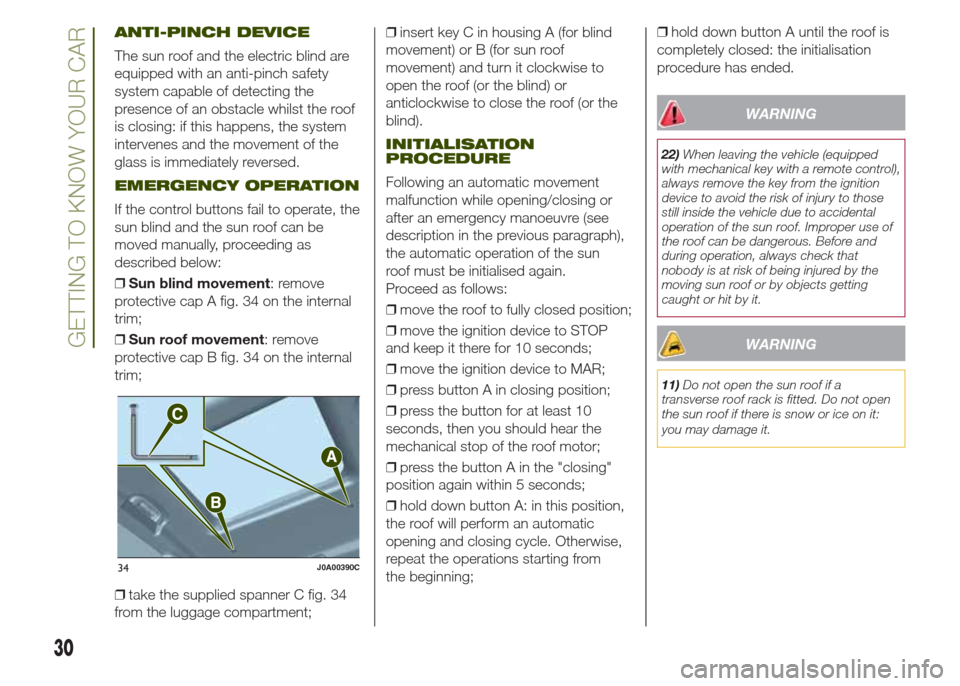
❒Sun blind movement: remove
protective cap A fig. 34 on the internal
trim;
❒Sun roof movement: remove
protective cap B fig. 34 on the internal
trim;
❒take the supplied spanner C fig. 34
from the luggage compartment;❒insert key C in housing A (for blind
movement) or B (for sun roof
movement) and turn it clockwise to
open the roof (or the blind) or
anticlockwise to close the roof (or the
blind).
INITIALISATION
PROCEDURE
Following an automatic movement
malfunction while opening/closing or
after an emergency manoeuvre (see
description in the previous paragraph),
the automatic operation of the sun
roof must be initialised again.
Proceed as follows:
❒move the roof to fully closed position;
❒move the ignition device to STOP
and keep it there for 10 seconds;
❒move the ignition device to MAR;
❒press button A in closing position;
❒press the button for at least 10
seconds, then you should hear the
mechanical stop of the roof motor;
❒press the button A in the "closing"
position again within 5 seconds;
❒hold down button A: in this position,
the roof will perform an automatic
opening and closing cycle. Otherwise,
repeat the operations starting from
the beginning;❒hold down button A until the roof is
completely closed: the initialisation
procedure has ended.
WARNING
22)When leaving the vehicle (equipped
with mechanical key with a remote control),
always remove the key from the ignition
device to avoid the risk of injury to those
still inside the vehicle due to accidental
operation of the sun roof. Improper use of
the roof can be dangerous. Before and
during operation, always check that
nobody is at risk of being injured by the
moving sun roof or by objects getting
caught or hit by it.
WARNING
11)Do not open the sun roof if a
transverse roof rack is fitted. Do not open
the sun roof if there is snow or ice on it:
you may damage it.
34J0A00390C
30
GETTING TO KNOW YOUR CAR
Page 33 of 212
MySky SUN ROOF
12)
The roof has two panels, a front and a
rear one, that can be individually or
simultaneously removed, as wished.
Front and rear panels are distinguished
by a dedicated symbol on the bottom
of the panels themselves.
IMPORTANT The panels can withstand
any snow that may deposit on them.
In any case, it is advisable to remove
excessive snow.
FRONT PANEL ELECTRIC
MOVEMENT
On some versions, the front panel
might be electrically operated. This
operates only with the ignition device at
MAR. The panel can be adjusted
forward/backward and opened in swivel
position.
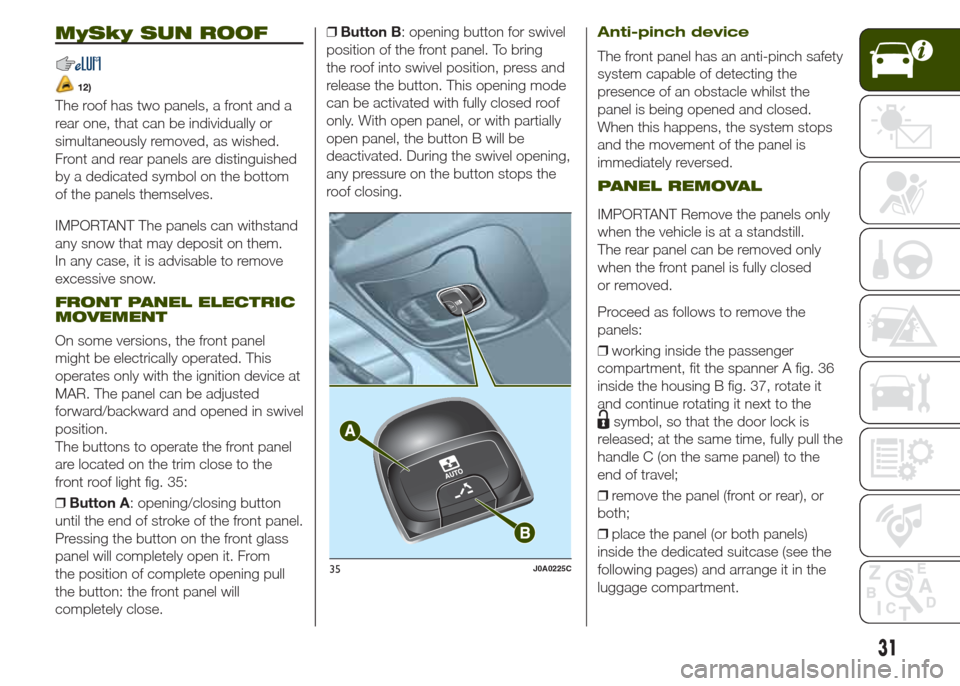
The buttons to operate the front panel
are located on the trim close to the
front roof light fig. 35:
❒Button A: opening/closing button
until the end of stroke of the front panel.
Pressing the button on the front glass
panel will completely open it. From
the position of complete opening pull
the button: the front panel will
completely close.❒Button B: opening button for swivel
position of the front panel. To bring
the roof into swivel position, press and
release the button. This opening mode
can be activated with fully closed roof
only. With open panel, or with partially
open panel, the button B will be
deactivated. During the swivel opening,
any pressure on the button stops the
roof closing.
Anti-pinch device
The front panel has an anti-pinch safety
system capable of detecting the
presence of an obstacle whilst the
panel is being opened and closed.
When this happens, the system stops
and the movement of the panel is
immediately reversed.
PANEL REMOVAL
IMPORTANT Remove the panels only
when the vehicle is at a standstill.
The rear panel can be removed only
when the front panel is fully closed
or removed.
Proceed as follows to remove the
panels:
❒working inside the passenger
compartment, fit the spanner A fig. 36
inside the housing B fig. 37, rotate it
and continue rotating it next to the
symbol, so that the door lock is
released; at the same time, fully pull the
handle C (on the same panel) to the
end of travel;
❒remove the panel (front or rear), or
both;
❒place the panel (or both panels)
inside the dedicated suitcase (see the
following pages) and arrange it in the
luggage compartment.
35J0A0225C
31
Page 34 of 212
PANEL STORAGE
SUITCASE
After removing the roof panels, they
must be positioned inside the
dedicated suitcase inside the luggage
compartment. It is recommended to
perform this procedure from outside the
vehicle.
Proceed as follows:
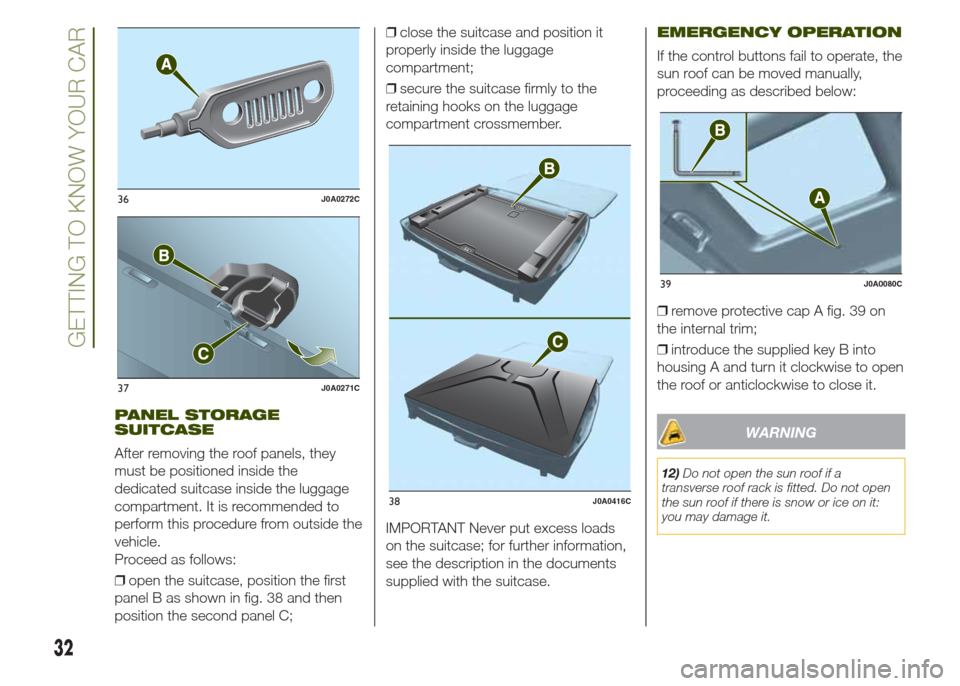
❒open the suitcase, position the first
panel B as shown in fig. 38 and then
position the second panel C;❒close the suitcase and position it
properly inside the luggage
compartment;
❒secure the suitcase firmly to the
retaining hooks on the luggage
compartment crossmember.
IMPORTANT Never put excess loads
on the suitcase; for further information,
see the description in the documents
supplied with the suitcase.
EMERGENCY OPERATION
If the control buttons fail to operate, the
sun roof can be moved manually,
proceeding as described below:
❒remove protective cap A fig. 39 on
the internal trim;
❒introduce the supplied key B into
housing A and turn it clockwise to open
the roof or anticlockwise to close it.
WARNING
12)Do not open the sun roof if a
transverse roof rack is fitted. Do not open
the sun roof if there is snow or ice on it:
you may damage it.
36J0A0272C
37J0A0271C
38J0A0416C
39J0A0080C
32
GETTING TO KNOW YOUR CAR
Page 35 of 212
BONNET
OPENING
Proceed as follows:
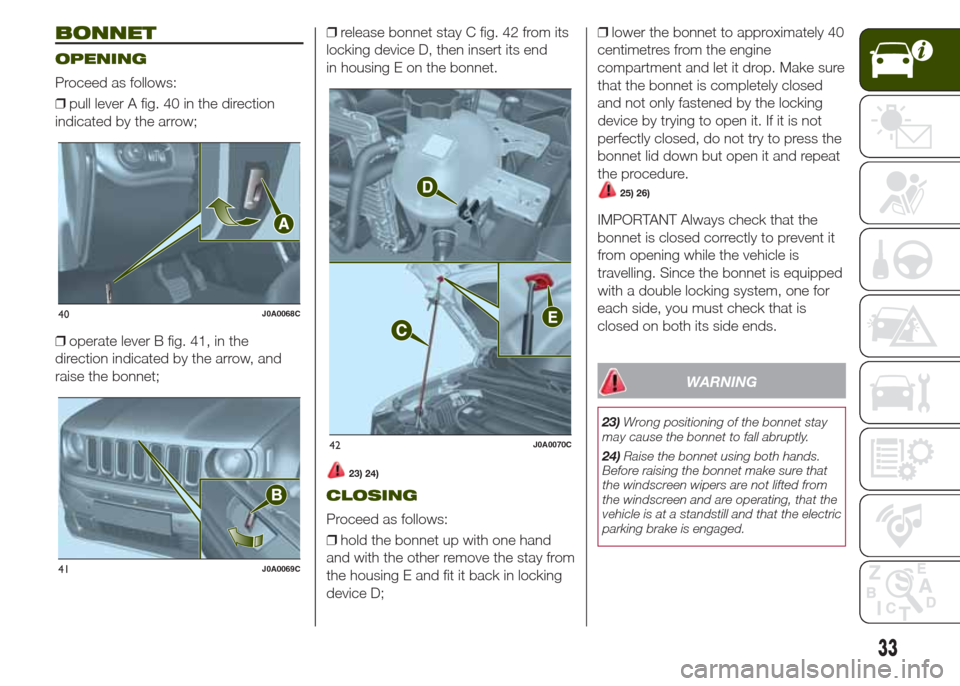
❒pull lever A fig. 40 in the direction
indicated by the arrow;
❒operate lever B fig. 41, in the
direction indicated by the arrow, and
raise the bonnet;❒release bonnet stay C fig. 42 from its
locking device D, then insert its end
in housing E on the bonnet.
23) 24)
CLOSING
Proceed as follows:
❒hold the bonnet up with one hand
and with the other remove the stay from
the housing E and fit it back in locking
device D;❒lower the bonnet to approximately 40
centimetres from the engine
compartment and let it drop. Make sure
that the bonnet is completely closed
and not only fastened by the locking
device by trying to open it. If it is not
perfectly closed, do not try to press the
bonnet lid down but open it and repeat
the procedure.
25) 26)
IMPORTANT Always check that the
bonnet is closed correctly to prevent it
from opening while the vehicle is
travelling. Since the bonnet is equipped
with a double locking system, one for
each side, you must check that is
closed on both its side ends.
WARNING
23)Wrong positioning of the bonnet stay
may cause the bonnet to fall abruptly.
24)Raise the bonnet using both hands.
Before raising the bonnet make sure that
the windscreen wipers are not lifted from
the windscreen and are operating, that the
vehicle is at a standstill and that the electric
parking brake is engaged.
40J0A0068C
41J0A0069C
42J0A0070C
33
Page 36 of 212
25)For safety reasons the bonnet must
always be correctly closed while driving.
Therefore, make sure that the bonnet
is properly closed and that the lock
is engaged. If you discover that the bonnet
is not perfectly closed during travel, stop
immediately and close the bonnet in the
correct manner.
26)Perform these operations only when
the vehicle is stationary.LUGGAGE
COMPARTMENT
The luggage compartment unlocking is
electrically operated and is deactivated
when the vehicle is in motion.
OPENING FROM THE
OUTSIDE
27)When unlocked, the luggage
compartment can be opened from
outside the vehicle using the electric
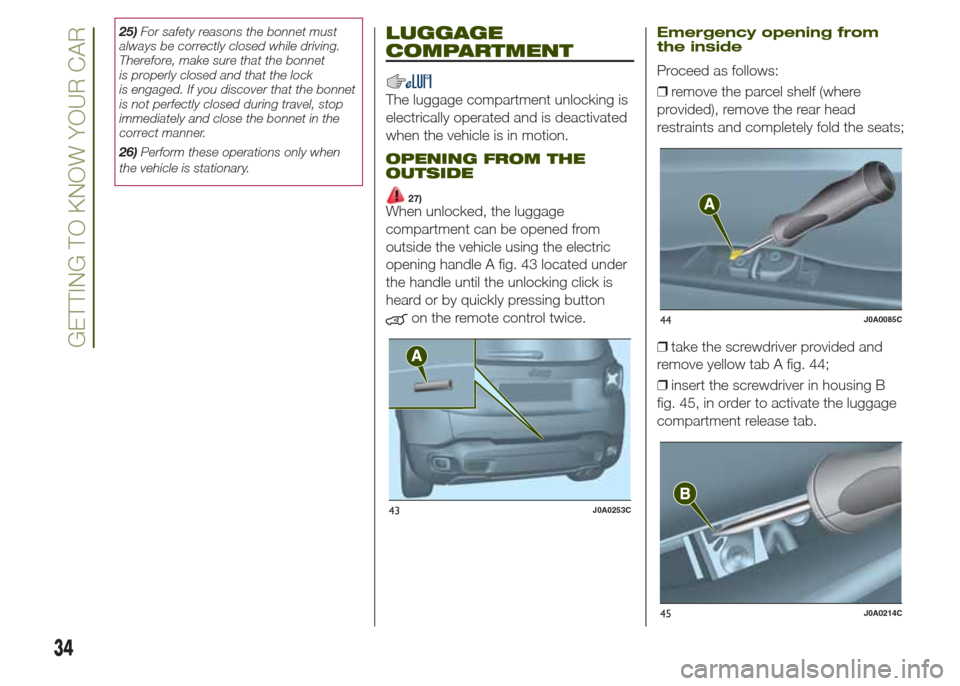
opening handle A fig. 43 located under
the handle until the unlocking click is
heard or by quickly pressing button
on the remote control twice.
Emergency opening from
the inside
Proceed as follows:
❒remove the parcel shelf (where
provided), remove the rear head
restraints and completely fold the seats;
❒take the screwdriver provided and
remove yellow tab A fig. 44;
❒insert the screwdriver in housing B
fig. 45, in order to activate the luggage
compartment release tab.
43J0A0253C
44J0A0085C
45J0A0214C
34
GETTING TO KNOW YOUR CAR
Page 37 of 212
CLOSING
To close the luggage compartment
grab the handle located inside the
tailgate.
IMPORTANT Before closing the
luggage compartment make sure that
you have the keys since the luggage
compartment is automatically locked.
LUGGAGE
COMPARTMENT
INITIALISATION
IMPORTANT If the battery is
disconnected or the protection fuse
blows, the luggage compartment
opening/closing mechanism must be
reinitialised as follows:
❒close all the doors and the luggage
compartment;
❒press the
button on the remote
control;
❒press the
button on the remote
control.
LOAD COMPARTMENT
CHARACTERISTICS
Reconfigurable load
platform
The platform can take two different
positions: "threshold level" position or
"completely raised" position. The load
platform can be located in oblique
position (tilted towards the rear seat
backrests), in order to facilitate access
to the area underneath the luggage
compartment.
The load platform can be tilted, and is
equipped with a washable plastic
surface, useful for instance for
transporting wet or muddy items.
13)
Reconfigurable load
platform access/movement
To access the double load
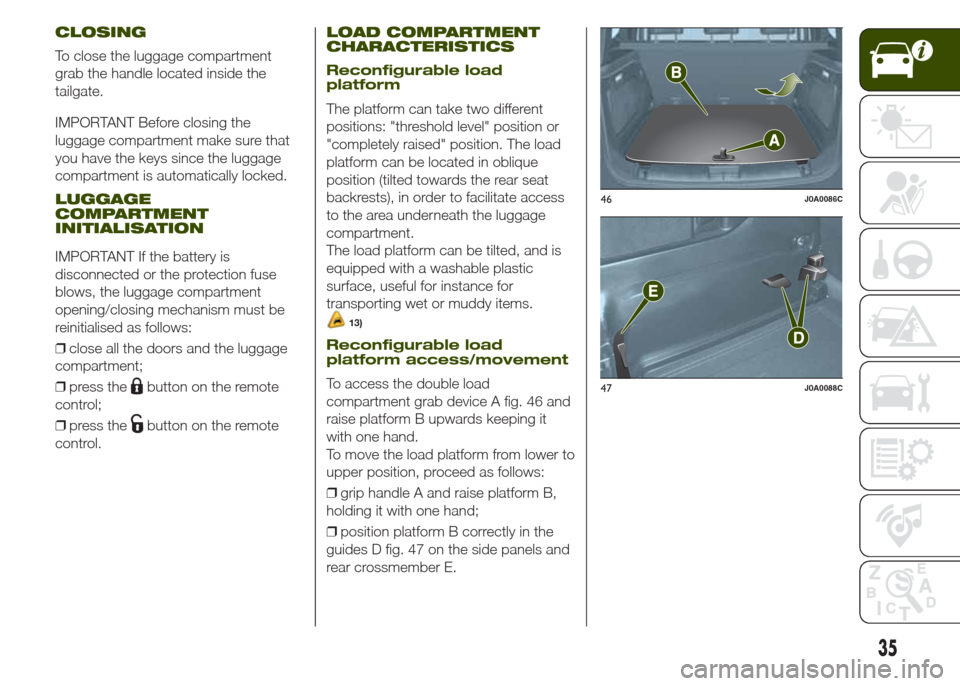
compartment grab device A fig. 46 and
raise platform B upwards keeping it
with one hand.
To move the load platform from lower to
upper position, proceed as follows:
❒grip handle A and raise platform B,
holding it with one hand;
❒position platform B correctly in the
guides D fig. 47 on the side panels and
rear crossmember E.
46J0A0086C
47J0A0088C
35
Page 43 of 212
CONTROL BUTTONS
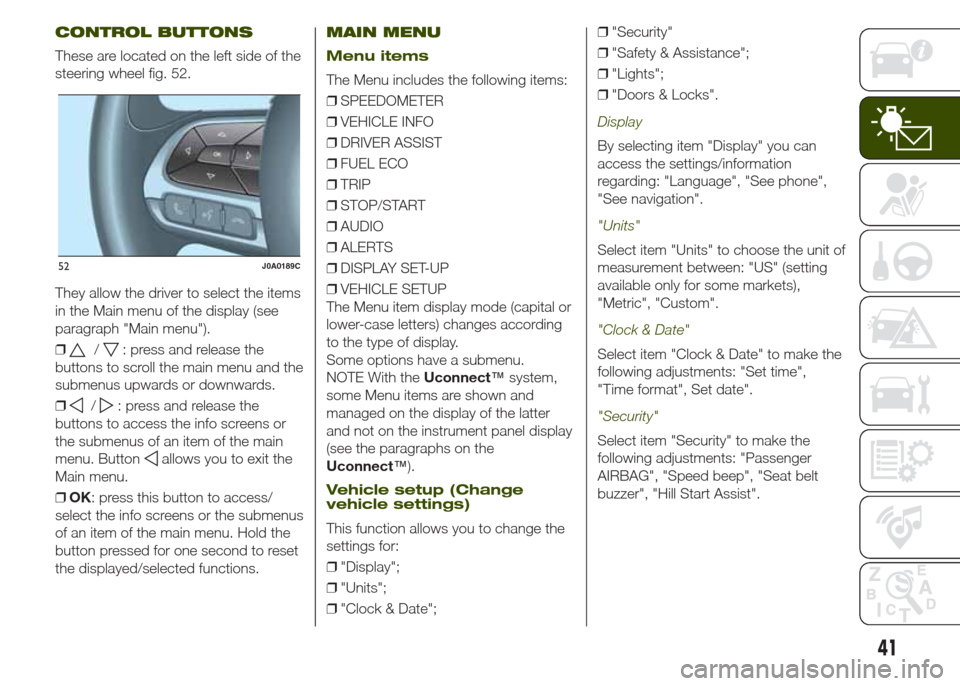
These are located on the left side of the
steering wheel fig. 52.
They allow the driver to select the items
in the Main menu of the display (see
paragraph "Main menu").
❒
/: press and release the
buttons to scroll the main menu and the
submenus upwards or downwards.
❒
/: press and release the
buttons to access the info screens or
the submenus of an item of the main
menu. Button
allows you to exit the
Main menu.
❒OK: press this button to access/
select the info screens or the submenus
of an item of the main menu. Hold the
button pressed for one second to reset
the displayed/selected functions.
MAIN MENU
Menu items
The Menu includes the following items:
❒SPEEDOMETER
❒VEHICLE INFO
❒DRIVER ASSIST
❒FUEL ECO
❒TRIP
❒STOP/START
❒AUDIO
❒ALERTS
❒DISPLAY SET-UP
❒VEHICLE SETUP
The Menu item display mode (capital or
lower-case letters) changes according
to the type of display.
Some options have a submenu.
NOTE With theUconnect™system,
some Menu items are shown and
managed on the display of the latter
and not on the instrument panel display
(see the paragraphs on the
Uconnect™).
Vehicle setup (Change
vehicle settings)
This function allows you to change the
settings for:
❒"Display";
❒"Units";
❒"Clock & Date";❒"Security"
❒"Safety & Assistance";
❒"Lights";
❒"Doors & Locks".
Display
By selecting item "Display" you can
access the settings/information
regarding: "Language", "See phone",
"See navigation".
"Units"
Select item "Units" to choose the unit of
measurement between: "US" (setting
available only for some markets),
"Metric", "Custom".
"Clock & Date"
Select item "Clock & Date" to make the
following adjustments: "Set time",
"Time format", Set date".
"Security"
Select item "Security" to make the
following adjustments: "Passenger
AIRBAG", "Speed beep", "Seat belt
buzzer", "Hill Start Assist".
52J0A0189C
41
Page 44 of 212
The "Passenger AIRBAG" function is
used to activate/deactivate the front
passenger side airbag.Passenger's
protection active: the LED
ON
comes on constantly on the dashboard
located in the instrument panel.
Passenger's protection not active:
the LED
OFFon the dashboard
comes on constantly in the control
panel.
"Safety & Assistance"
For possible adjustments see
paragraphUconnect™in chapter
"Multimedia".
"Lights"
Select item "Lights" to make the
following adjustments: "Ambient
lighting", "Follow me", "Headlights while
opening", "Headlight sensor", "High
Beams Auto Dim", "Daytime Lights",
"Cornering lights".
"Doors & Locks"
Select item "Doors & Locks" to make
the following adjustments: "Autoclose",
"Auto unlock on exit", "Flash Lights
w/Lock", "Horn with Lock", "Horn
w/Remote Start", "Remote Unlock"
(versions without Passive Entry), "Door
Unlock" (versions with Passive Entry),
"Passive Entry".
Versions with
reconfigurable multifunction
display
On versions equipped with
reconfigurable multifunction display only
the following items are available:
"Display" (only items "See phone" and
"See navigation" can be selected),
"Security" and "Safety & Assistance"
(only item "Buzzer volume" can be
selected). All other items will be shown
and managed on theUconnect™
system display.
TRIP COMPUTER
The “Trip computer” is used to display
information on vehicle operation when
the ignition device is at MAR.
This function is characterised by two
separate memories, called "Trip A" and
"Trip B", where the vehicle's "complete
missions" (journeys) are recorded in a
reciprocally independent manner.
“Trip A”allows the following values to
be displayed: "Distance travelled A",
"Average consumption A", "Journey
time (driving time) A".
“Trip B”allows the following values to
be displayed: "Distance travelled B",
"Average consumption B", "Journey
time (driving time) B". The “Trip B”
function may be excluded.
Both memories can be reset: (reset -
start of a new journey).
To reset the values of "Trip A" and "Trip
B" press and hold theOKbutton on
the steering wheel controls.
NOTE “Range” and “Instantaneous fuel
consumption" parameters cannot be
reset.
42
KNOWING THE INSTRUMENT PANEL
Page 46 of 212
Warning light What it means
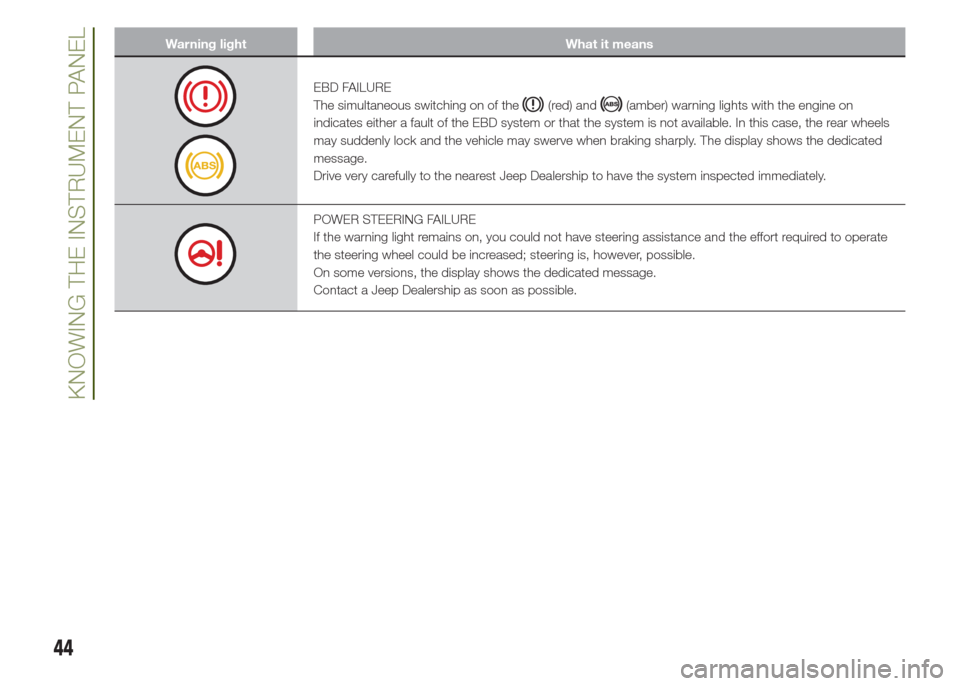
EBD FAILURE
The simultaneous switching on of the
(red) and(amber) warning lights with the engine on
indicates either a fault of the EBD system or that the system is not available. In this case, the rear wheels
may suddenly lock and the vehicle may swerve when braking sharply. The display shows the dedicated
message.
Drive very carefully to the nearest Jeep Dealership to have the system inspected immediately.
POWER STEERING FAILURE
If the warning light remains on, you could not have steering assistance and the effort required to operate
the steering wheel could be increased; steering is, however, possible.
On some versions, the display shows the dedicated message.
Contact a Jeep Dealership as soon as possible.
44
KNOWING THE INSTRUMENT PANEL