belt JEEP RENEGADE 2014 1.G Owners Manual
[x] Cancel search | Manufacturer: JEEP, Model Year: 2014, Model line: RENEGADE, Model: JEEP RENEGADE 2014 1.GPages: 212, PDF Size: 17.48 MB
Page 5 of 212
SYMBOLS
Some vehicle components have coloured labels whose symbols indicate precautions to be observed when using this
component.
A plate summarising these symbols can also be found under the bonnet.
ROLL OVER WARNING
The risk of rolling over for off-road vehicles is remarkably higher than for any other type of vehicle. This vehicle has a higher
ground clearance and has a higher centre of gravity compared to many other vehicles for transporting passengers, so that it
allows a better performance to be reached in a wide range of off-road applications.
Anyway, a dangerous driving style can increase the risk of losing control of the vehicle.
The vehicle is more subject to the risk of rolling over because of the higher centre of gravity should the driver lose its control.
Therefore, avoid tight curves or other unsafe driving conditions that may lead to losing the vehicle control. Failure to comply
with these precautions may cause accidents, vehicle rolling over and severe or fatal injuries. Drive carefully.
The main cause for severe or fatal injuries is failing to wear driver and passenger seat belts. In the event of rolling over, a
passenger not wearing the seat belt is much more likely to be fatally injured than a passenger wearing it correctly. Always fasten
the seat belts.
VEHICLE CHANGES/ALTERATIONS
IMPORTANT Any change or alteration of the vehicle might seriously affect its safety and road holding, thus causing accidents,
in which the occupants could even be fatally injured.
Page 17 of 212
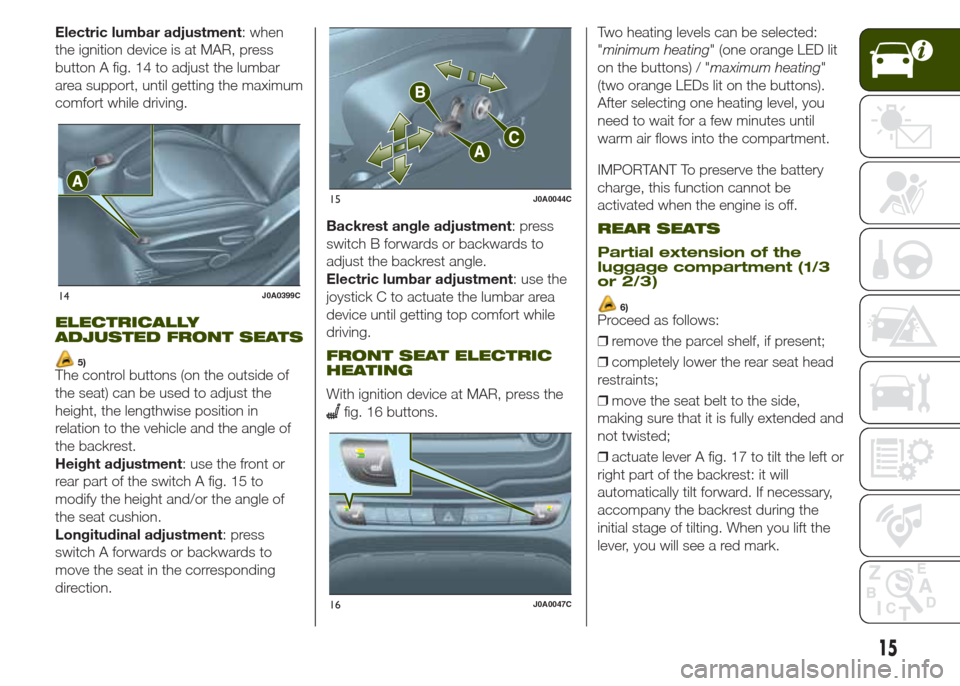
Electric lumbar adjustment: when
the ignition device is at MAR, press
button A fig. 14 to adjust the lumbar
area support, until getting the maximum
comfort while driving.
ELECTRICALLY
ADJUSTED FRONT SEATS
5)The control buttons (on the outside of
the seat) can be used to adjust the
height, the lengthwise position in
relation to the vehicle and the angle of
the backrest.
Height adjustment: use the front or
rear part of the switch A fig. 15 to
modify the height and/or the angle of
the seat cushion.
Longitudinal adjustment: press
switch A forwards or backwards to
move the seat in the corresponding
direction.Backrest angle adjustment: press
switch B forwards or backwards to
adjust the backrest angle.
Electric lumbar adjustment: use the
joystick C to actuate the lumbar area
device until getting top comfort while
driving.
FRONT SEAT ELECTRIC
HEATING
With ignition device at MAR, press the
fig. 16 buttons.Two heating levels can be selected:
"minimum heating" (one orange LED lit
on the buttons) / "maximum heating"
(two orange LEDs lit on the buttons).
After selecting one heating level, you
need to wait for a few minutes until
warm air flows into the compartment.
IMPORTANT To preserve the battery
charge, this function cannot be
activated when the engine is off.
REAR SEATS
Partial extension of the
luggage compartment (1/3
or 2/3)
6)Proceed as follows:
❒remove the parcel shelf, if present;
❒completely lower the rear seat head
restraints;
❒move the seat belt to the side,
making sure that it is fully extended and
not twisted;
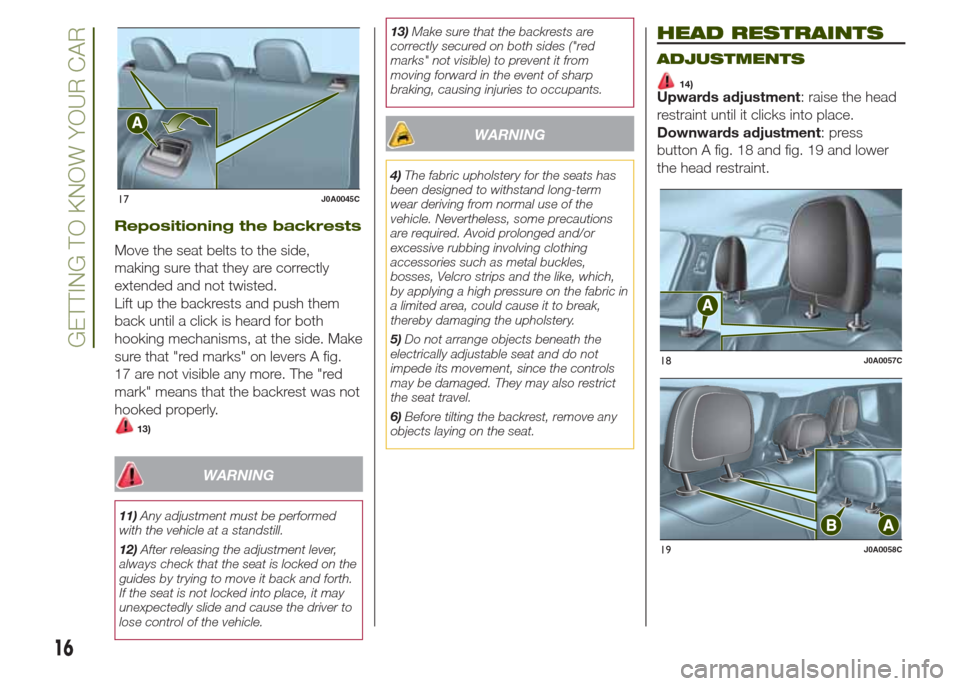
❒actuate lever A fig. 17 to tilt the left or
right part of the backrest: it will
automatically tilt forward. If necessary,
accompany the backrest during the
initial stage of tilting. When you lift the
lever, you will see a red mark.
14J0A0399C
15J0A0044C
16J0A0047C
15
Page 18 of 212
Repositioning the backrests
Move the seat belts to the side,
making sure that they are correctly
extended and not twisted.
Lift up the backrests and push them
back until a click is heard for both
hooking mechanisms, at the side. Make
sure that "red marks" on levers A fig.
17 are not visible any more. The "red
mark" means that the backrest was not
hooked properly.
13)
WARNING
11)Any adjustment must be performed
with the vehicle at a standstill.
12)After releasing the adjustment lever,
always check that the seat is locked on the
guides by trying to move it back and forth.
If the seat is not locked into place, it may
unexpectedly slide and cause the driver to
lose control of the vehicle.13)Make sure that the backrests are
correctly secured on both sides ("red
marks" not visible) to prevent it from
moving forward in the event of sharp
braking, causing injuries to occupants.
WARNING
4)The fabric upholstery for the seats has
been designed to withstand long-term
wear deriving from normal use of the
vehicle. Nevertheless, some precautions
are required. Avoid prolonged and/or
excessive rubbing involving clothing
accessories such as metal buckles,
bosses, Velcro strips and the like, which,
by applying a high pressure on the fabric in
a limited area, could cause it to break,
thereby damaging the upholstery.
5)Do not arrange objects beneath the
electrically adjustable seat and do not
impede its movement, since the controls
may be damaged. They may also restrict
the seat travel.
6)Before tilting the backrest, remove any
objects laying on the seat.
HEAD RESTRAINTS
ADJUSTMENTS
14)Upwards adjustment: raise the head
restraint until it clicks into place.
Downwards adjustment: press
button A fig. 18 and fig. 19 and lower
the head restraint.
17J0A0045C
18J0A0057C
19J0A0058C
16
GETTING TO KNOW YOUR CAR
Page 43 of 212
CONTROL BUTTONS
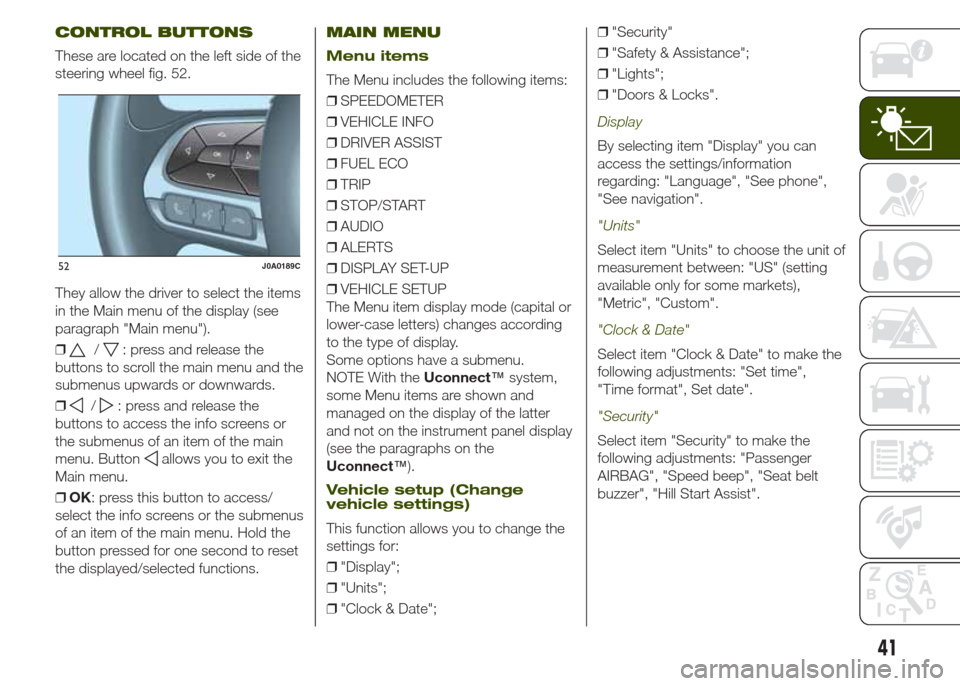
These are located on the left side of the
steering wheel fig. 52.
They allow the driver to select the items
in the Main menu of the display (see
paragraph "Main menu").
❒
/: press and release the
buttons to scroll the main menu and the
submenus upwards or downwards.
❒
/: press and release the
buttons to access the info screens or
the submenus of an item of the main
menu. Button
allows you to exit the
Main menu.
❒OK: press this button to access/
select the info screens or the submenus
of an item of the main menu. Hold the
button pressed for one second to reset
the displayed/selected functions.
MAIN MENU
Menu items
The Menu includes the following items:
❒SPEEDOMETER
❒VEHICLE INFO
❒DRIVER ASSIST
❒FUEL ECO
❒TRIP
❒STOP/START
❒AUDIO
❒ALERTS
❒DISPLAY SET-UP
❒VEHICLE SETUP
The Menu item display mode (capital or
lower-case letters) changes according
to the type of display.
Some options have a submenu.
NOTE With theUconnect™system,
some Menu items are shown and
managed on the display of the latter
and not on the instrument panel display
(see the paragraphs on the
Uconnect™).
Vehicle setup (Change
vehicle settings)
This function allows you to change the
settings for:
❒"Display";
❒"Units";
❒"Clock & Date";❒"Security"
❒"Safety & Assistance";
❒"Lights";
❒"Doors & Locks".
Display
By selecting item "Display" you can
access the settings/information
regarding: "Language", "See phone",
"See navigation".
"Units"
Select item "Units" to choose the unit of
measurement between: "US" (setting
available only for some markets),
"Metric", "Custom".
"Clock & Date"
Select item "Clock & Date" to make the
following adjustments: "Set time",
"Time format", Set date".
"Security"
Select item "Security" to make the
following adjustments: "Passenger
AIRBAG", "Speed beep", "Seat belt
buzzer", "Hill Start Assist".
52J0A0189C
41
Page 47 of 212
Warning light What it means
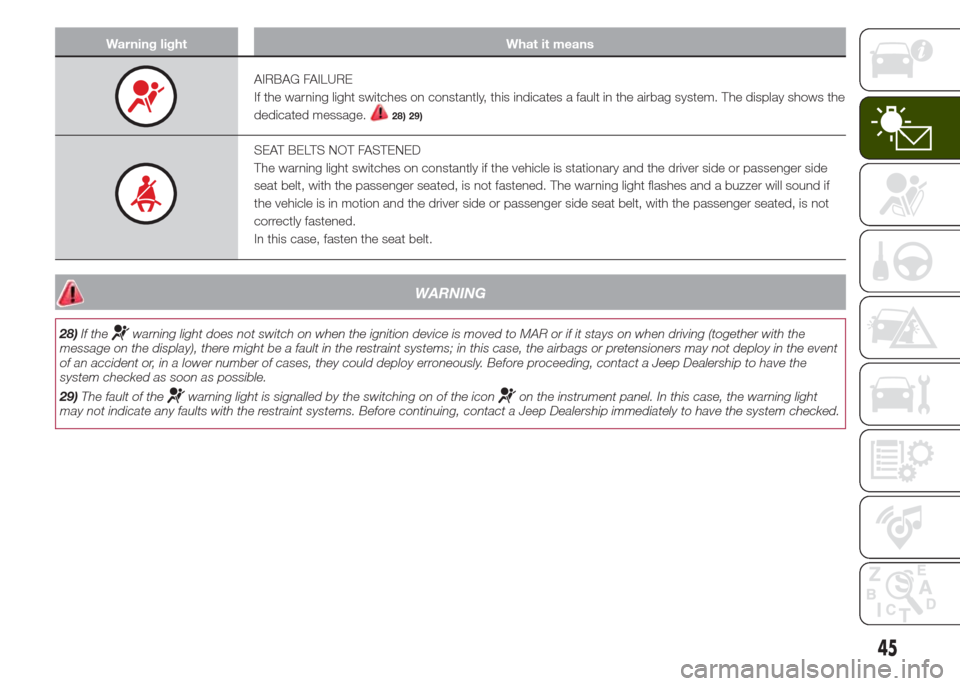
AIRBAG FAILURE
If the warning light switches on constantly, this indicates a fault in the airbag system. The display shows the
dedicated message.
28) 29)
SEAT BELTS NOT FASTENED
The warning light switches on constantly if the vehicle is stationary and the driver side or passenger side
seat belt, with the passenger seated, is not fastened. The warning light flashes and a buzzer will sound if
the vehicle is in motion and the driver side or passenger side seat belt, with the passenger seated, is not
correctly fastened.
In this case, fasten the seat belt.
WARNING
28)If thewarning light does not switch on when the ignition device is moved to MAR or if it stays on when driving (together with the
message on the display), there might be a fault in the restraint systems; in this case, the airbags or pretensioners may not deploy in the event
of an accident or, in a lower number of cases, they could deploy erroneously. Before proceeding, contact a Jeep Dealership to have the
system checked as soon as possible.
29)The fault of the
warning light is signalled by the switching on of the iconon the instrument panel. In this case, the warning light
may not indicate any faults with the restraint systems. Before continuing, contact a Jeep Dealership immediately to have the system checked.
45
Page 65 of 212
SAFETY
The chapter that you are about to read
is very important: it describes the
safety systems with which the vehicle is
equipped and provides instructions on
how to use them correctly.ACTIVE SAFETY SYSTEMS ............ 64
AUXILIARY DRIVING SYSTEMS ...... 69
-BSM (Blind Spot Monitoring)
SYSTEM.............................................. 69
-FORWARD COLLISION WARNING
PLUS SYSTEM .................................... 71
-TPMS (Tyre Pressure Monitoring
System) ............................................... 73
OCCUPANT PROTECTION
SYSTEMS ....................................... 76
SEAT BELTS ................................... 76
SBR (SEAT BELT REMINDER)
SYSTEM ......................................... 77
PRETENSIONERS........................... 79
CHILD PROTECTION SYSTEMS ..... 81
SUPPLEMENTARY RESTRAINT
SYSTEM (SRS) - AIRBAG................ 91
63
Page 74 of 212
Activation/deactivation
The Forward Collision Warning Plus
system can be deactivated (and then
reactivated) via theUconnect™
system. The system can also
be deactivated bringing the ignition
device to MAR.
IMPORTANT The system status can be
changed with vehicle at a standstill
only.
Activation/deactivation
If the Forward Collision Warning Plus
system has been correctly activated
with theUconnect™system, this will
be active each time the engine is
started.
To deactivate the system, hold the
button on the central tunnel pressed.
Following a deactivation, the system
will not warn the driver about the
possible collision with the preceding
vehicle, regardless of the setting
selected with theUconnect™system.
To reactivate the system press the
button again.
The system only works if:
❒it is activated via theUconnect™
system;
❒it has not been deactivated with a
long press of the
button;
❒the ignition device is at MAR;❒the vehicle speed is between 7 and
200 km/h;
❒the front seat belts are fastened.
System limited operation
signal
If the dedicated message is displayed,
a condition limiting the system
operation may have occurred. The
possible reasons of this limitation are
something blocking the camera view or
a fault. If an obstruction is signalled,
clean the area of the windscreen
indicated in fig. 58 and check that the
message has disappeared.
In this case the system might be not
completely available.
When the conditions limiting the system
functions end, this will go back to a
normal and complete operation. Should
the fault persist, contact a Jeep
Dealership.
Driving in special conditions
In certain driving conditions, such as,
for example:
❒driving close to a bend (see fig. 59);
❒vehicles with small dimensions
and/or not aligned in the driving lane
(see fig. 60);
❒lane change by other vehicles (see
fig. 61);
❒vehicle driving in a transverse way
(see fig. 62);system intervention might be
unexpected or delayed. The driver must
be very careful, keeping control of the
vehicle to drive in complete safety.
59J0A0081C
60J0A0082C
72
SAFETY
Page 78 of 212
OCCUPANT
PROTECTION
SYSTEMS
The most important safety equipment
of the vehicle comprise the following
protection systems:
❒seat belts;
❒SBR (Seat Belt Reminder) system;
❒head restraints;
❒child restraint systems;
❒front airbags and side bags.
Read the information given the
following pages with the utmost care. It
is of fundamental importance that the
protection systems are used in the
correct way to guarantee the maximum
possible safety level for the driver and
the passengers.
For the description of the head restraint
adjustment see paragraph "Head
restraints" in chapter "Knowing your
vehicle".
SEAT BELTS
USING THE SEAT BELTS
The driver is responsible for respecting,
and ensuring that all the other
occupants of the vehicle also respect,
the local laws in force in relation to
the use of the seat belts.
Always fasten the seat belts before
setting off.
The seat belt should be worn keeping
the torso straight and rested against
the backrest.
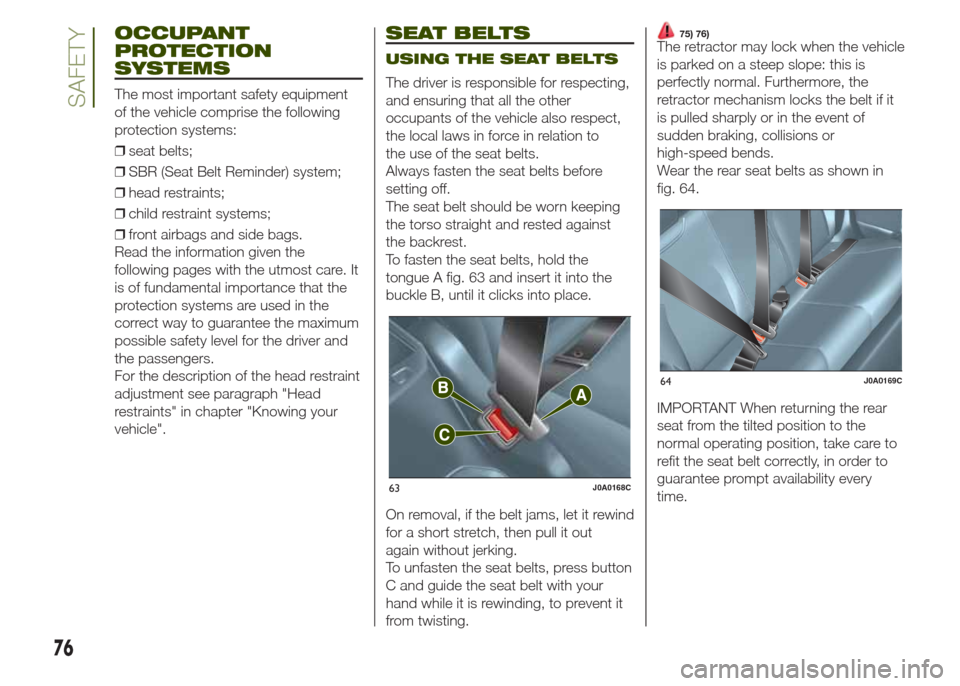
To fasten the seat belts, hold the
tongue A fig. 63 and insert it into the
buckle B, until it clicks into place.
On removal, if the belt jams, let it rewind
for a short stretch, then pull it out
again without jerking.
To unfasten the seat belts, press button
C and guide the seat belt with your
hand while it is rewinding, to prevent it
from twisting.
75) 76)The retractor may lock when the vehicle
is parked on a steep slope: this is
perfectly normal. Furthermore, the
retractor mechanism locks the belt if it
is pulled sharply or in the event of
sudden braking, collisions or
high-speed bends.
Wear the rear seat belts as shown in
fig. 64.
IMPORTANT When returning the rear
seat from the tilted position to the
normal operating position, take care to
refit the seat belt correctly, in order to
guarantee prompt availability every
time.
63J0A0168C
64J0A0169C
76
SAFETY
Page 79 of 212
ADJUSTING THE SEAT
BELT HEIGHT
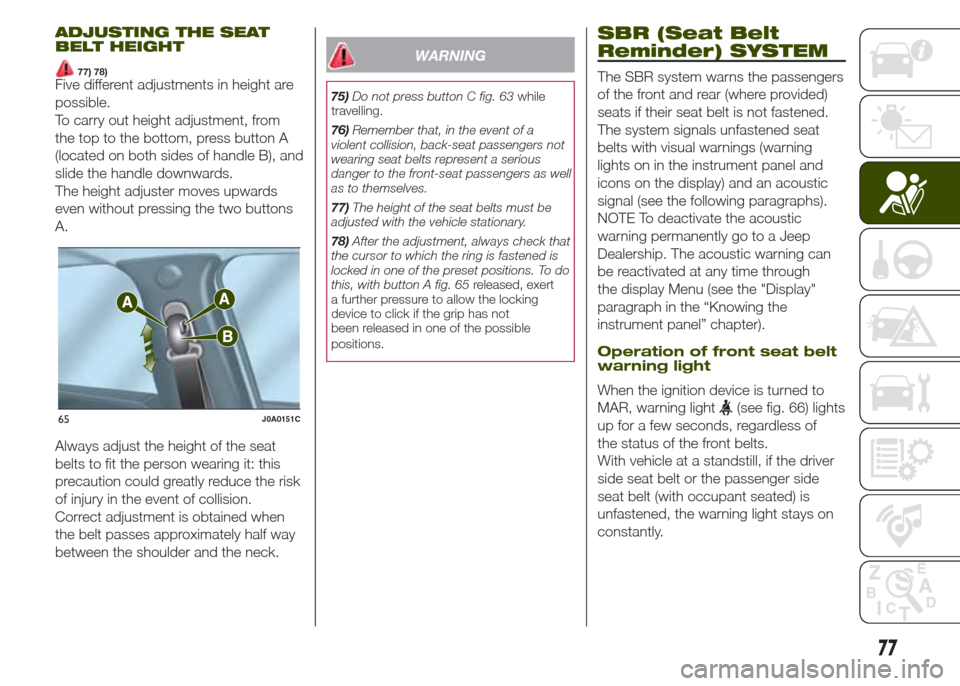
77) 78)Five different adjustments in height are
possible.
To carry out height adjustment, from
the top to the bottom, press button A
(located on both sides of handle B), and
slide the handle downwards.
The height adjuster moves upwards
even without pressing the two buttons
A.
Always adjust the height of the seat
belts to fit the person wearing it: this
precaution could greatly reduce the risk
of injury in the event of collision.
Correct adjustment is obtained when
the belt passes approximately half way
between the shoulder and the neck.
WARNING
75)Do not press button C fig. 63while
travelling.
76)Remember that, in the event of a
violent collision, back-seat passengers not
wearing seat belts represent a serious
danger to the front-seat passengers as well
as to themselves.
77)The height of the seat belts must be
adjusted with the vehicle stationary.
78)After the adjustment, always check that
the cursor to which the ring is fastened is
locked in one of the preset positions. To do
this, with button A fig. 65released, exert
a further pressure to allow the locking
device to click if the grip has not
been released in one of the possible
positions.
SBR (Seat Belt
Reminder) SYSTEM
The SBR system warns the passengers
of the front and rear (where provided)
seats if their seat belt is not fastened.
The system signals unfastened seat
belts with visual warnings (warning
lights on in the instrument panel and
icons on the display) and an acoustic
signal (see the following paragraphs).
NOTE To deactivate the acoustic
warning permanently go to a Jeep
Dealership. The acoustic warning can
be reactivated at any time through
the display Menu (see the "Display"
paragraph in the “Knowing the
instrument panel” chapter).
Operation of front seat belt
warning light
When the ignition device is turned to
MAR, warning light
(see fig. 66) lights
up for a few seconds, regardless of
the status of the front belts.
With vehicle at a standstill, if the driver
side seat belt or the passenger side
seat belt (with occupant seated) is
unfastened, the warning light stays on
constantly.65J0A0151C
77
Page 80 of 212
As soon as a speed threshold of 8
km/h is maintained for more than 10
continuous seconds (or 50
discontinuous seconds), with driver
side seat belt or the passenger side
seat belt (with occupant seated)
unfastened, an acoustic signal is
activated simultaneously with warning
light
flashing for about 105 seconds.
When this cycle of warnings is activated
it will stay on for its entire length
(regardless of the vehicle speed) or until
the seat belts are fastened again.
When the reverse is engaged, during
the cycle of warnings, the acoustic
signal is deactivated and the
warning
light turns on constantly. The cycle of
warnings will be reactivated as soon as
speed exceeds 8 km/h again.
Operation of rear seat belt
icons
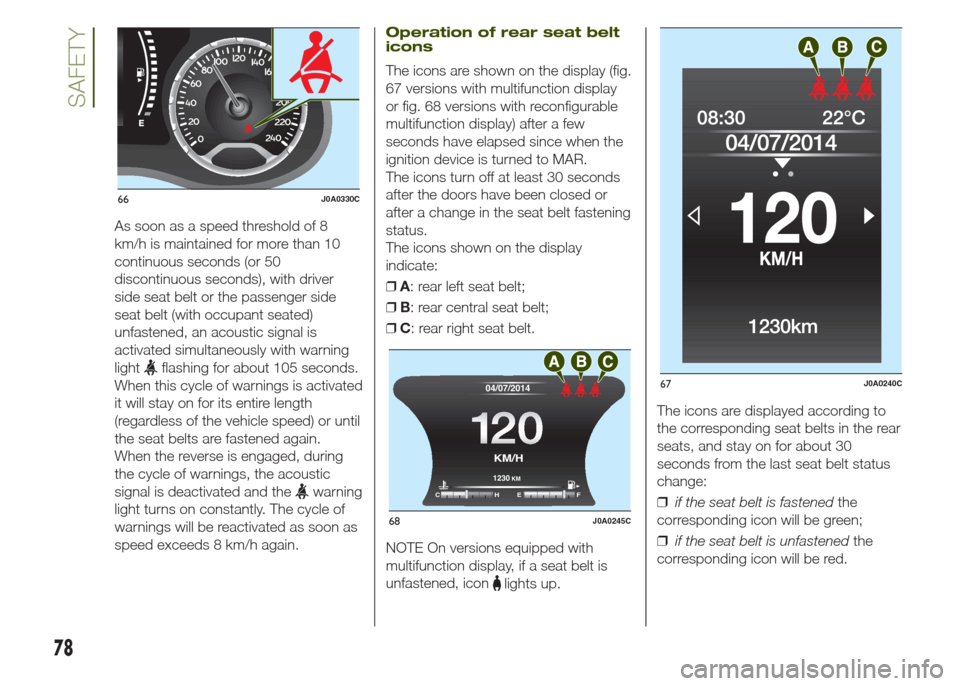
The icons are shown on the display (fig.
67 versions with multifunction display
or fig. 68 versions with reconfigurable
multifunction display) after a few
seconds have elapsed since when the
ignition device is turned to MAR.
The icons turn off at least 30 seconds
after the doors have been closed or
after a change in the seat belt fastening
status.
The icons shown on the display
indicate:
❒A: rear left seat belt;
❒B: rear central seat belt;
❒C: rear right seat belt.
NOTE On versions equipped with
multifunction display, if a seat belt is
unfastened, icon
lights up.The icons are displayed according to
the corresponding seat belts in the rear
seats, and stay on for about 30
seconds from the last seat belt status
change:
❒if the seat belt is fastenedthe
corresponding icon will be green;
❒if the seat belt is unfastenedthe
corresponding icon will be red.
0 204060
140120 100 80
km/h
MPH
66J0A0330C
12 0120
04/07/2014
1230 KM
CHE F
KM/H
68J0A0245C
67J0A0240C
78
SAFETY