service JEEP RENEGADE 2015 1.G User Guide
[x] Cancel search | Manufacturer: JEEP, Model Year: 2015, Model line: RENEGADE, Model: JEEP RENEGADE 2015 1.GPages: 678, PDF Size: 29.84 MB
Page 51 of 678
Remote Start Windshield Wiper De–Icer
Activation — If Equipped
When Remote Start is active and the outside ambient
temperature is less than 33° F (.5° C), the Windshield
Wiper De-Icer will be enabled. Exiting Remote Start will
resume previous operation, except if the Windshield
Wiper De-Icer is active. The Windshield Wiper De-Icer
timer and operation will continue.
SENTRY KEY®
The Sentry Key® Immobilizer system prevents unauthor-
ized vehicle operation by disabling the engine. The
system does not need to be armed or activated. Operation
is automatic, regardless of whether the vehicle is locked
or unlocked.
The system uses a Key Fob with a factory-mated Remote
Keyless Entry (RKE) transmitter, a Keyless Ignition Node
(KIN), and a RF receiver to prevent unauthorized vehicle
operation. Therefore, only Key Fobs that are pro-
grammed to the vehicle can be used to start and operate
the vehicle. The system will not allow the engine to crank
if an invalid Key Fob tries to start the engine.
After placing the ignition to the ON/RUN position, if
there is a problem with the system, the Vehicle Security
Light will turn on. This condition will result in the engine
being shut off after two seconds.
Should this occur, have the vehicle serviced as soon as
possible by an authorized dealer.
CAUTION!
•Do not make modifications or alterations to the
immobilizer system. Modifications or alterations to
the immobilization system may result in a loss of
security protection.
(Continued)
4
GETTING TO KNOW YOUR VEHICLE 49
Page 80 of 678
NOTE:The head restraints should only be removed by
qualified technicians, for service purposes only. If either
of the head restraints require removal, see your autho-
rized dealer.
WARNING!
The head restraints for all occupants must be prop-
erly adjusted prior to operating the vehicle or occu-
pying a seat. Head restraints should never be ad-
justed while the vehicle is in motion. Driving a
vehicle with the head restraints improperly adjusted
or removed could cause serious injury or death in the
event of a collision.
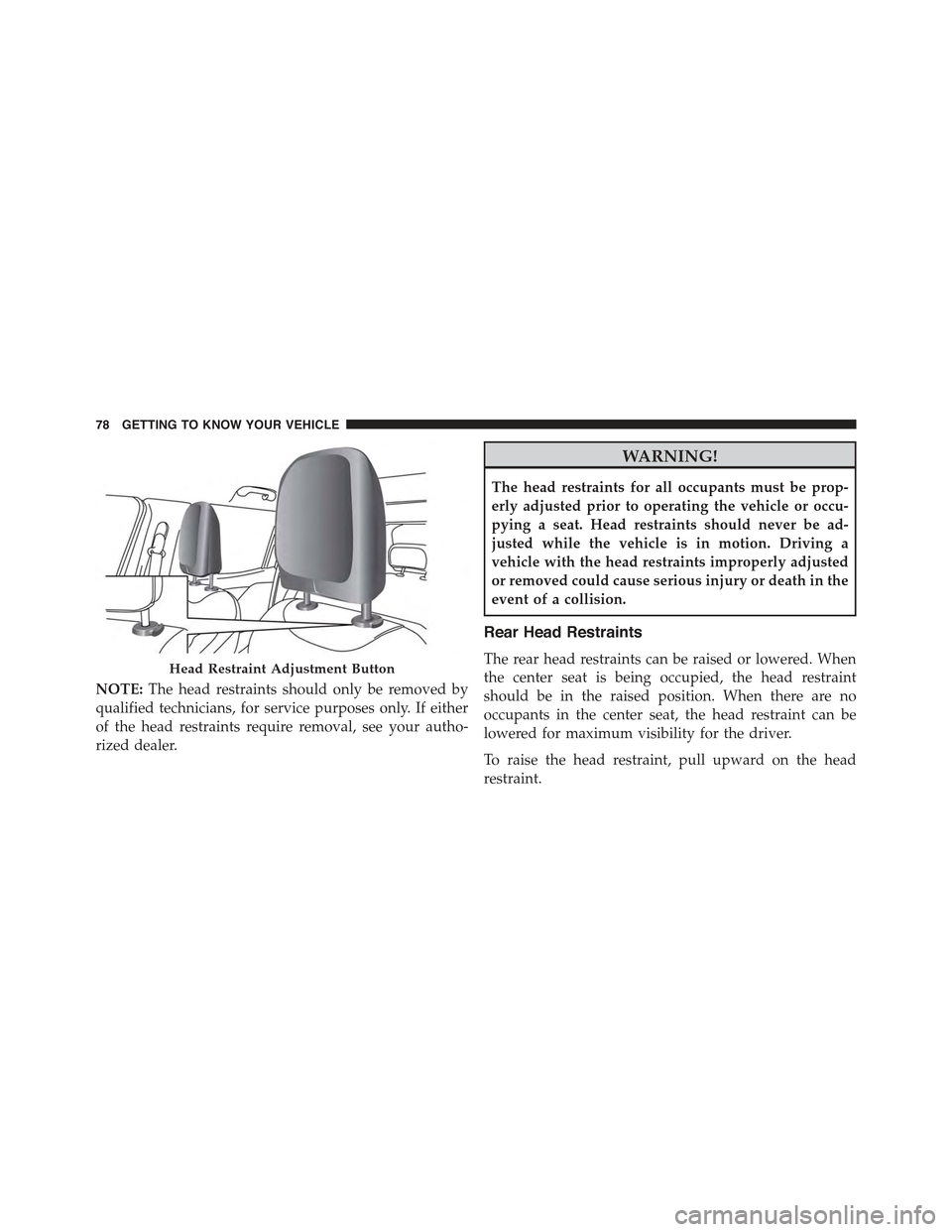
Rear Head Restraints
The rear head restraints can be raised or lowered. When
the center seat is being occupied, the head restraint
should be in the raised position. When there are no
occupants in the center seat, the head restraint can be
lowered for maximum visibility for the driver.
To raise the head restraint, pull upward on the head
restraint.
Head Restraint Adjustment Button
78 GETTING TO KNOW YOUR VEHICLE
Page 81 of 678
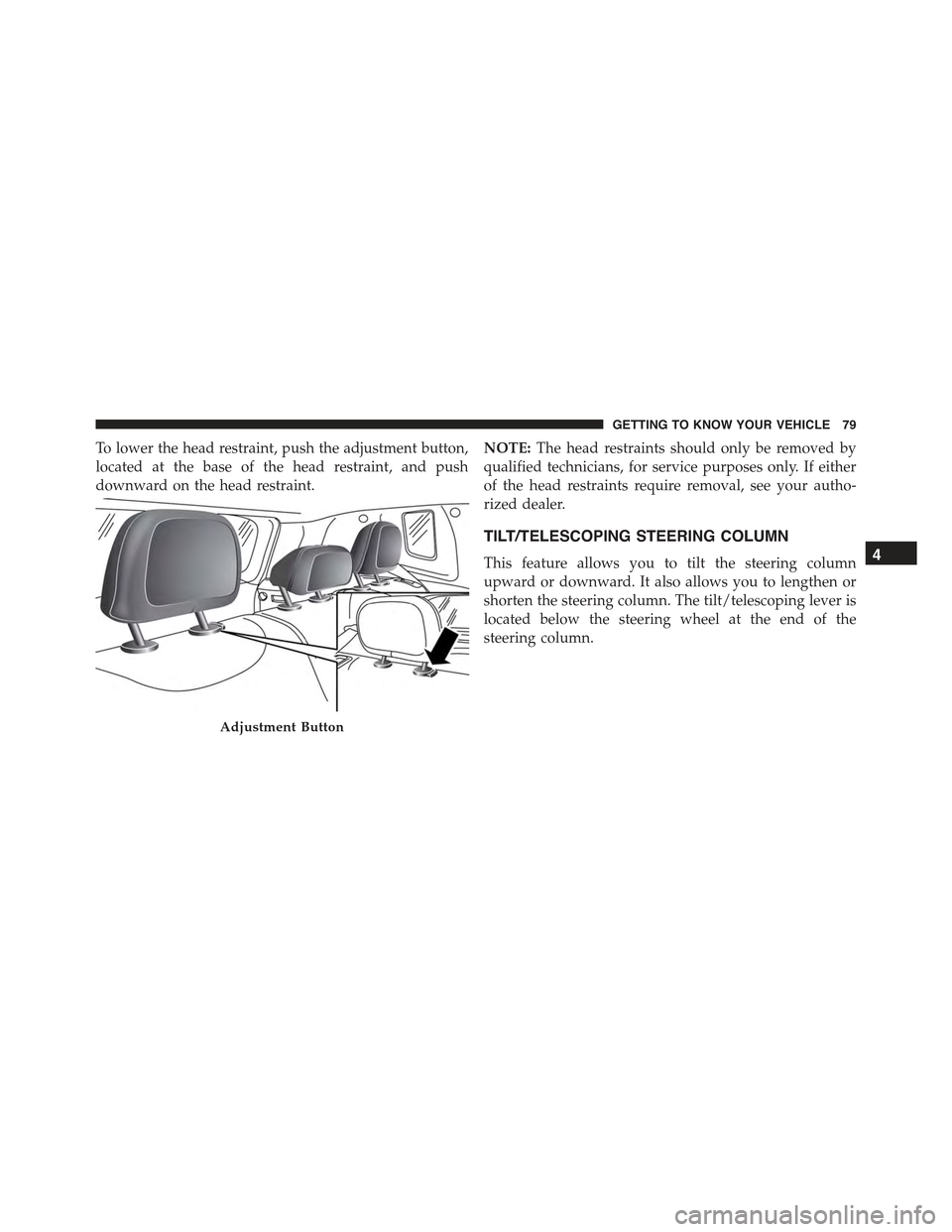
To lower the head restraint, push the adjustment button,
located at the base of the head restraint, and push
downward on the head restraint.
NOTE:The head restraints should only be removed by
qualified technicians, for service purposes only. If either
of the head restraints require removal, see your autho-
rized dealer.
TILT/TELESCOPING STEERING COLUMN
This feature allows you to tilt the steering column
upward or downward. It also allows you to lengthen or
shorten the steering column. The tilt/telescoping lever is
located below the steering wheel at the end of the
steering column.
Adjustment Button
4
GETTING TO KNOW YOUR VEHICLE 79
Page 92 of 678
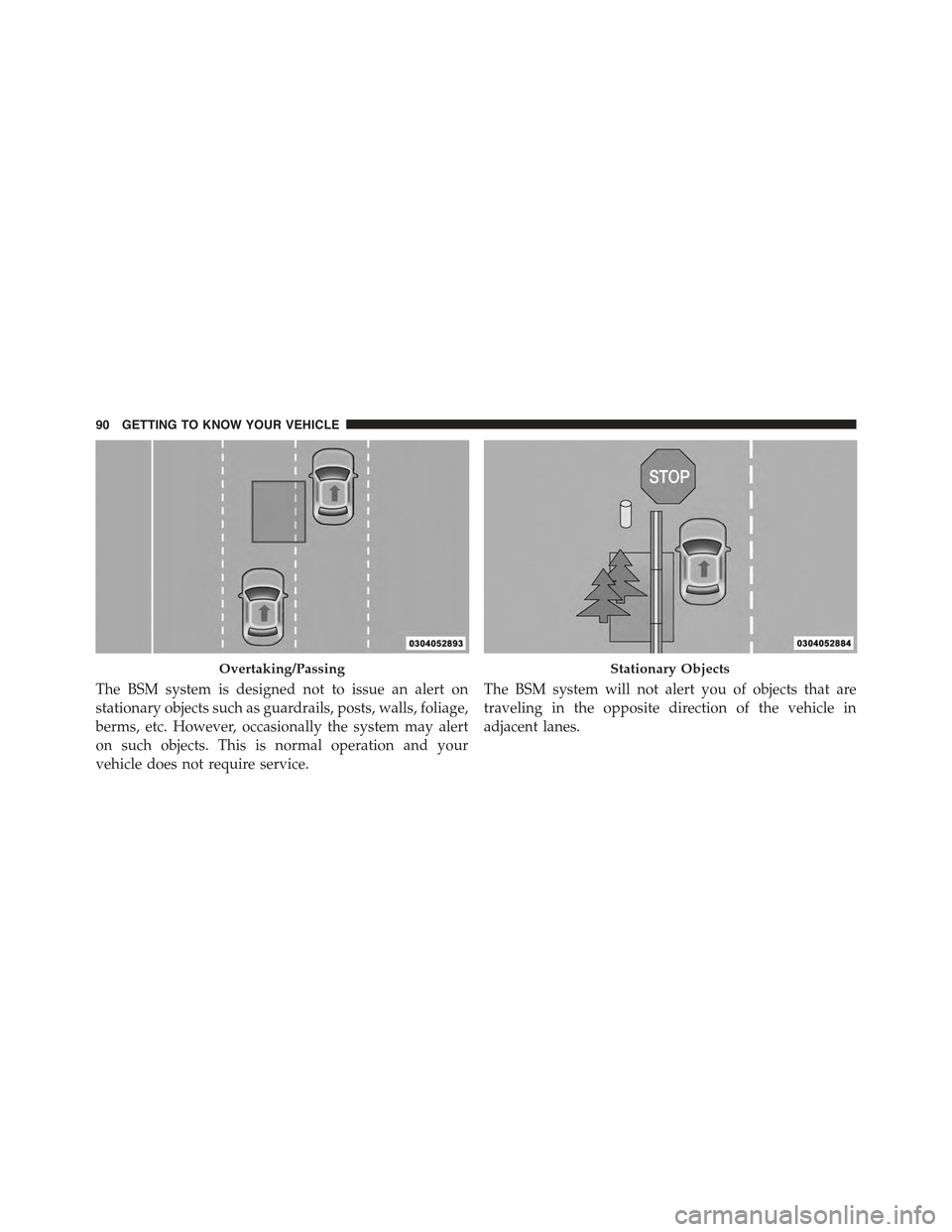
The BSM system is designed not to issue an alert on
stationary objects such as guardrails, posts, walls, foliage,
berms, etc. However, occasionally the system may alert
on such objects. This is normal operation and your
vehicle does not require service.
The BSM system will not alert you of objects that are
traveling in the opposite direction of the vehicle in
adjacent lanes.
Overtaking/PassingStationary Objects
90 GETTING TO KNOW YOUR VEHICLE
Page 96 of 678
NOTE:The BSM system will store the current operating
mode when the vehicle is shut off. Each time the vehicle
is started the previously stored mode will be recalled and
used.
Blind Spot Monitoring Fault Warnings
Sensor Blinded
In the case of a sensor blinded:
•BSM Mirror Warning Lights are turned on continu-
ously.
•A chime will turn on.
•A instrument cluster message will display“Blind Spot
Monitoring Unavailable - Wipe Rear Bumper Cor-
ners.”
NOTE:The rear bumper must be clean and free of any
obstructing debris.
System Not Available
In the case of the system being temporary unavailable:
•BSM Mirror Warning Lights are turned on continu-
ously.
•A chime will turn on.
•A instrument cluster message will display“Blind Spot
Monitoring Temporary Unavailable.”
In the case of the system being completely unavailable:
•A chime will turn on.
•A instrument cluster message will display“Blind Spot
Monitoring Unavailable - Service Required.”
NOTE:Vehicle must be taken to the nearest authorized
dealer for service.
94 GETTING TO KNOW YOUR VEHICLE
Page 97 of 678
General Information
This vehicle has systems that operate on radio frequency
that comply with Part 15 of the Federal Communications
Commission (FCC) rules and with Industry Canada
Standards RSS- GEN/210/220/310.
Operation is subject to the following two conditions:
1. The device may not cause harmful interference.
2. The device must accept any interference received,
including interference that may cause undesired op-
eration of the device.
Changes or modifications to any of these systems by
other than an authorized service facility could void
authorization to use this equipment.
EXTERIOR LIGHTS
Headlights
The headlight switch is located on the left side of the
instrument panel. The headlight switch controls the
operation of the headlights, side marker lights, daytime
running lights, fog lights and the dimming of the instru-
ment cluster and interior lighting.
4
GETTING TO KNOW YOUR VEHICLE 95
Page 156 of 678
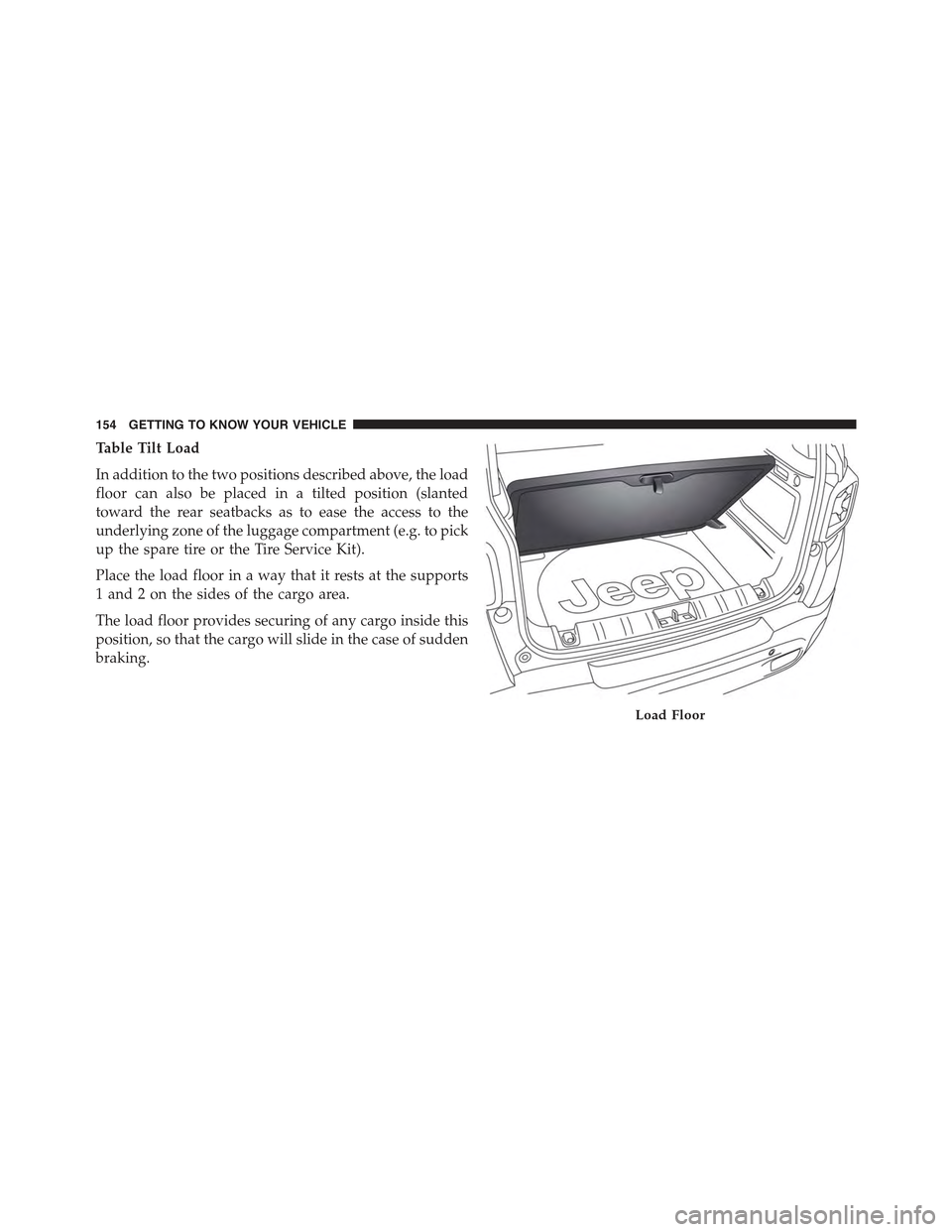
Table Tilt Load
In addition to the two positions described above, the load
floor can also be placed in a tilted position (slanted
toward the rear seatbacks as to ease the access to the
underlying zone of the luggage compartment (e.g. to pick
up the spare tire or the Tire Service Kit).
Place the load floor in a way that it rests at the supports
1 and 2 on the sides of the cargo area.
The load floor provides securing of any cargo inside this
position, so that the cargo will slide in the case of sudden
braking.
Load Floor
154 GETTING TO KNOW YOUR VEHICLE
Page 158 of 678
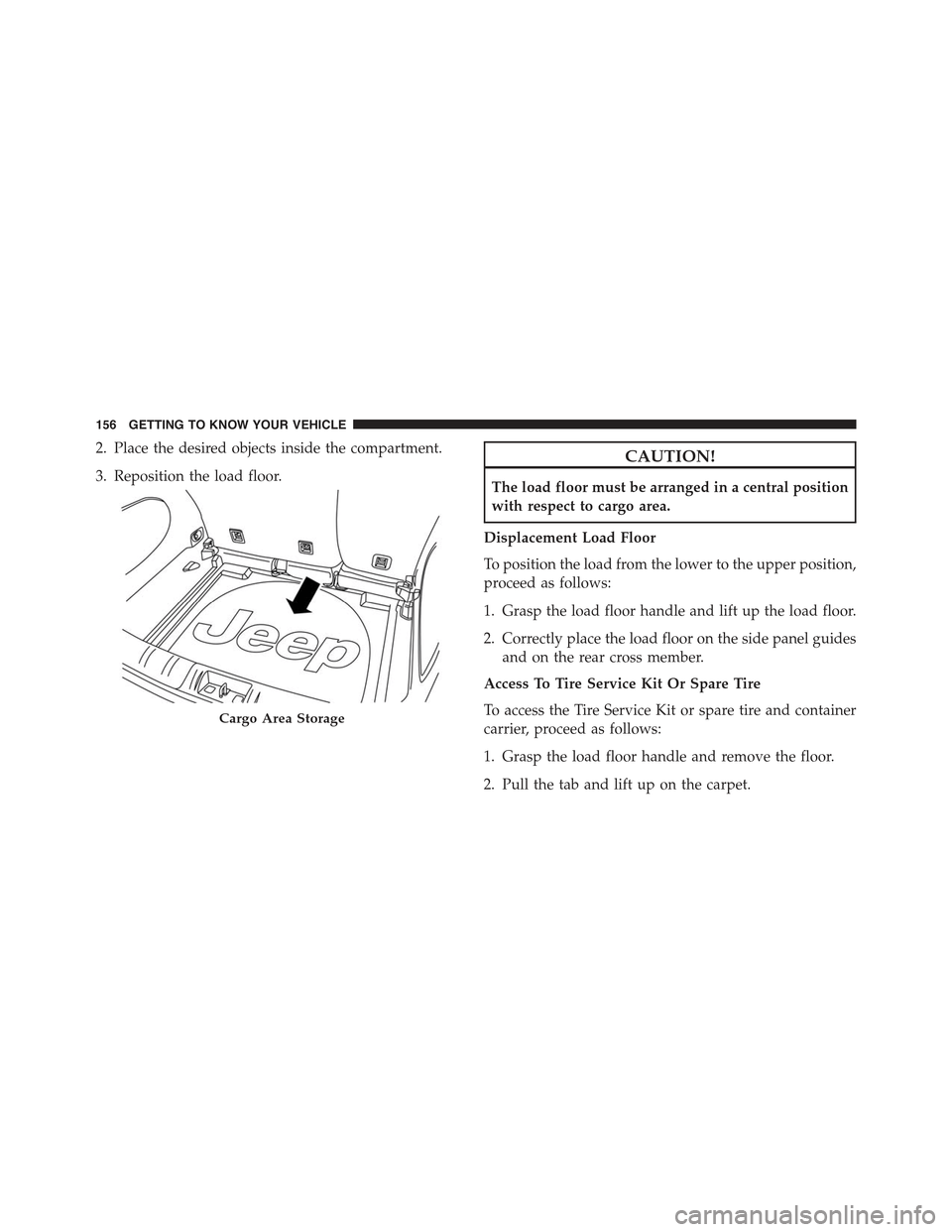
2. Place the desired objects inside the compartment.
3. Reposition the load floor.
CAUTION!
The load floor must be arranged in a central position
with respect to cargo area.
Displacement Load Floor
To position the load from the lower to the upper position,
proceed as follows:
1. Grasp the load floor handle and lift up the load floor.
2. Correctly place the load floor on the side panel guides
and on the rear cross member.
Access To Tire Service Kit Or Spare Tire
To access the Tire Service Kit or spare tire and container
carrier, proceed as follows:
1. Grasp the load floor handle and remove the floor.
2. Pull the tab and lift up on the carpet.
Cargo Area Storage
156 GETTING TO KNOW YOUR VEHICLE
Page 183 of 678
•In#night#mode the display, the graphics, and the
indexes are adjustable on 8 levels. Adjusted accord-
ingly even the light intensity of the display of the
automatic dual zone climate control system and the
Uconnect system
Odometer
The odometer display shows the total distance the ve-
hicle has been driven.
U.S. Federal regulations require that upon transfer of
vehicle ownership, the seller certify to the purchaser the
correct mileage that the vehicle has been driven. If your
odometer needs to be repaired or serviced, the repair
technician should leave the odometer reading the same
as it was before the repair or service. If s/he cannot do so,
then the odometer must be set at zero, and a sticker must
be placed in the door jamb stating what the mileage was
before the repair or service.
It is a good idea for you to make a record of the odometer
reading before the repair/service, so that you can be sure
that it is properly reset, or that the door jamb sticker is
accurate if the odometer must be reset at zero.
Tachometer
Reports the number of Revolutions Per Minute (RPM) of
the engine.
Fuel Gauge
The digital indicator on the display indicates the amount
of fuel in the fuel tank.
When the fuel tank level drops to 1.3-1.85 gallons (5-7
liters) remaining, a light will illuminate, a message will
display, and a chime will sound.
5
GETTING TO KNOW YOUR INSTRUMENT PANEL 181
Page 184 of 678
Engine Coolant Temperature Gauge
The temperature gauge shows engine coolant tempera-
ture. Any reading within the normal range indicates that
the engine cooling system is operating satisfactorily.
The gauge pointer will likely indicate a higher tempera-
ture when driving in hot weather, up mountain grades,
or when towing a trailer. It should not be allowed to
exceed the upper limits of the normal operating range.
In the normal use of the car, the digital scale may move in
different positions.
Instrument Cluster With EVIC/DID
The indicator light will illuminate, a message will dis-
play, and a chime will sound to indicate an excessive rise
in the temperature of the engine coolant.
In the case of excessive rises in the temperature of the
engine coolant, the engine may shut down. See an
authorized dealer.
CAUTION!
Driving with a hot engine cooling system could
damage your vehicle. If the temperature gauge reads
“H” pull over and stop the vehicle. Idle the vehicle
with the air conditioner turned off until the pointer
drops back into the normal range. If the pointer
remains on the “H” and you hear continuous chimes,
turn the engine off immediately and call an autho-
rized dealer for service.
182 GETTING TO KNOW YOUR INSTRUMENT PANEL