brake JEEP RENEGADE 2015 1.G Owner's Manual
[x] Cancel search | Manufacturer: JEEP, Model Year: 2015, Model line: RENEGADE, Model: JEEP RENEGADE 2015 1.GPages: 678, PDF Size: 29.84 MB
Page 235 of 678
Feedback To The Driver:
The instrument cluster has an HDC icon and the HDC
switch has an LED which offer feedback to the driver
about the state HDC is in.
•The cluster icon and switch lamp will illuminate and
remain solid when HDC is enabled or activated. This is
the normal operating condition for HDC.
•The cluster icon and switch lamp will flash for several
seconds then extinguish when the driver pushes the
HDC switch when enable conditions have not been met.
•The cluster icon and switch lamp will flash for several
seconds then extinguish when HDC deactivates due to
excess speed.
•The cluster icon and switch lamp will flash when HDC
deactivates due to overheated brakes. The flashing will
stop and HDC will activate again once the brakes have
cooled sufficiently.
The Hill Descent Switch is located within the Selec-
Terrain™ knob in the upper right position.
WARNING!
HDC is only intended to assist the driver in control-
ling vehicle speed when descending hills. The driver
must remain attentive to the driving conditions and
is responsible for maintaining a safe vehicle speed.
Electronic Stability Control (ESC)
This system enhances directional control and stability of
the vehicle under various driving conditions. ESC cor-
rects for oversteering or understeering of the vehicle by
applying the brake of the appropriate wheel to assist in
counteracting the oversteer or understeer condition. En-
gine power may also be reduced to help the vehicle
maintain the desired path.
6
SAFETY 233
Page 236 of 678
ESC uses sensors in the vehicle to determine the vehicle
path intended by the driver and compares it to the actual
path of the vehicle. When the actual path does not match
the intended path, ESC applies the brake of the appro-
priate wheel to assist in counteracting the oversteer or
understeer condition.
•Oversteer - when the vehicle is turning more than
appropriate for the steering wheel position.
•Understeer - when the vehicle is turning less than
appropriate for the steering wheel position.
The “ESC Activation/Malfunction Indicator Light” lo-
cated in the instrument cluster will start to flash as soon
as the tires lose traction and the ESC system becomes
active. The “ESC Activation/Malfunction Indicator
Light” also flashes when the TCS is active. If the “ESC
Activation/Malfunction Indicator Light” begins to flash
during acceleration, ease up on the accelerator and apply
as little throttle as possible. Be sure to adapt your speed
and driving to the prevailing road conditions.
WARNING!
The Electronic Stability Control (ESC) cannot pre-
vent the natural laws of physics from acting on the
vehicle, nor can it increase the traction afforded by
prevailing road conditions. ESC cannot prevent col-
lisions, including those resulting from excessive
speed in turns, driving on very slippery surfaces, or
hydroplaning. ESC also cannot prevent collisions
resulting from loss of vehicle control due to inappro-
priate driver input for the conditions. Only a safe,
attentive, and skillful driver can prevent collisions.
The capabilities of an ESC equipped vehicle must
never be exploited in a reckless or dangerous manner
which could jeopardize the user ’s safety or the safety
of others.
234 SAFETY
Page 241 of 678
flashes when Traction Control System is active. If the
“ESC Activation/Malfunction Indicator Light” begins to
flash during acceleration, ease up on the accelerator and
apply as little throttle as possible. Be sure to adapt your
speed and driving to the prevailing road conditions.
NOTE:
•The “ESC Activation/Malfunction Indicator Light”
and the “ESC OFF Indicator Light” come on momen-
tarily each time the ignition switch is turned ON.
•Each time the ignition is turned ON, the ESC system
will be ON even if it was turned off previously.
•The ESC system will make buzzing or clicking sounds
when it is active. This is normal; the sounds will stop
when ESC becomes inactive following the maneuver
that caused the ESC activation.
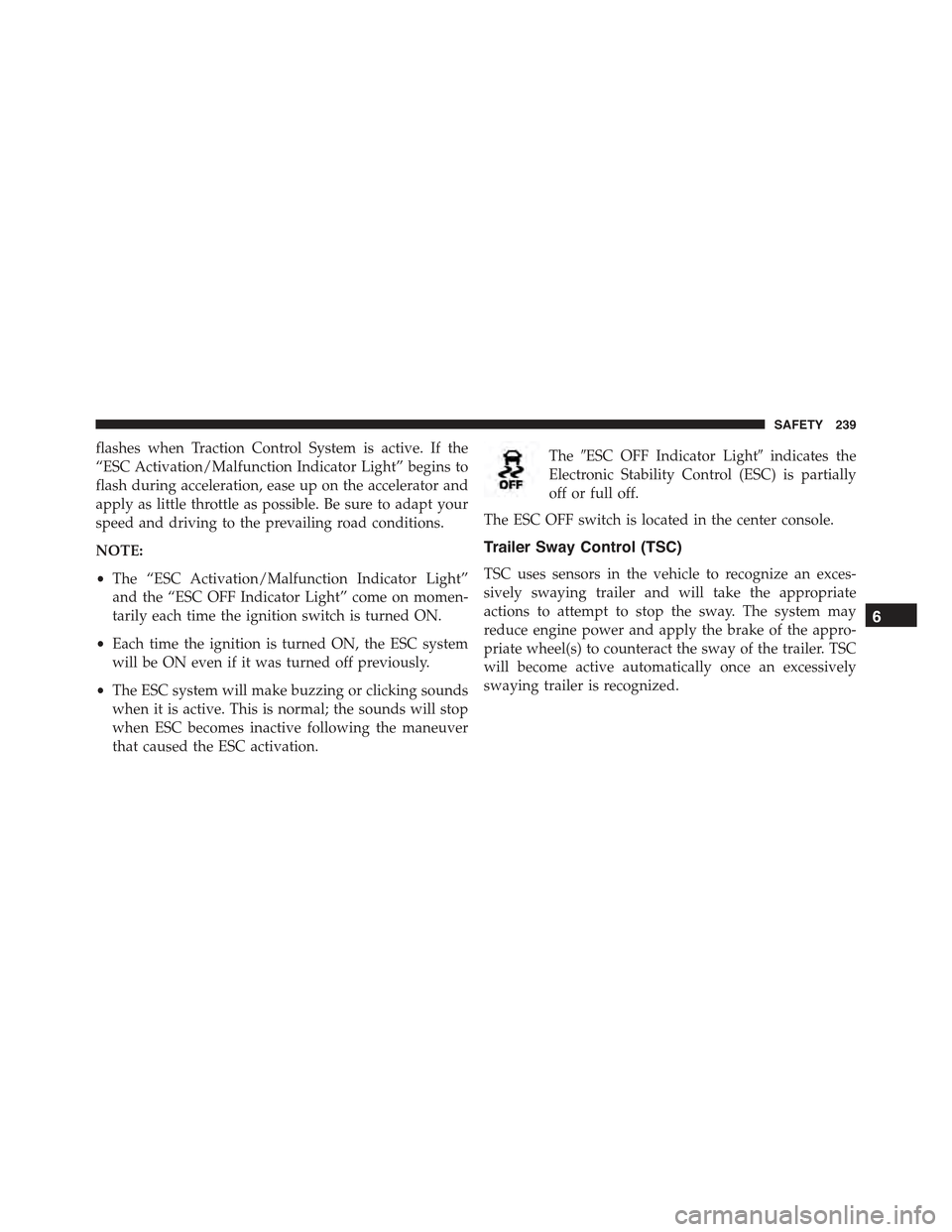
The#ESC OFF Indicator Light#indicates the
Electronic Stability Control (ESC) is partially
off or full off.
The ESC OFF switch is located in the center console.
Trailer Sway Control (TSC)
TSC uses sensors in the vehicle to recognize an exces-
sively swaying trailer and will take the appropriate
actions to attempt to stop the sway. The system may
reduce engine power and apply the brake of the appro-
priate wheel(s) to counteract the sway of the trailer. TSC
will become active automatically once an excessively
swaying trailer is recognized.
6
SAFETY 239
Page 242 of 678
NOTE:TSC cannot stop all trailers from swaying. Al-
ways use caution when towing a trailer and follow the
trailer tongue weight recommendations. Refer to “Trailer
Towing” in this section for further information. When
TSC is functioning, the “ESC Activation/Malfunction
Indicator Light” will flash, the engine power may be
reduced and you may feel the brakes being applied to
individual wheels to attempt to stop the trailer from
swaying. TSC is disabled when the ESC system is in the
“Partial Off” mode.
WARNING!
If TSC activates while driving, slow the vehicle
down, stop at the nearest safe location, and adjust the
trailer load to eliminate trailer sway.
Ready Alert Braking (RAB)
Ready Alert Braking may reduce the time required to
reach full braking during emergency braking situations.
It anticipates when an emergency braking situation may
occur by monitoring how fast the throttle is released by
the driver. When the throttle is released very quickly,
Ready Alert Braking applies a small amount of brake
pressure. This brake pressure will not be noticed by the
driver. The brake system uses this brake pressure to allow
a fast brake response if the driver applies the brakes.
Dynamic Steering Torque (DST)
The DST function uses the integration of the ESC system
with the electric power steering to increase the safety
level of the whole car. In critical situations (understeer-
ing, oversteering, braking with different grip conditions),
through the DST function the ESC system controls the
steering to implement an additional torque contribution
240 SAFETY
Page 243 of 678
on the steering wheel, to suggest the most correct ma-
neuver to the driver. The coordinated action of brakes
and steering increases the safety and car control feeling.
NOTE:The DST is a driving aid system and does not
replace the driver ’s actions while driving the car.
Selec Speed Control (SSC) — If Equipped
SSC is intended for off road driving in 4WD Low Range
only. SSC maintains vehicle speed by actively controlling
engine torque and brakes.
SSC has three states:
1. Off (feature is not enabled and will not activate)
2. Enabled (feature is enabled and ready but activation
conditions are not met, or driver is actively overriding
with brake or throttle application)
3. Active (feature is enabled and actively controlling
vehicle speed)
Enabling SSC
SSC is enabled by pressing the SSC switch, but the
following conditions must also be met to enable SSC:
•Driveline is in 4WD Low Range
•Vehicle speed is below 5 mph (8 km/h)
•Parking brake is released
•Driver door is closed
•Driver is not applying throttle
Activating SSC
Once SSC is enabled it will activate automatically once
the following conditions are met:
•Driver releases throttle
•Driver releases brake
6
SAFETY 241
Page 245 of 678
Driver Override:
The driver may override SSC activation with throttle or
brake application at any time.
Deactivating SSC
SSC will be deactivated but remain available if any of the
following conditions occur:
•Driver overrides SSC set speed with throttle or brake
application.
•Vehicle speed exceeds 20 mph (32 km/h) but remains
below 40 mph (64 km/h).
•Vehicle is shifted to park.
Disabling SSC
SSC will deactivate and be disabled if any of the follow-
ing conditions occur:
•The driver presses the SSC switch.
•The driveline is shifted out of 4WD Low Range.
•The parking brake is applied.
•Driver door opens.
•The vehicle is driven greater than 20 mph (32 km/h)
for greater than 70 seconds.
•The vehicle is driven greater than 40 mph (64 km/h)
(SSC exits immediately).
Feedback To The Driver:
The instrument cluster has an SSC icon and the SSC
switch has an LED which offer feedback to the driver
about the state SSC is in.
•The cluster icon and switch lamp will illuminate and
remain on solid when SSC is enabled or activated. This
is the normal operating condition for SSC.
6
SAFETY 243
Page 246 of 678
•The cluster icon and switch lamp will flash for several
seconds then extinguish when the driver presses the
SSC switch but enable conditions are not met.
•The cluster icon and switch lamp will flash for several
seconds then extinguish when SSC disables due to
excess speed.
•The cluster icon and switch lamp will flash then
extinguish when SSC deactivates due to overheated
brakes.
WARNING!
SSC is only intended to assist the driver in control-
ling vehicle speed when driving in off road condi-
tions. The driver must remain attentive to the driving
conditions and is responsible for maintaining a safe
vehicle speed.
FORWARD COLLISION WARNING (FCW) WITH
MITIGATION — IF EQUIPPED
Forward Collision Warning (FCW) With Mitigation
Operation
The Forward Collision Warning (FCW) system with
mitigation provides the driver with audible warnings,
visual warnings (within the EVIC/DID), and may apply
a brake jerk to warn the driver when it detects a potential
frontal collision. The warnings and limited braking are
intended to provide the driver with enough time to react,
avoid or mitigate the potential collision.
NOTE:FCW monitors the information from the forward
looking sensors as well as the Electronic Brake Controller
(EBC), to calculate the probability of a forward collision.
When the system determines that a forward collision is
probable, the driver will be provided with audible and
visual warnings and may provide a brake jerk warning.
244 SAFETY
Page 247 of 678
If the driver does not take action based upon these
progressive warnings, then the system will provide a
limited level of active braking to help slow the vehicle
and mitigate the potential forward collision. If the driver
reacts to the warnings by braking and the system deter-
mines that the driver intends to avoid the collision by
braking but has not applied sufficient brake force, the
system will compensate and provide additional brake
force as required.
Vehicles With A Manual Transmission: After the end of
the intervention of automatic braking, the engine could
stall, unless the driver can depress the clutch pedal.
Vehicles With Automatic Transmission: After the end of
the intervention of automatic braking, the transmission
may remain in last gear stored: therefore the car could
lurch forward, once the brakes release a few seconds
later.
If a Forward Collision Warning with Mitigation event
begins at a speed below 20 mph (32 km/h), the system
may provide the maximum braking possible to mitigate
the potential forward collision. If the Forward Collision
Warning with Mitigation event stops the vehicle com-
pletely, the system will hold the vehicle at standstill for
two seconds and then release the brakes.
6
SAFETY 245
Page 249 of 678
•The system is active only if the front seat belts are
fastened.
WARNING!
Forward Collision Warning (FCW) is not intended to
avoid a collision on its own, nor can FCW detect
every type of potential collision. The driver has the
responsibility to avoid a collision by controlling the
vehicle via braking and steering. Failure to follow
this warning could lead to serious injury or death.
Turning FCW ON Or OFF
NOTE:The default status of FCW is “On”, this allows
the system to warn you of a possible collision with the
vehicle in front of you.
The forward collision soft button is located in the
Uconnect® settings.
•Changing the FCW status to “Off” prevents the system
from warning you of a possible collision with the
vehicle in front of you.
•Changing the FCW sensitivity - Near/Medium/Far.
Far warns the driver of a possible collision earlier and
Near warns the driver later.
•Changing the Active Braking to “Off” prevents the
system from providing limited active braking, or ad-
ditional brake support if the driver is not braking
adequately in the event of a potential frontal collision,
but maintains the audible and visual warnings.
•Changing the status of the system is only possible with
the vehicle at a complete stop.
NOTE:The FCW system state is not kept in memory
from one key cycle to the next. If the system is turned
OFF, it will turn On when the vehicle is restarted.
6
SAFETY 247
Page 250 of 678
Changing FCW And Active Braking Status
By changing the settings on the menu of the Uconnect®
system, you can change the sensitivity of the system by
choosing one of the following three options:#Near#,
#Medium#or#Far#. Refer to “Multimedia” for further
information.
The default option is#Medium#. This setting provides
that the system notify the driver of a possible accident
with the vehicle ahead of it when the latter is at a
standard distance, intermediate between the other two
possible settings.
By setting the sensitivity of the system to#Far#, the
system will warn the driver of a possible accident with
the vehicle in front when the latter is at a greater distance,
giving you the chance to act on the brakes in a more
limited and gradual. This setting gives the driver the
maximum possible time of reaction to prevent a possible
accident.
By changing the option to#Near#, the system will warn
the driver of a possible accident with the vehicle ahead of
it when the latter is a reduced distance. This setting offers
a reaction time to the driver lower than the settings
#Medium#and#Far#, in the case of a potential accident,
while a more dynamic driving of the car.
The setting of the sensitivity of the system is maintained
in memory when the engine is switched off.
FCW Limited Warning
If the EVIC/DID displays “FCW Limited Functionality”
or “FCW Limited Functionality Clean Front Windshield”
momentarily, there may be a condition that limits FCW
functionality. Although the vehicle is still drivable under
normal conditions, the active braking may not be fully
available. Once the condition that limited the system
performance is no longer present, the system will return
to its full performance state. If the problem persists, see
your authorized dealer.
248 SAFETY