light JEEP RENEGADE 2015 1.G Owners Manual
[x] Cancel search | Manufacturer: JEEP, Model Year: 2015, Model line: RENEGADE, Model: JEEP RENEGADE 2015 1.GPages: 678, PDF Size: 29.84 MB
Page 15 of 678
The manufacturer will not stand behind any service
contract that is not the manufacturer’s service contract. It
is not responsible for any service contract other than the
manufacturer’s service contract. If you purchased a ser-
vice contract that is not a manufacturer’s service contract,
and you require service after the manufacturer’s New
Vehicle Limited Warranty expires, please refer to the
contract documents, and contact the person listed in
those documents.
We appreciate that you have made a major investment
when you purchased the vehicle. An authorized dealer
has also made a major investment in facilities, tools, and
training to assure that you are absolutely delighted with
the ownership experience. You will be pleased with their
sincere efforts to resolve any warranty issues or related
concerns.
WARNING!
Engine exhaust (internal combustion engines only),
some of its constituents, and certain vehicle compo-
nents contain, or emit, chemicals known to the State
of California to cause cancer and birth defects, or
other reproductive harm. In addition, certain fluids
contained in vehicles and certain products of compo-
nent wear contain, or emit, chemicals known to the
State of California to cause cancer and birth defects,
or other reproductive harm.
WARRANTY INFORMATION
See the Warranty Information Booklet, located on the
DVD, for the terms and provisions of Chrysler Group
LLC warranties applicable to this vehicle and market.
2
CUSTOMER ASSISTANCE 13
Page 22 of 678
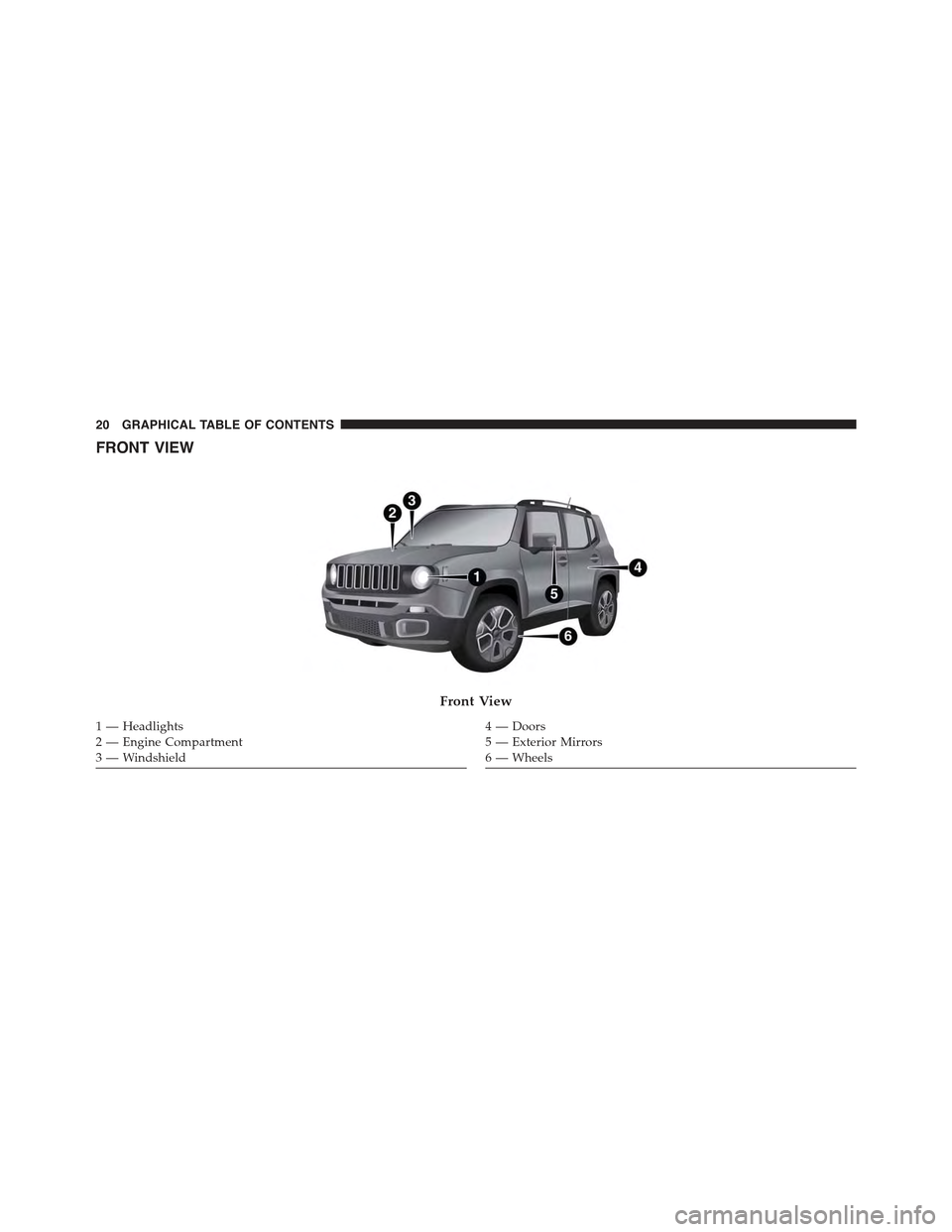
FRONT VIEW
Front View
1 — Headlights2—EngineCompartment3 — Windshield
4—Doors5 — Exterior Mirrors6 — Wheels
20 GRAPHICAL TABLE OF CONTENTS
Page 23 of 678
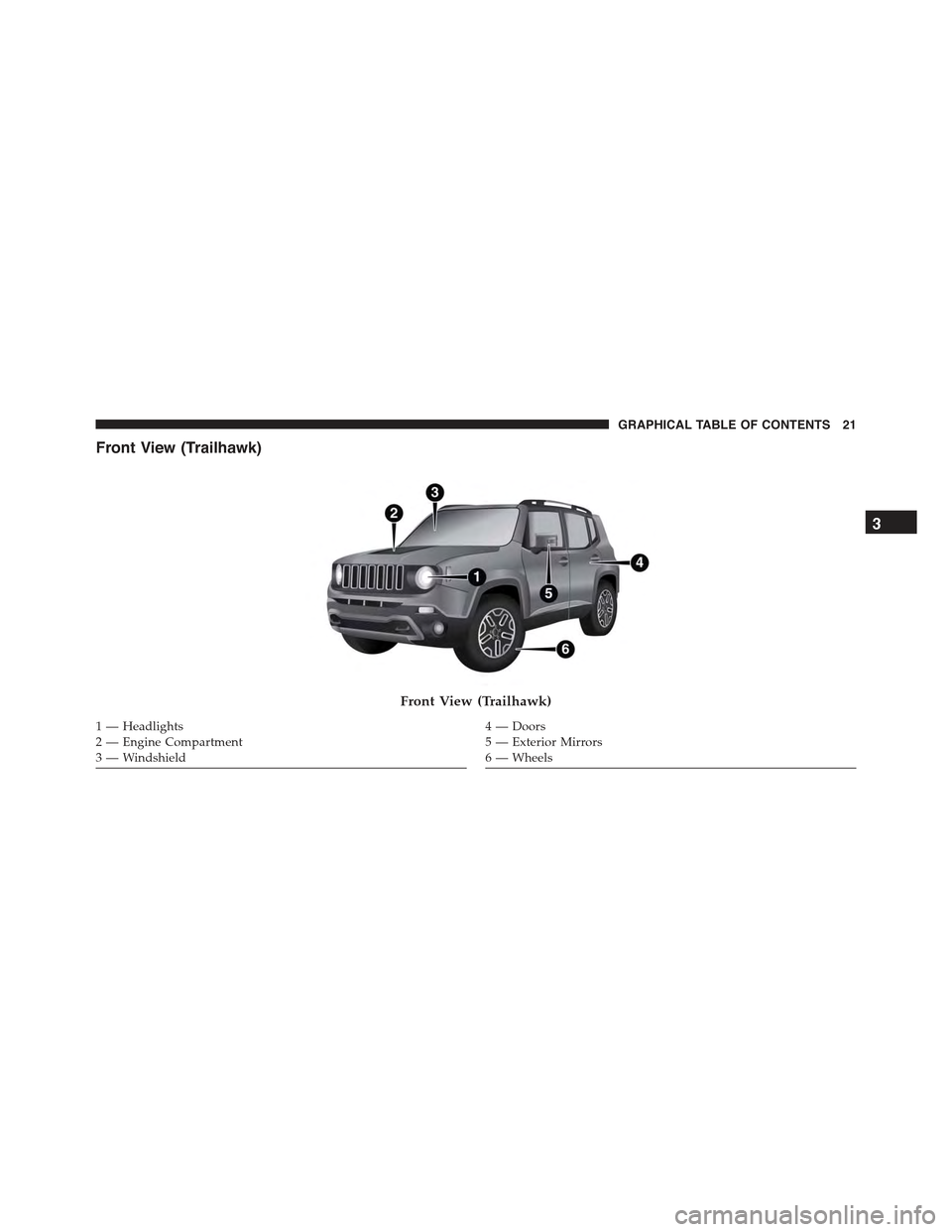
Front View (Trailhawk)
Front View (Trailhawk)
1 — Headlights2—EngineCompartment3 — Windshield
4—Doors5 — Exterior Mirrors6 — Wheels
3
GRAPHICAL TABLE OF CONTENTS 21
Page 24 of 678
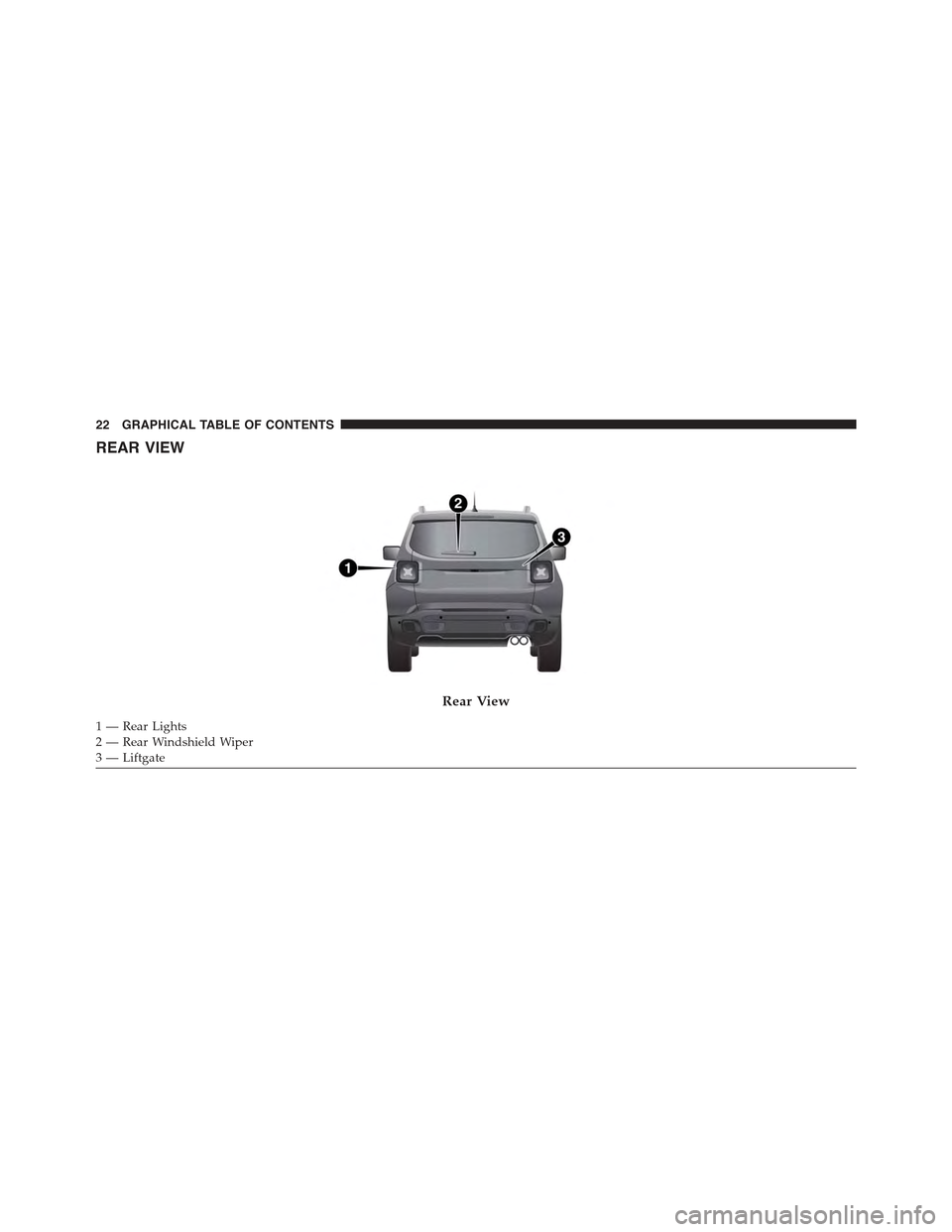
REAR VIEW
Rear View
1—RearLights2—RearWindshieldWiper3 — Liftgate
22 GRAPHICAL TABLE OF CONTENTS
Page 25 of 678
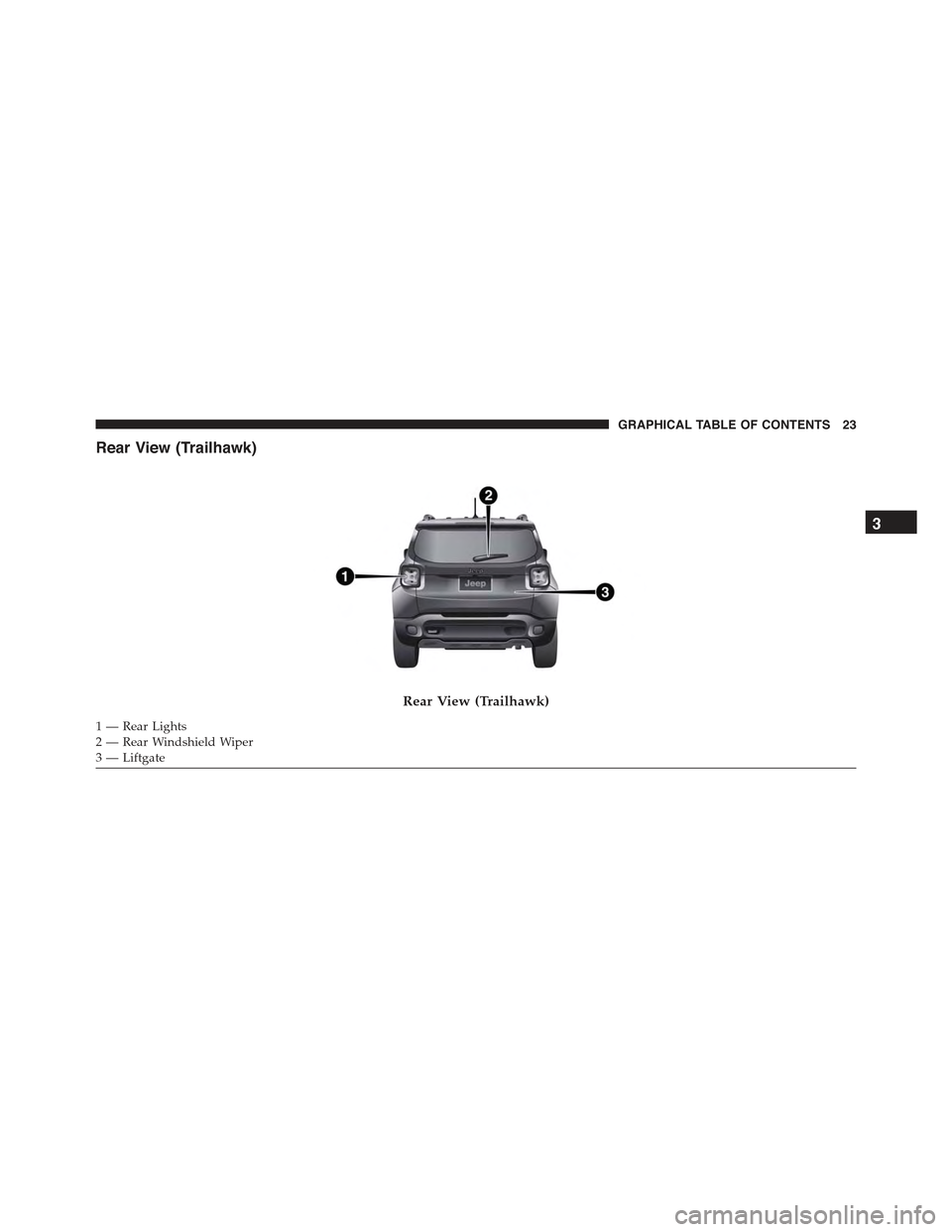
Rear View (Trailhawk)
Rear View (Trailhawk)
1—RearLights2—RearWindshieldWiper3 — Liftgate
3
GRAPHICAL TABLE OF CONTENTS 23
Page 26 of 678
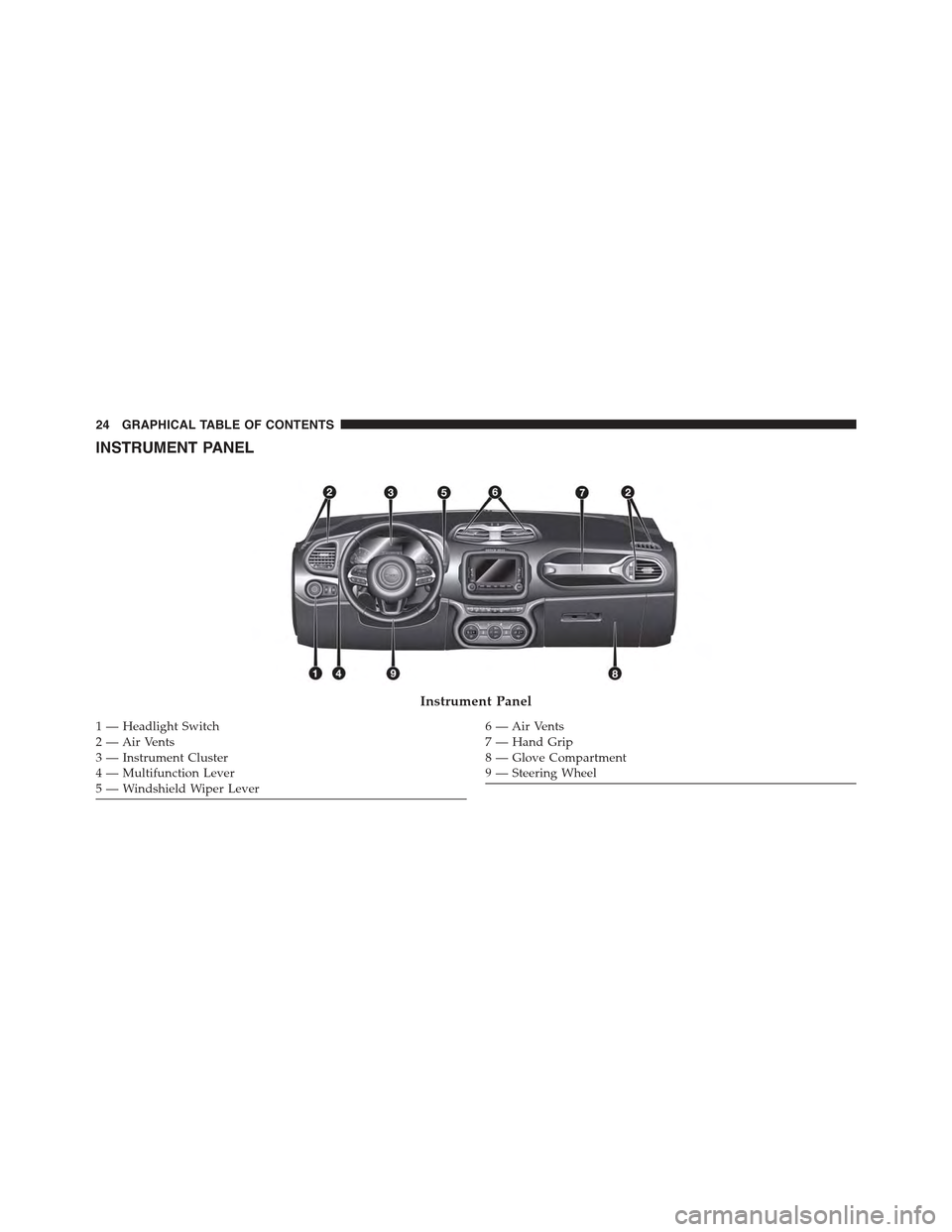
INSTRUMENT PANEL
Instrument Panel
1 — Headlight Switch2—AirVents3 — Instrument Cluster4 — Multifunction Lever5 — Windshield Wiper Lever
6—AirVents7—HandGrip8—GloveCompartment9 — Steering Wheel
24 GRAPHICAL TABLE OF CONTENTS
Page 31 of 678
▫General Information....................95
!EXTERIOR LIGHTS......................95
▫Headlights...........................95
▫Automatic Lighting — If Equipped.........96
▫Daytime Running Lights (DRL) — If Equipped . .97
▫Front Fog Lights — If Equipped...........97
▫Parking Lights........................98
▫Headlight Time Delay...................98
▫High Beam Headlights..................98
▫Turn Signals.........................99
!INTERIOR LIGHTS.....................100
▫Front Courtesy Light...................100
▫Rear Dome Light — If Equipped...........103
▫Cargo Area Lights.....................104
▫Instrument Panel Dimmer And Ambient Light
Control............................105
!WINDSHIELD WIPER/WASHER...........106
▫Rear Window Wiper/Washer.............107
▫Windshield Wiper De-Icer — If Equipped . . . .109
!WINDOWS...........................110
▫Power Windows......................110
!CLIMATE CONTROLS...................113
▫Air Outlet And Diffuser Locations — Passenger
Compartment........................113
▫Manual Climate Controls — If Equipped.....115
▫Dual Zone Automatic Climate Controls — If
Equipped...........................119
4
GETTING TO KNOW YOUR VEHICLE 29
Page 32 of 678
!RETRACTABLE ROOF (My Sky)............133
▫Retractable Roof — IF Equipped...........133
▫Power My Sky — If Equipped............134
▫Removing And Installing Panels...........136
▫Bag For Housing Panels — If Equipped......142
▫Emergency Open/Close.................145
!TO OPEN AND CLOSE THE HOOD.........146
!LIFTGATE...........................149
▫Opening............................149
▫Closing.............................152
▫Liftgate Initialization...................153
▫Cargo Area Features....................153
!INTERNAL EQUIPMENT.................161
▫Glove Compartment...................161
▫Sun Visors “Slide-On-Rod”..............162
▫Front Power Outlet....................164
▫Power Inverter — If Equipped............165
▫Cigar Lighter — Optional................166
▫Ashtray — Optional....................168
▫Front Armrest.......................169
▫Cupholders.........................170
▫Handle Grip.........................171
!ROOF LUGGAGE RACK — IF EQUIPPED . . . .172
30 GETTING TO KNOW YOUR VEHICLE
Page 36 of 678
General Information
This device complies with Part 15 of the FCC rules and
RSS 210 of Industry Canada. Operation is subject to the
following conditions:
•This device may not cause harmful interference.
•This device must accept any interference received,
including interference that may cause undesired op-
eration.
NOTE:Changes or modifications not expressly approved
by the party responsible for compliance could void the
user’s authority to operate the equipment.
If your RKE transmitter fails to operate from a normal
distance, check for these two conditions:
1. A weak battery in the transmitter. The expected life of
the battery is a minimum of three years.
2. Closeness to a radio transmitter such as a radio station
tower, airport transmitter, and some mobile or CB
radios.
To Unlock The Doors And Liftgate
The driver ’s door may be unlocked by inserting the
vehicle key into the exterior driver’s door lock cylinder.
To unlock all the doors, push the interior door unlock
button on the door panel.
Push and release the UNLOCK button on the RKE
transmitter once to unlock the driver’s door or twice
within five seconds to unlock all doors and the liftgate.
The turn signal lights will flash to acknowledge the
unlock signal. The illuminated entry system will also
turn on.
34 GETTING TO KNOW YOUR VEHICLE
Page 37 of 678
1st Push Of Key Fob Unlocks
This feature lets you program the system to unlock either
the driver’s door or all doors on the first push of the
UNLOCK button on the RKE transmitter. To change the
current setting, refer to “Uconnect® SETTINGS” in “Mul-
timedia” for further information.
NOTE:If the vehicle is equipped with Passive Entry,
refer to “Keyless Enter-N-Go™” in “Getting To Know
Your Vehicle” for further information.
To Lock The Doors And Liftgate
The doors may be locked by inserting the vehicle key into
the exterior driver’s door lock cylinder.
Push and release the LOCK button on the RKE transmit-
ter to lock all doors and liftgate. The turn signal lights
will flash and the horn will chirp to acknowledge the
signal. Settings in radio can change to lights only, chirp
only, or both.
If the vehicle is equipped with Passive Entry, refer to
“Keyless Enter-N-Go™” in “Getting To Know Your Ve-
hicle” for further information.
Key Fob With Remote Control And Integrated Vehicle
Key
If one or more doors are open, or the liftgate is open, the
doors will lock. This is signaled by a quick flash of the
turn signals.
Vehicles With Keyless Enter-N-Go™
If one or more doors are open, or the liftgate is open, the
doors will lock. The doors will unlock again only if the
key is inside the passenger compartment.
4
GETTING TO KNOW YOUR VEHICLE 35