mirror JEEP RENEGADE 2017 1.G Owner's Manual
[x] Cancel search | Manufacturer: JEEP, Model Year: 2017, Model line: RENEGADE, Model: JEEP RENEGADE 2017 1.GPages: 516, PDF Size: 5.73 MB
Page 321 of 516
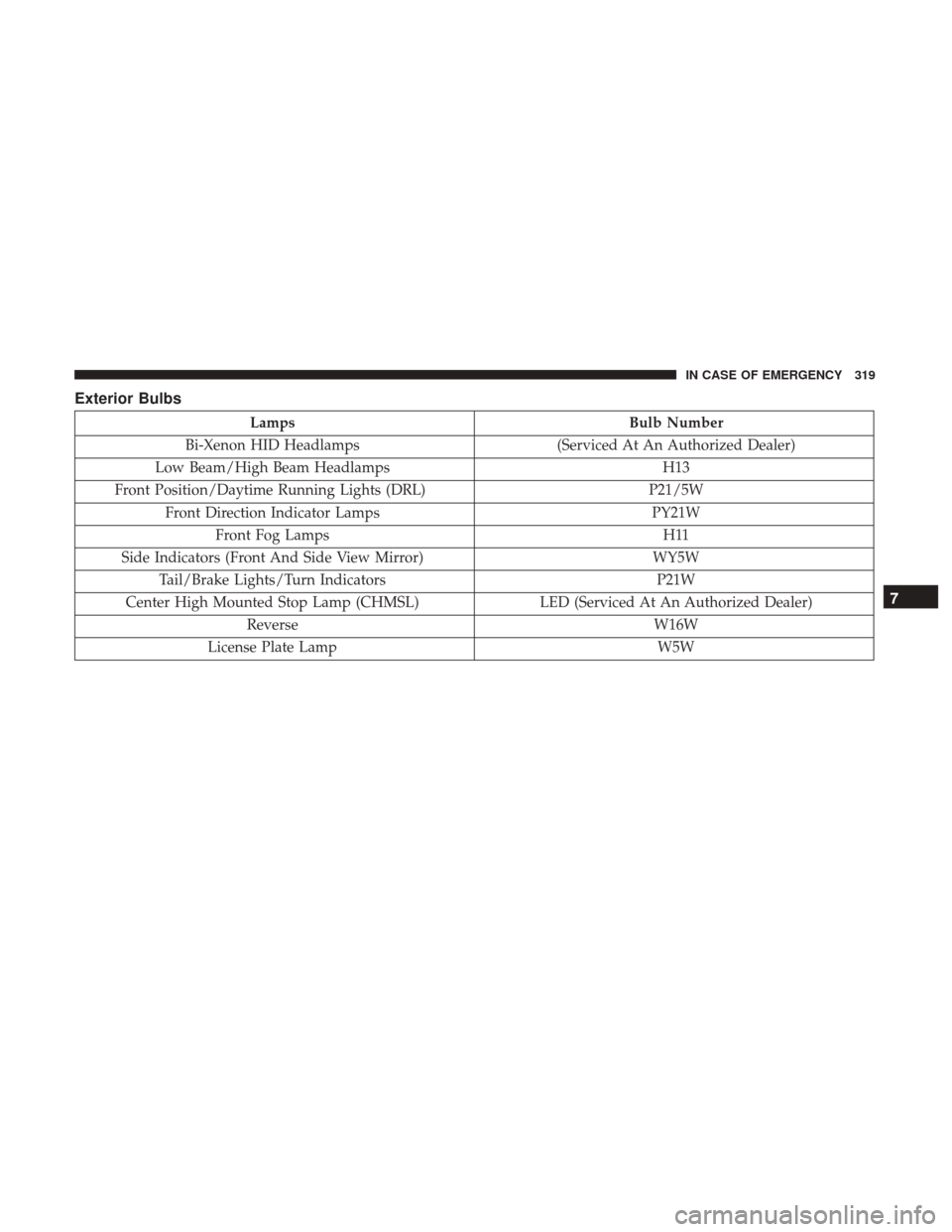
Exterior Bulbs
LampsBulb Number
Bi-Xenon HID Headlamps (Serviced At An Authorized Dealer)
Low Beam/High Beam Headlamps H13
Front Position/Daytime Running Lights (DRL) P21/5W
Front Direction Indicator Lamps PY21W
Front Fog Lamps H11
Side Indicators (Front And Side View Mirror) WY5W
Tail/Brake Lights/Turn Indicators P21W
Center High Mounted Stop Lamp (CHMSL) LED (Serviced At An Authorized Dealer)
Reverse W16W
License Plate Lamp W5W
7
IN CASE OF EMERGENCY 319
Page 329 of 516
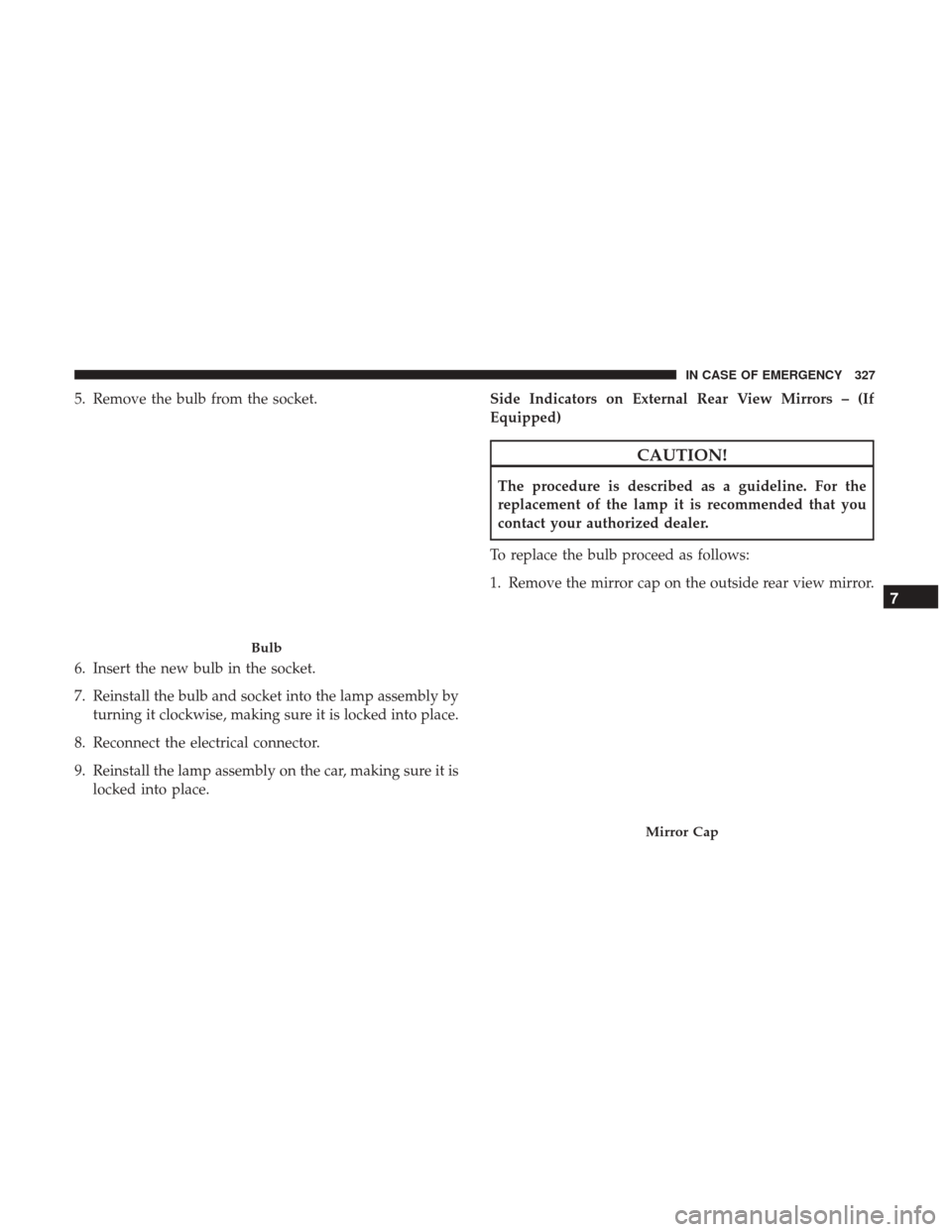
5. Remove the bulb from the socket.
6. Insert the new bulb in the socket.
7. Reinstall the bulb and socket into the lamp assembly byturning it clockwise, making sure it is locked into place.
8. Reconnect the electrical connector.
9. Reinstall the lamp assembly on the car, making sure it is locked into place. Side Indicators on External Rear View Mirrors – (If
Equipped)
CAUTION!
The procedure is described as a guideline. For the
replacement of the lamp it is recommended that you
contact your authorized dealer.
To replace the bulb proceed as follows:
1. Remove the mirror cap on the outside rear view mirror.
Bulb
Mirror Cap
7
IN CASE OF EMERGENCY 327
Page 330 of 516
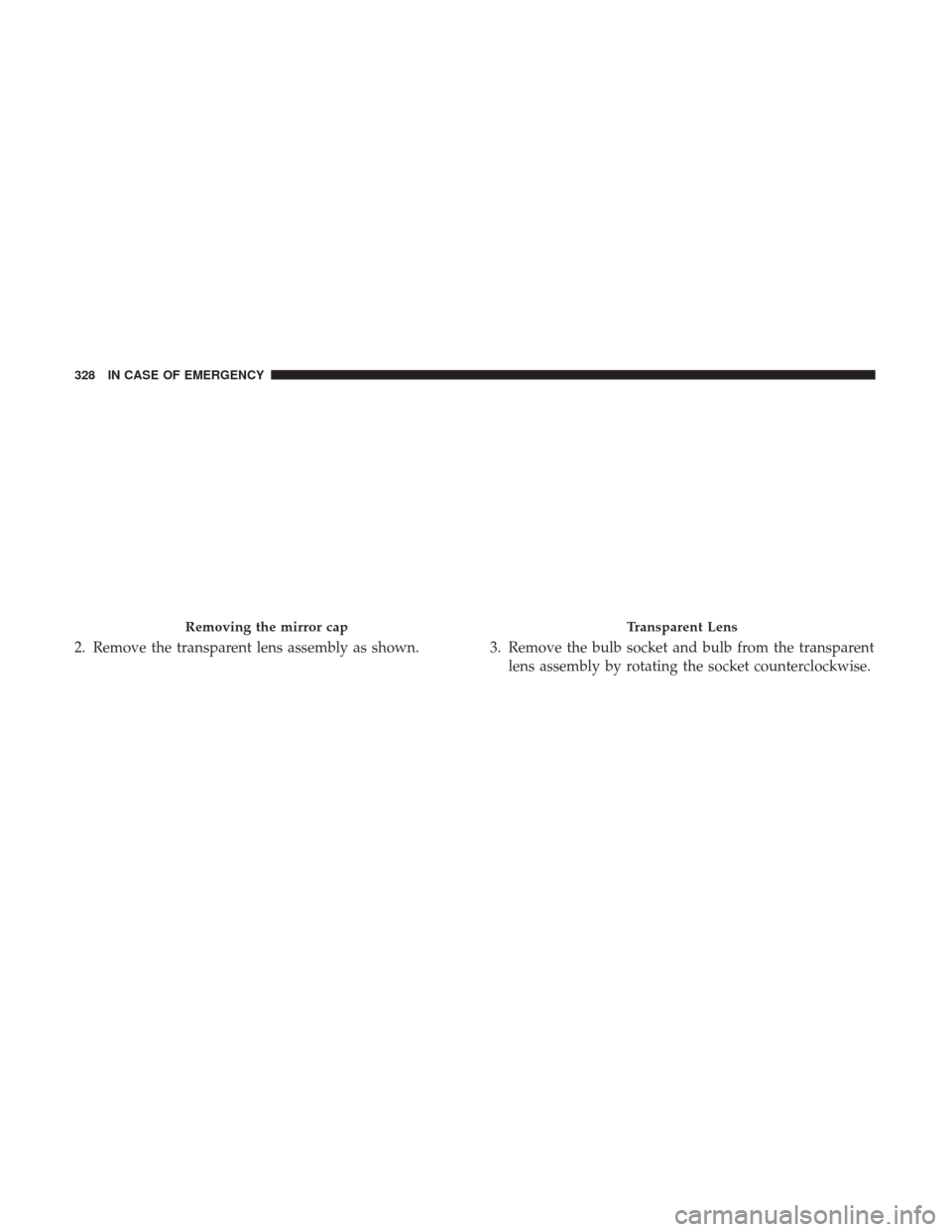
2. Remove the transparent lens assembly as shown. 3. Remove the bulb socket and bulb from the transparentlens assembly by rotating the socket counterclockwise.
Removing the mirror capTransparent Lens
328 IN CASE OF EMERGENCY
Page 331 of 516
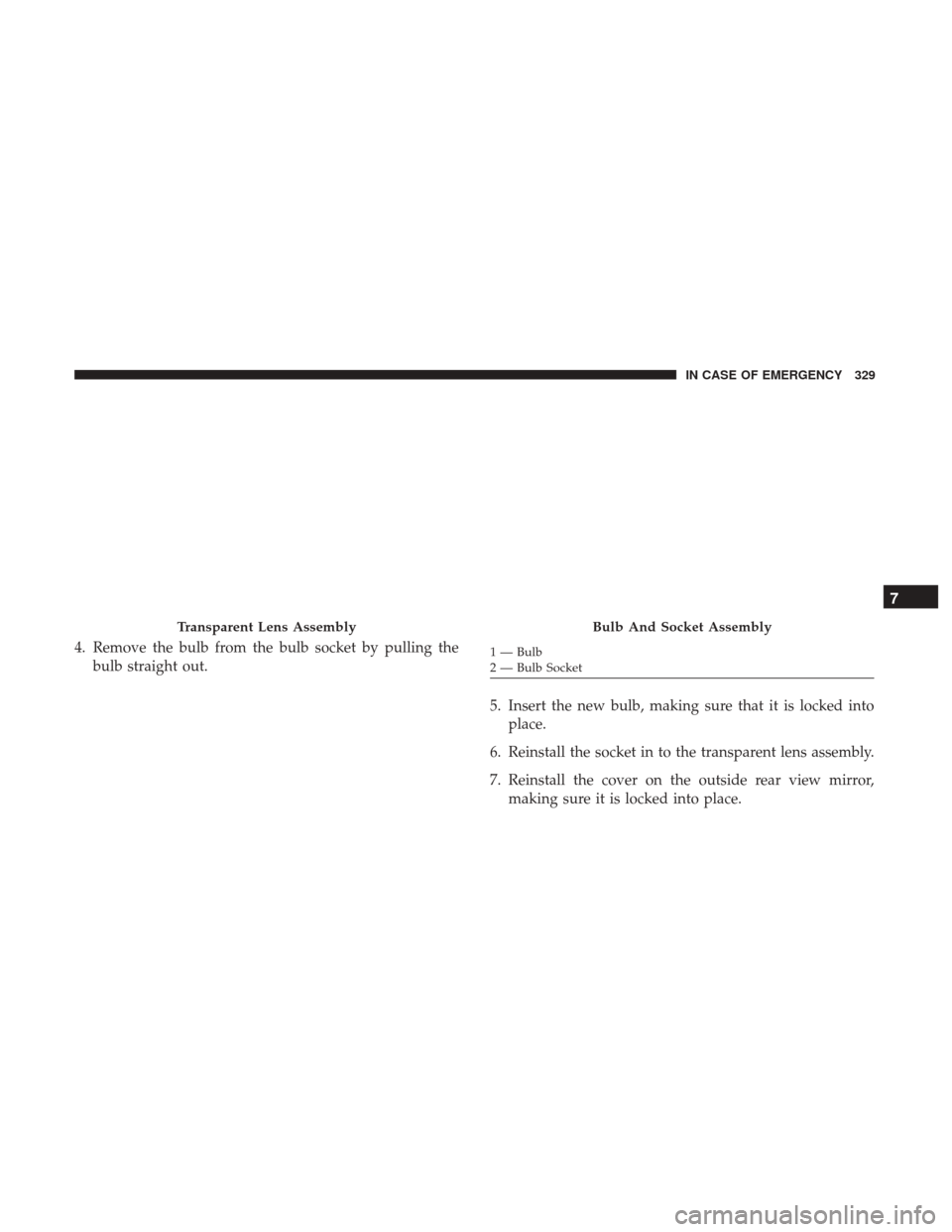
4. Remove the bulb from the bulb socket by pulling thebulb straight out.
5. Insert the new bulb, making sure that it is locked intoplace.
6. Reinstall the socket in to the transparent lens assembly.
7. Reinstall the cover on the outside rear view mirror, making sure it is locked into place.
Transparent Lens AssemblyBulb And Socket Assembly
1 — Bulb
2 — Bulb Socket
7
IN CASE OF EMERGENCY 329
Page 337 of 516
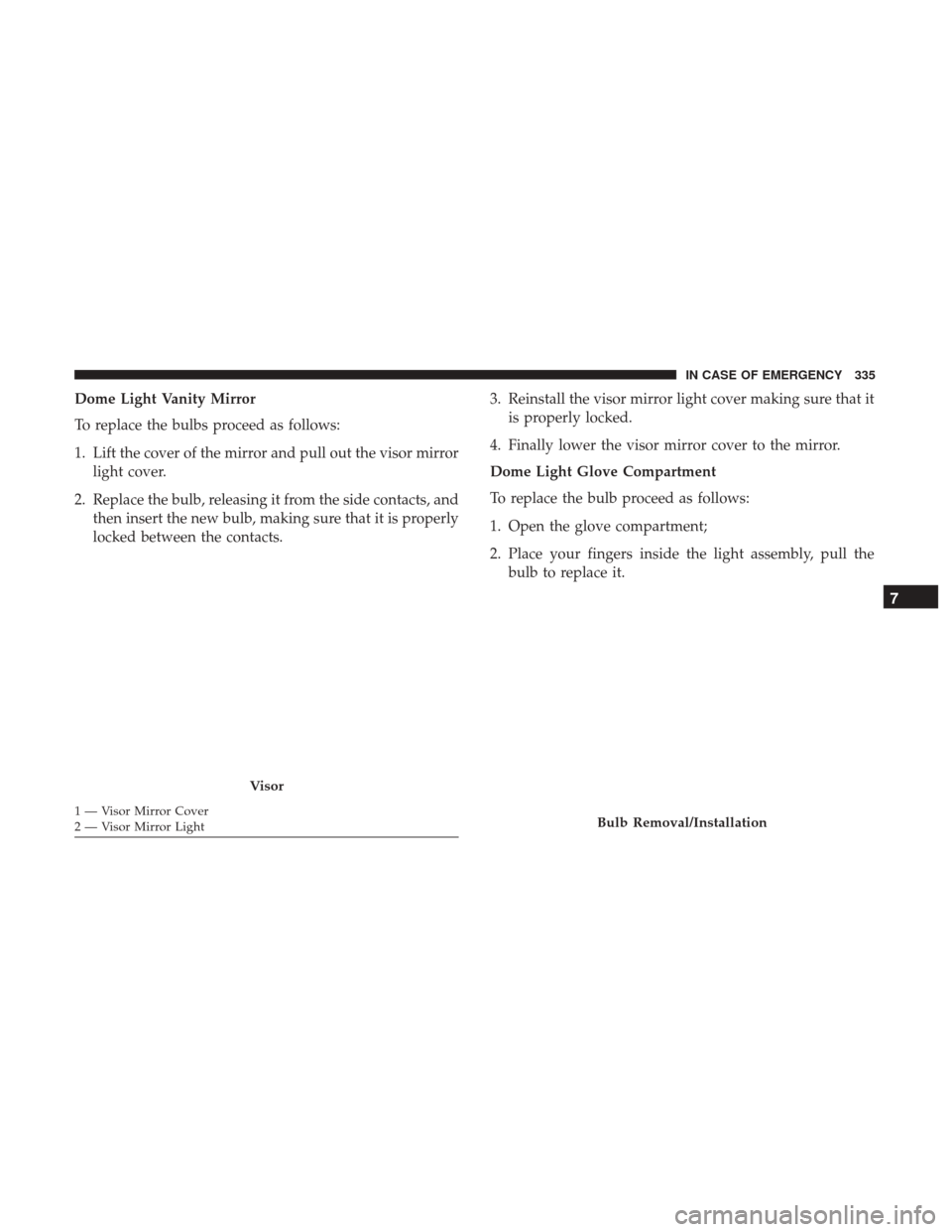
Dome Light Vanity Mirror
To replace the bulbs proceed as follows:
1. Lift the cover of the mirror and pull out the visor mirrorlight cover.
2. Replace the bulb, releasing it from the side contacts, and then insert the new bulb, making sure that it is properly
locked between the contacts. 3. Reinstall the visor mirror light cover making sure that it
is properly locked.
4. Finally lower the visor mirror cover to the mirror.
Dome Light Glove Compartment
To replace the bulb proceed as follows:
1. Open the glove compartment;
2. Place your fingers inside the light assembly, pull the bulb to replace it.
Visor
1 — Visor Mirror Cover
2 — Visor Mirror LightBulb Removal/Installation
7
IN CASE OF EMERGENCY 335
Page 348 of 516
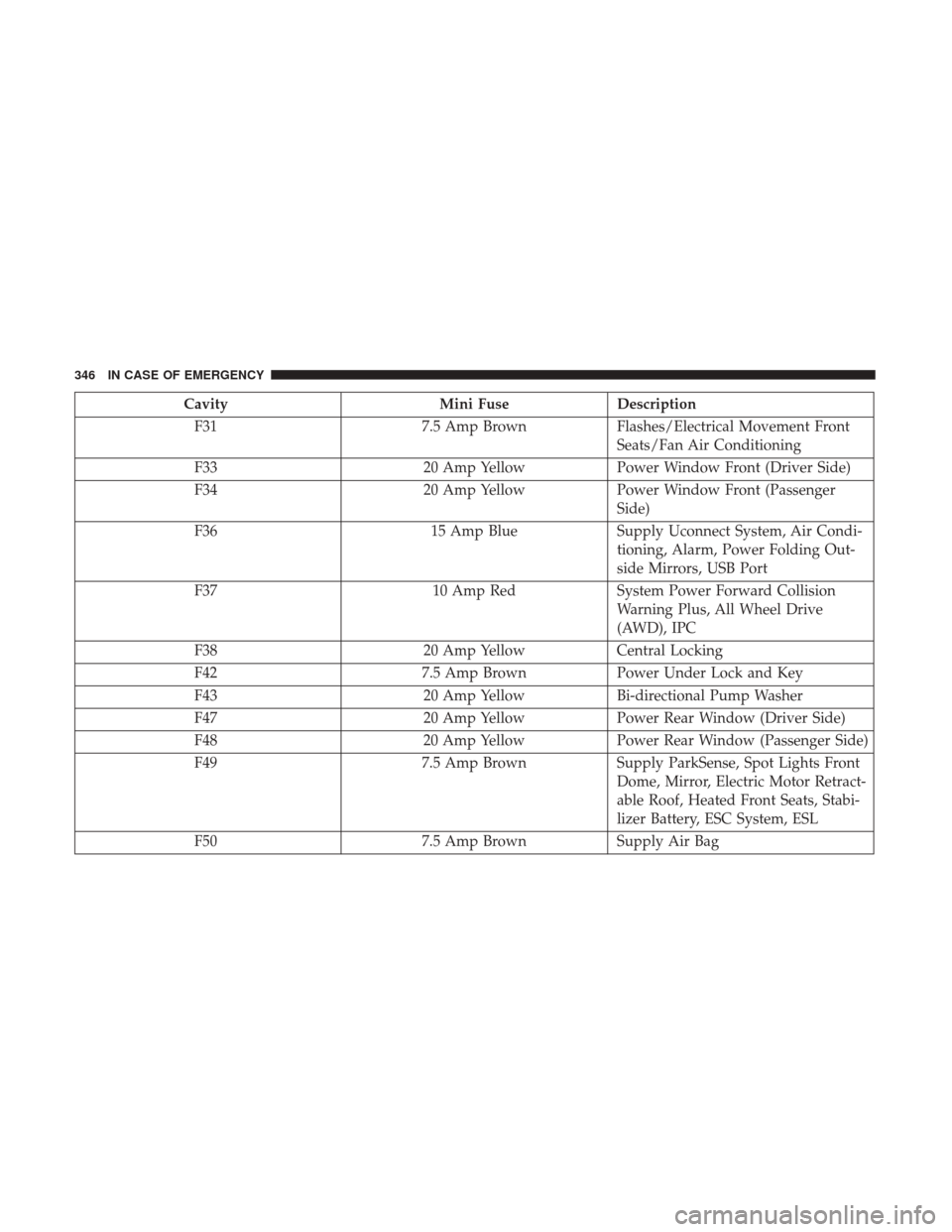
CavityMini FuseDescription
F31 7.5 Amp BrownFlashes/Electrical Movement Front
Seats/Fan Air Conditioning
F33 20 Amp YellowPower Window Front (Driver Side)
F34 20 Amp YellowPower Window Front (Passenger
Side)
F36 15 Amp BlueSupply Uconnect System, Air Condi-
tioning, Alarm, Power Folding Out-
side Mirrors, USB Port
F37 10 Amp RedSystem Power Forward Collision
Warning Plus, All Wheel Drive
(AWD), IPC
F38 20 Amp YellowCentral Locking
F42 7.5 Amp BrownPower Under Lock and Key
F43 20 Amp YellowBi-directional Pump Washer
F47 20 Amp YellowPower Rear Window (Driver Side)
F48 20 Amp YellowPower Rear Window (Passenger Side)
F49 7.5 Amp BrownSupply ParkSense, Spot Lights Front
Dome, Mirror, Electric Motor Retract-
able Roof, Heated Front Seats, Stabi-
lizer Battery, ESC System, ESL
F50 7.5 Amp BrownSupply Air Bag
346 IN CASE OF EMERGENCY
Page 432 of 516
CAUTION!
Do not use Alcohol and Alcohol-based and/or Ketone
based cleaning products to clean leather seats, as
damage to the seat may result.
Glass Surfaces
All glass surfaces should be cleaned on a regular basis with
Mopar Glass Cleaner, or any commercial household-type
glass cleaner. Never use an abrasive type cleaner. Use
caution when cleaning the inside rear window equipped
with electric defrosters or windows equipped with radio
antennas. Do not use scrapers or other sharp instrument
that may scratch the elements.
When cleaning the rear view mirror, spray cleaner on the
towel or cloth that you are using. Do not spray cleaner
directly on the mirror.
430 SERVICING AND MAINTENANCE
Page 454 of 516
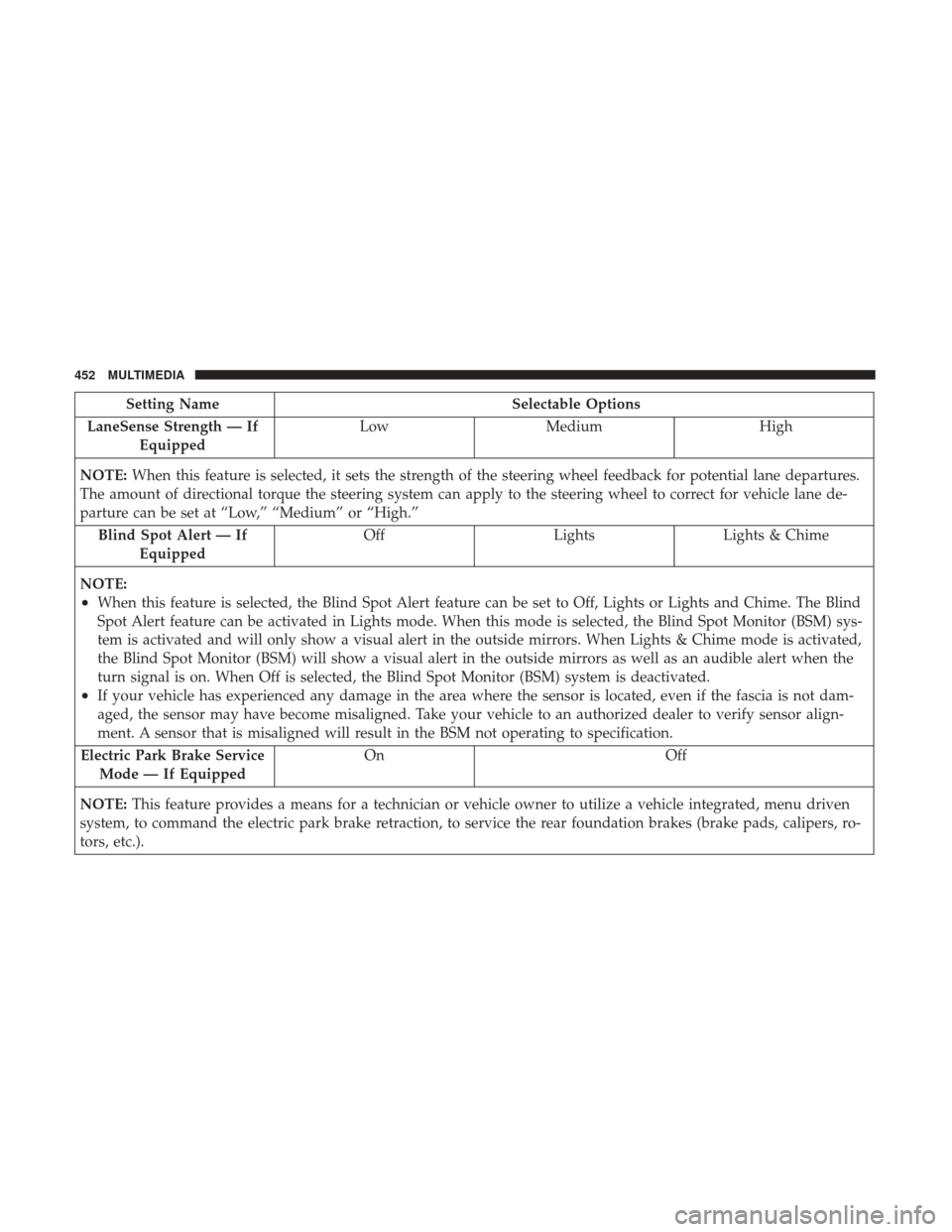
Setting NameSelectable Options
LaneSense Strength — If Equipped Low
Medium High
NOTE: When this feature is selected, it sets the strength of the steering wheel feedback for potential lane departures.
The amount of directional torque the steering system can apply to the steering wheel to correct for vehicle lane de-
parture can be set at “Low,” “Medium” or “High.”
Blind Spot Alert — If Equipped Off
LightsLights & Chime
NOTE:
•When this feature is selected, the Blind Spot Alert feature can be set to Off, Lights or Lights and Chime. The Blind
Spot Alert feature can be activated in Lights mode. When this mode is selected, the Blind Spot Monitor (BSM) sys-
tem is activated and will only show a visual alert in the outside mirrors. When Lights & Chime mode is activated,
the Blind Spot Monitor (BSM) will show a visual alert in the outside mirrors as well as an audible alert when the
turn signal is on. When Off is selected, the Blind Spot Monitor (BSM) system is deactivated.
•If your vehicle has experienced any damage in the area where the sensor is located, even if the fascia is not dam-
aged, the sensor may have become misaligned. Take your vehicle to an authorized dealer to verify sensor align-
ment. A sensor that is misaligned will result in the BSM not operating to specification.
Electric Park Brake Service Mode — If Equipped On Off
NOTE: This feature provides a means for a technician or vehicle owner to utilize a vehicle integrated, menu driven
system, to command the electric park brake retraction, to service the rear foundation brakes (brake pads, calipers, ro-
tors, etc.).
452 MULTIMEDIA
Page 468 of 516
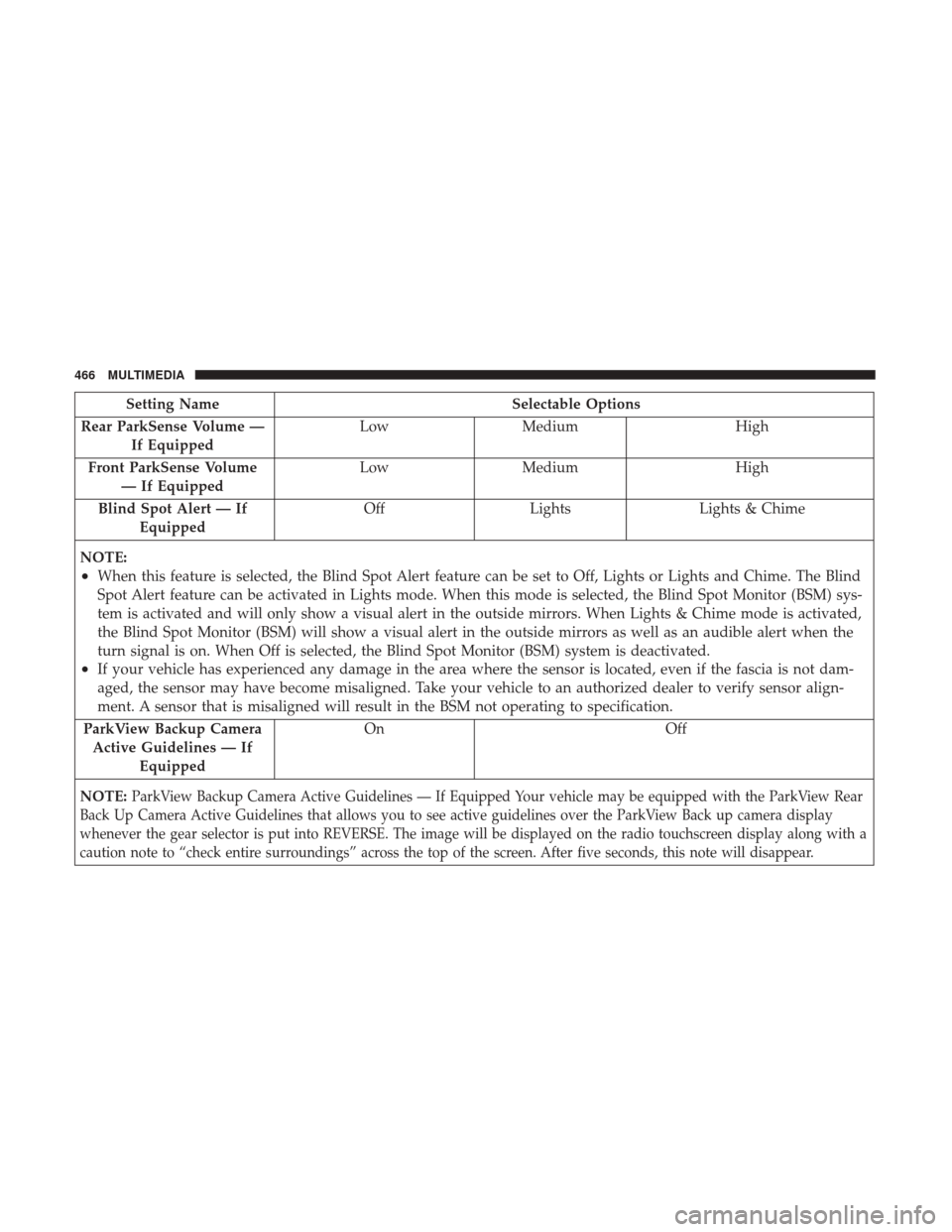
Setting NameSelectable Options
Rear ParkSense Volume — If Equipped Low
Medium High
Front ParkSense Volume — If Equipped Low
Medium High
Blind Spot Alert — If Equipped Off
Lights Lights & Chime
NOTE:
•When this feature is selected, the Blind Spot Alert feature can be set to Off, Lights or Lights and Chime. The Blind
Spot Alert feature can be activated in Lights mode. When this mode is selected, the Blind Spot Monitor (BSM) sys-
tem is activated and will only show a visual alert in the outside mirrors. When Lights & Chime mode is activated,
the Blind Spot Monitor (BSM) will show a visual alert in the outside mirrors as well as an audible alert when the
turn signal is on. When Off is selected, the Blind Spot Monitor (BSM) system is deactivated.
•If your vehicle has experienced any damage in the area where the sensor is located, even if the fascia is not dam-
aged, the sensor may have become misaligned. Take your vehicle to an authorized dealer to verify sensor align-
ment. A sensor that is misaligned will result in the BSM not operating to specification.
ParkView Backup Camera Active Guidelines — If Equipped On Off
NOTE:
ParkView Backup Camera Active Guidelines — If Equipped Your vehicle may be equipped with the ParkView Rear
Back Up Camera Active Guidelines that allows you to see active guidelines over the ParkView Back up camera display
whenever the gear selector is put into REVERSE. The image will be displayed on the radio touchscreen display along with a
caution note to “check entire surroundings” across the top of the screen. After five seconds, this note will disappear.
466 MULTIMEDIA
Page 481 of 516
Get Started
All you need to control your Uconnect system with your
voice are the buttons on your steering wheel.
1. VisitUconnectPhone.com to check mobile device and
feature compatibility and to find phone pairing in-
structions.
2.
Reduce background noise. Wind and passenger conversa-
tions are examples of noise that may impact recognition.
3. Speak clearly at a normal pace and volume while facing straight ahead. The microphone is positioned on the
rearview mirror and aimed at the driver. 4. Each time you give a Voice Command, you must first
push either the VR or Phone button, wait until afterthe
beep, then say your Voice Command.
5. You can interrupt the help message or system prompts by pushing the VR or Phone button and saying a Voice
Command from current category.
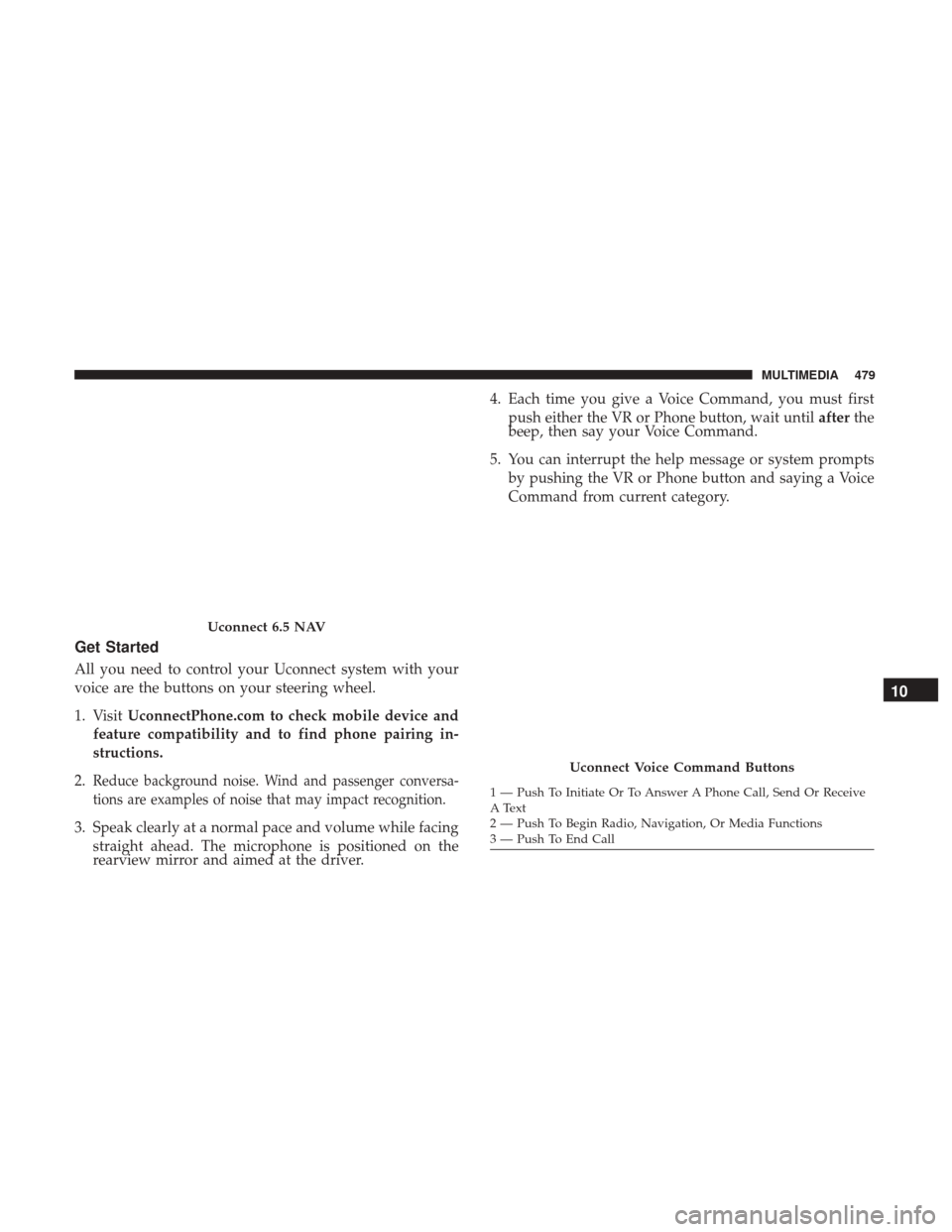
Uconnect 6.5 NAV
Uconnect Voice Command Buttons
1 — Push To Initiate Or To Answer A Phone Call, Send Or Receive
A Text
2 — Push To Begin Radio, Navigation, Or Media Functions
3 — Push To End Call
10
MULTIMEDIA 479